Firefox 146: Backup Assistant for Windows and Cross Platform Rendering Upgrades

  • Thread Author
Firefox 146 is rolling out with a practical migration-oriented backup tool for Windows 10 users and a clutch of platform-specific stability and rendering improvements that aim to make Firefox more resilient across Windows, macOS, and Linux — but the update also removes legacy graphics support that could trip some niche workflows.

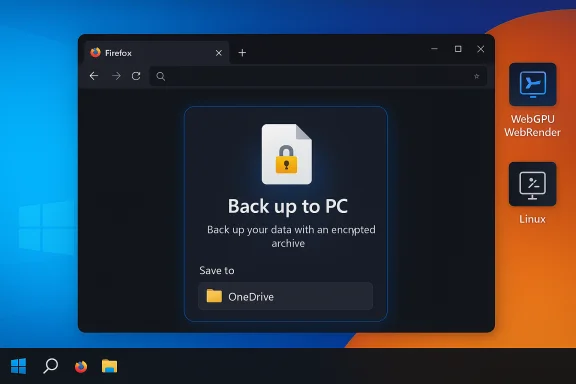
Windows desktop with Firefox open, displaying a 'Back up to PC' encrypted archive dialog saving to OneDrive.Background​

Mozilla ships Firefox on a rapid cadence and the 146 development cycle has been carrying several features aimed at stability, graphics isolation, and user-facing convenience. The release brings a new on‑device Backup Assistant for Windows, improvements that put WebGPU/WebGL/WebRender into a dedicated GPU process on macOS, native fractional scaling on Wayland for Linux users, and broader access to experimental builds via Firefox Labs. At the same time, Mozilla has removed support for Direct2D on Windows, a change with minimal impact for most users but with concrete implications for those relying on obscure preferences or older pipelines. This story matters for two reasons. First, the Backup Assistant directly targets the practical pain of migrating user profiles between machines or across operating-system upgrades — a common churn point when users are tempted to abandon their preferred browser. Second, the graphics and rendering changes shift several internal trust and compatibility boundaries (Skia/WebRender/Direct3D vs. Direct2D), which affect visual fidelity, driver compatibility, and crash containment strategies on different platforms. Evidence for the Backup Assistant and its onboarding flows is visible in preview builds and Bugzilla activity, showing Mozilla is actively iterating the experience.

What’s new in Firefox 146 — quick summary​

  • Backup Assistant (Windows 10) — A new “Back up to PC” option surfaced in the about:welcome onboarding that creates a local, optionally encrypted archive of bookmarks, history, extensions, and (optionally) saved passwords and payment data. The tool offers an “Easy setup” profile and an “All data” profile with password‑protected encryption. The UI suggests OneDrive as a convenient destination and schedules a daily automatic backup by default in preview UIs.
  • Dedicated GPU process on macOS — WebGPU, WebGL, and WebRender run in a separate GPU process so a graphics-component crash no longer takes the whole browser down; Firefox will restart the GPU process and keep tabs and sessions intact.
  • Fractional scaling on Wayland (Linux) — Native support for fractional scaled displays on Wayland to improve rendering on high‑DPI displays without visual scaling artifacts.
  • Firefox Labs available to all — The experimental features hub, Firefox Labs, is being opened to every user rather than being gated by telemetry or study participation. This broadens the testing audience for experimental UX and features.
  • Search/address bar enhancements — The address bar is moving toward showing direct results and better, real‑time suggestions so users can get answers or go straight to content without loading an intermediate results page. The approach uses privacy‑preserving techniques in development discussions.
  • Direct2D removed on Windows — Firefox has deprecated and removed the legacy Direct2D rendering path in favor of the cross‑platform Skia/WebRender stack; hidden prefs that previously allowed toggling Direct2D have been removed. Users who need Direct2D are advised to remain on an older ESR track.

Deep dive: the Backup Assistant — what it does, what it doesn’t​

Two paths: Sync vs Back up to PC​

Mozilla is keeping the existing Firefox Sync flow — the cloud, account‑based method to keep bookmarks, passwords, history, tabs and more — as the recommended path for cross‑device continuity. The Backup Assistant introduces a second, explicitly local option: Back up to PC. This produces a portable archive file you control and can copy to an external drive, OneDrive, or any folder of your choice. That means users who do not want or cannot use a Firefox Account now have a first‑class migration path surfaced directly in the browser onboarding.

Two backup profiles: Easy setup and All data​

  • Easy setup: quick, excludes credentials and payment data, and does not require encryption. This is ideal for users who want bookmarks, open tabs, history, and settings but do not want to export passwords.
  • All data: includes saved passwords and payment methods and requires the user to set an encryption passphrase before the archive is created. The preview builds enforce password entry and include a password tip/validation UI in QA screenshots; details such as minimum length and KDF parameters are still being finalized.

Where backups live and how restores are handled​

The Save dialog in test builds nudges users toward OneDrive, placing backups in a “Restore Firefox” subfolder by default if OneDrive is used. That’s pragmatic for Windows users who already use OneDrive to migrate files, but it introduces a separate trust boundary (your Microsoft account and OneDrive security settings). Backups can be saved to any location including external USB drives, encrypted containers, or other cloud providers.
On a new or freshly upgraded machine, the about:welcome flow will detect available backup files and offer to restore them — including decrypting the archive when the “All data” option was used. This streamlines the first‑run experience after a Windows upgrade and reduces the friction that often leads to users abandoning a non‑default browser.

Maturity, QA and telemetry​

The Backup Assistant has been visible in Nightly and Beta channels and is actively tracked in Bugzilla under the Firefox 146 umbrella. Multiple onboarding bugs and UI polish items are open and being addressed (password tip placement, folder detection edge cases, transient errors when validating a password), which indicates the feature is still maturing and subject to change before it lands unflagged on the Release channel. Administrators and critical users should treat the current flows as preview behavior and test restores in a non‑production environment before relying on them.

Security analysis: encryption, attack surface, and tradeoffs​

Strengths​

  • User choice: The local backup path preserves privacy‑conscious workflows and gives an explicit option for users who prefer not to place profile material in a cloud account.
  • Encryption for sensitive data: Requiring a passphrase for the All data option is a solid baseline control to reduce exposure if a backup file is misplaced.
  • Automated restore for migrations: The first‑run detection and restore prompt reduces the manual steps that commonly lead to misconfiguration or lost data during OS upgrades.

Risks and unknowns​

  • Undisclosed crypto parameters: Preview reporting confirms backups that include credentials are password‑encrypted, but public documentation on algorithm choices, key‑derivation parameters (PBKDF2 vs Argon2), iteration counts, and metadata handling is not yet published. Without those details, independent security assessment is limited. Until Mozilla documents the cryptographic details, users should assume the archive’s security depends heavily on passphrase strength.
  • User behavior and storage choices: Easy setup archives are unencrypted. Saving them to shared or cloud locations without additional layers exposes browsing metadata. Similarly, weak passphrases on All data archives materially reduce protection.
  • OneDrive as a recommended default: Convenience is useful, but OneDrive ties the backup to a Microsoft account and cloud provider controls. If you must use cloud transfer, enable MFA, use personal vault or an encrypted container, and treat the Firefox backup as sensitive material.
  • Not a substitute for OS security: Browser profile backup solves migration friction — it does not patch kernel/driver/firmware vulnerabilities on an unsupported OS. Users on Windows 10 must still plan platform upgrades or ESU enrollment.

Practical security checklist (recommended)​

  • Prefer Firefox Sync for routine, low‑friction restores (it’s end‑to‑end encrypted).
  • If using Back up to PC with All data, choose a long, unique passphrase (≥15 characters with high entropy) and store it in a reputable password manager.
  • Store backup files on an external encrypted drive, or if using cloud storage, enable MFA and consider another encryption layer (e.g., container/7‑zip with AES).
  • Test restores in a VM or secondary profile before performing a production OS migration.
  • Keep a full system image as the primary rollback option when upgrading an OS; treat the browser backup as convenience rather than disaster recovery.

Platform graphics and stability changes — what to expect​

macOS: dedicated GPU process for WebGPU, WebGL, and WebRender​

Firefox is isolating graphics subsystems into a dedicated GPU process on macOS so that crashes in WebGPU, WebGL, or WebRender won’t take down the main browser process. When a GPU process fails, Firefox restarts it transparently and continues the user session. This increases resilience for users working with complex graphics content or running GPU‑accelerated web apps. The change has been rolling through Nightly builds and is now defaulting in more channels.

Linux (Wayland): fractional scaling support​

Firefox 146 introduces native support for fractional scaling on Wayland, improving rendering on high‑DPI displays and eliminating many of the blurriness and scaling artifacts users saw with integer-only scaling. This is a notable quality‑of‑life improvement for high‑resolution laptop users and multi‑monitor setups under Wayland compositors.

Windows: Direct2D removed in favor of Skia/WebRender​

Mozilla has removed legacy Direct2D support and hidden prefs that allowed enabling it, consolidating the rendering stack around Skia and WebRender. For the majority of users this will be invisible; Skia/WebRender with Direct3D/GPU acceleration handles text and shapes rendering across platforms. There are, however, scenarios (legacy workflows, older driver stacks, or specialized PDF rendering pipelines) where Direct2D might have behaved differently, so administrators with unusual integrations should test carefully. If a specific environment requires Direct2D, remaining on a supported ESR channel may be the only option for a limited time.

Search and discovery: address bar changes and privacy model​

Mozilla is actively evolving the address bar into a place that can show direct results as you type, not just suggestions that open a search results page. The design aims to deliver target information (flight status snippets, direct site links, or short answers) inside the browser UI while preserving user privacy through cryptographic relays and techniques such as Oblivious HTTP.
This is a privacy‑conscious alternative to search engines that index and associate queries with users. The experimental rollout is deliberate and regionally phased to manage latency and capacity while evaluating privacy and relevancy tradeoffs. Expect ongoing refinements and a settings toggle to disable the feature if users prefer the classic behavior.

Enterprise impact and deployment recommendations​

  • Enterprise policy: The Backup Assistant currently targets consumer‑facing onboarding flows. Enterprises should not treat it as a replacement for policy‑driven migration tooling or managed profile migration. Administrative hooks or Group Policy / enterprise policy documentation for this new backup subsystem are not yet widely documented; favor existing, tested migration frameworks for large fleets.
  • Testing windows: IT groups should test Firefox 146 in a controlled pilot, validating rendering fidelity (especially if legacy Direct2D rendering was required by internal tools), extension compatibility, and profile restore behavior from locally stored backup files.
  • Security baseline: For regulated environments, require All data backups to be stored only on encrypted enterprise storage, ensure passphrase handling aligns with corporate password policies, and perform restores in isolated test VMs before broad rollouts.

How to try the Backup Assistant now (step‑by‑step)​

  • Update Firefox to the latest Release/Beta/Nightly depending on your risk tolerance. The Backup Assistant has been visible in Nightly and Beta during development.
  • If you see the about:welcome card prompting “Upgrading to Windows 11? Let’s back up your Firefox data,” choose Back up to PC or Sync depending on preference.
  • Select Easy setup or All data. For All data, enter a strong passphrase when prompted.
  • Choose a save destination (OneDrive is suggested but optional). Prefer an external encrypted drive for maximum safety.
  • Confirm the backup and let the scheduled daily backups run, or trigger a manual backup if you need an immediate copy.
  • After upgrading or on a new device, open Firefox and use the about:welcome restore flow to locate the file, supply the passphrase if needed, and verify bookmarks, extensions, and passwords were rehydrated correctly.

Critical perspective — why this matters and what to watch​

Mozilla’s Backup Assistant is a pragmatic, user‑centric response to a real migration pain point. By surfacing a local backup path in the onboarding and pairing convenience with optional encryption, Firefox reduces the likelihood that users will abandon the browser during OS migrations. That improves user retention at a critical moment for many Windows 10 users who are migrating to Windows 11 or replacing machines.
However, the feature is not without tradeoffs:
  • Security transparency: Until Mozilla publishes full cryptographic details, security‑conscious users and reviewers cannot fully vet the protection provided by encrypted backups. Treat the feature as useful but currently provisional for extremely sensitive environments.
  • Complex trust boundaries: Suggesting OneDrive for convenience is pragmatic on Windows, but it invites mixed trust models — Mozilla provides a backup file, Microsoft controls the cloud transport and storage. Users should align that choice with their threat model.
  • Compatibility and final polish: Bugzilla entries show active fixes around onboarding UI and edge cases. The behavior in Release channels may differ from preview builds. Validate behavior before relying on the assistant for mass migrations.

Final verdict and practical advice​

Firefox 146 is a focused release that balances user convenience with broader platform improvements. The Backup Assistant is the release’s human‑impacting highlight: it simplifies a common and painful workflow (OS migration) while preserving user choice and optional encryption. At the same time, platform‑level changes (dedicated GPU process on macOS, fractional scaling on Wayland, and the removal of Direct2D on Windows) demonstrate Mozilla’s ongoing push to modernize the rendering and crash‑containment architecture.
Practical recommendations:
  • For most consumers: update to Firefox 146 when available, try the Backup Assistant for a convenient migration copy, and prefer the All data encrypted option with a strong passphrase if you include credentials.
  • For privacy‑sensitive users: favor local external encrypted drives or end‑to‑end Sync (with a Firefox Account) rather than leaving unencrypted Easy setup archives in shared cloud folders.
  • For IT teams and enterprises: pilot Firefox 146 in a staged rollout, confirm that the removal of Direct2D does not affect custom rendering pipelines, and await explicit enterprise policy documentation before relying on the backup assistant for mass migrations.
Mozilla’s work on direct results in the address bar and on experimental features shows a healthy iteration cadence and an emphasis on user control and privacy. The Backup Assistant should be welcomed as a practical migration tool — with the caveat that its cryptographic internals and enterprise controls deserve scrutiny as it matures from preview into broad availability.
Conclusion: Firefox 146 mixes a very practical consumer feature with important platform engineering changes. The Backup Assistant addresses a real problem at the point of OS upgrades, while the graphics and privacy‑focused search work make the browser more robust and competitive. Users should test the new flows, adopt secure storage and passphrase practices, and treat the backup as part of a layered migration and recovery strategy rather than a single-shot safety net.

Source: Windows Report The Latest Firefox Update Adds A New Backup Tool for Windows 10 Users
 

Mozilla’s Firefox 146 release lands with a practical on‑device Backup Assistant for Windows 10 users, native fractional‑scaling support on Wayland, a dedicated GPU process for macOS, and a set of search and UI refinements — while simultaneously removing legacy Direct2D rendering on Windows and widening access to experimental features via Firefox Labs.

Three-monitor setup showing backup, fractional scaling, and WebGPU/WebRender with a Firefox icon.Background​

Firefox follows a rapid release cadence where each version bundles a mix of platform fixes, UX improvements, developer features, and occasional platform‑level switches in graphics stacks. The 146 cycle is explicitly focused on two practical user problems: reducing migration friction during Windows upgrades, and improving cross‑platform rendering resilience and high‑DPI behavior. Those aims show up in the headline features — a local backup/restore flow aimed at Windows 10 → Windows 11 migrations, native fractional scaling support for Wayland, and graphics isolation on macOS. Two housekeeping notes about the rollout: Mozilla’s public release notes page for 146 was being prepared at the moment of reporting, while developer and beta channel notes plus Mozilla project blogs reveal the work and feature flags that users and admins should expect. That means some behaviors observed in Nightly/Beta can still be tweaked before they reach every Release‑channel install.

What’s new, at a glance​

  • Backup Assistant (Windows 10) — a “Back up to PC” flow surfaced during onboarding, offering an Easy setup (no passwords) and an All data (encrypted) profile for portable local backups.
  • Wayland fractional scaling — native support for fractional scaled displays under Wayland to improve rendering on high‑DPI monitors.
  • macOS dedicated GPU process — WebGPU, WebGL and WebRender run in a separate GPU process by default, increasing resilience to fatal GPU errors.
  • Direct2D removal on Windows — the legacy Direct2D path has been removed in favor of the cross‑platform Skia/WebRender stack. Users who depend on Direct2D are advised to consider ESR channels if necessary.
  • Search/address bar changes — address bar inline results are rolling out, and English‑language holiday/date suggestions appear for English users in France, Germany, and Italy.
  • Firefox Labs — experimental “Labs” features are now available to all users without requiring telemetry/studies opt‑in.

Deep dive: the Backup Assistant (Windows 10)​

What it is and why it exists​

The Backup Assistant is a migration‑oriented subsystem surfaced in Firefox’s onboarding (about:welcome) that explicitly helps users preserve a browser profile when moving to a new device or performing an OS upgrade. The timing dovetails with widespread Windows 10 → Windows 11 migrations and aims to reduce the common user problem of abandoning a preferred browser due to migration friction. Mozilla has been iterating the feature in preview channels and adjusting onboarding flows to reduce friction.

How it works (user flows)​

  • The about:welcome card prompts users with two top‑level choices: Sync with Firefox (the existing account‑based, end‑to‑end encrypted flow) or Back up to PC (a local file). The Back up to PC option is explicitly a file‑based, portable archive that the user controls.
  • After choosing Back up to PC the user can pick between:
  • Easy setup — includes bookmarks, history, open tabs and settings; excludes saved passwords and payment data; does not require encryption.
  • All data — includes saved logins and payment information and requires the user to set an encryption passphrase before the archive is produced.
  • The Save dialog nudges users toward convenient locations (OneDrive is suggested on Windows), but users may choose any folder, USB drive or other cloud folder. On first run on a new device, Firefox can detect available backup files and offer to restore them, including decryption when All data was used.

Security model and caveats​

  • Encryption is user‑supplied for All data archives — that is, the archive is protected by an encryption passphrase the user creates. Mozilla’s preview flows enforce a password entry step, but public documentation of the exact cryptographic parameters (KDF, cipher, iteration counts, metadata handling) was limited at the time of reporting. Independent security review will need those details to fully evaluate the implementation. Until Mozilla publishes them, treat the encrypted archive as only as strong as the chosen passphrase and the storage location of the file.
  • Easy setup archives are unencrypted. Storing unencrypted backups in shared cloud folders or on devices that others can access leaks browsing metadata (bookmarks, history, open tabs). Treat unencrypted archives as sensitive.
  • Trust boundaries matter. Suggesting OneDrive is pragmatic on Windows, but it introduces Microsoft’s cloud as a new trust boundary; if you use OneDrive, enable MFA and personal vault protections, or add a second encryption layer.

Enterprise and admin considerations​

  • The Backup Assistant has been primarily framed as a consumer‑facing convenience. While Planet Mozilla and project notes indicate enterprise policy hooks for fxbackup are being added, the feature should not be treated as an enterprise migration tool until official enterprise documentation and managed‑policy controls are published and validated. IT teams should test restores in isolated VMs and retain their standard migration tooling for fleet operations.

Practical checklist before using the assistant​

  • Prefer Firefox Sync for routine cross‑device continuity when organizational policy and privacy posture permit it.
  • If you use Back up to PC and include credentials, choose a long, unique passphrase and store it in a password manager.
  • Store backups on encrypted external media when possible or add an extra encryption layer if you place files in cloud storage.
  • Test restores on a non‑production VM or spare device before depending on the flow for a large migration.
  • Keep a full system image as your primary rollback option; treat the browser backup as a convenience, not a disaster‑recovery substitute.

Wayland fractional scaling: why it matters​

The problem: fractional scaling on Linux​

Wayland and its compositors historically exposed only integer scaling (1×, 2×) or used compositor‑level upscaling workarounds, which produced blurry text and UI artifacts on high‑DPI panels when users selected non‑integer scales (125%, 150%). Browser toolkits and rendering stacks needed clients to opt into the fractional scaling protocol extensions for crisp rendering.

What Firefox 146 changes​

Firefox 146 introduces native support for fractional scaling on Wayland, so content rendering respects fractional display scale factors and avoids many of the blurriness and layout artifacts users previously saw. This is a quality‑of‑life improvement for users with high‑DPI laptops and mixed‑DPI multi‑monitor setups running Wayland compositors that support fractional scaling.

Who benefits​

  • KDE Plasma / GNOME users who run Wayland with a compositor that supports fractional scaling and who use Firefox in native mode (not forced XWayland).
  • Users with 4K laptops or ultrawide external displays who previously chose integer scaling options to avoid fuzzy text.
  • Developers and designers who rely on accurate pixel metrics for layout and screenshot fidelity.

Practical note​

Fractional scaling also depends on compositor and toolkit support (Qt 6, newer GTK toolkits). Users on older stacks may need to upgrade their desktop environment (for example Plasma 6 or newer GTK versions) to get the full benefit. If fractional scaling causes regressions for any specific compositors or drivers, file a compositor or Firefox bug with clear repro steps.

macOS: dedicated GPU process for stability​

Mozilla has isolated WebGPU, WebGL and WebRender into a dedicated GPU process by default on macOS. This architectural change prevents fatal errors in GPU subsystems from crashing the browser process; instead, Firefox will transparently restart the GPU process and keep tabs and session state intact. The change increases resilience for users who run GPU‑heavy web apps or complex canvas/3D content. This feature was rolling through Nightly and has been gated into broader channels during the 145/146 cycles. The upshot: fewer user‑visible browser crashes caused by graphics driver or runtime faults, and better isolation of GPU failures — a meaningful reliability improvement for creatives, WebGPU/3D developers and heavy multimedia users.

Direct2D removal on Windows: implications​

Mozilla has removed legacy Direct2D support from Firefox — essentially consolidating the rendering stack around Skia + WebRender and its Direct3D acceleration paths. The removal deprecates hidden preferences that once allowed switching to Direct2D. For most users this will be invisible and simplifies maintenance of a single modern rendering backend across platforms. However, there are concrete implications:
  • Some legacy workflows, niche PDF renderers, or older driver stacks that behaved differently under Direct2D may see rendering or compatibility changes. Admins using specialized integrations should test carefully.
  • If an environment truly requires Direct2D, remaining on Firefox ESR (the appropriate 140.x ESR series) can buy time while organizations migrate. Mozilla has signaled that Direct2D was deprecated in prior cycles and removal was planned.
This change reflects Mozilla’s long‑term consolidation to a cross‑platform pipeline (Skia/WebRender) shared with other major browsers and frameworks, which reduces engineering complexity and focuses testing and optimization on one modern path.

Address bar, search and discovery updates​

Inline results and skipping the results page​

Firefox’s address bar continues to evolve into a lightweight, answer‑first interface. Experimental work in the 146 cycle brings inline results that appear as you type — letting users skip a full results page and surface quick answers or target content directly in the address bar. The feature is rolling out regionally and experimentally, and Mozilla has discussed privacy‑preserving approaches for delivering results without broad profiling.

Holiday and date suggestions​

For English‑language users in France, Germany and Italy, Firefox 146 adds English‑language suggestions for holidays and other notable dates in the address bar. This is a narrowly scoped UX enhancement intended for specific locales and language builds.

Firefox Labs: experiments open to everyone​

Mozilla has widened access to Firefox Labs — the experimental features hub — removing the previous requirement to participate in studies or enable telemetry. Labs is available under Settings > Experimental features and exposes small experiments meant to gather experience and feedback from a broader audience. Current experiments include address bar IME composition behavior, Picture‑in‑Picture auto‑open on tab switch, and a lists/timer experiment on Firefox Home. The tradeoff: a larger testing surface improves data and qualitative feedback, but it requires Mozilla to ship safe, reversible experiments and to provide clear toggles for users to opt out.

Minor but useful UI polish​

  • Colors dialog in Settings now shows clearer color picker controls and displays each color sample next to its label for easier tweaking.
  • New Tab Weather: EU users (and several other countries) now get a clearer opt‑in workflow to enable location detection for the weather tile or to choose a manual location.
  • New Tab Widgets experiment had been paused due to a bug affecting the Lists widget; that issue has been patched and the experiment resumed.
These are incremental usability enhancements that matter to everyday users who personalize their New Tab and theme settings.

Release cadence and availability​

Firefox 146 binaries were surfaced through Mozilla’s channels as builds became available and were slated for public release around the December 9 timeframe. Beta and Nightly channels had the new features earlier for testing and rollout validation. For the most current distribution and download options check the official Firefox downloads and release pages in your region. Note that the canonical release notes page may lag while Mozilla finalizes wording and QA commentary for the stable roll. Mozilla also published an ESR update in the 140.x series (e.g., ESR 140.6.0) to support organizations that prefer longer support windows. Administrators should coordinate ESR usage and evaluate Direct2D reliance if that is a consideration for specific enterprise applications.

Critical analysis: strengths, risks, and what to watch​

Strengths (what Mozilla gets right)​

  • Pragmatic migration focus. The Backup Assistant is a clear, product‑level solution to a realistic churn problem: OS upgrades and device replacements are moments when users often abandon non‑default apps. A lightweight local backup/restore flow reduces that friction.
  • Cross‑platform rendering improvements. Native fractional scaling on Wayland and a dedicated GPU process on macOS address long‑standing quality and reliability issues across modern desktop platforms. These are engineering investments that materially improve daily usage for many users.
  • Consolidation to one modern rendering stack. Removing legacy Direct2D simplifies testing and optimization work across platforms; long term, that’s easier to maintain and to secure.

Risks and unknowns​

  • Cryptographic transparency. The backup system’s usefulness for security‑sensitive users depends on published cryptographic details (which KDF, iterations, cipher modes, header metadata protections). Until Mozilla publishes those parameters, independent reviewers cannot fully validate the strength of the “All data” archives. Treat claims of encrypted backups with pragmatic caution until the details are public.
  • User misconceptions and inconsistent coverage. Some early press pieces mischaracterized the backup flow — for example suggesting it requires signing in to Firefox Sync — which is inaccurate when compared to Mozilla’s described local Back up to PC flow. In the short term, inconsistent reporting can confuse users about whether a backup is cloud‑based or file‑local. Official documentation and support pages must be explicit to prevent unsafe user choices (like saving unencrypted All data archives to shared cloud folders).
  • Edge‑case compatibility from Direct2D removal. Although most users will be unaffected, some legacy rendering paths or obscure drivers could have relied on Direct2D quirks. Enterprises with custom pipelines or older Windows driver stacks should validate that their key web applications render correctly under Skia/WebRender.
  • Experimentation surface area. Widening access to Labs increases the user base and feedback quality but also raises the probability of minor regressions reaching more users. Mozilla must ensure safe defaults and an easy rollback path for experiments.

Recommendations for users and IT administrators​

  • If you’re planning a personal device migration:
  • Use Firefox Sync when possible for continuous, end‑to‑end encrypted continuity.
  • Use Back up to PC as a portable fallback. Prefer the All data encrypted option for credentials but verify the passphrase and test a restore before the migration. Store the backup file on an encrypted external drive or in strongly protected cloud storage (MFA + personal vault).
  • If you manage a fleet or enterprise environment:
  • Pilot Firefox 146 in a controlled group and validate rendering for business‑critical web apps (especially if you previously relied on Direct2D behavior).
  • Retain standard migration tooling and not rely solely on browser backups for corporate migrations. If Direct2D behavior is a blocker, plan ESR timelines or remediation steps.
  • If you run Linux on Wayland:
  • Upgrade your compositor/toolkit (for example Plasma 6 or GTK versions with fractional scaling support) to fully benefit from Firefox’s fractional scaling improvements. Test on your hardware to confirm rendering fidelity.
  • For privacy‑conscious users:
  • Treat unencrypted Easy setup archives as sensitive and avoid storing them in shared cloud folders. If using OneDrive for convenience, protect the Microsoft account and the folder with MFA and additional encryption.

Closing assessment​

Firefox 146 is a pragmatic release: it couples a user‑focused migration tool with durable platform work that improves rendering and crash resilience across modern desktop environments. The Backup Assistant tackles a real user retention problem and gives people more choices for profile portability; fractional scaling and GPU process isolation address long‑running pain points for Linux and macOS users. The removal of Direct2D is an inevitable consolidation step that simplifies Firefox’s engineering footprint but requires cautious validation where legacy behavior mattered.
Two items merit immediate attention: Mozilla should publish full cryptographic details for the All data backup archives to allow independent security review, and documentation must clearly explain the backup options (local vs Sync) so users don’t confuse convenience with a cloud‑backed, managed backup. With those clarifications, Firefox 146 provides useful, practical improvements for everyday users while continuing a careful move toward a single modern rendering stack across platforms.
Conclusion
Firefox 146 balances convenience and engineering modernization: an on‑device Backup Assistant that reduces migration friction, native Wayland fractional scaling for sharper high‑DPI rendering, and better GPU isolation on macOS — all while consolidating the browser’s graphics path and expanding access to experimental features. Users and administrators should test the new flows, secure backup artifacts appropriately, and validate application compatibility where legacy rendering paths were previously required.
Source: gHacks Technology News Firefox 146 lets Windows 10 users backup their data, brings fractional scaled displays on Wayland - gHacks Tech News
 

Mozilla’s year‑end Firefox 146 release is a modest but meaningful polish: native fractional‑scaling support on Wayland for Linux, a new local “Back up to PC” assistant for Windows 10, a dedicated GPU process on macOS, and a clutch of developer‑facing and UX refinements that tidy up rendering, privacy experiments, and the New Tab experience.

A Firefox browser window on a dark monitor displays a large Firefox logo and text.Background​

Firefox’s rapid release cadence continues to mix incremental usability wins with platform housekeeping and under‑the‑hood changes. Over the last 18 months Mozilla has been consolidating its rendering pipeline around Skia and WebRender, moving some graphics functionality into isolated processes, and experimenting with new address‑bar and New Tab experiences. The 146 cycle focuses on bringing a cleaner visual experience to high‑DPI Linux users, reducing migration friction for Windows 10 users, and improving crash resilience on macOS — while also widening access to experiments through Firefox Labs.

What’s new in Firefox 146 — the quick list​

  • Native fractional‑scaling on Wayland (Linux) for crisper text, icons and UI elements when non‑integer display scales are used.
  • Back up to PC — a local, optionally encrypted backup flow surfaced for Windows 10 users to store bookmarks, passwords, history and extensions.
  • Dedicated GPU process on macOS (WebGPU, WebGL, WebRender isolated) so fatal graphics errors restart the GPU process rather than crash the browser.
  • Firefox Labs now available to all users (no studies/telemetry opt‑in required) so a broader audience can trial experiments.
  • New Tab weather widget rolling out to EU and selected countries with AccuWeather integration (opt‑in/location permission).
  • Developer features: @scope, contrast‑color, text‑decoration‑inset, enhanced DevTools behavior and WebCrypto updates including compressed elliptic curve points.
These changes are small en masse but address a set of long‑standing friction points for specific audiences (high‑DPI Linux users, macOS GPU‑heavy workflows, and users migrating Windows profiles).

Deep dive: Fractional scaling on Wayland — why it matters​

The problem: blurry UI and wasted pixels​

High‑DPI displays pushed desktop environments to adopt fractional scaling (125%, 150%, 175%) so text and UI elements remain a comfortable size. Historically, Wayland compositors and some toolkits either only exposed integer scale factors or forced a client to render at an integer scale and let the compositor downscale, which produced blurry text and misplaced UI elements in some complex apps. Web browsers were particularly exposed because they control complex layout, font rasterization, and GPU‑accelerated compositing.

What Firefox 146 changes​

Firefox 146 adds native support for fractional scaling under Wayland so Firefox will more reliably render at the display’s fractional scale instead of rendering at an integer scale and relying on compositor downscaling. The immediate user benefits are:
  • Sharper text and icons at 125%, 150% and similar scales.
  • Correctly positioned popovers and UI overlays, reducing layout glitches that appeared when Firefox rendered at an incorrect device pixel ratio.
  • Potential performance gains because the client no longer renders more pixels than necessary only for compositor downscaling.
Phoronix and other independent reporters confirm the change and note that the work follows upstream Wayland fractional scaling protocols that compositors such as GNOME Shell and KDE Plasma have been evolving to support.

Caveats and real‑world behavior​

  • Fractional scaling still depends on the compositor and toolkit stack. If you run older GTK or Qt versions, or an older compositor that does not advertise fractional scale support, Firefox will not magically fix compositor behavior. Upgrading to newer GNOME/GTK or KDE Plasma releases may be necessary.
  • Edge cases will persist: oversized cursors, misplaced popovers, or a blurred widget here and there may still be visible on some driver/compositor combos. Users should file repro bugs with clear system information if they hit regressions.

Who benefits most​

  • Users with high‑DPI laptops or mixed‑DPI multi‑monitor setups running Wayland.
  • Developers and designers who need accurate pixel metrics for screenshots and visual QA.
  • Anyone annoyed by fuzzily rendered fonts or UI elements when running fractional scales.

Back up to PC: a practical migration tool for Windows 10 users​

What the feature does​

Firefox 146 introduces a local backup flow surfaced in onboarding and Settings that lets Windows 10 users create a portable archive of their profile data. There are two primary modes:
  • Easy setup — quick archive with bookmarks, history, open tabs and settings; not encrypted by default.
  • All data — includes saved logins and payment details and requires the user to set an encryption passphrase before the archive is produced. The UI nudges users to choose a location (OneDrive is suggested) and can produce daily backups.
Mozilla frames the functionality as a migration‑focused convenience for those moving between devices or reinstalling Windows, and says the feature will be extended to other operating systems soon. Ghacks and other coverage mirror this nuance: currently available to Windows 10 users first, with other OS rollouts planned.

Security analysis — strengths and risks​

Strengths
  • Local control and optional encryption let privacy‑conscious users avoid cloud‑only recovery paths. When used correctly (strong passphrase + safe storage), this is a practical way to migrate a profile without sync.
  • On‑device restore during first‑run reduces friction when moving to a new machine by prompting to restore discovered backups.
Risks and unknowns
  • Undisclosed crypto parameters. At the time of reporting, the public documentation does not fully describe the encryption algorithms, key derivation function (KDF), iteration counts, or metadata handling for the All data archives. Without that detail independent reviewers cannot determine resistance to offline brute‑force or specific attack vectors. Treat the encrypted archive as only as strong as the chosen passphrase until Mozilla publishes those specifics.
  • Easy setup is unencrypted. The convenience archive can expose bookmarks, history and open tabs if stored on shared/cloud locations. Users must be aware of where they store these files.
  • OneDrive suggestion is a trust decision. Pointing Windows users to OneDrive is pragmatic, but it introduces an external trust boundary. Users who require strict locality should save archives to encrypted external drives or otherwise add an encryption wrapper.

Practical recommendations​

  • Prefer Firefox Sync for frequent cross‑device continuity when possible; it’s end‑to‑end encrypted and designed for that workflow.
  • If using Back up to PC with All data, choose a unique, long passphrase (≥15 characters, mixed character classes) and store it in a password manager.
  • Keep the backup file on an encrypted external drive or add an additional encrypted container layer before uploading to cloud storage.
  • Test the restore workflow in a VM or spare profile before relying on it for critical migrations.

macOS: dedicated GPU process for better resilience​

Why a separate GPU process matters​

WebGPU, WebGL and WebRender execute complex graphics code that interacts with drivers and low‑level GPU subsystems. If that code encounters a fatal error it can take the entire browser down. Isolating graphics into a dedicated GPU process means the main browser can continue while Firefox restarts only the GPU process — a significantly better user experience for heavy multimedia and web‑app users.

What changes in practice​

  • Fewer browser‑wide crashes caused by GPU faults; instead the GPU process restarts transparently.
  • Improved stability for GPU‑accelerated web apps, 3D editors and content that uses WebGPU/WebGL.
  • The change has been rolling through Nightly and Beta and is now part of the desktop release lineage for macOS.

Caveats​

  • Restarting the GPU process trades a full browser crash for a brief graphics subsystem recovery. Some in‑page state related to GPU‑bound operations may be transiently affected. Testing heavy workflows (e.g., WebGPU compute tasks) remains advisable.

Firefox Labs, search/address bar changes and New Tab weather​

Firefox Labs for everyone​

Firefox Labs — Mozilla’s in‑browser experimental features hub — is now accessible without needing to opt into Studies or telemetry. This opens the test surface to more users and helps Mozilla get broader qualitative feedback on features such as in‑address‑bar inline answers, picture‑in‑picture behaviors, and home page lists/timers. The tradeoff is that experiments will reach a wider population, so clear toggles and safe defaults are essential.

Inline answers in the address bar​

Firefox continues to evolve the address bar into a faster answer surface: inline results can display short answers or status snippets (flight status, quick facts) as you type, potentially letting users skip full search results pages. These experiments are being rolled out regionally and rely on privacy‑conscious relays to avoid broad profiling. Expect regional A/B testing before anything becomes default.

New Tab weather tile — AccuWeather integration​

The New Tab weather widget is rolling out in the EU and selected countries with an opt‑in workflow — choose location detection or enter a manual location. The widget is a sponsored integration that opens AccuWeather’s website when clicked; users should be aware of the sponsorship and external data flows before enabling the tile. The underlying weather provider has been AccuWeather in prior New Tab experiments and remains so in this rollout.

Developer and standards progress​

Firefox 146 advances several web platform features useful to developers and advanced users:
  • @scope rule support improves scoping for componentized styles.
  • contrast‑color (limited to black/white for now) for accessible color contrast decisions.
  • text‑decoration‑inset property, improved DevTools default behavior (hiding unused CSS custom properties), and support for compressed elliptic curve points in WebCrypto.
These changes match Mozilla’s pattern of delivering developer ergonomics alongside user‑facing polish: they aren’t headline grabbers, but they matter for long‑term web compatibility and modern CSS authorship.

Security fixes and stability​

Every release includes security patches; while larger advisories were assigned to earlier 140–136 series updates this year, the 146 release continues to deliver routine CVE fixes and memory/renderer hardening. Administrators and security‑minded users should apply updates promptly and consider standard hardening: enable automatic updates (or monitor Snap/apt updates on Linux), and test critical web apps after major rendering‑stack changes.

Deploying and upgrading: Linux (Ubuntu), macOS and Windows practicalities​

Ubuntu and Linux​

  • If you use the Snap build on Ubuntu, updates are downloaded automatically and applied when the app is restarted; Snap’s background refresh behavior preloads updates and switches versions on close/restart, minimizing disruption. The Snap packaging model means most Ubuntu desktop users will get 146 automatically as part of normal refresh cycles.
  • If you prefer Flatpak, install from Flathub and wait for the Flatpak channel to push the new release.
  • If you want the .deb/APT path, add Mozilla’s APT repository and install the official DEB packages; this is the recommended approach for tightly controlled system deployments. The Firefox support documentation explains how to add the Mozilla APT repo and migrate a profile from snap/flatpak installs.
Quick checklist for Linux upgrades
  • Confirm your compositor and toolkit are recent enough to support fractional scaling (modern GNOME/GTK or Plasma).
  • If you run multiple Firefox instances (snap + flatpak + deb), close all before migrating profiles; follow Mozilla’s profile migration steps if necessary.

Windows​

  • The new Back up to PC assistant is currently rolling out to Windows 10 users first; Windows 11 users may see restore functionality but not the full backup onboarding immediately, per Mozilla’s staged rollout commentary. Enterprises should continue using established migration tooling until the backup assistant’s enterprise hooks and managed‑policy support are documented.

macOS​

  • The dedicated GPU process behavior is in the release; users who run GPU‑heavy web apps should see improved resilience. Test heavy WebGL/WebGPU pages after upgrading and report any regressions.

Enterprise and admin considerations​

  • Direct2D removal on Windows: Mozilla has removed the legacy Direct2D rendering path in favor of a consolidated Skia/WebRender pipeline. For most environments this is invisible, but organizations with bespoke rendering integrations or legacy drivers should pilot the update and consider staying on ESR briefly if Direct2D is required.
  • Backup Assistant is consumer‑focused today: Do not treat Back up to PC as an enterprise migration tool until managed policy and documented enterprise APIs exist. Test restores in an isolated VM before any fleet upgrade.
  • Testing matrix: Test critical web applications across the new rendering stack (Skia/WebRender on Windows/macOS and Wayland fractional scaling on Linux) to catch subtle layout or rendering differences. Maintain an ESR fallback plan for managed fleets that need extended stability windows.

Where Mozilla could do better — and what to watch​

  • Cryptographic transparency for backups. Mozilla should publish the exact encryption primitives, KDF parameters, and metadata handling for the “All data” archives so security teams can audit the design and give informed guidance. Until then, treat encrypted archives as passphrase‑dependent.
  • Rollout telemetry balance. Widening Firefox Labs access is good for feedback, but broad experiments must remain easy to disable and clearly communicated to avoid surprise behavior changes for non‑technical users.
  • Compositor dependence for fractional scaling. The feature is only as good as the platform stack; Mozilla’s improvement helps, but Linux desktop vendors and compositor teams must continue to standardize and expose the fractional scaling protocol extensions to make these gains universal.

Final verdict​

Firefox 146 is a maintenance‑plus release: it doesn’t rewrite user workflows, but it removes little irritants and hardens the browser in ways that matter to specific groups. Linux users on Wayland stand to gain the most immediately from the fractional‑scaling work: crisper text and fewer UI artifacts at non‑integer scales. Mac users running GPU‑intensive web apps should see fewer browser crashes thanks to the dedicated GPU process. Windows 10 users get a pragmatic local backup option that will help migrations, but security‑minded users should wait for Mozilla to publish the cryptographic details and enterprise controls before treating it as a primary migration mechanism. For enthusiasts and admins alike, the advice is simple: update, test your critical workflows, and file bugs for any fractional‑scaling or GPU regressions — these are the edge cases Mozilla can fix quickly. In the calendar of browser releases, a calm, well‑engineered polish like 146 is exactly the kind of release that reduces everyday friction without demanding frantic rollouts — and that’s worth a celebration of its own.

Source: OMG! Ubuntu Firefox 146 Brings Full Fractional Scaling Support on Wayland
 

Back
Top