

Microsoft has quietly given Windows administrators a badly needed diagnostic upgrade for the Secure Boot certificate transition: a new
Secure Boot has always been one of Windows’ most important pre-OS security controls, but it has also been one of the least transparent for day-to-day administrators. The feature works before Windows loads, using firmware-stored trust databases to decide whether bootloaders, UEFI drivers, and related components should be allowed to execute. When everything works, users rarely notice it; when something goes wrong, the failure can happen before the operating system is even available to help troubleshoot.
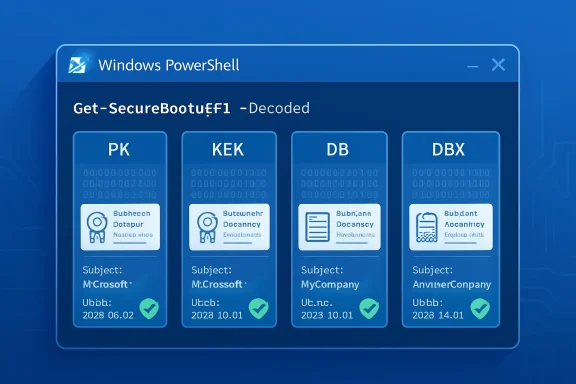
The core Secure Boot databases are stored as UEFI authenticated variables. These include PK, the Platform Key that establishes ownership of the Secure Boot policy; KEK, the Key Exchange Key database used to authorize updates; DB, the allow-list of trusted signatures and certificates; and DBX, the deny-list of revoked or forbidden signatures. Historically, PowerShell could retrieve those variables, but much of the useful content appeared as raw bytes.
That binary-first model made sense from a firmware and standards perspective, but it was painful for enterprise operations. Security teams trying to confirm whether a device trusted the right Microsoft certificate often had to parse byte arrays, search ASCII strings, or rely on helper scripts. For a single test laptop, that was merely inconvenient; for a fleet of endpoints, servers, virtual desktops, kiosks, and embedded systems, it became a real obstacle.
Microsoft’s new
That distinction is more than cosmetic. During the current certificate transition, admins need to know not merely whether Secure Boot is enabled, but which trust anchors are present. A machine can report Secure Boot as enabled while still lacking the newer certificates required for future signing and servicing scenarios.
The new parameter applies to the same general Secure Boot variables that administrators already query. The important difference is that the output is now suitable for inspection, reporting, and cross-checking without immediately resorting to custom binary parsers.
Key decoded fields include:
For years, the most common admin check was a string search against the byte output of DB, often looking for Windows UEFI CA 2023. That quick check remains useful, but it is incomplete. It does not show the full certificate context, it may miss edge cases, and it does not provide the kind of structured evidence auditors increasingly expect.
The new parameter gives administrators a clearer answer to a harder question: What exactly does this machine trust or reject at boot time?
This design allows platform vendors, operating system vendors, and security teams to coordinate updates without manually re-imaging every device. A trusted bootloader can run because its signature chains to a certificate in DB. A vulnerable bootloader can be blocked because its hash or signing identity lands in DBX.
The problem is that this trust fabric lives in firmware, not in a familiar Windows certificate store. It is not the same as browsing certmgr.msc, checking a local machine certificate store, or reviewing browser trust anchors. Secure Boot’s databases are firmware-resident, platform-sensitive, and subject to OEM implementation details.
Administrators should understand these roles:
This is where decoded PowerShell output becomes valuable. It lets admins move from status checking to content checking. Instead of asking whether Secure Boot is on, they can ask whether the expected 2023 certificate material is present and whether older trust anchors remain in predictable locations.
That nuance matters for both reliability and security. Removing old trust too aggressively can break boot paths. Leaving old trust indefinitely can weaken the platform’s long-term security posture.
The support article for the new parameter lists a wide set of affected platforms, including Windows 10 Enterprise LTSB 2016, Windows 10 Enterprise LTSC 2019, Windows 10 IoT Enterprise LTSC 2021, Windows 10 version 22H2, multiple Windows 11 22H2 and 23H2 editions, Windows 11 version 24H2, 25H2, and 26H1, plus Windows Server releases from 2012 ESU through Windows Server 2025. That breadth tells us Microsoft views this as an ecosystem transition, not a feature update limited to one release.
The presence of Windows 11 version 26H1 in the applicability list is also notable. Microsoft is clearly documenting this as ongoing infrastructure rather than a one-time mitigation. Secure Boot certificate management is becoming part of lifecycle operations.
The decoded output is useful because administrators can now verify entries such as:
The real risk is a degraded security and servicing state. Devices that fail to adopt the new trust chain may have trouble accepting future Secure Boot updates, booting newer signed media, or maintaining compatibility with updated boot components. For enterprises, that is enough to make the transition urgent.
The new
With
A practical validation flow now looks cleaner:
It also reduces the risk of miscommunication between endpoint teams, security teams, OEM support, and Microsoft support. Firmware issues often require coordination across multiple vendors. Human-readable evidence shortens that path.
This does not eliminate the need for registry checks, event log monitoring, or Microsoft’s Secure Boot servicing signals. Instead, it complements them. Registry values can show whether an update was offered or attempted; event logs can show progress and errors; decoded Secure Boot variables can show the actual firmware database content.
That distinction matters because firmware is the final authority. A registry key may suggest intent, but UEFI variables reveal what the platform currently stores.
Enterprise teams should consider collecting:
A decoded verification step gives administrators a before-and-after snapshot. Before a rollout, it can identify devices that lack the expected 2023 material. After a rollout, it can confirm whether the firmware databases actually changed.
This becomes especially valuable in regulated environments. Auditors may not care about the raw bytes of a UEFI variable, but they do care whether a system trusts current boot certificates and rejects known-bad components. The new parameter makes that evidence easier to produce.
This is especially relevant for users with custom-built PCs, older firmware, unusual storage controllers, Linux dual-boot setups, third-party encryption tools, or gaming anti-cheat dependencies. These configurations often sit at the boundary between standard Windows servicing and vendor-specific boot behavior. When something fails, readable Secure Boot database output is a major improvement over guesswork.
Small businesses without dedicated endpoint management tools may also benefit. A technician can now check a handful of machines manually and determine whether the expected certificates are present. That is not enterprise automation, but it is practical triage.
Common consumer-adjacent scenarios include:
The better path is to update Windows, update firmware where appropriate, verify the database state, and ensure recovery keys are available before making boot-policy changes. The new PowerShell option helps technicians follow that safer path.
This is particularly important after years of boot-chain attacks and Secure Boot bypass research. The industry has learned that firmware and boot trust are not static. Vulnerable bootloaders need revocation, outdated certificates need replacement, and administrators need tooling that can keep up.
A readable view of DBX is especially important. The forbidden signature database is where known-bad boot components are blocked. If DBX is stale or missing critical entries, a device may be more exposed to downgrade or bypass scenarios.
Security teams should use decoded output to answer:
The parameter does not turn PowerShell into a forensic suite. It does, however, remove friction from an important investigative step. In a crisis, fewer custom parsers and fewer ambiguous byte arrays can make a meaningful difference.
That creates a broad ecosystem challenge. Dell, HP, Lenovo, ASUS, server vendors, motherboard manufacturers, virtualization providers, and cloud platforms all have roles to play. Microsoft can document the path, but it cannot single-handedly fix every firmware implementation in the field.
The new decoded PowerShell experience helps Microsoft by making the problem easier to diagnose. It also puts more actionable evidence in the hands of customers when they contact OEMs. “This model is missing Windows UEFI CA 2023 in DB after servicing” is a much stronger statement than “Secure Boot looks weird.”
For Linux distributions, the implications are nuanced. Many rely on shim-based boot paths signed through Microsoft’s third-party UEFI process. The transition does not mean Linux disappears from Secure Boot systems, but it does mean maintainers and users must pay close attention to updated signing practices and firmware trust stores.
This is where decoded output helps enthusiasts as well as enterprises. A user troubleshooting bootable media can see whether the platform trusts the relevant certificate chain. That is far better than blindly toggling firmware settings.
Useful commands include:
These commands should be run from an elevated PowerShell session. On systems without UEFI Secure Boot support, or on systems where the variable is unavailable, administrators should expect errors or undefined-variable messages consistent with the existing cmdlet behavior.
Administrators should focus on whether required 2023 entries are present, whether revocation data is current, and whether the device’s state matches Microsoft’s rollout guidance for that platform class. The absence of an expected certificate on one model may indicate firmware gating, update delay, or a vendor-specific requirement.
A sensible interpretation checklist includes:
This creates a temporary documentation split. The support article announces and explains the new behavior, while the formal cmdlet reference may still show the older syntax. Teams should avoid assuming the parameter is unsupported merely because one documentation surface has not caught up.
There may also be OS build and update prerequisites. Microsoft’s applicability list is broad, but admins should validate behavior on representative devices before embedding
A production script should account for:
The second thing to watch is OEM response. Firmware updates remain crucial for systems that cannot accept the new certificates cleanly. As the 2026 deadlines approach, expect more vendor advisories, BIOS packages, known-issue lists, and model-specific guidance.
Organizations should track:
This is also an opportunity for endpoint management platforms. Intune, Configuration Manager, security dashboards, and third-party RMM tools can build richer reporting if they capture decoded Secure Boot state alongside firmware version and update telemetry. The result would be a more complete picture of device readiness before the certificate transition becomes a help desk problem.
Microsoft’s
Source: Microsoft Support PowerShell: Using the -Decoded parameter in Get-SecureBootUEFI - Microsoft Support
-Decoded parameter for the Get-SecureBootUEFI PowerShell cmdlet. Published under KB5093574 on April 28, 2026, the change turns Secure Boot’s normally opaque binary databases into readable certificate and signature information. That matters because Microsoft’s long-running migration from the original 2011 Secure Boot certificates to the newer 2023 certificate chain is now entering its most operationally sensitive phase.
 Background
Secure Boot has always been one of Windows’ most important pre-OS security controls, but it has also been one of the least transparent for day-to-day administrators. The feature works before Windows loads, using firmware-stored trust databases to decide whether bootloaders, UEFI drivers, and related components should be allowed to execute. When everything works, users rarely notice it; when something goes wrong, the failure can happen before the operating system is even available to help troubleshoot.The core Secure Boot databases are stored as UEFI authenticated variables. These include PK, the Platform Key that establishes ownership of the Secure Boot policy; KEK, the Key Exchange Key database used to authorize updates; DB, the allow-list of trusted signatures and certificates; and DBX, the deny-list of revoked or forbidden signatures. Historically, PowerShell could retrieve those variables, but much of the useful content appeared as raw bytes.
That binary-first model made sense from a firmware and standards perspective, but it was painful for enterprise operations. Security teams trying to confirm whether a device trusted the right Microsoft certificate often had to parse byte arrays, search ASCII strings, or rely on helper scripts. For a single test laptop, that was merely inconvenient; for a fleet of endpoints, servers, virtual desktops, kiosks, and embedded systems, it became a real obstacle.
Microsoft’s new
-Decoded parameter is therefore small in syntax but large in practical impact. Instead of forcing administrators to infer meaning from raw byte output, the cmdlet can now present certificate subjects, algorithms, serial numbers, validity periods, signature owners, hashes, and related metadata in a human-readable format. In the context of the 2026 Secure Boot certificate refresh, that turns PowerShell from a low-level extraction tool into a first-line validation instrument.What Microsoft Added to Get-SecureBootUEFI
A readable view of firmware trust
The headline change is simple:Get-SecureBootUEFI -Name db -Decoded can display the Secure Boot database in a decoded format. Where administrators previously saw byte arrays, they can now inspect certificate records with fields such as subject, version, algorithm, serial number, and validity dates. Microsoft’s example shows both the older Microsoft Windows Production PCA 2011 and the newer Windows UEFI CA 2023 appearing in readable form.That distinction is more than cosmetic. During the current certificate transition, admins need to know not merely whether Secure Boot is enabled, but which trust anchors are present. A machine can report Secure Boot as enabled while still lacking the newer certificates required for future signing and servicing scenarios.
The new parameter applies to the same general Secure Boot variables that administrators already query. The important difference is that the output is now suitable for inspection, reporting, and cross-checking without immediately resorting to custom binary parsers.
Key decoded fields include:
- SignatureOwner, identifying the owner GUID associated with a signature entry.
- Subject, showing the certificate identity in readable form.
- Version, useful when comparing certificate structures.
- Algorithm, such as sha256RSA.
- SerialNumber, which helps distinguish specific issued certificates.
- ValidFrom and ValidTo, which expose the certificate lifetime.
- Hashes and metadata, where the database entry is not simply a certificate.
Why this was needed now
The timing is not accidental. Microsoft’s original Secure Boot certificates, introduced around the Windows 8 era, are reaching the end of their planned life beginning in 2026. The Secure Boot ecosystem depends on those certificates not only for Windows boot components, but also for third-party UEFI applications, option ROMs, recovery media, and some non-Windows boot scenarios.For years, the most common admin check was a string search against the byte output of DB, often looking for Windows UEFI CA 2023. That quick check remains useful, but it is incomplete. It does not show the full certificate context, it may miss edge cases, and it does not provide the kind of structured evidence auditors increasingly expect.
The new parameter gives administrators a clearer answer to a harder question: What exactly does this machine trust or reject at boot time?
Why Secure Boot Databases Matter
PK, KEK, DB, and DBX in plain English
Secure Boot is often described as a simple yes-or-no feature, but the real mechanism is a hierarchy of keys and databases. PK establishes platform ownership and controls whether Secure Boot policy can be modified. KEK authorizes updates to the allowed and forbidden databases. DB contains trusted certificates and hashes, while DBX contains revoked signatures known to be unsafe or no longer acceptable.This design allows platform vendors, operating system vendors, and security teams to coordinate updates without manually re-imaging every device. A trusted bootloader can run because its signature chains to a certificate in DB. A vulnerable bootloader can be blocked because its hash or signing identity lands in DBX.
The problem is that this trust fabric lives in firmware, not in a familiar Windows certificate store. It is not the same as browsing certmgr.msc, checking a local machine certificate store, or reviewing browser trust anchors. Secure Boot’s databases are firmware-resident, platform-sensitive, and subject to OEM implementation details.
Administrators should understand these roles:
- PK defines who controls the Secure Boot policy.
- KEK controls who can update Secure Boot databases.
- DB defines what boot software is trusted.
- DBX defines what boot software is blocked.
- SetupMode indicates whether the platform is in a state that allows key enrollment.
- SecureBoot indicates whether enforcement is active.
- Default databases can expose factory-provisioned values on some systems.
The hidden complexity beneath a checkbox
In Windows Security, firmware setup screens, and system information tools, Secure Boot can look like a single setting. In reality, that checkbox masks multiple layers of cryptographic policy. The device may have Secure Boot enabled, but its databases may still be outdated, partially updated, or blocked by firmware behavior.This is where decoded PowerShell output becomes valuable. It lets admins move from status checking to content checking. Instead of asking whether Secure Boot is on, they can ask whether the expected 2023 certificate material is present and whether older trust anchors remain in predictable locations.
That nuance matters for both reliability and security. Removing old trust too aggressively can break boot paths. Leaving old trust indefinitely can weaken the platform’s long-term security posture.
The 2026 Certificate Transition Context
From the 2011 chain to the 2023 chain
Microsoft’s Secure Boot certificate refresh is a generational rollover. The original certificates issued in the early Secure Boot era are being replaced by newer 2023 certificates, including certificates used for Windows boot components and third-party UEFI signing. The change affects Windows client, Windows Server, IoT, virtualized environments, and device classes managed by OEM-specific firmware.The support article for the new parameter lists a wide set of affected platforms, including Windows 10 Enterprise LTSB 2016, Windows 10 Enterprise LTSC 2019, Windows 10 IoT Enterprise LTSC 2021, Windows 10 version 22H2, multiple Windows 11 22H2 and 23H2 editions, Windows 11 version 24H2, 25H2, and 26H1, plus Windows Server releases from 2012 ESU through Windows Server 2025. That breadth tells us Microsoft views this as an ecosystem transition, not a feature update limited to one release.
The presence of Windows 11 version 26H1 in the applicability list is also notable. Microsoft is clearly documenting this as ongoing infrastructure rather than a one-time mitigation. Secure Boot certificate management is becoming part of lifecycle operations.
The decoded output is useful because administrators can now verify entries such as:
- Microsoft Windows Production PCA 2011, commonly associated with older Windows boot signing.
- Windows UEFI CA 2023, associated with the newer Windows boot trust path.
- Microsoft UEFI CA 2023, relevant to third-party UEFI signing scenarios.
- KEK 2023 entries, which matter for future database updates.
- DBX revocation entries, which help block vulnerable boot components.
Why expiration does not mean instant apocalypse
It is important not to overstate the impact. Certificate expiration does not necessarily mean every unpatched device suddenly stops booting on a specific morning. Secure Boot validation behavior, existing signed binaries, firmware implementation, and update state all influence outcomes.The real risk is a degraded security and servicing state. Devices that fail to adopt the new trust chain may have trouble accepting future Secure Boot updates, booting newer signed media, or maintaining compatibility with updated boot components. For enterprises, that is enough to make the transition urgent.
The new
-Decoded parameter does not perform the migration. It does something equally important for operations: it improves observability. In a certificate rollover, seeing the actual trust state is half the battle.How the New Parameter Changes Admin Workflows
From byte scraping to structured inspection
Before this update, many administrators used string searches against the byte array returned byGet-SecureBootUEFI. For example, they might convert the DB bytes to ASCII and check whether a certificate name appeared. That technique was quick, but it was always a workaround.With
-Decoded, the cmdlet can directly show certificate properties. This reduces ambiguity and makes output easier to compare across devices, tickets, audits, and scripts. It also makes PowerShell more approachable for security teams that understand certificates but do not want to reverse-engineer EFI signature lists.A practical validation flow now looks cleaner:
- Open PowerShell as an administrator.
- Run
Get-SecureBootUEFI -Name db -Decoded. - Review the decoded subjects and validity dates.
- Run
Get-SecureBootUEFI -Name kek -Decodedto inspect update authority. - Run
Get-SecureBootUEFI -Name dbx -Decodedto review revocation state. - Record the findings in fleet inventory or compliance tooling.
Better troubleshooting language
Readable output also changes the way support cases are written. Instead of attaching a blob of byte output or saying “the string check returned false,” an admin can report that Windows UEFI CA 2023 is absent from DB, that a specific 2011 certificate remains present, or that DBX contains unexpected revocation entries. That is a sharper diagnostic vocabulary.It also reduces the risk of miscommunication between endpoint teams, security teams, OEM support, and Microsoft support. Firmware issues often require coordination across multiple vendors. Human-readable evidence shortens that path.
Enterprise Impact
Fleet inventory becomes more credible
For enterprise administrators, the biggest benefit is fleet-scale verification. Organizations managing thousands of devices need to know which machines are ready, which are pending, which are blocked, and which require firmware intervention. A decoded cmdlet output can be integrated into inventory scripts, endpoint analytics, and remediation reports.This does not eliminate the need for registry checks, event log monitoring, or Microsoft’s Secure Boot servicing signals. Instead, it complements them. Registry values can show whether an update was offered or attempted; event logs can show progress and errors; decoded Secure Boot variables can show the actual firmware database content.
That distinction matters because firmware is the final authority. A registry key may suggest intent, but UEFI variables reveal what the platform currently stores.
Enterprise teams should consider collecting:
- Secure Boot enabled state from PowerShell or registry.
- Decoded DB entries to identify trusted boot certificates.
- Decoded KEK entries to verify update authority.
- Decoded DBX entries to confirm revocation posture.
- Firmware version and release date for OEM correlation.
- Event IDs 1801 and 1808 where applicable.
- Device model and system family to identify problematic cohorts.
Change management and maintenance windows
Secure Boot certificate updates are not ordinary application patches. They interact with firmware, boot managers, BitLocker measurements, recovery media, dual-boot configurations, and sometimes vendor-specific BIOS behavior. That makes change management essential.A decoded verification step gives administrators a before-and-after snapshot. Before a rollout, it can identify devices that lack the expected 2023 material. After a rollout, it can confirm whether the firmware databases actually changed.
This becomes especially valuable in regulated environments. Auditors may not care about the raw bytes of a UEFI variable, but they do care whether a system trusts current boot certificates and rejects known-bad components. The new parameter makes that evidence easier to produce.
Consumer and Small Business Impact
Less visible, but still important
Most home users will never runGet-SecureBootUEFI -Decoded, and that is fine. Microsoft’s Secure Boot certificate update strategy is designed to reach many consumer devices through normal Windows servicing. Still, the new parameter indirectly benefits consumers because it gives support technicians, enthusiasts, and small business administrators a clearer way to diagnose edge cases.This is especially relevant for users with custom-built PCs, older firmware, unusual storage controllers, Linux dual-boot setups, third-party encryption tools, or gaming anti-cheat dependencies. These configurations often sit at the boundary between standard Windows servicing and vendor-specific boot behavior. When something fails, readable Secure Boot database output is a major improvement over guesswork.
Small businesses without dedicated endpoint management tools may also benefit. A technician can now check a handful of machines manually and determine whether the expected certificates are present. That is not enterprise automation, but it is practical triage.
Common consumer-adjacent scenarios include:
- Custom PCs with motherboard firmware that may need updates.
- Older laptops that receive limited OEM firmware support.
- Dual-boot systems relying on third-party UEFI bootloaders.
- Gaming systems where Secure Boot and anti-cheat requirements intersect.
- Recovery media that may have been created before the certificate transition.
- BitLocker-enabled devices where boot measurement changes can trigger recovery prompts.
Why users should not disable Secure Boot casually
Some users may be tempted to disable Secure Boot if certificate warnings or boot issues appear. That should be treated as a last resort, not a standard fix. Disabling Secure Boot can reduce protection against bootkits and pre-OS malware, and it may affect features that depend on measured or trusted boot.The better path is to update Windows, update firmware where appropriate, verify the database state, and ensure recovery keys are available before making boot-policy changes. The new PowerShell option helps technicians follow that safer path.
Security Significance
Visibility strengthens trust
Secure Boot’s value depends on trust, but trust without visibility can become fragile. Administrators need to know not just that a security feature exists, but that it is configured correctly and using current material. The-Decoded parameter strengthens Secure Boot by making its trust decisions more inspectable.This is particularly important after years of boot-chain attacks and Secure Boot bypass research. The industry has learned that firmware and boot trust are not static. Vulnerable bootloaders need revocation, outdated certificates need replacement, and administrators need tooling that can keep up.
A readable view of DBX is especially important. The forbidden signature database is where known-bad boot components are blocked. If DBX is stale or missing critical entries, a device may be more exposed to downgrade or bypass scenarios.
Security teams should use decoded output to answer:
- What boot certificates are trusted right now?
- Which revoked signatures are present in DBX?
- Is the device prepared for future Microsoft-signed boot components?
- Does the firmware contain the expected 2023 trust anchors?
- Are there unexpected third-party entries?
- Do similar models show consistent database content?
Better data for incident response
In incident response, boot integrity matters. If analysts suspect tampering with boot components, they need to understand what the firmware would trust. Decoded Secure Boot output can become part of the evidence package, alongside BitLocker state, TPM measurements, event logs, firmware version, and boot configuration data.The parameter does not turn PowerShell into a forensic suite. It does, however, remove friction from an important investigative step. In a crisis, fewer custom parsers and fewer ambiguous byte arrays can make a meaningful difference.
Competitive and Ecosystem Implications
Microsoft’s firmware dependency problem
The Secure Boot transition highlights an uncomfortable reality for Microsoft: Windows security depends heavily on firmware vendors. Even when Microsoft ships the operating system update, the device’s UEFI implementation must accept and store the new material correctly. Some systems will need BIOS or firmware updates from OEMs before the transition works reliably.That creates a broad ecosystem challenge. Dell, HP, Lenovo, ASUS, server vendors, motherboard manufacturers, virtualization providers, and cloud platforms all have roles to play. Microsoft can document the path, but it cannot single-handedly fix every firmware implementation in the field.
The new decoded PowerShell experience helps Microsoft by making the problem easier to diagnose. It also puts more actionable evidence in the hands of customers when they contact OEMs. “This model is missing Windows UEFI CA 2023 in DB after servicing” is a much stronger statement than “Secure Boot looks weird.”
Linux, recovery tools, and third-party bootloaders
The transition also affects the broader boot ecosystem. Many third-party bootloaders, recovery tools, hypervisors, and security products rely on Microsoft’s UEFI signing infrastructure to boot with Secure Boot enabled on standard PCs. As the 2023 signing chain becomes dominant, vendors need to ensure their binaries are signed appropriately.For Linux distributions, the implications are nuanced. Many rely on shim-based boot paths signed through Microsoft’s third-party UEFI process. The transition does not mean Linux disappears from Secure Boot systems, but it does mean maintainers and users must pay close attention to updated signing practices and firmware trust stores.
This is where decoded output helps enthusiasts as well as enterprises. A user troubleshooting bootable media can see whether the platform trusts the relevant certificate chain. That is far better than blindly toggling firmware settings.
Practical PowerShell Examples
Commands administrators should test
The new syntax is straightforward. The most obvious starting point is DB, because it contains trusted signatures and certificates used by boot components. For the current Microsoft transition, this is where administrators often look for the newer Windows boot certificate.Useful commands include:
Get-SecureBootUEFI -Name db -DecodedGet-SecureBootUEFI -Name kek -DecodedGet-SecureBootUEFI -Name dbx -DecodedGet-SecureBootUEFI -Name PK -DecodedThese commands should be run from an elevated PowerShell session. On systems without UEFI Secure Boot support, or on systems where the variable is unavailable, administrators should expect errors or undefined-variable messages consistent with the existing cmdlet behavior.
Reading the output carefully
Decoded output should not be treated as a single pass-fail indicator. A healthy system may contain both older and newer certificates during a transition period. That coexistence can be intentional, especially while Microsoft and OEMs maintain compatibility with older boot media and currently signed components.Administrators should focus on whether required 2023 entries are present, whether revocation data is current, and whether the device’s state matches Microsoft’s rollout guidance for that platform class. The absence of an expected certificate on one model may indicate firmware gating, update delay, or a vendor-specific requirement.
A sensible interpretation checklist includes:
- Confirm Secure Boot is enabled before interpreting database content as active enforcement.
- Check DB for expected 2023 certificates rather than relying only on old 2011 entries.
- Check KEK for update authority because future database servicing depends on it.
- Check DBX for revocation posture to identify whether known-bad entries are present.
- Compare similar models to find outliers in a fleet.
- Correlate with event logs rather than relying on one command.
- Document firmware versions when reporting failures to vendors.
Documentation Gaps and Timing
Learn documentation still catching up
One notable wrinkle is that Microsoft’s main cmdlet documentation may not immediately reflect the new-Decoded parameter. The support article itself notes that the referenced documentation will be updated in a future revision. That is not unusual during fast-moving servicing work, but it is worth calling out for administrators who rely on Get-Help or Microsoft Learn syntax pages.This creates a temporary documentation split. The support article announces and explains the new behavior, while the formal cmdlet reference may still show the older syntax. Teams should avoid assuming the parameter is unsupported merely because one documentation surface has not caught up.
There may also be OS build and update prerequisites. Microsoft’s applicability list is broad, but admins should validate behavior on representative devices before embedding
-Decoded into production scripts. A parameter that exists on one fully updated system may not yet exist on an older image missing the relevant servicing update.Scripting with version tolerance
Fleet scripts should be defensive. If-Decoded is unavailable, scripts should fail gracefully and fall back to older checks where necessary. This is especially important for mixed Windows 10, Windows 11, Windows Server, and LTSC estates.A production script should account for:
- Parameter availability on the target OS build.
- Administrative privilege requirements.
- UEFI versus legacy BIOS systems.
- Devices with Secure Boot disabled.
- Variables that are undefined or inaccessible.
- Localization and formatting differences in output.
- Remote collection limitations and endpoint management constraints.
Strengths and Opportunities
Microsoft’s addition of-Decoded is a practical, administrator-friendly change at exactly the right moment. It does not solve every Secure Boot certificate transition problem, but it makes the most important state easier to see, explain, and verify.- Improved readability turns raw Secure Boot byte arrays into certificate and metadata fields.
- Better fleet validation helps enterprises confirm whether 2023 certificates are actually present.
- Stronger troubleshooting evidence gives OEMs and Microsoft support clearer diagnostic data.
- Reduced scripting complexity lowers dependence on custom EFI signature parsers.
- More useful audit trails support compliance teams that need readable proof of boot trust state.
- Better incident response context helps analysts understand what firmware would trust or block.
- Improved community support gives Windows enthusiasts a safer alternative to guesswork and firmware toggling.
Risks and Concerns
The new parameter is welcome, but administrators should keep expectations realistic. Decoding Secure Boot variables makes the state easier to understand; it does not guarantee a device is updated, supported, or safe to modify.- Documentation lag may confuse admins if Learn pages or local help do not yet list the parameter.
- Partial updates can produce mixed 2011 and 2023 entries that require careful interpretation.
- Firmware bugs may still block certificate enrollment or cause inconsistent behavior.
- BitLocker recovery prompts can occur when boot measurements change unexpectedly.
- Overconfident scripting may misclassify devices if output parsing is too simplistic.
- Third-party boot media may still fail if it is not signed for the newer trust path.
- User workarounds such as disabling Secure Boot can weaken protection if used casually.
What to Watch Next
The next phase of Secure Boot servicing
The most important thing to watch is how quickly Microsoft updates the formal cmdlet documentation and how widely the parameter appears across supported builds. If-Decoded becomes consistently available across Windows 10 LTSC, Windows 11, and Windows Server estates, it could become a standard part of Secure Boot health checks. If availability varies by cumulative update level, administrators will need compatibility logic.The second thing to watch is OEM response. Firmware updates remain crucial for systems that cannot accept the new certificates cleanly. As the 2026 deadlines approach, expect more vendor advisories, BIOS packages, known-issue lists, and model-specific guidance.
Organizations should track:
- Microsoft documentation updates for the SecureBoot PowerShell module.
- Cumulative update behavior across Windows 10, Windows 11, and Windows Server.
- OEM firmware advisories for affected laptop, desktop, workstation, and server models.
- Event log patterns around Secure Boot update success and failure.
- Compatibility reports for recovery media, Linux boot paths, and third-party security tools.
A new baseline for boot trust transparency
Longer term, Microsoft should treat decoded Secure Boot inspection as the baseline, not a special case. Firmware trust stores are too important to remain hidden behind byte arrays. Administrators need tooling that makes pre-OS security understandable without sacrificing technical precision.This is also an opportunity for endpoint management platforms. Intune, Configuration Manager, security dashboards, and third-party RMM tools can build richer reporting if they capture decoded Secure Boot state alongside firmware version and update telemetry. The result would be a more complete picture of device readiness before the certificate transition becomes a help desk problem.
Microsoft’s
-Decoded parameter is the kind of change that may look minor in release notes but feel major in real operations. Secure Boot is entering a new certificate generation, and administrators need to see what their devices actually trust. By making PK, KEK, DB, and DBX easier to inspect from PowerShell, Microsoft has given Windows teams a sharper flashlight for one of the most sensitive corners of the platform.Source: Microsoft Support PowerShell: Using the -Decoded parameter in Get-SecureBootUEFI - Microsoft Support
