

GitHub used Microsoft Build 2026 on June 2 to refresh GitHub Copilot CLI with a redesigned experimental terminal UI, generally available rubber-duck review, prompt scheduling commands, and local voice input for developers working inside command-line sessions. The announcement is less about one feature than about a shift in where Microsoft and GitHub think AI-assisted development should live. Copilot is moving from a chat box beside the work to a persistent operator inside the workflow. That is useful, powerful, and just intrusive enough that IT teams should pay attention before it becomes normal.
The original sales pitch for coding assistants was modest: autocomplete, chat, and quick explanations without leaving the editor. Copilot CLI’s new feature set is more ambitious. It wants the command line to become a durable AI workspace, not just a place where developers paste a question and wait for an answer.
That matters because the terminal is still where much of the serious work happens. Developers run tests there, inspect repositories there, stage changes there, query cloud resources there, and often perform the little operational rituals that never quite make it into a polished GUI. Putting an agent into that space changes the relationship between developer and tooling.
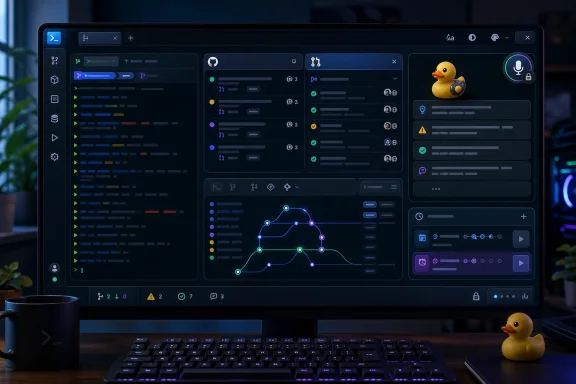
The refreshed Copilot CLI now has a cleaner experimental interface, tabs for repository issues and pull requests, access to personal gists, and UI work aimed at making the terminal less hostile to long-running AI interactions. The company is not merely making a prettier command-line app. It is trying to make the CLI a place where context accumulates.
That is the real product direction. Copilot is no longer just the thing that writes the line of code after the cursor. It is becoming the thing that reads the issue, reviews the plan, schedules the tests, listens to the developer, and stays around while the session unfolds.
Tabs are the headline UI change. Inside a GitHub repository, developers can press Tab to move between the default session view, repository issues, pull requests, and personal gists. In practical terms, that means Copilot CLI can become a window into the work queue, not merely a prompt box waiting for commands.
This is GitHub’s strongest argument for the feature. Developers already bounce between terminal, browser, editor, issue tracker, pull request review, chat, and documentation. Every switch costs a little attention. If Copilot CLI can put the live repository context beside the AI conversation, it becomes more plausible as a daily working environment.
The risk is that terminal UIs can become uncanny valleys of productivity. Too sparse and they are cryptic; too rich and they become a slow imitation of the browser. GitHub is trying to thread that needle by making the interface responsive, accessible, and visually semantic without pretending the terminal is a full desktop application.
The accessibility work is also more than compliance garnish. New color modes, high-contrast and colorblind options, automatic screen reader support when detected, labeled icons, and disabled animations for assistive contexts all suggest GitHub understands that AI tooling cannot remain a toy for developers with perfect eyesight, standard terminals, and highly customized setups.
Still, the experimental label matters. GitHub is asking users to opt in with
For decades, programmers have used “rubber duck debugging” as a shorthand for explaining a problem out loud to an inanimate object until the flaw becomes obvious. GitHub has turned that ritual into a product feature. The main Copilot agent can hand work to a second agent, which looks for blind spots and returns concrete criticism.
That is a subtle but important evolution in AI tooling. Early assistants were optimized for generation. They produced code, summaries, and commands. The next stage is adjudication: one AI system checking another system’s reasoning before the human has to find the mistake.
In theory, this is exactly the right direction. Many coding-assistant failures are not syntax errors. They are confident plans that miss a constraint, test strategies that validate the wrong thing, or implementations that are locally plausible but architecturally weird. A second agent trained to be skeptical may catch some of those issues before they land in a pull request.
But the feature also sharpens a governance problem. If the same product family generates the plan, reviews the plan, and then adapts based on the review, developers may experience the result as more reliable than it really is. A rubber duck is useful because it helps a human think. It becomes dangerous when teams confuse AI-to-AI critique with independent review.
GitHub appears aware of that boundary by framing the agent as a constructive critic rather than an authority. Users can invoke it directly with
The examples are telling. A developer can ask Copilot to run frontend tests every 30 minutes or report token usage every hour. Another prompt can run after two hours to create a document summarizing recent repository changes. These are not merely questions. They are timed intentions.
This is where the command line becomes operationally interesting. A session that can remember scheduled prompts begins to resemble a programmable coworker. It can check on tests, gather status, write summaries, and perform recurring housekeeping while the developer continues working.
For individual developers, that is attractive. For organizations, it raises immediate questions. What exactly can a scheduled prompt do? What permissions does it inherit? What happens if a repository changes between scheduling and execution? How visible are these schedules to the team? How should logs, audit trails, and secrets handling work?
The announcement says schedules live within the current CLI session, which limits the blast radius compared with a background cloud automation service. That is reassuring, but not the end of the story. Many real-world terminal sessions are attached to authenticated GitHub accounts, local credentials, developer environment variables, package registries, and cloud CLIs. A scheduled AI prompt inside that context deserves the same scrutiny as any script running with developer privileges.
There is a useful analogy to cron, but it is imperfect. Cron runs commands the operator wrote. Prompt scheduling runs intent the operator described. The gap between those two is precisely where AI productivity lives, and precisely where enterprise risk begins.
The privacy choice is important. Local audio processing avoids the obvious red flag of shipping spoken prompts to a remote transcription service. For developers discussing proprietary code, customer incidents, credentials by accident, or internal architecture, that distinction matters.
Voice is also a legitimate accessibility win. The terminal has historically assumed fast, precise keyboard input. Dictation can help users with mobility impairments, repetitive strain injuries, temporary injuries, or workflows where typing is awkward. It can also make longer prompts less tedious, especially when a developer is trying to describe a design constraint rather than type a command.
But voice input in the terminal introduces its own weirdness. Developers tend to work in shared spaces, calls, open offices, coffee shops, and remote sessions. Spoken prompts can leak context to people nearby even if the audio never leaves the machine. The privacy model is local from a network perspective, not necessarily private from a human one.
There is also a practical cultural barrier. Many developers are comfortable dictating a message but uncomfortable speaking code-adjacent instructions to a terminal. That may change as AI tools become more conversational, but it will not change evenly across teams. Voice input will be a breakthrough for some users and an ignored novelty for others.
That strategy has been visible across Windows, Microsoft 365, Azure, Visual Studio Code, GitHub, and security tooling. The CLI refresh extends the same logic into the most developer-native environment Microsoft and GitHub can reach. If Copilot can live in the editor, the pull request, the web UI, and the terminal, it becomes less like a feature and more like connective tissue.
For WindowsForum readers, the interesting angle is not whether this works only on Windows. It is how Microsoft’s developer ecosystem increasingly treats Windows, WSL, GitHub, cloud resources, and local tooling as one blended surface. Copilot CLI sits at the junction of those habits.
In many shops, Windows developers already use terminals that cross boundaries: PowerShell, Windows Terminal, WSL shells, Git Bash, Azure CLI, GitHub CLI, container tooling, and remote development sessions. An AI CLI that can sit inside that mess and reason over GitHub context is valuable precisely because the modern Windows development environment is not one environment at all.
This is also why administrators should not dismiss the announcement as developer candy. AI coding tools are becoming part of the operational substrate. They touch source control, build pipelines, issue triage, documentation, test execution, and increasingly the commands developers run against infrastructure.
A browser-based AI assistant is relatively easy to conceptualize. An IDE extension is manageable through extension policies, licensing, telemetry decisions, and code review norms. A CLI assistant is slipperier because the terminal is where developers combine tools in ways no central administrator fully predicts.
That does not mean Copilot CLI should be banned. Blanket bans often produce shadow tooling, which is worse. It means organizations need to decide what counts as acceptable AI-assisted command-line work and how those decisions are communicated.
The rubber-duck agent is a good example. Teams may welcome it as a pre-review quality gate. But they should avoid treating it as a substitute for peer review, threat modeling, or test coverage. If a developer says “Copilot’s rubber duck reviewed it,” that should mean “I used an additional aid,” not “the review obligation is satisfied.”
Prompt scheduling needs even clearer boundaries. A scheduled prompt that summarizes changes is low risk. A scheduled prompt that runs tests is probably manageable. A scheduled prompt that modifies files, opens pull requests, rotates configuration, touches infrastructure, or invokes chained tools deserves much more caution.
Voice input has a different governance profile. It is less about code correctness and more about data handling, endpoint configuration, local model downloads, accessibility support, and workplace norms. Enterprises that have strict controls on model artifacts, downloads, or local executables will want to understand how the speech runtime is obtained and maintained.
The tabs for issues and pull requests could reduce the need to keep a browser open beside every terminal session. Rubber duck could make developers pause before committing to a flawed plan. Scheduling could automate the small recurring tasks that interrupt deep work. Voice could make rich prompting less physically annoying and more accessible.
None of these requires believing that AI agents will replace developers. In fact, the strongest reading is the opposite. These features assume a developer remains in the loop, steering the session, reading the critique, setting the schedule, and deciding what to trust.
The best AI developer tools are not the ones that pretend software engineering is just text generation. They are the ones that understand engineering as a loop: inspect, plan, change, test, review, explain, and repeat. Copilot CLI’s refresh is interesting because it maps more directly onto that loop.
That does not make it automatically good. It makes it worth testing carefully. The difference between a useful assistant and a noisy one is rarely visible in a changelog. It shows up after a week of real repository work, failed tests, ambiguous issues, interrupted sessions, and the ordinary mess of development.
This is not nostalgia for green text and blinking cursors. It is the recognition that the terminal remains the most composable interface in computing. Developers do not use it because it is beautiful. They use it because it is close to the system, close to automation, and close to the truth.
If GitHub can make Copilot CLI a comfortable terminal-native interface for GitHub work, it strengthens the case for the terminal as the front door to development. That is good news for power users and sysadmins who already live there. It is also a challenge for teams whose onboarding assumes that new developers can avoid the command line until something breaks.
The accessibility improvements are especially important in that context. A more capable terminal must not become a more exclusionary terminal. Color modes, screen reader behavior, consistent rendering, and responsive layouts are not cosmetic if the CLI is becoming a primary workspace.
The irony is that AI may force terminal tools to become more humane. Once a session includes long-form reasoning, tables, tabs, dialogs, and recurring tasks, the old “just print some text and let the user cope” model starts to look inadequate. Copilot CLI is part of a broader modernization of the command line, whether GitHub says it that way or not.
Rubber duck asks developers to trust an AI critic enough to influence implementation. Scheduling asks them to trust prompts that execute later, when attention may be elsewhere. Voice asks them to trust local transcription and the accuracy of spoken intent. The new UI asks them to trust the CLI as a place to inspect GitHub work, not just issue commands.
Trust is not binary. Developers will adopt these features unevenly. Some will immediately schedule tests and dictate prompts. Others will use only the tabs. Some will invoke rubber duck before every non-trivial change. Others will disable experimental UI and keep the CLI as plain as possible.
The healthiest adoption path is incremental. Teams should try the new interface in non-critical repositories, compare rubber-duck feedback against human review, keep scheduled prompts narrow, and document what kinds of work are appropriate for AI assistance. That is slower than the hype cycle wants, but faster than cleaning up a bad automation habit later.
Microsoft and GitHub also need to keep earning that trust. Clear logging, predictable permissions, transparent model behavior, accessible controls, and honest documentation will matter more as these tools become less optional. Developers can forgive rough edges in an experimental UI. They are less forgiving when an agent does something surprising in a repository that matters.
A developer might say they “rubber-ducked” a migration plan before opening a pull request. A team might expect long-running frontend work to have scheduled test runs in the session. A maintainer might review issues from inside the CLI instead of keeping another browser tab alive. A developer with wrist pain might dictate most long prompts and never look back.
That is how developer tools win: not by replacing the workflow, but by becoming verbs inside it. GitHub’s announcement is full of candidates for that kind of normalization. The company has chosen commands that are memorable, short, and tied to concrete actions.
There is an obvious danger in anthropomorphizing the assistant too much. “Rubber duck” is charming, but charm can soften skepticism. The tool is still software, still probabilistic in parts, still dependent on context, and still capable of producing bad advice with confidence.
The right mental model is neither fear nor faith. Treat Copilot CLI as an increasingly capable junior collaborator with unusual speed, limited judgment, and privileged proximity to the workbench. That framing sounds less magical, but it is more useful.
 GitHub Moves Copilot From Assistant to Terminal Roommate
The original sales pitch for coding assistants was modest: autocomplete, chat, and quick explanations without leaving the editor. Copilot CLI’s new feature set is more ambitious. It wants the command line to become a durable AI workspace, not just a place where developers paste a question and wait for an answer.That matters because the terminal is still where much of the serious work happens. Developers run tests there, inspect repositories there, stage changes there, query cloud resources there, and often perform the little operational rituals that never quite make it into a polished GUI. Putting an agent into that space changes the relationship between developer and tooling.
The refreshed Copilot CLI now has a cleaner experimental interface, tabs for repository issues and pull requests, access to personal gists, and UI work aimed at making the terminal less hostile to long-running AI interactions. The company is not merely making a prettier command-line app. It is trying to make the CLI a place where context accumulates.
That is the real product direction. Copilot is no longer just the thing that writes the line of code after the cursor. It is becoming the thing that reads the issue, reviews the plan, schedules the tests, listens to the developer, and stays around while the session unfolds.
The New Interface Admits the Old Terminal Was Not Built for Agents
The experimental terminal redesign is the easiest part of the announcement to underestimate. A better layout, theme-aware colors, and responsive components sound like incremental polish. But those details reveal a more basic truth: traditional terminals are good at streams of text, not at agentic workflows.Tabs are the headline UI change. Inside a GitHub repository, developers can press Tab to move between the default session view, repository issues, pull requests, and personal gists. In practical terms, that means Copilot CLI can become a window into the work queue, not merely a prompt box waiting for commands.
This is GitHub’s strongest argument for the feature. Developers already bounce between terminal, browser, editor, issue tracker, pull request review, chat, and documentation. Every switch costs a little attention. If Copilot CLI can put the live repository context beside the AI conversation, it becomes more plausible as a daily working environment.
The risk is that terminal UIs can become uncanny valleys of productivity. Too sparse and they are cryptic; too rich and they become a slow imitation of the browser. GitHub is trying to thread that needle by making the interface responsive, accessible, and visually semantic without pretending the terminal is a full desktop application.
The accessibility work is also more than compliance garnish. New color modes, high-contrast and colorblind options, automatic screen reader support when detected, labeled icons, and disabled animations for assistive contexts all suggest GitHub understands that AI tooling cannot remain a toy for developers with perfect eyesight, standard terminals, and highly customized setups.
Still, the experimental label matters. GitHub is asking users to opt in with
/experimental on, which is the right move for a UI that changes how the CLI behaves. Terminal muscle memory is sacred territory. Break it casually, and developers will flee faster than any product manager can say “agentic.”Rubber Duck Turns Code Review Into a First-Class Agent Pattern
The most interesting feature is not the most theatrical one. “Rubber duck” sounds cute, but the underlying idea is serious: Copilot CLI now includes a built-in critic agent that can review the main agent’s plan, design, implementation, or tests before the session continues.For decades, programmers have used “rubber duck debugging” as a shorthand for explaining a problem out loud to an inanimate object until the flaw becomes obvious. GitHub has turned that ritual into a product feature. The main Copilot agent can hand work to a second agent, which looks for blind spots and returns concrete criticism.
That is a subtle but important evolution in AI tooling. Early assistants were optimized for generation. They produced code, summaries, and commands. The next stage is adjudication: one AI system checking another system’s reasoning before the human has to find the mistake.
In theory, this is exactly the right direction. Many coding-assistant failures are not syntax errors. They are confident plans that miss a constraint, test strategies that validate the wrong thing, or implementations that are locally plausible but architecturally weird. A second agent trained to be skeptical may catch some of those issues before they land in a pull request.
But the feature also sharpens a governance problem. If the same product family generates the plan, reviews the plan, and then adapts based on the review, developers may experience the result as more reliable than it really is. A rubber duck is useful because it helps a human think. It becomes dangerous when teams confuse AI-to-AI critique with independent review.
GitHub appears aware of that boundary by framing the agent as a constructive critic rather than an authority. Users can invoke it directly with
/rubber-duck, and the CLI may decide when a second opinion is beneficial. The important word there is opinion. The human still owns the decision, especially in production code, security-sensitive changes, infrastructure scripts, and compliance-bound repositories.Prompt Scheduling Makes the CLI Feel Less Like Chat and More Like Automation
The new/every and /after commands may prove more consequential than the redesigned UI. They allow a developer to schedule a prompt or skill within the current CLI session, either repeatedly at an interval or once after a delay. That turns Copilot CLI from an interactive assistant into a lightweight automation surface.The examples are telling. A developer can ask Copilot to run frontend tests every 30 minutes or report token usage every hour. Another prompt can run after two hours to create a document summarizing recent repository changes. These are not merely questions. They are timed intentions.
This is where the command line becomes operationally interesting. A session that can remember scheduled prompts begins to resemble a programmable coworker. It can check on tests, gather status, write summaries, and perform recurring housekeeping while the developer continues working.
For individual developers, that is attractive. For organizations, it raises immediate questions. What exactly can a scheduled prompt do? What permissions does it inherit? What happens if a repository changes between scheduling and execution? How visible are these schedules to the team? How should logs, audit trails, and secrets handling work?
The announcement says schedules live within the current CLI session, which limits the blast radius compared with a background cloud automation service. That is reassuring, but not the end of the story. Many real-world terminal sessions are attached to authenticated GitHub accounts, local credentials, developer environment variables, package registries, and cloud CLIs. A scheduled AI prompt inside that context deserves the same scrutiny as any script running with developer privileges.
There is a useful analogy to cron, but it is imperfect. Cron runs commands the operator wrote. Prompt scheduling runs intent the operator described. The gap between those two is precisely where AI productivity lives, and precisely where enterprise risk begins.
Voice Input Brings Accessibility and New Operational Friction
Voice input is the feature most likely to divide developers. Copilot CLI now supports hands-free dictation: hold the space bar and speak, or press a keyboard sequence to start recording, then stop and insert the transcription. The audio processing runs locally, and users are guided through downloading a runtime and choosing a speech-to-text model the first time they enable it.The privacy choice is important. Local audio processing avoids the obvious red flag of shipping spoken prompts to a remote transcription service. For developers discussing proprietary code, customer incidents, credentials by accident, or internal architecture, that distinction matters.
Voice is also a legitimate accessibility win. The terminal has historically assumed fast, precise keyboard input. Dictation can help users with mobility impairments, repetitive strain injuries, temporary injuries, or workflows where typing is awkward. It can also make longer prompts less tedious, especially when a developer is trying to describe a design constraint rather than type a command.
But voice input in the terminal introduces its own weirdness. Developers tend to work in shared spaces, calls, open offices, coffee shops, and remote sessions. Spoken prompts can leak context to people nearby even if the audio never leaves the machine. The privacy model is local from a network perspective, not necessarily private from a human one.
There is also a practical cultural barrier. Many developers are comfortable dictating a message but uncomfortable speaking code-adjacent instructions to a terminal. That may change as AI tools become more conversational, but it will not change evenly across teams. Voice input will be a breakthrough for some users and an ignored novelty for others.
Microsoft’s Build 2026 Message Is Bigger Than One CLI
The timing at Microsoft Build 2026 is not accidental. GitHub is part of Microsoft’s broader developer platform story, and Copilot CLI fits neatly into the company’s current posture: AI should not be an app you visit, but a layer inside the tools you already use.That strategy has been visible across Windows, Microsoft 365, Azure, Visual Studio Code, GitHub, and security tooling. The CLI refresh extends the same logic into the most developer-native environment Microsoft and GitHub can reach. If Copilot can live in the editor, the pull request, the web UI, and the terminal, it becomes less like a feature and more like connective tissue.
For WindowsForum readers, the interesting angle is not whether this works only on Windows. It is how Microsoft’s developer ecosystem increasingly treats Windows, WSL, GitHub, cloud resources, and local tooling as one blended surface. Copilot CLI sits at the junction of those habits.
In many shops, Windows developers already use terminals that cross boundaries: PowerShell, Windows Terminal, WSL shells, Git Bash, Azure CLI, GitHub CLI, container tooling, and remote development sessions. An AI CLI that can sit inside that mess and reason over GitHub context is valuable precisely because the modern Windows development environment is not one environment at all.
This is also why administrators should not dismiss the announcement as developer candy. AI coding tools are becoming part of the operational substrate. They touch source control, build pipelines, issue triage, documentation, test execution, and increasingly the commands developers run against infrastructure.
The Enterprise Problem Is Not Whether Developers Like It
The consumer version of this story is simple: new UI, helpful critic, scheduled prompts, voice input. The enterprise version is more complicated. It asks whether organizations can observe, govern, and support these tools as they move deeper into the workflow.A browser-based AI assistant is relatively easy to conceptualize. An IDE extension is manageable through extension policies, licensing, telemetry decisions, and code review norms. A CLI assistant is slipperier because the terminal is where developers combine tools in ways no central administrator fully predicts.
That does not mean Copilot CLI should be banned. Blanket bans often produce shadow tooling, which is worse. It means organizations need to decide what counts as acceptable AI-assisted command-line work and how those decisions are communicated.
The rubber-duck agent is a good example. Teams may welcome it as a pre-review quality gate. But they should avoid treating it as a substitute for peer review, threat modeling, or test coverage. If a developer says “Copilot’s rubber duck reviewed it,” that should mean “I used an additional aid,” not “the review obligation is satisfied.”
Prompt scheduling needs even clearer boundaries. A scheduled prompt that summarizes changes is low risk. A scheduled prompt that runs tests is probably manageable. A scheduled prompt that modifies files, opens pull requests, rotates configuration, touches infrastructure, or invokes chained tools deserves much more caution.
Voice input has a different governance profile. It is less about code correctness and more about data handling, endpoint configuration, local model downloads, accessibility support, and workplace norms. Enterprises that have strict controls on model artifacts, downloads, or local executables will want to understand how the speech runtime is obtained and maintained.
The Developer Experience Prize Is Real
It is easy to become cynical about AI feature announcements because so many of them overpromise. This one has a more grounded center. GitHub is solving recognizable workflow problems: context switching, self-review, repeated checks, and cumbersome prompt entry.The tabs for issues and pull requests could reduce the need to keep a browser open beside every terminal session. Rubber duck could make developers pause before committing to a flawed plan. Scheduling could automate the small recurring tasks that interrupt deep work. Voice could make rich prompting less physically annoying and more accessible.
None of these requires believing that AI agents will replace developers. In fact, the strongest reading is the opposite. These features assume a developer remains in the loop, steering the session, reading the critique, setting the schedule, and deciding what to trust.
The best AI developer tools are not the ones that pretend software engineering is just text generation. They are the ones that understand engineering as a loop: inspect, plan, change, test, review, explain, and repeat. Copilot CLI’s refresh is interesting because it maps more directly onto that loop.
That does not make it automatically good. It makes it worth testing carefully. The difference between a useful assistant and a noisy one is rarely visible in a changelog. It shows up after a week of real repository work, failed tests, ambiguous issues, interrupted sessions, and the ordinary mess of development.
Windows Developers Get Another Reason to Treat the Terminal as the Front Door
For years, Microsoft has been rehabilitating the command line on Windows. Windows Terminal, PowerShell improvements, WSL, Dev Home-style experiments, package management, and cloud CLIs have all pushed the platform away from the old stereotype that serious terminal work belongs elsewhere. Copilot CLI adds another layer to that rehabilitation.This is not nostalgia for green text and blinking cursors. It is the recognition that the terminal remains the most composable interface in computing. Developers do not use it because it is beautiful. They use it because it is close to the system, close to automation, and close to the truth.
If GitHub can make Copilot CLI a comfortable terminal-native interface for GitHub work, it strengthens the case for the terminal as the front door to development. That is good news for power users and sysadmins who already live there. It is also a challenge for teams whose onboarding assumes that new developers can avoid the command line until something breaks.
The accessibility improvements are especially important in that context. A more capable terminal must not become a more exclusionary terminal. Color modes, screen reader behavior, consistent rendering, and responsive layouts are not cosmetic if the CLI is becoming a primary workspace.
The irony is that AI may force terminal tools to become more humane. Once a session includes long-form reasoning, tables, tabs, dialogs, and recurring tasks, the old “just print some text and let the user cope” model starts to look inadequate. Copilot CLI is part of a broader modernization of the command line, whether GitHub says it that way or not.
The Changelog Hints at a Coming Fight Over Trust
The central tension in Copilot CLI’s refresh is trust. GitHub is adding features that make the tool more useful by allowing it to stay closer to the developer’s real work. But the closer it gets, the more trust it asks for.Rubber duck asks developers to trust an AI critic enough to influence implementation. Scheduling asks them to trust prompts that execute later, when attention may be elsewhere. Voice asks them to trust local transcription and the accuracy of spoken intent. The new UI asks them to trust the CLI as a place to inspect GitHub work, not just issue commands.
Trust is not binary. Developers will adopt these features unevenly. Some will immediately schedule tests and dictate prompts. Others will use only the tabs. Some will invoke rubber duck before every non-trivial change. Others will disable experimental UI and keep the CLI as plain as possible.
The healthiest adoption path is incremental. Teams should try the new interface in non-critical repositories, compare rubber-duck feedback against human review, keep scheduled prompts narrow, and document what kinds of work are appropriate for AI assistance. That is slower than the hype cycle wants, but faster than cleaning up a bad automation habit later.
Microsoft and GitHub also need to keep earning that trust. Clear logging, predictable permissions, transparent model behavior, accessible controls, and honest documentation will matter more as these tools become less optional. Developers can forgive rough edges in an experimental UI. They are less forgiving when an agent does something surprising in a repository that matters.
The Commands That Matter Are the Ones Teams Will Normalize
The practical story is not that every Copilot CLI user will adopt every feature. It is that a few commands may become part of team muscle memory. Once that happens, they will shape how work is discussed.A developer might say they “rubber-ducked” a migration plan before opening a pull request. A team might expect long-running frontend work to have scheduled test runs in the session. A maintainer might review issues from inside the CLI instead of keeping another browser tab alive. A developer with wrist pain might dictate most long prompts and never look back.
That is how developer tools win: not by replacing the workflow, but by becoming verbs inside it. GitHub’s announcement is full of candidates for that kind of normalization. The company has chosen commands that are memorable, short, and tied to concrete actions.
There is an obvious danger in anthropomorphizing the assistant too much. “Rubber duck” is charming, but charm can soften skepticism. The tool is still software, still probabilistic in parts, still dependent on context, and still capable of producing bad advice with confidence.
The right mental model is neither fear nor faith. Treat Copilot CLI as an increasingly capable junior collaborator with unusual speed, limited judgment, and privileged proximity to the workbench. That framing sounds less magical, but it is more useful.
The Build 2026 CLI Refresh Gives IT a Short Checklist Before the Habit Sets In
GitHub’s update is still new enough that teams can shape norms before they calcify. The worst time to decide how AI CLI tools should be used is after every developer has already invented a private workflow. The better move is to test the features, define the boundaries, and revisit them as the experimental interface matures.- Teams should distinguish between Copilot CLI as an advisory tool and Copilot CLI as an automation surface with access to developer credentials.
- Rubber-duck review should be treated as a useful second pass, not as a replacement for human code review or security review.
- Scheduled prompts should start with low-risk tasks such as test runs, summaries, and status checks before anyone allows file-changing or infrastructure-adjacent workflows.
- Voice input should be evaluated for accessibility value, local runtime requirements, and the realities of speaking proprietary context in shared environments.
- The experimental terminal interface should be piloted with developers who use different shells, themes, screen readers, terminal widths, and Windows development setups.
- Administrators should expect AI CLI behavior to become part of developer governance, not a side topic handled only by individual preference.
References
- Primary source: The GitHub Blog
Published: Tue, 02 Jun 2026 17:27:00 GMT
Copilot CLI: Improved UI, rubber duck, prompt scheduling, and voice input - GitHub Changelog
GitHub Copilot CLI is getting a major refresh at Microsoft Build 2026. Rubber duck and voice input are generally available today, and both prompt scheduling and a new experimental terminal…github.blog
