Windows 7 Hard Drive Partition Manager

cgrim29588

New Member
Joined
Mar 27, 2010
Messages
224
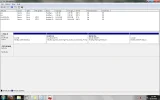
When I go into disk manager I see 2 partitions listed: Noname which a status of healthy (OEM Partition), Recovery, OS (C[:]) My question actually 2 questions and they are:

1. Why do I have a partion on my hard drive and what does it mean by (OEM Partition)

2. Can I get rid of the recovery partition as I have the restore disk? And if so how do I go about doing so?
 

Solution
If you want to know what is in it, give it a letter (like S: or something), or link it to a file on your Win 7 install. It will probably have things like the Windows basic directories and a .wim file, which is a restore image to be used to completely redo you install.

Right now your boot files are in the Recovery partition because it says "system". You can place those files in the Win 7 partition and set it to active if you want to boot directly to it. You never said if you originally had Win 7 or Vista. The Dell I have originally had Vista, so I got another drive and left the original one alone--so warranty is still good.

If you have an external hard drive, use Win 7 Backup and Restore to make a complete image of the drive...

sky5725

New Member
Joined
Apr 11, 2010
Messages
12
Usually HP does that. Not sure what OEM parition is but it would really be helpful if you told us the size of the partitions. Also, usually the recovery partitions are the BIOS, which you really don't want to mess with.
 

Joe S

Excellent Member
Joined
Jan 12, 2009
Messages
3,793
Well it maybe some boot files or some type of recovery console to restore the system the way it was when it was new. I definitely wouldn't delete it unless you are positive what it is.
Joe
 

sky5725

New Member
Joined
Apr 11, 2010
Messages
12
OEM partitoin is something you don't want to mess with. Also, if you don't have a recovery software that you installed, I wouldn't touch the recovery one either.
 

Saltgrass

Excellent Member
Microsoft Community Contributor
Joined
Oct 16, 2009
Messages
15,155
If you want to know what is in it, give it a letter (like S: or something), or link it to a file on your Win 7 install. It will probably have things like the Windows basic directories and a .wim file, which is a restore image to be used to completely redo you install.

Right now your boot files are in the Recovery partition because it says "system". You can place those files in the Win 7 partition and set it to active if you want to boot directly to it. You never said if you originally had Win 7 or Vista. The Dell I have originally had Vista, so I got another drive and left the original one alone--so warranty is still good.

If you have an external hard drive, use Win 7 Backup and Restore to make a complete image of the drive. You could then play if you choose and reimage if necessary.
 

Solution

john3347

Fantastic Member
Premium Supporter
Joined
Jan 12, 2009
Messages
1,013
When I go into disk manager I see 2 partitions listed: Noname which a status of healthy (OEM Partition), Recovery, OS (C[:]) My question actually 2 questions and they are:

1. Why do I have a partion on my hard drive and what does it mean by (OEM Partition)

2. Can I get rid of the recovery partition as I have the restore disk? And if so how do I go about doing so?

Very often, if not universally, when the OEM installs the recovery OS on drive "D", and includes a "recovery" CD with the computer, the "recovery" CD is only a boot CD to gain access to the OS on drive "D" in the event of a boot failure. The CD is not a duplication of drive "D" partition. Be very cautious with wanting to eliminate any OEM installed partitions.
 

Tmoney

New Member
Joined
Oct 10, 2010
Messages
2
Can i delete the 2 OEM Partitions?
Whats on them? why are they taking up so much space?
plz help

Partitions.webp
 

Back
Top