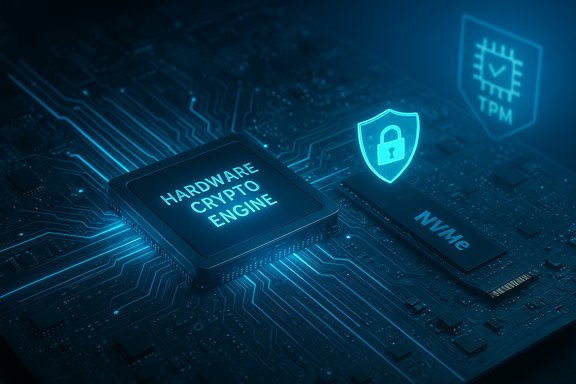
Microsoft has quietly moved one of Windows’ oldest and most consequential security primitives — full‑disk BitLocker encryption — out of the CPU and into silicon, promising substantial performance and battery gains on supported Windows 11 and Windows Server 2025 platforms while changing how enterprises must think about recovery, imaging, and device lifecycle management.
BitLocker has been a core part of Windows’ device protection story for nearly two decades: it encrypts volumes to protect data at rest, integrates with TPM-based attestation for key protection, and — until now — performed bulk encryption work on the host CPU (often accelerated by AES‑NI). That model served well when disk throughput was modest, but modern NVMe SSDs and high‑throughput workloads have made CPU‑side crypto an increasingly visible bottleneck. Microsoft’s new hardware‑accelerated BitLocker offloads bulk cryptographic operations to a dedicated crypto engine on the SoC or CPU and wraps the bulk encryption key inside a hardware boundary, reducing key exposure to memory‑scraping attacks and lowering CPU utilization. This capability is surfaced in recent Windows platform updates and is designed to be used automatically where the SoC, firmware and drivers support it. Microsoft frames this as two complementary technical changes:
Hardware‑accelerated BitLocker is a major platform update that closes a long‑standing gap between always‑on encryption and the high‑throughput reality of modern storage. It promises to make full‑disk encryption less costly in practice — but it also shifts the operational model. The result is a net positive for security and performance on properly supported hardware, provided organizations invest in the operational changes that hardware‑wrapped keys and silicon‑bound crypto require.
Source: Petri IT Knowledgebase Microsoft Brings Hardware-Accelerated BitLocker to Windows 11, Windows Server 2025
 Background / Overview
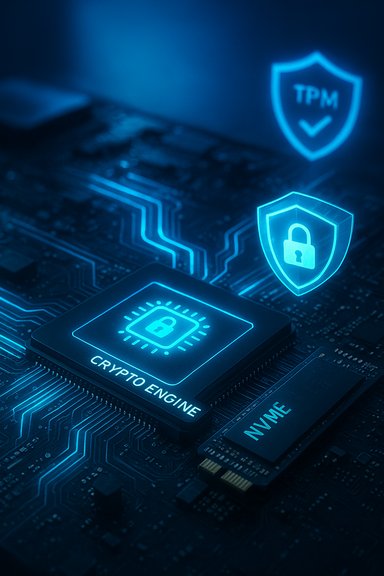
BitLocker has been a core part of Windows’ device protection story for nearly two decades: it encrypts volumes to protect data at rest, integrates with TPM-based attestation for key protection, and — until now — performed bulk encryption work on the host CPU (often accelerated by AES‑NI). That model served well when disk throughput was modest, but modern NVMe SSDs and high‑throughput workloads have made CPU‑side crypto an increasingly visible bottleneck. Microsoft’s new hardware‑accelerated BitLocker offloads bulk cryptographic operations to a dedicated crypto engine on the SoC or CPU and wraps the bulk encryption key inside a hardware boundary, reducing key exposure to memory‑scraping attacks and lowering CPU utilization. This capability is surfaced in recent Windows platform updates and is designed to be used automatically where the SoC, firmware and drivers support it. Microsoft frames this as two complementary technical changes:- Crypto offload: bulk AES/XTS operations run inside a dedicated hardware crypto engine on the SoC/CPU rather than on general‑purpose cores.
- Hardware‑protected keys: the Data Encryption Key (DEK) is generated, wrapped, and used inside a silicon boundary (secure enclave/secure element or equivalent) so the OS never sees plaintext DEKs in RAM.
What changed technically
How hardware offload differs from AES‑NI and SEDs
BitLocker historically used CPU code paths with instruction‑level acceleration (AES‑NI) to reduce cryptographic costs. Hardware‑accelerated BitLocker is a structural shift: instead of executing AES transforms on CPU cores, the Windows storage stack issues cryptographic operations to a dedicated crypto engine exposed by the SoC, which processes buffers without exposing the unwrapped DEK to main memory. This follows the same security principle used by self‑encrypting drives (SEDs) and HSMs, but the crypto engine is integrated into the client SoC and the platform boot/attestation chain (not an optional peripheral).Key management changes
- The DEK — the symmetric key that encrypts disk sectors — can be generated and wrapped inside the SoC’s protected domain and used there, meaning the OS never holds the plaintext DEK during runtime.
- TPM (or equivalent) remains part of the root of trust for attestation, but hardware‑wrapped DEKs reduce exposure from memory scraping and many kernel‑level extraction techniques.
Supported algorithms and defaults
Microsoft says hardware‑accelerated BitLocker uses XTS‑AES‑256 by default on supported platforms. If enterprise policies or manual commands select incompatible algorithms or key sizes, Windows will fall back to software BitLocker unless the platform supports those options; Microsoft plans targeted updates to align key sizes automatically where possible. Admins should expect hardware acceleration only when OS policy, chosen algorithm, and the underlying SoC support the same key/algorithm set.Performance claims and what they mean
Microsoft’s public materials and partner briefings present substantial gains: in demos and internal tests, hardware‑accelerated BitLocker reduced CPU cycles used for disk I/O by about 70% on average compared with software BitLocker, and storage throughput for some NVMe devices approached unencrypted performance in synthetic tests. Microsoft supplied demonstration charts and a video comparing software vs hardware modes. Petri’s coverage summarized Microsoft’s CrystalDiskMark demo figures showing dramatic sequential gains — for example, read speeds up from roughly 1,632 MB/s to 3,746 MB/s, and writes from ~1,513 MB/s to ~3,530 MB/s — numbers that more than double throughput in those particular runs. Those numbers originate from demo/benchmark material Microsoft showed publicly and from Petri’s reporting on that demo; they are compelling but platform‑specific. Treat these as vendor/demo figures, not universal guarantees. Independent historical testing of software BitLocker confirms real performance costs in some scenarios: third‑party tests have found software BitLocker can reduce SSD performance in certain workloads (random I/O and some sequential transfers), sometimes by tens of percent, which aligns with the motivation for hardware offload. However, real‑world outcomes will vary by SoC crypto design, NVMe controller, firmware, driver stack, and workload type. Plan to validate with representative tests for your fleet.Caution: vendor demos vs third‑party verification
- Microsoft’s performance claims come from internal tests and demos; independent, reproducible benchmarking across a broad range of OEMs and drives is still emerging.
- The CrystalDiskMark numbers quoted in press coverage reflect specific test hardware and configurations — do not assume identical gains on different drives, queues, or firmware revisions.
- The crucial takeaway is directional: hardware offload can substantially reduce CPU overhead and may bring encrypted storage performance much closer to unencrypted levels on well‑integrated platforms. But measure before you deploy at scale.
Availability, supported hardware and timeline
Microsoft says it added the OS plumbing for hardware‑accelerated BitLocker in recent Windows platform updates (Windows 11 24H2/25H2 servicing and matching Windows Server updates) and that the feature becomes active when the SoC and OEM firmware expose the necessary crypto engine and key‑wrap capabilities. Initial device support will ship on certain Intel vPro machines using Intel® Core™ Ultra Series 3 (Panther Lake) processors, with other silicon vendors and OEMs expected to follow as they expose equivalent crypto engines to Windows. Intel’s public Panther Lake materials confirm the Panther Lake family (Core Ultra Series 3) is a major client SoC generation and that OEM shipments start around the 2025/2026 cadence. Important operational points:- OS updates alone do not enable hardware acceleration — firmware, drivers, and OEM flags must be present.
- Microsoft’s rollout is phased and tied to OEM/silicon vendor readiness; do not expect universal availability across an existing fleet.
Deployment, activation, and policy considerations
How to check whether a volume is hardware‑accelerated
Run the BitLocker CLI and inspect the encryption method:- Open an elevated Command Prompt.
- Run: manage-bde -status
- Inspect the "Encryption Method" line — on supported machines it will indicate Hardware accelerated (or similar). Microsoft is improving management tooling readouts over time.
Policy and enablement caveats
- If an administrator or script explicitly requests an algorithm or key size not supported by the SoC, Windows may fall back to software BitLocker and disable hardware offload for that volume.
- Microsoft plans to automatically adjust key sizes for new enablements in a future update (to enable hardware acceleration where safe), but algorithm changes (e.g., AES‑CBC vs XTS) will not be forced automatically. Enterprises using bespoke GPOs or FIPS settings should validate policy compatibility before enabling hardware acceleration across fleets.
Recommended deployment steps for IT
- Inventory: identify candidate devices that advertise SoC crypto engines; gather OEM documentation on recovery and attestation flows.
- Escrow policy: ensure all recovery keys are escrowed to Azure AD/Entra ID or your approved key‑management system before provisioning. Hardware‑wrapped keys can complicate drive mobility and forensic recovery.
- Pilot testing: stage a pilot with representative workloads and include firmware/driver update cycles in the test plan.
- Benchmarking: use controlled tests (fio, CrystalDiskMark with specified QDs, DiskBench, DiskSpd) to measure unencrypted, software BitLocker, and hardware‑accelerated modes. Record CPU utilization, throughput, IOPS, latency and battery runtime under sustained mixed I/O.
- Update validation: test firmware and Windows updates in the pilot ring to observe potential BitLocker recovery triggers or attestation changes. Maintain Known Issue Rollback (KIR) plans where possible.
Security benefits — what improves
- Reduced key exposure: DEKs wrapped and used within hardware boundaries are not present as plaintext in system RAM, limiting attack surfaces from memory‑scraping and many kernel exploit paths.
- Lower OS crypto footprint: Offloading bulk crypto reduces the amount of cryptographic code running in kernel context under heavy I/O, which can reduce vulnerability exposure induced by complexity and code churn.
- Better resilience to theft: Drives encrypted with hardware‑wrapped keys bound to silicon make offline attacks (remove the SSD and attach to another system) far more difficult without vendor attestation workflows in place.
New risks and operational trade‑offs
Hardware acceleration brings advantages — but it changes operational behavior in meaningful ways:- Drive portability and forensic recovery: If DEKs are sealed to a silicon boundary, moving a drive to another machine and expecting it to be decryptable becomes problematic without a documented vendor attestation path or key transfer procedure. Organizations that reimage, repurpose or refurbish hardware must adjust runbooks.
- Firmware/UEFI fragility: Changes to platform measurements, firmware updates, or driver updates can trigger BitLocker recovery if attestation relationships break; robust pilot testing and escrow practices are essential. Past incidents (update‑triggered BitLocker recovery) illustrate this operational hazard.
- Vendor support matrix gaps: Microsoft’s public messaging does not yet provide a full compatibility matrix, so procurement and procurement‑validation processes must require vendor documentation on key‑escrow and recovery workflows.
Practical guidance and a readiness checklist
- Before buying: Ask OEMs for written attestation: does the SKU support SoC crypto offload and hardware key wrapping? Request documentation on recovery and migration workflows.
- Before enabling: Back up and escrow recovery keys to Entra ID / Microsoft account (consumers) or your enterprise KMS.
- During rollout: Use pilot rings, measure I/O and CPU under representative loads, and validate the firmware update cadence doesn’t cause unexpected recovery events.
- For imaging and repairs: Document whether devices are hardware‑accelerated; if a device will be serviced by replacing the motherboard/SoC, plan a decryption (or key unwrap/transfer) step prior to hardware swaps.
- If you need portability: Continue to support software BitLocker configurations in scenarios where a drive must remain portable across devices (but recognize the performance tradeoff).
How to validate vendor claims (step‑by‑step)
- Establish a controlled baseline with the same machine and firmware image: measure unencrypted NVMe throughput and CPU utilization.
- Enable software BitLocker (force software path if possible) and repeat tests.
- Enable BitLocker under the vendor‑advertised hardware offload path and re-run tests.
- Compare: sequential and random throughput deltas, CPU cycles per I/O, and battery runtime for laptops under a sustained mixed I/O workload.
- Exercise update scenarios: apply firmware updates and policy pushes to ensure BitLocker does not unexpectedly enter recovery mode. Document recovery key retrieval and test recovery flows.
Independent verification: what’s confirmed and what still needs testing
Confirmed:- Microsoft publicly announced hardware‑accelerated BitLocker and documented the design goals: crypto offload and hardware‑protected DEKs. This appears in Microsoft’s Windows IT Pro blog and Windows Security documentation.
- Intel has published details about Panther Lake (Core Ultra Series 3) as a major client SoC family that OEMs will use; Microsoft called out Panther Lake‑based vPro SKUs as initial validated devices.
- The exact magnitude of the CrystalDiskMark demo gains (the multi‑GB/s numbers) should be treated as vendor/demo results until reproduced by third‑party labs across drives, firmware revisions, and workloads. Petri and Microsoft shared demo numbers; independent benchmark coverage by neutral labs will be needed to generalize the claims.
Final verdict — balancing speed, security, and manageability
Hardware‑accelerated BitLocker is a meaningful evolution in Windows device security: offloading crypto and sealing DEKs in hardware addresses a real problem that modern NVMe throughput magnified. The potential wins — lower CPU usage, longer battery life on laptops, and encrypted performance that more closely matches unencrypted drives — are real and notable. Microsoft’s own engineering and partner demos show dramatic, platform‑specific improvements; Intel’s Panther Lake roadmap and multiple independent outlets corroborate initial platform availability. However, this is not a frictionless improvement: operational complexity (recovery, imaging, drive mobility), dependence on OEM firmware quality, and the current lack of a universal compatibility matrix mean that enterprises and advanced users must treat hardware‑accelerated BitLocker as a platform capability requiring planning, pilot validation, and updated runbooks. The safest path for IT organizations is conservative: require vendor recovery documentation, escrow keys, run pilot fleets with update cycles, and only extend wide rollout after your own testing verifies the vendor claims for your workloads.Quick action checklist (for IT teams)
- Inventory current BitLocker state and ensure recovery keys are escrowed to Entra ID or your key vault.
- Add hardware‑accelerated BitLocker support to procurement criteria and ask OEMs for explicit recovery/migration documentation.
- Build a pilot plan that includes representative I/O workloads, firmware update cycles, and recovery testing.
- Use manage‑bde -status or Get‑BitLockerVolume to verify “Hardware accelerated” status on candidate devices.
- Maintain clear deprovisioning and imaging runbooks that consider hardware‑bound keys (decrypt before motherboard swaps if required).
Hardware‑accelerated BitLocker is a major platform update that closes a long‑standing gap between always‑on encryption and the high‑throughput reality of modern storage. It promises to make full‑disk encryption less costly in practice — but it also shifts the operational model. The result is a net positive for security and performance on properly supported hardware, provided organizations invest in the operational changes that hardware‑wrapped keys and silicon‑bound crypto require.
Source: Petri IT Knowledgebase Microsoft Brings Hardware-Accelerated BitLocker to Windows 11, Windows Server 2025