

Modern workplace operating systems are being redefined in 2026 by hybrid work, cloud collaboration, hardware-backed security requirements, AI-assisted workflows, and the practical end of Windows 10’s mainstream support on October 14, 2025. The old idea of an OS as a neutral launchpad for applications no longer fits the job. Windows, macOS, ChromeOS, and Linux distributions now compete on how well they manage attention, identity, encryption, power, updates, and remote administration. The productivity story is real, but it is inseparable from the security and management story that makes modern work possible.
For decades, the workplace OS was treated as plumbing. It exposed files, launched apps, talked to printers, and stayed out of the way unless something broke. That model made sense when work happened mostly on corporate LANs, documents lived on local drives, and “remote access” meant a VPN session from a managed laptop.
That world has largely disappeared. The modern worker may start a day on a home Wi-Fi network, join a video meeting from a laptop, approve a document from a phone, and later reconnect from an airport lounge. The OS is now expected to keep identity, files, apps, network posture, battery life, and security policy synchronized across that shifting terrain.
This is why modern operating systems increasingly look less like passive platforms and more like active workplace coordinators. They prioritize windows, mute notifications, sync cloud files, isolate credentials, check device health, and feed management signals back to IT. Productivity is no longer just about launching Word faster; it is about keeping the whole working environment coherent under pressure.
The shift also explains why the Windows 10 end-of-support milestone mattered so much. Microsoft did not merely move users from one interface to another. It drew a line between an older PC management model and a newer one built around TPM 2.0, Secure Boot, virtualization-based security, cloud identity, and continuous servicing.
The old desktop assumed users would manually organize their work. Windows could stack, tile, minimize, and maximize windows, but the user carried the cognitive burden of arranging everything. Modern window managers are more opinionated because the working day is more fragmented. A finance analyst, support engineer, or project manager may need six active surfaces at once: chat, browser, spreadsheet, ticketing system, dashboard, and meeting window.
Snap layouts are important because they admit that multitasking is not a power-user edge case anymore. The desktop is now a coordination surface. A good OS helps users preserve context instead of forcing them to reconstruct it every time an application steals focus or a meeting begins.
Virtual desktops serve the same purpose at a higher level. They let users split modes of work rather than merely split windows. One desktop can hold communications, another can hold research, and another can hold administrative tools. The benefit is not that windows become prettier; it is that attention becomes less fragile.
Search has undergone a similar change. Local file search was enough when documents lived under “My Documents” and email was a separate universe. Modern search must reach across local storage, synced cloud folders, messages, settings, apps, and sometimes web results. The OS increasingly acts as a memory layer for the worker, not just a file indexer.
Notification controls illustrate the point. Earlier operating systems tended to treat every alert as equally urgent. Modern systems are more willing to filter, batch, or suppress interruptions during focus sessions, presentations, and meetings. That does not solve workplace overload by itself, but it gives the OS a role in defending concentration.
Power management is another quiet productivity feature. Battery life is not only a hardware specification; it is the outcome of scheduler decisions, display behavior, background activity, app suspension, and driver quality. A laptop that can stay unplugged through a morning of meetings changes how people move through a workplace.
The same is true of update behavior. Nobody loves updates, but modern servicing models attempt to make patching less episodic and less catastrophic. The goal is not merely to install fixes; it is to keep the machine secure without turning every patch cycle into a help desk event.
This is where the productivity argument becomes more serious than interface taste. A modern OS saves time not only by adding conveniences, but by reducing the number of moments when the user has to become their own technician.
TPM 2.0 is not magic, and it does not make a PC invulnerable. But it gives the platform a hardware-backed place to protect keys, support measured boot, enable stronger device attestation, and improve the reliability of encryption and identity features. In a world where stolen credentials and unmanaged endpoints are routine attack paths, that foundation matters.
Secure Boot plays a complementary role by helping ensure that unauthorized bootloaders and low-level code do not run before the operating system starts. Again, it is not a complete defense. But it raises the cost of attacks that depend on compromising the machine before Windows, Linux, or another OS can enforce its own security policies.
Virtualization-based security extends the idea further. Instead of trusting that every sensitive process can defend itself inside one shared operating environment, modern Windows can isolate certain secrets and integrity checks in a protected space. Credential Guard is the best-known example, designed to make it harder for attackers to harvest authentication material from a compromised system.
This is the new baseline for workplace security. The OS is not just running security software; it is becoming the security boundary.
That change is not only about convenience. Passwords are phishable, reused, forgotten, shared, and stolen. They are also expensive for IT departments, which must manage resets, lockouts, recovery flows, and help desk calls. A passwordless or password-light workflow can be both easier for users and harder for attackers.
The operating system is the natural enforcement point for that transition. It knows whether the device is encrypted, whether Secure Boot is enabled, whether the user signed in with a biometric factor, whether the machine is compliant with policy, and whether the session should be trusted. Cloud identity providers make decisions, but the endpoint supplies much of the evidence.
This is also where Zero Trust stops being a slogan and becomes an implementation problem. “Never trust, always verify” sounds simple until a company has thousands of laptops outside its walls. The OS must supply the checks that make continuous verification practical: device health, patch state, encryption status, login method, and management enrollment.
For workers, the result may feel like fewer passwords and more seamless access. For administrators, the result is a richer control plane. The same design can improve productivity and tighten security, which is why the modern OS conversation cannot separate the two.
A file is no longer assumed to be a local object. It may be cached, synced, shared, versioned, co-authored, retained, searched, or protected by a sensitivity label. The OS has to make that complexity feel ordinary. Users expect a document to appear on a new device, survive a laptop failure, and open directly into a shared workflow.
This changes procurement and deployment. Buying devices is no longer enough; organizations must manage licenses, identities, storage policies, conditional access rules, and endpoint compliance. The operating system sits at the crossing point of those decisions. If it does not integrate well with the productivity stack, the user experience fragments quickly.
Windows 11 is particularly explicit about this Microsoft-centric model. Its strongest workplace case emerges when the PC is enrolled, signed in with organizational identity, protected by Defender and BitLocker, synced with OneDrive, and managed through modern device management. Critics can fairly call that an ecosystem lock-in strategy. Administrators can also fairly call it fewer moving parts.
The risk is that convenience can become dependency. When the OS, cloud storage, identity provider, collaboration suite, and management plane are tightly coupled, outages and licensing decisions matter more. Modern workplace productivity is powerful because it is integrated; it is also vulnerable to the business terms of that integration.
Mobile Device Management changed the administrative model. IT can enroll devices, enforce policies, deploy apps, rotate certificates, require encryption, and wipe lost machines without shipping every laptop back to headquarters. For small organizations, this reduces operational drag. For large enterprises, it is the difference between scalable governance and endpoint chaos.
The user rarely sees this machinery, which is how it should be. A well-managed device simply arrives, signs in, configures itself, receives apps, applies policy, and gets to work. The OS becomes the bootstrap layer for the employee’s entire digital workplace.
This is one of the strongest practical arguments for staying current. Legacy systems are not just missing new features; they often do not fit modern provisioning and compliance expectations. The further an organization drifts from supported OS baselines, the more it pays in exceptions, workarounds, and audit anxiety.
Remote wipe, conditional access, update rings, device compliance reports, and automated provisioning sound like administrative trivia until something goes wrong. Then they become the difference between a contained incident and a week of improvisation.
Modern schedulers and power systems are designed for this mixed workload. Laptops now move constantly among performance states, efficiency cores, sleep modes, network conditions, and thermal limits. The OS must decide what deserves resources and what can wait.
This is especially important on thin-and-light business laptops. A system that benchmarks well while plugged in may feel mediocre during real work if background tasks drain the battery or the fan spins through every meeting. Conversely, smart power behavior can make modest hardware feel better than its specifications suggest.
Storage improvements matter too. NVMe drives, faster indexing, better caching, and APIs such as DirectStorage reflect a wider trend toward reducing latency across the system. DirectStorage is often discussed in gaming terms, but the broader lesson applies to workstations as well: modern storage and graphics pipelines need operating systems that can move data efficiently.
The honest caveat is that modern OS performance is not uniformly better on every machine. Windows 11’s hardware requirements exclude many older PCs, and upgrades on marginal hardware can disappoint. The productivity gain depends on the full stack: firmware, drivers, storage, memory, CPU generation, security settings, and app behavior.
Organizations can buy time through extended security programs in some cases, but that is a bridge, not a strategy. Extended support generally preserves security updates for a defined period; it does not turn an aging platform into a modern endpoint architecture. It also leaves unresolved questions about hardware refresh, application compatibility, compliance, and user experience.
The economics are often misunderstood. Upgrading an OS or replacing hardware looks expensive because the invoice is visible. The cost of staying put is distributed across help desk tickets, delayed patches, failed audits, user frustration, security incidents, and incompatible software. Those costs are less visible, but they are not imaginary.
This is where IT departments face a communications problem. Users see a familiar desktop and ask why it must change. Administrators see an aging endpoint population, shrinking vendor support, and rising security exposure. Both views are rational, but only one accounts for the future cost curve.
The right answer is not reckless upgrading. Businesses still need testing rings, rollback plans, application validation, user training, and hardware audits. But the burden of proof has shifted. In 2026, remaining on an old workplace OS requires a better justification than “it still works.”
That raises the ceiling for productivity. A system that can summarize, search, draft, schedule, retrieve, and automate across applications could reduce the repetitive glue work that fills many office days. The most useful AI features will not be novelty chat boxes; they will be small interventions inside existing workflows.
But AI also raises the stakes for privacy, governance, and trust. If the OS can see more context, index more content, and infer more about what a user is doing, administrators and employees need clear controls. Workplace AI cannot be judged only by how clever it is. It must be judged by where data goes, how permissions are enforced, and whether audit trails exist.
This is another reason the modern OS matters. AI features require identity, policy, secure storage, hardware acceleration, and reliable update channels. They also require a level of user trust that older bolt-on utilities may struggle to earn. The operating system is becoming the broker for AI-assisted work because it already sits closest to the user’s files, apps, and identity.
The next productivity fight will be over how much agency the OS should have. Helpful automation can become intrusive automation if the defaults are wrong. The winners will be platforms that make intelligence feel controlled rather than imposed.
This is why the “old versus modern OS” comparison can be misleading if treated as a feature checklist. Yes, Windows 11 has stronger defaults than Windows 7 or Windows 8. Yes, it is better suited to hybrid work than Windows 10-era assumptions. But the upgrade only delivers full value when paired with policy, training, lifecycle management, and security operations.
For individuals, the discipline is simpler but still real. Keep the system supported, enable encryption, use biometric or passkey-based sign-in where possible, maintain backups, avoid disabling security features for convenience, and understand where cloud files actually live. The OS can lower the barrier to good habits, but it cannot eliminate the need for them.
For IT teams, the discipline is more demanding. They must maintain hardware inventories, identify unsupported devices, test line-of-business applications, phase rollouts, monitor compliance, and communicate changes clearly. The best modern OS deployment feels boring because the work happened before users noticed.
That is the unglamorous truth of workplace productivity. The biggest gains often come not from a dazzling feature but from removing uncertainty.
That does not mean every criticism of Windows 11 evaporates. Hardware requirements left capable older PCs outside the official upgrade path. Microsoft’s account and cloud nudges remain controversial. Some users dislike the interface changes, and enterprises still have to wrestle with app compatibility, training, and procurement cycles.
But the broad direction is difficult to dismiss. Work moved out of the office, attacks moved down the stack, identity moved to the cloud, and collaboration moved into shared documents and persistent chat. An OS built primarily for local computing cannot be expected to handle that environment indefinitely.
The better critique is not that modern operating systems are unnecessary. It is that vendors sometimes package necessary architectural change with unnecessary friction, advertising, upsell, or ecosystem pressure. IT buyers should separate the two. They should demand the security and management gains without pretending every product decision around them is user-friendly.
That distinction matters for WindowsForum readers because enthusiasm and skepticism both have a place here. Windows 11 can be a meaningful workplace upgrade and still deserve scrutiny. The modern OS is more powerful precisely because it has more control.
This matters especially for small businesses. Large enterprises usually have security teams, endpoint platforms, and lifecycle calendars. Smaller organizations often postpone upgrades until a device fails or software refuses to install. That approach worked better when threats were less automated and compliance expectations were looser.
Modern ransomware crews, credential thieves, and supply-chain attackers do not care whether a business has a dedicated IT department. They exploit exposed services, weak credentials, unpatched software, and poorly managed endpoints at scale. A current OS does not make a small business safe, but an unsupported OS makes it harder to argue that basic diligence was done.
The same logic applies to individuals who work from personal machines. Bring-your-own-device policies blur the line between consumer and enterprise computing. If a personal laptop touches company data, the state of that OS becomes a workplace issue.
The OS is therefore no longer a matter of taste alone. It is part of the trust contract between workers, employers, customers, insurers, regulators, and vendors.
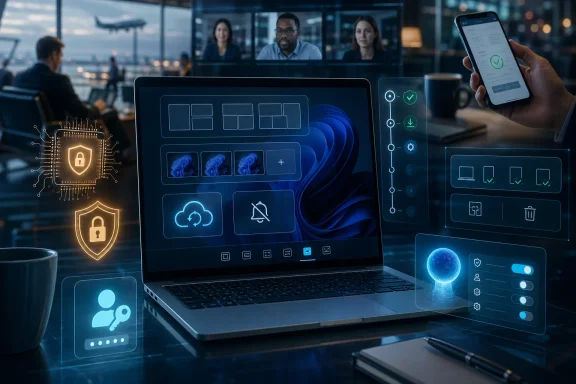 The Operating System Has Become the Office
For decades, the workplace OS was treated as plumbing. It exposed files, launched apps, talked to printers, and stayed out of the way unless something broke. That model made sense when work happened mostly on corporate LANs, documents lived on local drives, and “remote access” meant a VPN session from a managed laptop.That world has largely disappeared. The modern worker may start a day on a home Wi-Fi network, join a video meeting from a laptop, approve a document from a phone, and later reconnect from an airport lounge. The OS is now expected to keep identity, files, apps, network posture, battery life, and security policy synchronized across that shifting terrain.
This is why modern operating systems increasingly look less like passive platforms and more like active workplace coordinators. They prioritize windows, mute notifications, sync cloud files, isolate credentials, check device health, and feed management signals back to IT. Productivity is no longer just about launching Word faster; it is about keeping the whole working environment coherent under pressure.
The shift also explains why the Windows 10 end-of-support milestone mattered so much. Microsoft did not merely move users from one interface to another. It drew a line between an older PC management model and a newer one built around TPM 2.0, Secure Boot, virtualization-based security, cloud identity, and continuous servicing.
Productivity Is Now a Systems Problem
The most visible workplace gains in Windows 11 and other modern operating systems are in multitasking. Snap layouts, virtual desktops, improved search, faster resume, and smarter notification controls all attack the same enemy: friction. None of these features looks revolutionary in isolation, but together they reduce the small interruptions that accumulate into lost hours.The old desktop assumed users would manually organize their work. Windows could stack, tile, minimize, and maximize windows, but the user carried the cognitive burden of arranging everything. Modern window managers are more opinionated because the working day is more fragmented. A finance analyst, support engineer, or project manager may need six active surfaces at once: chat, browser, spreadsheet, ticketing system, dashboard, and meeting window.
Snap layouts are important because they admit that multitasking is not a power-user edge case anymore. The desktop is now a coordination surface. A good OS helps users preserve context instead of forcing them to reconstruct it every time an application steals focus or a meeting begins.
Virtual desktops serve the same purpose at a higher level. They let users split modes of work rather than merely split windows. One desktop can hold communications, another can hold research, and another can hold administrative tools. The benefit is not that windows become prettier; it is that attention becomes less fragile.
Search has undergone a similar change. Local file search was enough when documents lived under “My Documents” and email was a separate universe. Modern search must reach across local storage, synced cloud folders, messages, settings, apps, and sometimes web results. The OS increasingly acts as a memory layer for the worker, not just a file indexer.
The Best Productivity Features Are the Ones Users Stop Noticing
The strongest OS productivity features often disappear into habit. Fast wake from sleep, reliable Bluetooth reconnection, stable multi-monitor docking, background file sync, and consistent credential prompts rarely earn keynote applause. Yet these are the differences between a machine that feels like an extension of work and one that feels like an obstacle course.Notification controls illustrate the point. Earlier operating systems tended to treat every alert as equally urgent. Modern systems are more willing to filter, batch, or suppress interruptions during focus sessions, presentations, and meetings. That does not solve workplace overload by itself, but it gives the OS a role in defending concentration.
Power management is another quiet productivity feature. Battery life is not only a hardware specification; it is the outcome of scheduler decisions, display behavior, background activity, app suspension, and driver quality. A laptop that can stay unplugged through a morning of meetings changes how people move through a workplace.
The same is true of update behavior. Nobody loves updates, but modern servicing models attempt to make patching less episodic and less catastrophic. The goal is not merely to install fixes; it is to keep the machine secure without turning every patch cycle into a help desk event.
This is where the productivity argument becomes more serious than interface taste. A modern OS saves time not only by adding conveniences, but by reducing the number of moments when the user has to become their own technician.
Security Moved Below the Desktop
The biggest workplace OS change is not cosmetic. Security has moved downward, from software utilities sitting on top of the operating system into hardware, firmware, boot chains, identity systems, and virtualization boundaries. Windows 11’s TPM 2.0 requirement became controversial because it made that shift visible.TPM 2.0 is not magic, and it does not make a PC invulnerable. But it gives the platform a hardware-backed place to protect keys, support measured boot, enable stronger device attestation, and improve the reliability of encryption and identity features. In a world where stolen credentials and unmanaged endpoints are routine attack paths, that foundation matters.
Secure Boot plays a complementary role by helping ensure that unauthorized bootloaders and low-level code do not run before the operating system starts. Again, it is not a complete defense. But it raises the cost of attacks that depend on compromising the machine before Windows, Linux, or another OS can enforce its own security policies.
Virtualization-based security extends the idea further. Instead of trusting that every sensitive process can defend itself inside one shared operating environment, modern Windows can isolate certain secrets and integrity checks in a protected space. Credential Guard is the best-known example, designed to make it harder for attackers to harvest authentication material from a compromised system.
This is the new baseline for workplace security. The OS is not just running security software; it is becoming the security boundary.
Passwords Are Losing Their Monopoly
The workplace password is not dead, but modern operating systems are clearly trying to make it less central. Windows Hello, platform authenticators, passkeys, biometric unlock, and certificate-backed enterprise sign-in all point in the same direction. Identity should be bound more tightly to a trusted device and less dependent on a reusable secret typed into boxes all day.That change is not only about convenience. Passwords are phishable, reused, forgotten, shared, and stolen. They are also expensive for IT departments, which must manage resets, lockouts, recovery flows, and help desk calls. A passwordless or password-light workflow can be both easier for users and harder for attackers.
The operating system is the natural enforcement point for that transition. It knows whether the device is encrypted, whether Secure Boot is enabled, whether the user signed in with a biometric factor, whether the machine is compliant with policy, and whether the session should be trusted. Cloud identity providers make decisions, but the endpoint supplies much of the evidence.
This is also where Zero Trust stops being a slogan and becomes an implementation problem. “Never trust, always verify” sounds simple until a company has thousands of laptops outside its walls. The OS must supply the checks that make continuous verification practical: device health, patch state, encryption status, login method, and management enrollment.
For workers, the result may feel like fewer passwords and more seamless access. For administrators, the result is a richer control plane. The same design can improve productivity and tighten security, which is why the modern OS conversation cannot separate the two.
Cloud Integration Has Rewritten the Desktop Contract
Cloud integration used to mean a sync client installed after the fact. Now it is part of the desktop contract. OneDrive, Microsoft 365, Teams, Entra ID, iCloud, Google Workspace, and similar services have changed what users expect from files, identity, collaboration, and recovery.A file is no longer assumed to be a local object. It may be cached, synced, shared, versioned, co-authored, retained, searched, or protected by a sensitivity label. The OS has to make that complexity feel ordinary. Users expect a document to appear on a new device, survive a laptop failure, and open directly into a shared workflow.
This changes procurement and deployment. Buying devices is no longer enough; organizations must manage licenses, identities, storage policies, conditional access rules, and endpoint compliance. The operating system sits at the crossing point of those decisions. If it does not integrate well with the productivity stack, the user experience fragments quickly.
Windows 11 is particularly explicit about this Microsoft-centric model. Its strongest workplace case emerges when the PC is enrolled, signed in with organizational identity, protected by Defender and BitLocker, synced with OneDrive, and managed through modern device management. Critics can fairly call that an ecosystem lock-in strategy. Administrators can also fairly call it fewer moving parts.
The risk is that convenience can become dependency. When the OS, cloud storage, identity provider, collaboration suite, and management plane are tightly coupled, outages and licensing decisions matter more. Modern workplace productivity is powerful because it is integrated; it is also vulnerable to the business terms of that integration.
Remote Management Became a First-Class Feature
Hybrid work exposed the weakness of old endpoint management. If a laptop had to be physically touched, joined to a domain in the office, imaged from a local server, and nursed through manual configuration, it was not ready for distributed work. Modern operating systems had to absorb remote management as a core function.Mobile Device Management changed the administrative model. IT can enroll devices, enforce policies, deploy apps, rotate certificates, require encryption, and wipe lost machines without shipping every laptop back to headquarters. For small organizations, this reduces operational drag. For large enterprises, it is the difference between scalable governance and endpoint chaos.
The user rarely sees this machinery, which is how it should be. A well-managed device simply arrives, signs in, configures itself, receives apps, applies policy, and gets to work. The OS becomes the bootstrap layer for the employee’s entire digital workplace.
This is one of the strongest practical arguments for staying current. Legacy systems are not just missing new features; they often do not fit modern provisioning and compliance expectations. The further an organization drifts from supported OS baselines, the more it pays in exceptions, workarounds, and audit anxiety.
Remote wipe, conditional access, update rings, device compliance reports, and automated provisioning sound like administrative trivia until something goes wrong. Then they become the difference between a contained incident and a week of improvisation.
Performance Gains Are No Longer Just Benchmark Theater
Operating system performance used to be discussed in familiar terms: boot time, application launch time, memory footprint, and benchmark scores. Those still matter, but workplace performance is now broader. A productive OS must keep foreground work responsive while syncing files, scanning for threats, managing video calls, indexing content, and conserving battery.Modern schedulers and power systems are designed for this mixed workload. Laptops now move constantly among performance states, efficiency cores, sleep modes, network conditions, and thermal limits. The OS must decide what deserves resources and what can wait.
This is especially important on thin-and-light business laptops. A system that benchmarks well while plugged in may feel mediocre during real work if background tasks drain the battery or the fan spins through every meeting. Conversely, smart power behavior can make modest hardware feel better than its specifications suggest.
Storage improvements matter too. NVMe drives, faster indexing, better caching, and APIs such as DirectStorage reflect a wider trend toward reducing latency across the system. DirectStorage is often discussed in gaming terms, but the broader lesson applies to workstations as well: modern storage and graphics pipelines need operating systems that can move data efficiently.
The honest caveat is that modern OS performance is not uniformly better on every machine. Windows 11’s hardware requirements exclude many older PCs, and upgrades on marginal hardware can disappoint. The productivity gain depends on the full stack: firmware, drivers, storage, memory, CPU generation, security settings, and app behavior.
The Cost of Staying Put Keeps Rising
The case for modern operating systems became sharper after Windows 10 reached end of support on October 14, 2025. A Windows 10 PC did not stop booting the next morning. That was never the point. The issue is that unsupported systems become a growing exception in a threat landscape that does not pause for nostalgia.Organizations can buy time through extended security programs in some cases, but that is a bridge, not a strategy. Extended support generally preserves security updates for a defined period; it does not turn an aging platform into a modern endpoint architecture. It also leaves unresolved questions about hardware refresh, application compatibility, compliance, and user experience.
The economics are often misunderstood. Upgrading an OS or replacing hardware looks expensive because the invoice is visible. The cost of staying put is distributed across help desk tickets, delayed patches, failed audits, user frustration, security incidents, and incompatible software. Those costs are less visible, but they are not imaginary.
This is where IT departments face a communications problem. Users see a familiar desktop and ask why it must change. Administrators see an aging endpoint population, shrinking vendor support, and rising security exposure. Both views are rational, but only one accounts for the future cost curve.
The right answer is not reckless upgrading. Businesses still need testing rings, rollback plans, application validation, user training, and hardware audits. But the burden of proof has shifted. In 2026, remaining on an old workplace OS requires a better justification than “it still works.”
The AI Layer Is Turning the OS Into a Work Broker
AI is the newest force pushing the operating system beyond its traditional role. Microsoft’s Copilot strategy, Apple’s platform-level intelligence features, and Google’s AI-infused ChromeOS direction all suggest the same future: the OS will increasingly mediate between user intent and application action.That raises the ceiling for productivity. A system that can summarize, search, draft, schedule, retrieve, and automate across applications could reduce the repetitive glue work that fills many office days. The most useful AI features will not be novelty chat boxes; they will be small interventions inside existing workflows.
But AI also raises the stakes for privacy, governance, and trust. If the OS can see more context, index more content, and infer more about what a user is doing, administrators and employees need clear controls. Workplace AI cannot be judged only by how clever it is. It must be judged by where data goes, how permissions are enforced, and whether audit trails exist.
This is another reason the modern OS matters. AI features require identity, policy, secure storage, hardware acceleration, and reliable update channels. They also require a level of user trust that older bolt-on utilities may struggle to earn. The operating system is becoming the broker for AI-assisted work because it already sits closest to the user’s files, apps, and identity.
The next productivity fight will be over how much agency the OS should have. Helpful automation can become intrusive automation if the defaults are wrong. The winners will be platforms that make intelligence feel controlled rather than imposed.
The Real Upgrade Is Organizational Discipline
A modern OS does not rescue a poorly managed workplace by itself. Snap layouts cannot fix chaotic meetings. TPM cannot compensate for reckless permissions. Cloud sync cannot repair a broken information architecture. The operating system provides capabilities; organizations still decide whether to use them well.This is why the “old versus modern OS” comparison can be misleading if treated as a feature checklist. Yes, Windows 11 has stronger defaults than Windows 7 or Windows 8. Yes, it is better suited to hybrid work than Windows 10-era assumptions. But the upgrade only delivers full value when paired with policy, training, lifecycle management, and security operations.
For individuals, the discipline is simpler but still real. Keep the system supported, enable encryption, use biometric or passkey-based sign-in where possible, maintain backups, avoid disabling security features for convenience, and understand where cloud files actually live. The OS can lower the barrier to good habits, but it cannot eliminate the need for them.
For IT teams, the discipline is more demanding. They must maintain hardware inventories, identify unsupported devices, test line-of-business applications, phase rollouts, monitor compliance, and communicate changes clearly. The best modern OS deployment feels boring because the work happened before users noticed.
That is the unglamorous truth of workplace productivity. The biggest gains often come not from a dazzling feature but from removing uncertainty.
The Windows 11 Productivity Pitch Only Works If the Security Pitch Is True
The workplace argument for Windows 11 is strongest when Microsoft’s security architecture is treated as the main event, not the fine print. Snap layouts and a polished interface help, but they do not justify a generational migration by themselves. Hardware-rooted trust, virtualization-based protections, modern management, and cloud identity integration are the real platform shift.That does not mean every criticism of Windows 11 evaporates. Hardware requirements left capable older PCs outside the official upgrade path. Microsoft’s account and cloud nudges remain controversial. Some users dislike the interface changes, and enterprises still have to wrestle with app compatibility, training, and procurement cycles.
But the broad direction is difficult to dismiss. Work moved out of the office, attacks moved down the stack, identity moved to the cloud, and collaboration moved into shared documents and persistent chat. An OS built primarily for local computing cannot be expected to handle that environment indefinitely.
The better critique is not that modern operating systems are unnecessary. It is that vendors sometimes package necessary architectural change with unnecessary friction, advertising, upsell, or ecosystem pressure. IT buyers should separate the two. They should demand the security and management gains without pretending every product decision around them is user-friendly.
That distinction matters for WindowsForum readers because enthusiasm and skepticism both have a place here. Windows 11 can be a meaningful workplace upgrade and still deserve scrutiny. The modern OS is more powerful precisely because it has more control.
The Upgrade Path Is Now a Risk Decision, Not a Preference Poll
The practical lesson for 2026 is that OS choice has become a risk decision. A supported, managed, hardware-secured endpoint is not merely nicer to use; it is easier to defend, insure, audit, and recover. A legacy endpoint may remain familiar, but familiarity is not a control.This matters especially for small businesses. Large enterprises usually have security teams, endpoint platforms, and lifecycle calendars. Smaller organizations often postpone upgrades until a device fails or software refuses to install. That approach worked better when threats were less automated and compliance expectations were looser.
Modern ransomware crews, credential thieves, and supply-chain attackers do not care whether a business has a dedicated IT department. They exploit exposed services, weak credentials, unpatched software, and poorly managed endpoints at scale. A current OS does not make a small business safe, but an unsupported OS makes it harder to argue that basic diligence was done.
The same logic applies to individuals who work from personal machines. Bring-your-own-device policies blur the line between consumer and enterprise computing. If a personal laptop touches company data, the state of that OS becomes a workplace issue.
The OS is therefore no longer a matter of taste alone. It is part of the trust contract between workers, employers, customers, insurers, regulators, and vendors.
The Workplace Desktop Has Become a Managed Security Appliance
The concrete takeaways from this shift are less glamorous than the marketing, but more useful. Modern operating systems are not simply adding features; they are absorbing duties that once belonged to separate tools, manual routines, or office-bound infrastructure.- Modern multitasking features matter because they reduce context switching in real workflows, not because they make the desktop look new.
- Hardware-backed security features such as TPM 2.0, Secure Boot, and virtualization-based protections are now part of the workplace baseline.
- Cloud identity and device management have become central to productivity because hybrid work requires trust decisions outside the office network.
- Unsupported operating systems continue to function, but they accumulate security, compliance, and compatibility risk with every passing month.
- AI-assisted OS features will be useful only if vendors provide clear controls over data access, permissions, and administrative oversight.
- The best upgrade plans treat operating systems as lifecycle infrastructure rather than one-time software purchases.
References
- Primary source: Голос Карпат
Published: 2026-06-22T11:42:08.348898
