

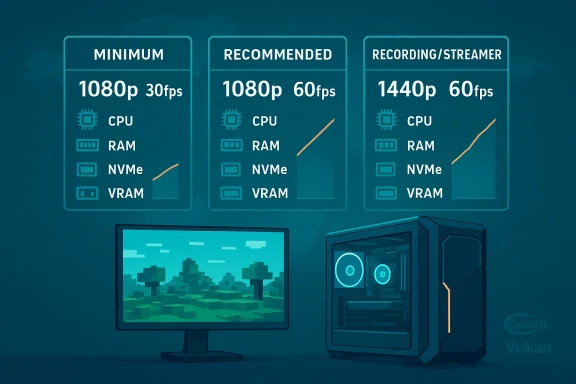
Hytale’s launch comes with one of the clearest and most pragmatic hardware briefings we've seen in recent years: the developer published a tiered set of targets—Minimum, Recommended, and Recording/Streamer—that map to realistic framerate and quality goals (1080p/30, 1080p/60, and 1440p/60 capture, respectively), and they explain why CPU, RAM, storage, and view distance matter as much as raw GPU horsepower.
Hypixel Studios has framed Hytale’s hardware guidance around playability and transparency rather than marketing optimism. Instead of a single “recommended” line, the studio published performance targets tied to in-house benchmarks and illustrated how different settings—especially view distance—scale system load. That tiered approach is intended to help players pick upgrades that match their goals (casual play, comfortable 60 FPS, or content creation) rather than assume one spec fits all.
The guidance is explici current development targets and may change as optimizations continue; treat these figures as a reliable snapshot for Early Access but not as immutable limits. Many outlets reproduced the developer’s sheet, which gives us multiple independent confirmations of the key numbers.
Practical storage guidance:
Source: Turtle Beach https://eu.turtlebeach.com/blog/hytale-system-requirements-minimum-recommended-and-more/
 Background / Overview
Hypixel Studios has framed Hytale’s hardware guidance around playability and transparency rather than marketing optimism. Instead of a single “recommended” line, the studio published performance targets tied to in-house benchmarks and illustrated how different settings—especially view distance—scale system load. That tiered approach is intended to help players pick upgrades that match their goals (casual play, comfortable 60 FPS, or content creation) rather than assume one spec fits all. The guidance is explici current development targets and may change as optimizations continue; treat these figures as a reliable snapshot for Early Access but not as immutable limits. Many outlets reproduced the developer’s sheet, which gives us multiple independent confirmations of the key numbers.
Official system requirements — the numbers you need now
Below I reproduce and contextualize the core hardware tiers the developer published. These are the “load‑bearing” figures players will use to decide whether to upgrade, buy, or game on their current system.Minimum (Playable — 1080p @ ~30 FPS, Low preset)
- OS: 64‑bit Windows 10 (version 1809) or Windows 11.
- CPU: Intel Core i5‑7500 (or equivalent) or AMD Ryzen 3 1200 (or equivalent).
- RAM: 8 GB for singleplayer with a discrete GPU; 12 GB if using integrated graphics in singleplayer; 8 GB for multiplayer‑only sessions.
- GPU:
- Integrated: Intel UHD Graphics 620, AMD Radeon Vega 6 (Apple M1 noted for mac builds).
- Dedicated: NVIDIA GTX 900 Series / AMD Radeon 400 Series / Intel Arc A‑Series.
- Storage: SATA SSD with around 20 GB free recommended (installer is small, but saves and w.
- Network: 2 Mbit/s minimum for multiplayer (UDP/QUIC compatible).
These minimum figures are intended to produce a playable, low‑detail experience with limited view distance; owners of older integrated or entry discrete GPUs should expect to lower view distance and other settings for consistent framerates.
Recommended (Comfortable — 1080p @ ~60 FPS, High preset)
- OS: 64‑bit Windows 10 (version 1809) or Windows 11.
- CPU: Intel Core i5‑10400 (or equivalent) or AMD Ryzen 5 3600 (or equivalent).
- RAM: 16 GB.
- GPU:
- Integrated: Intel Iris Xe, AMD Radeon 660M (Ap- Dedicated: NVIDIA GTX 900 Series / AMD Radeon 400 Series / Intel Arc A‑Series or better.
- Storage: NVMe SSD recommended with ~20 GB free.
- Network: ~8 Mbit/s recommended for multiplayer.
This tier targets mainstream 1080p gaming with stable 60 FPS; it emphasizes balanced CPU and memory rather than an all‑in focus on GPU microarchitecture.
Recording / Streamer (Target: stable capture at 1440p @ 60 FPS)
- OS: 64‑bit Windows 10 (version 1809) or Windows 11.
- CPU: Intel Core i7‑10700K (or equivalent) or AMD Ryzen 7 3800X (or equivalent); creators should prefer newer multi‑core parts.
- RAM: 32 GB recommended.
- GPU: NVIDIA RTX 30 Series / AMD Radeon RX 7000 Series / modern Intel Arc cards; hardwN/AV1) are strongly recommended.
- Storage: NVMe SSD with substantial free space; separate drive for captured video is advised (developers suggest ~50 GB headroom on the capture drive).
This tier is about frametime stability under heavy capture/encode loads and high view distances; the developer’s guidance explicitly pushes creators toward NVMe and 32 GB RAM for reliable long sessions.
Storage, installer size, and how saved worlds scale
The Hytale installer itself is modest (~8 GB compressed at launch), but disk u you explore, build, download community content, or record. Hypixel provided example savings: roughly ~27 KB per 32×32 chunk and ~661 MB for a 5,000×5,000 blocks exploration area — figures that demonstrate saved‑world size can balloon for prolific builders and large public servers. The studio explicitly recommends installing to an SSD, and creators are told to keep recorded video on a separate NVMe drive to avoid IO contention.Practical storage guidance:
- Reserve at least 20 GB free for everyday play; plan for 50–100 GB or more if you create or host large worlds or keep long captures.
- Prefer NVMe for the install drive if you want reduced streaming hitching, especially at higher view distances.
Why CPU and RAM matter more than you might expect
Hytale is not a simple GPU‑only renderer. The engine runs a sizable simulation layer—AI, persistent entity logic, and world simulation—often in the same process when you play singleplayer. That client+server behavior increases CPU core usage and working memory compared with many purely client‑side games. As a resut and single‑thread performance matter**: Hypixel’s recommended CPUs sit in the 6‑core class for mainstream 60 FPS play, while creators are nudged to higher core counts for stable capture.- RAM headroom reduces hitching: 16 GB is the recommended baseline for comfortable play; 32 GB is recommended for capture and heavy multitasking to avoid paging during long recording sessions.
- If you have a middling GPU but a weak CPU or low RAM, you’ll still hit limits: some players with modern GPUs can be CPU‑bound in large singleplayer worlds or on servers with high entity counts.
View distance and VRAM: the single setting that multiplies work
Hypixel calls out view distance as the most impactful single setting. Doubling view distance multiplies the amount of world the engine must manage—thereby increasing CPU calculation, RAM usage, and VRAM footprint significantly (developers describe roughly quadratic to cubic scaling depending on implementation). The practical takeaway:- Keep view distance modest (e.g., 192 blocks) on lower‑end systems.
- If your GPU has 4–6 GB VRAM, expect to be conservative with view distance and texture detail. Cards with 8 GB+ VRAM give you suroom for higher view distances and richer textures.
Mac and Linux — Apple Silicon explicitly supported
Hypixel included Apple Silicon in the published guidance: Apple M1 (minimum) and Apple M2 (recommended) chips are explicitly listed for macOS requirements, with macOS "Tahoe" (macOS 26) referenced for compatibility. The studio also stated Linux support is being worked on and is included in the published compatibility notes, although Windows remains the primary launch platform. Independent reporting and community guides echo that M1/M2 Macs meet minimum and recommended targets respectively, albeit with the usual caveats around thermal throttling on thin laptops.Tuning and upgrade advice — where to spend money
If you’re building or upgrading for Hytale, prioritize components in this order for the best price‑to‑performance:- CPU: Invest in a modern midrange CPU with strong single‑thread performance and 6+ cores for recommended settings. Hypixel’s recommended CPUs (Intel i5‑10400 / Ryzen 5 3600 equivalents) are a good baseline; creators should move up to recent 8+ core chips.
- RAM: Move to 16 GB for comfortable play; consider 32 GB if you stream/record or keep many background apps.
- NVMe SSD: Faster storage reduces streaming hitching; use a separate NVMe for captured video if you record long sessions.
- GPU: For recommended 1080p/60, a midrange card or capable integrated GPU is sufficient; for higher settings and heavy view distances, prioritize VRAM and hardware encoder capabilities (important for streamers).
- Use vendor upscalers (DLSS/FSR/XeSS) if supported to improve framerate without a big visual hit.
- Close unnecessary background apps when playing singleplayer to free CPU and RAM for the simulation layer.
Tips for laptop users and integrated GPUs
Hytale’s explicit support for integrated GPUs at the minimum tier is good news for laptop owners—but there are realistic limits:- Expect to reduce resolution, view distance, and texture settings on integrated graphics to hit smooth framerates.
- Thermal throttling is the enemy: long sessions on thin laptops can reduce sustained performance even if short benchmarks look fine.
- If you plan to game extensively, prioritize a laptop with an M2/M3 or Iris Xe class GPU and 16 GB RAM for a better experience.
Creator and streamer checklist
For creators capturing Hytale gameplay, Hypixel recommends:- CPU: multi‑core chip (i7 class or better).
- RAM: 32 GB.
- GPU: modern RTX‑class strong hardware encoders; AV1/HEVC recommended if supported.
- Storage: NVMe drive for game + a separate drive for captures (reserve ~50 GB free on the capture drive).
This reduces encoding contention, IO stalls, and frame drops during long recording sessions. The developer explicitly flags AV1/HEVC for recording quality and bitrate efficiency.
Risks, caveats, and what to watch for
- Numbers may evolve. Hypixel’s post and repeated media coverage stress that these are current targets during Early Access and optimizations may change the final footprint or requirements. Treat internal peak benchmark numbers as illustrative, not guaranteed.
- Drivers and APIs matter. The studio currently requires drivers with at least OpenGL 4.1 support and flagged that future builds may require Vulkan 1.3 and DirectX 12. Keep GPU drivers updated and verify vendor encoder support for AV1/HEVC if you intend to record.
- Saved-world growth can surprise you. The modest installer size hides potentially large saved‑world data. World builders and public server hosts can accumulate many gigabytes quickly—plan storage accordingly.
- Network and multiplayer: View distance and server configuration influence bandwidth needs; higher view distances demand more network throughput. Hypixel provides bandwidth guidance tied to view distance in their document.
Quick upgrade scenarios (practical, numbered)
- You’re on a 4‑core CPU + GTX 1060 + 8 GB RAM: Upgrade to 16 GB RAM first, then evaluate CPU; a 6‑core CPU will yield the most noticeable day‑to‑day gains for Hytale.
- You h Expect the M1 to hit minimum targets and M2 to approach recommended targets—prefer 16 GB M2 models for smoother 60 FPS experiences.
- You want to stream: Target 32 GB RAM, NVMe install + separate capture drive, modern multi‑core CPU and a GPU with reliable hardware encoding (NVENC/VCN/AV1).
Final analysis — strengths and potential risks
Hytale’s hardware guidance is a model of clear, developer‑friendly communication. The strengths are:- Tiered realism: Minimum, Recommended, and Creator tiers let players choose trade‑offs instead of guessing which single spec covers all use cases.
- Transparent technical rationale: Hypixel explains engine behavior (client plus simulation), view‑distance scaling, and storage growth—helping users prioritize upgrades that matter.
- Broad accessibility: Inclusion of integrated GPUs and Apple Silicon at minimum ensures many laptops are supported at playable settings.
- Early Access volatility: As optimization continues, requirements or performance characteristics could change—especially as mod support and community content scales up. Treat today’s numbers as a planning baseline rather than an immutable promise.
- Saved‑data growth: Players who build massively or run servers will face rapidly increasing storage needs; the small installer is misleading if you don’t plan headroom.
- Driver and API shifts: The flagged move toward Vulkan/DirectX‑12 in future builds could require newer drivers and hardware support down the road.
Conclusion
Hytale ships with unusually thorough, pragmatic system guidance that helps players make informed upgrade choices. Whether you’re running the game on an integrated GPU, aiming for smooth 1080p/60, or building a creator rig for high‑quality captures at 1440p, Hypixel’s tiered targets let you match hardware to realistic goals. Prioritize a balanced system—modern multi‑core CPU, 16 GB (or 32 GB for creators), and SSD storage—then tune view distance and encoding settings to preserve a stable framerate. Keep in mind these are current Early Access targets: plan upgrades with some headroom and monitor optimization patches that may shift the balance over time.Source: Turtle Beach https://eu.turtlebeach.com/blog/hytale-system-requirements-minimum-recommended-and-more/
