

Microsoft’s Ignite keynote didn’t just add features — it laid out a new operational model for enterprise software where human-led, agent-operated “Frontier Firms” use identity-aware, auditable AI agents as first-class workers across Microsoft 365, Windows, Azure and Cloud PCs. The announcements center on three interlocking thrusts: an intelligence layer called Work IQ that grounds Copilot in work data and memory; a family of Office and role-specific agents (Word, Excel, PowerPoint, Teams, Sales Development, Workforce Insights and more) that can plan, act and hand off to people; and Agent 365, a control plane meant to register, govern, monitor and secure agents at scale. These changes position Copilot as a platform — not a single chat assistant — and shift the procurement, security and operational obligations for IT teams accordingly.
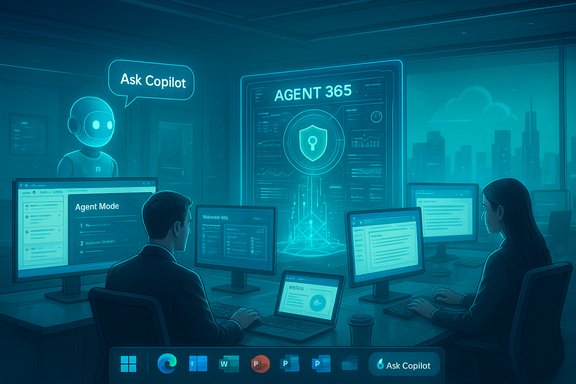
Microsoft framed Ignite 2025 as a moment when Copilot graduates from being a productivity add‑on into an agent orchestration platform that spans the OS, cloud and apps. The narrative of the “Frontier Firm” promises to amplify employees’ impact by embedding “agents” into the flow of work — discoverable on the Windows taskbar, reachable from Copilot Chat, and runnable inside Cloud PCs optimized for agent workloads. That vision ties together multiple product efforts already in market: Copilot Studio for authoring agents, Azure AI Foundry and Agent Service for deployment and runtime, Model Context Protocols (MCP) for interoperability, and Entra/Purview/Sentinel integrations for governance. Enterprise reporting and early previews make it clear this is an architectural pivot, not a cosmetic UI refresh.
Why this matters now
Source: Microsoft Microsoft Ignite 2025: Copilot and agents built to power the Frontier Firm | Microsoft 365 Blog
 Background / Overview
Microsoft framed Ignite 2025 as a moment when Copilot graduates from being a productivity add‑on into an agent orchestration platform that spans the OS, cloud and apps. The narrative of the “Frontier Firm” promises to amplify employees’ impact by embedding “agents” into the flow of work — discoverable on the Windows taskbar, reachable from Copilot Chat, and runnable inside Cloud PCs optimized for agent workloads. That vision ties together multiple product efforts already in market: Copilot Studio for authoring agents, Azure AI Foundry and Agent Service for deployment and runtime, Model Context Protocols (MCP) for interoperability, and Entra/Purview/Sentinel integrations for governance. Enterprise reporting and early previews make it clear this is an architectural pivot, not a cosmetic UI refresh.Why this matters now
- Organizations already see Copilot as a high-value tool: Microsoft points to widespread adoption among large customers and rapid feature velocity across the last year.
- IDC and Microsoft materials forecast dramatic growth in agent deployments (the often-cited projection: 1.3 billion agents by 2028). Treat that as an industry forecast with caveats — it’s useful for planning but not a precise inevitability.
Work IQ — the intelligence layer that makes agents useful
What Work IQ is designed to do
Work IQ is presented as the contextual intelligence that lets Copilot and agents understand work rather than merely respond to prompts. It combines three pillars:- Work data: emails, files, meetings, chats, CRM records and other organizational content that define the knowledge base for tasks.
- Memory: individual and team preferences, workflows, and “work charts” that go beyond org charts to show how work actually gets done.
- Inference: layered reasoning that connects data and memory to surface recommendations, select the right agent for a task, and predict useful next actions.
Why this is important for accuracy and governance
Work IQ is not just a convenience — it is the single most consequential control for enterprise deployments because it affects:- Grounding: agents that reason over internal data should reduce hallucinations when properly constrained.
- Permissioning: agents require fine-grained access control to avoid over-broad data exposure.
- Auditability: Work IQ’s traces and inferences will need to feed SIEM and compliance tooling for legal and regulatory defenses.
Copilot, Agent Mode, and Office Agents — how the apps change
Agent Mode: in‑canvas, iterative automation
Agent Mode embeds agents directly into Office canvases (Word, Excel, PowerPoint) so they can plan and execute multi‑step changes in your files rather than returning one-shot text responses. That design surfaces an editable plan and intermediate artifacts for review — a UI approach meant to improve auditability and human control. Excel’s Agent Mode is positioned as a way to “speak Excel” (data cleaning, pivot tables, formulas, charting); Word’s Agent Mode focuses on iterative drafting; PowerPoint is early access for design and branding fidelity. These features are staged through Microsoft’s Frontier preview programs with web-first rollouts and desktop parity promised later.Office Agents in Copilot Chat
Alongside in-app Agent Mode, Microsoft introduced Word, Excel and PowerPoint Agents that live inside Copilot Chat and can produce near‑final artifacts that are handed off to the native app with a click. This dual entry model (in‑canvas and chat‑first) gives users flexible workflows — start in chat or start in the app. It also allows Copilot to route specific sub‑tasks to the most appropriate underlying model or agent.Voice, mobile and Teams teamwork
- Copilot voice in the Microsoft 365 Copilot mobile app expands conversational access — “what are my top priorities today” or “catch me up on the meeting I missed” — and Outlook’s mobile Copilot gets voice triage and one-tap reply features. Some voice features were slated for general availability in December.
- Teams Mode for Copilot converts 1:1 Copilot chats into group contexts and introduces facilitator agents that take notes, manage agendas and action items. Teams channel agents can also integrate with third‑party apps via MCP servers (Jira, GitHub, Asana) to pull blockers and create meetings autonomously.
Models and model choice: GPT-5, GPT-5.1, Anthropic and more
Microsoft is widening model choice inside Copilot Studio and Copilot itself. Key points verified across Microsoft and independent coverage:- Microsoft added GPT-5 earlier in 2025 and has been routing workloads to it for deeper reasoning scenarios.
- GPT-5.1 is now available as an experimental model in Copilot Studio for early‑release customers (Microsoft recommends non‑production testing). Independent press coverage confirms availability and Microsoft’s recommendation to treat these as experimental.
- Microsoft has integrated Anthropic models into Copilot Studio, enabling customers to select Claude‑family models (Anthropic’s Sonnet variants) alongside OpenAI models for specific reasoning tasks. Anthropic models are rolling out in early release environments.
- Microsoft also references integration with third‑party and open models via Azure AI Foundry and BYOM patterns, creating a multi‑model orchestration story.
- Different models show different tradeoffs for coherence, factuality, safety controls and cost. Allowing Anthropic and OpenAI models gives tenants options to route sensitive or highly consequential reasoning to the model with the best performance on a given task.
- Experimental models (GPT‑5.1) can accelerate capability trials, but Microsoft explicitly warns to use them in non‑production scenarios while evaluation gates complete.
Agent 365 — the control plane and its five capabilities
Microsoft describes Agent 365 as the governance-first control plane to manage agents across the organization. The product surfaces five core capabilities:- Registry: a single inventory for agents across Copilot Studio, Microsoft Foundry, partner and open-source agents.
- Access control: least-privilege controls that limit agent permissions to only what’s required.
- Visualization: dashboards and analytics to monitor agent behavior and performance in real time.
- Interoperability: connectors and MCP support to equip agents with apps and data.
- Security: detection, investigation and remediation tools targeted to agent threats.
Windows and Windows 365 for Agents — endpoint and cloud runtime changes
Microsoft previewed taskbar integration — an “Ask Copilot” pill — and an Agent Workspace that isolates agents under constrained identities and connectors on Windows. The idea: expose agents where users already work (the taskbar) while limiting credential leakage and auditing agent actions. Microsoft also introduced Windows 365 for Agents, Cloud PCs tuned to run agent workloads at scale and isolate compute away from user endpoints. These moves push Windows toward an “agentic OS” model where the platform surfaces agents as background collaborators with progress badges and hover previews. Early reporting and Microsoft’s own messaging tie these Windows changes to the broader governance story.Business process transformation: prebuilt and vertical agents
Microsoft highlighted role-targeted agents intended to deliver immediate business value:- Sales Development Agent: autonomously builds pipeline, nurtures leads and personalizes outreach by integrating with CRMs like Salesforce and Dynamics 365. Announced for the Frontier program.
- Workforce Insights Agent: provides real‑time people analytics for managers and leaders to drive workforce decisions.
- Security agents: 12 new security‑focused agents across Defender, Entra, Intune and Purview, with Security Copilot included for Microsoft 365 E5 customers.
Cross‑checking key claims and notable discrepancies
- Forecast of 1.3 billion agents by 2028: Microsoft cites an IDC Info Snapshot to justify urgency. The number appears in Microsoft materials and was echoed in independent reporting; treat it as an industry forecast useful for planning but not as a deterministic prediction.
- Model availability: Microsoft’s blogs and product pages confirm GPT‑5 and experimental GPT‑5.1 presence in Copilot Studio and model routing options; independent outlets repeated Microsoft's guidance to use experimental models in non‑production scenarios.
- Pricing for small business Copilot plans: the Microsoft product pages continue to list $30 per user per month for Microsoft 365 Copilot commercial add‑ons in many regions, while some reporting and preview materials (and the Ignite blog text you provided) mention a $21 per user per month “Microsoft 365 Copilot Business” option for organizations below 300 seats. This is a conflicting set of claims: the official product page currently lists higher per‑user pricing in many markets, while other announcements and press coverage point to a lower SMB SKU that may roll out in December. Treat the $21 figure as subject to confirmation in your tenant’s admin center or Microsoft sales channels before you plan procurement.
- Sora 2 and AI video: Sora 2 is an OpenAI short‑form video model and app; Microsoft’s messaging mentions Sora 2 as powering “Create” for short videos available through the Frontier program. Independent reporting confirms Sora 2’s existence, capabilities and emerging controversies around copyright and content policies — but the exact integration details and enterprise content‑policy guarantees under Microsoft’s “Frontier” offering require tenant-level validation. Flag this as a point where legal, IP and content‑moderation teams should be involved before enabling video creation for customer-facing use.
Practical guidance for IT, security and procurement teams
Start with governance-first pilots. A disciplined adoption path helps capture benefits while limiting exposure.- Evaluate and pilot in low‑risk domains:
- Begin with non‑production processes (meeting notes, internal reporting, sales prospect research).
- Require human approval gates for any agent that can take write actions in authoritative systems.
- Treat agents as production services:
- Include agent identities in access reviews.
- Add agent action logs into your SIEM and incident playbooks.
- Use least‑privilege connectors and short‑lived credentials.
- Validate model routing and output quality:
- Benchmark outputs for your high‑risk tasks (legal text, financial modeling, regulatory content).
- Keep human-in-the-loop verification for consequential decisions.
- Update procurement and licensing checklists:
- Confirm the SKU and pricing that applies to your tenant; preview announcements and press reports may lag or conflict with contractual terms.
- Evaluate metered vs. seat‑based plans and check whether experimental model use incurs different billing.
- Operationalize lifecycle management:
- Publish vetted agent templates to an internal catalog.
- Version agents, require owners and map each agent to a cost center and retention policy.
- Build rollback and quarantine procedures for misbehaving agents.
Risks, limitations and open questions
- Hallucinations and misuse: Even when grounded, models can produce confident-but-wrong outputs; agents that act on behalf of users magnify consequences. Require human verification for finance, legal, customer agreements and other high-stakes outputs.
- Data residency and compliance: Ensure Copilot and Agent 365 configurations honor data residency and retention obligations. Ask how prompt/response logs are stored and whether customer-owned storage options exist for sensitive workflows.
- Third‑party model provenance: Running Anthropic or OpenAI models via varied infrastructure requires you to understand where inference occurs (which cloud, which region) and which dataset protections apply.
- Agent sprawl and cost: The ease of creating agents can produce uncontrolled proliferation. Metering, tagging and cost visibility in Agent 365 are essential to keep runaways in check.
- Legal and IP exposure from AI-generated media: Tools like Sora 2 can produce short video. The copyright and deepfake risks are material; require legal review and clear employee policies before using AI-generated media for external communications.
A measured verdict: opportunity and obligation
Microsoft’s Ignite updates sketch a plausible roadmap to an “agentic” enterprise: agents discoverable on the taskbar, running under Entra identities, orchestrated through Copilot Studio and governed by Agent 365. The upside is real — time savings, automation of repetitive workflows, improved collaboration and role-level scaling of expertise. Independent reporting and Microsoft’s own product pages corroborate the major technical moves: multi‑model choice (OpenAI + Anthropic), experimental GPT‑5.1 in Copilot Studio, expanded Office agent capabilities, and a governance control plane. But the transition also raises a higher bar for operational discipline. The product announcements shift risk from vendors to customers: enterprises must now design agent lifecycle controls, integrate agent telemetry into security operations, and update policy, procurement and compliance processes to account for an AI workforce that acts on behalf of humans.Quick checklist for the next 90 days
- Inventory current AI usage and map candidate processes for agent pilots (helpdesk triage, meeting facilitation, sales outreach).
- Validate licensing and pricing in your tenant’s admin center (do not rely solely on press reports). If the SMB $21 SKU matters to you, confirm it with your Microsoft account team.
- Define human approval gates and least-privilege connector rules for each pilot.
- Integrate agent logs into Purview and Sentinel ingestion pipelines and add agents to periodic access reviews.
- Run tabletop exercises for agent failure or misuse scenarios (how will you quarantine, roll back, and remediate?.
Conclusion
Ignite 2025 marks a decisive step in Microsoft’s strategy to make agents a first‑class element of enterprise IT. The combination of Work IQ, model choice (including GPT‑5/5.1 and Anthropic), on‑canvas Agent Mode in Office, and an Agent 365 control plane creates a coherent platform for human-agent collaboration — one that can scale productivity quickly if adopted with governance. The practical challenge for IT is no longer whether agents will exist in the enterprise — it’s how to make them safe, auditable, cost-effective and aligned with legal and compliance obligations. The organizations that treat agents like production services from day one — with registration, lifecycle policies, telemetry, and human-in-the-loop guardrails — will extract the most value while keeping the new risks in check.Source: Microsoft Microsoft Ignite 2025: Copilot and agents built to power the Frontier Firm | Microsoft 365 Blog
