

Microsoft's classic Outlook client has been at the center of a messy, high‑stakes incident that began with January's cumulative Windows updates and rippled through home users, IT departments, and enterprise patching plans — leaving hung inboxes, missing "Sent Items", and a cascade of emergency fixes and workarounds that exposed a brittle intersection between legacy mail storage and modern cloud sync.
In mid‑January 2026 Microsoft shipped its regular Patch Tuesday cumulative update for Windows 11 (identified in many reports as KB5074109) which aimed to deliver important security and reliability fixes. Within days, users and administrators began reporting a cluster of regressions affecting the classic (Win32) Outlook client: profiles using POP accounts, or profiles with PST files stored in cloud‑synced folders such as OneDrive, started to hang, fail to exit cleanly, and in some cases lose or fail to record Sent Items. Microsoft acknowledged the problem and published guidance while investigating the root cause.
Community troubleshooting and independent outlets quickly amplified the impact: users posted detailed failure modes in forum threads and message boards documenting persistent OUTLOOK.EXE processes, repeated re‑downloads of messages, and error traces that correspondedrcrosoft later issued. Those community logs and thread collections captured the breadth of the pain, from single‑user desktops to managed enterprise endpoints.
Microsoft’s public mitigation path included emergency out‑of‑band (OOB) updates and a temporary “uninstall the January update if you’re affected” recommendation — an unusually blunt advisory that forced administrators to balance security against availability. The vendor later released a consolidated OOB cumulative patch (KB5078127) on January 24, 2026 aimed at repairing the most visible regressions.
Local forum collections uploaded by community moderators show the granular user reports and troubleshooting steps — for example, thread collections that list affected OS builds, user‑reported error codes, and the sequence of Microsoft fixes and advisories. These community artifacts are valuable operationally because they surface edge‑case failure modes that broad KB text can
If you are an end user affected right now, the most pragmatic immediate steps are: move any PSTs out of cloud‑synced folders, apply the vendor’s OOB fixes in a controlled test, and use webmail temporarily if you cannot resolve the client hangs. If you are an administrator, balance the security implications of uninstalling an LCU against the operational cost of prolonged user downtime, and prioritize deploying the consolidated OOB patch (KB5078127) to representative test groups before broader rollout.
This incident will — and should — accelerate enterprise conversations about consolidating mail storage in central, cloud‑managed stores and reducing the combinatorial surface area that comes from mixing legacy clients, local PSTs, and modern cloud sync technology. The patch and the mitigations will restore immediate functionality for most users, but the larger architectural risk remains until organizations reduce PST dependence and vendors publish deeper postmortems that codify lessons learned.
In short: Microsoft fixed the immediate crisis with targeted OOB updates and published mitigations, but the episode is a stark reminder that legacy formats like PST and POP still create brittle failure modes when combined with modern cloud sync behaviors. For lasting resilience, organizations must treat PSTs as technical debt and accelerate migration to server‑side mail models, while vendors must expand real‑world integration testing to catch these cross‑cutting regressions before they reach end users.
Source: Windows Report https://windowsreport.com/microsoft...bugs-causing-sync-failures-and-server-errors/
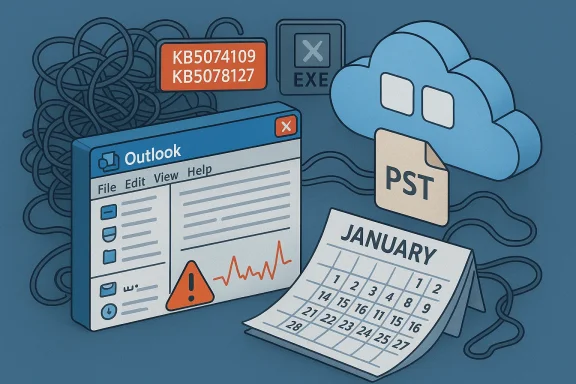 Background / Overview
In mid‑January 2026 Microsoft shipped its regular Patch Tuesday cumulative update for Windows 11 (identified in many reports as KB5074109) which aimed to deliver important security and reliability fixes. Within days, users and administrators began reporting a cluster of regressions affecting the classic (Win32) Outlook client: profiles using POP accounts, or profiles with PST files stored in cloud‑synced folders such as OneDrive, started to hang, fail to exit cleanly, and in some cases lose or fail to record Sent Items. Microsoft acknowledged the problem and published guidance while investigating the root cause.Community troubleshooting and independent outlets quickly amplified the impact: users posted detailed failure modes in forum threads and message boards documenting persistent OUTLOOK.EXE processes, repeated re‑downloads of messages, and error traces that correspondedrcrosoft later issued. Those community logs and thread collections captured the breadth of the pain, from single‑user desktops to managed enterprise endpoints.
Microsoft’s public mitigation path included emergency out‑of‑band (OOB) updates and a temporary “uninstall the January update if you’re affected” recommendation — an unusually blunt advisory that forced administrators to balance security against availability. The vendor later released a consolidated OOB cumulative patch (KB5078127) on January 24, 2026 aimed at repairing the most visible regressions.
Timeline: what happened and when
- January 13, 2026 — Microsoft released the January cumulative update for Windows 11 (commonly referenced as KB5074109). Within days, reports surfaced that the update caused classic Outlook to behave erratically for users with POP accounts or PST stores in cloud‑synced folders.
- Mid‑January 2026 — Microsoft listed the Outlook hang as a known issue and published supterim mitigations (moving PST files out of OneDrive, using webmail, or uninstalling the problematic update). At the same time, users and IT teams reported a mix of other regressions tied to cloud file I/O and app activation failures.
- January 17, 2026 — Microsoft issued initial emergency patches for some branches to correct the most critical regressions (various hotfix packages were deployed). Community threads tracked which client types and build numbers were affected.
- January 24, 2026 — Microsoft pushed band cumulative update, KB5078127, with fixes targeting the file‑I/O regressions that caused the most severe Outlook failures and other app hangs. The update was rolled out across multiple servicing branches and documented on Microsoft’s support site.
Technical symptoms and failure modes
What users saw (short list of observable behaviors)
- Outlook windows stuck showing Not Responding, with OUTLOOK.EXE remaining in memory after UI close attempts.
- Sent messages not appearing in Sent Items reliably, or local Sent Items records disappeariwnloads of already‑received mail on POP accounts, causing duplicate messages and confusion.
- Crashes or hangs when Outlook attempted to open PST files that were stored inside OneDrive (or other cloud‑synced folders).
- In separate but related incidents, users reported a CPU‑spike bug where typing in classic Outlook would push CPU usage dramatically higher, increasing power draw and fan noise.
Underlying technical vectors (what the evidence points to)
From the official guidance and forensic reports, two broad classes of interactions appear to be the triggers:- Cloud‑file sync placeholders and reparse behaviors. When PST files live in OneDrive folders, the operating system’s cloud‑file hooks (placeholders, hydration or placeholder metadata, file‑I/O interception) are in play; a change in the OS file‑I/O path can surface as application hangs during synchronous mail‑store operations. Several of Microsoft’s support notes explicitly tie the failures to PSTs stored on OneDrive.
- Legacy Outlook architecture. Classic Outlook (Win32) depends on synchronous access patterns to PST files and uses APIs designed before pervasive cloud syncs were common. POP profiles and locally stored PSTs exercise code paths that assume filesystem semantics which cloud placeholders alter. This mismatch magnifies any regression in the OS file subsystem. Community diagnostics and Microsoft’s own troubleshooting guidance align on this explanation, though Microsoft’s public articles stop short of an exhaustive root‑cause postmortem.
Microsoft's response: patches, mitigations, and messaging
Microsoft’s public actions and guidance during the incident can be summarized as follows:- Public acknowledgment and support articles describing the behavior, recommended mitigations (move PSTs out of OneDrive, use webmail, repair profiles, or uninstall the update), and direct steps for administrators and end users.
- Release of emergency out‑of‑band fixes across servicing branches, culminating in the January 24 consolidated OOB cumulative (KB5078127) to address the most pressing file‑I/O regressions and application hangs. The KB documentation lists affected OS builds and provides installation binaries for administrators.
- Guidance to use repair utilities such as ScanPST.exe for PST corruption checks, and to rebuild POP profiles when necessary. Microsoft’s outreach emphasized a cautious approach to uninstalling security updates, noting that the January cumulative included fixes for actively exploited vulnerabilities — a critical trade‑off to consider before removing patches.
Cross‑validation: community and independent reporting
Independent outlets and community forums tracked the same symptoms and Microsoft’s mitigation steps. Windows Central and WindowsLatest provided timely summaries of Microsoft’s advisory and the rollouts of KB5077744 / KB5078127, while specialist forums collected reproducible repros and admin workarounds. Those independent sources largely corroborate Microsoft’s support guidance and the timeline of emergency fixes.Local forum collections uploaded by community moderators show the granular user reports and troubleshooting steps — for example, thread collections that list affected OS builds, user‑reported error codes, and the sequence of Microsoft fixes and advisories. These community artifacts are valuable operationally because they surface edge‑case failure modes that broad KB text can
Strengths in Microsoft’s handling
- Rapid emergency patches: Microsoft moved quickly to issue targeted OOB fixes instead of waiting for the next monthly cycle, reducing the window of user disruption. The consolidated KB5078127 demonstrates a coordinated response across servicing branches.
- Transparent interim guidance: Microsoft openly documented the affected profiles and offered specific mitigations (moving PSTs, using webmail, ScanPST.exe), which allowed sysadmins to design operational workarounds rather than guess at fixes.
- Public engagement with community channels: the problem generated substantial community telemetry, and Microsoft’s Q&A/Support pages linked to known‑issue documents, allowing cross‑reference and coordinated repair workflows.
Risks, trade‑offs, and unanswered questions
Security vs. availability trade‑off
Microsoft’s advice that affected users could uninstall the January cumulative posed a stark choice. That update addressed many security vulnerabilities — potentially including actively exploited CVEs — so uninstalling it to restore Outlook meant temporarily increasing attack surface. Administrators therefore faced a difficult calculus: preserve endpoint security or preserve business continuity. Community threads document organizations opting for isolation or applying additional network compensations when uninstalling.Legacy architecture fragility
The incident exposes a persistent risk: legacy file formats and protocols (PST, POP) are not naturally compatible with modern OS‑level sync hooks. When core OS subsystems change — even for legitimate security reasons — brittle legacy patterns can break in ways that are hard to detect in pre‑release testing because the interaction depends on user storage choices (PSTs in OneDrive). The long tail of devices and personal usage patterns complicates comprehensive testing.Patch rollback hazards
Some systems reported failures when trying to uninstall the problematic and related servicing errors). That left devices in a state where neither the buggy update nor a clean rollback was trivial to achieve. Those servicing issues raise real operational costs and recovery complexity for help desks and system engineers.Incomplete public root cause detail
Microsoft’s public documentation and KBs described symptoms and mitigations but did not, at the time, publish a granular engineering postmortem explaining hat caused the regression. For system architects and security teams wanting to harden systems, the absence of an explicit root‑cause narrative increases uncertainty. Until Microsoft opens that log, some remediation choices remain heuristic. Treat causal language in community posts as provisional.Practical recommendations for users and administrators
Below are stepmmendations that balance safety, clarity, and operational practicality. Tailor them to your risk posture and testing policies.- Verify your exposure. Check whether you (or your users) run:
- Classic Outlook profiles that use POP3, and/or
- PST files stored inside cloud‑synced folders (OneDrive, Dropbox placeholders).
- If affected, implement one or more of these immediate mitigations:
- Move PST files out of OneDrive or any folder that syncs with cloud placeholders and re‑map the PST to the local path.
- Use Outlook on the web (OWA) or your provider’s webmail temporarily while you troubleshoot.
- Repair the PST with ScanPST.exe if corruption is suspected.
- For critical endpoints, consider isolating machines from high‑risk networks before uninstalling any security update, and only remove a cumulative update after fully documenting compensating controls.
- Test OOB patches (KB5078127 or related fixes) in a representative pilot group before broad deployment; Microsoft’s OOB updates were designed to address the regression and should be prioritized in test pipelines. (support.microsoft.com
- If uninstall fails or leaves the device in an inconsistent state, follow Microsoft’s servicing recovery guidance and escalate to support with full diagnostic logs (DISM, CBS, and WindowsUpdate logs).
- Long‑term: migrate mail to modern protocols (IMAP/Exchange Online) and minimize PST reliance. Reassess policies that allow PSTs to live in cloud‑synced user folders.
Broader implications and lessons learned
The PST era collides with cloud sync
One core lesson is architectural: PST files and POP workflows were never designed for an ecosystem where local file placeholders and on‑demand hydration are part of the OS experience. The incident is a natural outcome of decades‑old formats meeting modern sync behaviors. Organizations should treat PSTs as technical debt: migrate the data to server‑side stores or modern cloud mailboxes where possible and implement corporate policies that disallow PSTs in synced directories.Testing coverage and telemetry must account for user diversity
Patch validation pipelines must include scenarios that mimic real‑world user behavior: PSTs in OneDrive, hybrid profiles, and low‑latency remote file access. Microsoft’s rapid OOB response shows the vendor can move fast when the problem is visible, but prevention requires richer pre‑release test matrices and telemetry that can surface these interactions earlier. This incident should prompt vendors and enterprises to expand integration testing that crosses legacy file models, endpoint sync clients, and cloud storage behaviors.Communication and risk framing save days
Microsoft’s explicit, if awkward, guidance — telling affected users to uninstall a security update — forced a clear discussion about risk trade‑offs. While undesirable, being explicit helped many admins make pragmatic choices quickly. Clearer decision trees from vendors (e.g., “If you must restore productivity immediately, follow X steps and apply Y compensations”) would reduce ad‑hoc mitigations and mismatched responses.What remains unresolved
- A full, public engineering post‑mortem with the precise change in the OS file stack that produced the regression has not been published in the KB documentation at the time of writing. For teams seeking permanent assurance, a detailed root‑cause statement from Microsoft would be helpful. Until then, some recommendations remain conservative best practices rather than scientifically proven fixes.
- Long‑term remediation guidance for legacy Outlook will need to extend beyond quick patches; Microsoft and ecosystem partners must craft migration blueprints for large organizations that still rely heavily on PST and POP workflows. Community threads show many mid‑sized organizations still count on PSTs for archival and offline access.
Final analysis and practical verdict
The January 2026 Outlook incident is a textbook example of how decades‑old data models can be brittle when the underlying OS evolves. Microsoft's response shows both strengths and limits: fast emergency updates and practical guidance mitigated the worst of the pain but could not prevent the initial disruption. Administrators and users should treat this episode as a renewed call to reduce operational dependence on legacy mail storage formats and to strengthen testing coverage for file‑I/O interactions with cloud sync clients.If you are an end user affected right now, the most pragmatic immediate steps are: move any PSTs out of cloud‑synced folders, apply the vendor’s OOB fixes in a controlled test, and use webmail temporarily if you cannot resolve the client hangs. If you are an administrator, balance the security implications of uninstalling an LCU against the operational cost of prolonged user downtime, and prioritize deploying the consolidated OOB patch (KB5078127) to representative test groups before broader rollout.
This incident will — and should — accelerate enterprise conversations about consolidating mail storage in central, cloud‑managed stores and reducing the combinatorial surface area that comes from mixing legacy clients, local PSTs, and modern cloud sync technology. The patch and the mitigations will restore immediate functionality for most users, but the larger architectural risk remains until organizations reduce PST dependence and vendors publish deeper postmortems that codify lessons learned.
In short: Microsoft fixed the immediate crisis with targeted OOB updates and published mitigations, but the episode is a stark reminder that legacy formats like PST and POP still create brittle failure modes when combined with modern cloud sync behaviors. For lasting resilience, organizations must treat PSTs as technical debt and accelerate migration to server‑side mail models, while vendors must expand real‑world integration testing to catch these cross‑cutting regressions before they reach end users.
Source: Windows Report https://windowsreport.com/microsoft...bugs-causing-sync-failures-and-server-errors/
