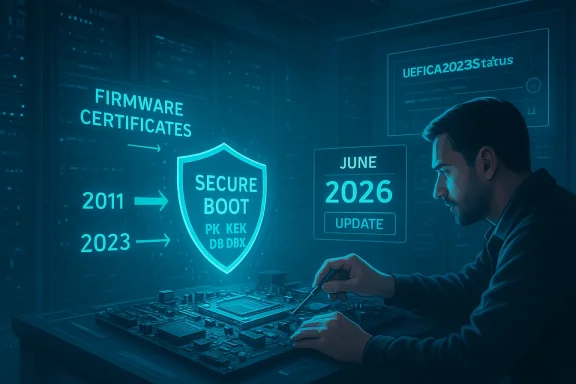
Microsoft’s January Patch Tuesday includes a high-priority update that refreshes expiring Secure Boot certificates on Windows devices — a preventative, must-install fix that closes a narrow but critical window attackers could use to install persistent bootkits before the OS loads. rview
UEFI Secure Boot is the firmware-level gatekeeper that verifies cryptographic signatures on bootloaders, option ROMs and EFI applications before Windows ever runs. When its certificate authorities (CAs) age out, the chain of trust that Secure Boot enforces weakens: devices can either refuse new, legitimately signed pre‑boot components or — worse — continue trusting legacy artifacts that adversaries can abuse. Microsoft warns the current Microsoft-supplied Secure Boot certificates issued around 2011 are set to begin expiring in mid‑2026, and has published a coordinated plan to roll replacement “2023” certificate authorities into firmware DB/KEK variables to preserve Secure Boot continuity. This week’s cumulative updates — notably KB5074109 for Windows 11 and KB5073724 for supported Windows 10 SKUs — contain the OS‑side servicing logic and device targeting telemetry that begin a cautious, phased delivery of the new CA entries and associated bootmanager changes. The updates are intentionally gated: Microsoft will automatically enroll only devices that demonstrate stable update health, while administrators retain manual controls for enterprise rollouts.
Bootkits and pre‑OS rootkits operate at the earliest stage of the platform trust chain. They install code on the EFI system partition or otherwise subvert the bootloader so that malicious payloads run before the operating system and anti‑malware engines initialize. That early run time gives such threats exceptional stealth and persistence; they can disable BitLocker protection or tamper with hypervisor‑based integrity features. High-profile real‑world examples — including BlackLotus — demonstrate these threats go beyond theory: security researchers and Microsoft incident response teams have documented in‑the‑wild UEFI bootkits and published mitigation guidance. CISA and other US agencies have echoed that pre‑OS compromises are among the hardest to detect and remediate. The core lesson: Secure Boot’s trust anchors must be current. If the firmware still relies on a CA that expires, Microsoft cannot deliver future revocations or signing‑chain updates needed to block or mitigate evolving threats. This update is preventive maintenance — and for that reason it belongs on the short list of “install‑now” patches for both consumers and enterprises.
Install the update, verify Secure Boot is enabled, coordinate firmware updates from your OEM where required, and plan a careful pilot‑to‑production sequence for managed fleets. The patch reduces a subtle but high‑impact risk — attackers who can meet your machine before Windows does will always prefer a stale chain of trust. Act now to keep that door closed.
Source: findarticles.com Windows Issues Secure Boot Patch Against Bootkits
UEFI Secure Boot is the firmware-level gatekeeper that verifies cryptographic signatures on bootloaders, option ROMs and EFI applications before Windows ever runs. When its certificate authorities (CAs) age out, the chain of trust that Secure Boot enforces weakens: devices can either refuse new, legitimately signed pre‑boot components or — worse — continue trusting legacy artifacts that adversaries can abuse. Microsoft warns the current Microsoft-supplied Secure Boot certificates issued around 2011 are set to begin expiring in mid‑2026, and has published a coordinated plan to roll replacement “2023” certificate authorities into firmware DB/KEK variables to preserve Secure Boot continuity. This week’s cumulative updates — notably KB5074109 for Windows 11 and KB5073724 for supported Windows 10 SKUs — contain the OS‑side servicing logic and device targeting telemetry that begin a cautious, phased delivery of the new CA entries and associated bootmanager changes. The updates are intentionally gated: Microsoft will automatically enroll only devices that demonstrate stable update health, while administrators retain manual controls for enterprise rollouts.
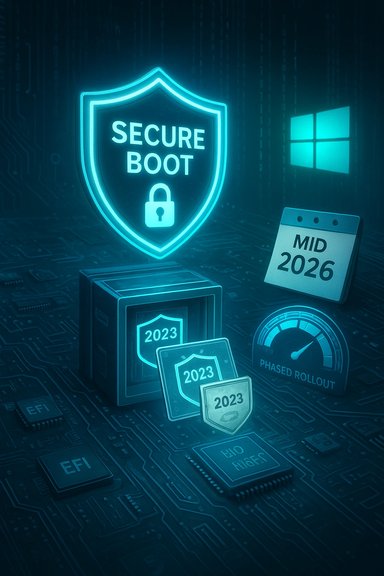 Why this patch matters: bootkits, persistence, and pre‑OS threats
Bootkits and pre‑OS rootkits operate at the earliest stage of the platform trust chain. They install code on the EFI system partition or otherwise subvert the bootloader so that malicious payloads run before the operating system and anti‑malware engines initialize. That early run time gives such threats exceptional stealth and persistence; they can disable BitLocker protection or tamper with hypervisor‑based integrity features. High-profile real‑world examples — including BlackLotus — demonstrate these threats go beyond theory: security researchers and Microsoft incident response teams have documented in‑the‑wild UEFI bootkits and published mitigation guidance. CISA and other US agencies have echoed that pre‑OS compromises are among the hardest to detect and remediate. The core lesson: Secure Boot’s trust anchors must be current. If the firmware still relies on a CA that expires, Microsoft cannot deliver future revocations or signing‑chain updates needed to block or mitigate evolving threats. This update is preventive maintenance — and for that reason it belongs on the short list of “install‑now” patches for both consumers and enterprises. What Microsoft shipped (technical summary)
- The January servicing cycle introduced OS packages that include:
- Device targeting metadata and health‑gating logic used to identify systems eligible for automatic CA enrollment.
- Payloads that add the new 2023 certificates into the Secure Boot databases (DB / KEK) and, where required, replace the Windows boot manager with a binary signed under the 2023 signing CA.
- Administrative controls (registry keys, Group Policy/Intune options and enrollment tools) so IT teams can pilot, opt‑in, or opt‑out of Microsoft‑managed automatic enrollment.
- Continued reliance on OEM cooperation for KEK updates on devices that require additional firmware‑signed assistance.
- The Microsoft Corporation KEK CA 2011 and Microsoft UEFI CA 2011 are scheduled to begin expiring in June 2026.
- The Microsoft Windows Production PCA 2011 has a later expiry window (through October 2026).
- Replacement certificates such as Microsoft Corporation KEK 2K CA 2023, Windows UEFI CA 2023, Microsoft UEFI CA 2023 and Microsoft Option ROM UEFI CA 2023 will be enrolled to maintain continuity.
Who should install this (and when)
Short answer: everyone running supported Windows 10 or Windows 11 builds should prioritize this update.- Home users — Install via Windows Update as soon as practical. The rollout is designed to be safe and invisible for the majority of consumer devices that keep updates current.
- Power users and gamers — Anti‑cheat and platform integrity components increasingly rely on a functioning Secure Boot chain. Systems participating in competitive gaming or using modern anti‑cheat stacks should be updated promptly.
- Enterprises and managed fleets — Treat this as an operational priority. The rollout involves coordinated OS‑side and firmware‑side actions; inventory, pilot, and staged deployments are strongly recommended. Microsoft provides registry, GPO, and WinCS (Windows Configuration System) controls to manage enrollments for devices that cannot rely on Microsoft‑managed telemetry gating.
Step‑by‑step: install, verify, and prepare (consumer and admin guidance)
- Check for the update:
- Open Settings > Windows Update and check for updates. Look for the January cumulative LCU:
- Windows 11: KB5074109 (January cumulative update).
- Windows 10 (supported SKUs/ESU): KB5073724.
- Install and reboot:
- Allow the update to install and restart the device. The update sequence is order‑sensitive; some changes (such as replacing the boot manager) require restart(s) to complete.
- Confirm Secure Boot is enabled:
- Press Start, run “System Information” and check “Secure Boot State” under System Summary; it should say On.
- For enterprise management:
- Inventory devices for firmware readiness and Secure Boot state.
- If auto‑enrollment is undesirable, use the published registry keys and Group Policy options to opt out or manage the rollout manually. Microsoft documents registry controls and event/registry status keys administrators can use for troubleshooting.
Enterprise deployment and troubleshooting considerations
Microsoft’s phased, telemetry‑gated rollout
Microsoft will not perform a blind mass update. Instead, the company uses device health signals to classify devices into “high confidence” buckets eligible for automatic enrollment. This lowers the risk of mass disruption but means administrators must be intentional when managing devices that are air‑gapped, telemetry‑restricted, or running old firmware. Manual deployment options are available and documented.Registry and management knobs (high level)
Microsoft published controls enabling:- Opting out of Microsoft‑managed high‑confidence enrollment.
- Forcing enrollment via registry/GPO for piloting.
- Viewing per‑device event log and registry status keys (for example, UEFICA2023Status / UEFICA2023Error and the AvailableUpdates bitmask) to track progress and troubleshoot failures. Administrators should monitor these signals in their test rings first.
OEM firmware coordination
Many KEK updates require OEM‑signed KEK material or firmware changes. If the device’s firmware will not accept the new KEK entries, the OS‑side process cannot complete safely — Microsoft and OEMs emphasize updating firmware where required and consulting vendor guidance for specific platform limitations. Vendor advisories (Surface, HP, Dell, Lenovo) list affected models and minimum firmware requirements.Known compatibility risks and caveats
- Firmware that cannot be updated or that lacks write access to KEK/DB variables may not receive the new CAs automatically; manual remediation will be necessary.
- Devices using legacy BIOS/CSM or running specialized boot chains (some dual‑boot Linux setups that rely on shim) may require additional steps to maintain multi‑OS compatibility.
- The January packages also remove several legacy in‑box modem drivers; organizations relying on very old hardware driven by those drivers should validate whether functionality is impacted.
- Once revocations or DB/DBX changes are applied, they are not trivially reversible; Microsoft’s model implies permanence for revocations and enrolled CA changes. Administrators should pilot carefully.
The attack history that motivates this work (context and recent incidents)
- BlackLotus: ESET’s in‑depth analysis and Microsoft’s incident guidance documented a UEFI bootkit (BlackLotus) that leverages a Secure Boot bypass (CVE‑2022‑21894 and related issues) to achieve pre‑OS persistence. ESET found BlackLotus was sold on underground forums and could be deployed against fully patched systems by abusing validly signed binaries that remained trusted by firmware because they were not added to revocation lists. Microsoft released guidance for investigation and recovery.
- TrickBoot/TrickBot: Research into TrickBot evolution showed modules that probe firmware for vulnerabilities and configuration weaknesses (the so‑called TrickBoot functionality), demonstrating how crimeware ecosystems can pivot toward firmware and boot‑time persistence when the opportunity exists. This trend reinforces the urgency of keeping firmware and Secure Boot trust anchors current.
- BootHole and historical fixes: Past incidents (like BootHole in GRUB2) required broad updates to DB/DBX and signing chains to prevent rollback or tampering. The present certificate refresh is analogous — preventive maintenance aimed at avoiding a scramble at expiry time.
Extra hardening steps (beyond installing the update)
- Keep firmware updated via OEM utilities or vendor‑delivered firmware over Windows Update when available. Firmware and OS updates often must be coordinated to avoid mismatch during certificate hand‑offs.
- Enable BitLocker with TPM and secure PIN/recovery policies to protect data at rest if pre‑boot protections are circumvented.
- Use virtualization‑based security (VBS) features where supported to separate and protect critical platform processes from kernel manipulation.
- Enforce driver signing and limit installation of unsigned or unknown pre‑boot drivers. Consider device install restriction policies through Group Policy or MDM for enterprise endpoints.
- Audit Secure Boot variables and maintain a documented inventory of devices that cannot be updated automatically (air‑gapped, telemetry‑limited, or firmware‑locked platforms). Use PowerShell’s Confirm‑SecureBootUEFI and Get‑SecureBootUEFI to capture statuses at scale.
Critical analysis — strengths, operational risks, and unanswered questions
Strengths- The OS‑side, telemetry‑gated approach is prudent: Microsoft balances the security imperative against the real risk of mass‑bricking or compatibility breakage by only targeting devices that demonstrate reliable update health. This reduces blast radius compared to a blunt automatic push.
- Microsoft’s publication of enrollment controls (registry/GPO/WinCS) gives enterprises the necessary knobs to pilot at scale and avoid surprises during broad deployment.
- Vendor coordination (Surface, HP, Dell, Lenovo guidance) signals broad ecosystem alignment and lowers the single‑vendor failure risk for many modern devices.
- Firmware diversity remains a complicating factor. Some older or OEM‑locked platforms may be unable to accept new KEK/DB entries without explicit firmware updates, forcing manual intervention or hardware replacement in edge cases. That creates operational burden for large, heterogeneous fleets.
- The rollout depends on telemetry and health gating; environments that disable telemetry (privacy‑sensitive or compliance‑restricted systems) may not get automatic enrollment and will need carefully managed manual processes.
- The permanence of some revocation and DBX changes means mistakes or insufficient piloting could result in difficult‑to‑reverse outcomes, especially for multi‑boot or legacy scenarios. Administrators must be especially cautious.
- While Microsoft and security firms have published guidance and mitigations for BlackLotus‑style campaigns, there is never absolute certainty about the absence of active exploitation in the wild. Public reporting to date describes limited deployments and ESET telemetry; the landscape could change quickly if new tools are adopted by broader criminal groups. Flag any assertions about “no evidence of exploitation” as time‑sensitive; always assume the adversary opportunity exists until devices are updated and inventoried.
Practical checklist (quick reference)
- Consumers:
- 1) Run Windows Update and install the January cumulative update (KB5074109 for Windows 11; KB5073724 for supported Windows 10 builds).
- 2) Restart and confirm Secure Boot State is On in System Information.
- 3) Update OEM firmware if the vendor has published required firmware updates.
- IT / Admins:
- 1) Inventory devices for Secure Boot status and firmware write access.
- 2) Pilot the update in a representative ring; monitor UEFICA2023Status and event logs for errors.
- 3) Coordinate firmware and OS updates per vendor guidance; use registry/GPO/WinCS controls for managed enrollment.
- 4) Document devices that require manual remediation (air‑gapped, telemetry‑off, or unsupported firmware).
Conclusion
The January cumulative updates that begin delivering the 2023 Secure Boot certificate family close a critical window ahead of the 2011 CA expiry cycle in mid‑ to late‑2026. The change is preventive and necessary: keeping Secure Boot anchors current preserves the platform’s ability to receive future revocations and mitigations against boot‑time threats. Given the documented threat history — from BootHole and TrickBoot evolutions to the in‑the‑wild BlackLotus bootkit — this update is not optional for systems that rely on Secure Boot for platform integrity.Install the update, verify Secure Boot is enabled, coordinate firmware updates from your OEM where required, and plan a careful pilot‑to‑production sequence for managed fleets. The patch reduces a subtle but high‑impact risk — attackers who can meet your machine before Windows does will always prefer a stale chain of trust. Act now to keep that door closed.
Source: findarticles.com Windows Issues Secure Boot Patch Against Bootkits