

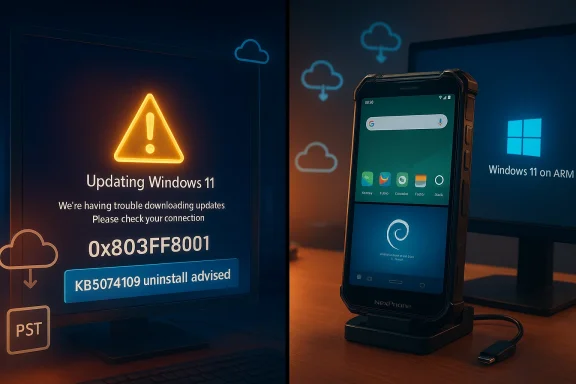
Windows 11’s January update cycle left a lot of users shaken — and in the same week a small hardware company reignited Windows Phone nostalgia with a phone that can boot Android, Linux, and Windows 11. The juxtaposition could not be sharper: one story exposes the brittleness of a sprawling, update-driven desktop OS; the other teases a long‑cherished “phone‑as‑PC” ambition made technically plausible by modern Arm silicon and multi‑OS engineering.
Microsoft shipped the January 13, 2026 cumulative security update (KB5074109) for Windows 11 and related servicing branches, and within days a cluster of high‑impact regressions forced rapid advisories, out‑of‑band patches, and, in some cases, a public recommendation that users uninstall the update while fixes arrive. The problems were not limited to edge cases: apps stopped launching with Store/account validation errors, critical Win32 workflows (notably classic Outlook with PSTs stored in OneDrive) hung or failed to reopen, and cloud‑backed file I/O produced freezes that affected everyday productivity. Microsoft acknowledged and investigated the issues while issuing mitigations and Known Issue Rollback guidance.
At the same time, Nex Computer (the company behind NexDock laptop shells) announced the NexPhone — a rugged, mid‑range smartphone that ships with Android 16, offers a containerized Debian Linux desktop, and can boot natively into Windows 11 on Arm. The device is being positioned as a dock‑first pocket workstation: daily phone on Android, a runnable Lid admin work, and a separately bootable Windows 11 environment for full desktop apps when connected to an external monitor. NexPhone’s headline specs, pricing, and reservation model have been widely reported and are consistent across vendor pages and independent outlets.
NexPhone’s specs, pricing, and reservation model are consistent between Nex’s own product pages and independent hands‑on and reporting (The Verge, Tom’s Hardware, Windows Central and others). Multiple outlets relay the same $549 MSRP and $199 refundable reservation deposit and note the device’s QCM6490 chipset and triple‑boot claim, giving reasonable cross‑source corroboration for the announcement details. However, independent hardware reviews and long‑term testing are not yet available and will be the true verification step.
For Windows 11 itself, January’s events are a concrete reminder that patch quality matters as much as patch cadence. The technical community’s near‑term priorities should be:
Conclusion
The past week’s headlines — a messy January Patch Tuesday and a splashy NexPhone announcement — are not contradictory. Both underscore the same truth: modern computing is a complex, multi‑layered tapestry of firmware, drivers, cloud services, and user habits. Progress (a pocket PC that can run Windows 11) will follow only if vendors, platform maintainers, and the community invest the patient engineering work necessary to make those experiences reliable, manageable, and secure. Until then, enthusiasts should watch NexPhone with interest and wait for independent reviews, while Windows users and IT professionals should treat the January update episode as a practical lesson in staged rollouts, robust testing, and the need for reliable rollback mechanisms.
Source: Windows Central https://www.windowscentral.com/micr...s-roundup-windows-phone-kb5074109-lenovo-n1x/
 Background / Overview
Microsoft shipped the January 13, 2026 cumulative security update (KB5074109) for Windows 11 and related servicing branches, and within days a cluster of high‑impact regressions forced rapid advisories, out‑of‑band patches, and, in some cases, a public recommendation that users uninstall the update while fixes arrive. The problems were not limited to edge cases: apps stopped launching with Store/account validation errors, critical Win32 workflows (notably classic Outlook with PSTs stored in OneDrive) hung or failed to reopen, and cloud‑backed file I/O produced freezes that affected everyday productivity. Microsoft acknowledged and investigated the issues while issuing mitigations and Known Issue Rollback guidance. At the same time, Nex Computer (the company behind NexDock laptop shells) announced the NexPhone — a rugged, mid‑range smartphone that ships with Android 16, offers a containerized Debian Linux desktop, and can boot natively into Windows 11 on Arm. The device is being positioned as a dock‑first pocket workstation: daily phone on Android, a runnable Lid admin work, and a separately bootable Windows 11 environment for full desktop apps when connected to an external monitor. NexPhone’s headline specs, pricing, and reservation model have been widely reported and are consistent across vendor pages and independent outlets.
What happened in January: the KB5074109 incident explained
Timeline and the most visible symptoms
- January 13, 2026: Microsoft released the monthly cumulative security rollup identified as KB5074109 (OS builds 26200.7623 and 26100.7623). Within days, users and admins reported several regressions tied to that package.
- Reported user‑facing failures clustered into two primary classes: license/Store validation failures (manifesting for some users as error code 0x803F8001 and apps failing to launch) and cloud‑backed file I/O regressions that caused apps — particularly classic Outlook profiles using PSTs on OneDrive — to hang, not exit, or misbehave.
- Microsoft’s support documentation and release health entries acknowledged the Outlook/PST/OneDrive hang scenario, provided interim workarounds (use webmail, move PSTs out of OneDrive, or uninstall the update), and signaled ongoing investigation. For managed environments, Microsoft recommended Known Issue Rollback (KIR) or Group Policy tactics to mitigate the regression.
Why these bugs mattered more than usual
These regressions cut across commonly used susubsystems — Microsoft Store license checks, cloud sync semantics (OneDrive/Dropbox), and Outlook’s classic PST workflows — meaning large numbers of users hit functionality critical to daily productivity. Unlike many Patch Tuesday anomalies that affect niche drivers or specific hardware, these bugs touched actions most users perform frequently: opening files in cloud folders, launching built‑in apps, and sending/receiving mail in legacy Outlook profiles. Microsoft’s willingness to recommend uninstalling a security update and to publish managed rollbacks speaks to the severity and reach of the problems.The technical roots: what likely went wrong
Windows in 2026 is a platform composed bsystems: kernel, update stack, cloud‑sync clients, the Microsoft Store and license entitlements, device drivers, and a broad mix of legacy and modern apps. The January regressions expose a few recurring vulnerabilities in this model:- Cloud semantics vs. local semantics: Many apps still assume local file semantics (synchronous I/O, immediate file locks). Cloud‑backed file systems introduce latency, placeholders, and different timing behaviors that can reveal race conditions. The OneDrive‑backed PST hang is a canonical example. Microsoft’s own guidance points to cloud‑backed files as a key trigger for the Outlook freezes.
- Store/account validation surface area: The 0x803F8001 errors correlate to Store entitlement or account sync breakage. Anything that changes how Store licensing is validated or how account tokens are refreshed can produce a widescale app‑launch failure affecting both built‑in and Store‑dependent utilities.
- Driver and third‑party interactions: Previous incidents (for example, Voicemeeter driver issues) have shown that third‑party drivers can trigger memory management faults or blue screens. Microsoft’s use of safeguard holds and KIR shows the platform still depends on cooperative vendor updates to remain stable.
How Microsoft and IT teams public steps were the predictable mix: acknowledge, advise, mitigate, and patch.
- Published support notes describing the Outlook hang and cloud I/O symptoms, with workarounds and an “investigating” status.
- Issued out‑of‑band patches for certain urgent regressions (for example, fixes for Remote Desktop and credential issues were packaged separately and communicated via KB advisories).
- Recommended rollback or Known Issue Rollback for affected enterprise devices and supplied Group Policy configurations to safely disable problematic changes ed.
- Communicated that uninstalling KB5074109 is an acceptable short‑term step for affected consumers in some cases — a rare but pragmatic advisory given the severity of user impact.
- Pause broad deployments of the January cumulative on critical endpoints until remedial fixes and KIR policies are available.
- For affected devices, implement the Group Policy/KIR guidance and restore a known good state (System Restore or image‑level recoveries where appropriate).
- Treat PSTs in cloud‑synced folders as a risky configuration until Microsoft ships a definitive fix; move PST files to local, non‑synced storage if feasible.
The NexPhone: what it is and why it matters
Headline claims and verifiable specs
NexPhone is a dock‑first by Nex Computer that deliberately revives the “pocket PC” idea by shipping three native environments:- Android 16 as the daily phone OS.
- A containerized Debian Linux desktop that runs inside Android for instant Unix‑style workflows.
- A separately bootable Windows 11 on Arm partition intended for external‑monitor desktop use.
Why the idea is now plausible
Three broad trends make NexPhone credible in 2026:- Windows on Arm progress: Microsoft’s investments in Windows on Arm (and vendor support for certain Qualcomm platforms) made it feasible to ship devices that can run a native Windows 11 experience on Arm silicon. Nex specifically cites processor choices that Microsoft lists among supported families, making native Windows 11 a realistic engineering ])
- Better multi‑OS tooling: Containerization and hardware abstraction let vendors offer a “desktop Linux” inside Android without a full reboot, while storing a separately bootable Windows image for heavier desktop tasks.
- Docking and peripheral ecosystems: The NexDock heritage (lapdock shells) and mature USB‑C docking standards mean a phone can reasonably become a usable desktop with a monitor, keyboard, and mouse — at least for web‑first productivity and light native work.
Critical analysis: strengths, realism checks, and risks
What’s genuinely compelling
- Single‑device convenience: For professionals who carry a phone plus a secondary Windows laptop for legaises to collapse device count. The value proposition is immediately understandable: carry one device that behaves like a phone and, when necessary, becomes the full Windows desktop you need.
- Engineering ambition: Shipping native Windows 11 on Arm alongside a Linux container and Android 16 demonstrates impressive systems engineering and coordination across boot chains, firmware, and driver stacks.
- Price and accessibility: At the announced $549 MSRP with a refundable deposit model, NexPhone is priced to attract enthusiasts and mobile professionals willing to trade peak performance for consolidation.
The hard, practical questions — why reviewers and IT should be cautious
- Driver and platform maturity: Windows on non‑traditional phone hardware requires signed, stable drivers for radios (modem, Wi‑Fi), cameras, sensors, and modem stacks. Historically these are the most brittle components outside major OEM channels. Nex’s ability to deliver and maintain these drivers over time is the single biggest engineering risk. Multiple outlets emphasize driver completeness as theble Windows experience.
- Thermal and sustained performance: Even modern Arm SoCs are constrained by phone thermals. Sustained Windows workloads (background services, emulated x86 translation, developer toolchains) will push thermals and battery in ways phone‑grade chassis struggle to sustain. Benchmarks and independent thermal testing will be decisive.
- Update coordination across three OSes: NexPhone must coordinate Android updates, Linux kernel/security patches for the container environment, and Windows updates — each with its own cadence and security implications. Complexity here raises long‑term support concerns for enterprise procurement.
- Carrier and telephony behavior: Running Windows 11 on Arm might not include modem drivers or certified telephony features in the Windows partition. The NexPhone FAQ and marketing emphasize Android for phone calls and cellular features, meaning Windows may be true phone replacement in all scenarios. Buyers should confirm telephony behavior in the Windows partition before assuming single‑device replacement.
- Security posture and manageability: Enterprises will ask whether Windows on NexPhone can be managed through standard MDM/Intune flows, whether Windows Update will be reliable on an Arm handheld, and whether the device meets procurement security baselines. The vendor’s documentation on Windows update behavior, driver signing, and enterprise support will matter far more than the headline specs.
Unverifiable or provisional claims (flagged)
- Nex’s marketing states Qualcomm “support through 2036” and long‑life support for the QCM6490; such claims map to Qualcomm programs but are vendor statements until independently confirmed by Qualcomm or formal support contracts are produced. Treat long‑term support dates as vendor guidance rather than a contractual guarantee.
- Real‑world battery life, thermal throttling curves in sustained Windows workloads, and driver‑level quality for cameras, modem, and enterprise features remain untested until retail units and independent review units are benchmarked. These are explicitly provisional and should be validated by independent reviewers before wide adoption.
Cross‑checking the claims: independent corroboration
Key claims about the January Windows regressions are documented by Microsoft’s own support pages and corroborated by mainstream technot’s advisory for classic Outlook hangs and the KB5074109 release notes are authoritative for the bug descriptions and workarounds. Independent reporting from outlets such as Windows Central, TechRadar, PCWorld and others provide additional confirmation and practical guidance for users affected by the update.NexPhone’s specs, pricing, and reservation model are consistent between Nex’s own product pages and independent hands‑on and reporting (The Verge, Tom’s Hardware, Windows Central and others). Multiple outlets relay the same $549 MSRP and $199 refundable reservation deposit and note the device’s QCM6490 chipset and triple‑boot claim, giving reasonable cross‑source corroboration for the announcement details. However, independent hardware reviews and long‑term testing are not yet available and will be the true verification step.
Practical guidance for Windows users and IT admins
For everyday users
- If you are affected by broken Outlook or apps failing to launch afs, follow Microsoft’s published mitigations: move PSTs out of cloud‑synced folders, use webmail where practical, and consider uninstalling KB5074109 if the issue is disruptive and you understand the security trade‑offs. Monitor Microsoft’s release health pages for an official fix.
- If you do decide to uninstall a security update, maintain other security hygiene (antivirus, firewall), and be ready to reinstall the corrected update once Microsoft releases it.
For IT administrators
- Pause mass rollout of the January cumulative until KIR or the full fix is widely available.
- Use Microsoft’s Group Policy and Known Issue Rollback guidance to block or roll back the specific change on managed endpoints rather than manual removal when possible. This reduces the risk of incomplete rollback states.
- Add PSTs‑in‑OneDrive to your compatibility/telemetry tests and educate users to avoid storing legacy PST files in cloud‑synced locations.
- Expand pilot testing to include cloud‑sync and legacy application scenarios that reflect real‑world usage rather than lab‑only matrices. The January incident is a reminder that integration tests must include synced storage, mail profiles, and third‑party drivers.
What the two stories together reveal about the Windows ecosystem
The KB5074109 fallout and the NexPhone announcement are two sides of the same ecosystem coin.- The update regressions show that Windows’ reach — into cloud services, store entitlements, and legacy app compatibility — is enormous, and that delivery speed increases the risk of exposing real‑world corner cases.
- The NexPhone shows that Windows on Arm and richer cross‑platform tooling have matured enough for third‑party hardware to experiment with truly converged devices.
Final verdict — cautious optimism with a pragmatic checklist
NexPhone is an exciting engineering experiment that makes the pocket PC dream plausible for a new class of users: road warriors who need lightweight, web‑first productivity plus intermittent access to full Windows workloads. The idea is compelling, and the early coverage and vendor documentation are consistent enough to take the announcement seriously. However, until independent retail reviews validate driver maturity, thermal behavior, and update cadence, NexPhone should be viewed as an experiment for enthusiasts and early adopters rather than an immediate, enterprise‑ready replacement for a certified Windows laptop.For Windows 11 itself, January’s events are a concrete reminder that patch quality matters as much as patch cadence. The technical community’s near‑term priorities should be:
- Expand test regimes to include cloud‑sync semantics and legacy‑app scenarios.
- Improve rollback and KIR tooling so administrators have predictable, safe paths to undo problematic changes.
- Strengthen third‑party driver readiness via better coordination and clearer vendor obligations for driver signing and distribution.
Conclusion
The past week’s headlines — a messy January Patch Tuesday and a splashy NexPhone announcement — are not contradictory. Both underscore the same truth: modern computing is a complex, multi‑layered tapestry of firmware, drivers, cloud services, and user habits. Progress (a pocket PC that can run Windows 11) will follow only if vendors, platform maintainers, and the community invest the patient engineering work necessary to make those experiences reliable, manageable, and secure. Until then, enthusiasts should watch NexPhone with interest and wait for independent reviews, while Windows users and IT professionals should treat the January update episode as a practical lesson in staged rollouts, robust testing, and the need for reliable rollback mechanisms.
Source: Windows Central https://www.windowscentral.com/micr...s-roundup-windows-phone-kb5074109-lenovo-n1x/
