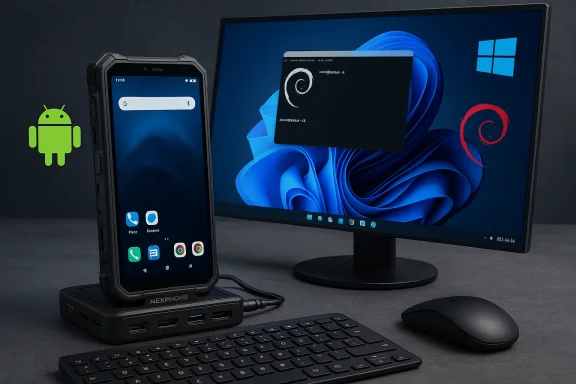
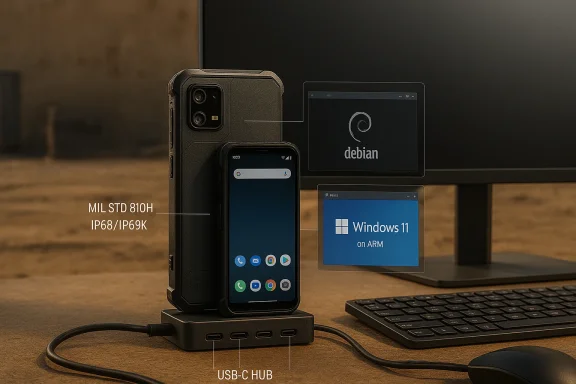
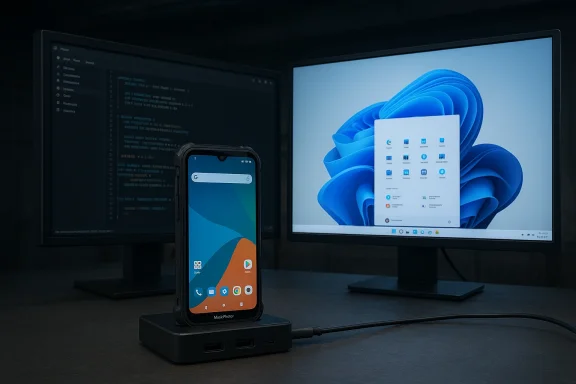
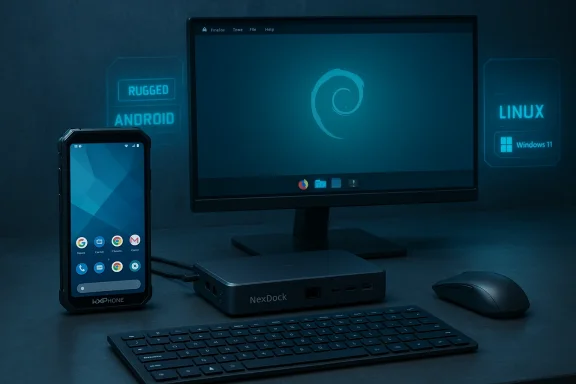
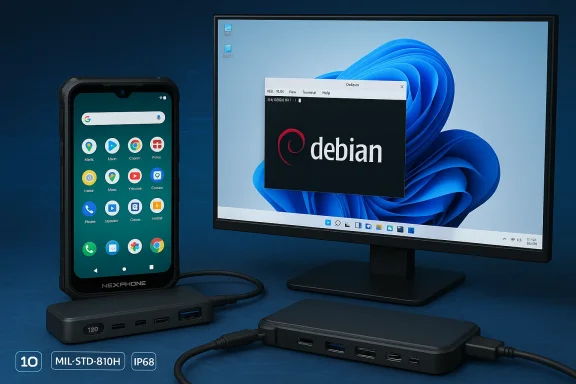
NexPhone arrives promising a familiar-sounding but technically ambitious idea: a single pocketable handset that runs Android, offers an instant Debian Linux desktop, and can reboot into a native Windows 11 on Arm installation, turning itself into a full desktop PC when docked.
Nex Computer, the small company behind the NexDock laptop shells, has long pitched the “phone-as-PC” concept: let a smartphone act as the compute engine for external displays, keyboards and trackpads. The NexPhone is that thesis given a purpose-built chassis and a deliberate software architecture: Android as the everyday mobile OS, a containerized Debian desktop accessible without reboot, and a separately installed Windows 11 image entered via reboot. Early coverage and Nex’s materials present this tri‑OS architecture consistently.
This is not merely a UI layer like Samsung DeX or Microsoft’s long-defunct Continuum; the NexPhone’s selling point is three native environments rather than a single Android-based desktop shell. That differentiation raises obvious technical questions about drivers, updates and real-world usability, but it also creates a compelling use case for power users who want a single device that can be a phone, a Linux workstation, and a Windows PC.
Two implications follow:
Important caveats to the commercial model:
But the success of this experiment rests on the unglamorous, essential work of integration: delivering complete, signed drivers for Windows; a predictable update cadence across three operating systems; validated thermal and battery behavior under desktop loads; and clear telephony and carrier behavior. Until independent retail reviews and vendor commitments address those points, the NexPhone should be seen as a promising but conditional step toward a real “phone-as-PC” future. Early reservations let enthusiasts support a compelling vision, but production users and enterprises should wait for third‑party validation and written lifecycle commitments.
The NexPhone could mark the next evolution in pocket computing if Nex follows through on drivers, firmware and long-term support—and if independent testing confirms that multi‑OS convenience does not come at the cost of fragile, half-baked Windows behavior. Watch for hands‑on reviews, driver documentation and Microsoft/Qualcomm confirmations in the months leading to the Q3 2026 shipment window.
Source: hi-Tech.ua NexPhone runs on Android, Linux and Windows 11 at once
 Background / Overview
Nex Computer, the small company behind the NexDock laptop shells, has long pitched the “phone-as-PC” concept: let a smartphone act as the compute engine for external displays, keyboards and trackpads. The NexPhone is that thesis given a purpose-built chassis and a deliberate software architecture: Android as the everyday mobile OS, a containerized Debian desktop accessible without reboot, and a separately installed Windows 11 image entered via reboot. Early coverage and Nex’s materials present this tri‑OS architecture consistently.This is not merely a UI layer like Samsung DeX or Microsoft’s long-defunct Continuum; the NexPhone’s selling point is three native environments rather than a single Android-based desktop shell. That differentiation raises obvious technical questions about drivers, updates and real-world usability, but it also creates a compelling use case for power users who want a single device that can be a phone, a Linux workstation, and a Windows PC.
What NexPhone claims to deliver
The tri‑OS model (how it’s supposed to work)
- Android 16 with NexOS shell — the phone’s default mobile environment, handling telephony, notifications and Android apps. When connected to an external display, Android offers a desktop-style mode for quick productivity sessions without rebooting.
- Debian (containerized) — a full Debian desktop runs as a container inside Android. Nex presents this as an instant desktop: no reboot required, hardware-accelerated where possible, and integrated with Android storage and file access for developers and power users.
- Windows 11 on Arm (reboot to enter) — the headline feature: Windows 11 is installed to a separate partition and the device reboots into a native Windows 11 environment. Once in Windows, the phone behaves like a conventional desktop: full multitasking, native Windows apps and peripheral support. This is not emulation or cloud streaming.
Headline hardware (vendor-stated)
Nex’s published spec sheet and repeated press summaries place the NexPhone as a rugged, midrange—but dock-first—device:- System on Chip: Qualcomm QCM6490 (Dragonwing family).
- Memory / Storage: 12 GB RAM, 256 GB storage, microSD expansion.
- Display: 6.58‑inch FHD+ (2403 × 1080), up to 120 Hz.
- Battery: vendor materials list 5,000 mAh (note: some prelaunch documents show inconsistent battery figures; treat as provisional).
- Cameras: 64 MP + 13 MP rear, 10 MP front.
- Connectivity: USB‑C with DisplayPort out, 5G, Wi‑Fi 6E, Bluetooth 5.2, NFC.
- Durability: vendor claims include MIL‑STD‑810H and IP68/IP69K ratings.
Why the QCM6490 matters (and what it implies)
The choice of the Qualcomm QCM6490 is the technical linchpin for Nex’s Windows claim. The chip is a Dragonwing‑family module that appears in long‑life and industrial device lineups, chosen for stability and extended vendor support rather than peak flagship performance. Qualcomm’s module-family support and Microsoft’s device enablement efforts make QCM/QCS 6490-class silicon a feasible platform for Windows 11 on Arm—provided the vendor integrates and ships signed drivers and a validated boot chain.Two implications follow:
- Performance expectations should be realistic. The QCM6490 is suitable for web-first productivity, terminal work, light native applications and remote desktop clients, but not for prolonged native heavy workloads like sustained 3D rendering or large local compiles. Battery and thermal constraints inside a phone chassis will further limit sustained desktop throughput.
- Ecosystem work matters. Microsoft’s processor enablement is a necessary but not sufficient condition for a polished Windows experience. Nex must deliver board-level drivers, signed firmware, Windows Update integration and a secure boot policy that satisfies both Microsoft and end users. That engineering work is the difference between a demo and a practical Windows phone.
Real-world use cases and workflows
The NexPhone’s feature set targets a narrow but meaningful band of users:- Road warriors and consultants who want to travel light and use a single device for email, Android apps, SSH/terminal, light Linux development, and occasional Windows‑only business apps.
- Developers and sysadmins who need an on-device Unix toolchain (Debian) for quick edits, builds and remote sessions without the friction of carrying a separate laptop.
- Field and industrial users who value durability and long-life platform support, where the QCM6490’s enterprise orientation and Nex’s docking accessories have clear utility.
- Power users who prefer local Windows app compatibility for certain tasks but want to keep most workflows in Android/Linux or via remote desktop to cloud-hosted Windows instances.
Strengths: what makes the NexPhone compelling
- True multi‑OS ambition — Unlike desktop shells that merely rewrite the UI, Nex promises three native environments. That technical separation makes each environment closer to the native experience you’d expect on its platform.
- Dock-first design and accessories — Shipping a USB‑C hub and leveraging NexDock heritage reduces friction for turning the phone into a usable desktop or laptop shell. That accessory ecosystem is a practical advantage.
- Platform realism via chipset choice — Choosing QCM6490 trades top-end benchmarks for longer life and broader OS enablement, which is the correct strategic choice for a device that must host multiple operating systems.
- Developer-friendly Debian container — Making a full Linux desktop available without rebooting is an immediate productivity win for developers and sysadmins who need native tools on the go.
- Price-to-ambition ratio — An early‑bird price in the mid‑hundreds positions the device as a plausible experiment for enthusiasts and professionals willing to accept tradeoffs for consolidation.
Risks, limitations and unanswered questions
No product that attempts to host three full OSes can avoid technical and commercial friction. The most important caveats:- Driver completeness and Windows Update integration — The single largest risk to the Windows experience is lack of fully signed drivers and a robust update path. Without this, Windows will feel incomplete even if it boots. Nex must publish a clear driver and update policy.
- Thermal and battery constraints under Windows — Desktop workloads are typically sustained; a phone chassis limits cooling and sustained power draw. Expect throttling and limited runtime for heavy Windows tasks. Independent reviews will be decisive here.
- Spec variance and marketing polish — Prelaunch documents already show small inconsistencies (battery figures, minor spec variants). Buyers should treat some numbers as provisional until independent retail units are measured.
- Carrier and telephony behavior in Windows mode — Windows mode is intended for docked desktop use and may not preserve cellular telephony the way Android does; how voice and SMS integrate across partitions is an important practical detail that Nex must clarify.
- Long-term support across three ecosystems — Android, Debian and Windows each have different patch cadences and security models. Coordinated updates, secure-boot policy and clear end-of-life commitments are essential for enterprise or production use. Nex’s marketing mentions lifecycle goals, but independent confirmation is required.
- Performance expectations for native Windows apps — Some native Windows applications are not yet well-optimized for Arm or for the modest GPU power in a phone class SoC; compatibility or performance gaps could necessitate continued reliance on remote desktop solutions.
Pricing, reservations and availability — what Nex says
Nex Computer is taking refundable reservations: a $199 deposit locks an early price (reported as $549) with the remainder (about $350) due later. Nex targets Q3 2026 for global shipments and says the phone will ship with a USB‑C cable and included hub. That preorder/reservation model mirrors Nex’s prior product rollouts but also places risk on backers if schedules slip.Important caveats to the commercial model:
- A refundable reservation does not eliminate supply or timeline risk; the company has publicly discussed long development timelines for the NexPhone concept. Expect communication and shipping updates before committing a balance payment.
- Early pricing is attractive for tinkerers, but enterprise buyers should demand formal lifecycle and support commitments before adopting the device for production scenarios.
Short technical FAQ (what readers usually ask)
Will Windows 11 run well on a phone?
Windows will likely run functionally, but how well depends on driver readiness, thermal headroom and workload. Light desktop tasks, Office, browsers and remote desktop clients are plausible; heavy native workloads will be constrained by silicon and chassis thermals.Is switching between OSes instant?
No. Android and the Debian container are available without reboot, but Windows is installed to a separate partition and requires a reboot to enter. This design prioritizes system integrity but introduces switching friction.Is this a replacement for a laptop?
It can be for specific, web-first or remote‑desktop‑driven workflows. It is not a blanket replacement for heavy native workstation use. Treat it as a pocketable workstation and a Windows-capable fallback rather than a full-fledged laptop substitute.Will all Windows apps run?
Many will, especially those with Arm builds or that run well under Windows on Arm translation layers; some legacy or performance-sensitive x64 apps may be limited. Compatibility needs to be evaluated on a case-by-case basis.10 things to ask Nex (or your reseller) before preordering
- Provide a driver and firmware support schedule for Windows and confirm Windows Update compatibility.
- Confirm the exact battery capacity and publish independent battery-life test plans.
- Publish the signed driver list and secure-boot policy so enterprises can vet security.
- Confirm carrier compatibility and how telephony behaves when booted into Windows.
- Provide an explicit warranty and refund policy for preorders and delayed shipments.
- Release retail review units to independent outlets and allow full stress/thermal testing.
- Publish the max microSD capacity and storage configuration details.
- Confirm audio and camera driver parity between Android and Windows modes.
- Detail update cadence and end-of-life expectations for each OS.
- Provide performance guidance and use-case scenarios tested with Windows workloads.
How this fits into the longer history of phone-as-PC experiments
NexPhone’s approach echoes earlier experiments—Microsoft Continuum, Samsung DeX, Motorola Ready For—each of which tried to blur the line between handheld and desktop. Those efforts mostly used a single OS with a different presentation layer; Nex’s difference is genuine multi‑OS support, which raises complexity but also raises potential utility for multi-platform workers. Whether this attempt becomes a durable product category depends less on the demo and more on sustained driver support and update discipline.What reviewers and enterprise buyers should test first
- Driver completeness and Windows Update behavior (the single most important practical test).
- Thermal throttling under sustained Windows workloads (video encode, compile, browser tabs).
- Seamless file sharing and clipboard behavior between Android, Debian container and Windows.
- Peripheral compatibility with common USB‑C hubs, external displays and docking accessories.
- Battery life across OS modes including real‑world mixed usage.
Final assessment: promise with conditions
The NexPhone is one of the most ambitious handset experiments in years: it combines a smartphone, a containerized Linux workstation and a rebootable Windows 11 desktop in a single device. The device’s strengths are strategic: a dock‑first accessory bundle, a pragmatic chipset choice in the QCM6490, and a developer‑friendly Debian container that avoids reboot friction. Those strengths make NexPhone a legitimately interesting device for a defined set of users—developers, consultants, field professionals and enthusiasts who value consolidation.But the success of this experiment rests on the unglamorous, essential work of integration: delivering complete, signed drivers for Windows; a predictable update cadence across three operating systems; validated thermal and battery behavior under desktop loads; and clear telephony and carrier behavior. Until independent retail reviews and vendor commitments address those points, the NexPhone should be seen as a promising but conditional step toward a real “phone-as-PC” future. Early reservations let enthusiasts support a compelling vision, but production users and enterprises should wait for third‑party validation and written lifecycle commitments.
The NexPhone could mark the next evolution in pocket computing if Nex follows through on drivers, firmware and long-term support—and if independent testing confirms that multi‑OS convenience does not come at the cost of fragile, half-baked Windows behavior. Watch for hands‑on reviews, driver documentation and Microsoft/Qualcomm confirmations in the months leading to the Q3 2026 shipment window.
Source: hi-Tech.ua NexPhone runs on Android, Linux and Windows 11 at once