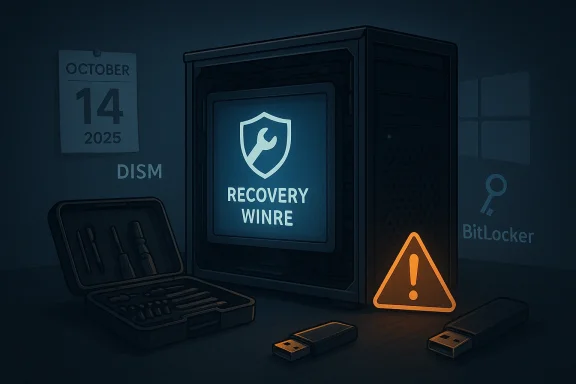
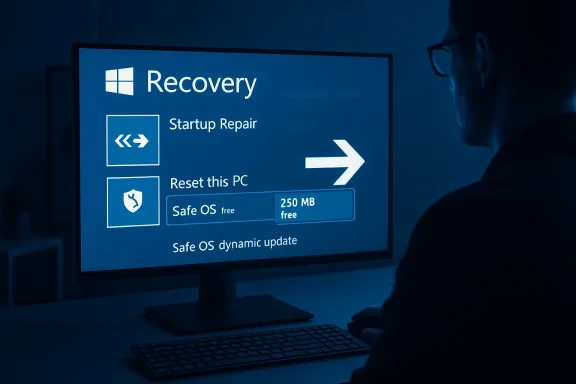
Microsoft’s post‑end‑of‑support patching for Windows 10 has exposed a painful trade‑off: the fix that makes the Windows Recovery Environment (WinRE) usable again after October 14, 2025 is available only for devices enrolled in Microsoft’s Extended Security Updates (ESU) or running Enterprise LTSC — leaving many Home and Pro users without an official remedy for a recovery failure introduced around the end‑of‑life date.
Windows 10 reached its official end of mainstream support on October 14, 2025, a milestone Microsoft repeatedly signposted to customers. After that date, routine free security and quality updates stopped for consumer editions unless a device is enrolled in the paid or otherwise-eligible Extended Security Updates (ESU) program.
In the weeks and months around that cutoff Microsoft issued several Windows Recovery Environment (WinRE) and Safe OS Dynamic updates intended to keep the pre‑boot recovery stack functional and compatible with platform changes. Those packages include KB5068164 (published October 1l933 (Safe OS dynamic updates), and the update at the center of the current controversy, KB5075039, first published in January 2026 and updated again in March 2026.
Community reaction to Windows 10’s retirement was immediate and vocal: many readers and technicians warned that the timing — an OS EOL combined with an uptick in updates that affect pre‑boot components — creates edge cases where recovery tools could fail at the moment users need them most. Those conversations were widely present on IT forums and community threads as the support deadline approached.
But the timing exposed a fragile point: recovery components run before the OS fully boots and are sensitive to platform changes. When a widely distributed update affected WinRE behavior, the remediation Microsoft produced ended up being available primarily to paying or enterprise customers — an understandable commercial outcome, but one that leaves many home users in a bind. Independent reporting and community coverage noted that WinRE updates are typically pushed during setup or via Windows Update and that failing to apply them can break install/upgrade and recovery scenarios — precisely the situations many Home/Pro users encountered as they attempted last‑minute migrations off Windows 10.
From a consumer‑protection and product stewardship perspective, critics argue Microsoft should have made a small, safety‑critical remediation widely available at least long enough to ensure recovery infrastructure remained functional on the millions of devices that still run Windows 10. Supporters of Microsoft’s approach note that Microsoft did supply options — ESU, manual catalog downloads, and guidance for resizing partitions — and that the lifecycle deadline enforces a disciplined release model.
For end users and IT pros the takeaway is simple and urgent: verify WinRE today, keep external recovery media and backups handy, and if you can’t or won’t migrate to a supported OS, evaluate ESU enrollment or other protective strategies. The cost of inaction can be more than inconvenience — it can be complete loss of a trusted recovery path at the moment you need it most.
The Windows 10 EOL transition will continue to create edge‑case problems for months. For now, the responsible path for those affected is clear: verify your recovery stack, keep alternative recovery tools prepared, and treat Microsoft’s lifecycle cutoff not as an abstract date but as an operational deadline that must be planned for now.
Source: Neowin KB5075039: Microsoft broke key OS feature when it ended Windows 10 support
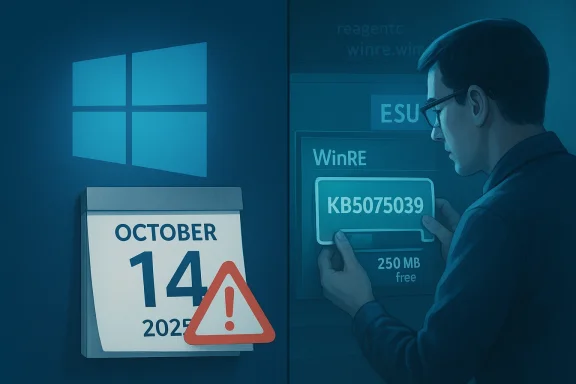 Background
Windows 10 reached its official end of mainstream support on October 14, 2025, a milestone Microsoft repeatedly signposted to customers. After that date, routine free security and quality updates stopped for consumer editions unless a device is enrolled in the paid or otherwise-eligible Extended Security Updates (ESU) program.In the weeks and months around that cutoff Microsoft issued several Windows Recovery Environment (WinRE) and Safe OS Dynamic updates intended to keep the pre‑boot recovery stack functional and compatible with platform changes. Those packages include KB5068164 (published October 1l933 (Safe OS dynamic updates), and the update at the center of the current controversy, KB5075039, first published in January 2026 and updated again in March 2026.
Community reaction to Windows 10’s retirement was immediate and vocal: many readers and technicians warned that the timing — an OS EOL combined with an uptick in updates that affect pre‑boot components — creates edge cases where recovery tools could fail at the moment users need them most. Those conversations were widely present on IT forums and community threads as the support deadline approached.
What KB5075039 is — and what it actually changes
Summary of the update
- KB5075039 is documented by Microsoft as a Windows Recovery Environment update for Windows 10, versions 21H2 and 22H2. The official support article states the update “automatically applies Safe OS Dynamic Update (KB5073933) to the Windows Recovery Environment (WinRE) on a running PC” and “installs improvements to Windows recovery features.” It was issued in January 2026 and the article was updated in March 2026 to reflect additional fixes.
- Critically, Microsoft’s KB article lists the update as applying to Windows 10 Enterprise LTSC 2021 and Windows 10 ESU (Extended Security Updates). The page also explicitly notes that support for Windows 10 ended on October 14, 2025. That combination matters for which devices will receive the patch automatically.
Why this update matters
- WinRE (the Windows Recovery Environment) is the pre‑boot toolkit Windows uses for repair, rollback, system restore, troubleshooting, and BitLocker recovery flows. If WinRE cannot start, a user loses critical self‑repair options and, in some cases, the ability to unlock encrypted drives without additional tools. The KB5075039 changelog indicates it addresses a scenario where WinRE would not start after installing the October 14, 2025 update KB5068164. That’s the heart of the problem.
The headline claim: “Microsoft broke a key OS feature” — assessment
What happened technically
- Microsoft shipped KB5068164 on October 14, 2025 — a WinRE update that targeted a broad range of Windows 10 SKUs (Home, Pro, Enterprise, IoT). The package was intended to improve recovery components. However, for a subset of devices the WinRE environment failed to start after the update. Microsoft’s own KB pages acknowledge this and later reference remediation work.
- Subsequent fixes and Safe OS Dynamic updates (for example those cataloged as KB5073933 and ultimately applied by KB5075039) corrected the problem, but Microsoft limited KB5075039’s applicability to ESU and LTSC SKUs. That has the practical result of leaving unenrolled consumer Home/Pro devices without the officially supported fix from Microsoft.
Is “broke” accurate?
- Technically, a Microsoft update (KB5068164) created a regression in some environments such that WinRE would not start — that qualifies as a broken scenario for affected users. The subsequent remediation exists, so the regression was addressed.
- Practically, however, Microsoft’s decision to gate remediation behind ESU/LTSC channels after the end‑of‑support date means that many consumer devices will not receive the remediation automatically. From the user’s perspective, the recovery feature remains effectively broken unless they enroll in ESU, migrate to a still‑supported OS, or apply manual workarounds. That reality is what fuels the “broke” narrative.
Key technical details users and IT staff must know
Free space requirement on WinRE partition
- KB5075039 and sibling WinRE updates require at least 250 MB of free space on the Windows Recovery partition (the WinRE recovery partition) for the update to stage and apply successfully. Microsoft includes explicit instructions and scripts for resizing the partition in its KB articosmall, the update will not be offered or applied.
How to verify whether your machine is affected
- To check whether WinRE is enabled: run reagentc /info from an elevated command prompt. The output shows whether WinRE status is Enabled and the path to winre.wim. If WinRE is disabled or missing, recovery options may already be compromised.
- To check the WinRE image version Microsoft provides a PowerShell script GetWinReVersion.ps1 and DISM commands; Microsoft’s KB explains how to verify the installed WinRE version so you can confirm whether it is greater than or equal to the remedied builds.
Which updates are involved
- KB5068164 — WinRE update shipped on October 14, 2025 (applies broadly to Home/Pro/Enterprise SKUs). Microsoft documents it as replacing earlier WinRE dynamic updates.
- KB5075039 — Safe OS Dynamic WinRE update issued in January 2026 (and updated March 3, 2026) that applies the newer Safe OS Dynamic update (KB5073933) to WinRE; Microsoft’s article now lists the update as applying to ESU and LTSC SKUs.
Who is affected, and why this matters
- Consumer Home/Pro users who did not enroll in ESU: At scale, these customers may not receive KB5075039 (or its equivalent) and therefore could be left with a WinRE environment that will not start after KB5068164 — meaning no in‑place recovery tools and higher technical friction to repair broken boots or recover BitLocker volumes.
- Organizations on Enterprise LTSC or devices enrolled in ESU: These devices are explicitly covered by KB5075039 and will be offered the update through Windows Update, WSUS, or other management channels. Enterprises that purchased ESU or run LTSC are therefore protected by the remediation Microsoft provided.
- System builders, refurbishers, and IT technicians: The update’s partition‑size requirement means image‑based deployments and recovery partitions baked into OEM images must be large enough (and validated) to accept the Safe OS dynamic update. Otherwise an image that looks nominally up to date could still have an unusable WinRE. Industry coverage emphasized the importance of injecting dynamic updates into images ahead of deployment.
Practical risks: what can go wrong if WinRE won’t start
- No automatic in‑place rollback or automatic repair: Windows’ automated recovery flows (e.g., “Automatic Repair”, rollback to a previous build) rely on WinRE. If WinRE is corrupted or fails to start, these flows won’t run.
- BitLocker edge cases: Some BitLocker recovery and drive unlock scenarios invoke WinRE components. If WinRE fails, you may need recovery keys and external tools to unlock and repair the system.
- Higher incident response costs for home users: Instead of simply using the built‑in recovery tools, affected consumers could be forced to rely on third‑party recovery media, reinstalling Windows from ISO, or paying a technician — outcomes Microsoft normally seeks to avoid by shipping recovery updates.
- Potential for device‑specific bricking in the rare worst case: While uncommon, a nonfunctional recovery environment raises the stakes for complicated boot problems where users cannot access built‑in utilities to restore system state.
What you can do right now — step‑by‑step actions
Immediate checks (quick, safe)
- Open an elevated Command Prompt and run:
- reagentc /info
- This shows whether WinRE is Enabled and the location of winre.wim.
- Verify WinRE version via the DISM command Microsoft documents or by running the included GetWinReVersion.ps1 from the KB article. If the WinRE version is equal to or newer than Microsoft’s remedied version (as listed in the KB), you’re protected.
If WinRE is not enabled or version is old
- Option A — Use external recovery media now: Create or obtain a bootable Windows installation or recovery USB and keep your BitLocker recovery key handy. A working external media allows repairs even if WinRE is unavailable.
- Option B — Enroll in ESU (if eligible): For consumer devices, Microsoft offered a limited ESU pathway to continue receiving security updates and specific remediation packages after October 14, 2025. If you value receiving the official fix and meet the eligibility criteria, this is the direct path to receive KB5075039 via Windows Update. Confirm your ESU license status before assuming you will receive the patch.
- Option C — Upgrade to Windows 11 (if hardware permits): A supported OS will continue to receive updates, including recovery fixes, but hardware compatibility checks and driver readiness are necessary.
- Option D — Manual remediation for advanced users / IT:
- Resize the recovery partition to meet the 250 MB free requirement (Microsoft supplies scripts and instructions in the KB if you have the skillset).
- Or download the WinRE update packages (where available) and apply them to offline images; enterprcan inject Safe OS dynamic updates into images before deployment. These are nontrivial operations and you should have full backups before you attempt disk partition changes.
Step‑by‑step: resizing the WinRE partition (high level)
- Back up the disk (full image backup strongly recommended).
- Use disk management or third‑party partitioning tools to enlarge the Recovery partition so it has at least 250 MB free space.
- Run the Windows Update check or manually apply the update package if you have an ESU entitlement or are managing images.
- Confirm WinREAgent servicing succeeded via Event Viewer (WinREAgent events) or confirm the WinRE version via DISM/GetWinReVersion.ps1. Microsoft’s KB provides the exact checks.
Microsoft’s position and industry context — a critical look
Microsoft’s lifecycle rules are explicit: after end‑of‑support the company stops providing freely distributed mainstream consumer SKUs. The company left a narrowly scoped bridge (ESU) and specific enterprise SKU coverage for organizations that pay for continued servicing. From a corporate governance standpoint this is consistent with standard vendor lifecycle policy. Microsoft’s KBs are transparent about EOL and the availability rules for subsequent dynamic updates.But the timing exposed a fragile point: recovery components run before the OS fully boots and are sensitive to platform changes. When a widely distributed update affected WinRE behavior, the remediation Microsoft produced ended up being available primarily to paying or enterprise customers — an understandable commercial outcome, but one that leaves many home users in a bind. Independent reporting and community coverage noted that WinRE updates are typically pushed during setup or via Windows Update and that failing to apply them can break install/upgrade and recovery scenarios — precisely the situations many Home/Pro users encountered as they attempted last‑minute migrations off Windows 10.
From a consumer‑protection and product stewardship perspective, critics argue Microsoft should have made a small, safety‑critical remediation widely available at least long enough to ensure recovery infrastructure remained functional on the millions of devices that still run Windows 10. Supporters of Microsoft’s approach note that Microsoft did supply options — ESU, manual catalog downloads, and guidance for resizing partitions — and that the lifecycle deadline enforces a disciplined release model.
Longer‑term implications
- Expect increased attention from enterprise procurement, MSPs and consumer advocates on how vendors treat pre‑boot and recovery components during EOL transitions.
- OEMs and system builders may need to standardize larger recovery partitions in their images so WinRE dynamic servicing remains possible in future.
- The incident reinforces the operational case for migration planning: EOLs are not abstract—pre‑boot recovery, installer tools and other low‑level components are all at risk of subtle breakage if they are not actively maintained or if fixes are withheld under SKU restrictions.
Recommendations — practical, prioritized
- Immediate action for all Windows 10 users: Run reagentc /info and verify WinRE status today. If WinRE is not enabled or the image version is old, create a bootable Windows recovery USB immediately and preserve BitLocker recovery keys offline.
- Home users who value an official fix: Check ESU eligibility and consider enrollment if you can’t migrate to Windows 11 before you need the recovery features. ESU remains the straightforward route to receive Microsoft’s remediation if your device qualifies.
- Administrators and integrators: Inject Safe OS dynamic updates into offline images where possible and ensure recovery partitions in your images meet or exceed Microsoft’s free‑space guidance to avoid staging failures. Test recovery flows after any cumulative or WinRE update.
- If you cannot get an official patch: Use external recovery media and maintain up‑to‑date backups. Consider migrating to a supported platform when possible; unsupported OS lifecycles increase operational risk over time.
Final analysis
The KB5075039 episode is a clear example of how lifecycle policies, low‑level platform components, and real‑world device diversity can collide. Technically, Microsoft produced a remediation for the WinRE regression. Practically, the company’s lifecycle rules and SKU gating mean the remediation is not universally available to every Windows 10 machine — creating a class of users who face broken recovery capability after the OS’s end of support. For consumers, that outcome feels like a break; for Microsoft it is a policy‑driven consequence of a well‑advertised EOL.For end users and IT pros the takeaway is simple and urgent: verify WinRE today, keep external recovery media and backups handy, and if you can’t or won’t migrate to a supported OS, evaluate ESU enrollment or other protective strategies. The cost of inaction can be more than inconvenience — it can be complete loss of a trusted recovery path at the moment you need it most.
The Windows 10 EOL transition will continue to create edge‑case problems for months. For now, the responsible path for those affected is clear: verify your recovery stack, keep alternative recovery tools prepared, and treat Microsoft’s lifecycle cutoff not as an abstract date but as an operational deadline that must be planned for now.
Source: Neowin KB5075039: Microsoft broke key OS feature when it ended Windows 10 support