• Thread Author
Microsoft’s latest Windows 11 servicing wave is now moving from preview to public release, and the result is a broad quality update that touches accessibility, security controls, File Explorer, Settings, display handling, and device management. Reportedly arriving as KB5079391 for Windows 11 24H2 and 25H2, the package continues Microsoft’s pattern of shipping the same monthly improvements across both branches, which share a servicing model introduced with the 25H2 rollout. That shared branch matters because it keeps feature parity tighter than the old “major version” cadence, while also making every monthly patch more consequential for both home users and enterprises.

A digital visualization related to the article topic.Overview​

The most important thing about this update is not any single headline feature, but the way Microsoft is refining Windows 11 as a living platform. The preview version that preceded this release, KB5077241, was framed by Microsoft as a non-security update focused on functionality, performance, and reliability, and this public release appears to carry that same philosophy forward. In other words, the update is part of the broader continuous innovation model Microsoft has been pushing across Windows 11, where smaller changes arrive more frequently rather than being reserved for one giant annual event.
That model gives Microsoft more flexibility, but it also raises the stakes for monthly servicing. Users no longer evaluate Windows updates only by whether they patch vulnerabilities; they now judge them by whether they improve the daily feel of the OS, whether they break workflows, and whether new controls behave predictably. The latest release seems designed to show progress on all three fronts, especially in areas that affect routine use: accessibility, shell behavior, display reliability, and policy management.
There is also a strategic layer here. Windows 11 version 25H2 was announced as an enablement-style release built on the same branch as 24H2, which means Microsoft can deliver many of the same innovations to both versions without forcing users into a dramatic migration cycle. That lowers the friction for IT departments, but it also means the servicing pipeline becomes the real product experience for a large share of the Windows base. For users, the monthly update is no longer background maintenance; it is part of the platform itself.

Why this update matters​

The update lands at a time when Microsoft is trying to balance three separate priorities: polish for consumers, manageability for enterprises, and confidence for accessibility-first workflows. The same patch touches Narrator, Smart App Control, File Explorer, Settings, and Windows Recovery Environment behavior, which is a sign that Microsoft is targeting the full stack rather than isolated bug fixes. That breadth is useful, but it also means organizations will want to test the update carefully before blanket deployment.
  • It reinforces Microsoft’s shift toward monthly platform refinement.
  • It keeps 24H2 and 25H2 aligned on the same servicing train.
  • It brings visible improvements to everyday Windows 11 workflows.
  • It also adds or adjusts features that administrators may need to govern.

From Preview to Public Release​

Microsoft’s release pattern has become increasingly familiar: an optional preview update appears first, feedback arrives from Insiders and early adopters, and then the same code path is folded into the broader public rollout. In this case, the preview cadence for March 2026 builds on earlier Release Preview updates that delivered quality improvements before the security cumulative update cycle. That approach gives Microsoft a chance to surface compatibility problems before the update becomes the default path for the mainstream audience.
The public release also helps explain why the build numbers matter so much. According to Microsoft’s March servicing line, 26100 remains the base for Windows 11 24H2, while 26200 tracks 25H2, and both branches have been advancing in parallel. That parallelism is useful because it reduces drift between the consumer and enterprise fleets, but it also means a single servicing issue can span two widely deployed releases almost immediately.

What changed from the preview build​

The earlier preview emphasized features such as Cross-Device Resume, Smart App Control, and MIDI support, while also refining storage cleanup presentation and fixing usability problems like Start menu glitches and File Explorer freezing. Public release notes typically keep much of that groundwork intact, which is why early testing is so important to Microsoft’s monthly rhythm. Even when the final package is mostly the same, the rollout to general users marks a shift from controlled validation to real-world scale.
  • Preview builds act as dress rehearsals for the public servicing channel.
  • Microsoft uses them to catch compatibility regressions before broad deployment.
  • The public release usually confirms the broader feature direction.
  • Any preview bugs that survive testing become far more important once the patch hits real devices.
The key takeaway is that Microsoft is no longer treating these updates as minor housekeeping. Instead, monthly servicing has become a mechanism for shipping meaningful operating system improvements, and that makes release quality just as important as feature ambition. The company’s challenge is obvious: make Windows feel more modern without making it feel less predictable. That is a harder problem than it looks.

Narrator Gets a Stronger AI-Driven Push​

One of the most visible additions in the update is the expanded Narrator experience. Microsoft is pushing richer image descriptions and tighter integration with Copilot, aiming to improve how blind and low-vision users interpret on-screen visuals. On Copilot+ PCs, the descriptions are generated on-device, which is a meaningful detail because it affects both latency and privacy perception.
This is not just a cosmetic accessibility change. Richer descriptions can make screenshots, diagrams, and interface-heavy applications more usable for people who depend on assistive tech, while Copilot integration offers a second layer of context when the local model is not enough. The bigger strategic point is that Microsoft is trying to make accessibility a showcase for its AI platform rather than a separate silo of features. That is smart product positioning, though it also creates expectations that these AI-assisted tools will be consistently accurate.

Accessibility and AI as a combined story​

The combination of Narrator and Copilot shows where Microsoft wants Windows accessibility to go next. Instead of merely reading interface elements aloud, the OS is trying to interpret what a user is seeing and provide a more human explanation. That can be transformative for image-heavy content, but it must be handled carefully because the wrong description can be more confusing than no description at all.
  • Rich image descriptions improve visual context.
  • Copilot integration adds interactive follow-up.
  • On-device generation lowers latency on Copilot+ PCs.
  • Accuracy and consistency will determine whether the feature feels trustworthy.
It is also notable that Microsoft is extending the feature to all Windows 11 devices, not just its newest hardware. That broad availability suggests the company wants accessibility improvements to be seen as core Windows capabilities, not premium extras. Still, the best experience will likely remain on the newer Copilot+ class of hardware, which keeps the performance advantage as a differentiator.

Smart App Control Becomes Less Inflexible​

The update’s Smart App Control change may matter more to administrators than to average consumers, but it is one of the most important quality-of-life refinements in the release. Microsoft is allowing users to turn Smart App Control on or off without requiring a clean install, removing one of the feature’s biggest practical annoyances. That matters because security tools are only useful when people can actually manage them without rebuilding a machine.
Smart App Control has always represented a tension in Windows design. On one hand, it aims to block untrusted or potentially harmful apps and reduce attack surface; on the other, its earlier deployment model made it feel rigid and hard to revisit once a system state changed. Loosening that requirement makes the feature more usable, but it also suggests Microsoft understands that security controls work best when they are reversible and transparent.

Security posture without the friction​

This change is especially meaningful for power users who test software, developers who spin up tools frequently, and organizations that pilot apps before approving them broadly. A control that can be enabled or disabled from Settings > Windows Security > App & Browser Control is easier to document, support, and explain. That sounds mundane, but in endpoint management, mundane usability often decides whether a security feature is adopted or ignored.
  • Smart App Control is now easier to toggle.
  • The feature remains focused on blocking risky apps.
  • The new model reduces the need for a clean install.
  • Admins get a more practical path for testing and support.
The broader lesson is that Microsoft is trying to make Windows security feel less like a one-way door. That may not sound dramatic, but it is a real product improvement because it gives users a way to experiment without permanent commitment. If Microsoft can keep doing that across more security features, adoption will likely improve.

File Explorer and Shell Reliability Continue to Improve​

For many users, the most welcome changes in this update will be the subtle ones inside File Explorer and the shell. Microsoft says file unblocking is now more reliable for previews, and it has also improved handling around renaming files with Voice Typing using Win + H. Those are not flashy features, but they are exactly the sort of paper cuts that can turn Windows from efficient to irritating.
File Explorer has long been one of the most sensitive parts of Windows because it sits at the intersection of file security, shell extensions, preview panes, and user expectations. Even small regressions can cascade into user-visible freezes or odd permission behavior, which is why Microsoft repeatedly returns to this area in quality updates. The new release also includes more flexible sorting for permissions in Advanced Security Settings, which shows the company is still paying attention to management workflows.

Small fixes with large daily impact​

These changes are easy to overlook in a marketing summary, but they can materially improve confidence in the OS. File unblocking issues in preview workflows are the kind of thing that frustrates users who regularly download tools, installers, or documents from shared environments. Voice Typing in rename flows is another example of a feature that looks minor but can be a genuine productivity boost for users with mobility limitations or just busy hands.
  • More reliable file unblocking reduces workflow friction.
  • Win + H support in renaming improves hands-free use.
  • Security settings sorting makes audits easier.
  • Shell fixes often prevent broader stability complaints.
The interesting part is how often these shell-level refinements become the update’s real value, even if they barely register in a headline. Users do not always notice when File Explorer works correctly; they notice when it does not. That makes these reliability fixes strategically important, even if they are not the sexiest parts of the release.

Settings, Account Management, and the Consumer Experience​

Microsoft is also polishing the Settings app and account-related workflows. The About page now has a clearer layout, the Home page device card is more structured, and opening Settings Home appears more reliable. Microsoft 365 Family users can now upgrade plans directly from Settings > Accounts, which is a strong sign that the company wants the OS to be a place where subscription and device management intersect more naturally.
That last detail is significant because it shows how Windows is increasingly serving as a storefront for Microsoft services as well as a desktop platform. Consumers may appreciate convenience, but they may also see it as another reminder that the operating system is deeply tied to Microsoft’s ecosystem strategy. The redesigned dialog boxes in Other users, including dark mode support, fit the same pattern: the company is trying to make account management feel more modern and less fragmented.

The line between useful and intrusive​

There is a thin line between making Settings more helpful and turning it into a promotional surface. Microsoft seems aware of this tension, which is why the update also includes the ability to disable suggested upgrade prompts. That is a good sign, because the best subscription workflows are the ones that help without feeling coercive.
  • The About page is easier to scan.
  • The Home card is more structured.
  • Microsoft 365 Family upgrades are more direct.
  • Suggested prompts can be disabled.
This area of the update also reflects a broader design shift in Windows 11: the company is trying to consolidate system, device, and account information into a single readable layer. That is useful for casual users, but enterprise admins will still need separate tooling. The consumer-facing polish is real, yet it should not be mistaken for deeper administrative simplification.

Display, Input, and Hardware Behavior​

The update contains a set of display and input refinements that matter more than they might initially appear. Microsoft says it now supports monitors reporting refresh rates above 1000 Hz, improves USB4 monitor sleep behavior, and enhances auto-rotation after sleep. It also claims better HDR reliability and more accurate monitor size reporting through WMI APIs, which should help both end users and device inventory tools.
These kinds of changes often fly under the radar until they fail. High-refresh displays, multi-monitor setups, and USB4 peripherals are precisely where edge-case bugs tend to surface, and Windows has to work across a wild range of hardware quality levels. By investing in these scenarios, Microsoft is signaling that it wants Windows 11 to stay credible on premium hardware as well as mainstream laptops.

Why these changes matter for power users​

For enthusiasts, gamers, and creative professionals, display reliability can be the difference between a smooth desktop and a constant troubleshooting cycle. Better HDR behavior and auto-rotation after sleep are not glamorous changes, but they improve confidence that the OS will behave correctly after suspend, dock, or reconnect events. On the enterprise side, more accurate WMI reporting also helps device management and inventory systems make better decisions.
  • High-refresh support is important for premium panels.
  • USB4 sleep improvements reduce dock-related annoyances.
  • Auto-rotation fixes help convertibles and tablets.
  • Accurate WMI display data benefits asset management.
It is worth noting that Microsoft has spent years trying to reduce the “it worked before sleep” class of bug reports, and this update is clearly part of that effort. The more heterogeneous the Windows hardware ecosystem becomes, the more valuable these reliability fixes are. That diversity is a strength of Windows, but it also makes perfection impossible.

Enterprise, Policy, and Manageability Changes​

A number of the update’s most practical changes are aimed at managed environments. Microsoft added support for DisableSeamlessLanguageBar in Remote Desktop PowerShell, improved start menu layout application via Group Policy, and tightened Application Control for Business ID tagging. It also updated printer support baselines and improved how updates behave when run from certain network locations.
These are the kinds of details that never generate social media excitement, but they matter enormously in enterprise environments where consistency is more important than novelty. Group Policy reliability, printer baselines, and policy tagging directly affect the ability of IT teams to standardize behavior across fleets. If those controls are weak, the cost shows up later in help desk tickets, compliance issues, and deployment delays.

The hidden enterprise value​

There is a reason Microsoft keeps polishing these backstage mechanisms. Enterprises are the customers most likely to delay updates if they suspect instability, and the company knows that predictable policy behavior is part of what keeps Windows viable in managed fleets. In that sense, the enterprise fixes here are not auxiliary; they are central to keeping trust intact.
  • Policy application is more reliable.
  • Remote Desktop administration gets a useful update.
  • Printer support remains a major compatibility focus.
  • Network-path update handling improves deployment resilience.
The same logic applies to the improved Application Control for Business tagging. Better tagging means policies are more likely to map correctly to real applications, which can reduce false positives or enforcement ambiguity. That is a quiet but important step if Microsoft wants Windows security policy to be both strong and administratively sane.

Reliability, Recovery, and Under-the-Hood Stability​

Beyond the visible features, Microsoft is also cleaning up the plumbing. The update improves stability in Windows Recovery Environment when running x64 apps on ARM64 devices, and it fixes an issue where .msu updates could fail with ERROR_BAD_PATHNAME from certain network locations. Those sorts of fixes are the backbone of a healthy update cycle because they affect recovery, installation, and maintenance.
The fact that Microsoft is still adjusting WinRE behavior underscores how complex Windows servicing has become in a mixed architecture world. ARM64 is no longer an experimental niche; it is a real production platform for some users, and recovery workflows must work there as reliably as they do on x86 systems. The network-location update fix is equally important because enterprise deployments often depend on non-local update sources and scripted delivery paths.

Recovery is a feature, not just a fallback​

A lot of users only think about recovery tools after something goes wrong, but Microsoft has to design them as first-class components. If WinRE fails or update install paths behave unpredictably, the entire servicing model becomes less trustworthy. In that sense, these fixes are foundational rather than optional.
  • WinRE stability helps when systems are under stress.
  • ARM64 support remains a strategic priority.
  • Update installation reliability is essential for admins.
  • Recovery issues can erode confidence in the whole release train.
This is also why the update’s handling of sfc /scannow matters, even if the change is just the removal of an unnecessary error message. Small cleanups in diagnostics help reduce noise during troubleshooting, which in turn makes support processes more efficient. Less confusion in repair workflows is a real win.

Strengths and Opportunities​

This update’s biggest strength is its breadth. It makes Windows 11 feel more coherent by touching the places users encounter every day, while also improving the less visible systems that keep enterprise deployments stable. Microsoft is clearly trying to make monthly servicing feel like ongoing product refinement rather than a chore, and that is a promising direction.
  • Narrator becomes more capable and more AI-aware.
  • Smart App Control becomes easier to manage.
  • File Explorer and shell reliability get practical improvements.
  • Settings becomes clearer and more structured.
  • Display support improves for high-end and complex setups.
  • Enterprise policy handling gets more predictable.
  • Recovery and update reliability improve.
  • Microsoft keeps 24H2 and 25H2 aligned on one servicing path.

Risks and Concerns​

The main concern is that the update is so broad that it could expose edge-case regressions across multiple subsystems at once. Microsoft has already seen testing-stage reports tied to camera behavior and lock screen quirks in the preview cycle, and that is a reminder that broad servicing releases can create new instability even when their intent is to improve quality. Users and admins will want to watch the first days of rollout closely.
  • Preview-stage bugs can survive into public rollout.
  • Accessibility AI features may face accuracy questions.
  • Smart App Control changes could confuse less technical users.
  • Display and docking fixes may vary by hardware vendor.
  • Enterprise policy changes can behave differently across managed images.
  • Any broad monthly update carries a risk of unintended regressions.
  • Rollout timing can make troubleshooting harder if issues appear gradually.

Looking Ahead​

What happens next will depend less on the feature list itself and more on how the update behaves in the real world. If the rollout is clean, Microsoft gets a much-needed validation of its continuous innovation strategy, especially for accessibility and manageability features. If problems emerge, the same breadth that makes the update attractive will also make remediation more complicated.
The next milestone is likely the usual split between early adopter feedback and broader enterprise adoption. Home users will notice whether Narrator feels smarter, whether File Explorer stops behaving oddly, and whether display and sleep behavior improve. IT teams, meanwhile, will care more about Group Policy consistency, update installation reliability, and whether Smart App Control is now easier to govern at scale.
  • Watch for any camera or lock screen regressions during rollout.
  • Monitor whether Narrator’s image descriptions are consistently accurate.
  • Check whether Smart App Control’s new toggle model behaves cleanly.
  • Validate display sleep and HDR behavior on multi-monitor systems.
  • Confirm policy and Remote Desktop changes in managed environments.
If Microsoft has gotten this one right, KB5079391 may not be remembered for one marquee feature, but for something more valuable: making Windows 11 feel a little more stable, a little more usable, and a little more deliberate. That is often how a mature operating system earns trust—not through spectacle, but through the accumulation of small, well-judged fixes that quietly improve the everyday experience.

Source: Windows Report https://windowsreport.com/kb5079391...trol-narrator-and-file-explorer-improvements/
 

Microsoft’s latest Windows 11 servicing wave is finally giving the operating system something users have been asking for for years: less friction in the places they touch every day. The update package reportedly arriving as KB5079391 for Windows 11 24H2 and 25H2 brings a mixed bag of refinements, but the real story is not any single feature. It is that Microsoft appears to be shifting from flashy platform messaging toward practical repair, especially around File Explorer, Smart App Control, and a less intrusive overall Windows experience. That is exactly the kind of change that can restore a little faith in the product, even if it does not solve every complaint at once.

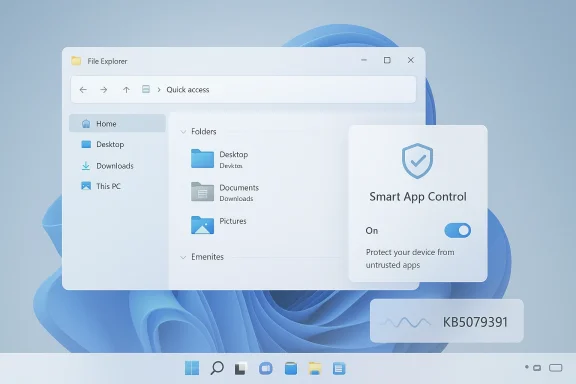
Windows File Explorer window open on blue desktop, with “Smart App Control” enabled and a build ID KB5079391.Background​

Windows 11 has spent much of its life in an awkward position. Microsoft launched it as a polished, modern desktop, but many users experienced it as a tradeoff: cleaner visuals on top, fewer controls underneath. The taskbar became less flexible, File Explorer remained a frequent pain point, and Windows Update continued to feel like an interruption rather than an invisible service. That tension has shaped how the platform is discussed, especially by enthusiasts and IT pros who care less about marketing and more about daily usability.
The current update cycle matters because it suggests Microsoft is finally acknowledging that platform quality matters as much as platform ambition. Insider-era improvements have increasingly focused on responsiveness, control, and consistency rather than just new surfaces for Copilot. In the file search material, the Windows 11 roadmap is described as a kind of public apology tour, with Microsoft trying to address the everyday friction points that make people feel the OS is working against them. That framing may sound dramatic, but it captures the mood well.
One of the more interesting signals is that Microsoft is not only fixing bugs; it is changing the tone of the product. The company has spent years pushing AI features deeper into the shell, yet the newer Insider work appears more selective and restrained. That does not mean Copilot is going away. It means Microsoft seems to be accepting that ubiquity is not the same as usefulness, and that users are more likely to trust AI if it appears intentionally rather than everywhere at once.
The timing also matters because Windows 11 has long been compared with earlier versions of Windows that gave users more freedom. Taskbar positioning, shell behavior, and update timing all became symbols of a broader concern: that the modern Windows experience was becoming more prescriptive. Microsoft appears to be correcting course by restoring some of the lost agency while also working on the basics that never should have regressed in the first place.
In that sense, the latest preview is less about one build and more about a broader philosophy. If the company keeps following through, Windows 11 could become a platform defined by less noise, fewer surprises, and better defaults rather than by a constant stream of features no one asked for. That is still a work in progress, but it is the first time in a while that the direction feels constructive.

What KB5079391 Actually Changes​

The headline changes in the latest preview are not revolutionary, but they are meaningful in context. The build reportedly adds support for 1000Hz refresh rates, improves Smart App Control behavior, and begins rolling out a set of File Explorer fixes that target long-standing usability complaints. Microsoft is also staging many of the changes gradually, which means not everyone will see them immediately after installing the update.

The 1000Hz detail matters less than the precedent​

Support for 1000Hz refresh rates will not affect most people today. Ultra-high-refresh monitors remain niche, and even the first wave of such displays is still just emerging. But the software side matters because Windows has to be ready before the hardware becomes mainstream. That makes the change less about bragging rights and more about ensuring the OS does not become the bottleneck when new display tech arrives.
Smart App Control is a better example of the kind of improvement that can actually change everyday workflow. Microsoft had already said it wanted to improve SAC earlier in the year, and this update finally begins turning that promise into a usability win by letting users toggle it without restarting the computer. That sounds minor, but in Windows terms it is a real quality-of-life improvement because it removes unnecessary friction from a security feature that should feel seamless.
The File Explorer side is where the update starts to feel more important. Microsoft has been criticized for years because Explorer sits at the center of the Windows desktop experience, yet it has often felt sluggish, inconsistent, and awkward in ordinary use. Any update that makes trusted-file handling easier and reduces annoying prompts is immediately more relevant than a spec-sheet display tweak.

Why gradual rollout is both smart and frustrating​

Microsoft’s phased rollout model makes technical sense. It lets the company collect telemetry, catch regressions, and avoid shipping all changes at once if something breaks. But for users, the gradual approach also creates a familiar annoyance: the feeling that Windows improvements are always coming soon rather than simply being available.
That tension has become part of the Windows 11 story. Enthusiasts want visible progress, while Microsoft wants a controlled release process that minimizes risk. The result is a product that often improves in pieces, which can make the overall experience feel slower than the engineering work behind it actually is.
  • 1000Hz support is mostly about future-proofing.
  • Smart App Control gains real usability value.
  • File Explorer remains the most important daily signal.
  • Gradual rollout protects stability but delays gratification.
  • Small fixes can matter more than flashy features.
  • Windows quality is increasingly the real headline.

File Explorer: The Real Test​

If Microsoft wants people to believe Windows 11 is improving, File Explorer is the place to prove it. That app is one of the most frequently used surfaces in the entire OS, which makes its responsiveness a direct measure of whether Windows feels polished or merely decorated. The latest preview’s Explorer-related changes are small on paper, but they matter because they address the exact layer where users feel friction most often.

A daily workflow problem, not a feature problem​

The old criticism of File Explorer is not that it lacks enough features. It is that it often feels slower and less coherent than it should for something so central. That is why many power users have turned to third-party tools or alternatives over the years. Those workarounds are useful, but they are also a sign that Microsoft has left room for others to solve a basic part of the desktop experience.
The recent preview work appears to be aimed at that pain point. Earlier Insider builds already tested things like background preloading to reduce the familiar “cold start” lag, and the newer update continues the theme by making trusted-file handling less cumbersome. Those are not headline features. They are the sort of fixes that users notice only after they stop being annoyed by them.
That distinction matters because Explorer is not just another app. It is the operating system’s file-organizing nerve center, the place where downloads are opened, projects are managed, and routine work gets done. If Microsoft can make Explorer feel snappier and less defensive, the whole OS benefits. If not, Windows 11 will keep carrying the same reputation for polish on the surface and friction underneath.

Trusted-file handling and the “safety versus annoyance” problem​

One of the more practical changes in the update is the improvement to whitelisting trusted files that were downloaded from the internet. In theory, Windows is trying to protect users from risky downloads. In practice, the old behavior often overcorrected and created extra annoyance for people who already knew what they were opening. That is a classic Windows problem: security controls that are technically sensible but operationally irritating.
The value of the new approach is not just convenience. It is trust. When the OS makes a user jump through too many hoops to confirm something they already know is safe, the system starts to feel like an obstacle course. Microsoft seems to be learning that protection works best when it is visible only when needed, not when it gets in the way of routine work.
  • Explorer speed shapes perception of the whole OS.
  • Trusted-file prompts should protect without overblocking.
  • Background preload is a practical, not glamorous, fix.
  • Power users notice Explorer pain first.
  • Third-party utilities exist because Windows left a gap.
  • Usability wins here may matter more than new features elsewhere.

Smart App Control Gets a More Sensible Feel​

Smart App Control has always been one of those features that sounds more compelling in a security briefing than in day-to-day use. Its job is important: help prevent suspicious or untrusted apps from running. But the user experience has historically been clumsy enough that many people only notice the feature when it gets in the way. The latest preview’s ability to toggle SAC without restarting is a small change with outsized practical value.

Security should not feel like a reboot tax​

The core improvement here is obvious once you say it out loud. If a security setting can be turned on or off without restarting, then the feature becomes much easier to test, compare, and live with. That lowers the mental cost of enabling protection, which is exactly what a good Windows security control should do.
It also makes SAC more approachable for both consumers and IT staff. Home users often avoid security features they associate with inconvenience, while administrators tend to care about deployment simplicity and predictable behavior. Removing a restart requirement helps both groups because it reduces the chance that the feature will be treated like a maintenance chore rather than a normal part of the platform.
There is a bigger story here too. Microsoft has been trying to position Windows 11 as more secure without making it feel more restrictive. That balance is hard, and it often breaks down when security features are technically sound but operationally annoying. The SAC update suggests the company is at least trying to solve that tension in a more humane way.

Enterprise and consumer impact are not the same​

For consumers, this is mostly about convenience and confidence. A security feature that can be toggled cleanly is easier to understand and less likely to be disabled forever out of frustration. For enterprises, it is about operational control and reducing the weird edge cases that complicate deployment and support. That is a modest change, but the best enterprise improvements often are.
This is also why the feature matters beyond its immediate scope. Microsoft is learning that the best security posture is not one that demands the most clicks. It is one that users are willing to keep turned on because it respects their time. That may be the most important lesson in the current Windows 11 refresh.
  • No-restart toggles make security easier to adopt.
  • Consumers benefit from less disruption.
  • IT admins benefit from cleaner workflows.
  • Usability is part of security adoption.
  • Respect for time matters in enterprise design.
  • Good controls should feel almost invisible.

Copilot: Less Intrusion, More Intent​

The broader Windows 11 story right now is not just about fixes. It is about restraint. Microsoft appears to be acknowledging that Copilot and related AI features work better when they are intentional rather than omnipresent. That is an important shift because many users have not been opposed to AI in principle; they have been annoyed by the feeling that it was being layered onto everything whether it helped or not.

Why “intentional” is the key word​

The company’s current language is telling. In the file search results, Windows leadership is described as wanting to be more intentional about where Copilot appears. That usually means fewer forced touchpoints, fewer pop-ups, and fewer AI surfaces attached to ordinary tasks that do not need them. In a desktop OS, that restraint can matter as much as the feature itself.
There is a practical reason this matters. When AI is everywhere, it can begin to feel like branding rather than assistance. Users then stop seeing the feature as a tool and start seeing it as a layer they have to work around. Microsoft is better off treating Copilot like a contextual helper than like a banner ad with a chat window.
That does not mean Microsoft is abandoning its AI strategy. It means the company is trying to match the tool to the task. In product terms, that is a healthier place to be, especially for an operating system that still has to serve users who simply want a quiet, reliable desktop.

The competitive angle​

This matters because Windows no longer competes only against old versions of Windows. It competes against macOS, ChromeOS, and even Linux desktops that increasingly appeal to users who want control and predictability. A noisy, overdesigned Windows weakens Microsoft’s argument that the platform is the most flexible productivity environment. A more restrained one strengthens it.
The challenge is obvious: Microsoft needs AI to feel useful without letting it become clutter. That is a delicate balance, and it will require more than one preview build to get right. But the direction is at least promising, because it suggests the company understands that less intrusion can be a feature.
  • Intentional Copilot placement reduces fatigue.
  • Context beats ubiquity in desktop workflows.
  • AI clutter can undermine trust.
  • Restraint may improve adoption more than promotion.
  • Competitors benefit when Windows feels heavy-handed.
  • A calmer shell is a competitive advantage.

1000Hz Support: Important, But Not the Main Event​

The support for 1000Hz refresh rates is the sort of change that generates headlines because the number is easy to understand and easy to overstate. In practical terms, it will matter to a very small slice of users for now. But it is still worth noting because it shows Microsoft making sure the Windows display stack does not become a bottleneck for future hardware.

Why display support matters before adoption​

The point is not that most people need 1000Hz gaming today. The point is that the operating system has to be capable of handling emerging display modes before those modes become more common. That is how platforms stay relevant: by clearing the software path ahead of the hardware curve.
There is also a broader ecosystem effect. Once Windows supports the new modes cleanly, monitor vendors, GPU makers, and display engineers can build around a more predictable baseline. That does not mean every ultra-high-refresh claim will be meaningful in the real world. It does mean the OS will not be the thing holding the industry back.
In that sense, the 1000Hz change is a good example of infrastructure work. It is not sexy, and it will not change how most people use their PCs. But it does show Microsoft paying attention to the next layer of the hardware stack instead of just the current one.

A reminder that specs are not the same as value​

It is easy to get carried away by large numbers in display marketing. A monitor advertising 1000Hz sounds futuristic, but practical user value depends on panel quality, input latency, cable bandwidth, GPU capability, and the actual workload. The operating system supporting the mode is necessary; it is not sufficient.
That is why this update should be read as groundwork, not as proof that the whole ecosystem has leapt forward. Microsoft is removing one barrier. The industry still has to justify the rest.
  • Future-proofing is the real value here.
  • Most users will never notice the change directly.
  • Vendors need OS support before wider adoption.
  • Specs alone do not equal better experiences.
  • Infrastructure work is easy to overlook.
  • The ecosystem moves faster when the OS gets out of the way.

Consumer vs. Enterprise Impact​

Windows changes always land differently depending on who is using the machine. A home user notices whether File Explorer feels snappier and whether a security prompt is less annoying. An enterprise admin cares more about deployment consistency, policy controls, reboot behavior, and how much support overhead a change creates. The latest preview is interesting because it speaks to both groups at once, even if not equally.

Consumers want calm, not just capability​

For consumers, the strongest message is that Windows 11 is becoming less intrusive. Fewer restart headaches, easier file handling, and less friction around security controls are exactly the kinds of improvements that make a PC feel nicer to use. Most users do not want to manage the operating system; they want it to disappear into the background.
That is why the “small” fixes matter so much. A cleaner Explorer interaction or a no-restart security toggle may sound unglamorous, but those details accumulate. Over time, they can change whether a user sees Windows 11 as polished or simply opinionated.

Enterprises care about predictability​

For IT departments, the value lies in reducing unnecessary interruption without weakening control. Better update behavior, clearer security controls, and fewer edge-case annoyances all translate into support savings. Microsoft knows that enterprise trust is earned through consistency, not announcements.
The enterprise challenge is also why Microsoft must be careful. If it gives too much freedom without enough policy structure, it can create security and compliance headaches. If it keeps the experience too rigid, users and administrators alike will keep looking for workarounds. The trick is to build a system that is flexible in the right places and firm in the right ones.
  • Consumers want quiet improvements.
  • Enterprises want controllable change.
  • Support burden falls when friction drops.
  • Policy clarity matters as much as feature richness.
  • Windows trust is built in small interactions.
  • The best update is one people barely notice.

Strengths and Opportunities​

The biggest strength of this update direction is that it targets real pain points instead of pretending Windows 11’s problems are mostly cosmetic. If Microsoft keeps following through, it has a chance to improve the everyday reputation of the platform in ways that matter to both casual users and power users. That would be a meaningful shift from novelty-driven messaging to trust-driven product design.
  • File Explorer improvements address a central workflow.
  • Smart App Control becomes easier to live with.
  • Copilot restraint may reduce user fatigue.
  • 1000Hz support future-proofs the platform.
  • Security and usability are being reconciled better.
  • Gradual repair can rebuild trust over time.
  • Small wins can have an outsized cumulative effect.

Risks and Concerns​

The biggest risk is that Microsoft will continue to make sensible changes that arrive too slowly or too unevenly to change the broader perception of Windows 11. Users have seen enough previews and staged rollouts to know that promising updates do not always translate into meaningful public improvements. If that pattern repeats, this renewed optimism could fade quickly.
  • Partial rollout can blunt the impact.
  • Overpromising can damage credibility.
  • Security controls could become too permissive if mishandled.
  • Copilot placement could still feel inconsistent.
  • Explorer fixes may need deeper work than previews reveal.
  • Gradual delivery can feel like delay, not progress.
  • Enterprise policy conflicts could limit how far changes go.

Looking Ahead​

What happens next will tell us whether Microsoft is truly re-centering Windows 11 around quality or merely smoothing the rough edges while leaving the bigger design philosophy unchanged. The next Insider and preview builds should show whether the Explorer fixes hold up, whether Smart App Control stays easier to manage, and whether the company continues trimming down unnecessary AI clutter. That is where the real proof will be found.
The other thing to watch is whether Microsoft treats these improvements as isolated patches or as the start of a broader pattern. If the company keeps prioritizing usability, predictability, and user control, then Windows 11 may finally begin to feel like a mature operating system rather than a platform still trying to justify itself. That would not solve every complaint overnight, but it would be a real step toward repair.
  • Rollout speed will shape user perception.
  • Explorer performance remains the key benchmark.
  • Copilot restraint must stay consistent.
  • Security UX should keep getting simpler.
  • Update behavior needs to become less disruptive.
  • Enterprise controls will decide how broadly changes can scale.
Windows 11 still has a long way to go before it earns universal confidence, but this update is at least evidence that Microsoft understands the assignment better than it did a year ago. If the company keeps choosing practical improvements over cosmetic noise, the platform could become easier to recommend not because it is trendy, but because it is finally getting out of the way and letting people work.

Source: MakeUseOf The latest Windows 11 update gives me hope Microsoft might actually fix things
 

Microsoft’s latest Windows 11 preview update has run into a familiar and frustrating problem: installation failures severe enough to stop the rollout entirely. Microsoft has updated the KB5079391 support entry to say the release was paused because some users hit error 0x80073712, a code Microsoft associates with missing or damaged Windows Update files. That makes this more than a cosmetic hiccup; it is the kind of servicing problem that can undermine confidence in an update before most users have even seen it. pause matters because KB5079391 was not a minor maintenance patch. According to the materials now circulating in Windows-focused coverage and forum discussion, it was the March 2026 non-security update for Windows 11 versions 24H2 and 25H2, shipping with a broad set of usability and platform refinements. Microsoft’s own servicing model for those branches treats monthly preview releases as the proving ground for changes that later flow into the mandatory Patch Tuesday cycle, so a broken preview can ripple into the next required update if the issue is not fixed quickly. ([support.microsoft.microsoft.com/en-gb/topic/march-10-2026-kb5079473-os-builds-26200-8037-and-26100-8037-9c222a8e-cc02-40d4-a1f8-ad86be1bc8b6)
That is why a rollout pause is significant even when the company has not publicly disclosed an exact root cause. In Microsoft’s own support guidance, error 0x80073712 is tied to a missing or damaged file needed by Windows Update, and the company recommends repairing system files with DISM and related tools. When an error code appears in a mainstream update channel, the immediate assumption is not that a single machine is misbehaving; it is that a sizeable portion of the install base may be encountering the same broken state.
The larger context is that Windows 11 servicing has become more complex, not less. Microsoft now maintains separate update histories and release-health pages for 24H2 and 25H2 while also shipping out-of-band fixes when the normal cadence is not fast enough. That layered servicing model helps Microsoft respond faster, but it also raises the stakes when one branch or package misfires, because the company has to decide whether to patch forward, pause the rollout, or both.
This pause also lands in a period when Windows users are unusually sensitive to update quality. March 2026 has already seen the normal Patch Tuesday cycle, follow-up hotpatch activity, and emergency servicing across the Windows 11 family. In other words, Microsoft is not just shipping updates; it is managing a continuous repair pipeline. That makes any installation error feel less like an isolated defect and more like evidence that the pipeline itself is under strain.
--A
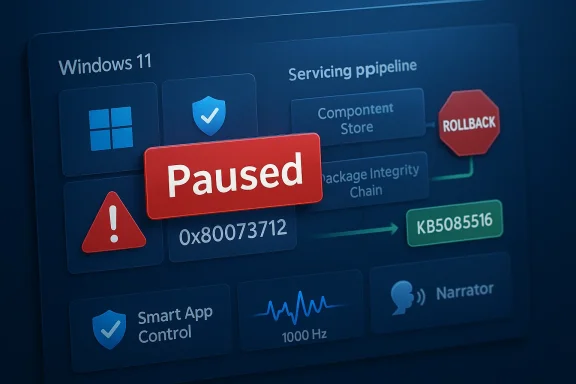
The clearest practical effect of the halt is that users checking Windows Update are no longer being offered KB5079391 in the normal way. Instead, the reporting indicates Windows 11 is now surfacing KB5085516, the out-of-band fix Microsoft released to address Microsoft Account-related issues in Windows apps. That is a strong sign that Microsoft has removed the preview release from broad delivery while it sorts out the servicing problem behind the scenes.
That kind of pause is not unusual in principle, but it does carry a specific implication. Microsoft usually wants preview updates to act as the final validation step before non-security improvements are merged into the more widely deployed monthly release. When a preview is pulled back, it means the company would rather delay feature improvements than risk shipping a package that can fail installation on enough systems to become a support liability. That is the right move operationally, even if it frustrates users who were expecting the new features.

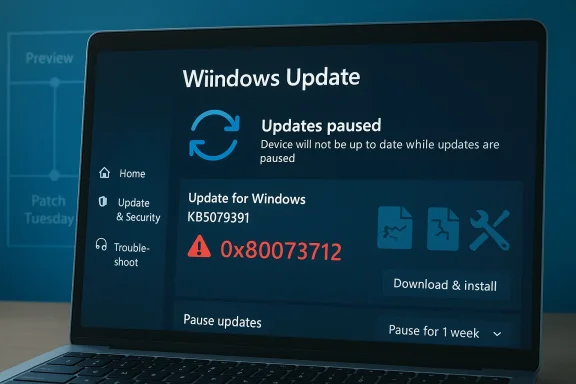
Laptop screen shows Windows Update paused with error 0x80073712 for update KB5079391.Why a pause is more serious than a normal bug​

A bug in a preview build is one thing. A bug that forces Microsoft to stop rollout is another. The distinction is important because it suggests the issue was not limited to an edge case or to a narrow hardware configuration, but was serious enough to trip Microsoft’s internal release threshold. In practical terms, that usually means telemetry, support signals, or install failure rates were pointing in the wrong direction.
For Windows users, that is a mixed blessing. On the one hand, stopping distribution prevents more machines from being affected. On the other hand, it also means the update was bad enough that Microsoft could not simply let the rollout continue and promise to clean up later. That is a reminder that even preview updates are not harmless experiments; on Windows, they are part of the production servicing chain.
  • The update was paused after installation errors surfaced.
  • Microsoft has not yet said which systems are most affected.
  • Error 0x80073712 is associated with missing or damaged update files.
  • The pause appears to affect the broad rollout, not a tiny test group.
  • Microsoft has not publicly given a return date for the update.

The Error Code Matters​

Error 0x80073712 is not random noise. Microsoft’s own troubleshooting material says the code usually means a file needed by Windows Update is damaged or missing, and it suggests running DISM or the Windows Update Troubleshooter as a first-line repair. In other words, the code points to corruption or incomplete servicing state, not just a flaky network connection or a temporary server problem.
That matters because it narrows the likely failure modes. If users are seeing 0x80073712 during an otherwise routine install, the underlying issue could be in the component store, the update cache, or the package itself. Microsoft has not disclosed which of those is responsible for KB5079391, but the fact that the company paused rollout suggests the failure was not limited to a few obviously broken endpoints.

What 0x80073712 usually signals​

Microsoft’s guidance is consistent across languages and support pages: 0x80073712 usually means a required update file is missing or damaged. The recommended response is to repair system files, clear damaged update state, and retry the install. That is a good clue that the bug may involve servicing integrity rather than an issue confined to a single feature in the preview update.
For home users, this often looks like “Windows Update just won’t finish.” For admins, it looks worse, because repeated install failures can break rollout rings, stall image refresh cycles, and create false confidence that a package has deployed successfully when it has not. That is why installation error codes often become enterprise incidents long before they become consumer headlines. (support.microsoft.com)
  • 0x80073712 usually points to missing or damaged servicing files.
  • DISM repair is Microsoft’s default first-step remediation.
  • Rebooting alone is often not enough if the component store is affected.
  • Repeated failures can distort update compliance reports.
  • The code is often a sign of deeper update-state corruption.

What KB5079391 Was Supposed to Bring​

The preview update itself was not trivial. Reporting around the release said KB5079391 included Narrator improvements, a change to Smart App Control so it no longer requires reinstalling Windows to re-enable itself, and display-related enhancements for very high refresh-rate monitors, including support for 1000Hz-plus panels. Those kinds of quality-of-life changes do not usually dominate headlines, but they are exactly the kind of refinements that make a monthly preview worth shipping.
That is why the rollback stings. Users who ibility improvements or smoother multi-display behavior now have to wait while Microsoft resolves a servicing issue. The irony is hard to miss: a release meant to improve reliability is itself being held back because reliability is in question. That is not unusual in Windows land, but it is never a good look.

Why these features matter​

Narrator changes matter because accessibility is not a side feature anymore; it is a core part of Windows usability. Smart App Control matters because many users have long complained about the friction involved in re-enabling it after turning it off. Display support matters because high-refresh monitors are moving from enthusiast gear into mainstream productivity setups. Taken together, these updates point to Microsoft trying to modernize Windows in places that real people actually notice.
That makes the installation failure more frustrating than a simple cosmetic bug would be. If a patch only added an obscure admin setting, it would be easier to ignore. But when the package contains accessibility, security, and display polish, the delay becomes a reminder that servicing quality can block user-facing progress just as much as design decisions can.
  • Accessibility fixes affect a broad range of users.
  • Smart App Control changes reduce friction for security-conscious users.
  • High-refresh display improvements target newer PC hardware.
  • Preview updates often seed the next mandatory monthly build.
  • A failed preview can delay features that were close to mainstream release.

Why Microsoft Pulled the Plug Now​

The timing suggests Microsoft acted quickly once the install issue became visible. That is consistent with how handling Windows 11 servicing this year: if a bug shows signs of broad impact, Microsoft increasingly prefers to pause, patch, and re-release rather than let a flawed package keep spreading. The company’s own recent support documentation for Windows 11 24H2 and 25H2 shows how heavily it relies on release health monitoring to manage such decisions.
There is also a strong practical reason to stop rollout of a preview update rather than wait for Patch Tuesday. Preview builds are not mandatory, but they are supposed to be stable enough to validate the next month’s cumulative changes. If the preview cannot be installed cleanly, then Microsoft loses an important testing signal before the update family becomes compulsory. That makes a pause far more than a public-relations move; it is a servicing-control decision.

The Patch Tuesday pressure​

Microsoft over two weeks before the April 2026 Patch Tuesday window, which means the company has a narrow window to decide whether KB5079391 can be repaired and reintroduced. If it cannot, then the fixes and features it carried may need to wait for the next servicing train. That kind of delay is not catastrophic, but it does complicate Microsoft’s promise that Windows 11 updates will become more predictable and reliable.
There is a broader strategic issue here too. Microsoft has publicly talked about improving Windows Update reliability and even allowing indefinite pauses, which suggests it knows trust in the update process is an unresolved problem. A pullback like this reinforces the sense that Microsoft is still in the middle of that credibility repair. The company can promise better updates to prove it in the field.
  • Microsoft has a short window to fix and reissue the update.
  • Preview updates feed the mandatory monthly cycle.
  • Release health monitoring appears to guide the pause decision.
  • Reliability promises are only as strong as the next rollout.
  • Delays can compound if preview fixes miss the monthly cutoff.

Consumer Impact​

For consumers, the immediate consequence is simple: the new features stay on hold, and the update menu becomes less cluttered. That sounds benign, but it also means ordinary users are now relying on Microsoft to clean up a servicing issue they never asked for in the first place. For most people, update reliability is invisible right up until it breaks, and then it becomes the only thing that matters.
The consumer experience is especially sensitive because Windows 11 has increasingly tied everyday tasks to cloud identity, app syncing, and update-driven feature changes. When a quality update goes wrong, users do not just lose a convenience feature; they can lose confidence that the next automatic install will be safe. That erosion of trust is difficult to measure, but it is very real.

What home users should infer​

Home users should not panic over the pause itself. A removed preview is usually a sign that Microsoft would rather fix the problem than let it spread. Still, users who were eager to get the latest accessibility or display improvements should understand that the delay reflects a real installation issue, not a routine staggered release.
If the update eventually returns, it will likely do so with a revised servicing approach or after Microsoft confirms the failure pattern has been cleared. That means the best consumer posture is patience, not manual force-install attempts. Chasing a preview package that Microsoft has already paused is usually not worth the trouble.
  • Home users lose access to the latest preview improvements for now.
  • The pause reduces the chance of more failed installs.
  • Manual workarounds can be riskier than waiting.
  • Feature previews often return in a corrected package.
  • Trust in Windows Update matters as much as the features themselves.

Enterprise Impact​

Enterprises will care about this differently. A preview pause is not just a missed feature window; it is a warning signal for patch-ring governance, image validation, and compliance reporting. If KB5079391 was failing broadly enough to trigger a rollout stop, IT teams will want to know whether their own update automation already touched affected systems and whether any repair actions are required.
The enterprise angle is also important because Windows 11 now sits inside a much wider operational ecosystem. Update problems can cascade into image rebuild schedules, application compatibility testing, help-desk volume, and device baselines. A pause at the servicing layer can therefore disrupt work that has nothing to do with the visible features in the update notes.

Why admins will notice first​

Admins are the people who see these failures at scale. Even if only a fraction of endpoints are affected, that fraction can become enough to force a policy change. Microsoft’s own guidance around Windows Update errors emphasizes repair tools, troubleshooting steps, and careful checking of update history, which is exactly the sort of discipline enterprise teams need when a release misbehaves. (support.microsoft.com)
A paused preview also complicates ringed deployment. If one pilot group got the update before the rollback and another did not, the organization can wind up with mixed servicing states that make troubleshooting messy. That is why a seemingly modest update failure often becomes a process problem, not just a technical one.
  • Mixed baselines can make troubleshooting harder.
  • Pilot rings may already contain partially updated systems.
  • Compliance dashboards may show inconsistent states.
  • Image refresh cycles can be delayed by a bad preview.
  • Help desks often absorb the first wave of confusion.

Microsoft’s Update Strategy Under Pressure​

This incident also says something about Microsoft’s broader update strategy. The company has spent the past year talking about reliability, staged rollout, and faster remediation, but every pause reminds users that Windows Update is still a high-stakes system with real failure modes. Even a non-security update can become a news event if it causes enough installation trouble.
That pressure is not unique to Microsoft, but it is more visible here because Windows is so widely deployed and so tightly coupled to both consumer and enterprise expectations. Microsoft has to satisfy casual users who want nothing to go wrong, power users who want control, and administrators who want predictable servicing. Those goals do not always align, and rollout pauses are what those tensions look like in practice.

Reliability versus velocity​

Microsoft wants velocity because the platform is now moving too quickly for old servicing assumptions. But it also wants reliability because one bad update can undo months of trust-building. That is the central tension in modern Windows maintenance: the faster Microsoft moves, the more visible its mistakes become. Speed without confidence is just faster disappointment.
The company’s recent willingness to ship out-of-band fixes shows it understands the problem. Yet every emergency patch also underlines how much of Windows now depends on quick reaction rather than perfect first-pass quality. That is efficient in the short term, but it raises expectations that every monthly update will now be judged like a production release in a cloud service. ([support.//support.microsoft.com/en-us/topic/march-16-2026-hotpatch-kb5084897-os-builds-26200-7984-and-26100-7984-out-of-band-74c779d7-e666-49a2-a809-1cbb31a79e7f)
  • Faster servicing raises the stakes for quality control.
  • Rollback capability is now part of Microsoft’s public reputation.
  • Release health transparency matters more than ever.
  • Out-of-band fixes are becoming standard rather than exceptional.
  • Users now expect cloud-like reliability from a local OS.

Strengths and Opportunities​

The silver lining is that Microsoft appears to have caught the problem before it became a wider mess. Pausing a rollout is not glamorous, but it is exactly what a mature servicing organization should do when update failures start to look systemic. It also gives Microsoft a chance to improve the package rather than letting the flaw infect the next mandatory build.
  • Microsoft acted before the bug became entrenched.
  • The pause likely reduced the number of affected devices.
  • The company still has time to fold fixes into April servicing.
  • Update health telemetry can help narrow the root cause.
  • Users may ultimately receive a more stable package.
  • The incident reinforces the value of release-health monitoring.
  • Microsoft can use the pause to improve internal validation.

Risks and Concerns​

The obvious risk is trust erosion. Users remember when an update fails, even if the fix arrives later, and repeated servicing incidents can make people more reluctant to install optional releases at all. That reluctance can backfire, because preview updates are meant to de-risk the next month’s mandatory patch.
  • Trust in Windows Update can suffer after a public rollback.
  • Optional updates may see lower adoption if users become cautious.
  • Enterprise teams may extend pilot cycles, slowing adoption further.
  • Mixed system states can create harder support cases.
  • Microsoft may have to compensate with more emergency servicing.
  • A delayed preview can compress the next release schedule.
  • Repeated issues can make Windows feel less predictable.

Looking Ahead​

The next few weeks will tell us whether KB5079391 returns as a corrected preview or gets folded into a later cumulative update. If Microsoft can fix the install path cleanly and communicate the resolution clearly, the damage may be limited to a brief delay and a few annoyed early adopters. If not, the update will become another data point in the case against Windows Update’s reliability.
What matters most now is whether Microsoft treats this as a one-off servicing defect or a symptom of a broader quality problem in the Windows 11 update pipeline. The company has already said it wants to improve update reliability and make Windows Update less disruptive, which means the credibility test is ongoing. Users and administrators will be watching not just for a fix, but for evidence that the fix was delivered with less friction than the bug.
  • Whether KB5079391 returns before the April 2026 Patch Tuesday cycle.
  • Whether Microsoft identifies a specific cause for 0x80073712 in this case.
  • Whether the fix is reissued as a revised preview or a later cumulative build.
  • Whether Windows Update reliability visibly improves in coming releases.
  • Whether enterprise admins see better consistency across rollout rings.
Microsoft can afford to miss one preview release, but it cannot afford to keep teaching users that every optional update is a gamble. The real story here is not that a Windows 11 feature update stumbled; it is that the update process itself is still the product. When that process fails, even briefly, it exposes the fragile bargain at the center of modern Windows: constant improvement, delivered continuously, with just enough stability to keep people from turning updates off entirely.

Source: Neowin Microsoft stops rollout of the latest Windows 11 feature update due to installation errors
 

Microsoft has quietly hit the brakes on a Windows 11 rollout that was supposed to do the opposite: make the platform feel a little more polished, a little more capable, and a little less clunky. Instead, KB5079391 has become another reminder that Windows servicing is now as much about trust as it is about features, with reports of error 0x80073712 forcing Microsoft to pause distribution and redirect users toward an out-of-band replacement, KB5085516. The immediate problem is technical, but the larger story is familiar: when an update cannot install cleanly, the damage spreads far beyond the bug itself. Windows users remember update failures, and enterprises remember them even longer. 0e it was not just a routine housekeeping patch. Coverage in the WindowsForum files shows it as a March 2026 non-security update for Windows 11 versions 24H2 and 25H2, with changes that included Narrator improvements, Smart App Control refinements, and display support for extremely high refresh-rate monitors, including panels beyond 1000 Hz. Those are the kinds of changes that do not usually grab headlines, but they do show how Microsoft is trying to make Windows 11 feel more modern in the places users actually notice.
That is exactly why the rollback mattersafer, optional place where Microsoft validates what will later flow into the mandatory servicing track. When a preview package develops a broad install problem, the issue is not confined to early adopters; it becomes a warning about the quality of the servicing pipeline itself. In practical terms, Microsoft is not just pulling one update. It is protecting the credibility of the next one.
The error code at the center of the problem, 0x80073712, is not random Windowoas repeatedly associated that code with missing or damaged servicing files, which makes it a strong signal that the fault sits somewhere in the update chain, component store, or package integrity path rather than in a normal user-facing feature toggle. That distinction matters because it changes the diagnosis from “one bad patch” to “a servicing problem that can spread across installations.”
WindowsForum’s recent coverage also shows that Microsoft has been busy with multiple March 2026 update threads across 24H2 eparate fixes for WUSA network-share installation failures and other servicing issues. In other words, KB5079391 arrived during a month when Microsoft was already trying to tidy up a busy update surface. The pause suggests that, at least for this package, the company decided the risk of leaving it live was higher than the inconvenience of temporarily withholding it.

A digital visualization related to the article topic.Overview​

The most important thing to understand is that this incident is not just about one broken download. It is about Microsoft’s willingness to interrupt its oe or install failure rates cross a threshold that looks unacceptable. That may frustrate users waiting for the latest improvements, but it is also a sign that Microsoft is treating release health more seriously than it once did.
For consumer users, the immediate effect is fairly simple: KB5079391 is no longer being broadly offered through Windows Update, and KB5085516 is now being surfaced instead. For Microsoft, that means the companb-related fix path while it works out whatever is behind the installation failure. For everyone else, the update pause is a reminder that optional patches are no longer harmless extras; they are part of the production lifecycle.

Why the pause is significant​

A paused rollout is more serious than a normal bug report because it suggests Microsoft saw a pattern, not an isolated complaint. That usually means the company concluded the problem was large enough to affect more thrll path. It also means the risk was big enough to warrant stopping distribution rather than simply warning users to proceed with caution.
The broader significance is that Microsoft now operates Windows Update like a cloud service with live rollback logic. That can be a good thing, because it limits damage. But it also raises expectations: if Microsoft can pause a release, users will expect it to do so quickly and explain clearlympany leans into staged rollout and release health, the more each visible failure becomes a test of credibility.

What 0x80073712 usually means​

Microsoft’s guidance around 0x80073712 has been consistent across support communities: the code usually points to a corrupt, incomplete, or missing component needed by Windows Update. That is why Microsoft advice in related cases often starts with DISM, system file checksinstalls. The error is less about a flaky network and more about servicing integrity.
That makes the KB5079391 issue particularly awkward. If the update package itself is what trips the failure, the problem is not just inside the operating system image already on the PC. It may be in the way the package is staged, validated, or installed across enough machines that Microsoft had to pull the update entirely. That is a much tougher category of problem than a single misbehaving feature.

What KB5079391 Was Meant to Deliver​

The appeal of KB5079391 was that it targeted practical annoyances rather than theoretical platform polish. WindowsForum’s reporting says the package included fixes for WUSA network-share .msu installations, improvements to Narrator, refinements to Smart App Control, and display enhancements for ultra-high-refresh monitors. Thosas feel more complete, especially for power users and anyone living with the OS every day.
That matters because optional updates are increasingly where Microsoft tries out the changes users actually feel. Accessibility upgrades help more people use the system comfortably. Smart App Control changes reduce friction for security-conscious users. Display and shell refinements help Windows compete with itself, not just with rival desktops.

Accessibility and everyday usability​

Narrator improvements are not a ern in which accessibility is treated as a baseline requirement rather than a niche add-on. When updates in this class work, they expand what Windows can do for more users without forcing a separate feature cycle.
That is why a blocked rollout stings. Accessibility work often lands in the same bucket as “quality-of-life” fixes, but its impact is el suggests. If Microsoft is serious about a more inclusive Windows, then these are not optional luxuries; they are core platform work that should ship reliably.

Smart App Control and system trust​

The Smart App Control change is one of the more interesting pieces because it points to Microsoft trying to reduce friction in at users often disable and then hesitate to re-enable. In that sense, the update was nudging Windows toward a more forgiving security model, where a user does not have to perform a reinstall just to restore a protection setting. That is a meaningful usability improvement.
It also reflects Microsoft’s broader strategyave to be tolerable before they become widely adopted. If the enable-disable-re-enable loop feels punitive, users will avoid the feature altogether. Making the control easier to manage is a small change with outsized strategic value.

Why Microsoft Pulled the Plug​

Microsoft’s decision to stop the rollout appears to have been driven by the scale and consistency of the failure reports rather than by a single dramatic outage. In the world of Windows servicitelemetry from the field showed too many installs failing to justify keeping the package live. It is the kind of decision that is invisible when it works and embarrassing when it does not happen fast enough.
There is also a clear operational logic to the pause. Preview updates are designed to validg wave, not to create new support problems. If Microsoft had let the rollout continue, it could have contaminated the data used to judge the health of the next cumulative update, making the problem more expensive to unwind later.

The servicing-chain problem​

Windows Update is no longer just a download service. It is a chain of decisions, from offer selection to package staging to component-store updates to reboot orchestration. A failure in any parkk broken, even if the visible symptom is just an install code. That is why a code like 0x80073712 can trigger a broad rollback instead of a simple patch note.
This is also why Microsoft’s communications matter so much. A quiet pause can look like an admission that the company does not fully understand the fault. A clear explanation, by contstration into patience. When Microsoft does not explain the root cause, users fill in the blanks themselves, and those blanks usually skew negative.

Timing relative to Patch Tuesday​

The calendar makes the decision even more interesting. KB5079391 was close enough to the next Patch Tuesday cycle that Microsoft had only a narrow window to repair and reissue it. That leaves the company with a straightforward but difficult nch quickly, or fold the changes into a later servicing train and accept the delay.
For users, the consequence is that the preview’s features may be deferred even if they were already close to release. For Microsoft, the pressure is reputational as much as technical. A broken preview on the eve of the next monthly cycle raises the question of whethern process is keeping pace with the platform’s complexity.

KB5085516 as the Replacement Path​

Microsoft’s move to surface KB5085516 in place of KB5079391 signals a familiar pattern: when one package goes bad, the company tries to route affected users into a safer servicing lane. That does not mean the old problems vanish; it means Microsoft is trying to keep the platform movitf-band label is important because it usually implies urgency. Out-of-band updates are the kind Microsoft uses when it needs to fix a particular issue without waiting for the regular monthly rhythm. In this case, the focus appears to be Microsoft account-related problems rather than the broader feature set that made KB5079391 notable in the first placement updates say about Windows servicing
Replacement updates are a confession of sorts. They tell users that Microsoft would rather alter the servicing path than leave a problematic package in circulation. That is good operational behavior, but it also tells us how fragile the monthly update stack can be when a defect leaks from preview to broad distribs that Microsoft can often redirect users without asking them to understand the underlying root cause. The downside is that the update experience starts to feel less like a stable maintenance schedule and more like an emergency response system. That is not inherently bad, but it does make the operating system feel more cloud-like and less predictable.

The acyoft is emphasizing account-related issues in the replacement update is revealing. Windows 11 increasingly depends on Microsoft identity for syncing, activation-adjacent workflows, OneDrive integration, and cross-app continuity. If there is a bug in that layer, it affects more than a single app window; it affects the whole productivity stack.​

That is why Microsoft would want to fix from the rest of the package. It is a tactical way to reduce blast radius while the team investigates whether KB5079391’s install issue and the account bug share any common servicing roots. Even if they do not, grouping them too aggressively would only make the rollout more fragile.

Consumer Impact​

For home users, the pause is mostly a waiting game. The to accessibility, display behavior, and general polish are delayed, while the update menu becomes less confusing because the broken package is no longer being pushed. That is frustrating, but it is also a relief for anyone who has ever watched Windows Update loop through failures and made a simple task feel like a diagnosis session.
The deeper consumer issue is trust. Most users do not care whsed by component-store corruption, a package validation defect, or an installer bug. They care that a routine update no longer behaves routinely. Once that happens, the operating system’s background maintenance starts to feel intrusive rather than helpful.

Why ordinary users notice these failures​

Windows updates are supposed to disappear W becomes visible in the worst possible way: it interrupts the user, consumes time, and often offers a code that means nothing to a normal person. That is where the support experience matters as much as the engineering.
The problem is not just the failure itself, but the effort required to interpret it. If a user sees 0x80073712, they are unlikely to know whether to reboot, repair files, or wait for Microsoft to re-release the upd reliability has become such a sensitive subject among Windows enthusiasts.

Consumer-grade patience is finite​

There is also an emotional cost. Consumers are more forgiving of a one-off delay than of repeated servicing drama, but their tolerance drops quickly when the system starts to feel unstable. A few incidents like this do not br do chip away at the feeling that updates are safe by default.
That erosion matters because many users now see Windows updates as the gatekeeper for everything from app compatibility to security features. If the update process itself looks unreliable, the entire OS starts to feel more fragile, even if the underlying desktop experience is unchanged.

Enterprise Impact​

Enterprise teams will read this incident differently. They are less concerned about missing a display tweak and more concerned that a preview update failed in a way that could distort rollout rings, compliance dashboards, and pilot validation. In a managed environment, a broken optional update can become a planning problem, not just is especially true because enterprises often use preview channels to estimate risk for the next mandatory patch. If the preview is unstable, admins get less trustworthy data about what the next cumulative update will do. That means more caution, more delayed deployment, and more pressure on IT teams to justify why a rollout should proceed at all. managed environments
When update failures occur in business fleets, the visible issue is often not “this one PC didn’t update.” It is a pattern of mixed baselines that makes support more difficult. Some devices may have partially staged changes, some may have failed silently, and some mayxt ring. That kind of inconsistency is poison for endpoint management.
For admins, the pain point is that a failure code can hide a systemic servicing weakness until it is too late. A package that seems fine in test may fall apart in wider deployment, especially if the issue only appears under specific conditions such as network-share installs or particular component-ses the case for disciplined pilot rings even stronger.

Why the 24H2 and 25H2 branches matter​

The fact that this problem spans Windows 11 24H2 and 25H2 is important. It tells us the issue is not confined to an obscure legacy branch or a single insider track. Microsoft is dealing with current servicing lines that matter to both consumer and entow.
That also means IT teams cannot dismiss it as a niche preview hiccup. If a package on active branches can be pulled because of install failures, organizations have to assume that next month’s update path may need more validation than usual. That is exactly the sort of signal that makes admins extend pilot cycles and delay broader deployment.

Strengths and Opportunities​

The good news is t to have moved quickly once the failure pattern became clear, which likely limited the number of affected devices. It also preserved the option to correct the package before the next mandatory servicing wave. In that sense, the pause was a failure of the update, not a failure of response.
  • Microsoft acted before the bug could spread further.
  • *Release-health telemetiThe pause gives the company time to rebuild the package cleanly.**
  • Users avoid a larger wave of failed installations.
  • Enterprises get a clearer signal to slow down rollout.
  • The replacement path via KB5085516 suggests Microsoft is still servicing the issue.
  • **The episode may produce a more robust update
    s
The obvious downside is trust erosion. Every public rollback teaches users that even optional updates can be brittle, and repeated incidents make people more reluctant to install future releases. That reluctance can become self-reinforcing when preview updates are supposed to act as the test bed for the next patch cycle.
  • Trust in Windohit.
  • Optional updates may see lower adoption after visible failures.
  • IT departments may extend pilot testing and slow deployment.
  • Mixed update states can make troubleshooting harder.
  • A delayed preview can compress Microsoft’s next release window.
  • If root cause communication stays vague, speculation fills the gap.
  • Repeated serm predictable.
The more subtle concern is that Microsoft may be normalizing emergency behavior. Out-of-band updates are useful, but if they become too common, they can make the main update cadence feel like a sequence of corrections rather than a dependable service rhythm. That is not where Microsoft wants the Windows brand to land.

What to Watch Next​

The next few weeks will show whether KB5079391 returns as a repaired preview or gets absorbed into a later cumulative update. Much will depend on whether Microsoft can isolate the install failure quickly and whether the company decides the release is still worth preserving as a discrete package. If the problem turns out to be deeper than a simple servicing regression, the features may wait for the next train.
The other thing to watch is communication. Mi to publish every internal detail, but users do need to know whether the failure sits in the component store, the package metadata, or some interaction between the installer and a subset of devices. The more specific the guidance, the faster support teams can stop treating every 0x80073712 case as a mystery.

Key signals to monitor​

  • Whether Microsoft relists KB5079391 after a fix.
  • Whether KB5085516 remains the preferred replacement path.
  • Whether the same install error appears on 24H2 and 25H2 broadly.
  • Whether Microsoft updates the release-health entry with a clearer root cause.
  • Whether enterprises delay adoption of the next optional update.
  • Whether similar servicing issues appear in adjacent March 2026 packages.
What matters most is not whether Microsoft empany can keep proving that Windows servicing is becoming more reliable over time. If KB5079391 is re-released cleanly, the episode will fade into the archive of update hiccups that happen to every major platform. If it is not, then it becomes another exhibit in the case that Windows Update still has a credibility problem.
The broader lesson is that Windows 11 is now judged less like a static operating system and more like a living b, faster feature delivery, and the ability to pull a bad package before it does wider harm. But it also raises the stakes on every release, because each failure is public, measurable, and remembered. Microsoft can afford to pause an update; what it cannot afford is for users to conclude that every new patch is a gamble.

Source: Windows Report https://windowsreport.com/windows-1...80073712-installation-error-disrupts-rollout/
 

Microsoft’s decision to pull the Windows 11 KB5079391 preview update is a reminder that servicing quality still matters more than ambitious roadmaps. The optional March 2026 release reportedly triggered install failures and an error loop on some systems running Windows 11 24H2 and 25H2, with Microsoft temporarily limiting availability while it investigates the root cause. That kind of rollback is unusual, and it lands at exactly the wrong moment for a company trying to convince users that Windows Update is becoming less frustrating, not more. Microsoft’s own support guidance still frames Windows Update as something you can pause, schedule, and manage, but the company’s recent behavior shows how fragile trust can be when a bad package slips through.

A digital visualization related to the article topic.Background​

Windows Update has always lived under a peculiar tension. On one hand, it is the delivery system for security fixes, quality improvements, and the occasional new feature; on the other, it is the place where many users first encounter the cost of imperfect engineering. The KB5079391 incident fits squarely into that long-running story, because preview updates are meant to be low-risk, optional servicing releases that help Microsoft validate fixes before a broader rollout. When even that layer falters, the problem is not just one update but the confidence behind the entire servicing pipeline.
Windows 11’s current servicing model has been especially complex because Microsoft is supporting multiple active branches at once, including 24H2 and 25H2. Those releases often share a common foundation while still moving through different deployment and validation phases, which makes update stability even more important. Microsoft’s own Insider communications repeatedly describe release waves in terms of gradual rollout and normal rollout, underscoring how carefully staged modern Windows servicing is supposed to be. In practice, that also means a defect can spread through a release train quickly if it is not caught early.
The error cited in this case, 0x80073712, is particularly telling because it points to missing or damaged assembly components, not a simple download hiccup. Microsoft’s language around the issue says some update files are missing or problematic, and that the update rollout was paused to prevent additional impact while the issue is investigated. That is the kind of phrasing you expect when the servicing stack itself is intact, but the payload or its dependency chain is not. It also explains why this problem can produce a loop: the system keeps trying, keeps failing, and keeps returning to the same blocked state.
The timing makes the story more interesting. Microsoft has publicly emphasized improvements to Windows in 2026, including usability work, faster core experiences, and more control over update behavior. At the same time, the company is still dealing with the reality that even a preview patch can knock some PCs into an error state. That tension is not new, but it is becoming more visible because Windows 11 is increasingly marketed as a platform that should feel modern, predictable, and responsive. A broken optional update cuts directly against that message.

What Happened With KB5079391​

The core story is straightforward: Microsoft temporarily pulled KB5079391, an optional preview update for Windows 11, after some users encountered install failures and error loops. The update was briefly offered on March 26, 2026, then became unavailable again while Microsoft investigated reports of installation problems. Microsoft has said the update’s rollout is limited for now, and that it may not be offered again until the underlying issue is understood.

The error code matters​

The most visible failure mode appears to be 0x80073712, a code associated with missing assembly files in the WinSxS component store. That detail matters because it suggests the failure is not merely cosmetic; it affects the servicing framework Windows uses to assemble and maintain system components. In plain English, Windows was trying to apply the update, but something essential in the component chain was absent or malformed.
Microsoft’s own wording is unusually blunt for a preview release: “Rollout of this update is temporarily paused due to installation error 0x80073712.” It also warns that some devices may see a message indicating that update files are missing or corrupted, and that Windows will retry later. Those are the kinds of messages users often associate with cumulative updates, but seeing them in an optional preview build is a reminder that preview status does not guarantee preview-grade isolation from real-world frustration.

Why a temporary pull is notable​

Microsoft does not usually yank Windows updates unless the problem is significant enough to justify breaking normal availability. That is why the temporary pause is newsworthy even beyond the specific defect. It suggests the issue was serious enough to outweigh the inconvenience of limiting a release that had already started to reach users.
A pulled preview update also creates a practical split between transparency and trust. On one hand, Microsoft is admitting the problem and stopping the bleed. On the other hand, users who were counting on the update, or who were already stuck in the install loop, are left waiting for a fix with little detail about what went wrong. That is a familiar pattern in Windows servicing, but it never feels good on the receiving end.
  • The update was optional, not mandatory.
  • The rollout appears to have been brief.
  • Microsoft limited availability after the defect surfaced.
  • The company has not yet shared a technical root-cause explanation.
  • Affected devices may repeatedly fail during installation.

Why Preview Updates Still Break Trust​

Preview updates are supposed to absorb risk before a fix reaches everyone, yet they are also the updates enthusiasts often install first because they want new features early. That creates a tricky expectation gap: users understand they are testing the bleeding edge, but they still expect the release to be stable enough to install. When a preview patch fails to install at all, it undercuts the point of preview distribution.

Optional does not mean harmless​

This distinction is important. An optional update may not be required for security compliance, but it can still alter system state, update components, or prepare the device for future servicing. That means a bad preview can have outsized consequences even if it is never marked as critical. In enterprise environments, optional updates are often treated cautiously for exactly this reason.
For consumers, the pain is different. A home user usually wants one thing: click install, walk away, come back to a working PC. When that turns into a loop of failures and retries, the promise of Windows as an automatic platform begins to feel like a burden. The issue is not just the error code, but the loss of control that comes with it.

The servicing stack is part of the product​

A lot of users think of an update as a single file or single patch, but Windows servicing is a layered system involving component manifests, dependency checks, the update engine, and the component store. If one of those layers is inconsistent, the update can fail in ways that are difficult to diagnose without deeper logs. The WinSxS mention is a clue that this was likely a component-assembly problem rather than a simple network issue.
That matters because servicing reliability is not a side feature. It is the mechanism by which every other improvement gets delivered. If Microsoft wants users to accept more frequent refinements, faster feature drops, and more ambitious Windows evolution, it has to make the update plumbing feel invisible. When the plumbing leaks, everything else looks less impressive.
  • Preview status should lower expectations, but not destroy them.
  • Optional updates still influence system reliability.
  • Component-store failures are harder for users to recover from.
  • Repeated failures can erode confidence in future updates.
  • Servicing quality is part of the Windows brand, not just an IT detail.

Microsoft’s 2026 Windows Messaging​

Microsoft has been publicly talking about making Windows faster, cleaner, and more predictable. That includes user-interface changes, performance work, and updates to Windows Update behavior. The company’s message is that it wants Windows to feel less intrusive and more controllable, with improvements that make the operating system easier to live with day to day.

A better update experience is part of the promise​

Microsoft has said users should get more control over the update process, including the ability to skip updates during device setup, restart or shut down without installing updates, and pause updates for longer when needed. That is a meaningful acknowledgment that update friction is one of Windows’ most visible pain points. If the company can deliver those controls without increasing support complexity, the payoff could be real.
But a promise is not a product. If the current update pipeline still produces failures severe enough to force a temporary pull, users will judge Microsoft on the lived experience, not the roadmap language. The irony is hard to miss: the company is talking about reducing annoyance while users are seeing evidence of the exact opposite.

Why the UI story and the servicing story are linked​

It is tempting to treat interface changes and update reliability as separate conversations. They are not. A faster Start menu, a more responsive File Explorer, and a more configurable taskbar are all only valuable if the platform remains trustworthy during upkeep. If Windows Update is flaky, then even the best UI improvements arrive under a cloud.
That is why preview update failures can have strategic weight. They shape how users interpret the entire platform narrative. Microsoft is trying to sell a version of Windows that feels modern and calm, but moments like this remind people of the old Windows stereotype: powerful, yes, but occasionally temperamental.
  • Microsoft is pitching a less frustrating update experience.
  • User control is being positioned as a major theme.
  • Performance and servicing are being marketed as connected goals.
  • Reliability incidents can overshadow feature improvements.
  • Trust in updates is as important as new functionality.

Consumer Impact Versus Enterprise Reality​

For consumers, the KB5079391 issue is mainly an inconvenience unless the install loop blocks a machine from moving forward normally. Most home users simply want the update to disappear, or at least stop retrying endlessly. The average person will not care whether the root cause is in the servicing stack, the component store, or the payload chain; they will care that the PC is acting stuck.

Home users feel the problem first​

Home users often have fewer tools to diagnose an update failure, so the failure reads as a general system problem rather than a specific servicing defect. That distinction matters because a bad update can shake confidence in the whole OS, not just in the updater. Once that happens, users become more hesitant about optional releases, and sometimes even cautious about security updates.
Some will simply wait. Others will retry manually, search for workarounds, or look for advice in forums. The deeper issue is that Windows’ automatic maintenance model depends on user trust, and trust is easiest to lose when the machine appears to be broken by the system that is supposed to maintain it.

Enterprises judge different metrics​

Enterprise admins look at failure rates, rollback behavior, support burden, and whether an issue can be contained through rings or deferrals. A preview update that is quickly limited by Microsoft is less likely to become a broad enterprise outage, but it still creates noise for pilots and test pools. If the defect touches 24H2 and 25H2 broadly enough, it can also complicate validation work for organizations preparing future deployment waves.
This is where the distinction between optional and mandatory updates becomes very practical. Enterprises may never deploy this preview broadly, but they still monitor it because preview behavior often foreshadows quality issues in later cumulative releases. Even when the direct blast radius is small, the reputational cost can be large.
  • Consumers see inconvenience and lost confidence.
  • Enterprises see deployment risk and validation overhead.
  • Optional updates still influence future patch planning.
  • Repeated failures can increase helpdesk pressure.
  • Even isolated defects can shape update policy.

The Error Loop Problem​

An installation error loop is worse than a one-time failure because it creates the impression that the system is trapped. Instead of simply declining to install, Windows retries or reports that it will retry later, making the user feel like progress is always just out of reach. That is why loop behavior tends to generate more frustration than a clean failure screen.

Why loops are so irritating​

A loop implies motion without resolution. The user sees activity, but not closure, and each retry carries the possibility of another failure message. In practical terms, this can waste time, complicate troubleshooting, and make the machine feel unstable even if the rest of the operating system is fine. Perception matters here almost as much as the technical defect.
A broken loop can also discourage users from trying standard repair paths. If Windows Update itself cannot complete an optional package, some users assume deeper repair actions will be equally unreliable. That may not be technically true, but it is psychologically understandable.

0x80073712 is more than a number​

The specific error code is useful because it narrows the class of problem. Microsoft’s description points to missing assembly files, and that hints at inconsistency in system components required for installation. For power users, that is a clue to look at servicing health, but for most people it simply confirms that the update mechanism failed for reasons they cannot see.
The broader lesson is that error codes still matter in Windows because they bridge user experience and engineering reality. A readable explanation can help the right people troubleshoot, but it can also expose the awkward fact that the platform occasionally trips over its own maintenance layers.
  • Error loops amplify frustration.
  • Retry behavior can feel like false progress.
  • Code 0x80073712 points to servicing inconsistency.
  • Missing assemblies are not a casual bug.
  • Simple user-facing messages often mask complex root causes.

Windows Update Control Is Becoming a Bigger Story​

Microsoft has been pushing the idea that Windows Update should be more manageable, less disruptive, and easier to time around real life. Support documentation already explains how to pause updates in Windows 11, and Microsoft’s more recent messaging goes further by suggesting longer pauses and more flexible restart behavior. That is a notable shift in tone from the old “just let Windows do its thing” approach.

More control, but not full control​

Microsoft still does not give users indefinite freedom to ignore updates forever, at least in the current mainstream support model. The support page for Windows 11 describes pausing updates, but also notes that once the pause time limit is reached, the latest updates must be installed. That keeps devices from drifting too far out of date, but it also means users cannot fully escape servicing pressure.
The new message appears to be that Windows should be less disruptive without becoming optional in a broad sense. That is sensible, but it only works if the update mechanism itself becomes more dependable. The moment a bad package gets pulled, the argument for more control becomes stronger, not weaker.

Why pausing matters more now​

When update reliability is inconsistent, pausing becomes a form of risk management rather than procrastination. Many users will now treat optional updates as something to hold back until they see evidence that the release is clean. That does not help Microsoft’s adoption curve, but it is a rational response to repeated servicing surprises.
The irony is that Microsoft’s own platform changes may encourage this behavior. If users are told they can pause longer, skip some update prompts, or avoid awkward restarts, they will naturally become more selective about what they install and when. Good update behavior can build goodwill, while bad update behavior can teach caution very quickly.
  • Windows Update is becoming more configurable.
  • Pausing is increasingly part of normal user strategy.
  • Longer pause windows signal a softer stance on scheduling.
  • Reliability is a prerequisite for earning flexibility.
  • Trust and control are now tightly linked.

Competitive and Market Implications​

The KB5079391 episode does not change the competitive landscape overnight, but it reinforces an old truth: Windows’ strengths and weaknesses are both highly visible because of its scale. Microsoft competes not only with rival desktop ecosystems, but with its own historical reputation for update instability. Every servicing stumble reminds users why “it just works” is such a powerful slogan in operating systems.

Scale magnifies every defect​

A bug that would be a footnote in a niche platform becomes a headline when it affects Windows 11’s mainstream update channel. Microsoft knows this, which is why limiting availability quickly is better than letting a bad update spread. Even so, the optics are hard to avoid: a company promising smoother updates is still having to pull a patch days after release.
That creates an opening, however small, for alternative computing narratives. Platforms that emphasize stability, controlled rollouts, or fewer disruptive updates gain rhetorical advantage whenever Windows has a visible servicing problem. It does not mean users will switch en masse, but it does keep the pressure on Microsoft to improve.

The upside of fast reversals​

To be fair, pulling the update is also evidence of operational maturity. It shows Microsoft is willing to halt distribution rather than insist on a flawed package. In the long run, that kind of response is healthier than pretending a bad release is fine. The real competitive test is whether such reversals become less frequent over time.
Microsoft would likely prefer users focus on feature velocity, AI integration, and productivity improvements. But for many customers, especially IT administrators, the more decisive measure is whether updates can be trusted to land cleanly. If not, every other pitch loses some of its force.
  • Scale makes Windows update failures highly visible.
  • Quick pullbacks can preserve credibility.
  • Stability is a competitive feature, not just a support metric.
  • Rival platforms benefit when Windows looks messy.
  • Microsoft must improve both perception and mechanics.

Strengths and Opportunities​

Even with this setback, Microsoft still has a real opportunity to reshape how Windows servicing works, and there are signs the company understands that. The response to KB5079391 shows the update pipeline is monitored closely, and the broader 2026 messaging suggests Windows is heading toward a more user-conscious maintenance model. If executed well, that could make update management far less adversarial than it has been in the past.
  • Microsoft acted quickly enough to limit further exposure.
  • The company acknowledged the error code and paused rollout.
  • Windows 11 is still receiving ongoing user-experience improvements.
  • More flexible update controls could reduce frustration.
  • Preview channels can still help catch defects earlier.
  • Better servicing could strengthen Windows’ long-term reputation.
  • A more predictable update story would help both consumers and IT teams.

Risks and Concerns​

The downside is that each incident like this chips away at the idea that Windows Update is becoming simpler and safer. If users see a pattern of preview failures, repair loops, or temporarily withdrawn packages, they may become more reluctant to install anything that is not strictly necessary. That hurts adoption of new features and can make Microsoft’s own rollout strategy more conservative over time.
  • Repeated update defects reduce trust in optional releases.
  • Error loops create support burden and user anger.
  • Technical root causes may remain opaque to most customers.
  • Preview issues can affect later cumulative release confidence.
  • More pause flexibility may increase update deferral.
  • Enterprises may tighten validation, slowing feature uptake.
  • Microsoft’s improvement narrative can be weakened by visible servicing misses.

What to Watch Next​

The key question now is not whether KB5079391 was pulled, but how Microsoft handles the investigation and whether the problem resurfaces in a revised package. If the company identifies a packaging defect or servicing-chain issue, it will need to prove the fix is durable and not just a temporary patch to the rollout problem. The answer will also shape how cautious users become around the next optional release.
The broader story is even bigger than one preview update. Microsoft is trying to make Windows feel more polished, faster, and easier to manage, while still relying on a servicing system that occasionally surprises users in exactly the wrong way. That tension will keep defining the Windows 11 experience until the company can make update behavior feel truly routine.
  • Watch for Microsoft to publish a revised technical explanation.
  • Monitor whether KB5079391 returns to availability later.
  • Look for related fixes in the next monthly cumulative update.
  • Pay attention to whether 24H2 and 25H2 are affected in similar ways again.
  • Track whether Microsoft’s longer-update-pause changes arrive on schedule.
  • Observe how quickly the update reliability narrative improves or slips again.
Microsoft’s best path forward is to treat servicing reliability as a first-class product feature, not a background task. If the company can pair its promised Windows 11 refinements with fewer update failures, it will have a stronger story than any single feature launch can provide. If not, each new enhancement will continue to arrive with an asterisk, and Windows users will keep asking the same uncomfortable question: can the operating system modernize without tripping over its own update machinery?

Source: Windows Latest Microsoft pulls Windows 11 KB5079391 preview after it causes install error loop on 25H2 and 24H2
 

Microsoft has quietly hit the brakes on a Windows 11 rollout that was supposed to do the opposite: make the platform feel a little more polished, a little more capable, and a little less clunky. Instead, KB5079391 has become another reminder that Windows servicing is now as much about trust as it is about features, with reports of installation failures forcing Microsoft to pause distribution and redirect users toward a fix path for the underlying update problem. The immediate issue is technical, but the broader story is strategic: when an update cannot install cleanly, the damage spreads far beyond the bug itself. Microsoft’s own March 2026 preview update for Windows 11 versions 24H2 and 25H2 was positioned as a quality release with accessibility, UI, and servicing improvements, yet the pause shows how quickly a preview can turn into a credibility test. dys been more than maintenance chores, but in 2026 they carry a different kind of weight. For consumer users, each monthly patch is a promise that the operating system will stay secure, stable, and responsive. For enterprises, the same patch is a compliance event, a compatibility gamble, and sometimes a help-desk storm rolled into one. That is why even an optional update can matter so much: optional does not mean unimportant, only that Microsoft is asking users to preview what may later become part of the mainline servicing stream.
KB5079391 arrived in that exact role. Wi of the build describes it as the March 26, 2026 preview update for Windows 11 24H2 and 25H2, with changes spanning Narrator refinements, Windows Hello improvements, Application Control for Business, and a fix for WUSA-based deployment failures. That mix matters because it shows how Microsoft now uses preview releases not just for visible polish, but also to validate servicing infrastructure and enterprise workflows. In other words, the update was doing two jobs at once: adding value for users and testing the plumbing underneath Windows Update.
The problem, according to the file search results, is that tyo serve either purpose cleanly. Microsoft reportedly paused the update after some devices hit error 0x80073712, a code Microsoft commonly associates with missing or damaged Windows Update files. That error code is especially awkward because it points to servicing integrity, not a simple feature bug; if the update chain itself is fragile, then the failure is potentially systemic rather than cosmetic.
There is also a larger context that makes the pause more notable. March 2026 has already been a noisy modicing issues, hotpatch repairs, and cumulative update follow-ups showing that Microsoft’s release pipeline is under heavy pressure. In that environment, even a preview update can become a signal about the health of the broader servicing model. Users may see one broken package; Microsoft sees a possible trend that could affect the next mandatory cumulative release if it is not contained quickly.

A digital visualization related to the article topic.Why preview updates matter so much​

Preview updates sit in a strange place in Windows’ lifecycle. They are optional, but they are not trivial,of refinements that later get folded into the mandatory Patch Tuesday package. That means a failure in a preview build is not just an isolated inconvenience; it can be an early warning sign about problems that might reappear in the enforced update track.
That is also why Microsoft’s decision to slow or pause availability is significant. A company can recover from a bug report more easily than from a pattern of installation failures. Once use optional patches are unreliable, they become slower to install future updates, and that reluctance can undermine the very security posture Microsoft wants to improve.

What Microsoft was trying to ship​

The March preview was not designed as a headline-grabbing feature drop, but it still contained meaningful changes. WindowsForum’s thread coverage points to support for dispile Explorer refinements, Smart App Control changes, and accessibility work such as Narrator improvements. Those are not flashy, but they are the kind of incremental upgrades that make an operating system feel current.
That matters because the best OS updates are usually the least visible. Users notice when they fail, not when they work. When Microsoft pauses a package like this, the company is not just backing away from one broken installer; it simprovements can return in a cleaner form.

What Happened​

The key fact is simple: Microsoft appears to have withdrawn KB5079391 from broad availability after installation issues surfaced. The file search results describe the update as “paused” and point to error 0x80073712 as the likely trigger for the rollbant with Microsoft’s usual approach to servicing defects that affect more than a narrow set of devices. That kind of pause is not common for every bug, so it usually means the telemetry was bad enough to justify action.
The timing is important too. The update started rolling out on March 26, 2026, and within a short period Microsoft had scaled it back. That speed suggests the company was reacting to a visible installation pattern rather than waiting for the issue to become more widespread. For users, that is miMicrosoft, it is an admission that the release did not meet the company’s own quality threshold.

Error 0x80073712 is not random noise​

Error 0x80073712 usually means something essential in the servicing stack is missing or corrupted. Microsoft and community reporting often interpret that as a Windows Update file integrity problem rather than a generic connectivity hiccup. That distinction matters because iepdate mechanism itself, not in a user’s Wi-Fi, VPN, or router.
For everyday users, that can be confusing. The device may appear healthy, the download may start, and the process may fail late in installation or after a reboot. That creates the worst kind of update failure: one that looks routine until it suddenly is not.

Why Microsoft chose to pause rather than push through​

A firm pause is often the safer choice s to be repeatable across systems. If an installer defect is tied to the package itself, continuing to distribute the update just increases the number of affected machines and support incidents. Microsoft’s move suggests it believed the cost of silence would bert-term frustration of withholding the patch.
That is a mature response, but it also carries risk. Every pause reinforces the perception that Windows Update is a place where users may get features, fixes, or trouble depending on the day. The challenge for Microsoft is that speed matters, but so does restraint. A broken preview that is stopped quickly is still a broken preview.

The Update’s Feature Set​

The irony is that KB5079391 wasontroversial. It was framed as a Windows 11 quality update with practical improvements, not a risky platform rewrite. The visible changes were mostly the kind Microsoft likes to highlight in preview releases: accessibility, manageability, modern UI consistency, and device support refinements. That makes the pause more frustrating, becaiming for exactly the kind of polish Windows users keep asking for.
One of the more interesting elements was display support above 1000 Hz. That is a niche requirement, but it signals how Windows is chasing the high-end gaming and enthusiast segment as panel refresh rates keep rising. Microsoft is clearly trying to make Windows 11 feel more capable on premium hardware, not just on mainstream office machines.

The practical side of “optional”​

Optional updates often get dismissed as less important becal automatically. That is only half true. They are less urgent from a security standpoint, but they are often where Microsoft validates quality-of-life improvements before folding them into the larger servicing pipeline. In that sense, they are a rehearsal stage for the next mandatory update.
That is why optional does not mean harmless. If thehe issue may influence how Microsoft ships the next cumulative update, and that affects everyone whether they asked for the change or not. Users who keep their systems updated quickly become the canaries in the coal mine.

Enterprise and consumer impact diverge​

For consumers, the issue is mostly about annoyance and trust. Few people manually install preview updates unless they are power users, enthusiastss who like to stay ahead of the curve. For those people, a failed installation is irritating but usually recoverable.
For enterprises, the picture is harsher. IT teams use optional updates selectively, but they still watch them closely because preview packages often expose servicing problems bout. A failure that affects deployment tools or update integrity can become a fleet-management headache long before end users know the patch exists.

Microsoft’s Servicing Strategy​

Microsoft’s modern servicing model depends on controlled risk. It has to deliver monthly security fixes, periodic quality enhancements, and novations without overwhelming users or breaking compatibility. That is a delicate balancing act, and KB5079391 shows how quickly the balance can wobble when an update fails in the field.
What makes this especially tricky is that Windows 11 is now being serviced in layers. There are cumulative updates, preview updates, out-of-band fixes, hotpatupdates for AI, accessibility, or deployment tooling. The more modular the servicing stack becomes, the more places there are for something to go wrong.

The role of update health signals​

Microsoft does not usually reverse course for a single complaint. It watches patterns: install failure rates, telemetry, support volume, and perhaps the volume of related reports from community ch When those signals align badly, a pause is the logical next step.
That is a sign of better operational discipline than Windows had a decade ago. Still, users do not evaluate Microsoft against a theoretical ideal; they judge it by whether the update installed or not. In that sense, the company’s improved responsiveness is helpful, ast of a bad rollup.

Why trust is the real product​

The deeper issue is not the bug itself. It is the implicit contract that updates should make things better, not harder. If enough people are burned by failed installs, the update channel itself becomes a source of hesitation, and hesitation is poisonous in a world wherity value.
That is why a pause like this matters beyond the affected package. Microsoft can reissue a revised build later, but it cannot easily unteach users the idea that preview updates are risky. Restoring confidence takes more than a patch note; it requires a sequence of clean, uneventful releases.

The Competitive indows 11 is not being judged in isolation. Every quality problem in Windows gets compared, fairly or not, with the perceived polish of competing platforms and with Microsoft’s own promises about making Windows calmer, faster, and more predictable. A failed preview update lands especially badly when Microsoft has recently emphasized imp experience.​

That makes KB5079391 more than a patching issue. It becomes part of the broader narrative about whether Microsoft can keep modernizing Windows without making the servicing experience feel brittle. If users see the update cadence as unreliable, they are more likely to delay instalupdates, or distrust future release notes.

What rivals gain when Windows stumbles​

When Windows update stories turn negative, rivals do not need to do much. macOS, ChromeOS, and managed Linux environments all benefit indirectly from the perception that they require less user intervention. That perception is not always fully deserved, but it still influences buying behavior, especially for small businesses and want fewer maintenance surprises.
Microsoft knows this, which is why update reliability has become a strategic issue rather than a purely engineering one. Every visible servicing failure gives opponents an easy talking point: the platform is powerful, but it can be unpredictable. That is not a fatal critique, but it is a costly one.

Whyll matters​

At the same time, Microsoft cannot stop pushing Windows forward just because one update stumbles. Enthusiast hardware, enterprise workflows, accessibility needs, and AI-integrated experiences all depend on incremental OS changes arriving regularly. The solution is not to slow innovation to a crawl, but to make the release pipeline much more boring.
That is a difficult standard, because boring is hard in a software millions of hardware combinations. Yet that is exactly what customers want from Windows Update: boring, invisible, and uneventful. The paradox is that the more visible Microsoft’s update process becomes, the less confident people feel about it.

What this says about Windows 11 in 2026​

Windows 11gly a platform of constant refinement. Microsoft is adding support for new device classes, enhancing built-in tools, and tweaking interface details in ways that only make sense if the underlying servicing channel keeps working. When that channel hiccups, it exposes how fragile the whole model is.
That is why the latest pause matters more than it might seem. It is not only about one March hether Windows 11 can evolve continuously without making every monthly cycle feel like a lottery.

What Users Should Take From This​

The sensible reaction is not panic, but patience. Because KB5079391 was an optional update, most users were never forced to install it in the first place. That naturally limited the impact, and can simply wait for Microsoft to reissue a corrected build or restore the rollout after the issue is resolved.
Still, the incident offers a useful reminder about update hygiene. Optional does not always mean disposable, and preview updates can still affect core servicing paths. Users who do install them early should be prepared for the occasional rollback, repair, or temnot ideal, but it is part of being on the front edge of the Windows release cycle.

What the pause means in practice​

For most people, it means KB5079391 may simply stop appearing in Windows Update for a whilethat your PC is broken; it is more likely a sign that Microsoft is limiting exposure while it investigates the install problem. In practical terms, the best response is often to do nothing until Microsoft publishes a clearer update path.
For IT teams, it means update plans may need to be revised. Preview updates often help validate deployment procedures, and a pause testing timelines or delay internal pilots. In a managed environment, that matters because staging windows are usually tight and tied to downstream release cycles.

A reminder about user behavior​

There is also a human lesson here. Many Windows users have learned to treat updates with suspicion because they remember the one that broke printing, sign-in, sleep, ch new servicing hiccup reinforces that memory. Microsoft has to fight not just current defects, but the accumulated memory of past ones.
That makes the quality bar higher than ever. The company needs not only working updates, but also a perception of predictability. If Windows Update feels safe, users stay current; if it feels risky, they delay, and delay is never a friend of security and Opportunities
Microsoft’s quick action on KB5079391 shows that the company is at least willing to interrupt a rollout when the servicing signals turn bad. That is a strength, because a controlled pause is much better than letting a flawed package spread. It also gives Microsoft room to fix the problem without tke into a broader production incident.
The update itself also reveals genuine product progress. Features like Narrator improvements, Smart App Control refinements, and broader hardware support show that Microsoft is still investing in the day-to-day usability of Windows 11. Those are the kinds of changes users notice over time, even if they do not cre.
  • Fast containment helps limit damage.
  • Optional release status reduced the number of affected devices.
  • Accessibility work remains a positive signal.
  • Enterprise servicing fixes can deliver real operational value.
  • **High-refresh forward-looking platform tuning.
  • Pause-and-repair behavior suggests more mature release governance.
  • Windows 11 preview updates still serve as useful proving grounds.

Risks and Concerns​

The biggest concern is that update reliability remains a recurring theme rather than an isolated event. Even when Microsoft handles a problem responsibly, users still experience the disruption,ng issues can erode trust over time. That is especially risky when the update in question is part of the path toward a mandatory cumulative release.
There is also the technical risk that a failure like 0x80073712 points to deeper servicing fragility. If the update mechanism itself is brittle, then future packages may be more exposed to the sam a Windows ecosystem as large and diverse as this one, that kind of fragility can spread quickly across hardware and deployment scenarios.
  • Trust erosion is the long-term cost.
  • Enterprise rollout delays can follow quickly.
  • Preview bugs can foreshadow Patch Tuesday problems.
  • Servicing-stack issues are harder to diagnose than feature bugs.
  • Consumers may become more hesitant to install updates early.
  • **Support teams mu
  • Microsoft’s broader “reliability” message gets weakened by each pause.

Looking Ahead​

The most important question is not whether Microsoft can fix KB5079391, but whether it can restore confidence in the update cadence quickly enough that users stop thinking about the pause at all. In an ideal world, the issue disappears quietly, the corrected build returns, and the stervicing footnote. In practice, Windows users tend to remember the pattern, not just the patch.
Microsoft now has a narrow but meaningful opportunity to show that its release health process works. If the company identifies the cause, reissues the update cleanly, and avoids a second stumble, the episode will fade. If not, KB5079391 will become another datat that Windows Update still asks users to accept too much uncertainty.

Signals to watch​

  • Whether KB5079391 returns to Windows Update in revised form.
  • Whether Microsoft publishes a clear root-cause explanation for 0x80073712.
  • Whether the issue appears in later cumulative builds.
  • Whether enterprise admins report the same failure across deployment rings.
  • Whether Microsoft’s next preview release ships without similar in.ord to miss one preview release, but it cannot afford to keep teaching users that every optional update is a gamble. The real test is not just whether the next build installs; it is whether it installs so uneventfully that nobody notices the recovery effort at all. That is what Windows needs in 2026: not more drama, but more proof that progress and reliability can finally coexist.

Source: PhoneWorld Microsoft Pulls Windows 11 March Update After Installation Issues - PhoneWorld
 

Back
Top