• Thread Author
Microsoft’s March 26, 2026 Safe OS Dynamic Update for Windows 11 version 26H1, tracked as KB5081151, lands at a moment when a much bigger platform transition is coming into view: the June 2026 Secure Boot certificate expiration. In practical terms, this is not just another maintenance package. It is part of Microsoft’s broader effort to keep the pre-boot trust chain alive across consumer PCs, commercial fleets, virtualized environments, and managed devices before old 2011-era certificates age out. Microsoft’s support guidance makes clear that devices lacking the newer 2023 certificates will keep booting and continue receiving normal Windows updates, but they will gradually lose access to new early-boot protections and boot-level security updates. (support.microsoft.com)

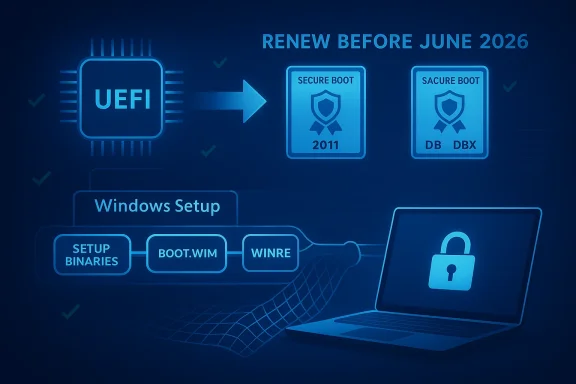
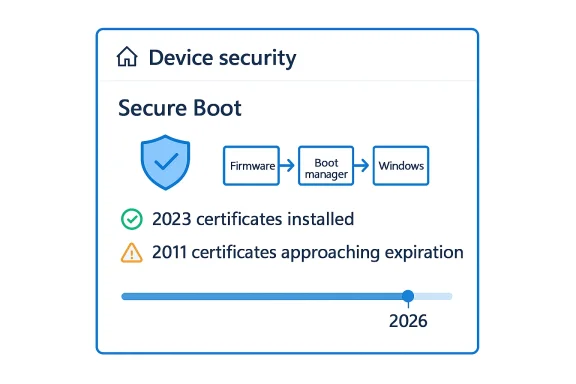
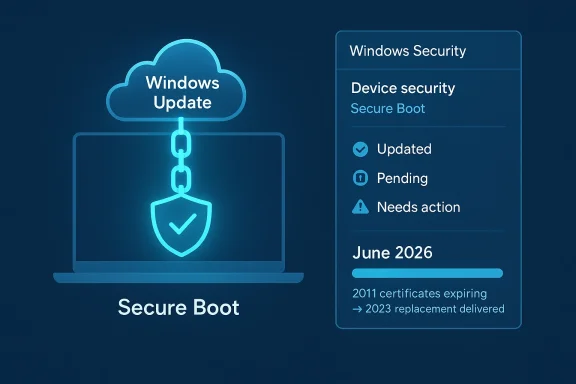
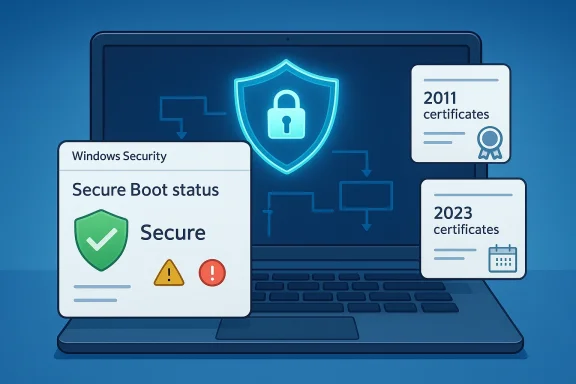
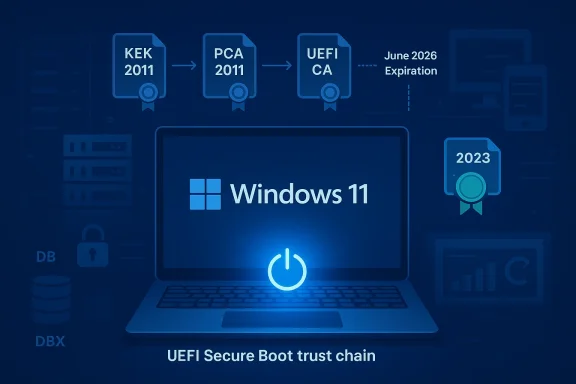
A digital visualization related to the article topic.Background​

The significance of KB5081151 is easier to understand once you look at the architecture beneath it. Secure Boot is not a Windows feature in the narrow sense; it is a UEFI trust mechanism that validates boot components before the operating system takes control. Microsoft notes that Secure Boot first arrived with Windows 8 to counter pre-boot malware, including bootkits, by verifying firmware modules, boot loaders, and applications during startup. That original design is now entering its next major lifecycle event, because the Microsoft-issued certificates that support that trust chain are approaching expiration. (support.microsoft.com)
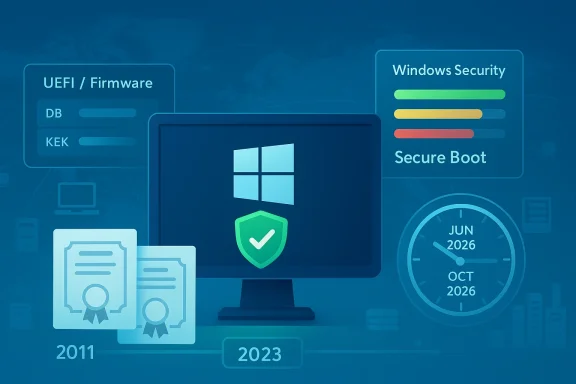
The certificates in question are the same broad family that shipped across the Windows and OEM ecosystem for more than a decade. Microsoft says the current KEK, PCA, and UEFI CA certificates were issued in 2011, and those certificates begin expiring in June 2026, with the last of them expiring by October 2026. Microsoft’s guidance is blunt: all Windows devices need to move to the newer 2023 certificates before the older ones lapse if they are to preserve the full Secure Boot update path. That is the core reason Microsoft has been seeding warnings into monthly cumulative updates and out-of-band servicing releases across Windows client and server. (support.microsoft.com)
The public messaging has also become more explicit. Microsoft’s support pages now spell out that devices without the updated certificates will continue to start normally and still install ordinary Windows updates. The catch is security depth: those machines will no longer receive future updates to the Windows Boot Manager, Secure Boot databases, revocation lists, or other mitigations for boot-level vulnerabilities. In other words, the device may remain operational while becoming progressively less resilient. That distinction matters for both home users and enterprise administrators, because the threat model is not immediate failure but reduced long-term trust. (support.microsoft.com)
Microsoft has been preparing the ecosystem for months. The same Secure Boot warning now appears in several cumulative updates across Windows Server and Windows 10/11 servicing lines, and the March 2026 Server 2022 update explicitly says quality updates now include additional “high confidence device targeting data” to increase coverage of devices eligible to automatically receive new Secure Boot certificates. That is the telltale sign of a phased rollout strategy rather than a one-shot migration. It suggests Microsoft wants the certificate transition handled like a broad security campaign, not a manual edge-case remediation. (support.microsoft.com)

What KB5081151 Represents​

KB5081151 is listed as a Safe OS Dynamic Update for Windows 11 version 26H1, dated March 26, 2026, and the title itself signals where Microsoft intends it to operate: in the recovery and setup layers rather than the everyday desktop runtime. Safe OS updates are the sort of packages that matter when Windows is being installed, repaired, reset, or serviced in a lower-level environment. That makes them especially relevant in a year when the boot trust chain itself is the story. Even without public page details beyond the title provided by Microsoft Support, the context strongly suggests this update is part of the platform preparation work surrounding the Secure Boot certificate transition. That is an inference, but it is a well-supported one given the timing and Microsoft’s repeated warnings on nearby support pages. (support.microsoft.com)
The label 26H1 is also notable. Microsoft’s Windows release rhythm has become increasingly fluid, with servicing, enablement, and feature-delivery channels overlapping more than they did in the old major-version era. In that environment, a Safe OS dynamic update can do more than polish setup code; it can ensure that future installation and recovery paths understand the evolving certificate and boot trust state. If Microsoft’s goal is to keep devices recoverable and securable through the Secure Boot transition, then the pre-install and recovery environment is exactly where you would expect the company to harden behavior first. (support.microsoft.com)

Why the timing matters​

The timing is not accidental. Microsoft has been stating for months that the June 2026 window is the point at which the oldest Secure Boot certificates begin expiring, and that systems need to be migrated to the 2023 certificate set in advance. A March 26 dynamic update gives Microsoft room to prepare the servicing stack, recovery media logic, and low-level deployment behavior before the expiration clock gets uncomfortably close. In a security transition like this, lead time is the product. (support.microsoft.com)
  • It arrives before the June 2026 expiration threshold.
  • It fits the pattern of Microsoft seeding Secure Boot warnings into routine updates.
  • It likely supports setup, recovery, or installation workflows that need to cope with newer trust material.
  • It helps reduce the risk of a last-minute scramble across managed fleets.

How Secure Boot Certificate Expiration Changes the Game​

The easiest mistake to make is to assume this is a binary “works/doesn’t work” issue. Microsoft’s own language makes clear that it is subtler than that. Systems that miss the 2023 certificate update can continue booting and can still receive standard Windows updates. What they lose is the ability to receive new security protections for the early boot process, which is where attackers have historically tried to hide because it sits below much of the normal OS defense stack. That means the device’s security posture erodes over time rather than collapsing overnight. (support.microsoft.com)
This is a particularly important distinction for enterprises. Compliance teams often think in terms of uptime, patching, and endpoint protection status, but Secure Boot lives in a deeper layer: firmware trust, revocation control, and the ability to sign and distribute protections for the boot sequence itself. Once those certificates age out, an organization may still have a healthy-looking inventory that is nonetheless strategically stale. The machine is alive, but the chain of trust is no longer receiving the newest links. (support.microsoft.com)

What expires, exactly​

Microsoft’s guidance breaks the transition into familiar certificate roles. The KEK certificate signs updates to the DB and DBX, the PCA certificate signs the Windows boot loader, and the UEFI CA certificate signs third-party boot loaders and EFI applications. Microsoft also notes that, in some cases, the renewal splits option-ROM signing from boot-loader signing into separate 2023 certificates for finer trust control. That design choice matters: it gives administrators more granular authority over what they trust in firmware, which is especially relevant for heterogeneous fleets. (support.microsoft.com)
  • Microsoft Corporation KEK CA 2011 expires in June 2026.
  • Microsoft Windows Production PCA 2011 expires in October 2026.
  • Microsoft Corporation UEFI CA 2011 expires in June 2026.
  • The replacement certificates are the 2023 versions now being rolled out.

Enterprise Impact​

For IT departments, the Secure Boot transition is as much a fleet-management problem as it is a cryptography problem. Microsoft’s guidance is explicitly written for organizations that manage their own device updates, and it emphasizes preparation, monitoring, deployment, and remediation. That means the operational work spans far beyond Windows Update. Admins need to understand firmware states, deployment channels, and whether particular endpoints even expose the old certificates in firmware. (support.microsoft.com)
The fleet challenge is especially tricky because Microsoft says most devices manufactured since 2012 support Secure Boot, but not all devices include the same exact certificate mix in firmware. Microsoft also states that not all devices include the Microsoft Corporation UEFI CA 2011, and on those systems, only the relevant new 2023 certificates need to be applied. That kind of nuance is exactly why blanket assumptions are dangerous. A transition of this scale demands inventory precision, not just policy declarations. (support.microsoft.com)

Deployment is not one-size-fits-all​

Microsoft’s enterprise guidance outlines a deployment playbook that includes verifying Secure Boot status across the fleet, determining how updates are deployed, monitoring event logs, and using automated deployment assists where possible. The vendor is also adding new PowerShell scripts to help with verification and preparation. That suggests Microsoft expects the task to be operationalized, not treated as a one-time patch. In practice, this is the sort of update effort that benefits from ring-based rollout, canary devices, and careful rollback planning. (support.microsoft.com)
  • Verify whether Secure Boot is enabled and what certificate state the device actually has.
  • Segment deployment by hardware model and firmware family.
  • Monitor early failures through event logs and remediation tooling.
  • Use automation wherever possible, but validate firmware behavior first.
  • Treat virtualization, VDI, and cloud-managed devices as separate workstreams.

Consumer and Small-Business Impact​

For home users, the story is less about certificate inventory and more about whether the machine quietly gets the new trust material through normal servicing. Microsoft says most Windows devices will receive the updated certificates automatically, and many OEMs will provide firmware updates when needed. That is reassuring, but it is not a reason to be passive. Systems that fall behind may not show obvious symptoms until a later stage, which is exactly how silent platform debt becomes visible at the worst possible time. (support.microsoft.com)
The consumer case is also shaped by repair and recovery behavior. Safe OS dynamic updates can influence how Windows behaves during resets, reinstalls, and setup flows. If the recovery environment is not aligned with the newer certificate requirements, users could encounter confusion when trying to rebuild a machine after a hardware failure or major issue. That makes KB5081151 potentially more important to ordinary users than the “dynamic update” label suggests. Recovery-time reliability is often where platform transitions become personal. (support.microsoft.com)

What ordinary users should understand​

The most important practical point is that this is not a panic item. Microsoft says affected systems will continue to boot and keep getting standard updates even if they miss the certificate transition window, but they will lose future boot-level security protections. That means the right instinct is preparation, not alarm. Users should expect these changes to arrive through Windows Update and OEM firmware channels rather than through any dramatic one-time event. (support.microsoft.com)

Why Microsoft Is Doing This Now​

The obvious answer is expiration, but the deeper answer is strategic continuity. Microsoft is trying to avoid a repeat of the security fragility that can appear when embedded trust roots age out without replacement. By refreshing Secure Boot certificates before the old set expires, Microsoft preserves the chain needed to sign future boot protections and revocations. That lets Windows continue evolving its early-boot defenses without leaving older machines behind all at once. (support.microsoft.com)
There is also a hardware-ecosystem angle. Secure Boot is jointly shaped by Microsoft, OEM firmware, and third-party bootloader ecosystems. If Microsoft can manage the rollover with minimal disruption, it reinforces the idea that Windows can sustain long-lived hardware platforms without sacrificing trust agility. If the rollout goes poorly, by contrast, it risks turning a technical maintenance cycle into an OEM support headache. That is why the company is leaning so hard on guidance, automation, and staged deployment. (support.microsoft.com)

The trust-chain lesson​

Secure Boot has always been about protecting the earliest moment of execution. That also means it is unforgiving when the infrastructure behind it ages out. The 2026 expiration is a reminder that security systems are not static artifacts; they are living supply chains of trust. If one generation of certificates is left to expire without migration, the entire update path becomes constrained. (support.microsoft.com)
  • Certificates are not just administrative paperwork; they are the basis of future security updates.
  • Boot-time trust is harder to retrofit than OS-level protection.
  • A phased migration reduces fleet-wide shock.
  • Missing the window does not break Windows immediately, but it weakens future defenses.

The Role of Dynamic Updates and Safe OS Servicing​

Dynamic updates are one of those Microsoft mechanisms that many users never notice, yet they are critical when the company needs to improve installation, setup, or recovery logic without waiting for a full release cycle. In the Secure Boot transition context, that makes them ideal for getting the “safe” environment ready before certificate changes become more consequential. If Windows has to repair itself, reinstall, or provision a new image, the servicing layer needs to understand the new trust assumptions. (support.microsoft.com)
Microsoft’s March 2026 server cumulative update also shows that Secure Boot certificate coverage is being increased by “high confidence device targeting data,” implying that Microsoft is using update telemetry to decide which devices are likely suitable for automatic certificate rollouts. That kind of targeting is a pragmatic response to a messy reality: not every endpoint is equally easy to update, and not every fleet has the same firmware posture. Dynamic updates help smooth those edges by improving the surrounding infrastructure first. (support.microsoft.com)

Why this matters for imaging and recovery​

The biggest understated risk in certificate transitions is not the everyday desktop but the re-image path. Organizations frequently discover platform problems only when a machine is wiped, repaired, or restored. A Safe OS dynamic update can reduce that risk by ensuring newer setup logic and recovery components are in place before the transition becomes unavoidable. In other words, it is a preventative move aimed at the moments when Windows is most vulnerable to inconsistency. (support.microsoft.com)

Competitive and Ecosystem Implications​

The Secure Boot rollover is not just a Microsoft story; it is an ecosystem story. Windows competes partly on its ability to support diverse OEM hardware, manage security at scale, and keep enterprise deployments stable over long device lifecycles. If Microsoft handles the 2026 certificate migration smoothly, it strengthens the argument that Windows remains the most operationally mature platform for mixed hardware fleets. If it stumbles, rivals will point to the complexity as evidence that the Windows ecosystem still carries too much legacy burden. (support.microsoft.com)
There is also a subtle competitive angle around firmware trust and platform continuity. The better Microsoft handles certificate rollover, the easier it becomes for OEMs and enterprises to trust future transitions, whether those involve boot policy, device attestation, or next-generation security baselines. That confidence matters because platform security is cumulative. The more the ecosystem trusts Microsoft to manage the boring, low-level stuff well, the easier it is for the company to ask customers to adopt new layers of security later. That compounding trust is strategic capital. (support.microsoft.com)

Effects on third-party boot ecosystems​

Third-party bootloaders and EFI applications are particularly sensitive to Secure Boot database changes. Microsoft’s updated certificate structure intentionally separates some trust roles so administrators can make narrower choices about what to trust, especially around option ROMs versus boot loaders. That may seem like an obscure detail, but it can matter greatly for specialty hardware, enterprise security tools, and alternative OS configurations. The certificate renewal is therefore not only about preservation; it is also about governance. (support.microsoft.com)
  • More granular trust control could reduce unnecessary exposure.
  • Third-party boot ecosystem vendors will need to validate compatibility.
  • OEM firmware update quality becomes more important, not less.
  • Enterprise mixed-OS environments may need closer testing.

Strengths and Opportunities​

The strongest part of Microsoft’s approach is that it is happening early enough to be manageable, and the company is framing the issue in operational rather than alarmist terms. It is also pushing updates across multiple servicing channels, which increases the odds that ordinary devices and managed fleets both get the message in time. Just as important, the new certificate structure offers more granular trust control, which is a rare example of a security migration that can actually improve governance while preserving continuity. That is a meaningful upside for long-term platform stability. (support.microsoft.com)
  • Early warning gives enterprises planning time.
  • Automatic rollout reduces the burden on average users.
  • Separation of boot-loader and option-ROM trust can improve precision.
  • Broad support coverage increases the chance of ecosystem-wide consistency.
  • Dynamic updates can harden recovery and setup paths.
  • Microsoft’s guidance is detailed enough to support real fleet operations.
  • The migration can strengthen confidence in Windows firmware security over time.

Risks and Concerns​

The biggest risk is uneven rollout. Microsoft itself acknowledges that some devices may not receive updates automatically, that certain firmware configurations vary, and that organizations managing their own endpoints need to test and verify carefully. The second risk is complacency: because affected devices will keep booting and keep receiving standard Windows updates, many users may underestimate the security debt they are accumulating. That is the sort of problem that usually surfaces after the deadline, not before it. (support.microsoft.com)
  • Some devices may fall through the automatic-update cracks.
  • OEM firmware quality will shape real-world success.
  • Enterprises may not have accurate Secure Boot inventory data.
  • Users may confuse “still works” with “fully protected.”
  • Recovery and re-image scenarios can expose hidden compatibility issues.
  • Third-party boot software could encounter trust mismatches.
  • Late remediation may be more expensive than early planning.

Looking Ahead​

What happens next depends on whether Microsoft can keep the certificate migration quiet. If the company’s staged rollout continues to spread the 2023 certificates across the installed base, then June 2026 becomes a managed milestone rather than a disruption point. If not, the industry may face a wave of support issues, especially from organizations that assumed Secure Boot was one of those invisible features that would take care of itself indefinitely. The evidence so far suggests Microsoft is trying very hard to avoid that outcome. (support.microsoft.com)
The most sensible expectation is that Microsoft will keep embedding Secure Boot notices into routine updates while extending the tooling and deployment guidance for IT administrators. That means the next several months are likely to look uneventful on the surface and increasingly important underneath. In Windows platform security, the most consequential changes are often the ones that happen before anyone notices them. That is especially true here. (support.microsoft.com)

Watch these items closely​

  • Whether KB5081151 is followed by more setup and recovery-oriented servicing changes.
  • How Microsoft expands automated Secure Boot certificate targeting.
  • Whether OEM firmware updates arrive consistently across major device lines.
  • How enterprises report success or friction in certificate deployment.
  • Whether Microsoft adds further warnings to upcoming cumulative updates.
The bottom line is that KB5081151 belongs to a much larger, more serious story than a single update title suggests. Microsoft is reworking the trust foundation of Windows boot security ahead of a fixed 2026 deadline, and the stakes are highest for organizations that rely on long device lifecycles, mixed hardware, or tightly controlled recovery processes. If Microsoft gets the transition right, Windows will emerge with a cleaner, more durable boot trust chain. If it gets it wrong, the industry will be reminded that the earliest layers of security are also the hardest to fix once time runs out.

Source: Microsoft Support KB5081151: Safe OS Dynamic Update for Windows 11, version 26H1: March 26, 2026 - Microsoft Support
 

Microsoft’s KB5083482 is more than another routine Safe OS Dynamic Update for Windows 11 versions 24H2 and 25H2. It lands at a moment when Microsoft is also warning that the long-standing Secure Boot certificates used by most Windows devices begin expiring in June 2026, creating a rare situation where a servicing update and a platform-trust transition are happening on the same clock. For IT teams, that makes this release feel less like housekeeping and more like the opening move in a broader readiness campaign.
The practical message is simple: don’t treat the Secure Boot warning as background noise. Microsoft says the current 2011-era certificates underpinning Secure Boot on Windows devices are set to begin expiring in June 2026 and will expire by October 2026, and that devices must move to the newer 2023 certificates before that happens. If organizations wait until the last minute, the risk is not just failed updates but potential boot-security and compliance problems across fleets that have been quietly relying on those old trust anchors for years. (support.microsoft.com)

Digital cybersecurity update graphic showing Windows KB5083482 with secure boot and June 2026 timeline.Background​

Safe OS Dynamic Updates are the often-overlooked pieces of Microsoft’s update machinery that prepare the Windows setup and recovery environment rather than the everyday desktop shell. They matter because the operating system’s safest recovery and upgrade paths depend on the integrity of this layer, especially when devices are undergoing feature upgrades, repair operations, or other transitions that can expose broken boot or installation workflows. KB5083482 fits into that category, and its timing suggests Microsoft is keeping the underlying OS servicing stack aligned with the next wave of platform changes.
What makes this release notable is not only the update itself but the broader certificate lifecycle problem Microsoft has now put front and center. The company explains that the Secure Boot certificate configuration used since Windows 8 and Windows Server 2012 has remained stable for over a decade, which helped the ecosystem settle into a predictable trust model. That stability is now ending, and Microsoft is introducing new certificates to preserve continuity before the old ones age out of the firmware trust chain. (support.microsoft.com)
The June 2026 deadline also matters because firmware trust is one of those system components people only notice when it fails. Secure Boot certificates live in the device firmware’s DB and KEK variables, and Microsoft says the 2011 certificates support both Windows boot components and, in some cases, third-party operating systems and option ROMs. That means the issue reaches beyond a single Windows release cycle; it touches the compatibility assumptions built into a large share of enterprise hardware from the last decade. (support.microsoft.com)
Microsoft’s guidance further shows that this is not a one-click consumer issue alone. The company has dedicated documentation for IT professionals and organizations, including deployment playbooks, monitoring methods, remediation steps, Intune guidance, and even deployment assists for managed fleets. That framing tells you where Microsoft expects the operational pain to be: in environments where thousands of devices must be verified, staged, monitored, and, if necessary, remediated before the certificate transition becomes mandatory. (support.microsoft.com)

Why the timing matters​

The timing of KB5083482 is important because it arrives while Microsoft is already embedding the Secure Boot expiration warning into multiple Windows release notes. That repetition is deliberate. By placing the same alert in seemingly ordinary monthly update pages, Microsoft is creating a durable reminder system for administrators who may otherwise focus only on the build number and ignore the firmware trust transition underneath.

What changed from the old model​

The old model used a common set of Microsoft certificates across the OEM ecosystem. The new model splits some roles more finely, including separate certificates for boot loader signing and option ROM signing. That sounds technical, but it is a meaningful design improvement because it gives Microsoft and device makers more precise control over what is trusted and where that trust applies. (support.microsoft.com)

Why readers should care​

For home users, the issue may eventually look like a forced maintenance event. For enterprises, it is more serious: a certificate miss can turn into a device estate problem, a compliance issue, or even a recovery nightmare if remediation is delayed until after expiration. The best-case scenario is a quiet transition; the worst case is discovering too late that a subset of devices cannot be updated cleanly.

What KB5083482 Signals​

KB5083482 signals that Microsoft is continuing to refine the Windows 11 servicing path while preparing the platform for a trust-anchor change that spans multiple generations of hardware. The update itself is in the Safe OS Dynamic Update category, which usually means Microsoft is patching the environment that supports installations and recovery rather than adding flashy user-facing features. That kind of update is easy to miss, but it often carries outsized importance for reliability.
It also signals that Microsoft’s support strategy for Windows 11 is increasingly about prevention, not reaction. Instead of waiting for the June 2026 deadline to become a crisis, Microsoft is threading Secure Boot messaging through release notes months in advance. That is a sensible posture, because certificate expirations are notorious for creating avoidable outages when organizations underestimate how many layers of the stack depend on them.
The appearance of the warning across multiple update pages suggests Microsoft wants this to be part of the regular patching conversation, not an isolated security bulletin. That matters because organizations tend to respond better to recurring operational reminders than to one-off technical advisories. A message repeated in patch notes becomes a governance task; a message buried in a separate guidance page becomes optional reading.

The operational subtext​

Behind the KB number is a broader shift in how Microsoft is asking administrators to think about device readiness. The company is nudging teams to verify Secure Boot status, monitor certificate deployment, and prepare devices for the new trust chain ahead of time. That is a different mindset from the classic “install the update and reboot” routine. (support.microsoft.com)

Why Safe OS matters here​

Safe OS updates are especially relevant when platform trust is changing because setup and recovery paths are the moments when devices are most exposed to boot and integrity issues. If the recovery environment, boot loader chain, or installation support code is out of step with firmware trust, even well-maintained devices can run into trouble during upgrade or repair scenarios. In that sense, KB5083482 looks like Microsoft keeping the floor under the house in good condition before moving furniture upstairs.
  • Reinforces the Windows 11 upgrade and recovery pathway
  • Reduces risk around boot-time or setup-time failures
  • Supports the broader Secure Boot transition
  • Helps keep installation media and recovery components aligned

Secure Boot’s Expiration Problem​

Microsoft’s Secure Boot guidance lays out the problem plainly: the certificates currently used by most Windows devices begin expiring in June 2026 and will expire by October 2026. That range matters because certificate expiration is not a theoretical event; it is a hard deadline after which trust chains that once worked may no longer be valid. In boot security, that can translate into an inability to apply security updates for boot components and a possible loss of compliance. (support.microsoft.com)
This is a particularly sensitive issue because Secure Boot is foundational. It is one of the primary defenses against boot-level tampering, ensuring the system only starts with trusted code. If the underlying certificate set ages out without replacement, the result is not merely a warning banner; it is a structural trust problem that can affect device security posture at the most basic level. (support.microsoft.com)
Microsoft also notes that devices manufactured since 2012 may have expiring certificate versions that need updating. That detail is easy to gloss over, but it expands the scope dramatically. We are not talking about a small set of legacy machines; we are talking about a huge chunk of the installed base that spans multiple hardware refresh cycles, multiple OEMs, and multiple deployment models. (support.microsoft.com)

What expires, exactly​

The old Microsoft certificates include Microsoft Corporation KEK CA 2011, Microsoft Windows Production PCA 2011, and Microsoft Corporation UEFI CA 2011. Microsoft says the newer replacements are the 2023 certificates, including Microsoft Corporation KEK 2K CA 2023, Windows UEFI CA 2023, Microsoft UEFI CA 2023, and Microsoft Option ROM UEFI CA 2023. The split is important because it allows narrower trust decisions for boot loaders and option ROMs. (support.microsoft.com)

Why expiration creates risk​

When a certificate expires, the issue is not always immediate failure on day one. The danger is more subtle: devices may continue operating until a boot, update, or recovery event depends on the old trust chain. Then the problem becomes visible at the worst possible time, often during maintenance windows, incident response, or feature updates. That is why Microsoft is pushing administrators to act before the deadline rather than treating expiration as a date on the calendar.

Enterprise exposure​

Enterprises face a larger blast radius because they often have mixed hardware generations, custom firmware settings, and layered management tools. They also have more third-party boot interactions, virtualization hosts, and compliance requirements. In other words, the more managed the environment, the more places this can quietly go wrong if nobody inventories it properly.
  • Older firmware may need validation and remediation
  • Some devices may require multiple certificate updates
  • Recovery and setup flows need compatibility testing
  • Compliance teams may need evidence of rollout progress

How Microsoft Is Framing the Transition​

Microsoft’s guidance page for IT professionals is telling in its structure as much as in its content. It divides the work into overview, deployment playbook, troubleshooting, deployment methods, and additional resources, which is a clear sign that Microsoft sees this as a managed migration rather than a passive background change. That is not how companies usually write about a minor patch. It is how they write about a platform transition. (support.microsoft.com)
The documentation also emphasizes that the work belongs to IT teams that actively manage update fleets. Microsoft specifically discusses testing firmware, monitoring device updates, initiating deployment, and diagnosing issues as the core activities. This is a strong hint that the company expects uneven behavior across hardware, which is exactly what one would expect from a firmware trust transition spanning nearly a decade and a half of devices. (support.microsoft.com)
Another notable piece is the availability of deployment assists and a Controlled Feature Rollout approach for certificate deployment. That implies Microsoft is trying to reduce risk by letting organizations stage the change instead of forcing an abrupt all-at-once switch. Staged deployment is not just convenient; it is often the only practical way to handle a change that reaches into firmware and boot logic.

The IT admin playbook​

The guidance recommends first checking whether Secure Boot is enabled, then identifying how to target devices, and then allowing a scheduled task to apply the relevant certificates. Microsoft even provides ways to validate Secure Boot status both through the Windows UI and through the Confirm-SecureBootUEFI PowerShell command. That dual approach is helpful because it supports both ad hoc troubleshooting and fleet automation. (support.microsoft.com)

Why staged deployment matters​

A staged deployment lowers the risk of discovering an incompatible firmware edge case after the rollout is already complete. It also lets organizations correlate changes in event logs and compliance reports with specific device models or business units. In practical terms, that means a bad rollout can be contained before it becomes a company-wide incident.

Consumer users are not off the hook​

Home users may never see the administrative machinery behind all this, but they still depend on it. A smooth transition requires OEM firmware support, Windows update coordination, and proper certificate delivery behind the scenes. If any of those steps stall, the user experience can become unexpectedly messy even though the problem originated in firmware policy, not in an app or desktop setting.

Enterprise Implications​

For enterprises, the Secure Boot certificate change is not just another item in the patch calendar. It is a fleet management event with firmware, compliance, and support implications. The size of the operational challenge will vary by estate, but the same basic question applies everywhere: are your devices ready to trust the new certificates before the old ones age out? (support.microsoft.com)
The most obvious impact is on device inventory and assurance. Organizations will need to know which devices have Secure Boot enabled, which certificates are present, which OEM models need special handling, and which systems are outside the standard management path. That means endpoint management teams, security teams, and infrastructure teams will need to coordinate in a way they often do not for normal monthly patches.
A second impact is on change control. Firmware-adjacent transitions are more sensitive than software-only updates because they are harder to roll back and easier to misclassify. If the organization treats this as a normal cumulative update, it may miss the need for lab validation, pilot rings, and vendor-specific guidance.

What admins should be checking​

Microsoft’s own guidance implies a checklist mentality, and that is the right one. Administrators should verify Secure Boot state, validate firmware compatibility, confirm deployment targeting, and watch event logs and remediation outcomes. They should also be prepared for machines that need more than one certificate update path, especially where the Microsoft Corporation UEFI CA 2011 is present in firmware. (support.microsoft.com)

Why compliance teams should care​

This issue is also about auditability. If old certificates remain in use after their expiration window, affected devices could become out of security compliance, which is often as consequential as a technical failure. Many organizations will need proof that the transition plan was executed in time, not just assurances that it was “on the roadmap.”

Enterprise priorities​

  • Build a device inventory with Secure Boot status
  • Map device models to firmware and certificate requirements
  • Pilot the new certificates in a controlled ring
  • Monitor event logs for deployment success or failure
  • Coordinate with OEMs and support partners where needed

Consumer and Small Business Impact​

For consumers, the Secure Boot certificate transition is mostly invisible until it is not. A well-managed device should simply receive the necessary updates in the background and continue booting normally. But the reason Microsoft is being so explicit is that “normally” depends on the device actually being updated before the trust anchors expire.
Small businesses sit in the awkward middle. They often lack the deep endpoint management sophistication of large enterprises, but they have more devices and more operational dependency than a home user. That makes them vulnerable to a classic trap: assuming this is an enterprise-only problem until a critical machine lands in a failure state.
The most important practical distinction is that small businesses may rely heavily on a few key devices such as the office laptop, point-of-sale machine, or local file server. If one of those machines has an outdated firmware trust chain, the business pain can be disproportionate. In those environments, a single boot issue can become a service disruption, a lost workday, or a support bill.

What users will likely see​

Most users will not see dramatic warnings today. Instead, they may notice a normal update cadence, occasional reboots, and perhaps vendor-specific firmware updates that arrive as part of the transition. The key is to avoid the common “if it isn’t broken, ignore it” instinct, because certificate expiration is one of those problems that often appears only after the easy window to fix it has passed.

Small-business checklist​

  • Keep Windows Update and firmware updates current
  • Verify Secure Boot is enabled on critical devices
  • Watch vendor support pages for model-specific guidance
  • Back up important data before major firmware or recovery changes
  • Avoid delaying updates until after June 2026

Why Microsoft Is Doing This Now​

Microsoft’s timing suggests it wants to front-load the work before the deadline becomes urgent. That is a smart move because certificate transitions are notoriously easier when the ecosystem still has time to absorb edge cases, update firmware, and refresh management tooling. Waiting until devices are already hitting expiration would make every support call harder and every remediation slower.
There is also a strategic reason to begin now: the Windows ecosystem is broad enough that Microsoft cannot assume every OEM, reseller, and administrator will act quickly. By embedding the warning into ongoing update pages and publishing detailed organizational guidance, Microsoft is effectively turning a future deadline into a present operational project.
The company’s repeated messaging also helps normalize the update. Once administrators see the same warning across multiple KB pages, they are more likely to treat certificate readiness as a standard part of patch hygiene. That is useful because platform trust work rarely gets the attention it deserves when it appears as a one-off advisory.

Historical context​

This is not the first time Microsoft has had to manage a trust transition, but the scale of this one is especially significant because the current certificates date back to the Windows 8 era. Systems built after 2012 are still implicated, which shows just how long platform trust decisions can remain in circulation. In enterprise IT, old does not always mean obsolete; sometimes it means foundational.

The policy angle​

The policy angle is just as important as the technical one. By encouraging preparation well ahead of expiration, Microsoft is protecting the broader Windows brand from the reputational damage of a preventable boot-security crisis. A quiet transition is good engineering; a noisy one becomes a support story.

Strengths and Opportunities​

This transition has real strengths, and Microsoft is clearly trying to turn a potentially disruptive deadline into a manageable migration. The good news is that the company is giving administrators detailed guidance, staged deployment options, and early warning through ordinary update channels. That combination gives both enterprise and consumer ecosystems a path to move forward without waiting for failure.
  • Clear advance notice before the June 2026 expiration window
  • Detailed IT guidance for fleet deployment and monitoring
  • Staged rollout options that reduce change-management risk
  • Improved trust control through separate 2023 certificate roles
  • Better alignment between firmware trust and Windows servicing
  • Opportunity to modernize legacy device-management practices
  • Potential to reduce future boot-security friction if adoption is broad

Strategic upside for Microsoft​

If this transition goes well, Microsoft strengthens confidence in Secure Boot as a living security model rather than a static relic. That matters because security mechanisms age best when the vendor can rotate trust without disrupting the installed base. The smoother this goes, the easier it is for Microsoft to argue that Windows can adapt to long-term cryptographic lifecycle changes at scale.

Risks and Concerns​

The biggest risk is simple: organizations may underestimate how much work it takes to update firmware trust across real-world fleets. Certificate expirations can look distant right up until they become urgent, and that timing often collides with planned maintenance freezes, budget cycles, or staffing constraints. Once the deadline is close, the remediation burden can spike quickly.
Another risk is fragmentation. Devices manufactured across many years and vendors may not behave identically, and Microsoft’s own documentation implies there will be device-specific considerations. If administrators assume one certificate path fits all, they may create a messy support backlog that is expensive to unwind.
  • Delayed action leading to post-expiration boot-security issues
  • Mixed hardware estates complicating rollout and validation
  • Firmware incompatibilities on older or specialized devices
  • Compliance exposure if certificates are not updated in time
  • Operational blind spots in unmanaged or lightly managed endpoints
  • Recovery surprises if setup or boot paths are not tested
  • User disruption if critical machines are left too late

The hidden failure mode​

The hidden failure mode is not immediate catastrophe; it is deferred pain. Devices can appear healthy until the next boot, repair, or update scenario exposes the expiration problem. That makes discovery late and recovery urgent, which is exactly how avoidable IT problems become expensive ones.

Looking Ahead​

The next few months will likely show whether Microsoft’s early-warning strategy works. The company has placed the Secure Boot message directly into update notes, published a detailed organizational playbook, and made clear that the 2011 certificates are on a hard retirement path. If administrators respond early, the transition should be almost boring; if they do not, the support burden could rise sharply in the run-up to June 2026. (support.microsoft.com)
The other thing to watch is whether Microsoft expands or refines its deployment guidance as more fleets start testing. When a change touches firmware and security policy, the real-world edge cases often emerge only after broader pilots begin. In that sense, KB5083482 may be remembered less for its direct contents than for the fact that it marks the beginning of a much larger operational migration.

What to watch next​

  • Additional Microsoft advisories tied to Secure Boot readiness
  • OEM firmware updates that support the 2023 certificates
  • Expanded deployment tooling or remediation scripts
  • Reports of device-model-specific exceptions or quirks
  • New guidance for organizations that rely on specialized boot configurations
The most likely outcome is that the Windows ecosystem will absorb this transition successfully, but only because administrators treat it as a real project rather than a background reminder. That is the key lesson of KB5083482: in modern Windows management, the most important updates are sometimes the ones that prepare the system to survive the updates that come later.

Source: Microsoft Support KB5083482: Safe OS Dynamic Update for Windows 11, versions 24H2 and 25H2: March 26, 2026 - Microsoft Support
 

Microsoft’s latest setup dynamic update for Windows 11, KB5081494, arrives as another small but strategically important piece of the company’s ongoing servicing machinery for Windows 11, version 24H2 and 25H2. In practical terms, these updates do not add flashy end-user features; they refine the files and binaries that Windows Setup relies on during feature updates, helping installations and upgrades run more smoothly. Yet this particular release lands against a much larger backdrop: Microsoft is also warning that Secure Boot certificates issued in 2011 begin expiring in June 2026, a deadline that raises the stakes for both consumer PCs and managed fleets.
That combination matters because the quiet plumbing of Windows Setup and the future of boot-chain trust are starting to converge. Microsoft has already been seeding certificate-related protections through monthly updates, while separate support guidance says most devices will receive the new 2023 certificates automatically, but organizations with more complex environments may need to act deliberately. The result is a March 2026 update story that is less about a single package and more about the broader health of the Windows 11 servicing ecosystem.

Blue digital security graphic showing “UEFI/BOOT” shield protecting a Windows key and timeline 2011–2023–2026.Overview​

The Windows servicing model has become increasingly modular over the last several years, and Dynamic Update is one of the clearest examples of that trend. Rather than waiting for a full feature update image to be rebuilt, Microsoft can push updated setup components, appraiser files, Safe OS content, and other pieces into the installation flow itself. That reduces the odds of upgrade failures and allows Windows to adapt more quickly to compatibility and reliability issues discovered after a release is already in the field.
For Windows 11, this is especially relevant because 24H2 and 25H2 share a close servicing relationship. Microsoft’s own update notes repeatedly bundle the two versions together in setup and servicing updates, and Microsoft has described 25H2 as an enablement-package-based release for devices already on 24H2. That shared servicing path means setup quality is no longer a niche concern; it directly affects how smoothly Microsoft can move devices from one Windows generation to the next.
Secure Boot adds the second layer of importance. Microsoft says the original 2011 certificates begin expiring in June 2026, and the company is updating Windows devices to a newer certificate set in advance. Microsoft also notes that devices without the newer certificates will continue to boot and receive normal Windows updates, but they will lose the ability to receive future security protections for the early boot process. That distinction is critical: the machine may still run, but its boot trust chain becomes progressively less protected. (support.microsoft.com)
The support documentation makes clear this is not a hypothetical edge case. Microsoft has already broadened the guidance across consumer, IT-managed, and server scenarios, and it has been using monthly cumulative updates to increase coverage of devices eligible to receive the new certificates. In other words, the company is trying to turn a looming expiry event into a managed migration, not a crisis. That is the right strategy, but it also means the work of planning, monitoring, and exception handling falls more heavily on IT admins than in a conventional Patch Tuesday cycle. (support.microsoft.com)

What KB5081494 Is Designed To Do​

KB5081494 belongs to a long-running series of Setup Dynamic Update releases for Windows 11 24H2 and 25H2. Microsoft’s pattern here is consistent: each package improves the setup binaries or related files that Windows Setup uses for feature updates. The practical effect is to keep installation logic current between major releases, which is especially useful when Microsoft is trying to preserve upgrade reliability across a fast-moving release line.
The interesting part is that these packages are not flashy by design. They are maintenance-layer releases, and that is precisely why they matter. They help reduce the chance that a setup process is derailed by outdated compatibility data, outdated boot files, or installer logic that has not kept pace with the platform. The better these dynamic updates work, the less likely enterprises are to face avoidable upgrade friction during mass deployments.

Why setup plumbing matters more than it looks​

Windows upgrades are not just about copying files. They involve compatibility checks, recovery environment handling, boot manager interactions, and a long tail of edge cases involving third-party hardware, drivers, and security tooling. A setup dynamic update can quietly reduce failures in any of those stages, which makes it one of the most leveraged parts of the Windows servicing stack.
That is also why Microsoft keeps shipping these updates repeatedly rather than waiting for a single large fix. Each new setup package can absorb lessons from previous rollouts, which is exactly what one would expect from a platform that now has to serve both consumer devices and complex enterprise imaging workflows. The pattern suggests Microsoft sees setup reliability as an ongoing engineering discipline, not a one-time correction.
  • It improves feature update setup files rather than day-to-day app behavior.
  • It helps Microsoft keep installation logic current between major releases.
  • It is aimed at reducing upgrade failures and setup regressions.
  • It supports both Windows 11 24H2 and 25H2 in the same servicing lane.
  • It fits Microsoft’s broader move toward continuous servicing instead of static release media.

The release pattern is deliberate​

Microsoft has issued similar setup packages at least since early 2025, with releases in February, March, July, October, and January leading into this March update cycle. That cadence shows a sustained effort to harden installation paths over time, not merely to patch isolated bugs after they become public. It is quietly one of the best indicators of where Microsoft thinks risk still lives in Windows.
For IT teams, the message is straightforward: if feature upgrades remain part of your deployment strategy, the setup layer deserves the same attention as the cumulative update layer. Dynamic Update packages are not optional trivia; they are part of the path that determines whether an upgrade succeeds gracefully or becomes a troubleshooting project.

The Secure Boot Deadline Changes the Stakes​

The largest strategic issue around KB5081494 is not the setup fix itself; it is the Secure Boot certificate expiration window that Microsoft keeps surfacing across nearly every update page. Microsoft says the original 2011 certificates begin expiring in June 2026, and it has already published dedicated guidance explaining that affected devices without the new 2023 certificates will not lose basic boot functionality, but will lose access to future boot-chain security protections. That is a subtle but serious distinction. (support.microsoft.com)
Microsoft’s guidance also clarifies that the newer certificate set is not a single monolithic replacement. The company has split trust responsibilities more granularly, including separate handling for boot loader signing and option ROM trust in the 2023 model. That architecture gives administrators finer control, but it also means the update process is more nuanced than simply pushing a new certificate blob and moving on. (support.microsoft.com)

Why the boot chain matters to enterprise security​

Boot trust is foundational because it governs what can execute before the operating system takes over. If that chain weakens, the device may still operate, but it becomes less resilient against early-boot threats and less capable of receiving future revocation or mitigation updates tied to Secure Boot. Microsoft specifically warns that this can affect BitLocker hardening scenarios and third-party boot loaders. (support.microsoft.com)
That matters for enterprises because boot integrity is one of the few security layers that can defend below the OS. Once that layer drifts out of current trust state, organizations can find themselves preserving operational continuity while quietly losing security headroom. That is the sort of drift that is easy to ignore until a later incident forces a much more expensive response. That is the trap Microsoft wants admins to avoid. (support.microsoft.com)
  • Devices may still start and run normally after certificate expiry.
  • They may stop receiving new boot-level protections.
  • BitLocker-related hardening scenarios may be affected.
  • Third-party boot loaders and EFI applications can become a concern.
  • Managed environments may need targeted remediation rather than broad-brush deployment. (support.microsoft.com)

Microsoft is trying to get ahead of the clock​

The company’s update pages now repeatedly include a Secure Boot warning, and Microsoft has said it is rolling out new certificates “well ahead” of June 2026. The point is not merely notification; it is conditioning administrators to treat the upcoming date as an operational milestone. When a vendor inserts the same caution into patch notes for multiple products and versions, that usually means the issue is broad, predictable, and hard to remediate retroactively. (support.microsoft.com)
Microsoft has also said most devices will receive the new certificates automatically, but not all environments are equal. OEM firmware variations, managed deployment rules, and legacy hardware can all complicate rollout. The practical takeaway is not that most devices are doomed; it is that the distribution mechanism is only as reliable as the device management stack behind it. (support.microsoft.com)

Consumer Impact: Mostly Invisible, But Not Irrelevant​

For home users, the story is thankfully boring in the best possible way. Microsoft’s guidance says that on supported Windows 10 and Windows 11 Home, Pro, or Education devices that receive updates automatically, the new certificates should arrive through regular Windows Update channels. In many cases, no user action is needed beyond keeping updates turned on and avoiding long pauses in patching. (support.microsoft.com)
That said, “no action needed” does not mean “no consequences if neglected.” Microsoft’s own consumer guidance warns that if Secure Boot certificates expire, devices may no longer receive future security fixes related to Windows Boot Manager or Secure Boot. In consumer terms, that means a machine can continue to function while gradually drifting into a less protected state, which is exactly the kind of invisible risk that average users rarely notice until something breaks. (support.microsoft.com)

What ordinary users should pay attention to​

The consumer side of this story is less about manual certificate work and more about basic hygiene. Microsoft advises users to keep Windows updated, make sure updates are not paused, and verify that Secure Boot is enabled. That is a pretty sensible checklist, and it maps well to the fact that most users do not want to think about UEFI, KEK, DB, or DBX unless there is a problem. (support.microsoft.com)
There is also an important support nuance: Windows 10 support ended on October 14, 2025, so devices staying on Windows 10 need either an ESU path or a migration plan if they are to keep receiving security coverage. That point intersects with Secure Boot because the certificate rollout story depends on ongoing update eligibility. In other words, support lifecycle decisions now directly affect boot-security continuity. (support.microsoft.com)
  • Keep Windows Update enabled.
  • Do not leave updates paused for long periods.
  • Confirm Secure Boot State is On in System Information.
  • Plan migration if still on Windows 10 outside ESU coverage.
  • Treat device firmware updates as part of normal maintenance, not an afterthought. (support.microsoft.com)

The consumer risk is mainly complacency​

For most people, the danger is not a sudden brick. It is a long delay in receiving a security update that only becomes relevant when something boot-related needs protection. That makes the issue easy to dismiss, but dismissing it would be a mistake because the whole point of Secure Boot is to ensure the device continues trusting the right boot components over time. (support.microsoft.com)
This is why Microsoft’s language consistently emphasizes continuity rather than emergency remediation. It wants consumers to understand that the transition should be automatic if the device is healthy and supported. The moment a device falls out of that healthy path, however, the support burden shifts quickly from “silent update” to “manual problem.” (support.microsoft.com)

Enterprise Impact: A Firmware and Compliance Project, Not Just a Patch​

In managed environments, the story is more complex. Microsoft explicitly separates guidance for consumer devices from guidance for IT professionals, and the support pages for Secure Boot now include resources for Intune remediations, model-based targeting, OEM guidance, and Azure/Windows 365 scenarios. That tells you Microsoft views the June 2026 expiration as a fleet-management challenge as much as a security issue. (support.microsoft.com)
The enterprise reality is that administrators may need to deal with mixed hardware generations, custom firmware settings, deferred update rings, and nonstandard boot configurations. Some of those devices may receive certificate updates through normal Windows servicing; others may depend on firmware cooperation or additional targeting logic. That creates a familiar but unwelcome pattern: the organizations with the most to lose are also the ones with the most heterogeneous estates. (support.microsoft.com)

Why mixed fleets are harder​

A corporate environment can contain standard notebooks, rugged devices, virtual desktops, specialty peripherals, and lab systems that all behave differently under Secure Boot policy. Microsoft’s own documentation acknowledges that many devices will receive the new certificates automatically, while organizations that manage their own devices are expected to use more detailed guidance. That means the rollout strategy is not one-size-fits-all; it is a policy and inventory exercise. (support.microsoft.com)
Microsoft has also been adding “high confidence device targeting” data into quality updates to improve automatic delivery of new Secure Boot certificates. That is a subtle but important clue: the company is using telemetry-driven confidence signals to decide which devices should get the update, rather than pushing blindly. For enterprises, that reduces risk, but it also means the fleet has to look healthy enough to qualify.
  • Validate firmware readiness across device families.
  • Check whether Secure Boot is consistently enabled.
  • Review update rings and deferred servicing policies.
  • Use Intune or equivalent tools to monitor remediation status.
  • Identify devices that may need OEM-specific firmware assistance. (support.microsoft.com)

Compliance teams should care too​

This is not just an endpoint engineering problem. It has compliance implications because boot-chain protection is part of the broader control environment around device integrity, BitLocker, and trusted startup. If an organization can show that it knew about the June 2026 expiry but did not act, the issue could become relevant in audits or post-incident reviews. That is especially true where regulated data or privileged access is involved. (support.microsoft.com)
One practical lesson here is that firmware work should be scheduled like any other lifecycle maintenance. It should not be treated as an occasional break-fix event. Microsoft’s certificate migration timeline makes clear that waiting until summer 2026 will likely turn a manageable change into a more disruptive project. (support.microsoft.com)

Why Microsoft Keeps Pairing Setup Updates and Security Warnings​

The recurring pairing of setup updates with Secure Boot messaging is not accidental. Microsoft is signaling that installation reliability, boot trust, and servicing continuity are becoming increasingly intertwined. That is a logical response to a Windows ecosystem in which feature upgrades, cumulative fixes, hotpatches, and firmware-state dependencies all intersect.
If you look at recent release notes, the pattern is hard to miss. Microsoft has repeatedly shipped setup dynamic updates, out-of-box experience updates, safe OS updates, and cumulative builds that now include extra targeting data for Secure Boot certificate rollout. That is not a coincidence; it is an infrastructure strategy.

The hidden benefit: better orchestration​

The real value of these coordinated updates is orchestration. By tuning setup binaries and broadening certificate delivery criteria at the same time, Microsoft can reduce the odds that a device upgrades successfully but misses essential boot-trust preparation. That helps avoid a split-brain outcome where the operating system is current but the underlying trust chain is aging out.
This also reflects a more mature servicing philosophy. Microsoft is no longer shipping Windows as if it were a fixed release with a few patch Tuesdays. It is treating Windows as a continuously evolving platform that must remain installable, recoverable, and secure across firmware changes, hardware diversity, and long-lived deployment windows. That is both more sophisticated and more demanding.
  • Setup and security are now co-dependent.
  • Boot-chain trust is being managed as a lifecycle, not a one-off patch.
  • Telemetry-based targeting reduces blunt rollout risk.
  • Firmware readiness is becoming part of Windows compliance.
  • Microsoft’s servicing cadence is increasingly platform-oriented.

This also changes how upgrades should be tested​

For IT teams, test plans need to reflect the reality that feature updates now touch both installer behavior and security posture. A device that succeeds in a lab upgrade may still behave differently when boot trust, recovery partition handling, or OEM firmware comes into play. That is why Microsoft keeps emphasizing gradual rollout and high-confidence targeting rather than universal overnight deployment.
The lesson is simple but easy to ignore: do not validate Windows 11 upgrades as if they were just application rollouts. They are infrastructure transitions, and the cost of treating them casually rises every time Microsoft adds another security layer below the OS. (support.microsoft.com)

Competitive Implications for the Windows Ecosystem​

This update cycle also has broader market implications. Microsoft is trying to demonstrate that Windows can remain both secure and manageable at enterprise scale while continuing to evolve the platform underneath users. That matters because platform competitors increasingly pitch simplicity, while Microsoft must prove it can preserve compatibility without freezing innovation.
In that context, the Secure Boot migration is a test of Microsoft’s credibility with IT departments. If the company can roll out new certificates without major disruption, it reinforces confidence in Windows as a long-term enterprise platform. If it stumbles, rivals will use that as evidence that Windows complexity remains a tax on manageability. (support.microsoft.com)

The enterprise stickiness question​

Windows has always benefited from inertia, but inertia alone does not keep admins loyal. What keeps them loyal is the belief that Microsoft can absorb platform changes without undermining operational continuity. A clean Secure Boot transition would support that belief; a messy one would reinforce the old narrative that Windows security is perpetually deferred to the next patch cycle. (support.microsoft.com)
There is also a procurement angle. Enterprises contemplating refresh cycles will look at whether older devices can be confidently maintained through 2026 and beyond. If they can’t, that pushes more organizations toward modernization sooner, which benefits Microsoft’s newer Windows 11 hardware baseline and, indirectly, its broader device ecosystem. That is not a small commercial incentive. (support.microsoft.com)
  • Strong servicing improves platform trust.
  • Better boot-security transitions support enterprise retention.
  • Firmware complexity can accelerate hardware refreshes.
  • Failure would strengthen competitor narratives about operational simplicity.
  • Success helps Microsoft position Windows 11 as a durable long-term platform. (support.microsoft.com)

The broader message to hardware partners​

OEMs matter here as much as Microsoft does. The support pages explicitly note that many OEMs provide firmware updates when needed, and the company’s newer certificate architecture includes more granular trust splits, which places additional weight on firmware vendors. In practical terms, Microsoft is asking the hardware ecosystem to help carry the security transition, not merely to stay out of the way. (support.microsoft.com)
That should be a wake-up call for device makers that prefer to treat firmware as a post-sale concern. In the Secure Boot era, firmware has become part of the security promise, and not supporting that promise cleanly in 2026 will be seen as a product weakness, not a niche compatibility wrinkle. (support.microsoft.com)

Strengths and Opportunities​

Microsoft’s current approach has several real advantages. It combines advance warning, staged rollout, and automated delivery for most supported devices. That gives the company a chance to move the ecosystem forward without forcing a dramatic user-facing intervention, which is exactly what you want when the change is buried in firmware trust rather than the desktop UI. (support.microsoft.com)
It also creates an opportunity for organizations to clean up device inventories, update firmware baselines, and tighten recovery planning before the June 2026 deadline. The more aggressively admins use this window, the less likely they are to face emergency remediation later. And because Microsoft is already bundling the warning into routine update notes, teams can justify the work as part of normal patch governance rather than as a special project. (support.microsoft.com)
  • Automatic delivery will help many users and some managed devices.
  • Staged rollout lowers the risk of mass disruption.
  • Clear documentation gives admins a concrete preparation path.
  • OEM cooperation can smooth difficult hardware cases.
  • Dynamic Update should improve upgrade reliability over time.
  • Security continuity is preserved for devices that stay current.
  • The messaging creates a useful trigger for fleet hygiene and compliance reviews. (support.microsoft.com)

Risks and Concerns​

The biggest concern is not that June 2026 will cause a wave of instant failures. Microsoft says devices will still boot normally even if the certificates expire. The real risk is quieter: organizations may delay action because the immediate symptoms are limited, only to discover later that they have lost the ability to receive new boot-level protections. That kind of delayed security debt is easy to underestimate and expensive to unwind. (support.microsoft.com)
Another risk is uneven rollout across mixed hardware estates. Devices with odd firmware behavior, paused updates, or custom security settings may not receive the new certificates on the same timeline as ordinary consumer machines. If administrators assume “automatic” means “universal,” they may miss the outliers that later become the support tickets everyone wishes had been handled earlier. (support.microsoft.com)
  • Some devices may miss updates because of paused servicing.
  • Older or niche hardware may need manual intervention.
  • Devices can appear healthy while losing future boot protections.
  • BitLocker-related scenarios may become harder to troubleshoot.
  • Organizations risk treating firmware work as optional instead of essential.
  • OEM-specific remediation may create deployment complexity.
  • Support guidance is good, but execution still depends on local policy discipline. (support.microsoft.com)

Looking Ahead​

The next phase to watch is whether Microsoft continues improving the telemetry and targeting that determine who gets the new certificates automatically. The company already says it is expanding high-confidence targeting data in quality updates, which suggests the rollout logic is still evolving. If that works well, more devices should transition invisibly; if it doesn’t, admins will need to lean more heavily on manual validation and firmware coordination.
The second thing to watch is the behavior of enterprise-managed fleets after the spring 2026 update cycle. By then, the question will no longer be whether Microsoft has warned people enough. It will be whether enough organizations have actually checked Secure Boot status, verified certificate coverage, and confirmed that older devices are still receiving the necessary chain-of-trust updates. (support.microsoft.com)

What to monitor next​

  • Whether future Windows 11 updates continue to expand Secure Boot targeting data.
  • How quickly managed fleets report certificate coverage in Intune and similar tools.
  • Whether OEM firmware updates become the main bottleneck for certain devices.
  • Whether Microsoft adds more explicit guidance for Server and Azure scenarios.
  • Whether any edge-case upgrade issues surface in 24H2 and 25H2 setup flows. (support.microsoft.com)
Microsoft’s March 26, 2026 servicing push is, on the surface, a routine Setup Dynamic Update for Windows 11 24H2 and 25H2. In reality, it is part of a much larger transition in which Windows is being kept installable, recoverable, and trustworthy all the way down to the firmware layer. If Microsoft and its hardware partners execute well, most users will barely notice. If they do not, the June 2026 Secure Boot deadline could become one of those rare infrastructure moments that remind everyone how much modern operating systems depend on the invisible machinery beneath them.

Source: Microsoft Support KB5081494: Setup Dynamic Update for Windows 11, version 24H2 and 25H2: March 26, 2026 - Microsoft Support
 

Microsoft has released KB5083990, a Setup Dynamic Update for Windows 11, version 26H1, and the timing matters as much as the update itself. Arriving on March 26, 2026, it lands just as Microsoft is widening its messaging around the June 2026 Secure Boot certificate expiration that could affect large numbers of Windows devices if organizations and consumers do not get updated in time. The practical story here is not just about setup reliability; it is about Microsoft tightening the handoff between installation, firmware trust, and the next generation of Windows hardware.

A digital visualization related to the article topic.Overview​

Windows 11, version 26H1 is not a broad upgrade for existing PCs. Microsoft’s own update history says it is intended for select new devices shipping with new silicon in early 2026, and that earlier Windows 11 versions will not be offered 26H1 through Windows Update or as an in-place upgrade. That matters because setup and dynamic update packages are most useful at the moment a machine is being imaged, provisioned, or refreshed, not after it is already a mature endpoint in the field.
Dynamic Update packages exist to patch the installation and upgrade pipeline before the operating system is even fully installed. In practice, they can refresh setup components, compatibility data, drivers, and recovery assets so that deployment runs more smoothly and with fewer surprises. For a release like 26H1, which is tied to fresh hardware and new silicon support, that kind of pre-install servicing is especially important because the device driver stack and boot chain are often changing at the same time.
The bigger backdrop is Microsoft’s Secure Boot certificate transition. Microsoft says the original 2011 Secure Boot certificates begin expiring in June 2026, with the old set fully expiring by October 2026. Devices that never receive the newer 2023 certificates should continue to boot and run Windows, but they will lose the ability to receive new early-boot protections, including updates to the Windows Boot Manager, Secure Boot databases, revocation lists, and mitigations for newly discovered boot-level vulnerabilities. (support.microsoft.com)
That creates a subtle but important deployment challenge. It is no longer enough for Microsoft to deliver a feature update or cumulative update; the company also has to shepherd devices through a trust-anchor migration in firmware. The result is a far more layered servicing model where setup, cumulative updates, firmware trust, and fleet compliance are all connected. (support.microsoft.com)

What KB5083990 Represents​

KB5083990 is best understood as a setup-time safeguard rather than a headline consumer feature. Setup Dynamic Updates are generally deployed to improve install reliability and reduce failure points during Windows setup, and that makes them critical for OEMs and IT departments preparing devices on a fixed rollout schedule. In other words, this is the kind of update you barely notice when it works, which is exactly the point.
The significance of KB5083990 increases because it arrives in a period when Microsoft is already using quality updates to improve device targeting data for Secure Boot certificate rollout. In the March 2026 cumulative update for 26H1, Microsoft says Windows quality updates include additional high-confidence targeting data to broaden coverage of devices eligible to automatically receive new Secure Boot certificates, while still maintaining a controlled phased rollout. That tells us Microsoft is using the servicing channel itself as part of the certificate migration strategy.

Why setup updates matter more than they sound​

A setup update can feel routine, but routine is precisely what enterprise deployment needs. If the installer has stale boot components, compatibility logic, or recovery files, the whole provisioning chain can fail or become harder to troubleshoot at scale. That is especially painful on new hardware where the operating system, firmware, and driver set are all evolving together.
For consumers, the benefit is mostly invisible: fewer installation hiccups and a better chance that a new PC boots cleanly on first use. For IT, the benefit is much more concrete: fewer wiped-and-reimaged machines, fewer support calls, and fewer “why did this device miss enrollment?” headaches. That difference between invisible convenience and measurable fleet efficiency is where dynamic updates earn their keep.
  • Better setup reliability on new devices
  • Fewer installation-time compatibility failures
  • Reduced need for manual remediation
  • Cleaner handoff into first boot and provisioning
  • Improved consistency across OEM hardware

The 26H1 Hardware Story​

Windows 11, version 26H1 is not being positioned as a universal upgrade. Microsoft says it is available only on new devices with select new silicon coming to market in early 2026, and that is an unusual distribution model for a Windows feature version. It suggests 26H1 is as much about platform enablement as it is about the OS itself.
That model is consistent with the hardware industry’s current direction. New silicon often brings changes in power management, security hardware, AI acceleration, and driver interfaces, and these changes are easiest to coordinate at factory image time rather than through later feature upgrades. Dynamic Update therefore becomes part of the original equipment process, not an afterthought.

Why Microsoft is limiting 26H1 to new devices​

Restricting 26H1 to new devices reduces fragmentation and support risk. If Microsoft allowed broad in-place upgrades, it would have to support a much wider matrix of older firmware, older storage controllers, older security baselines, and older OEM implementations. By keeping 26H1 tied to new hardware, Microsoft can align the release more tightly with the devices it expects to ship in 2026.
The downside is obvious: owners of older systems will hear “new Windows release” and then discover it is not for them. That can create confusion, but it also makes the servicing story more honest. This is not a mass-market upgrade cycle; it is a hardware-platform cycle.
  • New silicon first, old hardware later never
  • Cleaner validation matrix for Microsoft and OEMs
  • Better alignment with factory imaging
  • Lower risk of firmware/driver mismatch
  • More predictable support boundaries

Secure Boot’s 2011-to-2023 Transition​

The central security issue in this story is the expiration of Microsoft’s long-standing Secure Boot certificates. Microsoft explains that the original certificates in the KEK and DB have been in place since Windows 8 and Windows Server 2012, and that the three Microsoft-provided certificates from 2011 begin expiring in June 2026. New 2023 certificates are being rolled out to preserve trust continuity. (support.microsoft.com)
This is not a hypothetical cleanup. Microsoft warns that once the 2011 certificates expire, security updates for boot components will no longer be possible on affected devices, which would compromise boot security and potentially push devices out of compliance. The immediate result is not that machines stop booting, but that they stop receiving the next layer of protection for the boot chain. (support.microsoft.com)

What changes in practice​

Devices that miss the new certificates do not suddenly become unusable. Microsoft says they will continue to start and operate normally, and standard Windows updates will continue to install. The problem is more gradual and more dangerous: the device will be increasingly stuck on an aging trust state while attackers and defenders move on. (support.microsoft.com)
That distinction matters because security failures often arrive as degradation, not drama. In enterprise environments, a system that still boots but no longer receives updated boot protections is a governance and risk problem long before it becomes a user-visible outage.
  • Systems continue to boot
  • Standard Windows updates still install
  • Boot-chain protections stop advancing
  • Revocation lists become stale
  • Compliance risk increases over time

Microsoft’s Phased Deployment Strategy​

Microsoft is treating Secure Boot certificate migration as a managed rollout rather than a one-time patch. The guidance says Microsoft will handle the update process for a significant portion of Windows devices, while also providing detailed instructions for organizations that manage their own endpoints. That split is sensible because it acknowledges the difference between consumer simplicity and enterprise control. (support.microsoft.com)
The technical mechanism is also revealing. Microsoft says Windows maintains a scheduled task that runs every 12 hours and checks registry bits in the AvailableUpdates key to determine whether certificate deployment should proceed. The task applies the Windows UEFI CA 2023, the Microsoft Option ROM UEFI CA 2023, the Microsoft UEFI CA 2023, and ultimately the Microsoft Corporation KEK 2K CA 2023 in a controlled sequence. (support.microsoft.com)

Why controlled rollout is the right choice​

This is one of those cases where restraint is a feature, not a flaw. Certificate changes alter what firmware and boot components a machine will trust, and those changes can affect third-party bootloaders, option ROMs, BitLocker-related scenarios, and other boot-time dependencies. A phased model lets Microsoft watch for anomalies before they affect the whole ecosystem. (support.microsoft.com)
It also gives OEMs and enterprise admins a chance to validate their own environment. That is especially important in mixed fleets where some systems depend on niche storage controllers, custom boot paths, or specialized recovery tooling.

Deployment signals and sequencing​

  • Target the device for certificate updates.
  • Let the scheduled task detect the new state.
  • Apply the Windows UEFI CA 2023 to DB.
  • Add the Microsoft Option ROM UEFI CA 2023 and Microsoft UEFI CA 2023 when applicable.
  • Add the Microsoft Corporation KEK 2K CA 2023.
  • Update the boot manager where required.
This sequencing shows Microsoft is trying to preserve trust while changing the trust chain itself. That is a hard balance to strike, and it explains why the company is being so deliberate.

OEMs, Firmware, and New Device Readiness​

For OEMs, the Secure Boot certificate transition is not just a Microsoft problem; it is part of the shipping checklist for 2026 hardware. Microsoft notes that the updated certificates are stored in firmware variables such as the DB and KEK, and that OEMs play a role in delivering the right firmware configuration and ensuring that device trust anchors are set up correctly. (support.microsoft.com)
That means the business conversation shifts from OS version branding to factory image readiness. If an OEM ships a new 26H1 device without the proper certificate path or with firmware that resists the update process, it risks creating support churn immediately after purchase. For a system sold on the promise of being “future ready,” that is exactly the kind of failure that hurts brand trust.

The role of firmware in the transition​

Firmware is where software policy becomes hardware trust. Microsoft’s documentation makes clear that the certificates are stored in the Secure Boot DB and KEK, and that some devices may have different certificate combinations depending on how the OEM originally configured the machine. That variability is why Microsoft distinguishes between devices that do and do not include the Microsoft Corporation UEFI CA 2011. (support.microsoft.com)
The practical implication is that some systems will need both the Microsoft UEFI CA 2023 and the Microsoft Option ROM UEFI CA 2023, while others will not. That kind of nuance is easy to miss in consumer marketing, but it is exactly the sort of detail that decides whether a fleet stays compliant.
  • Firmware state is not uniform across all PCs
  • OEM implementation affects certificate applicability
  • Option ROM trust may need separate handling
  • Bootloader signing and option ROM signing are now split
  • Shipping validation matters before the device reaches customers

Enterprise Operations and Compliance​

Enterprises will feel this more acutely than consumers because compliance is about proving that protections exist, not just hoping they do. Microsoft says that devices missing the updated 2023 certificates will no longer be able to receive new boot-level security protections, which can create audit and policy issues long before a user notices anything wrong. (support.microsoft.com)
This is especially important for organizations that rely on Secure Boot as part of a broader hardening strategy. Microsoft specifically notes possible effects on scenarios such as BitLocker hardening and third-party bootloaders, which suggests that certificate expiration could have knock-on effects in enterprise recovery workflows and specialty deployment environments. (support.microsoft.com)

Why administrators should treat this as a fleet project​

A fleet-wide certificate migration is not the same as applying a monthly patch. It requires visibility into Secure Boot state, knowledge of whether devices trust the Microsoft Corporation UEFI CA 2011, and confidence that firmware updates are being applied consistently. Microsoft even provides guidance for verifying Secure Boot status with PowerShell and mentions custom compliance approaches for managed devices. (support.microsoft.com)
That is a clue that Microsoft expects organizations to operationalize this change, not merely react to it. Administrators who wait until summer 2026 may find themselves dealing with a backlog of devices that need manual remediation.
  • Verify Secure Boot status first
  • Inventory which devices trust 2011 certificates
  • Validate OEM firmware update paths
  • Confirm compliance tooling can detect the new state
  • Test recovery and BitLocker workflows
  • Roll out in phases, not all at once

Consumer Impact and What Most Users Will Notice​

For most consumers, the impact of KB5083990 will be almost entirely invisible. A setup update typically manifests only as smoother installation or fewer first-boot issues, and the Secure Boot certificate change will likely be automated on well-maintained devices. Microsoft says most Windows devices will receive the updated certificates automatically, and many OEMs will deliver firmware updates where needed. (support.microsoft.com)
Still, consumers should not assume “automatic” means “no action ever.” If a PC is old, neglected, or running a vendor toolchain that has not been updated in years, it may not transition cleanly. That is especially true for systems with unusual boot configurations, aftermarket storage controllers, or niche dual-boot setups. (support.microsoft.com)

What users should realistically expect​

Most people will just see Windows continue to work, maybe with a firmware or Windows Update prompt at some point. The real value of this change is that Microsoft is trying to prevent the sort of invisible rot that can leave a device secure in appearance but weak at the boot layer. Consumers usually only notice security plumbing when it breaks.
  • Normal use should continue
  • Standard updates should still install
  • OEM firmware updates may appear
  • Some recovery or boot tools could be affected
  • Older or unusual systems deserve extra attention

Security Architecture and Trust Chain Implications​

Secure Boot is about trust at the earliest stage of system startup, and certificate expiration directly affects that trust chain. Microsoft’s documentation explains that the DB and KEK govern what code can run in the UEFI environment before the OS starts, and that updates to those structures are how Windows continues to trust current boot components and revoke outdated ones. (support.microsoft.com)
Once those older certificates expire, the device may still start, but it cannot evolve its boot trust posture. That matters because the boot stage is attractive to attackers precisely because it sits below much of the OS-level defense stack. If a machine cannot accept fresh Secure Boot protections, it becomes progressively less resilient against new boot-chain threats. (support.microsoft.com)

Why the 2023 certificates are more than a renewal​

The 2023 certificate set is not just a reissue with a newer date. Microsoft says the renewal separates boot loader signing from option ROM signing, which allows finer control over what the platform trusts. That is a meaningful architectural improvement because it reduces the need to accept broader trust just to maintain one part of the boot chain. (support.microsoft.com)
For security teams, this is a reminder that trust-anchor management is becoming more granular, not less. As the ecosystem matures, the trade-off is less simplicity and more control, and the benefit is better isolation between different classes of boot-time code.
  • Boot trust is a living policy, not a static setting
  • Certificate renewal improves resilience
  • Separate signing paths allow finer control
  • Revocation capacity depends on current trust anchors
  • Delayed updates raise long-term exposure

How Microsoft Is Positioning 26H1 in 2026​

Microsoft’s own framing of 26H1 emphasizes “device innovations expected in 2026” and the “latest silicon advances” aimed at performance and battery life. That language suggests the release is strategically aligned with the hardware roadmap rather than a consumer marketing push around feature novelty. In other words, 26H1 exists to meet the device ecosystem where it is going.
That also explains why dynamic updates are front and center. When a release is closely coupled to new hardware, the installer has to be exceptionally reliable or the whole promise of the platform weakens. If setup breaks, the benefits of new silicon become a support burden instead of a selling point.

Competitive context​

For Microsoft, this is part of a broader effort to keep Windows central in the PC refresh cycle. The company is trying to make the platform look both secure and hardware-aware at a time when AI PCs, battery improvements, and chipset-specific features are increasingly part of the buying decision. A smooth provisioning story matters because it helps OEMs sell those devices with confidence.
The competitive implication is that Windows needs to feel like an enabler of hardware innovation rather than a constraint. The more Microsoft can make firmware trust updates and setup updates disappear into the background, the more it can support the next wave of premium devices without drawing attention to complexity.
  • New silicon needs seamless provisioning
  • Security policy and hardware roadmap are converging
  • OEMs benefit from a predictable setup path
  • Buyers see fewer first-day issues
  • Windows remains the control plane for device trust

Strengths and Opportunities​

The combination of KB5083990, the 26H1 release model, and the Secure Boot transition gives Microsoft a chance to improve reliability and security at the same time. The opportunity is not flashy, but it is meaningful: if the rollout is smooth, Windows devices can move into the second half of 2026 with stronger boot-chain continuity and fewer deployment surprises. That is the kind of invisible success enterprise IT values most.
  • Better setup stability on new 26H1 hardware
  • Stronger preparation for June 2026 certificate expiration
  • Reduced risk of boot-chain security gaps
  • More controlled rollout across managed fleets
  • Cleaner OEM shipping process for 2026 devices
  • Improved compliance posture for enterprises
  • Fewer first-run support issues for consumers

Risks and Concerns​

The biggest risk is timing. If organizations treat Secure Boot certificate migration as a future problem instead of a current project, they may discover too late that some devices are no longer receiving the protections they assumed were in place. Microsoft’s phased approach lowers danger, but it does not eliminate the need for active inventory and testing.
  • Some devices may miss the new certificates
  • Legacy firmware may complicate rollout
  • Third-party bootloaders could be affected
  • BitLocker-related workflows may need validation
  • IT teams may underestimate the June 2026 deadline
  • OEM variability can create uneven behavior
  • Consumer devices that are poorly maintained may lag behind

Looking Ahead​

The next few months will reveal how aggressively Microsoft and its partners push the certificate transition ahead of the June 2026 deadline. The key question is not whether Microsoft has a plan; it clearly does. The real question is whether that plan can be executed quietly enough that most users never notice, while still being visible enough that administrators take action. (support.microsoft.com)
In parallel, the 26H1 release will show whether Microsoft can make a new Windows version feel genuinely aligned with next-generation devices instead of merely renamed packaging. If setup updates like KB5083990 reduce friction and the Secure Boot migration stays orderly, Microsoft will have turned a potentially messy transition into a model of gradual platform renewal. That would be a rare win: security plumbing doing exactly what it is supposed to do.
  • Watch for broader Secure Boot rollout advisories
  • Monitor OEM firmware update behavior on new devices
  • Track enterprise guidance for managed endpoints
  • Look for any setup or provisioning issues tied to 26H1
  • Pay attention to BitLocker and bootloader compatibility notes
If Microsoft gets this right, the change will be remembered as one of those behind-the-scenes platform transitions that quietly preserved trust across an entire PC ecosystem. If it goes poorly, the story will be different: not a single failure, but a thousand small ones spread across fleets, OEM images, and consumer devices that should have been ready but were not.

Source: Microsoft Support KB5083990: Setup Dynamic Update for Windows 11, version 26H1: March 26, 2026 - Microsoft Support
 

Microsoft’s Secure Boot certificate rollover is no longer a theoretical maintenance task tucked away in an enterprise playbook; it is now a deadline that affects millions of Windows PCs, and the stakes are higher than most users realize. The current Microsoft-issued Secure Boot certificates begin expiring in June 2026 and run out by October 2026, which means older systems that never receive the new trust chain will gradually lose the ability to accept future boot-level security updates. Microsoft says Windows 11 and supported Windows 10 systems can receive the new certificates through normal update channels, but it also makes clear that Windows 10 support ended on October 14, 2025, with Extended Security Updates now the only path for continued protection. (support.microsoft.com)

Neon dashboard shows “UEFI secure boot” with warnings about expired 2011 certs and Windows 10/ESU support.Background​

Secure Boot exists to establish a chain of trust before Windows ever starts loading. In practice, that means firmware checks whether the bootloader and related boot components are signed by a certificate the platform recognizes as valid, helping block bootkits and other malware that try to infect a machine before the operating system can defend itself. Microsoft’s current guidance states that the same three Secure Boot certificates have been in use since the Windows 8 / Windows Server 2012 era, and that all three are now on a path to expiration beginning in June 2026. (support.microsoft.com)
The key detail is that Secure Boot is not a one-time setup. It is a living trust infrastructure stored in UEFI variables such as KEK and DB, and Microsoft has to refresh that trust over time if it wants the ecosystem to remain secure. According to Microsoft, the old 2011-era certificates must be replaced with the newer 2023 certificates before they expire, or affected devices will lose access to future security fixes for boot components and fall out of compliance. (support.microsoft.com)
That matters because boot security is the foundation for everything above it. If the platform can no longer accept updated boot managers, revocation lists, or related Secure Boot protections, then the machine’s most trusted layer becomes stale precisely when attackers are still developing new ways to tamper with boot paths. Microsoft’s own wording is blunt: once the 2011 certificates expire, security updates for boot components will no longer be possible. (support.microsoft.com)
There is also an ecosystem reality that makes this rollover harder than ordinary patching. Microsoft says the rollout depends on a collaboration between Windows Update, firmware from PC makers, and the ability of a given device to accept the new certificate chain in UEFI. That means the operating system, the firmware, and the vendor’s update policy all have to line up, and that is exactly where older PCs tend to fall behind. (support.microsoft.com)
For consumers, the story is easy to misunderstand because nothing dramatic happens the moment the certificate crosses its expiration date. Microsoft notes that devices do not simply stop booting on day one; instead, the problem is that future security fixes tied to boot trust can no longer be delivered normally. That distinction matters, because silent degradation is often more dangerous than a loud failure: users keep working, but the machine becomes progressively less trustworthy. (support.microsoft.com)

What Microsoft Is Actually Changing​

The rollover is not just a renewal of one certificate. Microsoft’s guidance says the company is replacing the 2011 set with a new 2023 trust chain, and the renewal of the Microsoft Corporation UEFI CA 2011 is being split into separate certificates for boot loader signing and option ROM signing. That gives Microsoft finer-grained control over what the platform trusts, rather than leaving one broad signing authority to cover everything. (support.microsoft.com)

The new trust chain​

Microsoft’s IT guidance names the new certificates explicitly: Microsoft Corporation KEK 2K CA 2023, Windows UEFI CA 2023, Microsoft UEFI CA 2023, and Microsoft Option ROM UEFI CA 2023. The company says these are meant to preserve Secure Boot continuity after the 2011 certificates begin expiring in June 2026. (support.microsoft.com)
That design choice reflects a more mature security posture. Instead of treating “trusted boot” as a single blob, Microsoft is separating responsibilities so it can update one part of the chain without unnecessarily widening trust in another. In security terms, that is a better blast-radius model, even if it also makes deployment more complex. (support.microsoft.com)
The firmware angle is equally important. Microsoft emphasizes that the certificates are stored in UEFI variables such as DB and KEK, which are not the sort of thing Windows can fully rewrite on its own without firmware cooperation. In other words, this is not just a Windows patch issue; it is a platform trust update. (support.microsoft.com)

Why expiration matters​

Microsoft’s consumer guidance says the current certificates begin expiring in June 2026, and by October 2026 the 2011 certificates will be fully out of date. Once that happens, a device that never got the new certificates will no longer be able to receive future security fixes related to Windows boot manager updates or Secure Boot. (support.microsoft.com)
That is a bigger issue than many users might assume. Boot-level protection is not glamorous, but it is one of the few defenses that still matters when malware is trying to run before the operating system’s normal protections are available. If that layer goes stale, attackers gain a longer runway. (support.microsoft.com)
The timing also matters because certificate expiry is predictable. Microsoft is not reacting to a sudden emergency; it is trying to steer an enormous installed base through a planned cryptographic transition. The fact that this still risks leaving older machines behind says more about the age of the Windows ecosystem than about the quality of the rollout itself. (support.microsoft.com)

Why Windows 10 Is the Fault Line​

The biggest controversy around this rollout is not the certificate math. It is the support boundary. Microsoft’s consumer guidance explicitly says Windows 10 support ended on October 14, 2025, and that users who want ongoing security updates, including Secure Boot-related updates, must enroll in the Windows 10 Extended Security Updates program. (support.microsoft.com)

The support gap​

This creates a sharp divide between machines that are still in the support funnel and those that are not. Windows 11 devices and supported Windows 10 systems can receive the new certificates through regular update channels, but Windows 10 systems that are no longer supported will not get the same treatment unless they are covered by ESU. (support.microsoft.com)
Microsoft’s support article makes that dependency explicit: if you are on Windows 10 Home, Pro, or Education and receiving updates automatically, the new certificates are applicable to you. But if the OS is no longer supported, the Secure Boot transition is no longer something Microsoft can promise in the ordinary way. That is the real meaning of end-of-support in 2026: not just feature stagnation, but loss of trust-chain maintenance. (support.microsoft.com)
The result is a familiar but uncomfortable Microsoft pattern. Older hardware may still run, still browse, and still look perfectly functional, yet it is slowly cut off from platform security improvements because the surrounding ecosystem has moved on. For consumers, this feels like planned obsolescence; for Microsoft, it is the cost of not supporting an aging cryptographic baseline forever. (support.microsoft.com)

ESU as a bridge, not a solution​

The Extended Security Updates path is a temporary bridge, not a clean fix. Microsoft positions ESU as the route for continued updates on Windows 10, but that only extends the support window, it does not erase the fact that Secure Boot’s trust roots are changing underneath older systems. (support.microsoft.com)
That distinction is especially important for businesses. Enterprises often assume they can buy time with ESU and keep legacy devices operational, but platform trust updates are different from ordinary security fixes. If firmware support is missing or deferred, the machine may still receive some updates while remaining partially stranded on the Secure Boot front. (support.microsoft.com)
Consumers, meanwhile, may not even know whether their PC is eligible for a smooth rollover until the update path reaches them. Microsoft says home and Pro editions are being rolled out first, and the company’s language suggests a staged deployment that depends on telemetry and device targeting. That is efficient for Microsoft, but it also means the experience will be uneven. (support.microsoft.com)

The Firmware Bottleneck​

A Secure Boot certificate update sounds like something Windows should handle automatically. In reality, the firmware is often the slowest and least predictable part of the chain. Microsoft’s own guidance says users should check with their device manufacturer if Secure Boot is disabled, and it warns that firmware updates may be needed to include the latest Secure Boot configuration. (support.microsoft.com)

Why OEMs matter​

This is where older hardware is most likely to lose out. Microsoft says devices manufactured since 2012 may have expiring certificate versions that need updating, but whether that update arrives depends heavily on the OEM’s willingness to ship firmware support. If a motherboard has effectively reached end-of-life in the vendor’s eyes, the user may be stuck. (support.microsoft.com)
That creates a troubling asymmetry: the operating system can be patched, but the trust store inside firmware may not move at the same pace. In practical terms, Secure Boot becomes only as good as the weakest vendor in the chain. That is a hard truth for users who assume Windows Update can always paper over hardware age. (support.microsoft.com)
It also explains why Microsoft keeps stressing preparation and monitoring. The company is trying to avoid a situation where millions of machines discover too late that the certificates they depend on are no longer enough. No vendor wants a silent trust failure at boot time. (support.microsoft.com)

The update chain is multi-layered​

Microsoft says the rollout uses Windows Update for supported systems, but firmware still has to accept and store the updated certificates. The company’s IT guidance frames the task as a deployment playbook involving preparation, monitoring, deployment, and remediation. That is not how you describe a simple patch; that is how you describe a coordinated platform migration. (support.microsoft.com)
There is also a distinction between managed enterprise devices and consumer PCs. Microsoft says systems with IT-managed updates need more deliberate planning, because the target population and policy controls are different. It also notes that the automatic targeting data is strongest for client devices, while servers are less likely to qualify automatically. (support.microsoft.com)
All of this means the “just update Windows” instinct is incomplete. The machine needs the right OS state, the right firmware state, and the right certificate chain at the right time. If any one piece lags, the trust model degrades. (support.microsoft.com)

Consumer Impact​

For ordinary users, the immediate message is not panic; it is inventory. Microsoft says most supported Windows 10 and Windows 11 Home, Pro, and Education devices that receive automatic updates should get the new certificates without manual intervention. The practical question is whether a given PC still qualifies as supported and is actually receiving updates. (support.microsoft.com)

What users should check​

Microsoft recommends checking whether Secure Boot is enabled, and it suggests using the System Information tool to confirm the Secure Boot state. That is a useful starting point because if Secure Boot is already off, the machine may need manufacturer guidance before certificate updates can be safely applied. (support.microsoft.com)
Users should also confirm whether Windows updates are paused. That sounds mundane, but in a staged rollout like this, paused updates can turn a normal transition into a security gap. A user who thinks they are “being careful” may actually be missing the only path to the new trust chain. (support.microsoft.com)
A third check is support status. Windows 10 support ended on October 14, 2025, and that date is not cosmetic; it determines whether updates continue to arrive at all. If the machine is still on Windows 10 but not enrolled in ESU, the odds of receiving the Secure Boot rollover in the normal channel shrink dramatically. (support.microsoft.com)

Why this affects everyday trust​

Most consumers never inspect Secure Boot, so they may not notice the issue until a security warning, a firmware prompt, or a boot recovery event appears. That is precisely why Microsoft is trying to get ahead of the deadline: once expiration becomes visible, the user experience can get messy fast. (support.microsoft.com)
There is also a psychological cost to these transitions. When a device that “still works” is told it is no longer fully protected, users tend to delay action because the risk is abstract. But boot security is one of those areas where feeling fine is not the same as being secure. (support.microsoft.com)
That is why Microsoft’s best-case outcome is so quiet: devices get the new certificates in the background, nobody notices, and the ecosystem moves on. The worst-case outcome is similarly quiet, but in the opposite direction: older systems drift into a permanently reduced-security state while their owners continue using them. (support.microsoft.com)

Enterprise Impact​

Enterprises are not just a bigger version of consumers here; they face a different problem entirely. Microsoft’s IT guidance frames the rollout as a deployment project, and that is the right mental model for organizations with fleets, imaging processes, compliance requirements, and recovery procedures. (support.microsoft.com)

Compliance and risk management​

Microsoft says affected devices that fail to move to the 2023 certificates can fall out of security compliance. That matters because Secure Boot is often part of baseline hardening, audit scope, and endpoint assurance programs. Once the trust chain expires, it is not just a technical issue; it becomes a governance issue. (support.microsoft.com)
Enterprise teams also have more moving parts to test. Virtualized environments, recovery media, BitLocker interactions, and firmware diversity all make rollout harder. Microsoft’s consumer page even acknowledges that some devices may not start or may trigger BitLocker recovery after receiving the new certificates. (support.microsoft.com)
That kind of warning is especially relevant to organizations with aggressive imaging or provisioning pipelines. If the Secure Boot chain changes underneath them, they may need to revise deployment baselines, test recovery procedures, and verify that hardware vendors have actually issued the right firmware packages. This is a patch, but it behaves like a platform change. (support.microsoft.com)

Patch cadence and targeting​

Microsoft’s March 2026 Server update notes say Windows quality updates now include additional high-confidence device targeting data to expand eligibility for automatically receiving new Secure Boot certificates, but they also say servers are unlikely to qualify because of limited diagnostic data. That suggests Microsoft is leaning on telemetry-driven targeting for client devices while handling servers more conservatively. (support.microsoft.com)
That split is logical, but it is also a warning sign for admins who expected a uniform rollout. A fleet of desktops managed through Microsoft’s normal channels may transition reasonably well, while servers and special-purpose systems could require more hands-on intervention. (support.microsoft.com)
The enterprise lesson is simple: do not assume that because a system is “managed,” it is automatically future-proof. Secure Boot trust updates require explicit planning, and the window before June 2026 is not generous. (support.microsoft.com)

Linux and Alternative Platforms​

One reason this story has resonated beyond Windows circles is that Secure Boot is not exclusively a Microsoft concern. Microsoft says the same Secure Boot infrastructure is used by third-party operating systems, which means the certificate transition has implications beyond Windows itself. (support.microsoft.com)

Why Linux users are paying attention​

Many Linux distributions support Secure Boot, and that means some users may be able to preserve a signed boot chain even on older hardware where Windows support has ended. In practical terms, Linux can sometimes outlive Windows on the same machine because it is not tied to Microsoft’s support lifecycle in the same way. (support.microsoft.com)
That does not mean every Linux install is automatically simpler. Secure Boot support still depends on the distribution, the shim or bootloader path, and whether the firmware accepts the current certificate set. But the broader market implication is clear: alternatives exist, and they are not standing still. (support.microsoft.com)
For users who are already contemplating an operating system change, the certificate rollover adds another argument in favor of not waiting. If a PC is old enough that its firmware is unlikely to be refreshed, switching to a maintained Linux distribution may be a more realistic way to keep Secure Boot enabled than hoping for a late Windows fix. That is a hardware policy decision masquerading as an OS decision. (support.microsoft.com)

The Windows-shaped alternative​

Microsoft’s own guidance mentions that the new certificates are being rolled out broadly to keep Secure Boot security and continuity intact, but it also acknowledges that not every device will be easy to update. That leaves room for alternative OS paths, especially on systems whose vendors have already exited the firmware support cycle. (support.microsoft.com)
The competitive implication is subtle. Windows’ historical advantage was that security continuity came from the platform vendor’s control over both the OS and the ecosystem. But the more aggressively Microsoft uses lifecycle boundaries, the more attractive a maintenance model becomes where the OS is decoupled from a single vendor’s support timetable. (support.microsoft.com)
For enthusiasts, that is not a theoretical argument. It is the difference between a PC that keeps receiving trust updates and one that slowly turns into a frozen snapshot of a bygone boot policy. (support.microsoft.com)

How the Rollout Works in Practice​

Microsoft is trying to make this transition invisible for most people, but “invisible” does not mean trivial. The company says the new certificates will be delivered gradually through June 2026, starting with Home and Pro devices to reduce risk and smooth the transition. (support.microsoft.com)

The staged rollout model​

This is a classic Microsoft approach: target the broadest, easiest-to-reach devices first, observe the results, and then expand. The advantage is obvious. The downside is that devices outside the happy path can wait longer for certainty. (support.microsoft.com)
Microsoft also says Windows updates are not paused and Secure Boot is enabled by default on newer systems, which means many users need do nothing at all. But that only holds if their device is actually in the supported, update-receiving pool. Default settings are only useful when defaults are still maintained. (support.microsoft.com)
The company’s IT guidance also signals a deployment and remediation mindset. That tells us Microsoft expects some amount of recovery work, not just a clean one-shot upgrade. In other words, even a well-executed rollout will likely generate edge cases. (support.microsoft.com)

What can go wrong​

Microsoft acknowledges a few failure modes, including startup issues and BitLocker recovery after the new certificates are received. It also offers the option to disable Secure Boot if a device will not start, which is a reminder that even a security update can create a temporary usability problem. (support.microsoft.com)
That possibility should not be overblown, but it should not be ignored either. When firmware and boot trust are involved, the risk of a bad interaction is higher than with ordinary app updates. The more heterogeneous the hardware fleet, the more likely a few systems will need manual intervention. (support.microsoft.com)
For home users, the best-case experience is straightforward. For everyone else, the rollout is a reminder that platform security is often maintained through a series of compromises, not a single magic fix. (support.microsoft.com)

Strengths and Opportunities​

The good news is that Microsoft is not waiting for June 2026 to start the transition, and the rollout has enough lead time to avoid the worst disruption if users and OEMs cooperate. The change is also an opportunity to modernize boot trust, narrow the trust scope of option ROMs, and push older devices toward a more realistic support posture.

Risks and Concerns​

The biggest concern is not that Secure Boot expires; it is that a large installed base of older devices may never fully transition to the new trust chain. That creates a long tail of machines that still run but no longer receive the same boot-level security maintenance, and that is exactly the sort of quiet risk that lingers for years.

Looking Ahead​

The next several months will determine whether this becomes a smooth background maintenance event or a visible support headache. Microsoft has already told the ecosystem what is coming, and the broad outline is clear: supported devices should move to the 2023 certificates, while older or unsupported systems risk falling out of the Secure Boot trust chain.
The most important signal to watch is whether OEM firmware updates arrive in time for older but still usable PCs. If vendors keep shipping those updates, the rollover will feel like a normal cryptographic renewal. If they do not, then 2026 could become the year a large number of still-functional Windows 10-era machines quietly inherit a permanent security deficit.
The broader lesson is that modern PC security is increasingly defined by lifecycle management, not by one-time configuration choices. Secure Boot was designed to keep bad code out of the earliest stage of startup, but that promise only holds if the trust anchors themselves are regularly renewed. The machines that stay current will keep that protection; the machines that do not will still boot, still run, and still seem familiar, even as the foundation under them grows older and easier to abuse.

Source: How-To Geek The Secure Boot certificates on your PC expire in June, and Windows 10 machines will never get the fix
 

Microsoft is moving Windows into one of the most consequential boot-chain maintenance cycles in years, and the latest Setup Dynamic Update KB5081494 is part of that larger effort. Published on March 26, 2026 for Windows 11 versions 24H2 and 25H2, it helps prepare Windows Setup, feature-upgrade binaries, and related installation files for a broader Secure Boot certificate transition that begins biting in June 2026. A companion WinRE-focused update, KB5083482, reinforces the same theme: Microsoft is hardening the servicing and recovery stack so devices can keep installing updates, repairing themselves, and trusting the right boot components as the old 2011-era certificate chain ages out. Microsoft’s own Windows message center now explicitly tells IT admins to start planning Secure Boot certificate deployment before the June deadline.

A digital visualization related to the article topic.Background​

The current wave of updates makes more sense when viewed as a platform maintenance campaign rather than a single patch. Microsoft has spent months warning that the Secure Boot certificates first provisioned around 2011 are reaching their expiration window in 2026, and that devices which do not receive replacement certificate material may enter a degraded security state even if they continue to boot. Microsoft’s official guidance now points admins to new resources for inventory, rollout planning, and troubleshooting, which is a strong signal that this is being treated as a coordinated ecosystem event rather than an ordinary monthly patch cycle. citeturn0file10
Secure Boot is the firmware-level trust anchor that verifies signed code before Windows loads. In practice, it protects the earliest stages of startup against unsigned bootloaders, tampered EFI components, and bootkit-style attacks such as BlackLotus, which Microsoft has cited in its broader Secure Boot messaging. The security model depends on long-lived certificate authorities stored in firmware and tied to the boot path, so certificate expiry is not cosmetic; it directly affects whether new boot-time protections can be trusted and deployed. Microsoft’s documentation on Secure Boot key management explicitly states that the Microsoft Corporation KEK CA 2011 is set to expire in 2026 and that OEMs must move to the Microsoft Corporation KEK CA 2023 family to preserve the ability to receive DB and DBX updates after that point. citeturn0file10
That is why seemingly small servicing packages matter. Windows Setup Dynamic Updates, Safe OS Dynamic Updates, and WinRE updates are the plumbing that carries new boot media, recovery environment files, and setup binaries into feature updates and installation flows. Microsoft’s documentation on dynamic update makes clear that these packages can update winre.wim, boot.wim, setup binaries, boot managers, and other installation media components, which is precisely the kind of chain that has to remain healthy when the certificate authority underneath it changes. citeturn0file10
The timing is especially important for Windows 11 24H2 and 25H2 because those releases sit at the center of Microsoft’s current servicing strategy. Microsoft’s documentation also shows the company is instrumenting Secure Boot update readiness through required diagnostic data events, including fields such as whether the current boot manager is signed with the 2023 PCA, whether a reboot is required, and whether firmware blocks a rollout. That level of telemetry tells you this is not a simple “download and done” update story; it is a controlled migration across firmware, setup, OS servicing, and enterprise management. citeturn0file10

What KB5081494 Actually Changes​

KB5081494 is best understood as a setup pipeline update, not a headline consumer feature. Microsoft uses these packages to revise the binaries that Windows Setup depends on when it launches upgrades, stages images, and transitions from one release to another. In a moment where the boot trust chain is changing underneath the operating system, those setup binaries have to know how to interpret, carry, and preserve the right certificate and recovery artifacts. citeturn0file10
The practical significance is that setup is often the point where older assumptions get broken first. If the upgrade process cannot read the right recovery environment, mount the right boot image, or pass along the right pre-boot trust data, the device may not transition cleanly to the new secure state. Microsoft’s update guidance for installation media explicitly notes that Setup Dynamic Update is a dedicated step in the media-refresh process, separate from ordinary cumulative servicing, which underscores that this package is about compatibility and transition plumbing rather than visible UI changes. citeturn0file10

Why Setup Updates Matter More Than They Look​

For consumers, setup updates feel invisible unless something goes wrong. For enterprises, they are often the difference between a predictable in-place upgrade and a failed deployment at scale. A setup binary that is even slightly out of sync with the current certificate rollout can leave an organization with broken feature updates, failed recovery media, or inconsistent rollback behavior across hardware generations. citeturn0file10
KB5081494 therefore fits into a broader pattern Microsoft has been building around 2026 servicing readiness. The company is not merely refreshing Windows after the fact; it is trying to ensure the upgrade path itself understands the certificate refresh so the change is absorbed during servicing, not discovered later in the field. That is a subtle but important distinction, because one protects the rollout path while the other merely reacts to failures after they appear. This is preventive platform engineering, not cosmetic servicing. citeturn0file10
  • It updates setup-related binaries used during feature upgrades.
  • It supports smoother handling of the evolving Secure Boot trust chain.
  • It supersedes the previously released KB5079271.
  • It is distributed automatically through standard Windows Update channels.
  • It does not require prerequisites or a restart, lowering operational friction. citeturn0file10

Why the Secure Boot Deadline Is Driving Everything​

The core deadline is June 2026, when the original Microsoft Secure Boot certificates begin expiring. Microsoft’s own messaging says admins should act now to keep devices secure and compliant, and it has paired that guidance with new rollout resources for Intune, Group Policy, and manual deployment scenarios. That is a strong sign that the expiration is being treated as a broad lifecycle event affecting everything from consumer laptops to enterprise imaging workflows. citeturn0file10
The key risk is not simply that machines will stop turning on. Rather, devices that miss the transition may continue booting but lose the ability to accept new boot-level trust updates and revocations, which gradually weakens the platform’s defenses against future pre-OS threats. Microsoft’s Secure Boot guidance for OEM and enterprise key management states plainly that the 2011 KEK CA is expiring and that the 2023 certificate family must be adopted to preserve future DB and DBX servicing. citeturn0file10

Certificate Expiry Is a Security Problem, Not Just a Calendar Problem​

This matters because boot-time trust is one of the few security layers below the operating system. If the trust chain becomes stale, an attacker who can operate below Windows has an opportunity to persist in ways that ordinary endpoint tools are poorly positioned to see. That is why Microsoft’s public Secure Boot guidance repeatedly references startup integrity and revocation servicing rather than merely compatibility. citeturn0file10
It also explains why Microsoft’s current updates span setup, recovery, and WinRE rather than only security catalogs. The company is trying to make sure the whole boot and repair story stays coherent when devices need to validate new certificates, new boot managers, and future revocation lists. The deadline is operational, but the consequences are architectural. citeturn0file10
  • June 2026 is the first major expiration point.
  • October 2026 remains another important milestone in the broader certificate timeline.
  • Devices without updated certificates may still boot, but with reduced protection.
  • Boot-level revocation updates become harder or impossible on stale systems.
  • Older or firmware-stale hardware is the highest-risk category. citeturn0file10

The Role of WinRE in the Transition​

The companion KB5083482 update matters because WinRE is the recovery fallback when installations fail, upgrades stall, or systems need repair media behavior that matches the current servicing state. If Windows Setup is the handoff path, WinRE is the safety net, and both need to recognize the same certificate assumptions. Microsoft’s media-dynamic-update guidance explicitly includes Safe OS Dynamic Update for WinRE and Setup Dynamic Update for new media, showing that recovery and setup are intentionally treated as linked components in the servicing pipeline. citeturn0file10
A recovery environment that does not understand the current boot chain can create strange edge cases. A user may be able to start setup, but not complete a recovery action; or an administrator may be able to stage one part of an upgrade while repair operations fail later because the recovery image is out of date. By updating WinRE alongside setup binaries, Microsoft is reducing the odds of a split-brain situation where the install path and the repair path disagree about trust. citeturn0file10

ARM64, Emulation, and the Recovery Edge Cases​

Microsoft’s public note for KB5083482 also points to a specific WinRE issue involving x64 applications under emulation on ARM64, which is a reminder that recovery environments are now running in more diverse hardware contexts than they did even a few years ago. That matters because recovery tools are often where enterprises discover compatibility assumptions they never had to think about on the main OS. A small fix in WinRE can eliminate a large support burden later. citeturn0file10
The broader implication is that Microsoft is not just future-proofing the certificate chain; it is also future-proofing the edge-case machinery around that chain. Recovery, setup, and pre-boot validation all have to survive the same transition window, and any one of them failing can turn a manageable update into a support incident. That is why WinRE updates are strategically more important than they sound. citeturn0file10

Automatic Deployment, But Not Automatic Readiness​

One of the most reassuring parts of Microsoft’s current approach is that these updates are designed to flow through standard Windows Update channels and install automatically on eligible devices. KB5081494 requires no prerequisites and no restart, which reduces friction for active users and makes it easier for Microsoft to seed the change widely without asking people to pause work manually. citeturn0file10
But automatic delivery is not the same as automatic readiness. Microsoft’s own Windows message center stresses that IT admins should begin planning now, and its guidance includes multiple deployment modes because not every device will be able to accept the change in the same way. Some devices will receive the certificate refresh through Windows servicing; others will need OEM firmware updates, more deliberate management, or explicit certificate deployment workflows. citeturn0file10

Why Enterprises Still Need a Project Plan​

For managed environments, the real work is inventory and verification. Microsoft’s Secure Boot telemetry documentation exposes fields like IsBootMgrSignedWithPCA2023, IsRebootRequiredBeforeUpdate, and CanAttemptUpdate, which suggests that device posture can vary meaningfully even among systems on the same Windows release. That means administrators cannot assume uniform readiness just because the devices are on a current build. citeturn0file10
The upside is that Microsoft is giving IT teams more visibility than in past platform transitions. The downside is that visibility does not remove the workload; it just makes the workload measurable. Organizations still need to confirm which machines have the new certificate family, which are blocked by firmware, and which will need OEM intervention before the old trust anchors expire. citeturn0file10
  • Automatic updates reduce user friction.
  • No restart requirement lowers the immediate operational cost.
  • Enterprise readiness still depends on inventory.
  • Firmware compatibility remains a gating factor.
  • Telemetry helps, but only if admins act on it. citeturn0file10

What Microsoft’s Guidance Reveals About the Strategy​

Microsoft’s Secure Boot guidance is unusually explicit about how the ecosystem should be managed. The company now recommends a multi-step approach that includes inventory, monitoring, OEM firmware updates, and certificate deployment through tools such as Microsoft Intune, Group Policy, and registry-based processes. That is important because it frames the transition as a lifecycle migration, not a one-click patch. citeturn0file10
The company also says OEMs must ship Windows 11 25H2+ devices with the 2023 Secure Boot certificate set, including the Microsoft Corporation KEK 2K CA 2023 and Windows UEFI CA 2023, plus the latest DBX package. That is a strong indication that the 2023 chain is becoming the new baseline for shipping systems, not an optional enhancement. citeturn0file10

The OEM Side of the Equation​

For OEMs, this is a manufacturing and firmware pipeline issue as much as it is a Windows Update issue. The certificates have to be present, signed, integrated, tested, and shipped in ways that preserve compatibility with existing boot media while also ensuring future trust continuity. Microsoft’s guidance even distinguishes between configurations for modern Windows-first devices and alternate configurations intended to preserve compatibility with Linux, third-party UEFI apps, or specialized hardware. citeturn0file10
That flexibility matters because the Windows ecosystem is not homogeneous. Some vendors need to preserve legacy bootability for a long tail of peripherals and recovery workflows, while others are trying to push to a clean modern chain more aggressively. Microsoft’s approach acknowledges that tension rather than pretending it doesn’t exist. Compatibility and cryptographic renewal are in direct negotiation here. citeturn0file10

Enterprise Impact Versus Consumer Impact​

Enterprises face the larger operational risk because they own the complexity. A consumer PC that receives the right update automatically is inconvenient if it fails, but a fleet of thousands of devices with mixed firmware, varying OEM support, and multiple image generations can produce a serious operational exposure. Microsoft’s public resources for admins are aimed squarely at that problem. citeturn0file10
Consumer impact is simpler but still meaningful. A typical home user may never see the certificate refresh happen and may only notice trouble if an upgrade, repair, or recovery operation behaves oddly. The hidden danger is that the machine may appear normal while gradually losing access to future pre-boot protections, which is a much more subtle failure mode than a blue screen or an outright boot failure. citeturn0file10

The Hidden Gap: Managed vs. Unmanaged Devices​

The devices most at risk are the ones least likely to be closely watched: offline PCs, stale firmware systems, out-of-support hardware, and managed endpoints whose update policies lag behind Microsoft’s rollout pace. That is exactly the population where certificate expiry can become visible only after the fact. Microsoft’s warning is therefore aimed less at the actively patched mainstream and more at the long tail of forgotten, deferred, or inherited machines. citeturn0file10
The implication for enterprises is that Secure Boot certificate refresh has to be folded into endpoint lifecycle management, not treated as a special project. If an organization already has strong device inventory, firmware update discipline, and modern configuration management, the path is manageable. If it doesn’t, June 2026 could expose gaps that have been quietly accumulating for years. citeturn0file10
  • Enterprises must inventory device readiness now.
  • Consumers should keep devices fully updated and not defer servicing.
  • Offline and rarely serviced PCs are the highest-risk group.
  • Older firmware can block certificate persistence.
  • Recovery failures may be the first visible symptom. citeturn0file10

Competitive and Industry Implications​

This transition is also a reminder that boot security is now a competitive baseline, not a niche technical feature. Microsoft is investing in the plumbing of trust because modern platform security increasingly starts before the OS, and rivals in the PC and firmware ecosystem must follow that expectation if they want enterprise credibility. The new certificate chain becomes a test of how well OEMs, silicon vendors, and management platforms can coordinate under pressure. citeturn0file10
There is also a market-quality angle. Vendors that can prove clean migration paths, reliable firmware handling, and compatibility with the 2023 certificate family will look better in enterprise bids. Those that cannot may find themselves associated with support incidents at precisely the wrong time. In other words, a cryptographic expiry turns into a purchasing signal. citeturn0file10

Why This Matters Beyond Windows​

The Windows ecosystem is not the only place where Secure Boot-style trust chains matter, but it is one of the largest and most operationally visible. Microsoft’s certificate refresh therefore acts as a kind of reference case for how the industry should handle long-lived boot trust anchors. If the transition goes smoothly, it strengthens confidence in platform-level certificate lifecycle management. If it doesn’t, it reinforces the idea that firmware trust is still too brittle for mass deployment. That reputational risk is real. citeturn0file10
For Microsoft, the upside is clear: if the transition succeeds, it validates the company’s ability to manage pre-boot security as a living service. For the broader industry, it raises the bar for firmware vendors that have historically treated boot-chain updates as rare events rather than continuous responsibilities. citeturn0file10

Strengths and Opportunities​

Microsoft’s current approach has several strengths that make the 2026 Secure Boot transition more manageable than it might otherwise be. The biggest is that the company is acting before the old certificates fully age out, which gives the ecosystem time to absorb edge cases and firmware defects. A second strength is that Microsoft is providing tooling, documentation, and telemetry hooks rather than relying on vague guidance. citeturn0file10
The opportunity for IT teams is to turn this into a broader hygiene project that pays dividends beyond Secure Boot itself. Organizations that inventory firmware, tighten recovery media discipline, and modernize update governance for this deadline will likely reduce other forms of servicing risk as well. That makes the certificate migration a useful forcing function, not just a compliance chore. citeturn0file10
  • Microsoft is acting ahead of the deadline.
  • The rollout has official documentation and tooling support.
  • Telemetry improves confidence in deployment decisions.
  • The transition can improve broader firmware hygiene.
  • Enterprise teams can use this to clean up stale device inventory.
  • OEM adoption of 2023 certificates sets a cleaner default going forward.
  • Setup and WinRE alignment reduces future repair inconsistency. citeturn0file10

Risks and Concerns​

The biggest risk is complacency. Because the updates are largely automatic and the warning sounds abstract, many users and even some IT teams may assume the problem will solve itself. That assumption is dangerous because certificate transitions often fail at the margins: firmware incompatibility, stale recovery images, missed OEM updates, and unmanaged devices tend to be where the real damage shows up. citeturn0file10
A second concern is fragmentation. Microsoft has to coordinate Windows servicing, OEM firmware, diagnostic visibility, and enterprise deployment tools at the same time. If one part of that chain lags, devices may land in inconsistent states where some are fully refreshed, some are partially updated, and some remain vulnerable to future boot-level trust failures. citeturn0file10

Where Things Could Go Wrong​

Another risk is user confusion. A machine may still appear to function normally while quietly losing the ability to receive future boot-level protections or revocation updates, which makes the problem hard to explain after the fact. That kind of deferred failure is notoriously difficult for help desks and support teams to diagnose because the symptoms are often indirect. citeturn0file10
Finally, there is the hardware long tail. Older systems, niche OEMs, and devices with unusual firmware policies may never receive the same clean transition path as modern managed PCs. For those machines, the certificate expiry becomes not just a security issue but a lifecycle end-of-support problem disguised as a trust update. That is where the headaches will cluster. citeturn0file10
  • Complacency is the most likely failure mode.
  • Firmware incompatibility can block certificate persistence.
  • Mixed fleet states create support complexity.
  • Some devices may appear normal while losing security capacity.
  • Older hardware may never fully transition.
  • Recovery and setup inconsistencies can create hidden breakpoints.
  • OEM lag remains a major execution risk. citeturn0file10

Looking Ahead​

The next few months will tell us whether Microsoft’s preparation pays off in the field. The immediate question is not whether the company has identified the risk; it clearly has. The question is whether OEM firmware, enterprise management tools, and end-user servicing behavior align quickly enough to prevent a messy long-tail transition when the June 2026 expirations start to matter in practice. citeturn0file10
If the rollout succeeds, users may barely notice beyond the background churn of updates and reboots, which is exactly what a healthy security transition should look like. If it fails, administrators will discover that boot trust is one of the hardest parts of the platform to repair after the fact. That is why Microsoft is pushing inventory, monitoring, and deployment guidance now instead of waiting for the deadline to do the teaching. citeturn0file10

What to Watch​

  • Whether KB5081494 and KB5083482 land cleanly on the broad Windows 11 installed base.
  • How aggressively OEMs ship 2023 certificate and firmware updates.
  • Whether Microsoft expands its guidance for mixed Windows 10 and Windows 11 fleets.
  • How many devices show up blocked by firmware or reboot dependencies.
  • Whether enterprise admins treat Secure Boot rotation as a fleet project rather than a patch-event. citeturn0file10
The larger lesson is that Windows security is increasingly defined by lifecycle management at the firmware layer. Microsoft is trying to make the Secure Boot transition boring, automatic, and largely invisible, which is the correct goal. But the very fact that it requires this much coordination across setup, WinRE, telemetry, OEMs, and enterprise policy shows how much modern Windows depends on trust chains that were once easy to ignore. The next year will reveal whether the ecosystem can absorb that reality without disruption.

Source: Cyber Press Microsoft Releases Critical WinRE & Setup Updates Before 2026 Secure Boot Certificate Expiry
 

Microsoft may be preparing one of the most consequential Windows 11 course corrections since launch, and the shift is bigger than any single login screen. The company is now publicly hearing what users have complained about for years: that forcing a Microsoft account during setup makes Windows feel less like a personal operating system and more like a service onboarding funnel. A recent response from Scott Hanselman, Microsoft’s Vice President, Member of Technical Staff, saying he “hates” the requirement and is “working on it,” has turned a long-running gripe into a plausible product change . If Microsoft follows through, it would not just ease first boot for millions of PCs; it would also signal a broader reset in how the company balances cloud identity, security, and user choice.

Blue onboarding screen: “Continue with local account,” noting better privacy and local setup first.Background​

Windows 11 has carried this tension from the start. Microsoft has spent years pushing its ecosystem deeper into the operating system, and the Microsoft account has become central to that strategy. It connects OneDrive, the Microsoft Store, Windows Backup, passkeys, and various recovery and sync features, while also creating a smoother path into Microsoft 365 and other services. That logic is easy to understand from Redmond’s perspective, but it has always come with a trade-off: every added convenience for Microsoft has tended to feel like one more constraint for users who just want to get to the desktop.
The complaint is not really about typing an email address. It is about the feeling of being steered before you’ve even had a chance to make a choice. For enthusiasts, privacy-minded users, schools, shared PCs, and the IT staff who still have to deploy machines in the real world, that first impression matters. The setup flow is the moment when Windows either feels flexible and owned, or locked and managed. Microsoft account enforcement has increasingly pushed the system toward the latter.
That friction has become one of the defining stories of Windows 11. The platform launched with a cleaner design language and a more modern identity model, but many users quickly felt the cost: more prompts, more service nudges, more recommendations, and less of the old assumption that a PC should work on its own terms. The account requirement sat at the center of that shift because it touched the very first interaction a user has with the machine. Windows setup is not a trivial screen; it is the ritual that establishes trust.
There is also a practical side to the debate. Microsoft has steadily tightened the path around local-account workarounds in Insider builds, and reporting in recent months has described the company as removing known bypasses from the Windows 11 out-of-box experience. That move made the setup flow more consistent, but it also hardened the backlash. In the eyes of many users, Microsoft stopped looking like a company guiding people into useful cloud features and started looking like one enforcing ecosystem attachment.
The latest public signal from Scott Hanselman matters because it suggests the issue is not merely a forum complaint or a nostalgia argument. Hanselman is not a fringe voice; he is a visible Microsoft executive with enough technical credibility to make a remark like that carry weight. His blunt agreement with user frustration, and his claim that he is working on it, tells us the complaint has moved from the edge of the ecosystem into internal product conversation .

What Microsoft Is Actually Signaling​

The important nuance is that Microsoft has not announced a policy reversal. That distinction matters, because a public comment from an executive and a shipping change are not the same thing. The company may be debating a new setup path, testing a supported local-account branch, or simply trying to reduce some of the pain without fully restoring the old behavior. The wording we’ve seen so far points to movement, not completion .
Still, the tone is different from the usual corporate defensiveness. Rather than saying the account requirement is necessary, inevitable, or good for users, Hanselman’s response acknowledged the complaint as valid. That is not a final product decision, but it is a meaningful cultural signal inside a company as large and layered as Microsoft. It suggests that at least some influential people are willing to treat the issue as something to fix rather than defend.

Why that matters​

Product policy at Microsoft is rarely decided by a single engineer, but engineers and executives can influence where momentum goes. If enough senior voices agree that the current account flow is causing more resentment than it is generating value, then the setup policy can change. That is especially true when the company is already trying to clean up other Windows 11 rough edges, from intrusive prompts to reliability issues to Copilot clutter .
The broader pattern is what makes this interesting. Microsoft appears to be recalibrating Windows 11 around a calmer user experience. The company has been talking about reducing unnecessary clutter, improving reliability, and making the OS feel less pushy. A softer account policy would fit that direction much more naturally than the current setup experience does.

What “working on it” could mean​

The phrase could point to several different outcomes, and not all of them are equally dramatic. It could mean a new local-account option during setup, a less cumbersome workaround, a policy review, or an internal evaluation that never reaches release. It could also mean Microsoft is trying to preserve most of the current flow while making it feel less mandatory.
  • A supported local-account path could return to setup.
  • Microsoft could retain account recommendations while removing hard enforcement.
  • The company could change only certain editions or device categories.
  • The setup flow could remain online-first, but with fewer dead ends.
  • Microsoft could simply be responding to feedback without changing shipping behavior.
That uncertainty is why the story remains important but not settled. The comment is significant precisely because it stops short of a full promise.

Why Users Hate the Requirement​

The backlash is so persistent because it combines convenience, privacy, and ownership into a single issue. Many users do not object to Microsoft accounts in principle. They object to being compelled to create or use one during the very first steps of device setup. That distinction is crucial. People are usually more accepting of a service when they feel they have chosen it.
For home users, the requirement can feel unnecessary if the PC is meant for basic offline use, a child’s first computer, an elderly relative, or a shared family setup. For technicians, resellers, and administrators, it creates extra friction where the goal is usually speed and predictability. For privacy-conscious buyers, it sends the wrong message on first contact.

The emotional argument is also practical​

This is not just ideology wrapped in tech vocabulary. A setup process that forces cloud identity before you have reached the desktop changes how the machine feels. It suggests the operating system is not fully yours until you accept Microsoft’s preferred relationship. That may be a small detail on paper, but in user experience terms it is a big deal.
Microsoft may see account-based onboarding as a way to simplify support and activation. Users often see it as a way to collect them into a broader service ecosystem. Both interpretations can be true at once, and that is what makes the policy so contentious. If a feature is useful only after you opt in, it feels like help. If it is required before you can continue, it feels like control.

The platform has made the issue worse by context​

Windows 11 has not exactly been subtle about its ambitions. Users have complained for years about recommendations-heavy surfaces, AI prompts, widget pushes, and setup screens that seem designed to expand Microsoft’s services rather than minimize friction. In that environment, the account requirement becomes more than a single annoyance. It becomes proof, in the minds of critics, that the OS is being optimized around Microsoft’s business model first and the user second .
That perception is powerful because it affects trust. Once users decide that every setup decision is a nudge, even reasonable product choices start to look suspicious.

The Technical Reality Behind a Local Account​

From an engineering standpoint, allowing a local account during Windows 11 setup is not the hard part. Microsoft has supported local identity in Windows for years, and the fact that bypasses have existed at all proves the platform can technically handle it. The more difficult question is not whether Windows can do this. It is whether Microsoft wants the experience to remain complete, supportable, and aligned with its service strategy.
A properly designed local-account branch would need to preserve the rest of the out-of-box experience. That includes language selection, keyboard layout, privacy settings, device naming, update checks, and optional service prompts. Microsoft’s concern about unsupported workarounds has always been that they can skip important screens and leave devices in a less complete state. That argument is not fake; it is a legitimate support concern.

Why supported choice is better than hacks​

The problem with the current workaround culture is that it pushes users toward unofficial scripts, tricks, or obscure behaviors just to get the machine into a desired state. That is not good product design. It also creates a split between what Microsoft officially supports and what power users actually do.
A supported local-account option would be cleaner than the unofficial bypass culture in several ways:
  • It would make the setup flow more transparent.
  • It would reduce the need for unsupported hacks.
  • It would preserve Microsoft’s ability to complete the rest of onboarding.
  • It would improve supportability for resellers and IT staff.
  • It would let Microsoft explain the trade-offs honestly.
A formal option is almost always better than a hidden workaround. If users want local setup, giving it to them directly is better engineering than forcing them to reverse-engineer the installation flow.

What would likely remain unchanged​

Even if Microsoft loosens the requirement, it is unlikely to stop promoting account-based features later in the lifecycle. OneDrive, Windows Backup, Store sign-in, passkey integration, and device sync are all too valuable to Microsoft to disappear from the product. The more realistic outcome is a staged model: local setup first, service enrollment later.
That would be a meaningful compromise. Users would no longer feel compelled to hand over identity on the first screen, but Microsoft could still pitch its services after the desktop appears. In practice, that turns the account from a requirement into a recommendation, which is a much more defensible position.

Enterprise vs Consumer Impact​

The consumer story is where most of the emotion sits, but enterprise realities matter too. In corporate environments, Windows is already full of identity and management layers. Devices may be joined to Entra ID, managed by Intune, provisioned through Autopilot, or governed by policies that have little to do with the consumer account debate. The setup flow there is part of a larger provisioning strategy rather than a simple sign-in screen.
That means Microsoft does not need to solve the enterprise problem in the same way it solves the home-user problem. In fact, it probably should not. Enterprise onboarding needs predictability, not just flexibility. The company’s challenge is to preserve managed deployment paths while making consumer setup less hostile.

Consumer users feel the friction first​

For retail buyers, especially in Home edition, the Microsoft account requirement is experienced as a front-door policy. It shapes how the device feels before it has been personalized. That is where the complaint has the most force. A family PC, a refurbished machine, or a gift laptop does not need the same identity scaffolding as a corporate endpoint.
Consumer users also tend to interpret account enforcement emotionally. They see it as Microsoft choosing ecosystem capture over simplicity. Even if that is not the company’s intent, perception is what matters in the market.

Enterprises care about support, not symbolism​

IT administrators are usually less bothered by the principle and more concerned with what breaks. They want a setup flow that can be automated, audited, and repeated. They also want the process to avoid half-configured machines or support calls caused by missing prompts. If Microsoft introduces a local path, it will need to separate consumer friendliness from managed-device precision.
The cleanest version of the change would therefore be bifurcated. Consumer setup would get a real choice. Enterprise provisioning would remain structured, policy-driven, and identity-aware. That is the sort of split Microsoft can defend internally because it respects both control and flexibility.

Key differences​

  • Consumers want ownership and speed.
  • Enterprises want repeatability and compliance.
  • Consumers hate coercion.
  • Enterprises hate broken provisioning.
  • Consumers judge the first screen.
  • Enterprises judge the final state.
That divide explains why the same policy can feel oppressive in one context and perfectly rational in another.

Why This Matters for Windows 11’s Reputation​

Windows 11 has been under a reputation problem almost since launch. Even when the platform improves technically, many users still see it as more intrusive than Windows used to be. That perception comes from a combination of UI decisions, update friction, AI surfaces, and account policies. The Microsoft account requirement is one of the clearest symbols of that shift because it affects the very first interaction.
A change here would therefore carry outsized symbolic weight. It would not just make setup easier. It would tell users Microsoft is willing to listen on a complaint that has been repeated loudly for years. That kind of gesture can do more for goodwill than several minor feature additions.

Trust is a competitive feature​

When people talk about operating systems, they often focus on performance, compatibility, or features. But trust is an equally real product attribute. If users believe an OS will respect their choices, they are more likely to engage with the rest of its ecosystem on their own terms. If they feel coerced, they become defensive.
That matters because the Windows brand still depends on being the default general-purpose desktop for many users. If Microsoft makes the setup screen feel heavy-handed, it weakens the emotional case for Windows even if the technical case remains strong. Trust is not a soft metric here; it is part of the moat.

Competing platforms benefit from contrast​

Microsoft’s rivals do not need to be perfect to benefit from Windows frustration. Apple can point to ecosystem consistency without the same setup hostility. Linux distributions can emphasize user choice and local control. Even cloud-first device categories can claim honesty if they are straightforward about what they are. Windows is the one system that has to be all things to all users, which makes coercive onboarding especially risky.
That does not mean Microsoft must abandon its cloud strategy. It means the company has to stop making the first screen feel like a sales gate.

The Business Trade-Off Microsoft Faces​

Microsoft’s incentives are easy to understand. A Microsoft account supports sync, recovery, cloud backup, Store access, and service attachment. It also gives the company a cleaner way to introduce users to OneDrive, Microsoft 365, and other products at the moment of setup, when attention is highest. That is valuable real estate.
But the company also has to think about long-term platform goodwill. If a policy generates enough resentment that users actively seek ways around it, the company may be getting less value than it assumes. Forced sign-in can raise attachment in the short term while lowering trust in the long term.

The account is a distribution tool​

Microsoft knows that the out-of-box experience is one of the best places to make a first impression. It is not just a setup step; it is a distribution moment. That is why services are introduced there. If users agree to sign in, Microsoft can connect the device to cloud features immediately.
The problem is that when this strategy feels mandatory, the pitch becomes less persuasive. People are much more receptive when they feel they are being shown something useful rather than being marched into it.

The best compromise may be optional attachment​

A local-account option does not have to weaken Microsoft’s ecosystem. It can simply move the ecosystem pitch later in the lifecycle, after trust is established. That is an important distinction. Users are often more willing to enable cloud services after they have seen the desktop, explored the system, and decided what they actually need.
That staged model would probably be the smartest business compromise. Microsoft keeps the cross-device services, but stops treating them like a prerequisite for owning a PC. In other words, it converts coercion into persuasion.

Why that helps Microsoft strategically​

  • It lowers setup friction.
  • It reduces backlash from enthusiasts and reviewers.
  • It gives Microsoft a trust-building story.
  • It preserves later-service monetization.
  • It makes Windows feel less hostile on first boot.
  • It aligns with the company’s recent tone shift around Windows quality.
A company can sell more effectively when users do not feel cornered.

How This Fits Microsoft’s Broader Windows Reset​

This debate is not happening in isolation. Microsoft has recently been trying to present Windows 11 as more reliable, less cluttered, and less aggressive. That includes trimming some Copilot exposure, improving performance in key areas, and emphasizing a more restrained operating-system experience. The account requirement sits inside that same narrative whether Microsoft admits it or not .
The company’s public tone has changed. Where it once seemed eager to justify every new prompt and surface, it now appears more willing to admit that not every feature belongs in front of the user all the time. That shift is subtle, but it matters. It suggests Microsoft understands that modern Windows has to feel calmer if it wants to stay broadly loved.

The move would be consistent with recent course corrections​

A local-account-friendly setup would not be a lone exception. It would fit a broader pattern of reducing unnecessary friction in Windows 11. That includes the company’s efforts to make updates less disruptive, the push to clean up some AI surface clutter, and the general tone of acknowledging user complaints more directly.
A lot of these changes are small in isolation. Together, they add up to a more important story: Microsoft seems to be trying to make Windows feel less like a platform trying to capture every interaction and more like one that can get out of the way.

The risk of an incomplete reset​

The danger for Microsoft is that it could make the experience feel slightly softer without changing the underlying relationship. If users still feel constantly pushed toward account-based services after setup, the goodwill win will be limited. That would leave the company looking like it made a cosmetic concession rather than a genuine policy shift.
That is why the implementation matters so much. A real change needs to be obvious enough that users notice the difference at first boot. Anything less may be dismissed as theater.

Strengths and Opportunities​

Microsoft has a real chance to turn one of Windows 11’s most persistent complaints into a confidence-building moment. If the company allows a supported local-account path, it can ease setup friction without giving up the value of its cloud services. The opportunity is not only technical; it is reputational, and reputation is something Windows can use right now.
  • Better first impressions for new PCs and clean installs.
  • Less setup friction for users who do not want cloud sign-in at boot.
  • More goodwill from enthusiasts, reviewers, and power users.
  • A cleaner support story if Microsoft replaces bypasses with an official option.
  • Stronger perception of Windows as a flexible desktop platform.
  • Better fit with Microsoft’s recent messaging around restraint and reliability.
  • A chance to sell cloud features as an option rather than a mandate.
The strongest version of this change is not “Microsoft gives up on accounts.” It is “Microsoft stops forcing the account before the user has consented to the ecosystem.”

Risks and Concerns​

There are real reasons Microsoft has been cautious here, and they should not be waved away. The company has to balance account flexibility against supportability, security assumptions, and service integration. A poorly implemented change could create fragmented experiences or make setup more confusing rather than less.
  • Weaker cloud attachment if many users skip Microsoft account onboarding.
  • More fragmented support if local and cloud paths diverge too much.
  • Potential security concerns if Microsoft fears incomplete setup states.
  • Inconsistent messaging if official docs still assume Microsoft account sign-in.
  • Enterprise confusion if consumer and managed paths are not clearly separated.
  • Brand risk if Microsoft appears to reverse course after years of tightening.
  • Implementation complexity if the new setup branch is not maintained properly.
There is also the risk of overpromising. If Microsoft allows expectations to build and then delivers only a half-measure, the backlash could be sharper than the original complaint. Windows power users remember the difference between a real change and a cosmetic one.

Looking Ahead​

The most likely near-term outcome is not a dramatic public reversal, but a gradual easing of the setup experience. Microsoft appears to be softening some aspects of Windows 11 already, and the internal discomfort around the account requirement suggests the company knows the current position is hard to defend. If a local-account option comes back, it will probably arrive as part of a broader OOBE redesign rather than as a dramatic policy announcement .
That would actually make sense. Microsoft usually prefers to frame changes as improvements to user experience rather than concessions to pressure. A quieter rollout would let the company preserve face while still addressing the complaint. It would also give Microsoft room to keep promoting accounts as useful without making them mandatory at first boot.
What to watch next is whether the company begins to describe setup in more flexible terms. If future Insider builds reintroduce a visible local-account path, that will be the clearest sign that this is more than internal empathy. Changes to support documentation would matter too, because they would show Microsoft is preparing the rest of the product story to match the new behavior.
  • A visible local-account choice returning in Insider OOBE builds.
  • Support pages that stop assuming Microsoft account sign-in at first boot.
  • A Microsoft post that explicitly mentions setup flexibility.
  • Additional public comments from senior Windows leaders.
  • Any reduction in bypass-hunting within enthusiast communities.
  • Signs that Microsoft wants account sign-in to be recommended, not required.
If Microsoft gets this right, the change will be bigger than a login screen. It will signal that Windows 11 is willing to meet users halfway again, which may be one of the most important product-course corrections the platform can make in 2026.
Microsoft does not need to abandon its cloud strategy to earn that win. It only needs to stop treating cloud identity as the price of admission. That would make Windows feel more like a personal operating system again, and for a platform that has spent years trying to prove it still understands users, that could be the most valuable change of all.

Source: MakeUseOf A Microsoft VP just revealed he's working to remove Windows 11's most hated requirement
 

Microsoft has pushed Copilot from a drafting assistant into an active enterprise execution layer, and that shift is the real story behind the 2026 update. The new Copilot Cowork experience is being positioned as a long-running, permissioned worker that can plan, execute, and return finished work across Microsoft 365 apps, while Agent 365 gives IT and security teams a way to govern those agents at scale jbut a redefinition of what Microsoft means by productivity software in the age of agentic AI. In practical terms, Microsoft is betting that businesses want AI that does work, not merely AI that suggests work, and the file evidence shows that the company is making that bet with a new enterprise bundle, tighter model diversification, and a far more operationally ambitious Copilot stack .

Neon AI workflow diagram for Microsoft Office tasks and AGENT 365 admin dashboard.Background​

Microsoft’s Copilot jourtriginal promise was straightforward: embed large language models into Word, Excel, PowerPoint, Outlook, and Teams so workers could draft faster, summarize better, and search their own work more naturally. That first wave mattered because it placed generative AI inside the tools people already used every day, rather than forcing them into a separate chatbot experience .
Over time, though, Microsoft’s ambition widened. Copilot moved from helping with tt workflow coordination. The file set repeatedly frames the 2026 update as a threshold moment: the company is now presenting Copilot less as an assistant and more as an execution layer that can manage multi-step tasks over time . That is a meaningful evolution, because workflow automation has always been the point at which software stops being merely adview architecture also reflects a broader industry shift. AI vendors have spent the past two years moving from prompt-and-answer tools toward agents that can plan, browse, act, and persist across sessions. Microsoft’s answer is Copilot Cowork, which the materials describe as a Claude-powered or Anthropic-collaborative capability designed for longer tasks and richer enterprise context . In other words, Microsoft is not simply adding a smarter chatbot to Office; it is trying to make Office itself more autonomous.
That shift matters because the enterpriseie. Organizations want automation that can be governed, audited, and scoped. That is why the new Agent 365 control plane is central to the story: if Copilot is going to act like a coworker, it also needs the security, policy, and identity scaffolding of a real employee, at least in functional terms .

Overview​

The clearest way to read the 2026 update is as a stack, not a single product. At the top is Copilot Cowork, which handles task execution. Beneath that is Agent 365, which provides management and goveimodel strategy, with Anthropic now explicitly part of Microsoft’s Copilot ecosystem in key areas . This is a more mature product posture than the earlier “one assistant, many apps” model.
The updated Copilot model is also more commercial. The files point to premium packaging, including a higher-tier enterprise SKU and a broader Frontier-style rollout ttg to absorb complexity in exchange for capability . That makes sense strategically. Microsoft has long understood that the first serious buyers for a new platform are not average consumers but IT-heavy enterprises that can tolerate preview friction if the productivity upside is compelling.

Why this update is different​

The biggest distinction isltelligence to workflows. It is trying to let AI own chunks of work from start to finish. That is a far more consequential promise than “Copilot helps you write a better email,” because it changes how workers think about delegation, review, and accountability .

What the file evidence shows​

Across the provided material, the same themes recur: multi-step tasks, permissioned access, governance, and enterprise execution. Those are not incidental details. They indicate that Microsoft sees the next phase of Copilot as one in which AI becomes a managed actor inside the company’s information environmeel .

The strategic implication​

If Microsoft succeeds, Copilot becomes sticky in a new way. Instead of users opening Copilot to get help drafting content, the company wants organizations to build their actual operating rhythms around agents that can be summoned, supervised, and trusted over time. That is a much larger platform bet, and it is also a harder one to get right.

CoeCowork is the headline feature because it marks the transition from suggestion to action. The files describe it as a permissioned, long-running assistant that can handle scheduling, spreadsheet building, report generation, research, and other business workflows across Microsoft 365 apps and data sources . That is the language of delegated labor, not just assistive software.​

This matters because long-running tasks are where the real value of agentic AI lies. A chatbot can answer questions quickly, but a coworker can manage a sequence: collect context, complete subtasks, revisit a draft, and return a deliverable. Microsoft is clearly aiming to turn Copilot into a persistent labor-saving layer inside the digital workplace.

Fulue proposition was “ask a question, get a response.” The new one is closer to “assign a task, get a result.” That difference sounds subtle, but it changes the entire product experience. It also raises the bar for reliability, because users will judge the system not only on how helpful it is, but on whether it completes work accurately and safely .​

The appeal for knowledge workers​

For teams drowning in coordination overhead, this could be transformative. A manager who spends hours assembling a status deck, chasing calendar conflicts, or consolidating research could instead delegate much of that work to Copilot Cowork and focus on judgment. That is especially attractive in finance, consulting, operations, marketing, and executive support roles where repetitive synthesis is common.

The human-in-the-loop ws-free autonomy story. The files emphasize permissioned access and enterprise controls, which implies that human oversight remains central. That is a good thing. In practice, the most valuable AI coworker is likely to be the one that saves time without erasing accountability.​

  • Long-running tasks are more valuable than one-off prompts.
  • Permissioning is essential for enterprise trust.
  • Completion quality matters more than conversational fluency.
  • The best use cases are repetitive synthesis and coordination.
  • Human review will remain mandatory for high-stakes output.

Agent 365 and the Governance Problem​

If Copilot Cowork is the worker, Agent 365 is the manager. Microsoft appears to understand that enterprise AI cannot scale without a control plane, because the moment an AI can act across mail, files, calendars, and apps, the security surface expands dramatically . Agent 365 is therefore not a side feature; it is the safety infrastructure that makes the entire concept commercially credible.
The file set describes Agent 365 as a governance and control offering that is meant to let organizations manage agents in a way closer to how they manage users, devices, and applications today. That framing is important because it acknowledges a truth many vendors still underplay: enterprise AI is as much an identity and policy problem as it is a model problem .

Why control planecte documents, or query internal data, organizations need visibility into what it touched, what it changed, and what permissions it used. Without that, deployment becomes a compliance nightmare. Microsoft’s answer is to bake governance into the product rather than treating it as an afterthought.​

Security and auditability​

This is where Microsoft has a real advantage over many AI startups. It already has identity, endpoint, compliance, and admin muscles built into the enterprise stack. engths into the agent era, which could make Copilot more acceptable to cautious IT buyers who would never allow a free-roaming agent into their environment.

The risk of false confidence​

That said, governance tools can create a dangerous illusion of control. Enterprises may assume that because an agent is centrally managed, it is therefore safe. In reality, permissions, prompt injection, data leakage, and action chaining remain difficult problems. The control plane helps, but it does not eliminate the need for policy discipline.
  • Agent governance is now a buying requirement, not a bonus.
  • Audit trails will matter as much as model quality.
  • Permission scopes will determine practical usefulness.
  • Security teams will demand fine-grained controls.
  • Central management can reduce chaos but not eliminate risk.

Anthropic, Claude, and Model Diversity​

One of the most important signals in the file set is Microsoft’s deeper embrace of Anthropic. Copilot is no longer framed as a monolithic Microsoft-only AI stack; instead, it is becoming a multi-model environment with Claude family capabilities feeding key Copilot surfaces and agentic workflows . That is a strategic admission that no single model family owns the future of enterprise AI.
This is a notable change in posture. Microsoft spent years building its Copilot identity around partnership with OpenAI, but the 2026 update suggests a more pragmatic, portfolio-based view. The company appears to be optimizing for reliability, specialization, and enterprise fit, rather than insisting that every Copilot experience come from one model supplier.

Why model pluralism helps​

Different tasks benefit from different model strengths. Some workloads demand long-context reasoning, others need betieaper, faster responses. By integrating Anthropic technology, Microsoft gives itself another lever for quality and performance tuning across use cases .

Competitive implications​

This move also changes the competitive map. It weakens the idea that the Microsoft productivity stack is merely a distribution channel for one AI partner. Instead, Microsoft is asserting that the platform, not the model vendor, is the real moat. That could pressure rivals to build similar orchestration layers or risk becoming narrow feature providers.

What this means for enterprises​

For customers, model diversity is potentially reassuring. It suggests less vendor lock-in and more flexibility in choosing the right AI capability for the job. But it also adds complexity, because IT and procurement teams nt alignment, and cost management across a more fragmented stack.
  • Model diversity reduces dependence on a single supplier.
  • Specialized models can improve task fit.
  • Platform control becomes more important than raw model branding.
  • Procurement complexity rises with each new model partner.
  • Enterprises will want clarity on where each model is used.

Microsoft 365 E7 and the Commercial Reset​

The files also indicate that Microsoft is packaging these capabilities into a more premium commercial offer, including a Microsoft 365 E7 bundle tied to the new agentic direction . That tells you something important: Microsoft believes agentic AI is ready to be monetized as an enterprise tier, not just experimented with in labs.
This is a classic Microsoft move. When a new capability becomes strategically important, the company does not merely sell it as a feature; it turns it into a SKU, a governance story, and a purchasing framework. That approach is often frustrating to enthusiasts, but it is exactly how Microsoft turns technology into durable revenue.

Why pricing matters​

A premium bundle creates a signal of seriousness. It tells large customers that the feature is intended for structured deployment, not casual tinkering. It also helps Microsoft alignat expect support, compliance, and administrative tooling alongside the AI itself.

Enterprise versus consumer impact​

The consumer story here is relatively thin compared with the enterprise story. Consumers may eventually see downstream benefits in better Office drafting, improved document generation, and more capable personal assistance, but the real financial engine is clearly the business market. Microsoft’s highest-value customers are the ones that can pay for governance, security, and agent management.

The monetization logic​

Copilot’s earlier challenge was proving utility. Copilot Cowork’s challenge is proving ROI. If Microsoft can demonstrate that an agent saves measurable employee hours, reduces coordination friction, or replaces low-value outsourcing, the premium price becomes easier to defend. If not, the SKU may become yet another ambitious AI add-on that pilots well and scales slowly.
  • Premium packaging suggests Microsoft sees real enterprise demand.
  • Pricing must align with measurable productivity gains.
  • Governance features help justify higher tiers.
  • Consumer benefits will likely arrive indirectly.
  • ROI proof will decide adoption velocity.

Workflow Redesign and Organizational Change​

The most underrated consequence of this update is that Copilot Cowork may force companies to redesign workflows. When an AI can take on multi-step tasks, the question is no longer whether the tool works, but where in the process it should sit. That means managers, admins, and team leads will need to decide what gets delegated, what gets reviewed, and what remains human-only .
This is where many AI deployments stumble. They are bought as productivity enhancers but behave like process redesign projects. Microsoft’s move toward agentic work makes that reality unavoidable. Companies that succeed will likely be the ones that treat Copilot Cowork as a workflow component rather than a magic assistant.

Reorganizing the work graph​

In the best case, repetitive tasks move from people to agents, and humans focus on judgment, relationship management, and exception handling. In the worst case, the agent becomes an extra layer that slows everything down because no one has clarified who approves what. The difference will depend on implementation discipline.

Training and adoption​

Adoption will also resw to write better instructions, validate outputs, and understand the limits of automation. That is a different skill set from traditional Office use, and it means AI literacy is becoming a workplace competency rather than a novelty.

The cultural shift​

There is also a cultural component. Organizations that view AI as a collaborator may be more willing to redesign jobs around it. Those that view AI as a risky add-on will likely keep it at arm’s length. Microsoft is effectively pushing enterprises toward the first mindset, but it cannot force the culture change on its own.
  • Workflows will need explicit delegation rules.
  • Review checkpoints become more important, not less.
  • Training must cover prompt quality and verification.
  • Managers need to define approved use cases.
  • AI literacy is becoming operational literacy.

Reliability, Accuracy, and Trust​

No enterprise AI story is complete without the reliability question. A system that can draft a document is useful; a system that can act on behalf of a user needs to be trustworthy. The file set repeatedly emphasizes permissioned access and governance, which is Microsoft’s way of acknowledging that autonomy without trust is not deployable at scale .
That trust problem is harder than it sounds. Long-running agents can drift, misunderstand context, or take plausible but incorrect actions. The more steps a system completes autonomously, the more opportunities there are for compounding error. Microsoft can mitigate that with controls and visibility, but the quality bar will still be unforgiving.

Accuracy under pressure​

A coworker-style AI must do more than sound right. It has to remain reliable over time, across app boundaries, and in changing organizational contexts. That is especially difficult in environments where data is messy, permissions are uneven, and users expect human-level flexibility.

Verification becomes a workflow​

The likely result is a new norm: users will verify AI output the same way theyecessarily a failure. In many cases, it is exactly the right frame. But it does mean the marketing rhetoric around “doing work for you” needs to be balanced by a sober understanding of human review.

The limits of autonomy​

The more autonomy Microsoft grants, the more it has to prove that autonomy is bounded and reversible. Users will want to pause tasks, inspect steps, and roll back bad actions. If those controls are missing or clumsy, trust will erode quickly.
  • Accuracy must be measured at task level, not just response level.
  • Verification workflows will become standard.
  • Drift and compounding errors are real risks.
  • Reversible actions will matter to admins.
  • Trust is earned through consistency, not demos.

Strengths and Opportunities​

Microsoft’s 2026 Copilot update has several strengths that make it strategically important. It blends product ambition with enterprise practicality, and that combination gives Microsoft a credible chance to define the market’s next phase rather than merely reacting to it. The strongest aspect is that the company is pairing agentic capability with governance, which is exactly what large organizations need before they will let AI act on their behalf.
  • Enterprise fit is the clearest advantage, because Microsoft already lives inside identity, compliance, and endpoint management.
  • Copilot Cowork has a compelling value proposition for routine knowledge work.
  • Agent 365 gives IT teams the control mechanisms they have been asking for.
  • Anthropic integration broadens model choice and reduces single-vendor dependence.
  • Premium packaging creates a path to monetization and sustained investment.
  • Workflow automation could meaningfully reduce administrative overhead.
  • Microsoft 365 distribution gives the company enormous reach and adoption leverage.
The opportunity is not just selling a smarter assistant. It is defining a new category of enterprise software where AI sits alongside identity, admin, and productivity tools as a managed operational layer.

Risks and Concerns​

The risks are equally substantial, and they are mostly the kinds that come with autonomy, not with simple chatbots. The more Copilot is allowed to act, the more damage a mistake can do. That makes governance and review essential, but it also means Microsoft must avoid overpromising on how independent these agents really are.
  • Overconfidence risk: users may trust agentic output too quickly.
  • Security exposure: wider permissions create a larger attack surface.
  • Compliance burden: regulated sectors will need detailed auditability.
  • Workflow confusion: unclear delegation rules can slow teams down.
  • Cost creep: premium AI tiers may be hard to justify at scale.
  • Model complexity: more model diversity can create more operational complexity.
  • Expectation mismatch: customers may expect full autonomy where only partial automation is realistic.
There is also a reputational risk. If Microsoft markets Copilot Cowork as a worker replacement metaphor too aggressively, backlash could follow from employees, unions, and enterprise leaders who prefer augmentation language. The smartest framing is not that the AI replaces people, but that it removes friction from the least valuable parts of their work.

What to Watch Next​

The most important thing to watch now is whether Microsoft can convert this architectural shift into measurable enterprise value. That will depend on deployment quality, customer education, and whether the new agent stack proves reliable in real-world workflows rather than just in polished demos. If the company gets the foundations right, Copilot could become the default execution layer for a huge amount of office work.
The second thing to watch is governance maturity. Agent 365 is only useful if it actually gives administrators the visibility and control they need. If it does, Microsoft will have created a compelling answer to the biggest objection enterprises have always had about autonomous AI: who is responsible when it goes wrong?
The third is competitive response. Rivals will almost certainly push harder on agent orchestration, model routing, and workplace automation. Microsoft’s advantage is distribution; its challenge is proving that distribution can be matched by dependable, auditable automation.
  • Copilot Cowork rollout pace and task scope
  • Agent 365 availability and admin tooling depth
  • How Microsoft positions model choice across Copilot surfaces
  • Enterprise adoption in regulated industries
  • Evidence of real productivity gains versus pilot enthusiasm
In the near term, the market will likely reward Microsoft for boldness. In the longer term, the winners will be the vendors that can turn agentic ambition into stable, governable, everyday utility. Microsoft has made its move; now it has to prove that the future of Office is not just smarter, but operationally trustworthy.
Microsoft’s Copilot update is significant because it reveals where the company believes workplace software is headed: toward delegated execution, managed autonomy, and platform-wide AI orchestration. If that vision holds, the 2026 release will be remembered less as a feature update and more as the moment Microsoft turned Copilot into the nervous system of the modern enterprise.

Source: fathomjournal.org Fathom - For a deeper understanding of Israel, the region, and global antisemitism
 

Starting in April 2026, Microsoft is giving Windows admins a new way to see whether Secure Boot certificate updates have landed on their devices, and that matters because the company’s original 2011 certificates are now on a fixed countdown toward expiration in June 2026. The new status experience appears in the Windows Security app under Device security > Secure Boot, where it surfaces whether a device has received the updated 2023 certificates, whether anything is still pending, and whether action is required. For enterprises, the change is less about a flashy UI and more about visibility: Microsoft is turning a long-running backend transition into something admins can verify at a glance.

Computer screen shows Windows Security “Device security > Secure Boot” with updated 2023 certificates and pending action.Overview​

Microsoft’s Secure Boot certificate refresh has been building for a long time, but the stakes became much clearer in 2025 and early 2026 as the company began warning that the original Secure Boot certificates issued in 2011 would start expiring in June 2026. Microsoft has said the new 2023 certificates are being delivered automatically on many consumer devices and on some business systems through Windows Update, but that automatic delivery is not universal and is not always enough by itself. The new Windows Security app status page is therefore best understood as a visibility layer for a security migration already underway, not as the migration itself.
That distinction matters. Secure Boot is not an optional cosmetic feature. It is one of the first trust anchors Windows uses during startup, and if certificate updates are missed, a device may still boot normally while losing the ability to receive future boot-chain protections. Microsoft’s documentation makes that explicit: standard Windows updates keep flowing, but new protections for Windows Boot Manager, Secure Boot databases, revocation lists, and newly discovered boot-level vulnerabilities can no longer be applied once the old trust chain ages out.
The company has been preparing the ecosystem in stages. Guidance for IT professionals was published in mid-2025, consumer-facing guidance followed, and Microsoft has also updated support articles, FAQs, Surface guidance, and even Windows release notes to keep the issue in front of administrators. In parallel, Microsoft has been describing the new certificates, the 2011-to-2023 transition, and the devices that may need firmware help from OEMs rather than relying on Windows Update alone.
What changed in April 2026 is the admin experience. Instead of forcing organizations to infer certificate state from update history, registry checks, firmware tooling, or custom inventory scripts, Microsoft is surfacing that status in the Windows Security app. That is a subtle but important shift, because it moves Secure Boot certificate readiness from the realm of expert diagnostics into the everyday security dashboard that many help desks, support teams, and endpoint managers already use.

Why Secure Boot Certificate Status Matters Now​

The timing is the real story. Microsoft’s original Secure Boot certificates are not expiring in some distant maintenance window; they are nearing the point where boot-chain security updates stop being possible on devices that have not transitioned. Microsoft has repeatedly said the original 2011 certificates begin expiring in June 2026, with some support articles noting a broader expiration window that runs through October 2026 depending on the certificate and store involved. The practical message is simple: the window to act is now.
For administrators, the danger is not that devices will instantly fail to start. Microsoft has been careful to say that affected PCs will generally continue to boot and that everyday use should remain normal. The problem is more insidious. A machine that cannot receive new Secure Boot protections becomes progressively less defended against firmware-level attacks, bootkits, and vulnerabilities that live below the operating system. That makes the issue important for compliance teams, not just security teams.

The security trust chain is the point​

Secure Boot exists to ensure that the earliest code in the boot sequence is trusted. That includes the boot manager, option ROMs, and other firmware-based components that execute before Windows fully takes over. Once certificate trust ages out, the system can still run, but the early boot layer is no longer getting the same level of protection or revocation updates.
Microsoft’s recent guidance reflects that reality in blunt terms. Boot protections cannot be refreshed indefinitely on an expired trust chain, and some third-party components that rely on Microsoft Secure Boot trust may fail to update if newer certificate entries are required. That is why the issue is broader than a certificate rollover; it is a preservation of the update pipeline that protects boot integrity over time.
  • Boot continues, but protections degrade
  • Future revocations may not apply
  • Third-party boot components can be affected
  • Compliance risk grows over time
  • Firmware updates may still be required
The Windows Security app update therefore matters because it helps administrators answer the first operational question: which devices are done, which are pending, and which need intervention? That answer is much more useful than merely knowing that Microsoft has already begun distribution.

What Microsoft Has Actually Changed in Windows Security​

The new status display is described as an informational enhancement in the Windows Security app. Microsoft says users and admins will find it in Device security > Secure Boot, where the app shows whether the device has received the Secure Boot certificate update and whether any action is needed. That turns a largely invisible firmware-trust issue into a visible endpoint-state indicator.
This is not the same as a new certificate deployment mechanism. The app does not install the certificates itself. Instead, it exposes the state of a rollout that still depends on Windows Update, device eligibility, diagnostic-data-assisted deployments in some cases, and occasionally OEM firmware updates. In other words, the interface is a checkpoint, not the pipeline.

Visibility versus remediation​

That separation is important because it prevents a common misunderstanding. A status readout in Windows Security does not mean Microsoft has solved every deployment problem. It means the device can report what happened, or what failed to happen, more clearly than before.
For IT, that helps reduce blind spots. If a device is still awaiting the 2023 certificates, the security app can now show that condition more directly. If action is required, the UI is meant to guide the user or administrator toward the next step instead of leaving them to infer status from obscure system details.
  • Shows current certificate update status
  • Indicates whether action is needed
  • Lives under Device security > Secure Boot
  • Improves help-desk triage
  • Does not replace deployment tools
This is a classic Microsoft move: surface a complex platform transition in a consumer-accessible panel while preserving the deeper enterprise tooling for admins who need fleet-scale control. The difference this time is that the problem itself is unusually time-sensitive, so the visibility layer becomes strategically useful rather than merely convenient.

The 2011-to-2023 Certificate Transition​

The core technical change is the replacement of the original Microsoft Secure Boot certificates with newer 2023 certificates. Microsoft’s guidance identifies the 2011 certificates as the expiring trust roots and the 2023 set as the replacement that preserves Secure Boot continuity. For devices that receive these updates cleanly, the transition should be largely invisible beyond the new status reporting.
But the rollout is not uniform. Microsoft has said the certificates were included in cumulative updates beginning May 13, 2025, yet those certificates are not automatically applied everywhere without additional steps. Some devices receive them via Microsoft-managed update flows; others need support from OEM firmware; managed organizations may have to use Microsoft’s documented deployment methods or Group Policy when available.

Certificate paths and device categories​

Microsoft has been explicit that personal devices and organization-managed devices do not always follow the same path. Most consumer systems on supported Windows versions can expect the 2023 certificates through regular Windows Update channels. Managed fleets, especially those with limited diagnostic data sharing or specialized firmware configurations, are a different story and may need explicit attention.
That split explains why Microsoft is investing in multiple communications layers at once: KB articles, FAQs, release notes, Windows Security app messaging, and organization-focused guidance. The company is trying to reduce the odds that a fleet manager assumes “Windows Update took care of it” when an OEM or policy-specific condition means it did not.
  • 2023 certificates replace the original 2011 trust chain
  • Cumulative updates carried the payload months earlier
  • Application and activation are not always automatic
  • OEM firmware may still be required
  • Managed environments need validation, not assumption
This is also where supportability becomes central. A certificate update that exists in theory is not useful if it is not present in the firmware variables that Secure Boot actually uses. The new Windows Security status page is therefore most valuable as a proof point that the chain of trust has really been updated, not simply as evidence that the update package was offered.

Enterprise Impact: Visibility, Compliance, and Fleet Readiness​

For organizations, the biggest benefit of the Windows Security app change is operational clarity. Endpoint security teams can now see Secure Boot update status in a place that is already familiar to desktop support staff and end users. That may sound minor, but in large fleets the difference between “we think most devices got it” and “we can confirm who still needs it” can mean the difference between a controlled rollout and a scramble.
The stakes are amplified by compliance expectations. Microsoft’s guidance has been increasingly direct that organizations are responsible for ensuring their own fleets are updated, even when Microsoft assists with automatic deployment on eligible devices. In practice, that means administrators should not mistake Microsoft’s automation for a full service guarantee.

What IT teams should expect​

Enterprises should expect a mixed landscape. Some devices will quietly update through standard servicing channels. Some will show the new status in Windows Security before any manual action is needed. Others will require checking firmware compatibility, OEM support pages, or deployment workflows that account for diagnostic data settings and managed-device policies.
This is especially relevant for regulated industries. If boot-chain security is part of your compliance baseline, the absence of updated certificates may become a finding long before a user ever notices a problem. Microsoft’s new status view gives organizations a user-facing signal they can pair with their existing inventory and compliance tooling.
  • Faster triage for help desks
  • Better device-by-device visibility
  • Simpler compliance evidence
  • Earlier detection of stragglers
  • Reduced reliance on manual firmware inspection
The feature also has a second-order benefit: it can reduce support friction. When users see a security status in a familiar app, they are less likely to treat Secure Boot as a hidden BIOS setting only technicians can understand. That does not eliminate the need for admin tooling, but it may reduce the number of tickets that boil down to “Is my device protected yet?”

Consumer Impact: Mostly Automatic, But Not Entirely Invisible​

For most home users, this update should be quiet. Microsoft says consumer Windows 10 and Windows 11 devices that receive Microsoft-managed updates will generally get the new certificates automatically, and for many users the transition may be finished without any visible change beyond the new status information in Windows Security. That is reassuring, but it should not be read as a universal guarantee.
The consumer story is really about confidence. People do not normally inspect firmware trust chains, and they should not have to. By surfacing the update status in the Windows Security app, Microsoft is effectively telling users: “Here is the signal that the background work happened.” That is good usability design for a security migration that would otherwise remain opaque.

Why the UI matters for non-admins​

Many consumer devices are used by people who will never open firmware menus or interpret update scripts. For them, a clear Secure Boot status message can be the difference between reassurance and confusion. If the app says the device is updated, the user can move on. If it says action is needed, that is at least understandable enough to prompt a support call or an OEM visit.
Still, there are limits. If a device needs an OEM firmware update, the Windows Security app can point to the issue, but it cannot magically make the vendor’s firmware support current. Older hardware, unsupported models, or devices outside warranty may not be fully covered. That is where Microsoft’s guidance to contact the OEM becomes especially important.
  • Most consumer systems should update automatically
  • The app reduces uncertainty
  • OEM dependency can still block completion
  • Older devices may not be fully supported
  • Visibility is not the same as remediation
The consumer experience, then, is best described as quiet unless something needs attention. That is usually the right design for a platform security migration. Users should only be interrupted when their system is genuinely out of step with the new trust requirements.

How the New Status Fits into Microsoft’s Broader Secure Boot Strategy​

Microsoft has not approached the 2026 expiration problem as a one-off patch. Instead, it has built a layered response: guidance pages, FAQs, release-note reminders, device-specific articles, automation for eligible systems, OEM coordination, and now a visible status experience in Windows Security. That is a sign the company understands this is as much an ecosystem coordination problem as a technical one.
The strategy also acknowledges how modern Windows is managed. Some devices are cloud-managed, some are domain-joined, some are consumer-owned but enrolled in Microsoft-managed update paths, and some are tightly controlled through enterprise deployment stacks. A single mechanism would not have been enough to reach all of them.

Multiple rails, one objective​

The objective is consistent: get the 2023 certificates into the devices that need them before the 2011 trust roots age out. The delivery rails vary because the fleet realities vary. Microsoft-managed updates can cover many consumer and some business systems, but organizations with custom imaging, special firmware baselines, or update restrictions may need more direct work.
The app status view sits on top of that structure and makes it visible. In that sense, it is similar to other Windows security dashboards that translate low-level hardware state into a readable status summary. The difference is that this one is attached to an ecosystem-wide deadline.
  • Security app becomes a reporting surface
  • Windows Update remains a delivery channel
  • OEM firmware is still part of the chain
  • Enterprise management remains essential
  • The deadline forces coordination
Microsoft’s broader communications suggest it is trying to avoid a late-2026 crisis where too many devices discover they missed the window only after the problem has become expensive. The new Windows Security status page is one more attempt to pull that discovery forward in time.

Why This Is Not Just Another Windows UI Change​

It would be easy to dismiss the new Secure Boot status panel as a modest interface tweak. That would miss the larger point. Security products become meaningful when they convert hidden risk into actionable information, and that is exactly what Microsoft is attempting here.
Windows has long had a pattern of hiding critical platform state behind multiple layers of settings, BIOS screens, and admin tools. That is fine for specialists, but it creates weak spots when a change depends on every device being current. By putting Secure Boot certificate state into Windows Security, Microsoft is reducing the cognitive load for support teams and device owners.

Usability is a security control​

This is one of those cases where usability and security are tightly connected. If administrators can verify status quickly, they can prioritize remediation faster. If users can see a meaningful message, they are less likely to ignore a problem or delay a support request. The UI therefore acts as a multiplier for the underlying security program.
It also reflects a broader industry lesson: firmware-level transitions fail when they are treated as invisible plumbing. They succeed when platforms show operators what is happening and what remains unfinished. Microsoft’s decision to surface this in Windows Security suggests the company learned that lesson the hard way from past ecosystem migrations.
  • Visible state reduces operational lag
  • Security teams can act faster
  • Users get a clearer signal
  • Support calls become more specific
  • Compliance reporting improves
That said, UI clarity cannot compensate for poor rollout planning. If organizations do not inventory devices, validate firmware requirements, and follow Microsoft’s guidance, a friendly status page will only tell them they are behind. The real value comes from the combination of visibility and disciplined follow-through.

What Administrators Should Check First​

The practical response is to treat the new Windows Security status as part of a broader readiness check. Administrators should not wait for the app to tell them a device is in trouble if they can identify likely gaps earlier through inventory, update compliance, and firmware support records. The new page is the confirmation layer, not the planning layer.
A useful approach is to segment the fleet. Start with devices that are fully Microsoft-managed and receiving regular Windows Update servicing. Then identify devices that rely on OEM-specific firmware paths, custom update policies, or limited diagnostic-data sharing. Finally, isolate legacy hardware and unsupported endpoints, because they are the most likely to need manual attention.

A simple validation sequence​

  • Confirm the device is on a supported Windows version and fully patched.
  • Open Windows Security and check Device security > Secure Boot.
  • Verify whether the app reports that the 2023 certificate updates are present.
  • Compare any pending status with your update and firmware deployment records.
  • Escalate unsupported or unresolved devices to the OEM or remediation workflow.
That workflow sounds basic, but it addresses the most common failure mode: assuming that one update path covers every device. Microsoft’s guidance makes clear that it does not. The sooner admins test reality rather than rely on assumptions, the fewer surprises they will encounter as June 2026 approaches.
  • Check supported OS versions
  • Verify Windows Security status
  • Review firmware dependencies
  • Compare against deployment records
  • Escalate unresolved devices early
The need for this discipline is especially strong in mixed environments. If your organization manages both modern and legacy PCs, the certificate rollout will not behave uniformly across all of them. The status page helps reveal that asymmetry, but it does not eliminate it.

Strengths and Opportunities​

The most obvious strength of the new Windows Security experience is that it gives administrators and users a plain-language signal for a highly technical problem. It also helps Microsoft turn a scattered rollout into something more legible, which matters when deadlines are tied to a root-of-trust transition rather than a regular feature update.
This is also an opportunity for Microsoft to improve trust in its own servicing model. If users can see the certificate status clearly, and if the data aligns with what administrators find in their backend tools, that will strengthen confidence in the rollout. It also creates a cleaner support story for the help desk and for OEM partners.
  • Clearer visibility into Secure Boot readiness
  • Better help-desk triage
  • Improved compliance reporting
  • Lower user confusion
  • More confidence in Microsoft-managed updates
  • Useful confirmation for OEM-dependent systems
  • A cleaner bridge to the June 2026 deadline

Risks and Concerns​

The biggest risk is false reassurance. A visible status page can make it feel like the problem is solved when, in reality, some devices may still need OEM firmware or policy-based remediation. If organizations stop at the UI and do not verify fleet coverage, they may discover gaps too late.
There is also the risk of uneven rollout behavior across device classes. Consumer PCs, business endpoints, Surface devices, and specialized hardware may not all converge on the same timeline or mechanism. That inconsistency could create support noise and confusion, especially in organizations that already struggle with device inventory accuracy.
  • False confidence from a partial status view
  • OEM firmware dependencies
  • Uneven behavior across device classes
  • Legacy hardware limitations
  • Potential compliance gaps
  • User misunderstanding of what the status means
  • Pressure on support teams near the deadline
Another concern is that the messaging itself may be too technical for some users and too simplistic for others. If the app says “action needed” without enough context, users may not know whether to wait, reboot, update, or contact IT. On the other hand, if the app tries to explain everything, it risks overwhelming non-experts. The balance will matter.

Looking Ahead​

Between now and the June 2026 expiration window, the most important measure of success will not be whether Microsoft shipped a nice status screen. It will be whether organizations can prove, device by device, that they moved onto the 2023 certificate set and preserved the ability to receive future Secure Boot protections. That is the real benchmark.
The next several months will likely reveal whether Microsoft’s combination of automatic updates, OEM coordination, and visibility in Windows Security is enough for the long tail of managed devices. If the rollout is smooth, the app will become a quiet confirmation tool. If it is not, the same app may become the first place administrators notice that a subset of endpoints still needs manual intervention.

What to watch​

  • How many devices still report pending status in enterprise fleets
  • Whether OEM firmware updates become the bottleneck
  • How Microsoft expands management tooling beyond the app
  • Whether Group Policy or other admin controls become more prominent
  • How support teams use the status view in real-world triage
The most likely outcome is a split experience. Well-managed, current devices will update with minimal drama, while older, specialized, or less-managed systems will require more hands-on work. That is normal for any major firmware trust transition, but the new status experience should help keep that split visible instead of hidden until the last minute.
In the end, the Windows Security app update is less about decoration and more about accountability. Microsoft is making Secure Boot certificate readiness observable, and observability is often the difference between a manageable transition and a surprise outage. As the 2026 expiration date moves closer, that may be the most valuable change of all.

Source: Microsoft Support IT admin guide: Secure Boot certificate update status in the Windows Security app - Microsoft Support
 

Microsoft is surfacing a long-telegraphed but easy-to-miss security transition in a more visible place: the Windows Security app. Starting in April 2026, Windows Home and Pro users will begin seeing clearer status information under Device security > Secure Boot, showing whether their PCs have received the new 2023 Secure Boot certificates, whether action is needed, and how the device stands as the old 2011 certificates move toward expiration in 2026. The change is less about a brand-new feature than about making an important boot-security migration legible to everyday users before the deadline becomes a problem.
That matters because Secure Boot is one of the quiet foundations of modern Windows protection. If the certificates behind it age out without replacement, the machine may still boot and keep receiving ordinary updates, but it loses the ability to accept future Secure Boot-related protections. Microsoft’s message is straightforward: this update is happening automatically for most consumer devices, but users should be able to see status clearly and understand whether they need to do anything.

Diagram of Windows Secure Boot showing firmware, boot manager, and “2011 certificates approaching expiration.”Background​

The Secure Boot certificate story starts much earlier than the April 2026 Windows Security app update. Microsoft’s original Secure Boot trust chain, issued in 2011, was designed to validate boot components before Windows loads, helping prevent rootkits and other pre-OS tampering. Those certificates were never meant to last forever, and Microsoft has now confirmed that the 2011 set begins expiring in June 2026, with some related certificate elements expiring by October 2026. (support.microsoft.com)
For most people, Secure Boot works invisibly in the background. That invisibility is both a strength and a risk. It reduces user friction, but it also means many people won’t notice when a foundational trust component approaches the end of its life. Microsoft’s new support article is effectively an attempt to turn a silent infrastructure event into an understandable status signal. (support.microsoft.com)
The practical significance is not that Windows will suddenly stop booting on June 2026. Microsoft has been careful to say that devices that miss the update will still start and still receive standard Windows updates. The problem is narrower and more serious: those systems will no longer be able to receive new security protections for the early boot process, including updates to the Windows Boot Manager, Secure Boot databases, revocation lists, and new mitigations for boot-level vulnerabilities. (support.microsoft.com)
That distinction matters because security failures in the boot chain are often stubborn and persistent. If malware can influence startup before the OS protects itself, the entire machine is compromised from the first instruction onward. That is why Microsoft is not presenting the certificate update as optional maintenance, but as a continuity event for the security architecture itself. The company is also framing it as a staggered rollout so the ecosystem can absorb it without a cliff-edge disruption. (support.microsoft.com)
The consumer-facing guidance is intentionally simple: most Home, Pro, and Education devices that receive updates directly from Microsoft will get the new certificates automatically through Windows Update. In other words, Microsoft is trying to make the transition feel like any other Windows security update, even though it is actually closer to a trust-anchor renewal. That simplification is good for usability, but it also underscores why the new in-app status display is important. (support.microsoft.com)

What Microsoft Changed in the Windows Security App​

The new behavior in the Windows Security app is not a technical boot change by itself; it is a visibility change. Microsoft is adding a status view so users can see whether Secure Boot certificate updates have been received, whether their device is compliant, and whether follow-up action is needed. That is a sensible move because the average user is unlikely to understand certificate expiration dates, let alone infer them from a support article or a Windows Update changelog. (support.microsoft.com)

A status layer for a hidden security event​

This matters because boot trust is usually abstracted away from the user interface. A device may be fully protected or quietly drifting toward a degraded state, and the difference would be nearly impossible to see unless Microsoft surfaced it. By placing the status in Device security > Secure Boot, Microsoft is trying to put the warning exactly where users already look for security health. (support.microsoft.com)
For consumers, that should reduce confusion later in 2026. Without a visible status indicator, the first sign of trouble could be an unusual boot issue, BitLocker recovery prompt, or an obscure support conversation after the fact. With the new app experience, Microsoft is trying to make the migration preemptive rather than reactive. That is a meaningful UX improvement, even if it is not flashy. (support.microsoft.com)

Why the app now matters more than ever​

There is a strategic reason to expose the status in a consumer app now. Microsoft knows that a security transition involving certificates, firmware, and boot behavior can create support friction if users do not understand what is happening. The Windows Security app becomes the translation layer between highly technical trust infrastructure and plain-language device health. (support.microsoft.com)
  • It makes the update visible instead of hidden.
  • It reduces uncertainty around whether a device is protected.
  • It gives users a place to check status before a problem appears.
  • It complements Windows Update rather than replacing it.
  • It supports Microsoft’s goal of a largely automatic rollout.

Why the 2011 Certificates Are Expiring​

The expiration of the 2011 certificates is not a bug; it is the natural consequence of how certificate lifetimes work. Microsoft’s Secure Boot trust chain has relied on long-lived certificates embedded in firmware and used to validate boot components. Over time, those certificates must be renewed so the platform can continue to accept fresh protections and revocation data. (support.microsoft.com)

The trust chain behind Secure Boot​

Secure Boot depends on a hierarchy of trust that includes the KEK, the DB, and the DBX. The KEK signs updates to the databases, the DB controls what is trusted to boot, and the DBX blocks known-bad components. Microsoft’s guidance shows how the older 2011 certificates map to new 2023 equivalents in those stores. (support.microsoft.com)
That structure is important because it explains why the update is more than a simple file replacement. It is really a renewal of the policy and trust ecosystem that governs startup integrity. If those certificates age out, Windows can still function, but the path for future boot security updates becomes constrained. That is the part Microsoft wants to avoid. (support.microsoft.com)

The difference between “still boots” and “still protected”​

Microsoft is explicit that a device that misses the certificate update will still boot and continue receiving normal Windows updates. That statement is easy to misunderstand if read too quickly. The machine remains operational, but the security envelope around startup becomes weaker over time, especially as new boot-level threats emerge. (support.microsoft.com)
This is the sort of issue that often gets dismissed until an incident proves why it mattered. A device that can’t receive fresh boot-chain protections is not immediately broken, but it is increasingly exposed to vulnerabilities that standard OS patching cannot fully address. That makes the certificate update a maintenance task with long-tail security consequences, not a cosmetic compliance exercise. (support.microsoft.com)
  • The device still starts.
  • Ordinary Windows updates still install.
  • Boot-level protections stop advancing.
  • Risk increases as new vulnerabilities appear.
  • Enterprise compliance can become a separate issue.

How the Rollout Works for Home Users​

Microsoft says most consumer devices will receive the new 2023 Secure Boot certificates automatically through Windows Update. That is the right delivery method for Home and Pro users, because it minimizes friction and avoids forcing average owners to understand certificate enrollment or firmware internals. (support.microsoft.com)

Automatic delivery is the default​

The company’s support language makes it clear that the rollout is intended to be mostly hands-off for typical Windows 10 and Windows 11 devices in Home, Pro, and Education editions that receive updates directly from Microsoft. Microsoft says the new certificates will continue rolling out gradually through June 2026, with Home and Pro systems prioritized first. (support.microsoft.com)
That sequencing is telling. Microsoft is using the consumer channel as a broad safety net, but it is also staging the deployment so it can watch for compatibility problems before the expiration date hits. This is not the kind of change you want to trigger on all devices at once, because firmware behavior varies widely across OEMs and generations of hardware. (support.microsoft.com)

What users should actually do​

For most people, the answer remains delightfully unexciting: keep Windows Update turned on, don’t pause updates indefinitely, and make sure Secure Boot is enabled. Microsoft even includes a simple check using msinfo32 so users can confirm whether Secure Boot is on. That kind of guidance is important because the most likely real-world failure mode is not malicious tampering; it is deferred maintenance. (support.microsoft.com)
The practical checklist is short:
  • Confirm the PC is on a supported Windows version.
  • Make sure Windows Update is not paused.
  • Verify that Secure Boot is enabled in system information.
  • Watch the Windows Security app status under Device security.
  • Follow any OEM firmware guidance if the device is flagged. (support.microsoft.com)

What the Change Means for Enterprise and Managed Devices​

The consumer guidance is deliberately simple, but enterprise reality is messier. Microsoft has separate guidance for IT professionals and organizations because managed devices may rely on WSUS, SCCM, Intune, custom firmware policies, or disconnected update processes. In those environments, “automatic” often means “automatic only if the management stack is configured correctly.” (support.microsoft.com)

Managed environments need planning, not just patching​

Microsoft’s enterprise guidance says all Windows devices need to be updated to the 2023 certificates before the 2011 ones expire. It also identifies the changing certificate pairings and the impact on devices that include specific firmware trust elements. That is not a trivial rollout, especially for organizations with mixed hardware vintages or custom boot chains. (support.microsoft.com)
For IT teams, the risk is not merely user confusion but operational inconsistency. If some devices get the update and others do not, the fleet can end up with uneven boot trust behavior, uneven compliance posture, and uneven supportability. That creates the kind of long-tail inventory problem that enterprise admins know too well. (support.microsoft.com)

Home versus enterprise: different stakes, different tools​

Home users mostly care whether the PC keeps working and stays secure. Enterprises care whether devices remain within compliance windows, whether management tooling can deliver the updates reliably, and whether any line-of-business or third-party boot component breaks. Microsoft’s split guidance reflects that difference clearly. (support.microsoft.com)
There is also a subtle policy implication here. By surfacing status in the Windows Security app for consumers, Microsoft reduces the burden on support channels. But by keeping a distinct enterprise playbook, it signals that managed fleets need deeper validation before the deadline. That separation is the right architectural choice, because consumer convenience and fleet governance are not the same problem. (support.microsoft.com)
  • Consumer devices should mostly update automatically.
  • Managed devices may need explicit deployment plans.
  • Compliance and audit reporting become important in enterprises.
  • Firmware dependencies can vary by OEM and model.
  • Mixed-device fleets will need staggered validation.

Why Secure Boot Still Matters in 2026​

Secure Boot is sometimes treated like a checkbox feature, but it remains one of the most important defenses against tampering at startup. If an attacker compromises the boot chain, they can potentially load malicious code before the operating system has a chance to defend itself. That makes the trust root as important as the antivirus dashboard people see every day. (support.microsoft.com)

Boot-time compromise is a special kind of risk​

Boot-level malware is difficult to detect, difficult to remove, and often persistent across OS reinstalls. That is why Microsoft emphasizes ongoing updates to boot components, revocation lists, and the underlying trust stores. The certificate renewal keeps that system alive and able to evolve with the threat landscape. (support.microsoft.com)
If you think of Windows security in layers, Secure Boot is among the earliest and most foundational. The operating system can patch itself only after the platform has already made a trust decision about what code gets to run. Once that trust layer ages out, the whole stack loses agility, even if the machine appears healthy on the surface. That is precisely why Microsoft is moving now rather than waiting for a deadline. (support.microsoft.com)

The symbolic importance of the update​

There is also a symbolic dimension here. Microsoft is telling the market that modern platform security is no longer a one-time design choice; it is a recurring lifecycle. Certificates expire, threat models evolve, and firmware trust must be renewed just like software. That is a mature security posture, even if it introduces inconvenience. (support.microsoft.com)
  • Secure Boot defends the first stage of trust.
  • Certificate renewal keeps the trust chain current.
  • Delayed updates weaken boot-chain protections over time.
  • The OS can remain functional even as risk rises.
  • Visibility in Windows Security should reduce surprise.

Potential Compatibility and Recovery Issues​

Microsoft is being unusually candid that a small number of devices may experience startup problems or BitLocker recovery after receiving the new certificates. That honesty is important, because transition events at the firmware layer can reveal old assumptions in vendor code, boot manager behavior, or device-specific policies. (support.microsoft.com)

Why some systems may struggle​

The issue is not that Secure Boot itself is fragile. The problem is that the ecosystem around it is diverse, with firmware implementations, vendor extensions, and legacy configuration choices that do not always behave identically. If a device’s firmware expects a different trust arrangement than the one being delivered, boot validation can go sideways. (support.microsoft.com)
Microsoft’s support article explicitly notes recovery guidance if a device fails to start or enters BitLocker recovery. That is a sign the company expects a relatively small but non-zero compatibility tail. In other words, the rollout is designed to be broad, but not entirely risk-free. (support.microsoft.com)

The role of OEM firmware updates​

This is where OEMs matter a great deal. Microsoft says many manufacturers will provide firmware updates when needed, and devices that are disabled or customized may need manufacturer-specific guidance. In practice, that means the Windows Update piece is only part of the story; firmware readiness determines whether the certificate update is seamless or painful. (support.microsoft.com)
Users should resist the temptation to change Secure Boot settings casually just to see what happens. Microsoft recommends checking with the device manufacturer before altering firmware settings, because the wrong change can make recovery harder, not easier. That is a good example of a security feature that works best when treated as infrastructure rather than a troubleshooting toy. (support.microsoft.com)

How This Affects the Windows Ecosystem​

Microsoft’s Secure Boot certificate refresh is bigger than one support article or one app screen. It touches hardware vendors, firmware teams, system integrators, enterprise admins, and end users, all while Windows remains one of the most heterogeneous platforms on the market. That breadth is why visibility and automation both matter so much. (support.microsoft.com)

Competitive implications for Microsoft​

From a platform perspective, this update reinforces a broader Microsoft narrative: Windows can remain backward-compatible while still enforcing modern trust renewal. That is important competitively, because enterprise customers compare Windows not just against other desktop OSs, but against the predictability of managed cloud platforms and secure-device ecosystems. Microsoft is effectively saying that Windows can keep pace with the security lifecycle demands of 2026 without forcing users into a rebuild. (support.microsoft.com)
It also puts pressure on OEM quality. If certificate delivery is largely automatic but still depends on firmware readiness, then the weakest devices will expose the limitations of the hardware ecosystem rather than Windows itself. Microsoft wins reputationally if the rollout is smooth, but any high-profile failures will likely be remembered as platform pain, not firmware nuance. That is the downside of being the orchestrator. (support.microsoft.com)

The broader security market signal​

The move is also a reminder that endpoint security is moving lower in the stack. Attackers increasingly target firmware, bootloaders, and pre-OS trust mechanisms because those layers are harder to monitor and recover. Microsoft’s response is to keep the trust chain fresh and visible, which is exactly the direction the market has been heading for years. (support.microsoft.com)
For competitors and adjacent vendors, the lesson is clear: security is no longer just about patch cadence in the operating system. It is about maintaining trust continuity across the whole lifecycle of a device, from firmware through OS servicing. Microsoft’s support changes make that visible to consumers in a way that may well become standard elsewhere. (support.microsoft.com)
  • Security now extends below the OS surface.
  • Firmware readiness is part of user experience.
  • Automatic delivery reduces support burden.
  • Visibility increases trust in the platform.
  • Ecosystem reliability becomes a differentiator.

Strengths and Opportunities​

Microsoft’s approach has real strengths, especially for a transition this technical. The company is combining automation, user-facing visibility, and staged rollout logic in a way that should lower the odds of broad disruption while still preserving security continuity.
  • Automatic delivery means most Home and Pro users won’t need to manage certificates manually.
  • Visible status in Windows Security reduces confusion and improves transparency.
  • Staged rollout through June 2026 gives Microsoft time to catch compatibility issues.
  • Clear consumer guidance lowers support calls and prevents guesswork.
  • Separate enterprise documentation gives IT teams the detail they need.
  • Boot-chain renewal strengthens the long-term resilience of Windows security.
  • OEM coordination can improve firmware quality across the ecosystem.

Risks and Concerns​

The main risks are not catastrophic failure, but uneven execution and user misunderstanding. A transition like this can easily produce a support spike if users see warnings they do not understand or if a subset of devices hits firmware compatibility trouble.
  • BitLocker recovery prompts may alarm users who are not expecting them.
  • Older or customized firmware may not accept the new trust chain cleanly.
  • Paused Windows Update could leave some devices behind unintentionally.
  • Disabled Secure Boot reduces protection and complicates the update path.
  • Enterprise fragmentation can create inconsistent compliance across fleets.
  • Consumer confusion is likely if the app shows a status problem without context.
  • Late remediation could leave a shrinking window before June 2026.

What to Watch Next​

The next few months will show whether Microsoft’s consumer-facing transparency pays off. If the Windows Security app status is easy to understand and the automatic rollout remains quiet, this could become a model for how Microsoft handles other deep platform transitions. If not, support forums and OEM help desks may end up carrying the burden. That is why the rollout details matter as much as the certificates themselves.

Key developments to monitor​

  • How quickly the Windows Security app status appears across supported PCs.
  • Whether Microsoft expands or revises the rollout guidance before June 2026.
  • How many OEMs issue firmware updates alongside the certificate change.
  • Whether enterprises report validation issues in managed fleets.
  • Whether BitLocker or boot recovery incidents remain isolated or become a pattern.
The other thing worth watching is messaging discipline. Microsoft needs to keep the story simple enough for home users while preserving the technical precision enterprise admins require. That balance is difficult, but it is also the difference between a smooth trust renewal and a support headache. If the company gets that balance right, the certificate change will feel invisible to most users, which in security terms is often the best possible outcome.
Looking ahead, the Secure Boot certificate update could become a small but important case study in how Windows handles invisible infrastructure changes at scale. Microsoft is trying to prove that a complex security foundation can be renewed automatically, explained clearly, and monitored in a consumer-friendly way. If the rollout succeeds, users may never notice anything beyond a reassuring status line in Windows Security — and in this case, that quiet outcome would be a sign that the platform did exactly what it was supposed to do.

Source: Microsoft Support Secure Boot certificate update status in the Windows Security app - Microsoft Support
 

Starting in April 2026, Windows Home and Pro users are getting a much clearer view of something most people never think about until it breaks: Secure Boot certificate health. The Windows Security app now surfaces whether your device has received Microsoft’s newer 2023 Secure Boot certificates, whether any update is still pending, and whether action is required under Device security > Secure Boot. That change matters because the original Microsoft Secure Boot certificates issued in 2011 begin expiring in June 2026, and Microsoft is pushing the replacement certificates through Windows Update before the deadline. (support.microsoft.com)

A digital visualization related to the article topic.Overview​

Secure Boot is one of those foundational Windows protections that quietly does its job in the background. It helps ensure a PC starts only trusted software, blocking a class of boot-level malware that can hide below the operating system and survive normal cleanup. Microsoft’s documentation is blunt about why this is important: if the old certificates expire without replacement, Windows devices won’t lose the ability to boot, but they will lose the ability to receive new early-boot protections, revocation updates, and related mitigations. (support.microsoft.com)
The immediate driver behind the new Windows Security app status display is the slow, staggered rollout of Microsoft’s 2023 Secure Boot certificates. Microsoft says most consumer systems running Windows 10 or Windows 11 Home, Pro, or Education and receiving updates directly from Microsoft will get them automatically through Windows Update. The company also notes the rollout continues gradually through June 2026, beginning with Home and Pro editions to reduce disruption. (support.microsoft.com)
For most people, the change is less about doing something new and more about seeing what Microsoft is already doing behind the scenes. Until now, certificate updates lived in the category of invisible infrastructure maintenance. With the Windows Security app now providing a status indicator, Microsoft is effectively turning a hidden trust chain into something users can verify without digging through firmware menus or registry keys. (support.microsoft.com)
That visibility also reflects a broader shift in how Microsoft is handling platform security. Rather than waiting until expiration becomes urgent, the company is trying to normalize proactive upkeep, much like it already does with Windows Update, Defender, and TPM-related security signals. In practical terms, the app is becoming a dashboard for the trust state of the machine itself, not just the software running on top of it. (support.microsoft.com)

What Changed in the Windows Security App​

The most obvious change is a new information surface inside Device security. Microsoft already uses that area to summarize protection features such as core isolation, the security processor, and Secure Boot. Now, Secure Boot gets an expanded status experience that tells users whether the certificate update has landed and whether anything still needs attention. (support.microsoft.com)
This is a subtle but important improvement in user experience. Security features that remain invisible are often ignored until they fail or trigger a recovery event. By exposing certificate status directly in the app, Microsoft is giving ordinary users a readable signal for something that was previously buried in technical documentation and release notes. (support.microsoft.com)

Why status visibility matters​

A clear status indicator does three things at once. It reassures users whose devices are already updated, it warns users whose systems still need certificate delivery, and it reduces support friction when a device is on a path that looks healthy but still needs a firmware or OEM step. That matters because Microsoft acknowledges that some systems may require additional firmware updates before the 2023 certificates are fully applied. (support.microsoft.com)
The feature also helps demystify the phrase “Secure Boot update.” Many users assume a Windows update is just another patch Tuesday event. In reality, certificate transitions straddle Windows, firmware, OEM behavior, and policy. By surfacing the status in Windows Security, Microsoft is reducing the chance that users treat this like an abstract enterprise concern that somehow never touches them. (support.microsoft.com)
  • It gives users a simple updated / pending / needs action style of view.
  • It reduces the need to interpret technical boot-chain documentation.
  • It may encourage users to leave Secure Boot enabled instead of experimenting with firmware settings.
  • It helps identify systems that need OEM intervention rather than only Windows Update. (support.microsoft.com)

Why the 2011 Certificates Are Expiring​

Microsoft’s Secure Boot story starts with the platform trust anchors issued in 2011. Those certificates underwrite the chain of trust used to verify boot components before Windows loads, and Microsoft now says they begin expiring in June 2026. The company has repeated that deadline across support articles, KB notes, and rollout guidance, making it clear this is not a theoretical end-of-life notice but a platform-wide maintenance event. (support.microsoft.com)
The expiration itself does not mean an immediate failure. Microsoft says affected devices will still start and operate normally, and regular Windows updates will continue to install. The consequence is narrower but still serious: the machine loses future security protections tied to Secure Boot, including updates to Windows Boot Manager, Secure Boot databases and revocation lists, and fixes for newly discovered boot-chain vulnerabilities. That distinction matters, because a device that “still works” can still be progressively less protected. (support.microsoft.com)

The practical security tradeoff​

This is the kind of issue that often gets misread as a binary on/off event. It isn’t. The device may remain usable, but it will increasingly lag behind the evolving trust expectations of the platform and the threat landscape. In that sense, the expiration creates a slow security drift rather than an instant outage. (support.microsoft.com)
Microsoft’s emphasis on updating before June 2026 is also a sign that the company is thinking about the lifecycle of boot trust as an operational discipline. The goal is to keep Secure Boot useful not just today, but after the next round of boot-level attack research or revocation requirements. That is exactly why the firm warns against leaving devices in an expired state for long. (support.microsoft.com)
  • 2011 certificates are the old trust anchors now reaching expiration.
  • 2023 certificates are the replacement set.
  • Boot security protections depend on the updated chain being present before expiry.
  • Expiration does not necessarily break Windows immediately, but it weakens long-term protection. (support.microsoft.com)

How Microsoft Is Delivering the Update​

For home users and most small-business PCs that receive updates directly from Microsoft, the update path is designed to be quiet. Microsoft says the new certificates are being delivered through regular Windows Update channels, with rollout continuing gradually through June 2026. In other words, the default path is still the best path for the overwhelming majority of consumers. (support.microsoft.com)
That rollout strategy is telling. Microsoft is starting with Home and Pro editions to make the transition smooth, then expanding broadly. This is a classic staged deployment pattern: reduce risk, gather telemetry, and avoid turning a platform trust migration into a mass recovery event. That caution is understandable given the delicate relationship between firmware, BitLocker, bootloaders, and Secure Boot policy. (support.microsoft.com)

What “automatic” really means​

Automatic does not always mean instantaneous. It means the update is handled through Microsoft-managed channels where the device is healthy, supported, and eligible. Some systems may still require OEM firmware updates, especially if the platform’s Secure Boot configuration needs manufacturer-specific handling. (support.microsoft.com)
Microsoft also keeps reminding users not to pause Windows Update and not to disable Secure Boot casually. Those two conditions matter because they can interrupt the rollout or mask the system state. The support guidance explicitly recommends checking that Secure Boot is enabled and that the PC is on a supported Windows release. (support.microsoft.com)
  • Keep Windows Update running normally.
  • Leave Secure Boot enabled unless a manufacturer specifically instructs otherwise.
  • Expect some systems to need OEM firmware support.
  • Do not assume “automatic” means every device updates on the same day. (support.microsoft.com)

What Consumers Need to Know​

The consumer message is straightforward: if you use Windows 10 or Windows 11 Home, Pro, or Education and your device receives updates directly from Microsoft, there is probably nothing you need to do today. Microsoft says the new certificates are delivered through normal update channels, and the company frames this as a largely hands-off transition for supported systems. (support.microsoft.com)
That said, consumer-friendly does not mean consumer-proof. If a device is not on a supported OS version, if Windows Update is paused, or if Secure Boot has been disabled, the automatic path may not complete as expected. Microsoft’s guidance explicitly tells users to verify that Secure Boot is On in System Information and to consult the manufacturer if it is disabled. (support.microsoft.com)

What Home and Pro users should check​

The support guidance gives ordinary users a short checklist. First, confirm the device is running a supported version of Windows 10 or Windows 11. Second, make sure Windows Update is not paused. Third, confirm Secure Boot is enabled through msinfo32. That is enough for most people to establish whether they are likely to receive the certificate update normally. (support.microsoft.com)
The real consumer benefit of the new status display is clarity. Instead of reading release notes and hoping for the best, users can now verify whether their device has already received the update, whether it is still pending, or whether something more unusual is blocking it. That is a meaningful usability win, even if it looks small on paper. (support.microsoft.com)
  • Check Device security > Secure Boot in Windows Security.
  • Verify Secure Boot State in System Information.
  • Keep Windows Update active and unpaused.
  • Ask the OEM for help if Secure Boot is disabled or firmware support is required. (support.microsoft.com)

Enterprise and IT-Managed Devices: A Different Path​

Microsoft is careful to separate personal devices from managed fleets, and for good reason. Organizations that do not receive updates directly from Microsoft must follow the IT-admin guidance for Secure Boot certificate updates, which can involve different controls, feature keys, and rollout decisions. The support material repeatedly points admins to the enterprise guidance instead of the consumer article.
The enterprise risk profile is also different. A home user missing the update may face reduced future protection; an organization with thousands of endpoints missing it may face compliance headaches, boot-chain exposure, and support burden at scale. Microsoft’s IT guidance says devices must update to the 2023 certificates before the 2011 certificates expire or they will be out of security compliance and at risk.

Why managed environments need stricter planning​

Managed fleets often have more variables than consumer machines. Some devices are offline, some are regionally segmented, some use custom firmware baselines, and some are constrained by change-control windows. That is why Microsoft’s broader guidance for IT-managed updates includes feature keys and staged operational steps rather than a single universal click-through.
The enterprise wrinkle is that visibility alone is not enough. Even if the Windows Security app tells a user the device is not updated, IT still needs telemetry, remediation workflows, and possibly OEM coordination. The new consumer-facing status indicator is helpful, but it is not a replacement for fleet management discipline.
  • Home and Pro rely mostly on Microsoft-managed delivery.
  • Enterprise and IT-managed devices may require policy-based rollout.
  • Devices may need OEM firmware updates in addition to Windows updates.
  • Compliance teams should not wait until June 2026 to validate readiness. (support.microsoft.com)

The Security Implications of Letting Certificates Expire​

The most important takeaway is that this is not just housekeeping. Secure Boot is part of the device’s root-of-trust, and boot-level compromise can be especially damaging because it sits below normal endpoint defenses. Microsoft’s support pages emphasize that Secure Boot helps block rootkits and other sophisticated threats that start before Windows does. (support.microsoft.com)
If the 2011 certificates expire and a machine remains unupdated, the device will still boot, but future security protections for the early boot process stop advancing. That means no new updates to certain trust components and no fresh protections against emerging vulnerabilities in the boot chain. In practical terms, the machine becomes less future-proof even if it appears stable today. (support.microsoft.com)

Why boot-level security is different​

Boot security failures are dangerous because they can persist across reinstalls and evade ordinary antivirus or user-space defenses. Once an attacker has a foothold below the operating system, remediation becomes much harder and often more expensive. That is why Microsoft is treating this expiration as a platform security event rather than a mere certificate housekeeping task. (support.microsoft.com)
The new status experience in Windows Security may also help reduce risky user behavior. If people can see that Secure Boot is already updated, they are less likely to poke around in firmware settings; if they can see it is not, they are more likely to act before the deadline. Transparency can be preventive, and this is a good example. (support.microsoft.com)
  • Boot threats are harder to detect than normal malware.
  • Expired certificates reduce the platform’s ability to evolve defenses.
  • Visibility in Windows Security may prevent unnecessary troubleshooting.
  • Early action reduces the chance of a last-minute recovery scramble. (support.microsoft.com)

User Experience, Trust, and Microsoft’s Messaging Strategy​

Microsoft’s messaging here is unusually consumer-oriented for a firmware trust issue. Rather than pushing people into technical support pages first, the company is blending explanation with status visibility in the Windows Security app. That suggests a broader effort to make security maintenance feel ordinary, understandable, and less intimidating. (support.microsoft.com)
This matters because certificate expiration is exactly the sort of issue that produces confusion. Users often hear “certificate” and think browser warning, cloud identity, or website error. By putting the status in Device security, Microsoft anchors the concept to the machine itself and to startup protection, which is the right mental model. (support.microsoft.com)

The communications lesson​

There is also a trust angle. If Microsoft were to handle this entirely in the background, some users would only learn about the change after a problem. By surfacing the update state ahead of the expiration, Microsoft reduces the appearance of a hidden deadline and improves the odds that users interpret the transition as planned rather than alarming. (support.microsoft.com)
The tradeoff is that any visible status can also generate anxiety. Users who see “needs action” may not know whether the issue is serious, temporary, or simply waiting on a phased rollout. That is why the wording in the app and the associated support article will matter so much over the next few months. Clear labels are as important as the underlying update. (support.microsoft.com)
  • Microsoft is making a low-level security issue visible to ordinary users.
  • The app acts as a translation layer between firmware and consumer language.
  • Status messaging must be clear enough to avoid unnecessary panic.
  • A good UX here can reduce support calls and prevent misconfiguration. (support.microsoft.com)

How This Compares With Other Windows Security Indicators​

Windows Security already exposes several device-health and protection indicators, including Secure Boot, the TPM-backed security processor, core isolation, and hardware security capability. The new Secure Boot certificate status fits naturally into that existing framework, which is increasingly becoming a central hub for Windows trust signals. (support.microsoft.com)
That broader trend is important. Microsoft is moving away from a model where security evidence is scattered across BIOS screens, PowerShell commands, and support articles. Instead, the company is consolidating signals into one app that ordinary users can navigate. The Secure Boot certificate update status is an extension of that design philosophy. (support.microsoft.com)

A trust dashboard, not just a virus dashboard​

For years, Windows Security was mostly associated with malware scanning and firewall settings. Now it is becoming something closer to a system trust dashboard. It tells users about TPM readiness, memory integrity, Secure Boot, and overall hardware security capability, which means it increasingly reflects the health of the platform, not just the state of the antivirus engine. (support.microsoft.com)
That evolution is good news for users who want to understand why a device is secure, not merely whether it is protected. It also nudges the Windows ecosystem toward better baseline security hygiene, because features that are easy to inspect are more likely to be enabled, maintained, and supported. (support.microsoft.com)
  • Secure Boot now sits alongside TPM and core isolation as a visible trust signal.
  • Windows Security is becoming a platform health center.
  • More visibility encourages better default configurations.
  • This reduces reliance on BIOS menus and obscure diagnostics. (support.microsoft.com)

Strengths and Opportunities​

Microsoft’s decision to expose Secure Boot certificate status directly in Windows Security has real value. It improves transparency, lowers the barrier to action, and makes a complex firmware transition understandable to millions of everyday users. It also aligns with a broader move toward visible, self-explanatory security status on Windows devices. (support.microsoft.com)
  • Better transparency for Home and Pro users.
  • Earlier warning for devices that still need updates.
  • Reduced support friction when users can self-check status.
  • Improved trust in the Windows Update process.
  • More consistent security posture across the Windows ecosystem.
  • Less confusion around the meaning of certificate expiration.
  • Stronger incentive to keep Secure Boot enabled. (support.microsoft.com)

Risks and Concerns​

The biggest risk is complacency. Because devices will generally keep booting after the certificates expire, many users may underestimate the long-term impact and delay action. Another concern is confusion if the app reports a status that users do not understand or if a system requires OEM firmware work that the user cannot directly control. (support.microsoft.com)
  • Users may assume “still boots” means “fully secure.”
  • Some devices may need manufacturer firmware updates beyond Windows Update.
  • Enterprise fleets can face policy complexity and rollout delays.
  • Systems with paused updates may miss the automatic transition.
  • Disabling Secure Boot can create avoidable security exposure.
  • Windows 10 support limits complicate remediation for older devices.
  • Status labels may confuse users if the app lacks enough detail. (support.microsoft.com)

Looking Ahead​

The next few months will tell us whether Microsoft’s visibility-first strategy actually reduces confusion in the consumer market. If the Windows Security app succeeds, it will become a model for how Microsoft handles other platform-level transitions that are technically complex but important for everyday users. If it fails, the company may need to refine the wording, link deeper guidance more prominently, or add better remediation cues. (support.microsoft.com)
The most important date remains June 2026, when the old 2011 certificates start expiring. Between now and then, the questions are less about whether Microsoft can deliver the replacement certificates and more about whether it can reach the last few outliers: paused devices, unsupported devices, offline systems, and machines that need OEM help. Those are the cases where the app’s status display will matter most. (support.microsoft.com)
  • Watch for broader rollout notes in Windows 11 24H2 and Windows 10 update history.
  • Check whether the Windows Security app wording changes as rollout matures.
  • Monitor whether more devices require firmware-level remediation.
  • Expect increased enterprise attention as June 2026 approaches.
  • Pay attention to how Microsoft handles Windows 10 ESU and older hardware. (support.microsoft.com)
In the end, this is not just a certificate story. It is a reminder that modern PC security depends on a chain of trust that stretches from Microsoft’s update servers to firmware, bootloaders, and user-visible health signals. By bringing Secure Boot certificate status into the Windows Security app, Microsoft is making that chain easier to see, easier to manage, and harder to ignore just when it matters most.

Source: Microsoft - Message Center Secure Boot certificate update status in the Windows Security app - Microsoft Support
 

Microsoft is rolling out a new Secure Boot status dashboard in Windows 11 and Windows 10 at exactly the right moment: the original Microsoft Secure Boot certificates that underpin the PC startup trust chain begin expiring in June 2026. The company says the new view inside the Windows Security app will tell users whether their PC has already received the newer certificates, whether attention is recommended, or whether the device can no longer be updated automatically. For millions of PCs still running Windows 10, the timing matters even more because Microsoft ended standard Windows 10 support on October 14, 2025, leaving only ESU-enrolled systems eligible for ongoing protection updates, including Secure Boot-related coverage. (support.microsoft.com)

Illustration of Windows Security showing secure boot status with protected shield and certificate counts (2011/2023).Overview​

Secure Boot has always been one of those Windows features most people never think about until something goes wrong. It sits low in the stack, verifying trusted boot components before the operating system fully loads, and in doing so helps block persistent malware that can survive a reinstall or lurk below normal antivirus visibility. Microsoft’s current change is not just a cosmetic dashboard update; it is a user-facing warning system for a real certificate transition that has been years in the making. (support.microsoft.com)
The technical issue is straightforward but consequential. Microsoft’s 2011 Secure Boot certificates are reaching the end of their life, and the company is moving to 2023 certificates that can continue to validate the boot chain. Most consumer PCs should receive those certificates automatically through Windows Update, but some systems will need an additional firmware update from the OEM or motherboard vendor before they can accept them correctly. That is why Microsoft is surfacing a green, yellow, or red badge directly in Windows Security. (support.microsoft.com)
The dashboard is also a signal that Microsoft expects uneven readiness across the installed base. A device that is fully updated gets a green check. A device that is still waiting on the automatic rollout, or that needs a firmware assist, may show yellow. A device that cannot receive the new boot trust configuration at all may eventually show red, particularly if a future boot-level vulnerability emerges and there is no supported way to remediate it on that machine. That is a subtle but important distinction: the PC may keep working, yet its ability to receive future boot protections diminishes. (support.microsoft.com)
For enterprise administrators, Microsoft is taking a different stance. The new experience is disabled by default on enterprise-managed Windows 10 and Windows 11 clients, as well as Windows Server, unless IT turns it on. That separation matters because the home-user story is about visibility and consumer remediation, while the enterprise story is about staged rollout, compliance, diagnostics, and firmware coordination across fleets that may include multiple OEMs and legacy platforms. (support.microsoft.com)

Why Secure Boot Certificates Matter​

At a high level, Secure Boot is a trust anchor for the PC startup process. It helps ensure that only signed and approved boot components are executed before Windows takes control, reducing the chance that malware can insert itself below the OS and persist invisibly. Microsoft’s guidance now makes clear that if the old certificates expire without replacement, the machine can still boot, but it loses the ability to receive new protections for the early boot environment. (support.microsoft.com)
That distinction is the key to understanding why this news matters now rather than later. Expired Secure Boot certificates do not instantly brick a device, but they do create a degraded security state that gets worse over time. Microsoft specifically warns that new protections for Windows Boot Manager, revocation lists, and boot-chain vulnerabilities may no longer be deliverable once the old trust chain is out of date. (support.microsoft.com)

The boot chain is the real target​

Boot-level malware is attractive to attackers because it can hide beneath normal endpoint controls. If an attacker compromises the boot path, they can potentially subvert defenses before they start, which is why Secure Boot exists in the first place. Microsoft’s upcoming certificate transition is designed to preserve that defense model as the old 2011 trust anchors age out. (support.microsoft.com)
The practical lesson is simple: if a PC is not receiving the updated certificates, the risk is not just theoretical. A future vulnerability in the boot process may be patchable only on machines that have already moved to the new certificate set. That creates a split between devices that remain on the protected track and those that become increasingly exposed to boot-level vulnerabilities over time. (support.microsoft.com)
  • Secure Boot validates trusted boot components before Windows loads.
  • Expiring certificates weaken future boot-chain remediation.
  • A PC may still start normally even when protection coverage is reduced.
  • The security gap grows as new boot threats are discovered.
  • Certificate updates are about continuity, not just compliance.

What Microsoft Is Changing in Windows Security​

Microsoft’s new status indicator lives inside Windows Security > Device security > Secure Boot, where users will see a badge and explanatory text tied to their device’s certificate state. The rollout begins in April 2026, with additional notification improvements outside the app, such as system alerts, planned for May 2026. That timing suggests Microsoft wants to give users a preview first and then broaden the alerting surface as the June expiration window approaches. (support.microsoft.com)
The three-status model is intentionally simple. Green means the device is sufficiently protected and no action is needed. Yellow means Microsoft has a safety recommendation, which may involve installing Windows updates, restarting, or waiting for an OEM firmware update. Red means immediate attention is required because the device is no longer able to receive the necessary boot protections, or a security issue has emerged that cannot be serviced on that configuration. (support.microsoft.com)

Reading the badge colors​

The new dashboard is less about technical detail and more about actionable clarity. A normal consumer user probably does not know whether a firmware limitation or a boot-chain trust issue is blocking certificate injection. Microsoft is trying to translate a hidden platform maintenance problem into a visible status indicator that ordinary users can actually understand. That is a good design move even if the underlying problem is complex. (support.microsoft.com)
There is also an important caveat: not every Secure Boot warning is certificate-related. Microsoft notes that some statuses may reflect broader Secure Boot problems, such as Secure Boot being off entirely. In other words, the new page is both a certificate health indicator and a general trust-state visibility tool. (support.microsoft.com)
  • Green: updated, no action needed.
  • Yellow: recommendation or waiting state.
  • Red: unsupported or urgent state requiring attention.
  • Some warnings may relate to Secure Boot being disabled, not just certificates.
  • Notifications will expand beyond the app in May 2026.

The Windows 10 Problem​

Windows 10 is the uncomfortable center of this story. Microsoft ended standard support for Windows 10 on October 14, 2025, which means normal security updates no longer arrive for most users. Microsoft now says Windows 10 devices will not receive the new Secure Boot certificates unless they are enrolled in the Extended Security Updates (ESU) program. That makes the certificate rollout one more reason the Windows 10 end-of-support deadline is no longer just a licensing milestone but a practical security cutoff. (support.microsoft.com)
This matters because a large number of PCs still run Windows 10, including machines that are perfectly usable but incompatible with Windows 11 hardware requirements. Those users face a difficult trade-off: keep the machine on an aging OS, move to ESU if eligible, or replace the hardware. Microsoft’s Secure Boot warning system will likely become one of the first visible signs that staying put carries real technical costs beyond the absence of feature upgrades. (support.microsoft.com)

ESU is now part of the security story​

Microsoft’s documentation is clear that supported Windows 10 devices in ESU can continue receiving security updates, including Secure Boot-related updates. That means ESU is not merely a patch subscription; it is also part of the mechanism that preserves boot-chain trust on older hardware. For businesses, that expands the ROI of ESU beyond headline vulnerability fixes. (support.microsoft.com)
For consumers, the implications are simpler but harsher. If the PC is not on Windows 11 and not on ESU, it may still work, but it is moving off the protected path. Microsoft’s own guidance says those devices can end up unable to receive future early-boot protections, and that is a security debt that can compound quietly until the first major boot-level issue arrives. (support.microsoft.com)

How the Update Reaches Your PC​

Microsoft says most personal devices will get the new certificates automatically through Windows Update. That is the good-news path, and for many users it will likely be invisible except for the appearance of the new Secure Boot status page. If the system is connected to the internet and fully updated, there may be nothing for the user to do at all. (support.microsoft.com)
The wrinkle is that not every PC can take the certificates automatically. Some systems may need an OEM firmware update before the new trust data can be written into firmware properly. That is where the yellow status becomes important: it gives Microsoft a way to tell users that the OS is ready, but the platform itself needs help from the hardware vendor. (support.microsoft.com)

Why firmware still matters​

This is one of the perennial frustrations of PC security: the operating system can only go so far if the firmware layer is outdated or constrained. On well-supported machines, the update path should be automatic and smooth. On older or less-maintained systems, however, the user may have to check the OEM support site, install a BIOS or UEFI update, and reboot into a new firmware state before the Secure Boot certificate chain can be completed. (support.microsoft.com)
That also explains why Microsoft is telling users not to ignore the new indicators. The status page is not merely informational; it is a triage tool. Green means proceed normally, yellow means verify and possibly update firmware, and red means the machine may no longer be able to transition into the new trust model. (support.microsoft.com)
  • Most devices should update automatically.
  • Some PCs need an OEM firmware or BIOS update.
  • A connected, fully updated system is the easiest path.
  • Yellow should trigger a support check, not panic.
  • Red indicates a real limit in future boot protection.

Enterprise and IT Management Implications​

Microsoft’s separate guidance for IT-managed devices shows how seriously it is treating the rollout. On enterprise-managed Windows 10 and Windows 11 clients, the new Device security experience is disabled by default. That gives organizations control over whether they expose users to the new warnings, but it also means IT teams need their own inventory and remediation strategy rather than relying on the consumer-facing dashboard. (support.microsoft.com)
For fleet managers, the challenge is not just certificate deployment. It is also discovering which devices are capable of receiving the new certificates, which systems need firmware staging, and which legacy models are effectively at end of support from a Secure Boot perspective. Microsoft’s documentation makes clear that devices manufactured since 2012 may still carry expiring versions of the certificates and must be updated. That means age alone is not enough; platform readiness matters. (support.microsoft.com)

Compliance becomes a moving target​

In regulated environments, Secure Boot has long been part of baseline security posture. Once the certificates begin expiring, the issue shifts from “is Secure Boot enabled?” to “is Secure Boot on the current trust chain?” That is a more demanding standard because a machine can be technically compliant in UI terms while still being operationally behind on certificate status. (support.microsoft.com)
The enterprise burden is therefore twofold. First, IT must ensure update delivery through Windows Update or managed tooling. Second, it must confirm whether certain platforms need OEM firmware intervention before they can ingest the new CA set. In a mixed-vendor environment, that can become a significant support exercise. (support.microsoft.com)
  • Enterprise devices do not get the new UI by default.
  • IT must track certificate state separately.
  • Legacy hardware may need OEM-specific remediation.
  • Compliance now includes trust-chain freshness, not just Secure Boot presence.
  • Fleet visibility becomes more important as June 2026 approaches.

What the New Status Means for Consumers​

For home users, the new dashboard is mostly about reassurance and clarity. If the badge is green, the device is fine. If it is yellow, Microsoft is effectively saying, check your updates, restart if needed, and see whether the OEM has a firmware fix. If it is red, the user may not be able to make the device fully current without hardware or vendor support. (support.microsoft.com)
The user experience will probably matter almost as much as the underlying security outcome. Microsoft is surfacing a problem that most people would never know existed, and the success of that effort depends on whether the warnings feel understandable rather than alarming. A clear green/yellow/red model is a sensible choice because it gives nontechnical users an immediate read without exposing them to certificate jargon. (support.microsoft.com)

What a home user should do first​

The first step is not to change firmware settings blindly. It is to open Windows Security, navigate to Device security, and check Secure Boot status. From there, users should make sure Windows Update is current, confirm Secure Boot is enabled, and look for any OEM firmware advisories if the badge is not green. (support.microsoft.com)
That said, consumers running unsupported Windows 10 builds should understand the bigger picture. Microsoft has already said those systems will not get the new Secure Boot certificates unless they are on ESU, which means the warning badge may become one more sign that a PC’s security lifecycle has moved beyond standard support. (support.microsoft.com)
  • Check Windows Security under Device security > Secure Boot.
  • Install pending Windows updates and restart when prompted.
  • Visit the PC or motherboard maker for firmware updates if needed.
  • Treat yellow as a maintenance warning.
  • Treat red as a serious compatibility and security issue.

The Broader Security Strategy​

This rollout also fits Microsoft’s larger trend of moving more security state into visible, user-friendly Windows surfaces. The company has spent years pushing more protection into the platform by default, while also giving users and administrators more transparent signals when something is missing or disabled. Secure Boot certificates are a good fit for that model because they are invisible when healthy and costly when neglected. (support.microsoft.com)
There is a strategic dimension too. By foregrounding the certificate transition now, Microsoft can reduce confusion later when some devices begin falling into degraded status or when new boot-level vulnerabilities require newer trust data. The earlier users see the warning path, the less likely the company is to face a flood of support cases in June or July 2026. (support.microsoft.com)

Why now, and why this way​

Microsoft’s timing suggests a desire to shift from passive rollout to active awareness. The company did not wait until the certificates were on the edge of expiration; it began the UI rollout in April and is expanding notifications in May. That gives a staggered runway before the June expiration window and should reduce the odds that users first learn about the issue from a broken update path. (support.microsoft.com)
It also signals a broader philosophy: security is no longer just about patching bugs. It is about maintaining the underlying trust infrastructure that makes patching possible in the first place. If certificate renewal fails, the ability to defend the boot chain weakens, and that is a problem the average PC owner may never see unless Microsoft turns it into a visible status. (support.microsoft.com)
  • Microsoft is making low-level security state more visible.
  • Early warnings reduce support burden later.
  • Secure Boot maintenance is now part of the Windows lifecycle story.
  • Trust infrastructure is as important as bug fixes.
  • The dashboard is a preventive measure, not just a diagnostic one.

Strengths and Opportunities​

This rollout has several strengths: it is timely, it is understandable, and it addresses a genuinely important security transition before the deadline arrives. It also gives Microsoft a chance to unify consumer and enterprise messaging around the same underlying issue, even if the delivery mechanism differs. If the rollout works as intended, most users will never have to think about the certificates at all because their devices will simply remain current.
  • Clear green/yellow/red status makes a hidden issue visible.
  • Automatic updates will handle the majority of PCs.
  • The warning system may prevent last-minute support chaos.
  • ESU creates a path for older Windows 10 devices to stay protected.
  • OEMs get a clearer trigger to ship firmware updates.
  • Enterprise teams can align compliance work with a known timeline.
  • The rollout may improve user awareness of firmware hygiene more broadly.

Risks and Concerns​

The main risk is fragmentation. A large population of devices may end up in different states depending on Windows version, ESU enrollment, OEM support, firmware age, and whether the user has deferred updates. That can confuse consumers and create a support burden for IT teams, especially when the UI indicates a problem but the fix depends on another vendor.
  • Some users will misread yellow as a failure instead of a warning.
  • Older hardware may never reach the fully updated state.
  • Windows 10 holdouts could face the most friction.
  • OEM firmware support may be inconsistent or slow.
  • Enterprise users may not see the UI by default.
  • Red states may arrive only after a serious vulnerability emerges.
  • The relationship between OS updates and firmware updates may be hard to explain to nontechnical users.
There is also the risk of security fatigue. If users see repeated warnings they do not understand, they may dismiss the alerts too quickly. Microsoft even allows dismissing some Secure Boot warnings, but the company explicitly says that is not recommended on devices that have not yet received the updated certificates. That makes good judgment essential, because warning suppression is only helpful when the underlying problem is already understood and addressed. (support.microsoft.com)

Looking Ahead​

The next few months will show whether Microsoft’s status page becomes a useful maintenance tool or just another badge most users ignore. The most important variable is not the presence of the dashboard itself but the quality of the rollout behind it: Windows Update delivery, OEM firmware support, and the speed with which enterprise administrators can inventory affected devices. If those pieces work together, the June 2026 certificate expiration should feel like a managed transition rather than a crisis. (support.microsoft.com)
The second question is how many PCs land in yellow or red. If the majority remain green, Microsoft will have successfully handled one of the more obscure but meaningful security deadlines in the Windows ecosystem. If not, the Secure Boot certificate change could become another example of how legacy hardware, fragmented firmware support, and end-of-support Windows versions complicate even well-designed security improvements. (support.microsoft.com)
  • Watch for the April 2026 rollout of the Secure Boot status page.
  • Expect broader notifications outside the Windows Security app in May 2026.
  • Monitor whether OEMs ship late BIOS or UEFI updates for older platforms.
  • Pay attention to how Windows 10 ESU enrollment affects certificate delivery.
  • Track whether Microsoft adds more guidance as June 2026 approaches.
Microsoft’s Secure Boot certificate transition is not dramatic in the way a flashy new Windows feature is dramatic, but it is the kind of quietly critical infrastructure change that decides whether a platform stays resilient or slowly loses ground. The new dashboard is valuable because it makes that invisible work visible, and in security, visibility is often the first step toward staying safe.

Source: PCMag Australia Windows Secure Boot Certificates Are Expiring. How to Verify Your PC Is Updated
 

Microsoft’s latest Secure Boot warning is less a dramatic “upgrade deadline” than a long-planned certificate transition that will touch a huge number of Windows PCs over the next several months. The reason the alert matters is real: Microsoft says its original Secure Boot certificates, first issued in 2011, begin expiring in June 2026 and will roll off completely by October 2026, while updated 2023 certificates are already being distributed to consumer PCs and some business devices. For most people, the action item is simple: make sure Windows Update is current and check the Windows Security app for status. For older systems, enterprise-managed fleets, and unsupported Windows 10 machines, the story is more complicated — and more consequential. (support.microsoft.com)

A digital visualization related to the article topic.Background​

Secure Boot has been one of the most important trust anchors in the modern Windows boot chain since the Windows 8 era. It is designed to ensure that only approved boot components load before Windows starts, reducing the risk of rootkits and other pre-OS threats. Microsoft says the same core certificates have been in place across Windows-based devices since Windows 8 and Windows Server 2012, stored in the firmware’s DB and KEK variables. That stability is exactly why the current expiration matters: the ecosystem has had more than a decade to rely on those certificates, and now it has to move as one. (support.microsoft.com)
The timing is not random. Microsoft says the current Microsoft Corporation KEK CA 2011 certificate begins expiring in June 2026, while the Microsoft Windows Production PCA 2011 certificate expires in October 2026. In response, the company has introduced 2023 replacements: Microsoft Corporation KEK 2K CA 2023 and Windows UEFI CA 2023. The shift is about continuity, but it is also about keeping the secure boot trust chain modern enough to support future updates, firmware changes, and boot-loader protections. (support.microsoft.com)
For consumers, Microsoft is leaning heavily on automation. In its April 2 guidance, the company says the updated 2023 certificates are being delivered automatically through Windows Update to consumer devices and some business devices. It also says the Windows Security app now shows whether devices have received the updates, their current status, and whether action is needed. That is an important change in communication: instead of burying this in obscure firmware language, Microsoft is trying to surface the issue in a place ordinary users can actually see. (support.microsoft.com)
The big caveat is that automation is not universal. Microsoft’s server guidance makes clear that Windows Server systems do not receive the 2023 certificates through Controlled Feature Rollout the way PCs do. Administrators must review the environment, install the latest cumulative updates, and then manually initiate the Secure Boot certificate update where needed. In other words, the consumer experience is designed to be hands-off, but the enterprise and server experience still depends on active planning. (microsoft.com)

What Microsoft Is Actually Changing​

At the center of this story is a certificate refresh, not a feature upgrade in the conventional sense. Microsoft says the original Secure Boot certificates are expiring because of the planned lifecycle established long ago, and devices must update to the 2023 certificates before that happens or they will be out of security compliance and at risk. That is why the company has started showing status inside the Windows Security app and why it is rolling out support across Windows Update. (support.microsoft.com)
The practical change touches both halves of Secure Boot’s trust infrastructure. Microsoft says both the UEFI Secure Boot DB and KEK need corresponding new 2023 certificate versions. That detail matters because Secure Boot is not a single toggle; it is a chain of trust with multiple layers. If one layer is stale, the device may still boot today but lose the ability to trust future boot components or updates later on. (support.microsoft.com)

Why the 2011 certificates matter​

The 2011 certificates are not “bad” certificates. They are simply old certificates reaching the end of their planned validity window, and that is exactly how secure infrastructure is supposed to work. The challenge is scale: Windows has hundreds of millions of devices, and not all of them will be equally ready for the transition. Microsoft’s own support language warns that devices using outdated Secure Boot certificates and boot loaders might be unable to receive future security updates protecting the Windows startup process. (support.microsoft.com)
That means the issue is not just boot-time theory. It has downstream consequences for patching, compatibility, and system resilience. If the boot trust chain cannot be updated cleanly, newer operating systems, firmware, hardware, or Secure Boot-dependent software may fail to load. That is why Microsoft frames the move as a security continuity issue rather than an optional maintenance task. (support.microsoft.com)
  • The change is about certificate lifecycle management.
  • The risk is boot-chain trust degradation, not immediate device failure.
  • The fix is generally automatic for supported consumer systems.
  • The hardest cases are older systems, managed fleets, and unsupported PCs.
  • The deadline is staged, with June 2026 and October 2026 as the key milestones. (support.microsoft.com)

Why Microsoft is surfacing this now​

Microsoft clearly wants to get ahead of a support avalanche. By putting status in the Windows Security app starting in April 2026, it can warn users before expiration dates become urgent. The company also says more visible warnings and system alerts will begin rolling out in May 2026, which suggests a gradual escalation rather than a single hard cutoff. That approach is sensible, because certificate expiry is a silent problem until it suddenly isn’t. (support.microsoft.com)
The timing also reflects a larger support reality: Windows 10 is now well past its mainstream era, and many machines will remain on older builds unless users intentionally act. Microsoft’s guidance for home, business, and school devices says the certificate update applies to Windows 10 and Windows 11 devices that get updates automatically from Microsoft. But that still leaves a lot of unsupported, offline, or managed systems in the gray zone where manual intervention may be needed.

How the Windows Security App Changes the Game​

The most user-visible part of Microsoft’s rollout is the Windows Security app update. Starting in April 2026, the app shows additional information under Device security > Secure Boot, including color-coded indicators that tell users whether their system is fully updated, needs attention, or may have a blocking issue. That is a significant usability improvement, because it turns an invisible firmware trust problem into something the user can actually inspect. (support.microsoft.com)
Microsoft says the app uses green, yellow, and red badges. Green means the device is sufficiently protected, yellow means there is a safety recommendation or actionable issue, and red means immediate attention is needed. The company also cautions that a green checkmark alone is not enough; users should look for the text confirming that all required certificate updates have been applied. That distinction is subtle but important, because badge systems can easily be over-read by users who assume “green equals done” without reading the details. (support.microsoft.com)

Reading the badge correctly​

The Windows Security app tries to make a complicated status readable at a glance. If a device is “fully updated,” Microsoft says no action is needed. If it is “not yet updated,” the fix should normally arrive through Windows Update as long as the device is online and receiving updates. If the device cannot be updated because of hardware or firmware limitations, the app may show a yellow caution state and direct users to their manufacturer. (support.microsoft.com)
The red state is the most serious. Microsoft says it appears when a security update exists for the boot experience but cannot be delivered to the device’s current boot configuration, which could happen as early as June 2026 once current certificates begin to expire. That is the point at which a boot-time trust issue can start affecting the availability of future protection. (support.microsoft.com)
  • Green: protected, no action needed.
  • Yellow: recommendation or limitation, check updates or manufacturer support.
  • Red: immediate action required, likely a compatibility or update-blocking issue.
  • The status is visible in Device security > Secure Boot.
  • The badge is meant to complement, not replace, the detailed status text. (support.microsoft.com)

Why this matters for ordinary users​

This update is important because most Windows users do not monitor firmware certificate lifecycles. They update apps, occasionally update drivers, and maybe notice a Windows Update prompt, but they rarely think about KEK and DB variables in firmware. By bringing Secure Boot status into the Windows Security app, Microsoft is trying to reduce the odds that users miss a critical maintenance event buried in the machinery of the platform. (support.microsoft.com)
The catch is that visibility does not equal comprehension. Many users will still not know what a yellow warning means, or what to do if the device says it cannot receive the required updates. That means Microsoft, OEMs, and PC support channels may all see an uptick in confusion as the deadline nears. In that sense, the app update is necessary but not sufficient. (support.microsoft.com)

Consumer PCs Versus Business Devices​

Microsoft’s messaging draws a sharp line between typical consumer PCs and managed environments. For home users running Windows 10 or Windows 11 Home, Pro, or Education with Microsoft-managed updates, the certificate refresh is meant to arrive automatically. Microsoft’s support notes say most people will not need to do anything if their device is online and current. That is the optimistic path, and for many users it will probably be the entire story.
Business devices are a different matter. Microsoft says updated certificates are being delivered to “some business devices,” but the enterprise experience is more fragmented by policy, imaging, firmware age, and update controls. The company has also disabled the new badge changes and app notifications by default on enterprise-managed client devices and Windows Server, unless administrators explicitly enable them. That suggests Microsoft does not want to flood centralized environments with noise while still giving administrators the tools to inspect the state. (support.microsoft.com)

Why enterprises face more friction​

Enterprises have more variables in play. A company may have a mix of newer laptops, older desktops, locked-down imaging standards, offline factory machines, and machines whose firmware is managed by a vendor with its own deployment cadence. In those environments, “automatic” often means “automatic if all policy and firmware prerequisites are satisfied,” which is much less comforting than it sounds. (support.microsoft.com)
The server side is even more hands-on. Microsoft says administrators must first ensure their servers are fully up to date, then manually initiate the Secure Boot certificate update on Windows Server systems that are in scope. That is consistent with how organizations typically manage server risk, but it also means the burden is on IT teams to plan rather than assume the rollout will just happen in the background. (microsoft.com)
  • Consumer PCs are generally automatic-update first.
  • Enterprise fleets may require policy changes or admin visibility.
  • Windows Server often requires manual action.
  • Firmware constraints can create device-specific exceptions.
  • Offline systems are the most likely to miss the transition entirely. (support.microsoft.com)

The Windows 10 Problem​

One reason this story has so much urgency is that Windows 10 remains widely deployed even as support has ended or is ending for many editions. Microsoft’s own support pages note that after October 14, 2025, it no longer provides free software updates, technical assistance, or security fixes for Windows 10. The certificate refresh therefore lands in a world where a substantial installed base may already be outside normal servicing paths.
That creates a sharp divide between supported and unsupported Windows 10 machines. Supported Windows 10 Home or Pro systems that still receive updates are likely to be covered by the automatic certificate delivery. Unsupported PCs, however, may be dependent on Extended Security Updates or on ad hoc maintenance from users or IT departments. If those devices miss the new certificates, they risk entering the degraded-security scenario Microsoft describes. (support.microsoft.com)

Why unsupported devices are exposed​

Unsupported devices are a special concern because they already sit outside the normal cadence of Windows servicing. Even if they continue to boot normally after certificate expiration, Microsoft warns they may not be able to receive security updates protecting the Windows startup process. That means the hardware is still functional, but the security model underneath it becomes progressively less trustworthy. (support.microsoft.com)
The practical implication is that users holding onto aging Windows 10 PCs need to pay attention now, not later. If a machine is no longer receiving standard updates, the certificate transition becomes one more reason to either move onto ESU coverage, update the device, or retire it. The deadline is not just about compliance; it is about whether the device can keep participating in the evolving Windows trust chain. (support.microsoft.com)

ESU is not the whole answer​

Extended Security Updates can buy time, but they do not magically solve every firmware or hardware limitation. A device can still be unable to accept the required Secure Boot updates if its boot configuration is too old or blocked by vendor constraints. That is why Microsoft’s language emphasizes both software servicing and firmware compatibility. ESU may keep the operating system supported longer, but the boot chain still needs to be able to accept the new certificates. (support.microsoft.com)
This is the nuance many headlines flatten. The story is not simply “Windows 10 users must upgrade or else.” It is more accurate to say that aging systems, especially unsupported ones, are more likely to need deliberate intervention to remain secure through the Secure Boot transition. That distinction matters because it separates a general support warning from a specific boot-trust migration. (support.microsoft.com)

What IT Administrators Need to Do​

For IT departments, Microsoft’s guidance is straightforward but nontrivial: verify firmware readiness, ensure devices are fully patched, and confirm whether the 2023 certificates have been delivered successfully. The company says the new Device security enhancements are disabled by default on enterprise-managed Windows client devices and Windows Server, so admins may need to opt in if they want the visual status view for their fleets. (support.microsoft.com)
The Microsoft Server blog is explicit that administrators must not wait until the last minute. It says to review the available methods, ensure cumulative updates are installed, and then manually initiate the Secure Boot update for Windows Server systems that were not shipped with the 2023 certificates or otherwise updated already. That advice is the hallmark of a mature enterprise transition: make the environment ready first, then change the trust material. (microsoft.com)

A practical admin workflow​

An effective rollout should begin with inventory. Administrators need to know which devices are on Windows 10, which are on Windows 11, which systems are managed, and which ones may be offline or BIOS-restricted. From there, they can determine whether the devices are likely to receive the update automatically or whether they need attention from the endpoint team or hardware vendor. (support.microsoft.com)
A second step is visibility. If admins want the Secure Boot status badges in enterprise environments, Microsoft says they can enable them through registry settings. That may be especially useful during the transition window, when the organization wants a quick list of machines that are still running older boot trust configurations. Visibility is useful only if it leads to a cleanup plan, however, not just a dashboard. (support.microsoft.com)
  • Inventory devices by OS version and management state.
  • Confirm latest cumulative and servicing updates are installed.
  • Check Secure Boot status in the Windows Security app or equivalent tooling.
  • Identify hardware or firmware that blocks automatic certificate updates.
  • Plan manual remediation for servers and exception devices.
  • Coordinate with OEMs for systems that need vendor assistance. (support.microsoft.com)
  • Enterprise-managed devices may hide Secure Boot notifications by default.
  • Servers require more deliberate, admin-driven rollout steps.
  • Older firmware can block the new certificate path.
  • Inventory is more important than the raw date on the calendar.
  • The transition should be handled as a fleet management task, not a user-support ticket. (support.microsoft.com)

Competitive and Ecosystem Implications​

This change matters beyond Windows itself because Secure Boot is part of a broader UEFI ecosystem that spans firmware vendors, OEMs, virtualization layers, Linux distributions, and security software. When Microsoft refreshes certificates at this scale, it indirectly forces the rest of the stack to validate compatibility, update signing chains, and prepare support scripts. That is especially important for dual-boot systems, virtual machines, and niche enterprise workloads. (support.microsoft.com)
The competitive implication is subtle. A well-managed transition reinforces Microsoft’s position as the steward of the PC boot trust model, because the company controls both the platform and the upgrade path. At the same time, any friction caused by the update process creates an opportunity for rivals — or at least for alternative ecosystems — to argue that the Windows platform is too dependent on firmware bureaucracy for ordinary users. (support.microsoft.com)

Why OEMs matter here​

OEMs are essential because some devices need firmware-level support to accept the new certificate chain properly. Microsoft’s guidance repeatedly points users with hardware or firmware limitations back to their device manufacturer. That means the quality of the transition will vary by vendor, and the better OEMs will probably win goodwill by making the process invisible. The worse ones may end up with support calls and unhappy users when a machine shows yellow or red warnings. (support.microsoft.com)
This also creates an aftermarket advantage for newer systems. Microsoft says some devices shipped in the last two years are already fine, which implicitly rewards recent hardware purchases. For the broader PC market, that is a reminder that platform security is not just about operating system version; it is also about how recently the firmware and certificates were provisioned at the factory. (support.microsoft.com)
  • Newer devices are more likely to be already prepared.
  • OEM firmware quality will shape the user experience.
  • Virtualization and dual-boot environments may need extra testing.
  • Linux and other Secure Boot-dependent stacks are part of the same trust ecosystem.
  • The transition strengthens Microsoft’s control over the Windows boot pipeline. (support.microsoft.com)

Strengths and Opportunities​

The upside of Microsoft’s approach is that it is trying to solve a hard infrastructure problem before it becomes a crisis. By rolling out new certificates automatically, surfacing status in Windows Security, and documenting both consumer and enterprise paths, Microsoft is giving the ecosystem a chance to migrate in an orderly way. That is not flashy, but it is the right kind of boring for security maintenance. (support.microsoft.com)
  • The transition is being handled before the expiration cliff.
  • Windows Security gives users a clearer status view.
  • Most consumer devices should update automatically.
  • Supported systems may avoid manual intervention entirely.
  • The update helps preserve the boot trust chain for future protections.
  • IT teams get enough guidance to plan rather than react.
  • Newer PCs may already be prepared, reducing disruption. (support.microsoft.com)
The opportunity for Microsoft is also reputational. If this rollout succeeds quietly, it proves the Windows update ecosystem can manage deep platform transitions without forcing users to understand the underpinnings. It also gives Microsoft a chance to demonstrate that its security architecture can evolve without breaking compatibility for the overwhelming majority of users. That is a meaningful proof point in a market where trust is as important as features. (support.microsoft.com)

Risks and Concerns​

The biggest risk is that the transition looks simple on paper but becomes messy in the field. Firmware differences, aging PCs, offline systems, and enterprise policy restrictions can all interrupt a process that Microsoft expects to be mostly automatic. If enough devices miss the update window, users may only notice after warnings appear or, worse, after later security updates stop applying cleanly. (support.microsoft.com)
  • Some PCs may have hardware or firmware limitations.
  • Older devices may not receive the update cleanly.
  • Unsupported Windows 10 systems are at higher risk.
  • Enterprise notification settings may hide urgency.
  • Users may misread the app’s badge colors.
  • Server fleets require manual planning and can be overlooked.
  • Late remediation could produce compatibility problems later. (support.microsoft.com)
Another concern is communication fatigue. Microsoft is layering this warning on top of broader Windows maintenance changes, including Windows 10 end-of-support pressure and routine monthly updates. That can make an important security transition feel like just another notification, which is dangerous when the underlying issue is a boot-chain trust refresh. The more complex the platform becomes, the easier it is for users to ignore the very signals designed to protect them. (support.microsoft.com)

What to Watch Next​

The next phase will be about execution, not announcement. Microsoft has already said the Windows Security app enhancements started rolling out in April 2026, with more caution messages and system alerts expected in May 2026, and with certificate expirations starting in June 2026. That timeline means the most important questions over the next few weeks are whether devices actually receive the updates and whether the app makes the status understandable enough for ordinary users. (support.microsoft.com)
On the enterprise side, watch for OEM responses, firmware advisories, and internal IT checklists. The organizations that do best will be the ones that treat this as a standard platform maintenance cycle and not as a one-off emergency. The ones most likely to struggle will be those that rely on a single assumption — that “Windows Update will take care of it” — even where older hardware or policy constraints make that untrue. (support.microsoft.com)

Key items to monitor​

  • Windows Security app rollout behavior across Windows 10 and Windows 11.
  • Whether devices show green, yellow, or red states in practice.
  • OEM firmware updates for older laptops and desktops.
  • Manual server-side guidance for Windows Server environments.
  • The handling of unsupported Windows 10 PCs and ESU enrollment. (support.microsoft.com)
The broader lesson is that platform security is increasingly being managed through phased trust updates rather than single version jumps. That is a good thing when the rollout is smooth, but it demands better discipline from users and administrators alike. If Microsoft’s April-to-June 2026 rollout works as intended, most people will barely notice it; if it stumbles, a lot of old assumptions about “my PC is fine as long as it boots” will suddenly look very fragile. (support.microsoft.com)
Microsoft’s Secure Boot transition is therefore less a one-time deadline than a stress test for the Windows ecosystem’s ability to keep old machines secure without making security feel invisible. The company has given the platform enough warning, the documentation is clearer than most firmware changes ever get, and the automatic update path should cover the majority of devices. But the real measure of success will be whether older PCs, managed fleets, and unsupported Windows 10 systems can cross the June 2026 line without turning a routine certificate renewal into a widespread support problem.

Source: Forbes https://www.forbes.com/sites/zakdof...ndows-upgrade-deadline-now-just-8-weeks-away/
 

Back
Top