

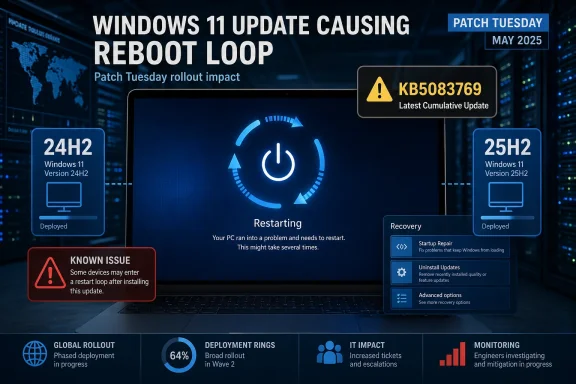
Windows 11’s April 2026 Patch Tuesday has landed with the usual promise of security fixes and stability improvements, but KB5083769 is already drawing attention for the wrong reason. Early reports indicate that some Windows 11 24H2 and 25H2 systems may enter a repeated reboot pattern after installation, the kind of failure users understandably describe as a death loop rather than a simple bad update. Microsoft has confirmed that KB5083769 is the April 14, 2026 cumulative update for those two releases, which makes the timing especially awkward because the patch was meant to harden the platform, not destabilize it.
The significance of this issue goes beyond one misbehaving package. Windows cumulative updates are supposed to be the safest, most predictable part of Microsoft’s servicing model, especially on the mainstream client branches that home users and enterprises rely on every month. When a Patch Tuesday update appears to trigger a reboot loop, it immediately raises questions about rollout quality, telemetry coverage, and whether the affected failure mode is tied to a narrow hardware configuration or a broader regression.
What makes KB5083769 notable is that it targets both Windows 11 version 24H2 and 25H2, with Microsoft’s support pages listing the same release date and paired OS build numbers for each branch. That means the update sits at the center of the current Windows servicing train, not on a fringe channel or a preview lane where instability might be more expected. If a defect is real and reproducible, it has the potential to touch a very large installed base, which is why even early reports matter.
There is also a broader pattern here. Microsoft has spent the last year refining its Windows 11 update cadence with cumulative releases, optional previews, out-of-band hotfixes, and release-health messaging that is supposed to reduce disruption. Yet the more aggressive the servicing pipeline becomes, the more visible edge cases tend to be when they escape validation. A reboot loop is one of the most user-hostile outcomes imaginable, because it blocks not just productivity but basic remediation steps such as sign-in, rollback, or even reaching desktop repair tools.
The documentation we can verify publicly does not, at least in the material currently indexed, show a formal Microsoft admission of a reboot-loop defect tied specifically to KB5083769. That is important: early media reports and community complaints can surface before Microsoft publishes a release-health note, especially when the issue affects only a subset of machines. Until Microsoft posts an advisory or acknowledged known issue, the safest characterization is reported instability, not confirmed universal breakage.
That is why the current situation is getting so much attention. A defect in a preview update can be annoying; a defect in a Patch Tuesday security rollup is operationally disruptive. If the reboot-loop reports are tied to KB5083769, then the failure is arriving through the update path that Microsoft most strongly encourages organizations to trust. That is a reputational problem as much as a technical one.
Windows has historically been vulnerable to this class of issue because its ecosystem is so heterogeneous. The same update has to work across many CPU generations, storage controllers, firmware configurations, security settings, driver stacks, and OEM customizations. When a regression appears, the root cause may be buried in combinations that official test labs do not encounter frequently enough. That is the hidden cost of shipping at Windows scale.
In managed environments, even a small percentage of failures can become expensive very quickly. If the issue affects only certain device classes, IT teams may still need to build exclusion policies, delay rings, or remediation scripts. That is why the first 24 to 72 hours after a problematic release can be more important than the issue itself. Speed matters because the cost of uncertainty rises fast.
The pattern is familiar: a standard update ships, reports emerge, Microsoft investigates, and then a narrower corrective package follows if the bug is confirmed. That model is workable, but it depends on fast detection and high-quality telemetry. The problem is that reboot loops often affect the exact scenarios telemetry is weakest at: systems that can’t stay online long enough to report cleanly.
But a reboot loop is harder than a sign-in bug. An authentication problem can often be patched without touching boot-critical components. A restart loop, by contrast, may involve setup, servicing stack behavior, device drivers, or post-update initialization, which can make the fix more invasive and the validation window more complicated. That tends to slow down responses even when Microsoft is acting in good faith.
That shared servicing model has clear advantages. It simplifies testing, reduces fragmentation, and lets Microsoft ship fixes across related builds efficiently. But it also creates correlated risk: if something breaks in the common layer, the blast radius can extend across multiple editions at once. That is exactly the sort of tradeoff modern Windows servicing has to manage.
For users, that can feel unfair because they may be on different release branches yet still hit the same failure. For Microsoft, it is an efficiency problem that becomes a confidence problem the moment the update misbehaves. Consistency is only a benefit if the shared component is robust enough to deserve it.
The most important thing to remember is that not every affected device will fail in the same way. Some may boot once and then fail later; others may never get past early startup; still others may only exhibit looping after a restart triggered by a subsequent driver or service initialization. That variability is precisely why early reporting can be messy and why troubleshooting should be careful rather than speculative.
If the KB5083769 reports continue to accumulate, users and admins should pay attention to whether the failures are concentrated around a specific OEM, a particular storage or security configuration, or systems with virtualization-based security features enabled. Narrow clustering would suggest a compatibility issue rather than a universal OS bug. That distinction matters because it changes the scope of the remedy.
For IT teams, the best immediate move is usually to slow the blast radius. That means pausing broad deployment rings, checking device inventories for commonality among affected machines, and watching Microsoft’s release-health communications rather than pushing ahead blindly. The lesson of many Windows update incidents is simple: contain first, diagnose second, expand later.
Useful response steps typically include the following:
For Microsoft, the reputational risk is not only about this one update. The company has invested heavily in Windows 11 as a stable, secure, continuously serviced platform, and recurring update drama undermines the narrative that the modern servicing model has solved the old Windows reliability problem. Even when most machines update successfully, the high-visibility failures dominate the conversation. Perception travels faster than telemetry.
Consumers feel the same pressure in a different form. They are less likely to read release-health pages, but they do notice if a PC suddenly becomes unusable after “doing the right thing” and installing updates. That is why a bug like this can punch above its technical weight: it attacks trust, not just uptime.
The wider lesson is that patch quality is now inseparable from platform credibility. Security updates are only as valuable as the systems that survive installing them, and Windows 11’s 24H2/25H2 line is now carrying the weight of that promise. Users and administrators are not asking for perfection; they are asking for predictability, and predictability is what update loops destroy.
Source: Gizmochina Windows 11 KB5083769 causing a death loop on 24H2 and 25H2 systems - Gizmochina
 Overview
The significance of this issue goes beyond one misbehaving package. Windows cumulative updates are supposed to be the safest, most predictable part of Microsoft’s servicing model, especially on the mainstream client branches that home users and enterprises rely on every month. When a Patch Tuesday update appears to trigger a reboot loop, it immediately raises questions about rollout quality, telemetry coverage, and whether the affected failure mode is tied to a narrow hardware configuration or a broader regression.What makes KB5083769 notable is that it targets both Windows 11 version 24H2 and 25H2, with Microsoft’s support pages listing the same release date and paired OS build numbers for each branch. That means the update sits at the center of the current Windows servicing train, not on a fringe channel or a preview lane where instability might be more expected. If a defect is real and reproducible, it has the potential to touch a very large installed base, which is why even early reports matter.
There is also a broader pattern here. Microsoft has spent the last year refining its Windows 11 update cadence with cumulative releases, optional previews, out-of-band hotfixes, and release-health messaging that is supposed to reduce disruption. Yet the more aggressive the servicing pipeline becomes, the more visible edge cases tend to be when they escape validation. A reboot loop is one of the most user-hostile outcomes imaginable, because it blocks not just productivity but basic remediation steps such as sign-in, rollback, or even reaching desktop repair tools.
What Microsoft Says About KB5083769
Microsoft’s support documentation identifies KB5083769 as the April 14, 2026 cumulative update for Windows 11 25H2 and Windows 11 24H2. The company describes it as including the latest security fixes and non-security improvements carried over from the previous optional preview release. In other words, this is not a niche experimental patch; it is the standard monthly update path for the current Windows 11 mainstream branches.The documentation we can verify publicly does not, at least in the material currently indexed, show a formal Microsoft admission of a reboot-loop defect tied specifically to KB5083769. That is important: early media reports and community complaints can surface before Microsoft publishes a release-health note, especially when the issue affects only a subset of machines. Until Microsoft posts an advisory or acknowledged known issue, the safest characterization is reported instability, not confirmed universal breakage.
Why the Release Channel Matters
The difference between a preview build, an out-of-band fix, and a monthly security update is not just semantic. Each one carries a different level of urgency, but also a different tolerance for change, and that affects how likely a problem is to reach end users. Monthly security updates are particularly sensitive because they are usually installed automatically and widely, which leaves little room for users to opt out once deployment begins.That is why the current situation is getting so much attention. A defect in a preview update can be annoying; a defect in a Patch Tuesday security rollup is operationally disruptive. If the reboot-loop reports are tied to KB5083769, then the failure is arriving through the update path that Microsoft most strongly encourages organizations to trust. That is a reputational problem as much as a technical one.
Why “Death Loop” Bugs Hit Windows Hard
A reboot loop is especially damaging because it collapses the normal troubleshooting ladder. A machine that boots, updates, and then crashes back into recovery may never stabilize long enough for the user to apply a fix, collect diagnostics, or even determine whether the issue is update-related. The result is not merely inconvenience; it is a temporary loss of device availability.Windows has historically been vulnerable to this class of issue because its ecosystem is so heterogeneous. The same update has to work across many CPU generations, storage controllers, firmware configurations, security settings, driver stacks, and OEM customizations. When a regression appears, the root cause may be buried in combinations that official test labs do not encounter frequently enough. That is the hidden cost of shipping at Windows scale.
The Enterprise Impact Is Not the Same as the Consumer Impact
For home users, the biggest pain point is getting a usable PC back. For enterprises, the stakes are broader: support desks get flooded, remote workers lose access, and image recovery workflows consume time and labor. A looping update can also disrupt compliance deadlines if security teams hesitate to pause deployment while waiting for clarity.In managed environments, even a small percentage of failures can become expensive very quickly. If the issue affects only certain device classes, IT teams may still need to build exclusion policies, delay rings, or remediation scripts. That is why the first 24 to 72 hours after a problematic release can be more important than the issue itself. Speed matters because the cost of uncertainty rises fast.
A Familiar Update Cycle With a New Friction Point
This is not the first time Windows 11 users have encountered trouble after a cumulative update. In March 2026, Microsoft had to respond to an issue where some users reported sign-in problems with Microsoft accounts after installing the March security update, and the company shipped an out-of-band fix to address it. That history matters because it shows that Microsoft’s servicing pipeline is already under pressure from recurring regression management.The pattern is familiar: a standard update ships, reports emerge, Microsoft investigates, and then a narrower corrective package follows if the bug is confirmed. That model is workable, but it depends on fast detection and high-quality telemetry. The problem is that reboot loops often affect the exact scenarios telemetry is weakest at: systems that can’t stay online long enough to report cleanly.
Past Fixes Show the Playbook
Microsoft’s March 2026 out-of-band update is a useful example of how the company usually reacts. It was issued to address a Microsoft account sign-in issue and was delivered to systems already on the affected March update. That suggests the company is willing to move quickly when a problem is concrete, reproducible, and disruptive enough to justify an emergency release.But a reboot loop is harder than a sign-in bug. An authentication problem can often be patched without touching boot-critical components. A restart loop, by contrast, may involve setup, servicing stack behavior, device drivers, or post-update initialization, which can make the fix more invasive and the validation window more complicated. That tends to slow down responses even when Microsoft is acting in good faith.
The 24H2 and 25H2 Connection
The fact that KB5083769 targets both 24H2 and 25H2 is a clue worth paying attention to. Microsoft’s own support page treats the update as a shared cumulative release across those branches, which means the same servicing code path is probably being applied to both. If the bug is in the common update payload, then both versions can suffer in parallel even if one branch is newer than the other.That shared servicing model has clear advantages. It simplifies testing, reduces fragmentation, and lets Microsoft ship fixes across related builds efficiently. But it also creates correlated risk: if something breaks in the common layer, the blast radius can extend across multiple editions at once. That is exactly the sort of tradeoff modern Windows servicing has to manage.
Why Shared Builds Can Be a Double-Edged Sword
A shared cumulative update means fewer distinct packages for Microsoft and more consistency for administrators. It is easier to document, easier to roll out, and easier to support when the release behaves. The downside is that a regression in the shared content can propagate farther than a branch-specific issue would.For users, that can feel unfair because they may be on different release branches yet still hit the same failure. For Microsoft, it is an efficiency problem that becomes a confidence problem the moment the update misbehaves. Consistency is only a benefit if the shared component is robust enough to deserve it.
What Users Are Likely Experiencing
When people describe a “death loop,” they usually mean the PC reboots, tries to complete post-update tasks, fails, and returns to the same cycle again. In practical terms, that can mean black screens, spinning indicators, recovery prompts, or repeated attempts to finalize setup. The exact symptom may vary, but the outcome is the same: the machine does not reach a stable desktop state.The most important thing to remember is that not every affected device will fail in the same way. Some may boot once and then fail later; others may never get past early startup; still others may only exhibit looping after a restart triggered by a subsequent driver or service initialization. That variability is precisely why early reporting can be messy and why troubleshooting should be careful rather than speculative.
Common Failure Patterns to Watch For
There are a few patterns that often show up in update-induced boot failures. The update appears to install successfully, the first reboot seems normal, and then the system never settles again. In other cases, the PC repeatedly shows recovery or automatic repair and can only be stabilized by safe mode, uninstalling the update, or restoring from backup.If the KB5083769 reports continue to accumulate, users and admins should pay attention to whether the failures are concentrated around a specific OEM, a particular storage or security configuration, or systems with virtualization-based security features enabled. Narrow clustering would suggest a compatibility issue rather than a universal OS bug. That distinction matters because it changes the scope of the remedy.
What Microsoft and IT Teams Usually Do Next
The normal Microsoft response pattern is to investigate, collect telemetry, and update the release-health dashboard if the issue is confirmed. If the problem is serious enough, a corrective out-of-band patch may follow, similar to the March 2026 fix for the Microsoft account sign-in issue. That process can take days, not hours, because update regressions require both diagnosis and regression testing before they can be safely remediated.For IT teams, the best immediate move is usually to slow the blast radius. That means pausing broad deployment rings, checking device inventories for commonality among affected machines, and watching Microsoft’s release-health communications rather than pushing ahead blindly. The lesson of many Windows update incidents is simple: contain first, diagnose second, expand later.
Practical Steps for Administrators
Administrators dealing with a suspected reboot-loop regression should treat the problem as a servicing incident, not as isolated user noise. Even if Microsoft has not yet posted a formal advisory, the operational playbook is similar: hold deployment, identify scope, and prepare rollback options. That is especially true if affected machines are on business-critical endpoints or remote-work fleets.Useful response steps typically include the following:
- Pause or defer the April 2026 cumulative update in update rings.
- Verify whether failures are tied to a specific hardware model or driver set.
- Check recovery, safe mode, and uninstall pathways on pilot devices.
- Preserve logs and screenshots before remediation wipes the evidence.
- Monitor Microsoft’s release-health dashboard for an acknowledged issue or fix.
Competitive and Market Implications
Every serious Windows servicing failure has a market ripple, even if it is temporary. Competing platforms benefit when Windows feels unpredictable, because reliability is one of the most valuable arguments in enterprise endpoint strategy. A reboot-loop report does not suddenly make organizations abandon Windows, but it does remind them that patch management is still a risk center, not just a housekeeping function.For Microsoft, the reputational risk is not only about this one update. The company has invested heavily in Windows 11 as a stable, secure, continuously serviced platform, and recurring update drama undermines the narrative that the modern servicing model has solved the old Windows reliability problem. Even when most machines update successfully, the high-visibility failures dominate the conversation. Perception travels faster than telemetry.
Why Reliability Is Now a Product Feature
In 2026, reliability is no longer just an engineering metric; it is a selling point. Enterprises compare Windows update management against alternatives that promise simpler patching, more controlled rollouts, or better isolation of system changes. When a cumulative update threatens boot stability, that conversation becomes more expensive for Microsoft to manage.Consumers feel the same pressure in a different form. They are less likely to read release-health pages, but they do notice if a PC suddenly becomes unusable after “doing the right thing” and installing updates. That is why a bug like this can punch above its technical weight: it attacks trust, not just uptime.
Strengths and Opportunities
Even with the current concern, there are reasons to think Microsoft can contain the damage if the issue is narrow and quickly acknowledged. The company has a mature update-distribution infrastructure, a formal release-health process, and a track record of shipping targeted out-of-band fixes when needed. Those are real advantages, especially compared with ecosystems that lack a central servicing authority.- Centralized servicing makes it easier to push a remedy quickly once the bug is isolated.
- Release-health communication gives admins a single place to verify status.
- Out-of-band fixes allow Microsoft to respond without waiting for the next Patch Tuesday.
- Shared servicing channels can reduce duplicate work across 24H2 and 25H2.
- Enterprise tooling such as Intune and Autopatch can help slow rollout if needed.
- Telemetry at scale should help Microsoft identify clusters faster than anecdotal reports alone.
- Rollback and pause controls give organizations an immediate containment path.
Risks and Concerns
The biggest concern is that reboot loops are among the hardest problems to diagnose because affected systems may not stay online long enough to report useful telemetry. If the defect is tied to a common update component, Microsoft could face a broader remediation effort than a simple point fix. The uncertainty itself is already harmful, because it forces cautious organizations to delay patching.- Boot-loop failures can render devices temporarily unusable.
- Limited telemetry makes root-cause analysis slower and less certain.
- Broad deployment of a monthly cumulative update increases potential exposure.
- Shared update content may propagate the same bug across both 24H2 and 25H2.
- Enterprise hesitancy may delay security patching more than Microsoft would like.
- Consumer frustration can damage trust in automatic updates.
- Follow-on regressions may appear if the eventual fix touches boot-critical code.
Looking Ahead
The next few days will determine whether KB5083769 becomes a short-lived scare or a proper servicing incident. If Microsoft quickly acknowledges a known issue and provides either a workaround or a corrective package, the damage will likely be contained. If not, the update will linger as another example of how Windows’ modern servicing model can still fail in very old-fashioned ways.The wider lesson is that patch quality is now inseparable from platform credibility. Security updates are only as valuable as the systems that survive installing them, and Windows 11’s 24H2/25H2 line is now carrying the weight of that promise. Users and administrators are not asking for perfection; they are asking for predictability, and predictability is what update loops destroy.
- Watch for a Microsoft release-health entry confirming or denying the issue.
- Check whether an out-of-band replacement update appears.
- Monitor whether reports cluster around specific OEM hardware.
- Delay broad enterprise deployment until the failure mode is clearer.
- Track whether the issue affects both 24H2 and 25H2 equally.
Source: Gizmochina Windows 11 KB5083769 causing a death loop on 24H2 and 25H2 systems - Gizmochina
