

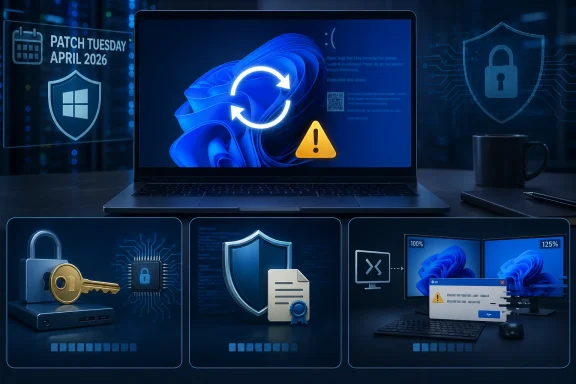
Microsoft’s April 2026 security update for Windows 11 has become the latest Patch Tuesday release to test the patience of users and administrators, with reports of boot loops, blue screens, BitLocker recovery prompts, and Remote Desktop display problems following installation. The update, KB5083769, applies to Windows 11 versions 24H2 and 25H2, and Microsoft has officially acknowledged at least two known issues tied to BitLocker policy configurations and Remote Desktop warning dialogs. The more severe reboot-loop reports remain less clearly documented by Microsoft, but the pattern is serious enough that cautious IT teams should treat this release as a staged-deployment candidate rather than a routine install-and-forget patch. For WindowsForum readers, the lesson is familiar: Windows security updates are essential, but the April release shows why recovery planning matters just as much as patch compliance.
The April 14, 2026 Patch Tuesday update arrived as a cumulative security release, meaning it bundled new security fixes, servicing-stack improvements, and selected changes from earlier preview updates into a single package. That design is now standard for Windows 11, but it also means one monthly update can touch many sensitive components at once, including Secure Boot, BitLocker validation, Remote Desktop security prompts, networking behavior, and the Windows recovery environment. When everything works, cumulative updates simplify maintenance. When something breaks, they can make root-cause analysis more complex.
The most visible complaint emerging after this release involves systems that reportedly install the update successfully, restart, display distorted visuals or a blue screen, and then fall back into recovery or another restart attempt. These reports span different OEMs, including business-class desktops and laptops, which makes the issue harder to isolate to one vendor driver or firmware family. Microsoft’s public documentation has not, at this writing, clearly identified a broad boot-loop defect for KB5083769, so that part of the story should be treated as reported behavior, not a fully confirmed known issue.
Microsoft has, however, documented a separate BitLocker recovery scenario affecting systems with a specific and discouraged Group Policy configuration. In that case, devices may ask for the BitLocker recovery key on the first restart after the update if BitLocker is enabled, PCR7 is explicitly included in the TPM validation profile, PCR7 binding is reported as not possible, and the system is eligible for newer Secure Boot certificate handling. That may sound narrow, but in managed environments even a narrow policy flaw can become a fleet-wide outage if the same baseline was applied across hundreds or thousands of devices.
The Remote Desktop issue is less catastrophic but still important for enterprises. Microsoft says warning dialogs related to RDP files may not render correctly on systems using multiple monitors with different scaling settings. That matters because the April update also strengthens warnings against potentially malicious RDP files, so a display glitch in the security prompt can undermine the very protection the update is trying to provide.
That is why this incident is so frustrating. Users cannot simply ignore security updates indefinitely, but administrators also cannot push a release that may trigger recovery prompts or startup failures without understanding the blast radius. The real operational challenge is balancing exposure to unpatched vulnerabilities against exposure to an update-induced outage.
Key areas touched or affected include:
This pattern is especially difficult because a boot loop prevents normal troubleshooting. If the desktop never loads, users cannot easily open Event Viewer, uninstall the update through Settings, export crash dumps, or check device health tools. The failure moves the problem from inconvenience to access crisis.
Still, the absence of a fully documented Microsoft boot-loop entry does not mean administrators should dismiss the reports. Windows update failures often emerge first through support forums, Reddit threads, managed service provider alerts, and OEM help desks before they become official dashboard entries. The smart response is not panic; it is controlled deployment.
Practical observations from the reports include:
The trigger is tied to BitLocker’s relationship with the boot environment. BitLocker does not simply encrypt the drive and hope for the best; it checks whether the early boot chain still matches expected measurements. If those measurements change because Secure Boot components, certificates, or boot manager trust paths change, BitLocker may decide the system needs recovery verification.
This is why Microsoft characterizes the configuration as unrecommended rather than simply unlucky. Modern Windows expects administrators to let Windows choose appropriate default PCR profiles in many scenarios. Explicitly forcing PCR7 can appear secure on paper while reducing resilience during boot-chain updates.
The affected conditions are narrow but important:
This is not a trivial maintenance chore. Secure Boot is one of the foundations that helps prevent bootkits and other pre-OS malware from taking control before Windows loads. Updating certificates and boot managers across a fragmented PC ecosystem requires conservative targeting, telemetry, staged rollout, and fallback planning.
That distinction is important for communication. Users often experience the recovery prompt as a sudden lockout caused by Microsoft, while administrators may see it as the predictable result of policy drift. Both perceptions contain truth: the update changed the operational state, but the underlying configuration determined whether the device could handle that change smoothly.
Security teams should now review:
Unfortunately, Microsoft has acknowledged that the warning message may not display correctly in some multi-monitor setups. The problem appears when monitors use different display scaling values, such as one display at 100 percent and another at 125 percent. Text may overlap, buttons may be partially hidden, and the user may struggle to read or interact with the prompt.
The workaround is straightforward but annoying: align display scaling across monitors or use keyboard navigation to move through the dialog. That may be acceptable for a few power users, but it is harder to explain at scale. A security prompt must be legible, accessible, and predictable; otherwise, users learn to treat it as another obstacle.
The RDP issue highlights several design tensions:
If the PC asks for a BitLocker recovery key, entering the correct key may resolve the problem on that device after one restart. If the system repeatedly crashes before reaching the desktop, users may need Windows Recovery Environment tools such as Startup Repair, System Restore, Safe Mode, or uninstalling the latest quality update. If recovery tools fail, offline servicing or image restore may be required.
A reasonable troubleshooting order is:
The BitLocker issue is particularly enterprise-relevant because the affected policy is unlikely on unmanaged personal devices but plausible in organizations with legacy hardening baselines. Some security templates from older eras encouraged explicit TPM validation tuning, and those settings can persist long after the original rationale disappears. In a modern Secure Boot transition, old hardening can become operational debt.
Enterprise teams should prioritize:
The April update may not affect most home PCs through the confirmed BitLocker policy path, but consumer reports of lockouts still deserve attention. A home user seeing a recovery screen may not know where to find the key, what BitLocker is, or why a routine update changed the boot experience. The emotional reality is simple: the computer that worked yesterday now appears to be holding personal files hostage.
Home users should consider these steps:
Competitors will use incidents like this to reinforce their own narratives. Apple can point to tighter hardware-software integration, ChromeOS can emphasize recoverability and managed simplicity, and Linux advocates can highlight transparency and user control. Those comparisons are not always fair, because Windows supports a broader legacy hardware and software universe, but they resonate when a security update blocks access to a working PC.
The enterprise market is more pragmatic than emotional, but trust still affects purchasing and management strategy. Organizations may invest more heavily in update rings, endpoint analytics, backup platforms, and third-party patch governance. That is good for resilience, but it also increases the cost of owning Windows at scale.
Market implications include:
The second thing to watch is the promised permanent resolution for the BitLocker policy scenario. Microsoft’s current guidance points administrators toward removing the explicit PCR7 configuration and refreshing BitLocker protectors, but enterprises will want a durable fix that reduces the chance of repeated recovery prompts during future Secure Boot transitions. The certificate-expiration timeline makes that urgency real.
Key developments to monitor include:
Windows security updates will only become more important as attackers move lower in the stack and Microsoft continues hardening the boot path, identity surface, and remote-access experience. The April 2026 Windows 11 update shows the difficulty of that transition: stronger protections can collide with old policies, uneven firmware, and users who were never told where their recovery keys live. Microsoft needs to communicate quickly and fix decisively, but administrators and consumers also need to treat recovery readiness as part of everyday Windows ownership. The future of Windows servicing depends not on avoiding every bug, which is impossible, but on making sure a bad update never becomes a blind scramble for access, data, and trust.
Source: channelnews.com.au Windows 11 April Update Triggers Boot Loops, Bitlocker Issues – channelnews
 Overview
The April 14, 2026 Patch Tuesday update arrived as a cumulative security release, meaning it bundled new security fixes, servicing-stack improvements, and selected changes from earlier preview updates into a single package. That design is now standard for Windows 11, but it also means one monthly update can touch many sensitive components at once, including Secure Boot, BitLocker validation, Remote Desktop security prompts, networking behavior, and the Windows recovery environment. When everything works, cumulative updates simplify maintenance. When something breaks, they can make root-cause analysis more complex.The most visible complaint emerging after this release involves systems that reportedly install the update successfully, restart, display distorted visuals or a blue screen, and then fall back into recovery or another restart attempt. These reports span different OEMs, including business-class desktops and laptops, which makes the issue harder to isolate to one vendor driver or firmware family. Microsoft’s public documentation has not, at this writing, clearly identified a broad boot-loop defect for KB5083769, so that part of the story should be treated as reported behavior, not a fully confirmed known issue.
Microsoft has, however, documented a separate BitLocker recovery scenario affecting systems with a specific and discouraged Group Policy configuration. In that case, devices may ask for the BitLocker recovery key on the first restart after the update if BitLocker is enabled, PCR7 is explicitly included in the TPM validation profile, PCR7 binding is reported as not possible, and the system is eligible for newer Secure Boot certificate handling. That may sound narrow, but in managed environments even a narrow policy flaw can become a fleet-wide outage if the same baseline was applied across hundreds or thousands of devices.
The Remote Desktop issue is less catastrophic but still important for enterprises. Microsoft says warning dialogs related to RDP files may not render correctly on systems using multiple monitors with different scaling settings. That matters because the April update also strengthens warnings against potentially malicious RDP files, so a display glitch in the security prompt can undermine the very protection the update is trying to provide.
Why KB5083769 Matters
KB5083769 is not an optional experiment from the Windows Insider Program. It is the April 2026 baseline security update for mainstream Windows 11 24H2 and 25H2 systems, which means it sits directly in the deployment path for consumers, small businesses, managed enterprises, and public-sector fleets. Security updates are not cosmetic; they close vulnerabilities and maintain the support posture expected by insurers, auditors, and regulators.That is why this incident is so frustrating. Users cannot simply ignore security updates indefinitely, but administrators also cannot push a release that may trigger recovery prompts or startup failures without understanding the blast radius. The real operational challenge is balancing exposure to unpatched vulnerabilities against exposure to an update-induced outage.
A cumulative update with deep system reach
The April release touches areas that are unusually close to the boot chain. Secure Boot certificate work, BitLocker protector behavior, servicing-stack changes, and recovery-environment improvements all operate below the level of ordinary desktop features. That makes the update more consequential than a patch that merely fixes a shell bug or an app compatibility issue.Key areas touched or affected include:
- Secure Boot certificate readiness ahead of upcoming certificate expirations.
- BitLocker recovery behavior on devices with explicit PCR7 validation policies.
- Remote Desktop security warnings designed to reduce phishing risk from RDP files.
- Servicing stack reliability, which governs how future updates install.
- Windows Recovery Environment components used when startup fails.
- SMB over QUIC reliability improvements for modern file-access scenarios.
Boot Loops and Blue Screens: What Is Being Reported
The most alarming user reports describe PCs that complete installation and then fail during restart. Some affected users say the system flashes distorted graphics, reaches a Blue Screen of Death, and then repeats the cycle through recovery or automatic repair. Others report that Windows attempts to undo changes, stalls, or returns to the same failure path.This pattern is especially difficult because a boot loop prevents normal troubleshooting. If the desktop never loads, users cannot easily open Event Viewer, uninstall the update through Settings, export crash dumps, or check device health tools. The failure moves the problem from inconvenience to access crisis.
Why Microsoft confirmation matters
At the moment, the reboot-loop reports appear broader and less formally defined than Microsoft’s documented BitLocker issue. That distinction matters. A confirmed known issue usually comes with affected-platform lists, symptoms, workarounds, and eventually a Known Issue Rollback or out-of-band fix. A community-reported failure pattern may be real, but it can take time to separate update defects from driver conflicts, firmware bugs, storage corruption, endpoint security hooks, and pre-existing system damage.Still, the absence of a fully documented Microsoft boot-loop entry does not mean administrators should dismiss the reports. Windows update failures often emerge first through support forums, Reddit threads, managed service provider alerts, and OEM help desks before they become official dashboard entries. The smart response is not panic; it is controlled deployment.
Practical observations from the reports include:
- Affected machines may appear to install the update normally before failing on reboot.
- Failures are reportedly not limited to a single consumer PC model.
- Recovery tools may become the only available path if Windows cannot reach the desktop.
- Some systems may fail with different stop codes, complicating diagnosis.
- The issue may overlap with, but should not be confused with, the confirmed BitLocker prompt.
- Administrators should collect crash data before reimaging wherever possible.
BitLocker Recovery Prompts: The Confirmed Known Issue
Microsoft’s acknowledged BitLocker problem is more specific than the general fear spreading around the April update. The company describes a scenario in which some systems with an unrecommended BitLocker Group Policy configuration may require the recovery key on the first restart after installing the update. Microsoft says this should generally be a one-time recovery event if the key is entered and policy remains unchanged.The trigger is tied to BitLocker’s relationship with the boot environment. BitLocker does not simply encrypt the drive and hope for the best; it checks whether the early boot chain still matches expected measurements. If those measurements change because Secure Boot components, certificates, or boot manager trust paths change, BitLocker may decide the system needs recovery verification.
PCR7 and why it matters
The critical policy detail is PCR7, one of the Trusted Platform Module measurement registers used to assess Secure Boot state. When administrators explicitly include PCR7 in the validation profile on systems where PCR7 binding is reported as not possible, they create a fragile relationship between policy and hardware reality. Add a Secure Boot transition into that mix, and BitLocker may see enough change to demand recovery.This is why Microsoft characterizes the configuration as unrecommended rather than simply unlucky. Modern Windows expects administrators to let Windows choose appropriate default PCR profiles in many scenarios. Explicitly forcing PCR7 can appear secure on paper while reducing resilience during boot-chain updates.
The affected conditions are narrow but important:
- BitLocker must be enabled on the operating system drive.
- The TPM validation Group Policy must be configured for native UEFI firmware.
- PCR7 must be included in that validation profile.
- System Information must report PCR7 binding as not possible.
- The Windows UEFI CA 2023 certificate must be present in the Secure Boot database.
- The device must not already be running the newer signed Windows Boot Manager.
Secure Boot Certificate Changes Are the Hidden Backdrop
The April update lands during a broader Secure Boot transition that will matter throughout 2026. Microsoft has been preparing Windows devices for Secure Boot certificate expiration events that begin in June 2026, and that preparation involves making sure eligible devices can receive updated trust material safely. In plain English, Windows needs to keep the boot chain trusted before old certificates age out.This is not a trivial maintenance chore. Secure Boot is one of the foundations that helps prevent bootkits and other pre-OS malware from taking control before Windows loads. Updating certificates and boot managers across a fragmented PC ecosystem requires conservative targeting, telemetry, staged rollout, and fallback planning.
Security progress can expose old assumptions
The BitLocker issue shows how security improvements can reveal brittle configurations. A machine may run for years with an explicit PCR policy that nobody revisits, only to encounter trouble when the boot trust chain evolves. The update did not necessarily “enable BitLocker from nowhere,” but it may have exposed that a device was already encrypted or device-encrypted and dependent on recovery information the user never understood.That distinction is important for communication. Users often experience the recovery prompt as a sudden lockout caused by Microsoft, while administrators may see it as the predictable result of policy drift. Both perceptions contain truth: the update changed the operational state, but the underlying configuration determined whether the device could handle that change smoothly.
Security teams should now review:
- Whether BitLocker recovery keys are escrowed and tested.
- Whether PCR profiles were customized years ago and forgotten.
- Whether Secure Boot state and PCR7 binding are visible in inventory tools.
- Whether firmware updates are lagging behind Windows security expectations.
- Whether recovery workflows are documented for non-technical staff.
- Whether help-desk teams can distinguish BitLocker recovery from BSOD loops.
Remote Desktop Warnings and the Usability Problem
The April update also changes how Windows handles Remote Desktop connection files. Microsoft has been tightening warnings around RDP files because attackers can use crafted connection files to trick users into connecting with unsafe settings. The improved warning flow is intended to show requested connection settings before the session begins and reduce blind trust.Unfortunately, Microsoft has acknowledged that the warning message may not display correctly in some multi-monitor setups. The problem appears when monitors use different display scaling values, such as one display at 100 percent and another at 125 percent. Text may overlap, buttons may be partially hidden, and the user may struggle to read or interact with the prompt.
A small bug in a high-friction workflow
This is not as dramatic as a boot loop, but it is not harmless. Remote Desktop is central to help desks, remote work, Azure Virtual Desktop, Windows 365, jump boxes, vendor support, and server administration. If a warning dialog becomes confusing at the moment the user must make a security decision, the result may be either unsafe clicking or unnecessary support tickets.The workaround is straightforward but annoying: align display scaling across monitors or use keyboard navigation to move through the dialog. That may be acceptable for a few power users, but it is harder to explain at scale. A security prompt must be legible, accessible, and predictable; otherwise, users learn to treat it as another obstacle.
The RDP issue highlights several design tensions:
- Stronger warnings improve security only if users can understand them.
- Mixed-DPI desktops are normal in modern workplaces.
- Accessibility cannot be an afterthought in security UI.
- Remote support workflows are especially sensitive to dialog changes.
- Enterprises may need screenshots or training notes for help-desk staff.
- A future Windows update is expected to address the rendering defect.
Recovery Options for Affected Users
For users already caught in trouble, the right recovery path depends on the symptom. A BitLocker recovery screen is not the same as a blue-screen boot loop, and a failed installation is not the same as a successful installation followed by startup failure. The first step is to identify what Windows is actually doing.If the PC asks for a BitLocker recovery key, entering the correct key may resolve the problem on that device after one restart. If the system repeatedly crashes before reaching the desktop, users may need Windows Recovery Environment tools such as Startup Repair, System Restore, Safe Mode, or uninstalling the latest quality update. If recovery tools fail, offline servicing or image restore may be required.
A practical triage sequence
The safest approach is sequential and evidence-based. Do not immediately wipe the machine unless the data is backed up or the device is disposable. Many update failures can be reversed, but careless recovery attempts can turn a repairable system into a data-loss incident.A reasonable troubleshooting order is:
- Photograph or record the exact screen, including stop codes or BitLocker key identifiers.
- If BitLocker appears, retrieve the recovery key from the appropriate escrow location.
- Enter the key once and confirm whether Windows boots normally afterward.
- If Windows enters automatic repair, try Startup Repair from the recovery environment.
- If available, use System Restore to return to a pre-update restore point.
- If the update is removable, uninstall the latest quality update through recovery options.
- If the desktop loads, pause updates temporarily while investigating drivers and firmware.
- Back up critical data before attempting deeper repair or reinstallation.
Enterprise Impact: From Patch Tuesday to Incident Response
For enterprises, the April update is a reminder that endpoint security and endpoint reliability are inseparable. A device that is securely patched but stuck at a recovery screen is unavailable. A device that avoids the update indefinitely may remain exposed. The operational art lies in moving quickly without moving blindly.The BitLocker issue is particularly enterprise-relevant because the affected policy is unlikely on unmanaged personal devices but plausible in organizations with legacy hardening baselines. Some security templates from older eras encouraged explicit TPM validation tuning, and those settings can persist long after the original rationale disappears. In a modern Secure Boot transition, old hardening can become operational debt.
Deployment rings are not bureaucracy
A mature deployment strategy should catch this kind of issue before the entire fleet sees it. Pilot rings, broad validation rings, and final production rollout are sometimes dismissed as slow, but they exist precisely because Windows runs on a vast combination of firmware, drivers, security agents, and peripherals. April’s update shows why the first wave should include devices that represent the messy reality of the organization.Enterprise teams should prioritize:
- Inventorying BitLocker policy across managed Windows 11 devices.
- Checking PCR7 binding status through management scripts or endpoint analytics.
- Verifying recovery key escrow in Entra ID, Active Directory, or management tooling.
- Testing KB5083769 on representative hardware from Dell, HP, Lenovo, Microsoft, and custom builds.
- Confirming that security agents and disk encryption tools are compatible with the update.
- Preparing help-desk scripts for BitLocker prompts and recovery-environment workflows.
- Watching Microsoft’s release health notes for future mitigation or permanent fixes.
Consumer Impact: The Recovery-Key Gap
Consumers face a different problem: many do not know whether their PC is encrypted. Windows device encryption can be enabled automatically on eligible systems, especially when users sign in with a Microsoft account. That is good for theft protection, but it creates confusion when a recovery key is suddenly required.The April update may not affect most home PCs through the confirmed BitLocker policy path, but consumer reports of lockouts still deserve attention. A home user seeing a recovery screen may not know where to find the key, what BitLocker is, or why a routine update changed the boot experience. The emotional reality is simple: the computer that worked yesterday now appears to be holding personal files hostage.
What home users should do now
The best consumer advice is preventive. If the PC still boots, users should confirm whether encryption is enabled and make sure recovery information is accessible before installing major updates or rebooting after one. That does not mean turning off security by default; it means knowing where the spare key is before the door jams.Home users should consider these steps:
- Check whether Device Encryption or BitLocker is enabled.
- Save the recovery key in a trusted location separate from the PC.
- Confirm the Microsoft account used during setup can access recovery information.
- Create a current backup of documents, photos, and project files.
- Avoid forcing repeated restarts if the update appears stuck.
- Use System Restore or recovery options before reinstalling Windows.
- Pause updates briefly if a device is mission-critical and reports are still developing.
Competitive and Market Implications
Windows remains the default desktop operating system for business, gaming, engineering, education, and public administration. That dominance gives Microsoft enormous responsibility, because even low-percentage update failures can affect a large absolute number of people. A “limited” issue in Windows terms can still mean real disruption for thousands of users.Competitors will use incidents like this to reinforce their own narratives. Apple can point to tighter hardware-software integration, ChromeOS can emphasize recoverability and managed simplicity, and Linux advocates can highlight transparency and user control. Those comparisons are not always fair, because Windows supports a broader legacy hardware and software universe, but they resonate when a security update blocks access to a working PC.
The trust cost of update fatigue
Microsoft has spent years pushing Windows as a continuously serviced platform. That model depends on trust: users must believe updates are safer installed than deferred. Each high-profile Patch Tuesday problem chips away at that trust, especially when the issue involves boot failure, encryption keys, or recovery complexity.The enterprise market is more pragmatic than emotional, but trust still affects purchasing and management strategy. Organizations may invest more heavily in update rings, endpoint analytics, backup platforms, and third-party patch governance. That is good for resilience, but it also increases the cost of owning Windows at scale.
Market implications include:
- Greater demand for deployment observability and rollback tooling.
- More scrutiny of Microsoft’s release health communication.
- Stronger interest in endpoint backup and bare-metal recovery products.
- Increased caution around Secure Boot and firmware transitions.
- Continued debate over automatic updates on consumer systems.
- Pressure on OEMs to improve firmware quality and recovery integration.
Strengths and Opportunities
The April update is not merely a failure story. It includes meaningful security work, especially around Secure Boot readiness and Remote Desktop phishing resistance, and it gives administrators a timely reason to clean up brittle BitLocker configurations before certificate transitions become more urgent.- Secure Boot modernization is necessary as older certificates approach expiration.
- BitLocker policy auditing can reduce future recovery surprises.
- RDP warning improvements address a real attack path involving malicious connection files.
- Servicing stack improvements help maintain long-term update reliability.
- Fleet telemetry can identify hardware and policy combinations that need special handling.
- User education around recovery keys can prevent lockouts beyond this specific update.
- Staged deployment discipline can turn a disruptive patch into a manageable incident.
Risks and Concerns
The risks are concentrated in the gap between security theory and operational reality. BitLocker, Secure Boot, TPM measurements, and RDP hardening are all defensible technologies, but users experience them through prompts, restarts, and support tickets. If the human workflow fails, the security architecture loses credibility.- Boot-loop reports remain concerning because they are harder to remediate remotely.
- BitLocker recovery prompts can lock out users who lack access to escrowed keys.
- Mixed messaging may confuse users about confirmed issues versus reported symptoms.
- Automatic updates can compress the timeline for administrators still testing patches.
- Remote Desktop dialog glitches may weaken security decisions at the point of use.
- Legacy Group Policy baselines may contain old assumptions that no longer fit modern Windows.
- Data-loss risk rises when users attempt desperate reinstallations without backups.
What to Watch Next
The first thing to watch is whether Microsoft expands the known-issues list for KB5083769 to include a broader boot-loop or blue-screen condition. If that happens, expect more precise affected configurations, possible compatibility holds, and either a Known Issue Rollback or a follow-up cumulative fix. If no official entry appears, the issue may remain a collection of hardware-, driver-, or environment-specific failures that administrators must diagnose case by case.The second thing to watch is the promised permanent resolution for the BitLocker policy scenario. Microsoft’s current guidance points administrators toward removing the explicit PCR7 configuration and refreshing BitLocker protectors, but enterprises will want a durable fix that reduces the chance of repeated recovery prompts during future Secure Boot transitions. The certificate-expiration timeline makes that urgency real.
Key developments to monitor include:
- Updates to Microsoft’s release health notes for Windows 11 24H2 and 25H2.
- Any out-of-band patch or Known Issue Rollback tied to startup failures.
- OEM advisories from major PC vendors regarding firmware or driver interactions.
- Enterprise reports from Intune, Configuration Manager, and managed service providers.
- Changes to BitLocker and Secure Boot guidance before the June 2026 certificate milestone.
Windows security updates will only become more important as attackers move lower in the stack and Microsoft continues hardening the boot path, identity surface, and remote-access experience. The April 2026 Windows 11 update shows the difficulty of that transition: stronger protections can collide with old policies, uneven firmware, and users who were never told where their recovery keys live. Microsoft needs to communicate quickly and fix decisively, but administrators and consumers also need to treat recovery readiness as part of everyday Windows ownership. The future of Windows servicing depends not on avoiding every bug, which is impossible, but on making sure a bad update never becomes a blind scramble for access, data, and trust.
Source: channelnews.com.au Windows 11 April Update Triggers Boot Loops, Bitlocker Issues – channelnews
