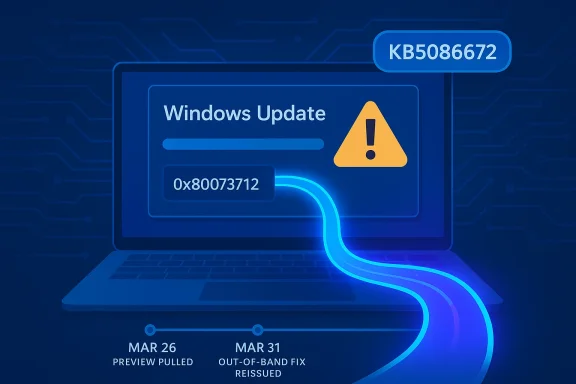
Microsoft has moved quickly to unwind a Windows 11 servicing misfire, releasing KB5086672 on March 31, 2026 to repair the installation breakage that forced the company to pull the March 26 preview update. The out-of-band package restores the March preview’s features and quality fixes while specifically addressing the 0x80073712 error that some Windows 11 24H2 and 25H2 devices hit during setup. That makes this a textbook example of modern Windows servicing under pressure: release, detect, retract, fix, reissue. It is also a reminder that even small update defects can ripple loudly when Microsoft is trying to convince customers that Windows Update is getting more reliable. (support.microsoft.com)
Microsoft’s March 2026 Windows 11 preview update, KB5079391, was intended to be a routine non-security release with production-quality improvements for Windows 11 version 24H2 and 25H2. Instead, it became the kind of update that keeps support teams busy, because Microsoft later confirmed it was no longer being offered to new devices due to an installation issue identified after release. The company’s own release notes now explicitly point users to KB5086672 as the replacement package. (support.microsoft.com)
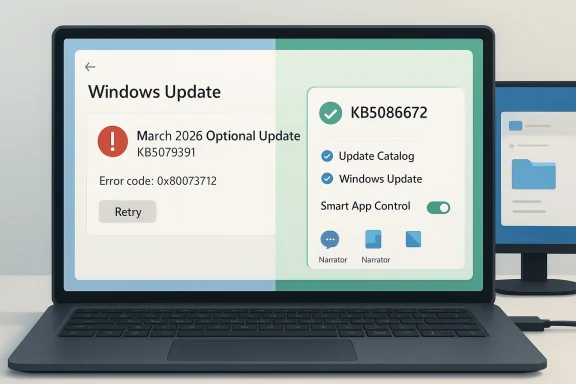
The key symptom was familiar to anyone who has spent time around Windows servicing: “Some update files are missing or have problems” accompanied by error code 0x80073712. Microsoft says KB5086672 fixes that setup problem while preserving the improvements that were part of the original preview. In other words, this is not a redesign of the feature set; it is a repair pass on the delivery mechanism. (support.microsoft.com)
That distinction matters because Windows 11’s update story has become more layered over the past year. Microsoft’s support pages now track multiple active release trains separately, including 24H2 and 25H2, and the March 2026 servicing timeline shows a steady cadence of security, preview, and out-of-band releases. The result is a system that can move faster than the old monthly-only rhythm, but also one that can fail in more ways when packaging, chaining, or setup metadata goes wrong. (support.microsoft.com)
The irony is hard to miss. Microsoft has been publicly talking about improving Windows quality and giving users more control over updates, including a future ability to pause updates indefinitely. Yet the March preview became a case study in why those promises are difficult to operationalize at scale. The fix arrived quickly, but the very need for it suggests that Microsoft’s quality bar is still under stress from the complexity of its servicing pipeline. (support.microsoft.com)
There is also a broader lesson here about preview updates. Users often treat optional updates as low-risk experiments, but Microsoft increasingly uses them as staging grounds for the next monthly baseline. Once a preview ships, it can become part of the production update story almost immediately. That makes any install defect more consequential than it might seem at first glance, because preview-package failures can foreshadow larger deployment friction later. (support.microsoft.com)
The update also lands as an out-of-band release, which signals urgency. Microsoft did not wait for the next scheduled Patch Tuesday cycle to fold the fix into a later cumulative update. Instead, it put out a standalone corrective package with the explicit goal of restoring installability as quickly as possible. That is a telltale sign that the issue affected enough users, or enough visible deployment paths, to justify a separate release. (support.microsoft.com)
This also explains why an out-of-band fix is preferable to telling users to retry over and over. If the setup metadata or package composition has a known flaw, repeated attempts will keep failing until Microsoft repackages the release. A quick rollback followed by a corrected cumulative build is the cleanest path, even if it annoys people who wanted the preview immediately. That is exactly the kind of tradeoff Windows servicing has to make when quality and cadence collide. (support.microsoft.com)
That pattern is not new, but it is becoming more visible. Users are increasingly seeing not just one monthly update, but a sequence of linked packages that can depend on earlier baselines, later corrections, or manual intervention in special cases. In this environment, update literacy matters more than it used to. Knowing whether a package is a preview, a security baseline, or an out-of-band repair changes how you deploy it. (support.microsoft.com)
A more subtle point is that Microsoft now frames these releases as part of a larger “continuous innovation” model. That sounds polished, but it also means features are no longer neatly quarantined until a major version jump. They may appear in preview form, then graduate into the monthly cumulative release, and occasionally need repackaging before they are safe enough to distribute broadly. That is the cost of shipping Windows in a faster cycle. (support.microsoft.com)
The other consumer-friendly aspect is that Microsoft kept the fix simple. Rather than asking users to download separate repair tools or use obscure recovery steps, the company is offering the corrected update through Windows Update and the Microsoft Update Catalog. That keeps the remediation path closer to the normal user experience, which should lower support volume. (support.microsoft.com)
Still, the fact that Microsoft preserved the feature payload matters. The company could have stripped the preview back to a pure reliability repair, but instead it delivered the same content with the installer issue removed. That is important because it shows Microsoft is trying not to let a packaging failure erase the value proposition of the preview itself. (support.microsoft.com)
Microsoft’s language also suggests the update will be delivered automatically to eligible devices that already have KB5079473 or later, while manual install remains available for more controlled workflows. That is the right balance for enterprise use: automatic for ordinary servicing, manual for staged deployment and validation. It is a reminder that Microsoft still relies on administrators to absorb the final mile of complexity. (support.microsoft.com)
Another subtle enterprise implication is that the March preview’s temporary removal creates noise in patch reporting. Some devices will have pulled the preview, some will have applied part of the monthly chain, and some will move directly to the corrected out-of-band build. That can complicate inventory and compliance dashboards if teams do not map the build numbers carefully. (support.microsoft.com)
The fact that Microsoft acted within days is encouraging, but it does not erase the underlying concern. Rapid correction is good engineering, yet it is also a sign that the original release did not clear the bar. In an era where Windows is expected to behave like a living service, the quality of the rollback-and-reissue process becomes part of the brand story. That is why these seemingly small servicing corrections matter. (support.microsoft.com)
This is where Microsoft’s ongoing messaging about indefinite update pausing becomes interesting. On one hand, giving users more control over update timing is a reasonable response to trust problems. On the other, frequent repair releases can encourage people to delay updating even further, especially if they believe the first version of a patch will be unstable. That is a tricky behavioral loop for Microsoft to manage. (support.microsoft.com)
The broader implication is that “monthly update” no longer means “all changes arrive at once.” Instead, Windows 11 increasingly behaves like a continuously serviced platform where bits of functionality can show up later, only on some machines, or only after additional telemetry-driven gates are met. That improves Microsoft’s flexibility, but it also makes update comprehension harder for everyone else. (support.microsoft.com)
Microsoft is also competing with its own historical reputation. For years, Windows Update was synonymous with unpredictability in the public imagination. The company has spent a long time trying to change that narrative, and each corrective release is a chance to prove progress. KB5086672 helps, but only if the next few months look cleaner than the last few weeks. (support.microsoft.com)
From an industry standpoint, this update shows the value of quick-release servicing channels. In theory, faster update loops should reduce the time a bug remains visible. In practice, they also increase the number of release points where something can fail. Microsoft’s challenge is to keep the speed advantage without making the platform feel perpetually one step away from another patch. (support.microsoft.com)
Source: Neowin Windows 11 KB5086672 is out to fix broken feature update
 Background
Microsoft’s March 2026 Windows 11 preview update, KB5079391, was intended to be a routine non-security release with production-quality improvements for Windows 11 version 24H2 and 25H2. Instead, it became the kind of update that keeps support teams busy, because Microsoft later confirmed it was no longer being offered to new devices due to an installation issue identified after release. The company’s own release notes now explicitly point users to KB5086672 as the replacement package. (support.microsoft.com)The key symptom was familiar to anyone who has spent time around Windows servicing: “Some update files are missing or have problems” accompanied by error code 0x80073712. Microsoft says KB5086672 fixes that setup problem while preserving the improvements that were part of the original preview. In other words, this is not a redesign of the feature set; it is a repair pass on the delivery mechanism. (support.microsoft.com)
That distinction matters because Windows 11’s update story has become more layered over the past year. Microsoft’s support pages now track multiple active release trains separately, including 24H2 and 25H2, and the March 2026 servicing timeline shows a steady cadence of security, preview, and out-of-band releases. The result is a system that can move faster than the old monthly-only rhythm, but also one that can fail in more ways when packaging, chaining, or setup metadata goes wrong. (support.microsoft.com)
The irony is hard to miss. Microsoft has been publicly talking about improving Windows quality and giving users more control over updates, including a future ability to pause updates indefinitely. Yet the March preview became a case study in why those promises are difficult to operationalize at scale. The fix arrived quickly, but the very need for it suggests that Microsoft’s quality bar is still under stress from the complexity of its servicing pipeline. (support.microsoft.com)
There is also a broader lesson here about preview updates. Users often treat optional updates as low-risk experiments, but Microsoft increasingly uses them as staging grounds for the next monthly baseline. Once a preview ships, it can become part of the production update story almost immediately. That makes any install defect more consequential than it might seem at first glance, because preview-package failures can foreshadow larger deployment friction later. (support.microsoft.com)
What KB5086672 Actually Does
At the surface level, KB5086672 is a narrow repair release. Microsoft says it is cumulative and includes updates from prior security and non-security releases, including the March 26 preview package it replaces. More importantly, it includes the same features and improvements users would have expected from KB5079391, but without the installation bug that caused the preview to be pulled. (support.microsoft.com)A fix, not a feature rethink
The support note is explicit that the hotfix addresses a setup issue, not a feature regression in the operating system itself. That suggests the underlying problem was in the update workflow rather than in the runtime behavior of the delivered Windows 11 build. For administrators, that is still disruptive, but it is also reassuring: Microsoft is not describing a deep OS fault, only a failure to get the package onto some machines cleanly. (support.microsoft.com)The update also lands as an out-of-band release, which signals urgency. Microsoft did not wait for the next scheduled Patch Tuesday cycle to fold the fix into a later cumulative update. Instead, it put out a standalone corrective package with the explicit goal of restoring installability as quickly as possible. That is a telltale sign that the issue affected enough users, or enough visible deployment paths, to justify a separate release. (support.microsoft.com)
- It restores the March 2026 preview content.
- It fixes the 0x80073712 installation failure.
- It is cumulative, not a tiny one-off patch.
- It is offered via Windows Update to eligible devices.
- It is also available in the Microsoft Update Catalog for manual deployment. (support.microsoft.com)
Why the error code mattered
Error 0x80073712 is one of those Windows update codes that tends to make both end users and IT staff groan, because it usually implies missing or corrupted servicing content. Microsoft’s phrasing — “some update files are missing or have problems” — tells users that the package chain could not be trusted enough to complete installation. That language is simple, but the operational implication is serious: if the installer cannot validate its own payload, the update process halts before the new bits can become trusted system state. (support.microsoft.com)This also explains why an out-of-band fix is preferable to telling users to retry over and over. If the setup metadata or package composition has a known flaw, repeated attempts will keep failing until Microsoft repackages the release. A quick rollback followed by a corrected cumulative build is the cleanest path, even if it annoys people who wanted the preview immediately. That is exactly the kind of tradeoff Windows servicing has to make when quality and cadence collide. (support.microsoft.com)
The March 2026 Servicing Timeline
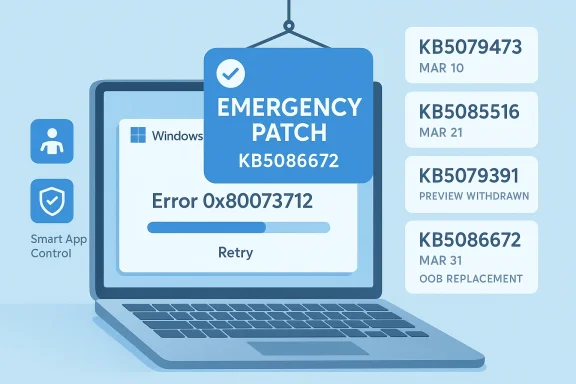
The timeline around KB5086672 shows a week-by-week compression of updates that would have looked unusual a few years ago. Microsoft shipped a March 10 cumulative update, a March 21 out-of-band fix, a March 26 preview, and then the March 31 repair package. That is a lot of moving parts for a single month, and it underscores how frequently the Windows servicing stack now has to correct itself in public. (support.microsoft.com)A month with multiple correction layers
Microsoft’s support history for 24H2 and 25H2 now reads like a small operations log. The March 10 update was followed by other releases, and KB5079391 was then retired for new devices once its installation issue became clear. KB5086672 is effectively the reissued version of that preview, but with the defects removed and the cumulative feature payload preserved. (support.microsoft.com)That pattern is not new, but it is becoming more visible. Users are increasingly seeing not just one monthly update, but a sequence of linked packages that can depend on earlier baselines, later corrections, or manual intervention in special cases. In this environment, update literacy matters more than it used to. Knowing whether a package is a preview, a security baseline, or an out-of-band repair changes how you deploy it. (support.microsoft.com)
A more subtle point is that Microsoft now frames these releases as part of a larger “continuous innovation” model. That sounds polished, but it also means features are no longer neatly quarantined until a major version jump. They may appear in preview form, then graduate into the monthly cumulative release, and occasionally need repackaging before they are safe enough to distribute broadly. That is the cost of shipping Windows in a faster cycle. (support.microsoft.com)
Why the cadence is getting harder to manage
The Windows 11 servicing stack is no longer just about patching vulnerabilities. It now has to balance features, quality fixes, component chains, and update eligibility rules across multiple branches. When one of those links fails, the rest of the chain can become untrustworthy very quickly. The more Microsoft tries to compress innovation into the servicing pipeline, the more a single packaging flaw can interrupt a month’s roadmap. (support.microsoft.com)- March 10: baseline cumulative update.
- March 21: out-of-band servicing correction.
- March 26: non-security preview update.
- March 31: out-of-band fix for the preview’s installation problem. (support.microsoft.com)
Consumer Impact
For ordinary Windows 11 users, KB5086672 is mostly good news because it prevents a failed install from becoming a dead end. People who wanted the March preview’s features can now get them without wrestling with the error dialog or waiting for Microsoft to silently re-offer the package. That reduces friction for enthusiasts and for users who have “get the latest updates as soon as they’re available” enabled. (support.microsoft.com)Why consumers feel update defects first
Consumer users usually do not care how the package chain is built; they care whether Windows Update finishes, reboots, and gets out of the way. When the installer fails with a missing-file complaint, the experience is immediately frustrating because it offers no practical path forward. KB5086672 turns that dead end back into a straightforward update flow, which is exactly what most people want from a maintenance release. (support.microsoft.com)The other consumer-friendly aspect is that Microsoft kept the fix simple. Rather than asking users to download separate repair tools or use obscure recovery steps, the company is offering the corrected update through Windows Update and the Microsoft Update Catalog. That keeps the remediation path closer to the normal user experience, which should lower support volume. (support.microsoft.com)
- No manual troubleshooting should be needed for most users.
- The corrected package preserves the preview’s changes.
- Gradual rollout still applies to some features.
- Users with automatic update settings may receive it first.
- Manual installers have a catalog fallback. (support.microsoft.com)
The feature value proposition
The practical question for consumers is whether KB5079391’s additions were worth the wait. Microsoft’s own note says KB5086672 includes the preview’s improvements and features, but some of those continue to roll out gradually. That means users may not see every UI tweak or quality improvement immediately after installation, which can make an already confusing update cycle feel even slower. (support.microsoft.com)Still, the fact that Microsoft preserved the feature payload matters. The company could have stripped the preview back to a pure reliability repair, but instead it delivered the same content with the installer issue removed. That is important because it shows Microsoft is trying not to let a packaging failure erase the value proposition of the preview itself. (support.microsoft.com)
Enterprise Impact
In enterprise environments, KB5086672 is less about features and more about operational predictability. Administrators need certainty about what a release contains, how it chains with earlier packages, and whether it can be deployed through standard tools without generating spurious failures. The official note says the update is available through Windows Update and also through the Microsoft Update Catalog, which gives IT teams multiple deployment paths. (support.microsoft.com)Why IT teams care more than home users
Enterprise admins do not have the luxury of treating every preview as optional experimentation. Once a package is approved into a pilot ring, it may influence the broader patch strategy for thousands of endpoints. A setup failure like 0x80073712 creates not just a technical issue, but a scheduling problem, because it can disrupt maintenance windows and complicate rollout confidence. (support.microsoft.com)Microsoft’s language also suggests the update will be delivered automatically to eligible devices that already have KB5079473 or later, while manual install remains available for more controlled workflows. That is the right balance for enterprise use: automatic for ordinary servicing, manual for staged deployment and validation. It is a reminder that Microsoft still relies on administrators to absorb the final mile of complexity. (support.microsoft.com)
Another subtle enterprise implication is that the March preview’s temporary removal creates noise in patch reporting. Some devices will have pulled the preview, some will have applied part of the monthly chain, and some will move directly to the corrected out-of-band build. That can complicate inventory and compliance dashboards if teams do not map the build numbers carefully. (support.microsoft.com)
Deployment planning matters more now
With Windows 11 servicing increasingly split across branches and release types, administrators have to think in terms of build lineage rather than “latest patch installed” as a single concept. KB5086672 is cumulative, but it is also a correction to a very specific earlier package. That means rollout documentation, update baselines, and pilot-ring validation all need to reflect the March 26 and March 31 separation. (support.microsoft.com)- Verify the target build before mass deployment.
- Track whether devices already received KB5079473 or later.
- Expect gradual feature exposure after installation.
- Use catalog downloads where controlled manual deployment is preferred.
- Reconcile the removed preview with the replacement build in reporting systems. (support.microsoft.com)
Microsoft’s Update Quality Problem
The bigger story is not just that Microsoft fixed a broken preview, but that the company is still trying to repair trust in Windows Update itself. Microsoft has publicly promised better update quality and more user control, yet the March preview proves the platform still produces embarrassing regressions. That tension is central to how people now judge Windows: not by the number of new features, but by whether the update pipeline can deliver them cleanly. (support.microsoft.com)Trust is part of the product
Windows users are often willing to tolerate a lot from a giant OS, but they have very little patience for updates that break the installation path. An update can be feature-rich and still feel unreliable if it cannot install on a meaningful subset of devices. KB5086672 is therefore more than a patch; it is a test of whether Microsoft can convince users that the servicing pipeline is becoming more disciplined. (support.microsoft.com)The fact that Microsoft acted within days is encouraging, but it does not erase the underlying concern. Rapid correction is good engineering, yet it is also a sign that the original release did not clear the bar. In an era where Windows is expected to behave like a living service, the quality of the rollback-and-reissue process becomes part of the brand story. That is why these seemingly small servicing corrections matter. (support.microsoft.com)
Why out-of-band fixes are both helpful and revealing
Out-of-band releases are useful because they let Microsoft respond quickly without dragging users through a month-long wait. At the same time, each out-of-band patch signals that something went wrong badly enough to justify an exception. The more frequently Microsoft uses these releases, the more users may assume that normal monthly servicing is too fragile to trust on first install. (support.microsoft.com)This is where Microsoft’s ongoing messaging about indefinite update pausing becomes interesting. On one hand, giving users more control over update timing is a reasonable response to trust problems. On the other, frequent repair releases can encourage people to delay updating even further, especially if they believe the first version of a patch will be unstable. That is a tricky behavioral loop for Microsoft to manage. (support.microsoft.com)
- Fast correction helps, but it does not fully restore confidence.
- Repeated OOB releases can normalize update avoidance.
- Preview channels become more important as quality gates.
- Users judge reliability by the install experience, not release notes.
- Microsoft has to prove improvement release after release. (support.microsoft.com)
What This Means for Windows 11’s Feature Flow
KB5086672 is also a reminder that Windows 11’s feature delivery model is increasingly intertwined with the cumulative update pipeline. Features introduced in previews are not isolated experiments anymore; they can quickly become the de facto production path once Microsoft decides they are ready. When that pipeline stumbles, the consequences extend beyond a single patch and into the schedule for broader feature rollouts. (support.microsoft.com)Preview to production is now a short road
Microsoft says KB5086672 includes the improvements and features that were introduced in KB5079391, and that some of those features roll out gradually. That creates a two-layer delivery model: one layer for the package itself, another for controlled feature availability. This is efficient from Microsoft’s perspective, but it can be opaque for users who simply want to know whether a change is present yet. (support.microsoft.com)The broader implication is that “monthly update” no longer means “all changes arrive at once.” Instead, Windows 11 increasingly behaves like a continuously serviced platform where bits of functionality can show up later, only on some machines, or only after additional telemetry-driven gates are met. That improves Microsoft’s flexibility, but it also makes update comprehension harder for everyone else. (support.microsoft.com)
The user experience challenge
For end users, this can create a strange mismatch: they install an update, but the promised features are not all visible, and the package may have been replaced before they even finish reading about it. That is not necessarily bad engineering, but it is a challenging customer experience. Microsoft needs to keep explaining that the absence of an immediately visible change does not mean the package is incomplete or broken. (support.microsoft.com)- Features may arrive in stages.
- The build number may change after a repair release.
- Preview content can be reused in a corrected package.
- Some changes are effectively server-side rollout gated.
- The patch narrative matters as much as the patch itself. (support.microsoft.com)
The Competitive and Industry Angle
Microsoft’s update problem is not just a Windows issue; it is a platform credibility issue. In an era where Apple, Google, and Linux distributions all have their own maintenance philosophies, Microsoft cannot afford to look like the vendor whose updates are most likely to need a do-over. Every visible servicing stumble strengthens the argument for alternate platforms in certain consumer or enterprise niches. (support.microsoft.com)Why reliability is strategic
Windows still dominates desktop computing, which gives Microsoft enormous margin for error. But dominance does not eliminate user frustration, and repeated update missteps chip away at the sense that the platform is boring in the best possible way. Reliability is not glamorous, but it is strategic: it determines whether IT teams see Windows as manageable or merely familiar. (support.microsoft.com)Microsoft is also competing with its own historical reputation. For years, Windows Update was synonymous with unpredictability in the public imagination. The company has spent a long time trying to change that narrative, and each corrective release is a chance to prove progress. KB5086672 helps, but only if the next few months look cleaner than the last few weeks. (support.microsoft.com)
From an industry standpoint, this update shows the value of quick-release servicing channels. In theory, faster update loops should reduce the time a bug remains visible. In practice, they also increase the number of release points where something can fail. Microsoft’s challenge is to keep the speed advantage without making the platform feel perpetually one step away from another patch. (support.microsoft.com)
Strengths and Opportunities
The good news is that Microsoft did the right thing in the right window. It moved fast, preserved the preview’s improvements, and delivered a corrected build through the normal servicing surface rather than forcing users into workaround land. That is the kind of response that can keep a temporary mistake from becoming a long-running credibility problem. (support.microsoft.com)- Rapid remediation limited how long the broken preview stayed in circulation.
- Cumulative packaging keeps users from losing the preview’s improvements.
- Windows Update distribution reduces friction for most consumers.
- Catalog availability supports IT-controlled deployments.
- Clear release notes make the problem easier to identify and explain.
- Build continuity helps organizations map the corrected package back to the original preview.
- Out-of-band delivery shows Microsoft is willing to prioritize repair over schedule purity. (support.microsoft.com)
Risks and Concerns
The obvious risk is reputational: every broken preview update reminds users that Microsoft still ships updates that need emergency repair. Even when the damage is small, the optics are not great, because they reinforce the old stereotype that Windows updates are something to postpone. That is the perception Microsoft has spent years trying to outgrow. (support.microsoft.com)- Erosion of trust if users begin expecting preview updates to fail.
- Deployment confusion when the original package is pulled and replaced.
- Reporting noise in environments that track build compliance by package number.
- Feature rollout ambiguity when some changes remain gradual after installation.
- Support burden for users who already hit 0x80073712 before the fix landed.
- Update fatigue if the monthly cadence keeps producing correction releases.
- Behavioral delay if users decide to wait for the “real” patch instead of installing early. (support.microsoft.com)
Looking Ahead
The most important thing to watch next is whether KB5086672 remains the final word on this issue or whether Microsoft has to touch the same area again in April. If the corrected package lands cleanly and the same installation error does not recur, the incident will probably fade into the background as a contained servicing hiccup. If not, it may become another exhibit in the case against hurried preview-to-production transitions. (support.microsoft.com)What to watch
- Whether KB5086672 installs cleanly on a wide range of 24H2 and 25H2 systems.
- Whether Microsoft’s gradual feature rollout continues without new setup issues.
- Whether the original March preview path is fully retired in all channels.
- Whether April’s Patch Tuesday incorporates the same feature set without regression.
- Whether Microsoft follows through on its broader update-quality promises. (support.microsoft.com)
Source: Neowin Windows 11 KB5086672 is out to fix broken feature update