

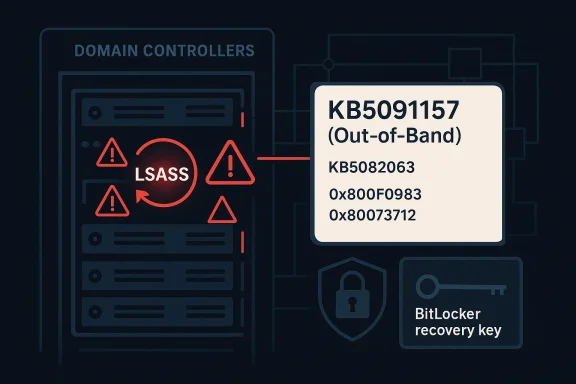
Microsoft has moved quickly to contain a serious April 2026 servicing regression affecting Windows Server, releasing out-of-band fixes after the month’s Patch Tuesday updates triggered reboot loops on some domain controllers and blocked authentication services. The emergency response matters because the breakage hit the core of Active Directory availability: when LSASS fails, domain controllers can become unstable, and in some environments the entire domain can appear unavailable. Microsoft’s own support pages now confirm that KB5091157 for Windows Server 2025 addresses both the domain controller restart problem and a separate installation failure in KB5082063, while the matching out-of-band packages for other supported server versions focus on the reboot-loop issue alone.
The immediate trigger was the April 14, 2026 security wave, which introduced a set of cumulative updates across Windows Server releases. For Windows Server 2025, the update was KB5082063, and Microsoft later documented that some domain controllers using Privileged Access Management (PAM) could hit startup issues after reboot, with LSASS potentially stopping responsiveness and causing repeated restarts. Microsoft also acknowledged that a subset of Windows Server 2025 devices could fail to install that same update entirely, with error codes such as 0x800F0983 and 0x80073712 appearing in affected environments.
That combination made this more than a routine patching hiccup. Domain controllers are not ordinary servers; they are the authentication backbone for enterprises, so a reboot loop can quickly escalate into a directory outage, broken logons, failed service tickets, and support chaos. Microsoft’s out-of-band response on April 19 shows how quickly a servicing bug can become a business continuity issue when it affects core identity infrastructure.
The company’s answer was broad but not identical across releases. KB5091157 covers Windows Server 2025; KB5091571 covers Windows Server, version 23H2; KB5091575 covers Windows Server 2022; KB5091573 covers Windows Server 2019; KB5091572 covers Windows Server 2016; and hotpatch equivalents were published for Windows Server 2025 Datacenter Azure Edition and Windows Server 2022 Datacenter Azure Edition. Microsoft’s release notes make clear that the Windows Server 2025 package is the only one that also resolves the failed-install path tied to KB5082063.
This is also part of a familiar pattern. Microsoft has had to issue emergency follow-up updates before when cumulative patches caused authentication, recovery, or boot problems, and the company has increasingly relied on out-of-band servicing when the normal monthly rhythm is not safe enough. That pattern tells admins something important: the patch itself may be the risk, especially on infrastructure that has little tolerance for downtime.
The second fix is the installation failure affecting some Windows Server 2025 systems. Microsoft says some machines may fail to install KB5082063 and surface errors including 0x800F0983 and 0x80073712. The out-of-band KB5091157 package resolves that installation problem as well, which makes it the preferred remediation for Windows Server 2025 administrators rather than a simple workaround.
A key operational detail is that Microsoft explicitly notes devices with prior updates will only download and install the new changes in the OOB package. That matters for bandwidth, maintenance windows, and change control, because it means the emergency fix is designed to slot into the existing servicing chain rather than force a complete redraw of the patch state.
For enterprise administrators, this also changes trust calculus. If an update released to improve security causes service outages, teams tend to become more conservative about deployment sequencing, especially on DCs and other tier-0 systems. That caution is rational, but it also increases the pressure on Microsoft to ship clearer known-issue guidance and faster rollback paths.
Microsoft’s wording is particularly important because it ties the failure to multi-domain forests using PAM. That suggests the bug was not a universal defect across every installation, but a more specific interaction between security hardening, directory topology, and post-update startup behavior. In other words, the blast radius may be narrower than “all domain controllers,” but the impact inside the affected cohort is severe.
There is also a timing nuance. Microsoft notes the issue can show up when setting up new domain controllers if the server starts processing authentication requests before boot is fully complete. That detail implies a race condition or initialization sequencing problem, which is exactly the kind of thing that can remain invisible during lab testing but surface in production under load. (techzine.eu)
That is also why reboot loops are harder to handle than a static crash. A one-time fault can often be diagnosed from logs and left in a broken but reachable state; a reboot loop keeps interrupting forensic access and can force administrators into recovery modes, console sessions, or rollback procedures just to stabilize the machine long enough to collect evidence. That operational pain is the real story here.
For Windows Server 2025 specifically, Microsoft’s support notes say the April update addresses an issue where the device might enter BitLocker Recovery after the Secure Boot updates. That means the company is not only reacting to a boot-screen symptom, but also acknowledging a broader interaction among update content, firmware trust, and startup security checks.
The bigger takeaway is that these issues often cluster. A single patch can touch cryptographic trust, startup sequencing, and identity services all at once, and any one of those layers can fail. When multiple layers fail together, the resulting incident looks random even though it is usually an interaction bug in the servicing stack or boot chain.
The enterprise burden is compounded by process. Server changes are often staged, approved, logged, and maintenance-windowed, so a bad update does not just create downtime; it also consumes operational confidence. That loss of confidence lingers and can slow later patch adoption, which is a security risk in itself.
This is also consistent with Microsoft’s support language around Azure Edition hotpatches. The company notes that eligible hotpatch systems affected by the KB5082063 install problem can receive the OOB protection, but the fix requires a reboot and hotpatching does not resume until the next baseline cycle. That is a reminder that even advanced patching models are still anchored to conventional servicing realities.
A practical checklist would look like this:
Enterprises with lingering Server 2016 or Server 2019 domain controllers should pay particular attention here. Older controllers are often retained for application compatibility, but that also means they can become the weak link during a servicing emergency if patch sequencing is not tightly managed.
It also helps explain why hotpatch, staged rollout, and release-health transparency have become strategic assets. The vendors that can update quickly without breaking authentication are the ones most likely to win trust from cautious enterprise buyers. Microsoft’s own need to ship multiple OOB packages illustrates how expensive trust can be to regain after a failed patch cycle.
The broader lesson is that enterprises should treat domain-controller patching as a specialized discipline, not a routine checkbox. That means smaller rings, stricter validation, explicit BitLocker readiness, and a real rollback plan before the first reboot occurs. The safer organization is the one that assumes Patch Tuesday can fail.
Source: Techzine Global Emergency Update for Windows Server Following Reboot Issues
 Overview
The immediate trigger was the April 14, 2026 security wave, which introduced a set of cumulative updates across Windows Server releases. For Windows Server 2025, the update was KB5082063, and Microsoft later documented that some domain controllers using Privileged Access Management (PAM) could hit startup issues after reboot, with LSASS potentially stopping responsiveness and causing repeated restarts. Microsoft also acknowledged that a subset of Windows Server 2025 devices could fail to install that same update entirely, with error codes such as 0x800F0983 and 0x80073712 appearing in affected environments.That combination made this more than a routine patching hiccup. Domain controllers are not ordinary servers; they are the authentication backbone for enterprises, so a reboot loop can quickly escalate into a directory outage, broken logons, failed service tickets, and support chaos. Microsoft’s out-of-band response on April 19 shows how quickly a servicing bug can become a business continuity issue when it affects core identity infrastructure.
The company’s answer was broad but not identical across releases. KB5091157 covers Windows Server 2025; KB5091571 covers Windows Server, version 23H2; KB5091575 covers Windows Server 2022; KB5091573 covers Windows Server 2019; KB5091572 covers Windows Server 2016; and hotpatch equivalents were published for Windows Server 2025 Datacenter Azure Edition and Windows Server 2022 Datacenter Azure Edition. Microsoft’s release notes make clear that the Windows Server 2025 package is the only one that also resolves the failed-install path tied to KB5082063.
This is also part of a familiar pattern. Microsoft has had to issue emergency follow-up updates before when cumulative patches caused authentication, recovery, or boot problems, and the company has increasingly relied on out-of-band servicing when the normal monthly rhythm is not safe enough. That pattern tells admins something important: the patch itself may be the risk, especially on infrastructure that has little tolerance for downtime.
What Microsoft Fixed
Microsoft’s support documentation for Windows Server 2025 says the out-of-band update KB5091157 is a non-security cumulative update that incorporates the quality fixes from KB5082063 while addressing the two known April issues. In practical terms, that means it does not just patch over a symptom; it is the replacement path for organizations that either already installed the April update or were blocked by the installation failure.The two Windows Server 2025 fixes
The first fix is the domain controller restart issue. Microsoft says that after installing the April 14 update and restarting, domain controllers in multi-domain forests using PAM could experience startup problems, with LSASS possibly stopping responding and triggering repeated restarts. That is the kind of failure that turns a security patch into a full-blown identity incident.The second fix is the installation failure affecting some Windows Server 2025 systems. Microsoft says some machines may fail to install KB5082063 and surface errors including 0x800F0983 and 0x80073712. The out-of-band KB5091157 package resolves that installation problem as well, which makes it the preferred remediation for Windows Server 2025 administrators rather than a simple workaround.
A key operational detail is that Microsoft explicitly notes devices with prior updates will only download and install the new changes in the OOB package. That matters for bandwidth, maintenance windows, and change control, because it means the emergency fix is designed to slot into the existing servicing chain rather than force a complete redraw of the patch state.
Why this is different from a normal cumulative update
The phrase out-of-band is not just labeling. It signals that Microsoft is stepping outside the usual Patch Tuesday cadence because the original update created enough damage that waiting until the next monthly cycle would be too risky. For domain controllers, that distinction is crucial: identity services do not get to “wait a week” when authentication is down.For enterprise administrators, this also changes trust calculus. If an update released to improve security causes service outages, teams tend to become more conservative about deployment sequencing, especially on DCs and other tier-0 systems. That caution is rational, but it also increases the pressure on Microsoft to ship clearer known-issue guidance and faster rollback paths.
How the Reboot Loop Happened
The common thread in Microsoft’s documentation is LSASS, the Local Security Authority Subsystem Service, which is central to authentication and security policy handling on Windows. When LSASS hangs or crashes on a domain controller, authentication can fail, startup can destabilize, and the server may repeatedly reboot in an attempt to recover.LSASS and domain controller stability
On a member server, an LSASS fault is serious. On a domain controller, it can be catastrophic. The reason is simple: the DC is not merely running a service; it is often the service layer through which the broader identity fabric operates, including logons, group policy processing, Kerberos-related workflows, and directory lookups.Microsoft’s wording is particularly important because it ties the failure to multi-domain forests using PAM. That suggests the bug was not a universal defect across every installation, but a more specific interaction between security hardening, directory topology, and post-update startup behavior. In other words, the blast radius may be narrower than “all domain controllers,” but the impact inside the affected cohort is severe.
There is also a timing nuance. Microsoft notes the issue can show up when setting up new domain controllers if the server starts processing authentication requests before boot is fully complete. That detail implies a race condition or initialization sequencing problem, which is exactly the kind of thing that can remain invisible during lab testing but surface in production under load. (techzine.eu)
Why startup timing matters
Startup timing bugs are particularly dangerous in authentication systems because they can be self-amplifying. If a boot-time service is not ready and requests arrive too early, the system may enter a failure path that repeats on every restart, making the server look “possessed” when the underlying cause is simply a bad interaction during initialization.That is also why reboot loops are harder to handle than a static crash. A one-time fault can often be diagnosed from logs and left in a broken but reachable state; a reboot loop keeps interrupting forensic access and can force administrators into recovery modes, console sessions, or rollback procedures just to stabilize the machine long enough to collect evidence. That operational pain is the real story here.
BitLocker Adds a Second Layer of Trouble
The LSASS reboot loop is not the only issue Microsoft had to warn about. The company also said some Windows Server 2025 systems could boot into BitLocker recovery mode after installing the April 2026 update, requiring the recovery key before normal startup could continue. That kind of prompt is not just an inconvenience; on locked-down infrastructure it can become an access-control emergency.What BitLocker recovery means for administrators
BitLocker recovery generally means the platform has detected an integrity state it does not trust, often after a Secure Boot or boot-chain change. When it appears unexpectedly on a server, administrators may find themselves needing manual intervention, physical or remote console access, and a valid recovery key before the machine can return to service.For Windows Server 2025 specifically, Microsoft’s support notes say the April update addresses an issue where the device might enter BitLocker Recovery after the Secure Boot updates. That means the company is not only reacting to a boot-screen symptom, but also acknowledging a broader interaction among update content, firmware trust, and startup security checks.
The bigger takeaway is that these issues often cluster. A single patch can touch cryptographic trust, startup sequencing, and identity services all at once, and any one of those layers can fail. When multiple layers fail together, the resulting incident looks random even though it is usually an interaction bug in the servicing stack or boot chain.
Enterprise impact versus consumer-style pain
This is one of those situations where server problems feel far worse than client problems because the operational dependencies are different. A desktop prompted for a BitLocker key is annoying; a domain controller in recovery or reboot loops can stall an entire business unit, especially if it is a primary DC, a site-local DC, or part of a stretched authentication architecture.The enterprise burden is compounded by process. Server changes are often staged, approved, logged, and maintenance-windowed, so a bad update does not just create downtime; it also consumes operational confidence. That loss of confidence lingers and can slow later patch adoption, which is a security risk in itself.
The Update Matrix
Microsoft’s follow-up patches were not limited to one SKU. The company published emergency packages for a broad set of supported server releases, signaling that the underlying reboot issue was not exclusive to the latest platform. This matters for organizations with mixed estates, where older domain controllers often remain in service longer than anyone would prefer.Supported versions covered by the OOB wave
The list is straightforward but operationally significant:- Windows Server 2025: KB5091157.
- Windows Server, version 23H2: KB5091571.
- Windows Server 2022: KB5091575.
- Windows Server 2019: KB5091573.
- Windows Server 2016: KB5091572.
- Windows Server 2025 Datacenter Azure Edition Hotpatch: KB5091470.
- Windows Server 2022 Datacenter Azure Edition Hotpatch: KB5091576.
Why Windows Server 2025 got special treatment
Windows Server 2025 stands out because its OOB package fixes both the reboot issue and the KB5082063 installation failure. That dual-purpose nature makes it the most important download in the group, because it addresses both failed deployment and failed post-install behavior.This is also consistent with Microsoft’s support language around Azure Edition hotpatches. The company notes that eligible hotpatch systems affected by the KB5082063 install problem can receive the OOB protection, but the fix requires a reboot and hotpatching does not resume until the next baseline cycle. That is a reminder that even advanced patching models are still anchored to conventional servicing realities.
What Administrators Should Do
The practical response depends on where the update is in your workflow. If KB5082063 has already been installed on a Windows Server 2025 domain controller and the machine is unstable, Microsoft’s release notes and support guidance point to KB5091157 as the corrective package. If the update has not yet been deployed to DCs in a sensitive PAM-enabled environment, caution is the more sensible default.Immediate actions to prioritize
Administrators should focus on containment, sequencing, and validation rather than broad rollout. The safest path is to identify domain controllers and authentication-critical servers first, then confirm their current KB state and whether they are in any PAM-dependent multi-domain forest.A practical checklist would look like this:
- Inventory affected servers and confirm build numbers before making changes.
- Check domain controller role and PAM usage in the affected forest.
- Prioritize KB5091157 or the matching OOB package over waiting for the next monthly cycle.
- Validate BitLocker recovery-key access before rebooting Windows Server 2025 systems.
- Stage restarts carefully on primary and backup DCs to preserve authentication availability.
The Windows Server 2019, 2022, and 2016 angle
For older server releases, Microsoft’s OOB updates focus on the restart issue alone. That makes sense if the installation failure was confined to Windows Server 2025, but it also means mixed estates need separate verification steps rather than a one-size-fits-all assumption.Enterprises with lingering Server 2016 or Server 2019 domain controllers should pay particular attention here. Older controllers are often retained for application compatibility, but that also means they can become the weak link during a servicing emergency if patch sequencing is not tightly managed.
Competitive and Market Implications
Microsoft’s handling of this incident has wider significance than a single bad update. It underscores how much modern enterprise competition depends on service reliability, not just features. When the core identity platform stumbles, customers notice, and those experiences can influence future cloud and platform decisions just as much as a new feature launch can.Why rivals will care
For competitors in infrastructure, identity, and cloud-managed services, incidents like this are a reminder that patch quality is a product feature. Organizations choosing between on-premises, hybrid, and cloud-native identity strategies weigh operational risk heavily, and any high-profile reboot-loop event becomes evidence in those debates.It also helps explain why hotpatch, staged rollout, and release-health transparency have become strategic assets. The vendors that can update quickly without breaking authentication are the ones most likely to win trust from cautious enterprise buyers. Microsoft’s own need to ship multiple OOB packages illustrates how expensive trust can be to regain after a failed patch cycle.
The servicing model under pressure
There is another market implication hidden in the details: the more complex the security stack becomes, the easier it is for one patch to expose dependency chains that no test lab fully simulates. That means the value of preview rings, telemetry, and rollback tooling keeps rising, while the tolerance for “surprise” regressions keeps shrinking. The enterprise market is effectively voting for safer servicing.Strengths and Opportunities
Microsoft’s response was not perfect, but it was fast, broad, and reasonably transparent by the standards of emergency servicing. The company acknowledged the issue, published fixes for multiple supported branches, and differentiated the Windows Server 2025 package from the others so administrators would know which build addressed which problem. That is the kind of response that can limit long-term damage if it is followed by cleaner patch validation.- Rapid acknowledgment of a serious DC regression.
- Broad coverage across supported Server versions.
- Clear differentiation between the Windows Server 2025 fix and the other OOB packages.
- Reduced uncertainty for administrators with explicit issue descriptions.
- Better servicing discipline if Microsoft uses this to tighten regression testing. That is the opportunity.
- Hotpatch continuity for Azure Edition customers once the baseline cycle catches up.
- Improved admin playbooks around BitLocker recovery and DC patching.
Risks and Concerns
The biggest concern is not just that a patch failed, but that it failed in a highly sensitive part of the Windows Server stack. Domain controllers, authentication, and boot integrity are all low-tolerance systems, so even a small regression can create outsized disruption. The second concern is confidence erosion: once admins are burned by a patch that breaks LSASS or triggers BitLocker recovery, they become more reluctant to deploy subsequent updates quickly.- Authentication outages can cascade beyond the server itself.
- Reboot loops complicate troubleshooting and rollback.
- BitLocker recovery prompts create manual intervention overhead.
- Patch hesitation can leave systems exposed longer than intended. This is the security tradeoff.
- Mixed-version estates increase the chance of incomplete remediation.
- PAM-specific complexity means the bug may be misunderstood outside carefully matched lab conditions.
- Reputation risk grows when emergency updates become a recurring pattern.
Looking Ahead
The next few days will tell us whether the out-of-band packages fully stabilize the April 2026 server wave or whether a second-order issue emerges from the emergency fix itself. Microsoft’s release-health pages now sit at the center of the admin workflow, and that is likely to remain true as patch complexity rises and the company leans harder on rapid response. If the OOB packages restore confidence, this will be remembered as a bad week that was contained. If not, it becomes another example of how fragile identity infrastructure can be when servicing goes wrong.The broader lesson is that enterprises should treat domain-controller patching as a specialized discipline, not a routine checkbox. That means smaller rings, stricter validation, explicit BitLocker readiness, and a real rollback plan before the first reboot occurs. The safer organization is the one that assumes Patch Tuesday can fail.
- Confirm whether KB5091157 or the matching OOB package is installed on every domain controller.
- Verify recovery-key handling for all Windows Server 2025 systems before maintenance.
- Check for PAM dependencies in multi-domain forests.
- Watch Microsoft’s update history pages for follow-on servicing notes.
- Delay broad rollout until one or two representative DCs have proven stable.
Source: Techzine Global Emergency Update for Windows Server Following Reboot Issues
