Microsoft has published KB5096137, an automatic Windows Update package that updates the Qualcomm QNN Execution Provider to version 2.2605.2.0 for Windows 11, version 26H1 devices with the latest cumulative update installed. It is a small-sounding component refresh with an outsized strategic meaning: Microsoft is treating on-device AI plumbing as a serviced part of Windows, not as an app feature or optional developer download. For Snapdragon-based PCs, that means the AI stack is becoming more like graphics drivers, storage firmware, or Defender intelligence updates — invisible until it breaks, essential when it works. For IT, it is another reminder that the “AI PC” is not one product but a chain of runtime, silicon, model, driver, and servicing decisions.

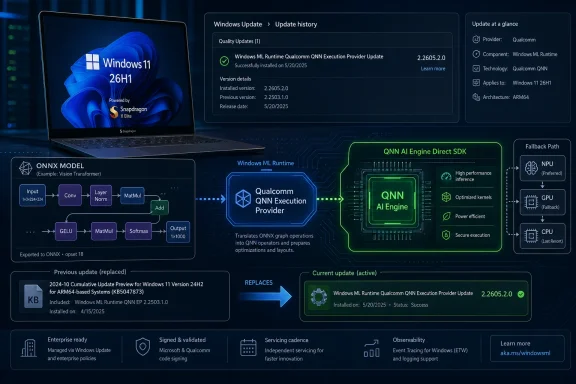
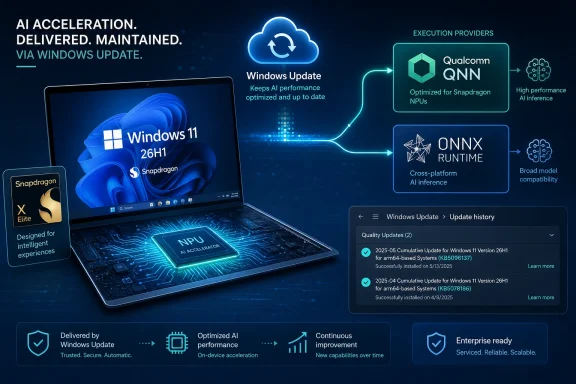
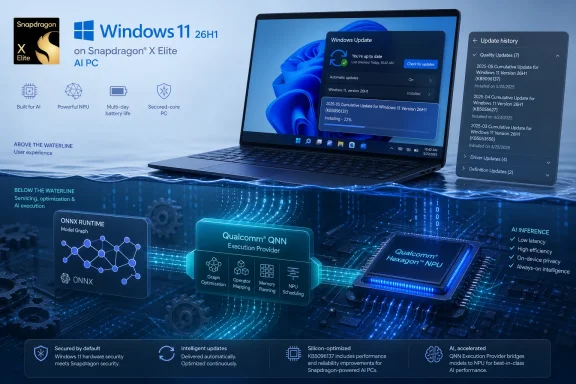
Windows 11 on Snapdragon X Elite AI PC shown above a futuristic blue chip and update interface.Microsoft Is Servicing the AI PC Below the Waterline​

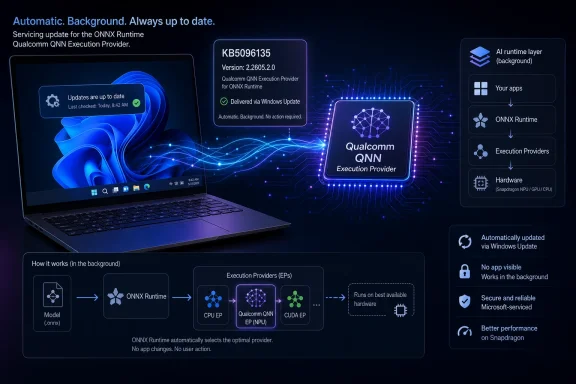
KB5096137 is not a flashy Windows feature drop. There is no new Copilot panel, no desktop redesign, and no consumer-facing toggle that will dominate screenshots. The update targets the Qualcomm QNN Execution Provider, the ONNX Runtime execution provider that lets supported Windows machine-learning workloads route inference onto Qualcomm acceleration hardware through Qualcomm’s AI Engine Direct, now commonly discussed through the QNN stack.
That distinction matters because Windows’ AI future is being built in layers most users never see. An application may call ONNX Runtime. ONNX Runtime may choose an execution provider. That provider may translate the model graph into something Qualcomm’s backend libraries can run efficiently on the device’s CPU, GPU, or NPU-class accelerator. If any of those pieces are stale, mismatched, or under-optimized, the advertised “AI PC” experience becomes either slower, hotter, less reliable, or quietly punted back to the CPU.
Microsoft’s wording is restrained: the update includes improvements to the Qualcomm QNN Execution Provider AI component for Windows 11, version 26H1. That is the language of a servicing note, not a product launch. But the underlying story is bigger than the changelog. Windows is now in the business of updating hardware-specific AI execution paths through Windows Update, automatically, as part of the operating system’s normal maintenance rhythm.
This is exactly where Microsoft wants AI infrastructure to live. If every developer had to ship and maintain their own Qualcomm runtime binding, the Windows AI ecosystem would fragment before it had a chance to mature. By pushing these components through Windows Update, Microsoft is trying to make silicon-specific acceleration feel boring. In platform terms, boring is victory.

26H1 Is a Silicon Release Wearing a Windows Version Number​

The most important line in KB5096137 may be the requirement that the device must be running Windows 11, version 26H1 with the latest cumulative update installed. Windows 11 26H1 is not a normal broad feature release for the installed base. Microsoft has described it as a targeted release for new device innovations in 2026, with the first devices tied to Qualcomm Snapdragon X2 Series processors.
That makes KB5096137 part of a narrower story than its support-page title might suggest. This is not an update most Windows 11 users should expect to see on a desktop tower, an Intel ultrabook, or even necessarily an older Arm laptop. It belongs to the 26H1 branch, which Microsoft has separated from the mainstream 25H2-to-26H2 path used by most existing PCs.
That split is unusual enough to deserve attention. Microsoft spent years trying to make Windows servicing more predictable: annual feature updates, enablement packages where possible, cumulative updates on a known cadence, and increasingly uniform release channels for business planning. 26H1 complicates that neat story because it exists to support specific new silicon rather than to deliver a broadly shared user-facing feature set.
For enthusiasts, that can look like fragmentation. For OEMs and silicon partners, it looks like pragmatism. New Arm platforms often need operating-system bring-up work that cannot wait for the traditional fall feature-update train. The question is whether Microsoft can keep that targeted release model from becoming a maze of special-case Windows builds, where each hardware generation has its own hidden dependencies and update assumptions.
KB5096137 is one of those assumptions made visible. The Qualcomm AI stack on 26H1 is not frozen at factory image time. It will move. It will be revised. And it will be delivered through the same update infrastructure administrators already have to govern.

ONNX Runtime Is the Quiet Middle Layer in Microsoft’s AI Bet​

ONNX Runtime has become one of Microsoft’s most important technologies that most Windows users have never heard of. It is the inference engine that allows machine-learning models in the Open Neural Network Exchange format to run across different hardware targets. Instead of every app developer writing separate acceleration code for every CPU, GPU, and NPU, ONNX Runtime can dispatch work through execution providers optimized for the device.
The execution provider model is the key. A model does not simply “run on AI hardware” because a sticker on the laptop says it has an NPU. The runtime needs a path to translate operations into something that the accelerator backend understands. Qualcomm’s QNN Execution Provider is one such path for Snapdragon platforms.
This approach is elegant in theory and messy in practice. Models vary. Operators vary. Quantization formats vary. Some operations are supported on an accelerator, while others fall back to CPU execution. A workload that benchmarks well in a lab may behave differently inside a real application that mixes pre-processing, model invocation, UI work, memory transfers, and background Windows activity.
That is why execution-provider updates are not incidental. Improvements can mean broader model compatibility, better graph partitioning, reduced overhead, more stable backend behavior, or simply tighter integration with the rest of the Windows ML stack. Microsoft’s support note does not spell out which of those apply to version 2.2605.2.0, and we should not pretend it does. But the target is clear: the component that decides how ONNX workloads reach Qualcomm acceleration hardware is being refreshed.
For developers, that is both promising and unsettling. The promise is that Windows can improve the runtime substrate under existing apps. The unease is that performance and behavior may depend on a moving combination of Windows build, cumulative update, execution provider version, Qualcomm backend, and device firmware. The AI PC is becoming a platform, but it is not yet a simple one.

Automatic Delivery Is a Feature and a Governance Problem​

Microsoft says KB5096137 will be downloaded and installed automatically from Windows Update. That is the right default for consumers and the likely preference for OEMs that want new PCs to age gracefully. If Qualcomm and Microsoft discover a compatibility issue or an optimization opportunity, the fix should not require users to hunt for a runtime package.
For managed environments, automatic delivery is more complicated. IT teams already distinguish between security updates, drivers, firmware, feature updates, Microsoft Store app updates, and optional previews. AI execution-provider updates add another category: not quite a driver in the traditional sense, not quite an app, not quite a framework, but capable of changing how workloads execute on hardware.
That matters because local AI is no longer a demo-only curiosity. Enterprises are testing on-device transcription, summarization, classification, image processing, endpoint-assistive workflows, developer tools, and privacy-sensitive inference scenarios. If those workloads depend on hardware acceleration, then runtime changes can affect performance, battery life, reliability, and supportability.
The most conservative IT response would be to delay everything. But that approach collides with the way AI components are evolving. Early acceleration stacks improve quickly, and staying too far behind can leave devices with worse compatibility or unexplained application behavior. The better response is to treat these updates as part of a testable hardware enablement pipeline: ring them, inventory them, validate representative workloads, and keep a record of which AI component versions are in production.
Microsoft provides a simple end-user verification path: Settings, Windows Update, Update history. That is fine for a single machine. It is not enough for fleets. If 26H1 devices become common in businesses, administrators will need reliable reporting through their endpoint-management tools that distinguishes OS build, cumulative update level, firmware state, and AI component versions. Otherwise, “works on my Snapdragon laptop” will become the new “works on my GPU driver.”

Qualcomm Gets a First-Class Seat in the Windows Runtime Stack​

Qualcomm’s role here is not merely that of a chip vendor shipping drivers. The QNN Execution Provider sits at a more strategic point: it is the bridge between a widely used AI inference runtime and the hardware-specific acceleration libraries behind Snapdragon platforms. That gives Qualcomm influence over whether Windows AI workloads feel native on its silicon or merely compatible.
For years, Windows on Arm had to prove basic things: that apps would launch, that emulation would be tolerable, that battery life would impress, that drivers would exist, and that buyers would not feel punished for leaving x86. The Copilot+ PC cycle moved the conversation toward NPUs and local AI, but that shift introduced a new burden. Qualcomm now has to prove not just that Windows runs well on Snapdragon, but that Windows AI workloads run better because Snapdragon is there.
The QNN Execution Provider is part of that proof. It allows ONNX Runtime workloads to reach Qualcomm acceleration without every application needing to know the silicon intimately. That is the abstraction Microsoft wants, and it is the abstraction Qualcomm needs if Snapdragon PCs are to compete as AI-first Windows machines rather than simply efficient Arm laptops.
But abstractions do not erase competition. Intel, AMD, Qualcomm, and eventually other silicon vendors all want their acceleration paths to look like the natural place for Windows AI workloads to land. Microsoft, meanwhile, wants developers to target Windows APIs and runtimes instead of one vendor’s bespoke stack. The execution-provider model is a negotiated peace: vendors get optimized backends, Microsoft keeps the platform center of gravity.
KB5096137 is therefore not just a maintenance update. It is evidence of Microsoft and Qualcomm continuing to tighten the Windows-on-Snapdragon AI path after devices ship. That post-sale cadence may matter as much as launch-day benchmark charts.

The NPU Story Still Depends on Software Discipline​

The industry has marketed NPUs with a simplicity the software stack has not yet earned. A laptop has an NPU, therefore AI will be fast and efficient. The reality is conditional: the model must be compatible, the runtime must route it appropriately, the execution provider must support the graph, the backend must be stable, and the application must be designed so acceleration is worth the overhead.
That conditional reality is why a component update like KB5096137 deserves more attention than its dry support-page language invites. A faster accelerator is irrelevant if common models fall back to CPU execution. A capable runtime is diminished if the backend cannot handle the model shape an app developer actually uses. A polished application can still feel sluggish if it pays too much cost moving tensors between memory domains.
The AI PC era will be won less by peak TOPS numbers than by software discipline. Microsoft knows this, which is why ONNX Runtime, Windows ML plumbing, driver models, and vendor execution providers are becoming part of the competitive battlefield. Qualcomm knows it too, which is why the QNN stack is being positioned not just for phones and embedded systems, but for Windows devices running mainstream developer workloads.
The challenge is transparency. Users and administrators rarely know whether a given feature used the NPU, GPU, CPU, or a mixture. Developers can inspect and profile, but ordinary Windows diagnostics remain limited for AI execution. Task Manager has improved over the years for GPU visibility, but AI acceleration still lacks the everyday observability that would make troubleshooting intuitive.
Until that changes, updates like KB5096137 will be trusted largely on faith. They arrive, they install, and the system is presumed better. That may be acceptable for consumers. It is less satisfying for professionals trying to validate whether an AI workload is actually using the silicon they paid for.

Microsoft’s Componentized AI Stack Is Starting to Resemble the Browser Wars​

There is a familiar pattern here. A platform vendor takes something that used to be an application-level concern and turns it into a serviced platform component. Browsers did it with rendering engines and JavaScript runtimes. Graphics stacks did it with driver models, shader compilers, and runtime libraries. Security products did it with cloud-delivered intelligence and engine updates.
AI inference is now entering the same phase. The model may be the visible artifact, but the runtime is where performance, compatibility, and power behavior are negotiated. If Microsoft can make ONNX Runtime and its execution-provider ecosystem the default layer for Windows AI, it gains a strategic position similar to what a browser engine provides on the web: a chokepoint, a compatibility promise, and a venue for optimization.
That has benefits. Developers get a more portable target. Users get hardware acceleration without manually assembling SDKs. OEMs can ship devices whose AI capabilities improve after launch. Security-conscious organizations can prefer local inference paths that do not require every interaction to leave the device.
It also creates platform risk. When a serviced component sits between applications and hardware, regressions can be broad and hard to diagnose. A model that ran correctly on Monday may behave differently after an update on Tuesday. A vendor optimization may help one workload and expose assumptions in another. The more Windows abstracts the AI stack, the more responsibility Microsoft assumes for making that abstraction predictable.
KB5096137 is modest, but it belongs to this larger shift. The Windows AI runtime layer is not a static dependency. It is becoming an evergreen substrate.

The Support Note Says Little Because the Strategy Says Plenty​

The sparse nature of Microsoft’s support text is not unusual. Many Windows component updates arrive with language that says “improvements” without enumerating every fix or optimization. In the security-update world, that can be frustrating but familiar. In the AI-runtime world, it is still new enough to feel opaque.
The lack of detail should temper any claim about immediate user-visible gains. We should not assume KB5096137 makes every ONNX model faster, expands support for a specific neural network operator, or fixes a named application unless Microsoft or Qualcomm says so. The update may contain narrowly targeted changes that matter only in certain device and workload combinations.
Yet the version number itself tells a story. Moving the Qualcomm QNN Execution Provider to 2.2605.2.0 suggests a May 2026 servicing cadence aligned with the broader 26H1 hardware window. Earlier support entries and forum tracking have already shown Microsoft publishing related Qualcomm QNN provider updates for 26H1, including previous component versions. This is not a one-off packaging accident; it is a recurring channel.
That cadence is important for WindowsForum readers because it changes what “fully updated” means on new Arm PCs. It no longer means merely that Windows Update reports the latest cumulative update. It may also mean that the machine has the current AI execution provider, the current firmware, the current vendor acceleration libraries, and an application stack that knows how to use them.
In other words, the AI PC is making the definition of a Windows baseline more vertical. The OS version is only the top line.

Developers Get Portability, but Not a Free Lunch​

For Windows developers, ONNX Runtime remains the pragmatic route into hardware-accelerated inference. It offers a common model format, a mature runtime, and execution providers that can target different backends. On Snapdragon Windows systems, the Qualcomm QNN Execution Provider is the mechanism that can turn that portability into actual hardware acceleration.
But developers should resist the fantasy that ONNX plus an execution provider equals automatic optimization. Real applications need profiling, fallback planning, model conversion discipline, and careful testing across hardware. If a workload is latency-sensitive, developers must measure cold-start behavior and graph compilation costs. If it is battery-sensitive, they must measure system-level power, not just inference time.
The update model also creates a moving target. A developer may test against one provider version and see different behavior after Windows Update delivers another. In mature ecosystems, that is normal; GPU developers live with driver updates, and web developers live with browser engine changes. But AI application developers on Windows are still learning what the compatibility contract looks like.
The right lesson is not to avoid the QNN path. It is to build applications with explicit capability detection and graceful fallback. If the Qualcomm provider is present and supports the workload well, use it. If not, the app should fall back to another execution provider or a CPU path without turning the support desk into a forensic lab.
That is where Microsoft’s abstraction has to prove itself. The platform should make the fast path easy, the fallback path reliable, and the diagnostic path visible. Today, the fast path is improving faster than the diagnostic story.

Security and Privacy Are the Quiet Winners of Local Inference​

Much of the AI PC pitch has focused on convenience and performance. Local summarization, local image generation, local search, local assistance — these are the demos that sell machines. But the more durable enterprise argument may be security and privacy.
If inference can run locally, some workloads do not need to send raw content to a cloud service. That matters for regulated industries, legal work, healthcare, finance, government, and any organization with strict data-boundary rules. It also matters for ordinary users who simply do not want every personal document or meeting snippet processed remotely.
The Qualcomm QNN Execution Provider does not create that privacy story by itself. It is one enabling component in a broader local-inference architecture. But hardware acceleration makes local inference more practical. A model that is technically local but too slow, too hot, or too battery-hungry will be bypassed by users and developers alike.
That is why runtime updates are part of the trust equation. If Microsoft and Qualcomm can steadily improve local performance and reliability, they reduce pressure to send workloads to the cloud just to make them usable. If they cannot, the AI PC becomes a marketing label attached to a machine that still depends on remote services for anything meaningful.
There is also a supply-chain angle. Enterprises will want to know where these components come from, how they are signed, how they are updated, and whether they can be governed through existing update policies. Automatic Windows Update delivery is convenient, but convenience is not the same as auditability. The more important local AI becomes, the more scrutiny these runtime components will receive.

The Consumer Experience Will Be Invisible Until It Is Not​

Most users who receive KB5096137 will not know it installed. They may only see it if they check Windows Update history and recognize the name. That is by design. Platform components should not require consumer ceremony.
The best-case outcome is uneventful: AI-enabled applications run a little better, compatibility improves, and the user never has to learn what a QNN Execution Provider is. That is how modern operating systems earn trust. Nobody wants to become an expert in neural-network graph execution just to use a laptop.
The worst-case outcome is also familiar. An update changes behavior, an app’s local AI feature stops working correctly, battery life shifts, or a support forum fills with vague complaints about “the NPU” without clear diagnostics. Because the component sits below the app layer, users may not know whether to blame Windows, Qualcomm, the OEM, the app developer, or the model.
That ambiguity is not unique to AI, but AI makes it more likely. The stack is young, the tooling is uneven, and vendor marketing has raced ahead of everyday explainability. Microsoft can reduce that friction by making AI component versions more visible, by improving logs and performance counters, and by giving administrators inventory hooks that do not require spelunking through update history.
Until then, KB5096137 is a reminder that the clean consumer story hides a lot of moving parts. The magic is serviced.

The Real Test Is Whether Windows Can Make AI Hardware Ordinary​

Windows succeeds when hardware differences are made useful without becoming the user’s problem. Plug in a display, and the graphics stack handles it. Connect a printer, and the driver model is supposed to absorb the pain. Install a game, and DirectX negotiates much of the hardware complexity. The AI PC needs an equivalent layer of ordinariness.
ONNX Runtime and execution providers are one candidate for that layer. They are not the whole answer, but they offer a plausible abstraction: developers target a runtime, vendors optimize providers, and Windows Update keeps the machinery current. KB5096137 is a small artifact of that strategy.
The difficulty is that AI workloads are more diverse than many traditional client workloads. A game engine may push graphics hardware hard, but the shape of the problem is well understood. AI inference spans language, vision, audio, embeddings, classification, generation, retrieval, and hybrid pipelines that mix local and cloud resources. No single provider update can make that entire space simple.
That is why the success metric for Qualcomm’s QNN provider on Windows should not be a single benchmark. It should be consistency across common workloads, predictable fallbacks, low-friction developer adoption, and clear visibility for administrators. The glamorous number on the spec sheet is TOPS. The practical number is how often real applications can use the accelerator without special pleading.
KB5096137 suggests Microsoft is doing the unglamorous work. That is encouraging. It also means Windows users are entering an era in which some of the most important updates will be the least photogenic ones.

The 2.2605.2.0 Update Draws the New Baseline​

For anyone managing or evaluating Windows 11 26H1 Snapdragon hardware, the immediate action is simple: verify that the device has the latest cumulative update and confirm KB5096137 appears in Windows Update history. But the broader lesson is that AI capability is now a serviced baseline, not a static hardware claim.
This is the point where buyers should become more skeptical of launch-day promises. A Snapdragon laptop’s AI performance in April may not be its AI performance in June. A model that failed on one provider version may work later. A vendor demo may depend on a newer stack than the one in a corporate image. The hardware matters, but the update channel increasingly determines what the hardware can actually do.
Microsoft’s choice to deliver the Qualcomm QNN Execution Provider automatically is sensible. It prevents fragmentation among consumers and gives OEMs a path to improve devices without asking users to understand SDK installation. But automatic servicing also raises the bar for documentation and enterprise controls. If the AI runtime is important enough to update automatically, it is important enough to describe clearly.
That is the gap Microsoft still needs to close. Support notes should not become novels, but AI execution-provider updates deserve enough detail for developers and administrators to assess risk. Even a concise list of compatibility fixes, backend changes, or known affected scenarios would help. The current language confirms the update exists, but not what operational difference it makes.

The Practical Reading for WindowsForum’s 26H1 Crowd​

KB5096137 is narrow, but it offers a useful snapshot of where Windows is headed. The operating system is no longer just adding AI features; it is servicing the runtime substrate that lets those features work on specific silicon. That distinction will matter more with every new class of NPU-equipped hardware.
For Windows enthusiasts, the update is another reason to watch 26H1 as more than a curiosity. For admins, it is a prompt to extend inventory and validation practices to AI components. For developers, it is a reminder that ONNX Runtime portability is real but still requires measurement. For Qualcomm, it is one more step in turning Snapdragon’s AI hardware into something Windows applications can depend on.
  • KB5096137 updates the Qualcomm QNN Execution Provider to version 2.2605.2.0 on eligible Windows 11 version 26H1 devices.
  • The update is delivered automatically through Windows Update and can be checked through Windows Update history.
  • The component matters because it helps ONNX Runtime workloads use Qualcomm acceleration hardware through the QNN stack.
  • Windows 11 26H1 remains a targeted silicon-support release rather than a broad feature update for most existing PCs.
  • Administrators should treat AI execution-provider versions as part of the managed device baseline, especially on Snapdragon systems.
  • Developers should still profile and validate workloads instead of assuming every ONNX model will benefit equally from acceleration.
The AI PC will not be defined by one update, one benchmark, or one Copilot feature. It will be defined by whether Microsoft, Qualcomm, OEMs, and developers can make local acceleration reliable enough to disappear into the platform. KB5096137 is a small Windows Update entry, but it points toward that larger test: whether Windows can turn specialized AI silicon from a marketing promise into ordinary infrastructure.

References​

  1. Primary source: Microsoft Support
    Published: Tue, 26 May 2026 21:02:44 Z
  2. Related coverage: qualcomm.com
  3. Related coverage: onnxruntime.ai
  4. Related coverage: windowscentral.com
  5. Related coverage: fs-eire.github.io
  6. Related coverage: windowsforum.com
 

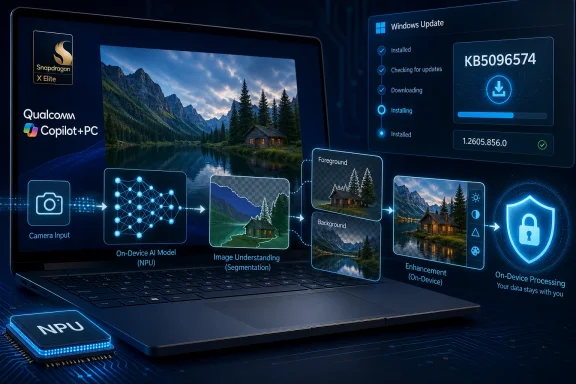
Microsoft has published KB5096574, an Image Processing AI component update version 1.2605.856.0 for Qualcomm-powered Copilot+ PCs running Windows 11 version 24H2 or 25H2, delivered automatically through Windows Update after the latest cumulative update is installed. The small support note is not flashy, but it is a useful signal about where Windows is headed. Microsoft is turning AI on Windows from a single Copilot-branded app into a serviced layer of local models, runtime components, and silicon-specific plumbing.

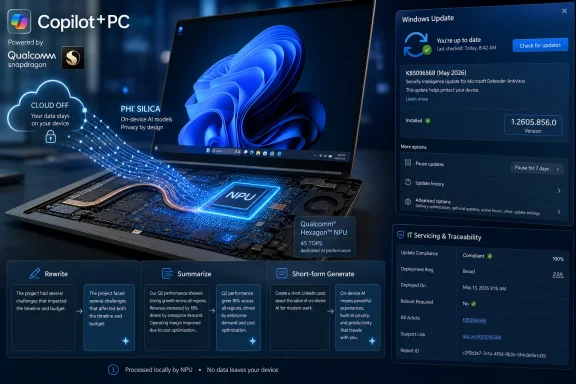
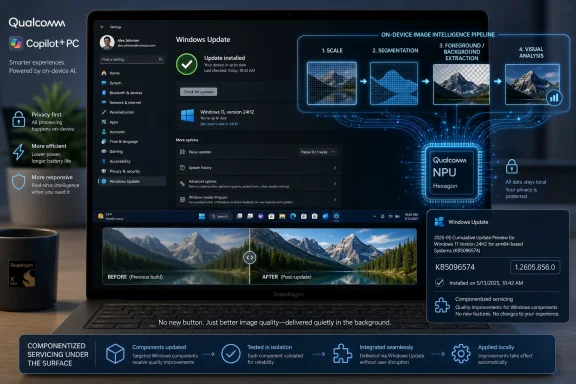
Laptop display shows Qualcomm Copilot+PC with on-device AI processing and a Windows Update progress screen.Microsoft’s AI PC Strategy Is Now Hiding in Update History​

KB5096574 is the kind of update most people will never search for unless something breaks, which is exactly why it matters. It is not a feature-drop blog post, not a Surface commercial, and not a keynote demo. It is a component update: the mundane delivery mechanism by which Microsoft keeps the AI substrate of Windows moving.
The affected component is the Image Processing AI stack for Qualcomm-powered Copilot+ PCs. Microsoft describes it as enabling on-device image understanding and processing across Windows features and apps, including scaling, segmentation, foreground and background extraction, and visual analysis. In plain English, this is part of the machinery that lets Windows identify, separate, enhance, and reason about visual content without necessarily sending it to the cloud.
That makes KB5096574 more important than its sparse release note suggests. Windows AI is becoming less like an optional application and more like a driver model. It has versions, dependencies, processor targeting, update history entries, and prerequisites.

Qualcomm Gets the First-Class Treatment Because Copilot+ Started There​

The update is specifically for Qualcomm-powered systems, which means the Snapdragon X-era Copilot+ PC remains Microsoft’s cleanest AI PC proving ground. That is not because AMD and Intel are irrelevant; it is because the first wave of Copilot+ branding was tightly associated with Qualcomm silicon, neural processing unit requirements, and Microsoft’s pitch that Windows could finally do meaningful local AI work at laptop power budgets.
This silicon specificity is not incidental. Image processing AI workloads depend heavily on acceleration paths, model packaging, memory behavior, and runtime compatibility. A generic Windows update can patch Notepad for everyone, but an AI component that leans on dedicated hardware has to respect the reality that NPUs are not interchangeable in the way CPUs once appeared to be.
For administrators, that means “Windows 11” is no longer a sufficient inventory category. A device’s AI feature set may depend on whether it is Qualcomm, AMD, or Intel; whether it meets Copilot+ requirements; whether it has the right cumulative update; and whether component-level AI packages have landed successfully.

The Feature Is Local, but the Servicing Model Is Cloud-Like​

Microsoft’s support language emphasizes that the component runs on dedicated AI hardware, delivers low-latency performance, and keeps image data on the device. That is the privacy-friendly version of the AI PC promise: use local models for tasks that should not require a round trip to a data center.
But the servicing model looks very much like modern cloud software. The component is versioned independently, shipped automatically, and described in broad terms as “improvements.” Users are not being asked to install a new app; Windows Update simply refreshes a piece of the local AI stack.
That creates a new tension. Local AI reduces some privacy and latency concerns, but automatic model and runtime updates also mean the behavior of image-related features may change over time without a traditional application upgrade. The machine is local; the lifecycle is continuous.

“Improvements” Is Doing a Lot of Work​

KB5096574 says the update includes improvements to the Image Processing AI component for Windows 11 versions 24H2 and 25H2. It does not spell out whether those improvements are accuracy gains, performance tuning, compatibility fixes, security hardening, power optimizations, or preparation for future Windows features.
That vagueness is familiar to anyone who has followed Windows servicing. Microsoft often uses terse release notes for platform components, especially when the changes are not intended to be directly user-visible. But AI components are different from many traditional subsystems because their outputs can be probabilistic, subjective, and user-facing.
If a segmentation model gets better at separating a person from a background, users may see cleaner effects in image editing, accessibility, or video-adjacent experiences. If an update changes model behavior, the difference may appear as “Windows got smarter” or “this used to work differently,” with little obvious connection to a KB number buried in update history.

Windows 11 25H2 Is Already in the Component Pipeline​

The explicit mention of Windows 11 version 25H2 is also notable. Microsoft’s AI component servicing is not merely maintaining the current 24H2 Copilot+ baseline; it is being aligned with the next Windows 11 release train. That suggests the company wants AI components to move across OS versions with less drama than the old feature-update model.
For enterprises, this is both welcome and complicated. On one hand, componentized servicing can deliver improvements without waiting for annual operating system upgrades. On the other hand, it adds another layer to validation: the OS version, cumulative update level, driver stack, firmware, Store-delivered app versions, and AI component versions may all matter.
This is the new Windows compatibility matrix. It is not enough to ask whether an app supports Windows 11. Increasingly, the question is whether a workflow depends on AI components that are present, current, accelerated, and enabled on a specific class of hardware.

Update History Becomes the New Diagnostic Console​

Microsoft tells users to verify installation through Settings, Windows Update, and Update history. That sounds ordinary, but it hints at a practical problem: AI components need to become visible enough for troubleshooting without becoming another obscure layer that only support engineers understand.
If a Copilot+ feature fails, behaves inconsistently, or appears on one device but not another, the old checklist will not be enough. IT staff will need to confirm cumulative update prerequisites, device eligibility, processor family, NPU support, and component versions. KB5096574 is one more reminder that “fully updated” now has more than one meaning.
The support note says the update downloads and installs automatically from Windows Update. That is good for consumers, but enterprises will want to understand how these packages appear in managed environments, how they interact with update rings, and whether reporting tools expose the state cleanly enough for fleet auditing.

The AI PC Is Becoming a Serviced Platform, Not a Marketing Category​

The early Copilot+ conversation was dominated by demos: Recall, Cocreator, live captions, semantic search, and battery-friendly AI acceleration. KB5096574 sits at the opposite end of that spectrum. It is infrastructure.
That is where the real AI PC battle will be fought. Microsoft can announce a feature once, but it has to maintain the models, runtimes, drivers, and hardware abstractions indefinitely. If it gets that right, AI features become normal Windows capabilities. If it gets it wrong, Copilot+ risks becoming another compatibility footnote users learn to distrust.
Image processing is an especially revealing category because it touches so many scenarios. Accessibility, photo editing, camera effects, search, screenshots, creative tools, and future agent-style workflows all benefit from local visual understanding. The component name may sound narrow, but the surface area is broad.

Privacy Depends on More Than Staying On-Device​

Microsoft’s on-device framing is important, and it is meaningfully different from cloud-only AI. Keeping image data local can reduce exposure, improve responsiveness, and make AI features practical in bandwidth-constrained or regulated settings.
But privacy is not solved merely because inference happens on the PC. Users and administrators still need clarity about what data is processed, where intermediate results live, how long indexes or derived metadata persist, and which apps can invoke the component. Local AI can be safer than cloud AI, but it can also make analysis more ambient and harder to notice.
That is why servicing transparency matters. A model update that improves background extraction is benign in most contexts, but the same underlying capability may power features that analyze screenshots, photos, or app windows. Microsoft’s challenge is to make the platform powerful without making it feel invisible in the wrong way.

The Practical Reading for WindowsForum Readers​

For most owners of Snapdragon-based Copilot+ PCs, KB5096574 should be uneventful. It should arrive automatically, require no manual download, and appear in update history after installation. The prerequisite is straightforward: the device needs the latest cumulative update for Windows 11 version 24H2 or 25H2.
The interesting part is what to do when things are not uneventful. If an AI-assisted image feature is missing, inconsistent, or slower than expected, this component version becomes one of the first things worth checking. It is not just a “nice to have” patch; it may be part of the expected baseline for current and upcoming Windows AI experiences.

The Quiet KB That Explains the Loud Strategy​

KB5096574 is small, but it points to several concrete realities for the next phase of Windows:
  • Windows AI features are increasingly dependent on separately serviced components rather than monolithic OS upgrades.
  • Qualcomm-powered Copilot+ PCs remain a primary target for Microsoft’s on-device AI work.
  • Image understanding in Windows is becoming a platform capability used across multiple features and applications.
  • Administrators will need to track AI component versions alongside cumulative updates, drivers, and firmware.
  • Microsoft’s privacy pitch depends not only on local processing, but also on clear controls and predictable servicing behavior.
KB5096574 will not transform a Copilot+ PC overnight, and Microsoft’s release note gives no reason to pretend otherwise. But it is another brick in the architecture Microsoft is building: a Windows platform where AI capabilities are maintained like graphics drivers, delivered like security updates, and expected to fade into the operating system until users stop thinking of them as AI at all.

References​

  1. Primary source: Microsoft Support
    Published: Tue, 26 May 2026 21:02:25 Z
  2. Official source: learn.microsoft.com
  3. Related coverage: content.shi.com
  4. Related coverage: na.ingrammicro.com
  5. Related coverage: qualcomm.com
  6. Related coverage: gehealthcare.com
 

Microsoft published KB5096135 on May 26, 2026, as an automatic Windows Update package that updates the Qualcomm QNN Execution Provider AI component to version 2.2605.2.0 for Windows 11 version 24H2 and Windows 11 version 25H2. The update is narrow, quiet, and easy to miss, but it is also a useful marker for where Windows on Arm is heading. Microsoft is increasingly treating local AI acceleration not as a flashy app feature, but as serviced operating-system plumbing.

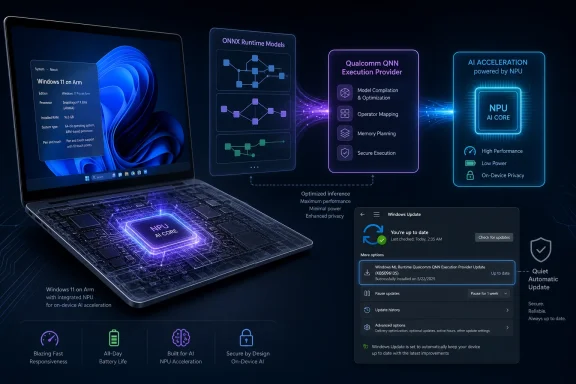
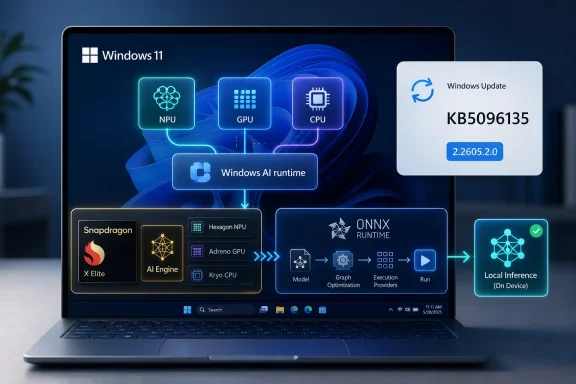
Futuristic laptop with on-device NPU AI acceleration graphics and Windows update screen.Microsoft Turns the NPU Into a Serviced Windows Dependency​

KB5096135 is not the kind of Windows update that will make most users stop what they are doing. It does not promise a new Start menu, a visible Copilot redesign, or a performance boost that can be captured in a single benchmark headline. Microsoft’s support note describes it simply as an update to the Qualcomm QNN Execution Provider, an ONNX Runtime execution provider used by Windows machine learning scenarios on Qualcomm chipsets.
That phrasing is dry, but the architecture matters. ONNX Runtime is one of the layers Microsoft uses to run machine-learning models across different hardware backends. An execution provider is the adapter that lets ONNX Runtime send work to a particular acceleration path rather than treating every model as a CPU job. In this case, the target is Qualcomm’s AI stack, exposed through the Qualcomm AI Engine Direct SDK and its QNN graph execution model.
The update applies to Windows 11 version 24H2 and Windows 11 version 25H2, and Microsoft says it will be downloaded and installed automatically through Windows Update. It requires the latest cumulative update for those Windows versions first, which means Microsoft is tying the AI component cadence to the broader servicing baseline rather than leaving it entirely to app installers, SDK packages, or OEM utilities.
That is the real story. The Copilot+ PC pitch depends on NPUs being available, predictable, and usable by system components and third-party applications. KB5096135 is one of the small gears in that machine: a component update that keeps Qualcomm’s NPU acceleration path in step with Windows as the platform underneath it changes.

The Quiet Update Says More Than the Support Page Admits​

Microsoft’s support article does not list individual fixes, new operators, performance claims, or known issues. It says the package includes improvements to the Qualcomm QNN Execution Provider AI component, replaces the previously released KB5089617, and appears in update history as “Windows ML Runtime Qualcomm QNN Execution Provider Update (KB5096135).” That is not much for administrators hoping to assess regression risk.
But the absence of detail is itself instructive. Microsoft is presenting this as component servicing, not as a feature release. The QNN Execution Provider is being handled more like a graphics runtime, media codec, or Defender intelligence component than a conventional application update. It arrives when eligible devices check Windows Update; users can verify it under Settings, Windows Update, and Update history.
The choice to split this out as a named KB also matters. AI components are no longer invisible blobs inside a monolithic OS image. Microsoft has been building separate release information for AI components, and KB5096135 fits that model: specific enough to track, automatic enough that most people never need to think about it, and dependent enough on cumulative updates that it remains anchored to the Windows servicing train.
For Windows enthusiasts, this is a subtle but important shift. The NPU is becoming part of the Windows compatibility surface. If an app depends on ONNX Runtime and expects Qualcomm acceleration, it is no longer depending only on the silicon vendor’s marketing sheet; it is depending on whether the right provider, runtime, and OS update level are present.

Qualcomm’s Execution Provider Is the Translation Layer Windows Needs​

The Qualcomm QNN Execution Provider exists because “run this AI model on the NPU” is not a single operation. An ONNX model must be mapped into a graph that Qualcomm’s backend understands, and that graph must be executed through the appropriate accelerator library. Microsoft’s description says the provider uses Qualcomm’s QNN SDK to construct a QNN graph from an ONNX model, which is then executed by a supported accelerator backend.
In practical terms, this is the layer that lets a Windows machine-learning workload use Qualcomm hardware acceleration without every application developer hand-writing against the lowest-level Qualcomm interfaces. That does not make performance automatic. Models still need to be compatible, quantized appropriately for certain backends, and shaped in ways the provider can handle.
The ONNX Runtime documentation for QNN makes that clear. QNN can target different Qualcomm backends, including HTP for NPU offload, GPU, and CPU-style reference paths, and the HTP route has model requirements that developers cannot ignore. Quantized models, fixed shapes, supported operators, and careful fallback behavior remain part of the engineering burden.
This is why a servicing update is not just routine maintenance. As Microsoft, Qualcomm, and developers expand the set of models expected to run locally, the execution provider becomes a moving compatibility layer. Improvements may mean better operator support, updated backend behavior, reliability changes, performance tuning, or alignment with newer Qualcomm runtime pieces. Microsoft has not specified which of those are in KB5096135, so we should not pretend to know. What we can say is that this is the place such improvements would land.

Windows on Arm Needs Boring Infrastructure More Than Big Promises​

The Snapdragon X generation gave Windows on Arm its first truly mainstream hardware moment. The marketing hook was battery life and AI acceleration, but the success of the platform depends on far less glamorous work. Drivers need to be stable, emulation needs to be good enough, native apps need to appear, and local AI runtimes need to behave consistently across OEM images.
KB5096135 sits squarely in that last bucket. Qualcomm’s NPU is only useful to Windows users if the software above it knows how to target it. For Microsoft’s own features, that means Windows ML and related runtime paths need to stay current. For developers, it means the ONNX Runtime provider must be reliable enough that using the NPU does not turn into a support matrix nightmare.
This is where the platform argument becomes sharper. Microsoft is not just competing with Intel and AMD PCs on performance per watt; it is competing with Apple’s control over the full hardware-software stack. Apple can evolve Core ML, Neural Engine support, and OS frameworks as a single platform story. Windows has to coordinate Microsoft, Qualcomm, OEMs, app developers, and enterprise deployment tools.
Servicing the QNN Execution Provider through Windows Update is one way Microsoft narrows that gap. It gives the company a route to improve the AI acceleration layer after a device ships. It also reduces the chance that every OEM image freezes a different version of a key AI component in place.

Automatic Installation Helps Consumers and Complicates Change Control​

For consumers, automatic installation is the right default. Nobody wants to hunt down a runtime package to make a photo effect, voice feature, local model, or future Copilot workload use the NPU properly. If the device is supported and up to date, the acceleration layer should be there.
For enterprise IT, automatic installation is more complicated. AI component updates can affect workloads that are difficult to test with traditional application compatibility suites. A regression in a runtime provider might not break Windows boot or Office launch; it might change latency, accuracy, fallback behavior, power consumption, or memory pressure in an application that depends on local inference.
Microsoft’s prerequisite requirement at least offers a clear baseline: devices need the latest cumulative update for Windows 11 version 24H2 or version 25H2. That helps administrators reason about eligibility. The update history entry gives them a way to verify presence after deployment.
Still, the support note’s lack of a detailed changelog leaves a gap. If an organization is piloting Windows on Arm devices for field workers, developers, executives, or AI-assisted workflows, it needs to understand what changed in the acceleration stack. “Includes improvements” may be true, but it is not sufficient for environments where reproducibility matters.

The 24H2 and 25H2 Targeting Shows the AI Baseline Moving Forward​

KB5096135 applies to Windows 11 version 24H2 and Windows 11 version 25H2, not older Windows 11 releases. That targeting is unsurprising, but it matters. Microsoft’s modern AI plumbing is concentrated around the newer Windows 11 codebase, particularly the builds aligned with Copilot+ PC hardware.
Windows 11 24H2 was the release that brought the first wave of Copilot+ PC infrastructure into the mainstream channel. Windows 11 25H2, referenced in the KB as supported, continues that servicing trajectory. By limiting this QNN provider update to those branches, Microsoft is implicitly defining where the supported AI component stack lives.
That has consequences for device fleets. A Qualcomm-powered Windows PC that is not on a supported release branch may not receive the same AI runtime servicing path. Conversely, a device on 24H2 or 25H2 with current cumulative updates should be positioned to receive these component-level updates automatically.
This is increasingly how Windows will draw the line between “runs Windows” and “runs the current Windows AI platform.” The OS version, cumulative update level, AI component version, and silicon vendor provider all become part of the same compatibility story. The old habit of asking only which Windows build is installed will not be enough.

The Replacement of KB5089617 Signals a Cadence, Not a One-Off​

Microsoft says KB5096135 replaces KB5089617. That replacement detail is easy to skip, but it is one of the more revealing facts in the support article. The QNN provider update stream is not a one-off patch; it is a sequence.
A replacement chain suggests Microsoft expects this component to evolve independently enough that each update needs its own identity. That is sensible. AI runtimes are changing quickly, and the underlying models, operator sets, quantization strategies, profiling behavior, and acceleration APIs are not static. Qualcomm’s own stack evolves, ONNX Runtime evolves, and Windows’ use of local inference evolves.
The challenge is that component servicing at this pace can strain the documentation model. If Microsoft ships frequent AI runtime updates but describes each only as “improvements,” administrators and developers will have to infer too much. They will test, compare, and reverse-engineer behavior that should ideally be described in release notes.
The upside is agility. Windows on Arm needs fast iteration if it is to mature as an AI client platform. The downside is opacity. KB5096135 shows both sides of that bargain.

Developers Get a Better Target, but Not a Free Pass​

For developers building on ONNX Runtime, the QNN Execution Provider offers a path to Qualcomm acceleration without abandoning cross-platform model workflows. The same high-level runtime can target different execution providers, with QNN handling the Qualcomm path. That is attractive if your application needs to run on a mix of Intel, AMD, Nvidia, and Qualcomm systems.
But acceleration remains conditional. The QNN HTP backend, which is the interesting NPU path, has real constraints. Models may need quantization, dynamic shapes may need to be fixed, unsupported operators may fall back to CPU unless developers disable fallback for validation, and provider options can affect performance and behavior.
KB5096135 does not change that fundamental contract. It may improve the provider, but it does not turn every ONNX model into an NPU-ready workload. Developers still need to test on actual Snapdragon Windows hardware and check whether their model runs where they think it runs.
That last point is crucial. Silent CPU fallback can make an application appear compatible while quietly losing the power and latency benefits the developer expected. For serious local AI workloads, validation should include provider placement, performance counters, power behavior, and error handling—not just successful inference.

Users Will See the Effects Indirectly, If They See Them at All​

Most users will never knowingly interact with the Qualcomm QNN Execution Provider. They will not launch it, configure it, or recognize its update history entry unless they are looking for it. The effects, if any are visible, will appear through applications and Windows features that use local machine learning.
That could mean faster response times, lower CPU usage, better battery behavior, improved reliability, or support for workloads that previously failed to use the NPU properly. It could also mean no visible change at all. Microsoft has not claimed user-facing performance improvements for KB5096135, and we should not invent them.
This is the nature of platform work. The more successful the provider is, the less users should need to know it exists. A camera feature, accessibility feature, creative application, or local assistant should simply choose the right acceleration path and run.
The danger is that invisible infrastructure is hard to troubleshoot. If a feature behaves differently after an update, the relevant change may be buried under AI component servicing rather than in the app itself. Power users should know where to look: Settings, Windows Update, Update history, and the entry for the Windows ML Runtime Qualcomm QNN Execution Provider Update.

IT Pros Should Treat AI Components Like Drivers With Runtime Semantics​

Administrators already understand driver updates as both necessary and risky. AI component updates deserve similar treatment, but with a twist. They are not just hardware enablement packages; they are runtime behavior packages that can affect application execution.
A graphics driver regression is often visible quickly: crashes, flicker, broken rendering, poor frame rates. An AI runtime regression may be subtler. A local inference workload may become slower, consume more power, fall back to CPU, or produce different numerical behavior. In regulated or highly controlled environments, even small changes in model execution paths can matter.
That does not mean organizations should block KB5096135 by reflex. The update is part of Microsoft’s supported servicing path for the relevant Windows versions. Avoiding it indefinitely may leave devices behind the platform baseline that Microsoft and app vendors expect.
It does mean pilots matter. Qualcomm-based Windows 11 fleets should include representative AI workloads in update validation, even if those workloads are currently modest. The future risk is not only today’s Copilot feature; it is tomorrow’s line-of-business app that quietly depends on local inference.

Microsoft Is Building an AI Update Channel in Plain Sight​

The most interesting part of KB5096135 is not the version number. It is the emerging pattern around AI component release information, update history entries, and Windows Update delivery. Microsoft is building a servicing channel for AI plumbing that sits somewhere between OS feature updates and app-store-delivered experiences.
This makes strategic sense. AI features are moving faster than Windows feature releases. Hardware providers are iterating quickly. Developers need runtime fixes without waiting for annual OS milestones. Users, meanwhile, expect their expensive NPU-equipped laptops to get better over time.
The question is whether Microsoft can make this channel transparent enough. Windows Update has long been criticized when it changes too much with too little explanation. AI servicing raises the stakes because the stack is less familiar to many administrators and users. A KB page that says “improvements” may be acceptable for a minor component, but it becomes less acceptable as more critical workloads depend on that component.
Microsoft’s opportunity is to make AI component servicing boring in the best sense: predictable, documented, reversible where appropriate, and visible in management tools. KB5096135 is a step toward the predictable part. The documentation part still has room to grow.

The Small Qualcomm Patch Carries a Bigger Windows Lesson​

KB5096135 is best understood as a platform-maintenance update, not a feature drop. Its importance is less about what Microsoft explicitly says it changes and more about what its delivery model reveals.
  • KB5096135 updates the Qualcomm QNN Execution Provider AI component to version 2.2605.2.0 for Windows 11 version 24H2 and Windows 11 version 25H2.
  • The update installs automatically through Windows Update after the latest cumulative update for the supported Windows version is present.
  • The update replaces KB5089617, showing that Microsoft is maintaining a sequence of AI component updates rather than shipping a one-time package.
  • Users can verify installation in Windows Update history under the Windows ML Runtime Qualcomm QNN Execution Provider Update entry.
  • Developers and IT teams should treat the QNN provider as a serviced compatibility layer for local AI workloads on Qualcomm hardware, not as a static OEM component.
  • Microsoft has not published a detailed fix list for this KB, so performance or behavior changes should be validated rather than assumed.
KB5096135 will not sell anyone a Copilot+ PC by itself, and it will not settle the Windows on Arm argument overnight. But it shows Microsoft doing the unglamorous work required for that argument to become credible: turning AI acceleration into updateable Windows infrastructure. The next phase of the PC will depend less on whether an NPU exists on the spec sheet and more on whether Windows can keep the layers above it current, observable, and dependable.

References​

  1. Primary source: Microsoft Support
    Published: Tue, 26 May 2026 21:02:30 Z
 

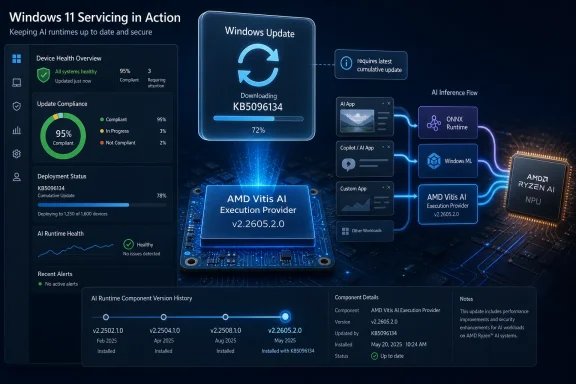
Microsoft has published KB5096134, an automatic Windows Update package for Windows 11 versions 24H2 and 25H2 that updates the AMD Vitis AI Execution Provider to version 2.2605.2.0 for supported AMD AI hardware and requires the latest cumulative update first. The support note is short, but the implication is not: Windows is no longer treating local AI acceleration as a driver-side curiosity. It is becoming a serviced component of the operating system, with all the convenience, opacity, and administrative tension that phrase implies.

Illustrated Windows 11 update compliance and AI inference flow with AMD Ryzen NPU and Vitis AI version v2.2605.2.0.Microsoft Moves AI Acceleration Into the Windows Servicing Machine​

KB5096134 is not a glamorous update. It does not promise a new Copilot panel, a redesigned Settings page, or a benchmark-friendly feature that PC makers can splash across a launch deck. It updates an execution provider, the layer that lets ONNX Runtime and Windows machine learning hand AI inference work to the right hardware backend.
That sounds small until you remember where Windows is heading. Microsoft, AMD, Intel, Qualcomm, and the PC industry at large have spent the past two years telling users that neural processing units are not just another spec-sheet flourish. They are supposed to become part of the normal Windows application platform, as mundane as GPU acceleration became for video playback, browser compositing, and desktop effects.
KB5096134 is evidence of that platform shift in miniature. Microsoft is not asking users to download a developer SDK, hunt through AMD’s site, or manually install a runtime stack. The update arrives through Windows Update, appears in Update history as a “Windows Runtime ML AMD NPU Execution Provider Update,” and replaces the earlier KB5089169 package.
That means the AI runtime layer is being handled less like an optional enthusiast component and more like a Windows inbox dependency. For ordinary users, that is probably the right direction. For administrators, developers, and anyone trying to keep a fleet predictable, it also means another moving part has entered the patch cadence.

The Execution Provider Is the Boring Layer That Makes the AI PC Real​

The phrase execution provider is easy to skip over, but it is the heart of the story. ONNX Runtime uses execution providers to route machine learning workloads to different hardware acceleration paths. Instead of every application needing to know the quirks of every NPU, GPU, or accelerator stack, the runtime can delegate supported parts of a model to the provider best suited to run them.
In this case, the provider is AMD’s Vitis AI Execution Provider. Vitis AI is AMD’s stack for accelerated inference across platforms that include Ryzen AI processors, AMD adaptable SoCs, and Alveo data center acceleration cards. On Windows PCs, the practical consumer-facing angle is Ryzen AI: laptops and desktops with AMD silicon that includes an NPU capable of accelerating supported AI workloads locally.
That is a very different world from the first wave of “AI on Windows,” which often meant cloud-backed features, GPU-dependent creator tools, or demos that worked only under carefully constrained conditions. The AI PC pitch depends on the operating system being able to discover local accelerators, expose them through stable APIs, and keep the underlying runtime components current enough that developers can rely on them.
KB5096134 does not make an unsupported PC magically AI-capable. It does not install an NPU where there is none, and it does not mean every ONNX model will suddenly sprint on AMD hardware. What it does is service one of the plumbing layers that lets Windows and applications use AMD acceleration where the hardware, model, driver, and runtime all line up.
That distinction matters because the industry has been unusually sloppy with the term “AI PC.” A sticker on the palm rest is marketing. A functioning, serviced inference stack is infrastructure.

The Small KB Article Says More by What It Leaves Out​

Microsoft’s support entry for KB5096134 is terse even by update-documentation standards. It identifies the component, says it includes improvements, lists Windows 11 24H2 and 25H2 as supported, requires the latest cumulative update, and notes automatic delivery through Windows Update. It does not enumerate performance changes, model compatibility fixes, reliability improvements, security changes, or hardware-specific behavior.
That absence is typical, but it is still consequential. When a cumulative update modifies File Explorer or fixes a printing regression, administrators usually have at least a fighting chance of mapping the update note to a known pain point. With AI execution providers, the blast radius is harder to infer. A change might improve one application’s inference latency, fix a failure on a specific Ryzen AI generation, alter model partitioning behavior, or simply align the Windows component with a newer AMD runtime.
The practical result is that users may receive an AI acceleration update without any visible change at all. That is not necessarily a problem. The best platform updates often disappear into the background. But for a new class of system component, silence can make troubleshooting harder.
If an app that uses Windows ML or ONNX Runtime changes behavior after KB5096134, the average user will not think to check “Windows Runtime ML AMD NPU Execution Provider Update” in Update history. Even many IT departments will not immediately connect an AI provider package with application-level model performance unless they are already tracking the local inference stack.
Microsoft’s documentation gives the minimum needed to identify the package. It does not yet provide the sort of operational narrative that enterprises will eventually demand if AI acceleration becomes a dependency for business software.

Windows Update Is Becoming the Distribution Channel for AI Runtimes​

The most important line in the KB is not the version number. It is the delivery method. KB5096134 is downloaded and installed automatically from Windows Update.
That is convenient, and convenience matters. One reason Windows won the developer platform wars of earlier eras was not that its driver model was elegant in every respect, but that enough of the necessary pieces eventually showed up through channels users and OEMs already understood. Local AI will need the same boring reliability if it is going to escape the demo booth.
Developers do not want to ship three hardware-specific inference stacks with every application. Users do not want to learn whether their AI feature needs AMD Ryzen AI Software, an ONNX Runtime build, a Vitis AI package, a display driver branch, or a firmware revision. Administrators do not want five vendors’ updaters racing each other on corporate laptops.
So Microsoft is doing the obvious Windows thing: pulling the runtime surface into its servicing orbit. That gives Redmond a way to normalize local AI support across OEM images, clean installs, and annual Windows releases. It also lets Microsoft align component updates with Windows 11 24H2 and 25H2 rather than leaving the AI stack entirely to hardware vendor installers.
The trade-off is that Windows Update becomes more than a security and OS quality channel. It becomes a delivery mechanism for AI capability drift. A machine on Monday and the same machine on Wednesday may expose subtly different behavior to applications that lean on local inference, even if the user did not install a new app or driver in the traditional sense.
For home users, that is acceptable if the result is “things get faster and crash less.” For controlled environments, it raises the old Windows question in a new form: how do you keep the platform modern without letting it become unpredictable?

The 24H2 and 25H2 Requirement Draws the Platform Boundary​

KB5096134 applies to Windows 11 version 24H2 and Windows 11 version 25H2, and it requires the latest cumulative update for those releases. That boundary is important because it places Microsoft’s current AI component servicing work firmly in the newer Windows 11 platform generation.
Windows 11 24H2 was the release that made the “AI PC” era feel less like a slogan and more like a system architecture. Windows 11 25H2, now the current annual feature release, continues that direction with the same broad servicing foundation for many devices. Microsoft’s KB language reflects that reality: the execution provider is not being described as a general Windows add-on for every supported Windows 11 machine, but as an AI component update for specific modern releases.
That is likely to frustrate some users with capable-looking hardware on older builds. But it is also consistent with how Microsoft tends to establish new platform layers. The company can only make strong assumptions about API availability, component layout, security posture, and hardware abstraction when it narrows the OS baseline.
The prerequisite also means KB5096134 is not a substitute for being current on cumulative updates. If a machine is behind on Windows servicing, the AI component update is gated. That may be annoying for enthusiasts who want the newest runtime without taking the newest cumulative patch, but it is predictable from Microsoft’s perspective. The company wants the AI stack to sit on a known Windows foundation.
For administrators, the message is simple: AI runtime servicing is now coupled to OS servicing. Treating AI components as isolated optional packages may no longer match how Windows actually maintains them.

AMD Gets a Deeper Seat at the Windows AI Table​

The update also shows AMD’s role in the Windows AI story becoming more concrete. Qualcomm has had much of the public attention because Copilot+ PCs arrived first on Snapdragon X systems. Intel has pushed Core Ultra and its NPU roadmap hard. AMD, meanwhile, has had to make the case that Ryzen AI is not merely present, but usable through the same Windows developer pathways.
A serviced Vitis AI Execution Provider is part of that case. It tells developers that AMD acceleration is not just a vendor-specific science project; it is part of the Windows runtime machinery. If an application targets ONNX Runtime or Windows ML, the presence of a maintained AMD provider becomes a reason to trust the path.
This is especially important because AI acceleration is more fragmented than GPU acceleration was at a comparable stage. GPUs converged around graphics APIs, compute APIs, and well-understood driver models over decades. NPUs are arriving into consumer PCs with competing vendor stacks, changing model formats, evolving operator support, and fast-moving framework expectations.
Execution providers are one answer to that fragmentation. They do not eliminate hardware differences, but they give the operating system and runtime a way to broker them. AMD needs that abstraction as much as Microsoft does, because very few developers want to hand-tune mainstream Windows applications separately for every NPU family.
The success of Ryzen AI on Windows will not be measured only by peak TOPS figures. It will be measured by whether real applications can find the hardware, use it reliably, and keep working after Patch Tuesday. KB5096134 is the unglamorous kind of update that helps decide that outcome.

The Enterprise Problem Is Not Installation but Observability​

Automatic installation sounds like a win until something depends on the component. Then the hard part becomes visibility. IT teams need to know which machines received the update, which hardware it affects, which applications use the provider, and whether the change altered performance or reliability.
The KB gives one user-facing verification path: Settings, Windows Update, Update history. That is fine for an individual laptop. It is not a management strategy for thousands of endpoints. Enterprises will want inventory signals through their normal device management tooling, and they will want clearer component version reporting than a human-readable Update history line.
This is not a complaint unique to KB5096134. It is a structural issue with the AI PC transition. Windows is gaining a new class of acceleration components that sit somewhere between drivers, runtimes, and OS features. They are neither as visible as applications nor as familiar as display or network drivers.
Security teams will also take interest. Any component that parses model graphs, brokers execution, or interfaces with hardware acceleration becomes part of the attack surface, even if it is not exposed like a network service. Keeping that component updated is good security hygiene, but administrators will still need to understand what changed and how quickly they must deploy it.
Microsoft can get away with sparse documentation while AI workloads remain mostly consumer features and developer experiments. If local inference becomes a mainstream enterprise dependency, “includes improvements” will not be enough.

Developers Are Being Asked to Trust a Moving Floor​

For Windows developers, KB5096134 is both encouraging and unsettling. The encouraging part is obvious: a system-managed AMD execution provider lowers friction. If users receive the provider through Windows Update, applications have a better chance of finding acceleration without bundling vendor packages or sending users through setup guides.
The unsettling part is that the runtime floor is moving. An application that performs well with one provider version may behave differently with another. Model partitioning can change. Operator support can expand. Bugs can vanish. New bugs can appear. Performance can improve on one hardware generation while regressing on another.
This is why serious AI application development on Windows needs more than “does it run on my machine?” testing. Developers targeting local inference should test across Windows 11 release versions, cumulative update states, hardware generations, and provider versions. That sounds excessive until an app’s marquee feature depends on sub-second inference and a customer’s laptop suddenly routes work differently.
The answer is not to avoid system providers. Bundling everything inside the application creates its own update and security nightmare. The answer is to treat local AI acceleration as a platform dependency that needs capability detection, graceful fallback, and telemetry.
A well-built Windows AI app should not assume the AMD provider exists just because the CPU brand says AMD. It should enumerate available providers, test supported devices, handle CPU or DirectML fallback where appropriate, and surface meaningful diagnostics when acceleration is unavailable. The Windows AI stack is becoming more capable, but it is not becoming magically uniform.

Users Will Notice the Feature, Not the Runtime​

Most users will never search for KB5096134. They will notice whether a camera effect runs smoothly, whether an image tool responds instantly, whether a summarization feature stays on-device, or whether a creative app drains the battery less aggressively. The execution provider is invisible until it fails.
That invisibility is both the goal and the risk. If Windows can update AI acceleration components quietly, the user experience improves without the usual driver-update theater. But when the system is opaque, users have little vocabulary for what went wrong. “The AI feature stopped working” is not a precise bug report.
The near-term reality is that many Windows AI features will remain uneven. Some workloads will use the NPU. Some will use the GPU. Some will fall back to the CPU. Some will still go to the cloud. The marketing category “AI PC” hides a lot of routing decisions that happen below the interface.
KB5096134 does not solve that fragmentation. It makes one important route on AMD systems more serviceable. That is progress, but it also underscores how much of the AI PC experience depends on plumbing the user never sees.
The best outcome is boring: Windows installs the update, supported apps get more reliable acceleration, battery life is a little better under certain workloads, and nobody thinks about it. The worst outcome is also familiar: a silent component update changes behavior, documentation is thin, and the burden of explanation falls on forum threads, sysadmins, and developers.

The AI PC Is Becoming a Patch Management Story​

The PC industry has tried to sell AI hardware as a revolution in capability. KB5096134 suggests the more durable story may be maintenance. The machines that matter will not be the ones with the loudest launch claims, but the ones whose AI stack can be updated, measured, and trusted over a normal device lifecycle.
That is how earlier platform transitions matured. Graphics acceleration became normal only when drivers, APIs, and operating systems settled into an update rhythm. Wi-Fi became boring only after firmware, drivers, roaming behavior, and security protocols stopped feeling like separate hobbies. Local AI will follow the same path if it becomes a real PC feature rather than a premium demo.
Microsoft’s choice to distribute this AMD provider update automatically is therefore a bet on centralization. The company wants Windows Update to be the place where the AI substrate stays current. AMD benefits because its hardware path remains present and maintained on supported Windows releases. Developers benefit if they can depend on the platform being there.
The cost is that everyone inherits Windows Update’s politics. Users worry about surprise changes. Administrators worry about rings, deferrals, reporting, and rollback. Developers worry about testing against a component they do not ship. Microsoft gets the responsibility of explaining enough without drowning users in low-level runtime detail.
That bargain may be unavoidable. If every NPU vendor maintained its own parallel updater and every app bundled its own inference stack, the Windows AI ecosystem would become unmanageable quickly. A centrally serviced model is cleaner. It just needs better transparency as the stakes rise.

The Version Number Is Less Important Than the Servicing Pattern​

Version 2.2605.2.0 will matter to engineers debugging a specific issue. For most Windows users and administrators, the more important fact is that the provider has a version at all, that Microsoft is publishing it as a KB, and that it replaces a previous KB. That is the outline of a servicing track.
Once a component has a servicing track, it becomes something organizations can ask about. Which devices have it? Which devices are eligible? Which apps depend on it? Does it arrive during normal update windows? Can it be paused, deferred, or rolled back? What happens when a cumulative update prerequisite is missing?
Those are mundane questions, but they are exactly the questions that separate platform features from experiments. A feature that cannot be inventoried or maintained at scale will struggle in business environments no matter how impressive the demo looks.
There is also a competitive dimension. If Microsoft can create a consistent update model for AI providers across AMD, Intel, Qualcomm, and other hardware paths, Windows becomes a more attractive target for local AI developers. If each hardware path behaves differently under servicing, developers will gravitate toward the lowest common denominator or avoid local acceleration except for niche workloads.
KB5096134 is therefore not merely an AMD note. It is a small signal about Microsoft’s intended shape for the Windows AI ecosystem: hardware-specific acceleration, abstracted through common runtime layers, serviced through the OS channel, and tied to current Windows releases.

The Fine Print Windows Admins Should Actually Read​

The immediate action here is not dramatic. Most users on eligible systems will simply receive the update. But the KB does carry a few concrete operational clues worth pulling out because they define what this update is and is not.
  • KB5096134 updates the AMD Vitis AI Execution Provider to version 2.2605.2.0 on supported Windows 11 version 24H2 and 25H2 systems.
  • The update is delivered automatically through Windows Update rather than as a manual SDK or standalone AMD package for ordinary users.
  • The device must already have the latest cumulative update for Windows 11 24H2 or 25H2 before this AI component update applies.
  • The installed update should appear in Windows Update history as “Windows Runtime ML AMD NPU Execution Provider Update (KB5096134).”
  • The package replaces KB5089169, which means administrators tracking AI component baselines should treat this as a superseding update rather than a one-off addition.
  • The update does not, by itself, guarantee that every AI workload will use AMD acceleration; applications still need compatible models, runtime paths, hardware support, and sensible fallback behavior.
That last point is the one most likely to be lost in the marketing fog. A serviced execution provider is necessary infrastructure, not a universal performance switch.

Microsoft’s AI Ambition Now Depends on Boring Updates​

There is a temptation to judge the Windows AI push by its most visible features: Recall, Copilot integrations, Studio Effects, Click to Do, local language models, and whatever OEMs choose to highlight in store displays. Those features matter, but they are not the foundation. The foundation is whether Windows can make heterogeneous AI hardware usable without forcing users and developers to become runtime archaeologists.
KB5096134 lands squarely in that foundation layer. It is a maintenance update for an AMD execution provider, but it is also a sign of how Microsoft wants the AI PC to work in practice. The hardware vendor builds the acceleration stack. The runtime abstracts it. Windows Update services it. Applications consume it through supported APIs.
That is the right architecture if Microsoft wants local AI to become normal. It is also an architecture that demands trust. Users need trust that automatic updates will not break features they cannot diagnose. Enterprises need trust that they can see and govern the component state. Developers need trust that the provider layer will improve without becoming a compatibility lottery.
The next phase of the AI PC will not be won by slogans about TOPS or by another round of taskbar icon reshuffling. It will be won by the vendors that make local inference boring, dependable, and observable. KB5096134 is a small AMD-flavored brick in that wall, and if Microsoft keeps laying these bricks through Windows Update, the AI PC may eventually become less of a product category and more of an ordinary assumption about what a modern Windows machine can do.

References​

  1. Primary source: Microsoft Support
    Published: Tue, 26 May 2026 21:02:29 Z
  2. Related coverage: windowscentral.com
  3. Official source: learn.microsoft.com
  4. Related coverage: onnxruntime.ai
  5. Related coverage: runtime.onnx.org.cn
  6. Related coverage: tomshardware.com
 

Microsoft’s KB5096568 is a May 2026 Windows Update package that installs Phi Silica version 1.2605.856.0 on Qualcomm-powered Copilot+ PCs running Windows 11 version 24H2 or 25H2, replacing the earlier KB5090935 component update after the latest cumulative update prerequisite is met. It is not a flashy feature drop, and that is precisely why it matters. Microsoft is turning its local AI stack into a serviced Windows component, with all the benefits and discomforts that come from moving model behavior into the operating system’s regular update machinery.

Copilot+PC Qualcomm Snapdragon laptop with Windows Update security status and on-device NPU visuals.Microsoft Moves the Model Into the Plumbing​

The most important thing about KB5096568 is not the version number. It is the packaging.
Phi Silica is Microsoft’s small language model for Qualcomm-based Copilot+ PCs, designed to run locally on the device’s neural processing unit rather than sending every request to the cloud. Microsoft describes it as a Transformer-based SLM used for language intelligence in Windows features and apps, including text understanding, rewriting, summarization, and short-form generation.
That makes KB5096568 a different kind of Windows update from the driver rollups and cumulative patches administrators are used to triaging. This is an update to an AI model component that can sit underneath inbox experiences and developer-facing Windows AI APIs. In practice, it means the “AI PC” is no longer just a hardware category or a marketing badge. It is becoming a serviced software surface.
For years, Windows servicing has been about binaries, drivers, security fixes, and feature enablement packages. With Phi Silica, Microsoft is adding model updates to that rhythm. The operating system is not merely hosting AI apps; it is starting to carry AI capability as a platform dependency.
That distinction will matter more over time. If local models become part of the Windows substrate, then their versioning, compatibility, privacy boundaries, and update cadence become IT concerns rather than demo-stage curiosities.

The Copilot+ Promise Depends on Silent Maintenance​

The Copilot+ PC pitch has always leaned heavily on immediacy. These machines are supposed to perform AI tasks quickly, locally, and with less dependence on cloud round trips. That promise depends on the NPU, but it also depends on the model stack staying fresh enough to be useful.
KB5096568 lands squarely in that maintenance layer. Microsoft says the update includes improvements to Phi Silica for Windows 11 version 24H2 and 25H2, and that it downloads and installs automatically through Windows Update. Users can verify its presence in Settings under Windows Update history, where Qualcomm systems should show “2026-05 Phi Silica version 1.2605.856.0 for Qualcomm-powered systems.”
That is a mundane path for a consequential component. There is no separate model manager, no app-store-style prompt, and no obvious ceremony around the upgrade. If the prerequisite cumulative update is installed, Windows Update handles the rest.
For consumers, that may be ideal. The entire point of on-device AI is that features should feel built in, not assembled from GitHub repositories, runtime packages, and vendor control panels. For developers, automatic availability reduces friction: a local language model exposed through Windows AI APIs is more attractive if the underlying component is maintained by the platform owner.
For administrators, however, this is where the new ambiguity begins. A model update may not be a “feature update” in the traditional Windows sense, but it can still change the behavior of software that depends on it. A summarizer that becomes more concise, a rewriting tool that changes tone, or an API that handles prompts differently can all affect user workflows even if no visible app has changed.

Qualcomm Gets the First Real Windows AI Servicing Track​

KB5096568 applies to Qualcomm-powered Copilot+ PCs, which is not an incidental detail. Microsoft’s first wave of Copilot+ experiences arrived with Snapdragon X-series systems, and Phi Silica was built around the assumption that capable NPU hardware would be present.
That gives Qualcomm systems a privileged but also slightly experimental role in the Windows AI rollout. They are the first broad class of Windows PCs where Microsoft can assume a certain AI acceleration baseline and ship local model experiences accordingly. Intel and AMD Copilot+ systems have their own trajectory, but this KB is explicitly for Qualcomm-powered devices.
The result is a fragmented Windows AI reality hiding beneath a unified brand. “Copilot+ PC” sounds like a single category, but the component update history already implies separate tracks by processor type. Users will see different packages depending on the silicon in the machine, and developers will have to think carefully about what model-backed functionality is available where.
That is not unusual for Windows. The platform has always been an alliance of operating system, OEM firmware, driver stacks, and silicon-specific capabilities. What is new is that AI models are joining that layered dependency graph.
In the old Windows world, a Qualcomm-specific update might have meant Wi-Fi, graphics, power management, or firmware behavior. In this new one, it can mean the local language model that powers app features and Windows experiences. Silicon choice is no longer just about battery life and compatibility; it increasingly shapes what “Windows AI” actually means on a given machine.

The Local AI Argument Is Strongest When It Is Boring​

Microsoft’s privacy argument for Phi Silica is straightforward: local processing can keep more data on the device. For rewriting, summarization, and short text generation, that is a compelling premise. Nobody needs a round trip to a hyperscale data center for every small language task if the local hardware can do the job.
But the privacy story only holds if users and administrators understand which tasks are local, which are cloud-backed, and which cross that boundary depending on context. Phi Silica helps Microsoft make the local side of that story more credible. It does not, by itself, make the whole Copilot ecosystem local.
That distinction is important because Microsoft uses the Copilot brand across cloud assistants, Microsoft 365 integrations, Windows shell features, developer APIs, and device experiences. A user may reasonably assume that “Copilot” means one thing, when under the hood it may refer to several different models, services, and execution paths.
Phi Silica is therefore most valuable when it disappears into specific, bounded functions. A local rewrite action in an app, a short summary generated without network dependency, or a developer feature that calls a Windows AI API for offline language handling is easier to reason about than an all-purpose assistant with unclear routing.
The irony is that the best version of this technology may be the least theatrical one. Phi Silica matters not because it makes the PC feel like science fiction, but because it can make small language features feel instant, private, and routine. That is exactly the kind of boring reliability Windows needs if AI is going to become infrastructure rather than a seasonal marketing campaign.

Windows Update Becomes a Model Distribution Channel​

The most operationally significant part of KB5096568 is the delivery mechanism. Microsoft is not telling users to download a model package manually. It is not framing Phi Silica as an optional developer runtime. It is using Windows Update.
That decision gives Microsoft enormous reach. It also moves model servicing into a system that enterprises already manage, defer, audit, and occasionally fear. Windows Update is trusted in principle, but every administrator knows that “automatic” can mean anything from seamless fleet hygiene to Monday morning ticket spikes.
The KB article is sparse about what changed in Phi Silica version 1.2605.856.0. It says the update includes improvements, identifies the supported Windows versions, lists the prerequisite, and explains how to check update history. That is normal for many component updates, but AI models create a stronger appetite for behavioral detail.
Security updates can be vague because disclosure has trade-offs. Driver updates can be vague because most users only care whether the device works. Model updates sit in a different category. They may affect output quality, latency, resource use, prompt handling, supported scenarios, or app compatibility, and those changes can be meaningful even when they are not security fixes.
This is where Microsoft will need a better public vocabulary. If Windows AI components are going to be serviced like other platform parts, administrators will need to know more than “improvements.” They will want to understand whether a release changes API behavior, fixes reliability issues, alters model output, expands language support, affects storage footprint, or addresses safety concerns.

Developers Get a Platform, Not Just a Demo Model​

For developers, Phi Silica’s appeal is that it is not merely a model Microsoft showed at Build and left to enthusiasts. It is part of Windows AI Foundry and available through Windows AI APIs, giving app makers a supported route to local language processing on compatible hardware.
That matters because local AI development on Windows has often involved too much assembly. Developers have had to choose models, manage runtimes, handle hardware acceleration, test across wildly different GPUs and NPUs, and explain why a feature performs beautifully on one laptop and crawls on another. A Microsoft-maintained local model changes that calculation.
If an app can call into a Windows-provided SLM for common tasks, the developer can focus on the workflow rather than becoming a deployment engineer for model weights and hardware backends. That is the platform play: Microsoft wants Windows to be the place where local AI features are not only possible, but easy enough to ship in mainstream software.
The trade-off is dependency. Once developers build against Phi Silica, the model’s servicing cadence becomes part of their compatibility story. A Windows Update-delivered model improvement may help their app without any work on their part. It may also subtly change the output their users see.
This is not a reason to avoid the API. It is a reason to treat local model calls as platform behavior, not as deterministic utility functions. The more developers rely on operating-system-provided AI, the more they will need testing practices that account for model drift across Windows component versions.

The Version Number Is a Governance Clue​

Version 1.2605.856.0 looks like an internal artifact, but it tells us something useful: Microsoft expects these AI components to have a trackable lifecycle. The update history entry is explicit, and the KB identifies the prior package it replaces. That is the beginning of governance.
For managed environments, traceability is everything. If a user reports that summaries changed after Patch Tuesday, IT needs to know whether the operating system, the app, the model, or a cloud service changed. KB5096568 at least gives administrators a breadcrumb.
The problem is that the breadcrumb is thin. Knowing that Phi Silica 1.2605.856.0 is installed is useful, but it does not explain the operational delta from KB5090935. Microsoft can get away with that while these features are still early and relatively contained. It will become harder as more applications depend on local AI components for business workflows.
There is a parallel here with browsers. Once upon a time, browser updates were mostly about rendering and security. Then web apps became business-critical, and changes in browser behavior became enterprise events. Windows AI components may follow the same arc, moving from curiosity to dependency faster than Microsoft’s documentation habits evolve.
The question is not whether Microsoft should service these models. It absolutely should. The question is whether the company will provide enough change transparency for the people who have to support the machines after the servicing happens.

The AI PC Is Becoming a Moving Target​

The phrase “AI PC” suggests a product you buy. KB5096568 reminds us it is also a product Microsoft keeps changing after purchase.
That is not inherently bad. A local model that never improves would quickly become stale. Users expect the AI features on expensive new laptops to get better, not freeze at factory image quality. Automatic updates are the obvious way to make that happen at Windows scale.
But a moving target complicates evaluation. A review of a Snapdragon Copilot+ PC from six months ago may not describe the same AI behavior a user sees today. A developer benchmark based on an earlier Phi Silica package may age poorly. An enterprise pilot that tested one model version may need to revalidate assumptions when Windows Update moves the fleet forward.
This is familiar in the cloud, where services change continuously. It is less familiar on the PC, where local software has traditionally been more inspectable and controllable. Microsoft is importing cloud-style iteration into the Windows client, but doing so through local components and device-specific acceleration.
That hybrid model is powerful. It is also messy. The PC becomes more capable over time, but less static. The Windows image becomes less like a fixed baseline and more like a platform with model components that evolve beneath apps and user-facing features.

Enterprise IT Will Ask the Unromantic Questions​

For Windows enthusiasts, KB5096568 is a sign that Microsoft is still investing in the Copilot+ stack. For enterprise IT, it is another object to inventory.
The first questions will be practical. Which devices received it? Which devices were eligible but did not? Does it require the latest cumulative update? Is it visible in update history? Can it be reported through existing management tools? Does it affect storage, performance, battery life, or application behavior?
The second wave of questions will be about control. Organizations that handle sensitive data may like local AI in principle but still need policy clarity. They will want to know whether applications can access Phi Silica by default, whether API use can be governed, and how local AI features intersect with existing data loss prevention and compliance frameworks.
Then comes user support. If a Windows feature or third-party app uses Phi Silica for summarization or rewriting, users may not know the difference between an app problem, a Windows AI component issue, and an expectation mismatch. Help desks will inherit the ambiguity.
None of this means Microsoft should slow down. It means the company needs to treat AI components as first-class managed platform assets. If Phi Silica is important enough to be updated through Windows Update, it is important enough to be documented with the operational seriousness administrators expect from Windows infrastructure.

Microsoft’s Small Model Strategy Is Bigger Than Phi Silica​

Phi Silica should not be viewed in isolation. It is part of a broader Microsoft strategy to make Windows a local AI runtime, not merely a launcher for cloud copilots.
That strategy has several layers. Copilot+ hardware supplies the NPU performance floor. Windows AI APIs give developers a supported interface. Windows AI Foundry provides tooling and model options. Phi Silica supplies a Microsoft-maintained local language model for common text scenarios.
The commercial logic is obvious. If Microsoft can make Windows the easiest place to build hybrid local-and-cloud AI applications, it strengthens the PC at a time when much of the AI economy has been browser- and cloud-first. The company does not want Windows reduced to a keyboard-and-screen endpoint for remote models.
The technical logic is also sound. Some AI tasks belong in the cloud because they need larger models, fresher context, or enterprise-scale orchestration. Other tasks are small, repetitive, latency-sensitive, or privacy-sensitive enough to run locally. A modern client platform should support both.
Phi Silica is Microsoft’s bet that many useful language tasks do not need a massive model. That is a pragmatic bet, and in many user workflows it is probably right. The danger is overclaiming. A local SLM can be extremely useful without being a replacement for frontier-scale reasoning systems.

The Real Test Is Whether Users Notice for the Right Reasons​

The success condition for KB5096568 is oddly quiet. Users should not need to care that a component called Phi Silica was updated. They should notice that local AI features are faster, more reliable, or available in more places.
That is a difficult standard because AI features are judged subjectively. A Wi-Fi driver either fixes a disconnect or it does not. A language model improvement may produce outputs that are slightly better, slightly safer, or simply different. Measuring that improvement across millions of users is harder than checking a device manager version.
Microsoft also has to avoid the trap of making every Windows feature feel like an AI feature. Users do not want a model inserted into workflows for its own sake. They want specific jobs done with less friction: rewrite this paragraph, summarize this document, explain this selection, find the relevant setting, extract the useful bit from a screen.
Local AI is best when it reduces the amount of interface the user has to fight. If Phi Silica becomes just another layer of prompts and branding, it will feel like clutter. If it quietly makes Windows and Windows apps more responsive to ordinary language, it will feel like progress.
That is why component updates like KB5096568 are worth watching even when the KB text is short. They are the maintenance releases behind the larger product claim. Microsoft cannot sell the AI PC once and call it done; it has to keep proving that the local AI layer is worth having.

The KB5096568 Clues That Actually Matter​

KB5096568 is a small support article with larger implications, and the practical reading is straightforward: this is a servicing event for Microsoft’s local language model layer on Qualcomm Copilot+ PCs. The details are narrow, but they point toward the future shape of Windows client management.
  • KB5096568 installs Phi Silica version 1.2605.856.0 for Qualcomm-powered Copilot+ PCs on Windows 11 version 24H2 and 25H2.
  • The update is delivered automatically through Windows Update and requires the latest cumulative update for the supported Windows version.
  • The package replaces the earlier KB5090935 Phi Silica update, making the model component part of a continuing servicing chain.
  • Users and administrators can confirm installation through Windows Update history, where the May 2026 Phi Silica entry should appear.
  • The update reinforces that Microsoft’s Windows AI strategy depends on local models being maintained like platform components, not treated as one-off app features.

Windows AI Now Has a Patch Tuesday Problem​

The phrase “Patch Tuesday problem” is not about the second Tuesday of the month so much as the discipline Windows earned through decades of being mission-critical. Once something ships through Windows Update, it enters a world of rings, deferrals, known issues, audit trails, rollback concerns, and administrator skepticism.
Phi Silica is entering that world. That is a compliment. It means Microsoft believes the component is foundational enough to service centrally.
But the expectations rise accordingly. The more Windows features and third-party apps depend on local language models, the less acceptable it will be for updates to arrive with only a generic promise of improvements. Microsoft does not need to reveal every model-tuning detail, but it does need to give customers enough information to understand risk.
There is also a user trust angle. Microsoft has spent the last two years trying to persuade users that Windows AI can be useful without being creepy. Local processing is a major part of that argument. Servicing the local model responsibly is what keeps the argument intact.
KB5096568 is therefore both routine and symbolic. It is routine because it is a component update delivered through Windows Update. It is symbolic because the component is a local language model, and the PC platform is learning how to maintain intelligence as part of the operating system itself.
The next phase of Windows AI will not be defined only by keynote demos or new Copilot buttons; it will be defined by whether updates like KB5096568 make local intelligence reliable enough for users to forget the machinery is there, and transparent enough for administrators to trust it when they cannot.

References​

  1. Primary source: Microsoft Support
    Published: Tue, 26 May 2026 21:02:19 Z
  2. Related coverage: windowscentral.com
  3. Official source: learn.microsoft.com
  4. Related coverage: pcworld.com
  5. Related coverage: tomshardware.com
  6. Official source: blogs.windows.com
 

Microsoft has published KB5096137, an automatic Windows Update package for Windows 11 version 26H1 devices that updates the Qualcomm QNN Execution Provider AI component to version 2.2605.2.0 and replaces April’s KB5089618 package. That sounds like a niche runtime patch, and in one sense it is. But it also shows how Windows is becoming less a monolithic operating system release and more a serviced stack of hardware-specific AI plumbing. For Snapdragon-class Windows PCs, the interesting action is increasingly happening below the app and above the silicon.

Windows 11 ARM64 update screen showing a successful Qualcomm QNN execution provider update and AI engine diagram.Microsoft’s AI PC Strategy Is Now Hiding in Update History​

KB5096137 is not the kind of update that gets a keynote demo. It does not promise a redesigned Start menu, a new Copilot surface, or a visible setting that users can toggle after reboot. Its proof of installation lives in Settings, under Windows Update history, where it appears as the Windows ML Runtime Qualcomm QNN Execution Provider Update.
That placement is the story. Microsoft is treating local AI acceleration as a serviced Windows component, not merely as something bundled with an app, a driver package, or a developer SDK. The update applies to Windows 11 version 26H1 and requires the latest cumulative update for that release, reinforcing that this is part of the normal servicing chain rather than a one-off developer download.
The component being updated is the Qualcomm QNN Execution Provider, an ONNX Runtime execution provider that lets compatible models run through Qualcomm’s AI acceleration stack. In plain English, it is a bridge: an ONNX model comes in, the provider builds a graph using Qualcomm’s QNN SDK, and supported accelerator backends do the work.
That bridge matters because the AI PC pitch collapses if every developer must hand-wire every model to every neural processor. Windows needs abstraction layers that are stable enough for app developers, efficient enough for silicon vendors, and serviceable enough for Microsoft. KB5096137 is a small update to one of those layers, but the layer itself is strategic.

26H1 Is Not a Normal Windows Feature Update, and That Matters​

Windows 11 version 26H1 has been easy to misunderstand because its name looks like the usual semiannual Windows branding. In practice, it is a scoped platform release for new hardware rather than a broad feature update for the installed base. Microsoft’s own release messaging has positioned 26H1 as a release for new devices, not a destination that existing 24H2 or 25H2 PCs should expect to receive through Windows Update.
That makes KB5096137 more targeted than the average Windows patch. It is not a sign that every Windows 11 user is suddenly getting a Qualcomm AI runtime. It is a sign that Microsoft is maintaining a hardware-specific 26H1 lane for systems whose value proposition depends heavily on local acceleration.
For IT admins, this distinction is important. A Windows Update entry with a KB number can look universal, especially when it appears in Microsoft Support in the same format as broader operating system updates. But KB5096137’s practical audience is narrower: Windows 11 26H1 devices with the Qualcomm stack that can use this execution provider.
The upside of this model is focus. Microsoft can move a component such as the QNN provider without waiting for a full Windows feature release and without pretending that Intel, AMD, and Qualcomm systems all need the same AI runtime packages at the same time. The downside is fragmentation, or at least the appearance of it. Windows is still Windows, but the AI substrate underneath it is becoming more conditional.

The Execution Provider Is the Boring Part Developers Actually Need​

ONNX Runtime’s execution provider model exists to solve a basic portability problem. Developers want to ship models without rewriting their applications for every accelerator. Hardware vendors want their chips used efficiently. Operating systems want a common place where app intent can meet silicon capability.
The Qualcomm QNN Execution Provider is one of those meeting points. It allows ONNX Runtime workloads, and Windows machine-learning scenarios built on ONNX Runtime, to target Qualcomm chipsets through the Qualcomm AI Engine Direct SDK. That does not magically make every model fast, compatible, or NPU-bound. It does, however, give Windows a supported path for dispatching certain workloads to the right Qualcomm backend when the model and system stack line up.
This is why the update’s wording is careful. Microsoft says the package includes improvements to the Qualcomm QNN Execution Provider AI component. It does not claim a headline performance uplift, a new user-facing feature, or expanded hardware support. The company is servicing an enabling layer, not announcing a product.
That caution is appropriate. AI acceleration on client PCs is not a single switch. Model format, operator support, quantization, memory layout, driver maturity, runtime version, and backend availability all shape whether a workload actually lands on an accelerator. The execution provider is necessary plumbing, not a guarantee that every local AI app will suddenly feel transformed.
Still, plumbing is what platforms are made of. Developers do not build durable ecosystems on demo paths alone. They build them when the boring pieces get patched, versioned, documented, and distributed through channels that ordinary machines already trust.

Windows Update Becomes the AI Runtime Distributor​

The most consequential line in KB5096137 may be the least dramatic: the update is downloaded and installed automatically from Windows Update. That makes Microsoft, not an app store listing or a vendor SDK installer, the distribution mechanism for this runtime component on supported systems.
That approach has obvious advantages. It keeps the AI runtime aligned with the Windows servicing baseline. It gives admins a familiar audit trail. It reduces the chance that a user installs an app expecting NPU acceleration only to discover that some opaque vendor component is stale or missing.
It also gives Microsoft leverage over the AI PC experience. If Windows Update can refresh execution providers, model-related components, and other AI runtime pieces independently, Microsoft can iterate faster than the old model of waiting for an annual OS release or relying on OEM support pages. The AI PC becomes less like a fixed appliance and more like a rolling software platform.
But this also creates a new class of operational dependency. If a machine-learning feature depends on an execution provider update, then update health becomes part of application reliability. A failed Windows Update, a deferred policy, or a lagging cumulative update can become the reason an AI feature behaves differently across otherwise similar devices.
That is familiar territory for sysadmins, but the subject matter is new. For years, update compliance often meant security posture and application compatibility. Now it may also mean whether a local model runs on the NPU, the GPU, or the CPU — and whether the user sees acceptable latency, battery life, and thermals.

Replacement Updates Tell Us This Stack Is Moving Quickly​

KB5096137 replaces KB5089618, which updated the same Qualcomm QNN Execution Provider component to version 2.2604.2.0. The new package moves the component to 2.2605.2.0. The version numbers suggest a monthly cadence aligned with the 2605 naming pattern, though Microsoft does not spell out every internal change in the public support note.
That replacement relationship is useful because it shows momentum. This is not a dormant component tossed into Windows once and forgotten. The QNN provider is being revised as the Windows 11 26H1 hardware lane matures.
The public documentation is sparse, which is normal for this kind of component update but still frustrating. Microsoft does not list detailed fixes, benchmark changes, operator additions, or app-visible behavior changes in the KB text. For most users, the practical instruction is simply to install the latest cumulative update, let Windows Update do its job, and verify the entry in update history.
That minimalism leaves admins and developers reading between the lines. A replacement update can mean bug fixes, compatibility improvements, performance tuning, security hardening, or alignment with a newer Qualcomm runtime. Without a changelog, the safest interpretation is conservative: KB5096137 is a maintenance update for a critical AI acceleration component, not a feature announcement.
Still, maintenance matters more than it used to. In the pre-AI PC era, a small runtime patch might only interest developers. In the 26H1 era, a runtime patch can affect camera effects, summarization tools, transcription features, image workflows, third-party AI apps, and whatever OEM utilities are quietly leaning on the same acceleration stack.

Qualcomm’s Windows Bet Needs Runtime Discipline, Not Just Silicon​

Qualcomm’s Windows ambitions have always required more than fast chips. Snapdragon systems need native apps, strong emulation, driver maturity, power efficiency, enterprise manageability, and a credible developer path for accelerated workloads. The QNN Execution Provider sits squarely in that last category.
The reason is simple: silicon capability is invisible until software can reach it. A neural processor with impressive TOPS figures does not help a developer who cannot reliably map a production model to the accelerator. Nor does it help a user if the app falls back to CPU execution, drains the battery, and behaves like any ordinary laptop workload.
ONNX Runtime gives Qualcomm a way to participate in a broader framework rather than asking every Windows developer to write directly to Qualcomm-specific APIs. The QNN provider keeps Qualcomm’s hardware in the conversation when developers target ONNX Runtime as a deployment layer. That is exactly the kind of middle ground Windows needs if AI PCs are to become a real software category rather than a marketing badge.
KB5096137 therefore reflects a larger bargain. Microsoft gets a serviceable AI component inside Windows. Qualcomm gets a supported path into Windows ML scenarios. Developers get one less vendor-specific cliff to fall off, at least in theory.
The theory still has to survive practice. Developers will judge this stack by model coverage, debugging clarity, packaging friction, and whether performance claims reproduce outside demos. Users will judge it by whether local AI features are faster, quieter, and more private than cloud-backed alternatives. Admins will judge it by whether the stack can be inventoried, updated, and trusted.

The User-Facing Impact Is Real but Indirect​

Most Windows users will never knowingly interact with the Qualcomm QNN Execution Provider. They will not launch it. They will not configure it. They will not see a new taskbar icon appear after KB5096137 installs.
Its impact is indirect, which makes it both easy to miss and easy to overstate. If an application uses ONNX Runtime and can take advantage of the Qualcomm QNN provider, this update may improve the underlying path that gets work onto supported Qualcomm acceleration hardware. If an app does not use that path, or if a model is not compatible, the update may make no visible difference at all.
That distinction matters because AI PC discourse has become overloaded with promises. The existence of an NPU does not guarantee every AI workload uses it. The existence of an execution provider does not guarantee every ONNX model runs efficiently on it. The existence of a Windows Update package does not guarantee a user-visible performance change.
But indirect does not mean unimportant. Many of the most important platform improvements are invisible until enough software assumes they are present. USB, graphics acceleration, media codecs, printer class drivers, and security baselines all went through versions of this story. At first they were components; eventually they became expectations.
Local AI acceleration is trying to make the same transition. KB5096137 is one marker on that road: not a destination, but evidence that Microsoft is building a servicing model around the expectation that AI runtime components will evolve continuously.

Enterprise IT Gets a New Compatibility Surface​

For enterprise administrators, the practical concern is not whether KB5096137 sounds exciting. It is whether this class of update changes testing, compliance, and support expectations for new Windows-on-Arm fleets. The answer is yes, though probably not in the dramatic way some patch-watchers might assume.
Because KB5096137 requires the latest cumulative update for Windows 11 26H1, the AI component is tied to baseline OS currency. That is administratively sensible, but it means organizations cannot treat local AI runtime updates as wholly separate from operating system maintenance. Defer the cumulative update too aggressively and the AI component update may not apply.
The update history entry is also useful. It gives support desks and endpoint teams a concrete place to verify whether the package is present. That matters when troubleshooting an app that behaves differently across two Snapdragon systems that appear identical to the user.
The harder problem is documentation depth. Enterprises like predictable changelogs, especially for components that can affect business applications. Microsoft’s support note gives installation mechanics and component identity, but it does not provide the kind of granular behavioral detail that would let an admin decide whether to fast-track or ring-test based on known fixes.
That leaves organizations with a familiar Windows strategy: pilot on a small hardware cohort, monitor app behavior, then broaden deployment through normal update rings. The difference is that the tested surface now includes local AI acceleration. Compatibility testing can no longer stop at whether the app opens and prints.

Developers Should Read This as a Platform Signal​

For developers, KB5096137 is less a specific call to action than a signal about where Microsoft wants the Windows AI stack to land. If runtime components are serviced through Windows Update, developers can start to assume that supported devices may receive AI backend improvements outside their own application release cycle.
That is useful, but it also raises a versioning problem. Applications that depend on specific execution provider behavior need to be clear about minimum runtime expectations. Silent fallback to CPU execution may preserve functionality, but it can also mask performance regressions and produce a user experience that looks broken rather than merely unaccelerated.
Good Windows AI applications will need better diagnostics. They should know which execution providers are available, whether a model was actually assigned to the intended backend, and when fallback occurred. In a world of mixed Intel, AMD, Qualcomm, NPU, GPU, and CPU paths, “it runs” is no longer enough information.
This is especially true for apps that market privacy or offline capability. Running locally is one claim; running locally and efficiently on the intended accelerator is another. Users may not care which provider name appears in a log, but they will care if the laptop gets hot, the battery drops, or a feature takes long enough to feel cloud-dependent anyway.
Microsoft and Qualcomm can help by making the runtime path more transparent. Developers need documentation, tooling, and predictable behavior. Admins need inventory and policy visibility. Users need stable outcomes, not acronyms.

The AI Component Model Is Windows’ New Driver Model​

There is a historical echo here. For decades, Windows hardware support revolved around drivers: graphics drivers, audio drivers, storage drivers, network drivers, chipset packages. Over time, Microsoft pushed more of that ecosystem into Windows Update because driver chaos was bad for users and worse for platform trust.
AI components are starting to look like the next driver model. They sit close to hardware, but they are not merely hardware drivers. They expose capabilities to runtimes, frameworks, and applications. They need to track silicon, SDKs, operating system releases, and developer expectations at once.
That is why KB5096137 should not be dismissed as “just” a Qualcomm package. It represents the normalization of AI runtime servicing. Today the component is the Qualcomm QNN Execution Provider for Windows 11 26H1. Tomorrow the same pattern may apply across other silicon vendors, model runtimes, and Windows AI services.
The comparison to drivers also reveals the risk. Driver updates can fix real problems, but they can also introduce regressions. They can be essential and opaque at the same time. They can be distributed automatically while still affecting workloads that enterprises consider mission-critical.
The same governance questions now apply to AI runtime pieces. Who owns compatibility when an app, model, execution provider, driver, and OS cumulative update interact badly? How much detail will Microsoft publish? How quickly will Qualcomm and Microsoft respond when a model path breaks? These are not theoretical questions once businesses start deploying local AI workflows.

Microsoft Is Separating the AI Platform from the Windows Feature Cycle​

The deeper architectural move is that Microsoft is decoupling AI platform evolution from Windows feature branding. Windows 11 26H1 may be a scoped release, but its AI components can still be updated month by month. The component version can move from 2.2604.2.0 to 2.2605.2.0 without waiting for a “26H2 moment.”
That separation is necessary if Microsoft wants to compete in AI software. Model runtimes move faster than traditional Windows features. Silicon vendor SDKs move faster than enterprise desktop refresh cycles. Developer frameworks move faster still.
A rigid annual Windows feature schedule cannot absorb that pace. A serviced component model can. It lets Microsoft ship smaller, targeted updates to the machine-learning substrate while keeping the visible OS comparatively stable.
The trade-off is that Windows becomes harder to describe. Two PCs may both run Windows 11, but their local AI capabilities may differ based on OS version, hardware class, cumulative update state, runtime component versions, and vendor backend support. This is not entirely new — graphics and security features have long varied by hardware — but AI makes the differences more central to the product pitch.
For enthusiasts, that complexity is interesting. For enterprises, it is another matrix. For mainstream users, it is invisible until something does or does not work.

The Small KB That Exposes the Shape of the AI PC​

The concrete facts of KB5096137 are straightforward, but their implications are broader than the support note lets on. This is the kind of update that will be easy to ignore until the surrounding ecosystem depends on it.
  • KB5096137 updates the Qualcomm QNN Execution Provider AI component for Windows 11 version 26H1 to version 2.2605.2.0.
  • The package is delivered automatically through Windows Update and requires the latest cumulative update for Windows 11 version 26H1.
  • The update replaces KB5089618, which carried the earlier 2.2604.2.0 version of the same component.
  • Users and admins can verify installation in Settings under Windows Update history.
  • The update is most relevant to Windows machine-learning scenarios that use ONNX Runtime on supported Qualcomm hardware.
  • The visible impact will depend on whether applications and models actually use the Qualcomm QNN execution path.
The most important takeaway is not that one version number changed. It is that Microsoft is now servicing AI acceleration infrastructure as part of Windows itself. That makes the AI PC less of a single product announcement and more of an operating model.
KB5096137 will not make an unsupported PC into an AI workstation, and it will not turn every ONNX workload into a perfectly accelerated Snapdragon showcase. But it does show the route Microsoft, Qualcomm, and the broader Windows ecosystem are taking: frequent, componentized updates to the layers that connect models to hardware. The next phase of Windows AI will not be won only in chat interfaces or Copilot branding; it will be won in the quiet reliability of runtime components that most users never see, and that developers eventually stop having to think about.

References​

  1. Primary source: Microsoft Support
    Published: Tue, 26 May 2026 21:02:44 Z
  2. Related coverage: qualcomm.com
  3. Related coverage: onnxruntime.ai
  4. Official source: learn.microsoft.com
  5. Related coverage: windowscentral.com
  6. Related coverage: runtime.onnx.org.cn
 

Microsoft has released KB5096135, an automatic Windows Update package for Windows 11 version 24H2 and 25H2 devices that updates the Qualcomm QNN Execution Provider to version 2.2605.2.0 for ONNX Runtime and Windows machine-learning workloads on supported Qualcomm chipsets. That sounds like a tiny plumbing update, because in one sense it is. But it also shows where Windows AI is really being built: not in the splashy Copilot button, but in the low-level runtime layers that decide whether local models run on the NPU, GPU, or CPU. For Snapdragon-powered PCs, KB5096135 is another sign that Microsoft wants AI acceleration to become an operating-system service rather than an app-by-app science project.

Laptop screen shows Windows 11 AI hardware drivers with GPU/CPU/NPU blocks and a Windows Update KB5096135 panel.Microsoft Moves the AI Stack Below the Waterline​

The most important thing about KB5096135 is not the size of the support note. It is the location of the change. Microsoft is updating a vendor-specific execution provider through Windows Update, separately from the application that may eventually use it and separately from the model that may run on it.
That is a subtle architectural bet. In the older Windows world, hardware acceleration for a new class of workloads usually arrived as a driver update, an SDK download, or a bundled runtime inside an application. In the Windows ML world Microsoft is describing, the operating system brokers access to specialized AI backends through ONNX Runtime and dynamically serviced execution providers.
The Qualcomm QNN Execution Provider sits in that broker layer. It lets ONNX Runtime hand supported model operations to Qualcomm’s AI Engine Direct stack, which can then target the appropriate accelerator backend on Snapdragon hardware. In plain English, it is one of the pieces that makes “run this model locally on the NPU” something Windows software can request without every developer shipping a private copy of Qualcomm’s runtime.
That matters because the AI PC market is currently noisy, uneven, and heavily marketed. Users see badges, TOPS figures, and Copilot branding. Developers see model formats, quantization constraints, provider registration, and hardware-specific caveats. KB5096135 lives on the developer side of that divide, but its effects are meant to disappear into the user experience.

The Version Number Tells a Bigger Story Than the Changelog​

Microsoft’s support article says KB5096135 includes improvements to the Qualcomm QNN Execution Provider AI component for Windows 11 24H2 and 25H2. It does not enumerate performance changes, operator coverage, bug fixes, model compatibility updates, or security fixes. That sparseness is normal for component updates, but it is also frustrating.
The version number is more revealing than the prose. The package moves the Qualcomm QNN Execution Provider to 2.2605.2.0, replacing a previously released QNN update. Microsoft’s Windows ML documentation has been tracking a broader transition from the 1.8.x Windows ML generation to newer 2.x execution-provider packages, and this KB lands squarely in that newer cadence.
That cadence is the story. Microsoft is treating execution providers as living components, not static SDK artifacts. If the runtime layer can be refreshed independently, applications can benefit from fixes and optimizations without every ISV rebuilding and redistributing its own hardware acceleration stack.
There is a tradeoff hidden inside that convenience. A runtime that updates automatically is easier for consumers and smaller for apps, but it can also make reproducibility harder for developers and enterprise IT. If an AI feature behaves differently after Patch Tuesday or an optional preview release, the culprit may not be the app or the model. It may be the system-provided execution provider underneath.

Snapdragon PCs Need More Than Fast Silicon​

Qualcomm’s Snapdragon X-era Windows push has always needed two victories at once. The first is obvious: competitive CPU, GPU, NPU, battery, and standby behavior in attractive laptops. The second is less visible but just as important: a software stack that convinces developers their AI workloads can land on Qualcomm hardware without custom integration pain.
The QNN Execution Provider is part of that second victory. ONNX Runtime gives developers a common inference runtime. Execution providers give that runtime hardware-specific acceleration paths. Qualcomm’s QNN layer translates the model graph into work that Qualcomm’s AI stack can execute on supported Snapdragon components.
This is why a minor-looking KB article is relevant to Windows on Arm. The old knock against Windows on Arm was not just emulation performance or app availability; it was ecosystem friction. Every area where Windows can hide hardware-specific complexity behind a stable API makes Snapdragon PCs feel less like a special case.
The catch is that AI acceleration has a much narrower compatibility envelope than ordinary application execution. A model may need to be quantized in a particular way. Operators may or may not map cleanly to a given backend. The runtime may fall back to CPU for unsupported portions of a graph. For users, that can look like inconsistent performance; for developers, it can look like a debugging session that begins in ONNX and ends in silicon documentation.

Windows Update Becomes the Runtime Distribution Channel​

KB5096135 is delivered automatically through Windows Update, provided the device is already on the latest cumulative update for Windows 11 24H2 or 25H2. That prerequisite is not administrative trivia. It shows Microsoft tying AI component servicing to the mainstream Windows servicing baseline.
This is a practical move. If Microsoft wants developers to depend on Windows ML execution providers, the company cannot ask every user to install separate vendor packages before an AI feature works. The more likely model is what KB5096135 demonstrates: Windows obtains the relevant provider, keeps it updated, and exposes it to apps through the Windows ML and ONNX Runtime stack.
It also makes Windows Update a more complicated venue. Administrators already use it for security fixes, cumulative OS changes, drivers, Store-adjacent components, and feature enablement. AI execution providers add another category: model-inference infrastructure that may affect app behavior, performance, and hardware utilization without looking like a traditional driver.
That is not necessarily bad. Centralized servicing can reduce the mess of duplicated runtimes and stale vendor packages. But it does mean IT departments need to understand that “AI components” are not decorative extras. They are runtime dependencies for a growing class of Windows applications.

The 24H2 and 25H2 Boundary Is Doing Real Work​

KB5096135 applies to Windows 11 version 24H2 and Windows 11 version 25H2. That boundary is not arbitrary. Windows 11 24H2 is the major platform line where Microsoft began formalizing the modern Windows ML story around system-provided ONNX Runtime integration and dynamically acquired execution providers.
For older Windows releases, ONNX Runtime can still be used. Developers can bundle runtimes, choose providers manually, and manage their own dependencies. But the newer Windows ML model is aimed at reducing that burden on Windows 11 24H2 and later, especially on AI PCs with NPUs and other specialized accelerators.
That means 24H2 is more than another annual Windows version in this context. It is the dividing line between “the app owns most of the AI acceleration stack” and “Windows can own more of it.” KB5096135 belongs to the latter model.
Windows 11 25H2’s inclusion is equally unsurprising but important. Microsoft has been trying to keep 24H2 and 25H2 close enough that component servicing can span both releases. For AI providers, that continuity matters because developers do not want to target a fragmented Windows ML base six months after committing to it.

This Is the Kind of Update Users Should Not Notice​

The ideal outcome for KB5096135 is that most users never think about it. They install Windows updates, their Snapdragon PC gains a refreshed QNN provider, and applications that rely on Windows ML have a better foundation for local inference. No wizard, no marketing pop-up, no driver hunting.
That invisibility is also why the update may be easy to underestimate. The AI PC story has been sold through visible features: Recall, Cocreator, Studio Effects, Live Captions, local assistants, and future agentic workflows. But those features depend on layers of model packaging, runtime selection, silicon support, and update orchestration.
When those layers work, AI features feel native. When they fail, users see battery drain, slow inference, missing features, or mysterious CPU usage on a machine that was supposed to have an NPU. Execution-provider updates are one of the ways Microsoft and its silicon partners keep that native illusion intact.
The user-facing verification path is simple. Microsoft says the update should appear in Windows Update history as “Windows ML Runtime Qualcomm QNN Execution Provider Update (KB5096135).” That is useful for enthusiasts and admins trying to confirm whether a Snapdragon system has received the new component.

Developers Get Convenience, But Not Magic​

For developers, the promise of Windows ML execution providers is seductive: target ONNX Runtime, ask Windows for certified providers, and let the platform handle hardware-specific acceleration. Compared with bundling separate vendor packages, this can reduce app size, simplify deployment, and allow performance improvements to arrive through Windows Update.
But KB5096135 should not be mistaken for a universal accelerator switch. An execution provider can only accelerate what it supports. Model architecture, operator coverage, data types, quantization, memory movement, and provider ordering all still matter.
That is especially true for local generative AI. Small language models, vision transformers, diffusion components, and hybrid pipelines do not become efficient simply because a PC has an NPU. They become efficient when the model has been prepared for the target backend and when the runtime can keep enough of the workload off the CPU to justify the handoff.
This is where Microsoft’s approach has a long-term advantage if it works. Developers can write against a Windows-supported ONNX Runtime path while Microsoft and hardware vendors iterate on execution providers. The same app can, in theory, discover and use Qualcomm, Intel, AMD, or NVIDIA acceleration depending on what the PC offers. In practice, developers will still need to test across real hardware, because “available” and “fast for my model” are not synonyms.

Enterprise IT Will Read “Automatic” Differently​

Consumers generally benefit when a component like this arrives automatically. Enterprise administrators are trained to ask different questions. What ring does it arrive in? Can it be deferred? Is it visible in reporting? Does it alter application behavior? Does it require a cumulative update baseline? What happens on machines where Windows Update access is restricted?
Those questions are not obstructionism. They are how managed Windows fleets avoid accidental change. If an internal app begins using Windows ML execution providers, then a QNN update may become part of that app’s operational profile. A regression in the provider could look like an application regression. A blocked provider update could look like a performance problem.
Microsoft’s documentation acknowledges the split by allowing developers to bring their own execution providers when they cannot rely on Windows-managed ones. That path gives stricter version control at the cost of larger packages and more deployment work. For heavily managed environments, that may remain the safer choice.
The broader tension is familiar. Microsoft wants Windows AI infrastructure to be evergreen. Enterprises want predictability. KB5096135 is a small example of the negotiation that will define AI PCs in business settings: how to keep the local inference stack current without turning every model runtime into a moving target.

The AI PC Is Becoming a Servicing Model​

The phrase “AI PC” is usually treated as a hardware label. It should increasingly be understood as a servicing model. A machine with an NPU is only useful to Windows applications if the operating system, runtime, drivers, execution providers, and model packages stay aligned.
KB5096135 is one of those alignment updates. It does not add a consumer feature by itself. It does not make every ONNX model fly. It does not prove that local AI has crossed from novelty to necessity. What it does is maintain one of the lanes through which Windows software can reach Qualcomm acceleration.
That distinction matters because the industry’s marketing has compressed too many things into one claim. “This PC has an NPU” is not the same as “your application will use the NPU.” “This model is ONNX” is not the same as “this model will run efficiently on QNN.” “Windows supports execution providers” is not the same as “all providers behave identically.”
The real progress is incremental and unglamorous. A provider gets updated. A backend gains stability. A runtime learns new registration behavior. An app stops bundling hundreds of megabytes of vendor-specific binaries. Eventually, if enough of those pieces improve, users experience local AI as part of Windows rather than as an add-on.

The Quiet KB That Explains Microsoft’s AI Strategy​

The concrete facts of KB5096135 are narrow, but the strategic signal is broader.
  • KB5096135 updates the Qualcomm QNN Execution Provider to version 2.2605.2.0 for Windows 11 24H2 and 25H2 systems.
  • The update is delivered automatically through Windows Update and requires the latest cumulative update for the supported Windows release.
  • The component helps ONNX Runtime and Windows ML scenarios use Qualcomm’s AI stack for hardware-accelerated inference on supported Snapdragon chipsets.
  • The update replaces an earlier Qualcomm QNN provider package, reinforcing that execution providers are now serviced components rather than one-time SDK installs.
  • Users can confirm installation in Windows Update history under the Windows ML Runtime Qualcomm QNN Execution Provider entry.
  • Developers and administrators should treat these packages as real runtime dependencies, not cosmetic AI branding.
The larger message is that Microsoft is building Windows AI from the bottom up while selling it from the top down. Users hear about Copilot+ PCs and local AI features; developers and admins inherit ONNX Runtime, execution-provider catalogs, vendor backends, and Windows Update servicing. KB5096135 sits precisely at that junction, and its success will be measured by how rarely anyone has to think about it.
The next phase of Windows AI will not be won by a single feature reveal or a larger NPU number on a spec sheet. It will be won by the reliability of this plumbing: whether Windows can keep silicon-specific acceleration current, discoverable, testable, and boring enough that developers trust it and users never have to diagnose it. KB5096135 is a small update, but it points toward a Windows platform where local AI performance depends less on bundled vendor magic and more on an operating system that quietly keeps the acceleration layer alive.

References​

  1. Primary source: Microsoft Support
    Published: Tue, 26 May 2026 21:02:30 Z
  2. Related coverage: onnxruntime.ai
  3. Related coverage: qualcomm.com
  4. Related coverage: fs-eire.github.io
  5. Related coverage: runtime.onnx.org.cn
  6. Official source: learn.microsoft.com
 

Microsoft has released KB5096137, an automatic Windows Update package that updates the Windows ML Runtime Qualcomm QNN Execution Provider to version 2.2605.2.0 on supported Windows 11 version 26H1 devices, replacing KB5089618 and requiring the latest 26H1 cumulative update first. That dry sentence is the whole news item, but it is not the whole story. The more interesting development is that Microsoft is treating AI acceleration as a serviced Windows substrate, not as a driver footnote or an app feature. For Snapdragon-era Windows PCs, that distinction matters.

Diagram shows Windows Update delivering and maintaining AI acceleration via Snapdragon NPU and ONNX Runtime.Microsoft Turns the AI Stack Into a Windows Update Lane​

KB5096137 is a small update with a large architectural implication. It updates the Qualcomm QNN Execution Provider, the component ONNX Runtime can use to send machine-learning workloads to Qualcomm hardware through the Qualcomm AI Engine Direct SDK. In plainer English, it helps Windows and Windows apps run supported AI models on the right accelerator instead of dumping everything onto the CPU.
That is not a user-facing feature in the conventional Windows sense. There is no new Start menu behavior, no redesigned Settings page, no obvious button that says “use my NPU better.” Yet this is precisely why the update is worth watching: Microsoft is increasingly putting the machinery of AI performance into modular components that can move independently from headline operating-system releases.
For years, Windows performance conversations were dominated by graphics drivers, storage stacks, scheduler changes, and power management. The Copilot+ PC era adds another layer: execution providers, model runtimes, and hardware abstraction for local inference. KB5096137 sits in that layer, and Microsoft’s support note makes clear that the QNN provider is no longer just a developer dependency pulled from a GitHub release or bundled inside an app. It is a Windows-serviced AI component.
That should change how administrators think about Windows Update on AI PCs. An update like this may not patch a remote-code-execution flaw or fix a blue screen, but it can influence whether an app’s local model runs efficiently, falls back to CPU, or fails to use the NPU path a developer expected.

The Execution Provider Is the New Driver Boundary​

The term execution provider sounds like plumbing because it is. ONNX Runtime is Microsoft’s widely used inference runtime for running models packaged in the Open Neural Network Exchange format. Execution providers are the bridge between that runtime and specific hardware backends: Qualcomm QNN on Snapdragon systems, Intel OpenVINO on Intel hardware, NVIDIA TensorRT-RTX on supported GPUs, AMD Vitis AI or MIGraphX in other scenarios.
The old mental model for hardware acceleration was simpler. An app called into an API, a driver exposed capabilities, and Windows mediated the usual battles among compatibility, performance, and power. AI inference complicates that model because the workload is not a frame, a file copy, or a shader in the traditional sense. It is a graph of operations that may need to be partitioned across CPU, GPU, NPU, DSP, or some vendor-specific accelerator path.
The Qualcomm QNN Execution Provider takes an ONNX model and uses Qualcomm’s QNN SDK to construct a QNN graph. That graph is then executed by a supported backend library. The important word is “construct”: this is not merely a switch that says “run faster.” It is a translation and dispatch layer, and translation layers become strategic when the platform is moving quickly.
This is why Microsoft’s packaging choice matters. By servicing the provider through Windows Update, Microsoft can revise part of the AI acceleration path without asking every app developer to ship a new copy of the runtime stack. That does not eliminate app-level responsibility, but it does create a shared base that Windows can improve under the apps already present on the machine.
There is a security and reliability angle here, too. Once local AI becomes part of the everyday Windows experience, the runtime components that touch models and accelerators need the same discipline as graphics and networking components. Administrators will not want each vendor, app, and OEM to carry divergent copies of the acceleration stack forever. Central servicing is not glamorous, but it is how Windows turns fragile novelty into platform behavior.

26H1 Is Not a Normal Windows Release, and That Explains the Narrow Scope​

KB5096137 applies to Windows 11 version 26H1, all editions, but 26H1 itself is not a broad feature update for the installed base. Microsoft has described 26H1 as a hardware-optimized release intended for select new devices, especially next-generation silicon platforms. Existing Windows 11 24H2 and 25H2 machines are not expected to receive 26H1 through the ordinary Windows Update feature-update channel.
That context prevents a lot of confusion. If a user on a Snapdragon X Elite laptop running 24H2 or 25H2 goes looking for KB5096137 and cannot find it, that is probably not a Windows Update failure. The update is tied to the 26H1 branch and to devices that meet the prerequisite stack. Microsoft’s note also says the latest cumulative update for Windows 11 version 26H1 must already be installed.
This is the unusual part of the 2026 Windows story. Microsoft is no longer moving every relevant platform change through a single, uniform Windows version path. Instead, it is using 26H1 as a silicon-aligned release while the wider Windows fleet continues on its own servicing cadence. For IT departments, that means version numbers are becoming less useful as shorthand unless they are paired with hardware class.
The Windows enthusiast reaction to 26H1 has predictably focused on whether it can be installed on older or unsupported hardware. That is the wrong center of gravity for this update. KB5096137 is not an invitation to chase a version number; it is evidence that Microsoft is building a more explicit servicing channel for AI components on systems where the hardware stack requires it.
For enterprises, the message is more conservative. Microsoft has continued to point organizations toward mainstream Windows 11 releases for broad deployment while treating 26H1 as something to evaluate alongside new hardware. That makes KB5096137 relevant today mostly to early adopters, OEM validation teams, developers building for Snapdragon systems, and IT groups piloting the next wave of Copilot+ PCs.

Qualcomm’s QNN Layer Is Becoming More Than a Vendor Add-On​

Qualcomm’s role in Windows on Arm has changed substantially since the first wave of always-connected PCs. The company is no longer merely trying to prove that Arm laptops can run Office, Edge, and Teams acceptably. With Snapdragon X-class devices, Qualcomm is trying to make the NPU and AI software stack part of the sales pitch.
The QNN Execution Provider is central to that strategy. It gives ONNX Runtime a path to Qualcomm acceleration, and ONNX Runtime gives developers a relatively portable way to target local inference without hard-coding every vendor-specific backend themselves. That portability is never perfect, but it is vastly better than expecting every Windows developer to become an expert in every silicon vendor’s AI SDK.
Qualcomm has also been pushing a more modular execution-provider model, including plugin-style delivery for ONNX Runtime. The broader direction is clear: silicon vendors want to update their AI acceleration layers faster than operating systems historically moved, while Microsoft wants those layers to fit into a Windows servicing and compatibility story. KB5096137 sits at the overlap.
That overlap is delicate. If Qualcomm’s components move too independently, Windows risks fragmentation. If Microsoft moves too slowly, Snapdragon systems may fail to keep pace with model and framework changes. Servicing the QNN provider as a Windows AI component is Microsoft’s attempt to split the difference.
The competitive pressure is obvious. Intel, AMD, NVIDIA, and Qualcomm all want developers to see their hardware as the best local AI target. Microsoft, meanwhile, wants Windows to be the platform that makes those targets accessible without forcing developers to choose one hardware camp too early. Execution providers are the compromise layer where that ambition either works or becomes another compatibility matrix.

The Replacement of KB5089618 Shows a Monthly Rhythm Forming​

Microsoft’s note says KB5096137 replaces KB5089618, which updated the same Qualcomm QNN Execution Provider component to version 2.2604.2.0. The new package moves the component to 2.2605.2.0. That version numbering strongly suggests an iterative cadence rather than a one-time bring-up patch.
This is important because AI acceleration bugs often do not look like familiar Windows bugs. A broken path may not crash the system. It may simply cause a model to run on the CPU, produce lower-than-expected throughput, increase battery drain, or behave differently across devices. Those are exactly the kinds of issues that benefit from component-level servicing.
A monthly-ish rhythm also aligns with the way AI software moves. Model formats evolve, operator support changes, quantization approaches mature, and backend libraries get optimized for newly shipping silicon. If Windows is going to present local AI as a platform capability, it cannot rely on annual feature updates to keep this layer current.
At the same time, frequent AI-component updates introduce a new kind of operational risk. Administrators know how to test cumulative updates because the process is mature, even if the outcomes are not always pleasant. Testing an execution-provider update is less familiar. It may require workload-specific validation: the same package that fixes one model path could expose a regression in another.
That does not mean organizations should block these updates reflexively. It means they should recognize them as part of the platform, not as harmless noise in update history. If a business is deploying local AI workloads on Snapdragon Windows PCs, the QNN provider version becomes part of the environment inventory.

Windows Update Is Becoming the Distribution Channel for Local AI Behavior​

The phrase “downloaded and installed automatically from Windows Update” is easy to skim past. It is the most operationally important line in the support article. Microsoft is not asking users to visit Qualcomm, install a developer SDK, or manually update an ONNX package. The supported consumer and managed-device path is Windows Update.
That is a practical win for consumers. The average buyer of a Snapdragon-based Windows 11 26H1 device should not have to understand execution providers to benefit from improved AI acceleration. If Microsoft and Qualcomm fix or optimize the provider, Windows Update should deliver the improvement quietly.
For IT pros, automatic delivery raises the usual questions. Is the update visible in Windows Update for Business reporting? Can it be deferred as part of a broader update policy? How should it be validated in a pilot ring? Microsoft’s article tells users where to check update history, but it does not turn the update into a richly documented release note with operator-level details.
That lack of detail is not surprising, but it is frustrating. Microsoft often publishes terse support notes for component updates, especially when the changes are packaged as “improvements” rather than discrete user-facing fixes. In the AI era, that terseness becomes more consequential because administrators need to know whether an update affects performance, compatibility, security, or all three.
The safest reading is that Microsoft wants these packages to behave like platform maintenance rather than optional tuning. If the device is on Windows 11 26H1 and meets prerequisites, the update arrives. The user confirms it in Settings under Windows Update history, where it should appear as the Windows ML Runtime Qualcomm QNN Execution Provider Update.

Developers Get a More Stable Target, but Not a Free Pass​

For developers building Windows AI applications, a serviced QNN provider is both reassuring and constraining. It means the platform can improve underneath an app, reducing the burden of bundling vendor-specific components. It also means the runtime environment may change after the app ships.
That is not new in software, but AI workloads make it more visible. A developer may test a model against one provider version and discover different performance characteristics after Windows Update installs a newer component. In most cases, better backend support is welcome. In edge cases, model partitioning, supported operators, precision behavior, or fallback handling can matter.
This is where ONNX Runtime’s abstraction is useful but not magical. The execution provider can route supported operations to Qualcomm acceleration, but models still need to be compatible with the target backend. Quantization choices, operator coverage, tensor shapes, and provider options can determine whether the NPU path is actually used. A developer who assumes “ONNX equals accelerated” will eventually have a bad afternoon.
The better view is that KB5096137 improves the baseline for a specific class of Windows machines. It does not replace profiling, validation, or graceful fallback. Good Windows AI apps should still detect provider availability, handle CPU fallback sanely, and avoid presenting local AI features as guaranteed solely because the device has a Snapdragon logo.
The encouraging part is that Microsoft is making the baseline less static. A Windows 11 26H1 Snapdragon device bought at launch should not be frozen at the AI acceleration behavior it shipped with. If this servicing model works, local AI performance and compatibility can improve during the device’s life in ways users may never notice directly but developers can rely on indirectly.

Users Will See the Effects Only When Something Else Goes Wrong​

Most users will never know KB5096137 exists. That is probably the correct outcome. Runtime and execution-provider updates are not meant to be celebrated by consumers; they are meant to make features that depend on them feel less slow, less hot, and less unpredictable.
The visible signs, if any, will be indirect. An app that uses ONNX Runtime for local inference may become more responsive. A feature that previously pinned the CPU may lean more effectively on the accelerator. Battery life during certain AI workloads may improve. Conversely, if something regresses, users may only know that an app suddenly behaves differently after “some Windows update.”
That ambiguity is why update history matters. Microsoft explicitly tells users to check Settings, then Windows Update, then Update history to verify the package. For enthusiasts and support technicians, that entry becomes a useful breadcrumb. If a machine is behaving differently with local AI workloads, knowing whether KB5096137 is present is part of troubleshooting.
The naming is still a problem. “Windows ML Runtime Qualcomm QNN Execution Provider Update” is accurate, but it is not human-friendly. Microsoft has long struggled to name under-the-hood Windows components in ways that help normal users understand impact. In this case, even many power users will need to parse three layers of jargon before realizing the update concerns local AI acceleration on Qualcomm hardware.
There is also a reasonable expectation-management issue. This update will not turn every AI model into an NPU-accelerated workload. It does not make an unsupported app supported. It does not mean every Snapdragon PC on every Windows version receives the same component. The real benefit is narrower and more important: it keeps a specific hardware-accelerated inference path current on supported 26H1 systems.

Enterprise IT Should Treat AI Components as Configuration, Not Decoration​

The enterprise temptation will be to dismiss KB5096137 as consumer Copilot+ background noise. That would be a mistake. Even if many organizations are not yet deploying local AI workloads at scale, the components that enable them are becoming part of the Windows platform inventory.
This matters for compliance and reproducibility. If a business uses local inference for document processing, call transcription, image analysis, accessibility, or line-of-business workflows, performance and output consistency may depend on the runtime stack. The operating system version alone is no longer enough to describe the client environment. Component versions matter.
It also matters for procurement. The arrival of 26H1 on select new devices means an organization may have multiple Windows 11 branches in circulation, not because of sloppy imaging but because hardware vendors ship different platform-optimized builds. A Snapdragon X2-class machine may not be operationally identical to an older Snapdragon X Elite machine, even if both are called Copilot+ PCs in marketing material.
For pilot programs, the practical advice is straightforward: capture the Windows build, cumulative update level, execution-provider update history, app version, model version, and observed performance together. Without that bundle, diagnosing AI workload behavior will be guesswork. The old “works on my machine” problem becomes “works on my NPU provider version.”
Microsoft could help by making AI component release information more administrator-friendly. A richer changelog would let IT teams distinguish routine optimization from compatibility-significant changes. Until then, organizations should assume these packages are meaningful whenever local AI workloads are part of the business case for the device.

The Copilot+ PC Story Is Shifting From Demos to Maintenance​

The first year of Copilot+ PCs was dominated by demos: on-device image generation, background blur, live captions, Recall controversy, battery claims, and the usual Windows-on-Arm compatibility arguments. Those were necessary fights, but they were launch fights. KB5096137 belongs to the less flashy second phase, where the question becomes whether the platform can be maintained.
Maintenance is where many ambitious client-platform ideas either mature or fade. It is one thing to ship a laptop with a fast NPU and a slide deck full of TOPS numbers. It is another to keep the runtime, model formats, acceleration libraries, drivers, security posture, and app expectations aligned for years. Users do not buy an accelerator; they buy a PC that should keep working.
Microsoft’s AI-component model is an answer to that problem. Windows can provide execution-provider components for different silicon families and service them through familiar update channels. Apps can target ONNX Runtime rather than directly targeting every hardware vendor. Silicon vendors can improve their backend support without asking every user to become a developer.
The risk is opacity. If AI acceleration becomes invisible when it works and inscrutable when it breaks, support costs will move from the vendor’s engineering team to administrators, help desks, and frustrated users. The Windows ecosystem has seen this movie before with drivers. The lesson is not to avoid abstraction; it is to make the abstraction observable enough to troubleshoot.
KB5096137 is therefore both mundane and meaningful. It is a component update. It is also a sign that Microsoft is operationalizing AI acceleration as part of Windows servicing, one provider package at a time.

The Small KB That Reveals the New Windows Maintenance Contract​

Before the industry can have a useful conversation about local AI on PCs, it has to stop treating “AI PC” as a sticker category. The meaningful questions are about software pathways: which runtime, which provider, which backend, which model, which update cadence, which fallback behavior. KB5096137 is not flashy, but it points directly at those pathways.
The concrete reading is simple:
  • KB5096137 updates the Qualcomm QNN Execution Provider AI component to version 2.2605.2.0 on supported Windows 11 version 26H1 devices.
  • The package replaces KB5089618, indicating an ongoing servicing cadence for this component rather than a one-off release.
  • The update requires the latest cumulative update for Windows 11 version 26H1 before it can be installed.
  • The package is delivered automatically through Windows Update, and users can verify it in Update history.
  • The update matters most to Snapdragon-based 26H1 systems and to apps or Windows features that rely on ONNX Runtime acceleration through Qualcomm’s QNN stack.
  • The update should not be read as a general Windows 11 feature release or as something existing 24H2 and 25H2 PCs should expect to receive.
The larger reading is that Windows AI is becoming a serviced stack, not a static feature bundle. That is the right direction if Microsoft wants local inference to be dependable rather than demo-grade. The next test is whether Microsoft can give users, developers, and administrators enough visibility into these components to make the new AI plumbing feel like part of Windows — not another black box hiding beneath it.

References​

  1. Primary source: Microsoft Support
    Published: Tue, 26 May 2026 21:02:44 Z
  2. Related coverage: qualcomm.com
  3. Related coverage: onnxruntime.ai
  4. Official source: learn.microsoft.com
  5. Related coverage: windowscentral.com
  6. Related coverage: fs-eire.github.io
 

Microsoft has published KB5096135, a Qualcomm QNN Execution Provider update to version 2.2605.2.0, for Windows 11 version 24H2 and 25H2 devices that use Qualcomm chipsets and receive the required cumulative update through Windows Update. The update is small in presentation but important in direction: Microsoft is treating AI runtime plumbing as a living part of Windows, not a static driver-era dependency. For Snapdragon-powered Windows PCs, that means the operating system’s machine-learning stack is increasingly serviced like the browser, the security platform, or the graphics pipeline. The headline is not that users get a new app; it is that Windows’ on-device AI substrate keeps moving underneath them.

Futuristic AI network overlay with a laptop, neural nodes, and cloud storage icons in neon blue.Microsoft Moves the AI Stack Into the Servicing Lane​

KB5096135 is not the kind of update that produces a desktop notification, a Start menu badge, or a redesigned Settings page. It updates the Qualcomm QNN Execution Provider, a component used by ONNX Runtime and Windows machine-learning scenarios that depend on ONNX Runtime to run models with hardware acceleration on Qualcomm silicon. In plain English, this is one of the layers that helps Windows send suitable AI workloads to Qualcomm’s neural-processing hardware instead of treating the CPU as the only realistic destination.
That makes the update easy to underestimate. A component with a name like “QNN Execution Provider” sounds like something only framework engineers and driver developers should care about. But Windows on Arm is now being sold partly on the promise that local AI workloads will become more common, more private, and more efficient than cloud-only alternatives. If that promise is going to survive contact with real software, the runtime layer has to improve continuously.
Microsoft’s support note says the update includes improvements to the Qualcomm QNN Execution Provider AI component for Windows 11 version 24H2 and Windows 11 version 25H2. It also says the package is downloaded and installed automatically from Windows Update, provided the device already has the latest cumulative update for those Windows versions. That prerequisite matters because Microsoft is not shipping this as an isolated experiment for hobbyists. It is tying the AI component servicing model to the mainstream Windows update train.
The change also replaces the previously released KB5089617, which tells us this is not a one-off patch. Microsoft is already iterating this component as part of a sequence. That cadence is the real story: Windows AI acceleration is becoming a serviced platform layer, with version numbers, replacement chains, prerequisites, and update history entries that administrators will have to recognize.

The Execution Provider Is Where the Marketing Meets the Model​

The term execution provider sounds bloodless, but it describes a critical abstraction. ONNX Runtime can run machine-learning models across different kinds of hardware by using provider layers that translate model operations into work suitable for a CPU, GPU, NPU, or vendor-specific accelerator backend. Qualcomm’s QNN provider uses Qualcomm’s AI Engine Direct SDK to build a QNN graph from an ONNX model, which is then executed by a supported accelerator backend library.
That is a lot of plumbing to say something simple: the model may be portable, but the performance is not magic. Someone still has to translate that model into instructions the device can run efficiently. On Snapdragon systems, the Qualcomm QNN Execution Provider is part of that translation path.
This distinction matters because the current AI PC conversation often treats the NPU as if it were a generic reservoir of performance waiting for software to dip into it. In practice, local acceleration depends on model format, supported operators, runtime integration, driver quality, memory behavior, and vendor SDK maturity. A laptop can have capable silicon and still deliver uneven AI performance if the software stack above it is immature.
KB5096135 sits exactly in that gap. It does not announce a new consumer feature, but it updates one of the pieces that can determine whether an AI workload actually lands on the intended accelerator. That is why a modest support page can be more revealing than a keynote demo: it shows the maintenance burden behind the pitch.

Windows on Arm Needs Runtime Trust, Not Just Battery-Life Slides​

Qualcomm-based Windows PCs have spent years trying to escape the shadow of compatibility questions. The Snapdragon X generation gave the platform a stronger hardware argument, especially around efficiency and integrated AI acceleration, but the Windows ecosystem is still conditioned to ask whether the software path is complete. Every runtime update is part of Microsoft’s attempt to make the answer less conditional.
For ordinary users, the immediate effect of KB5096135 may be invisible. There is no guarantee that a particular app will suddenly run a model faster, expose a new toggle, or use less battery in a way that can be easily measured at home. The value is cumulative: better runtime behavior increases the odds that apps built on ONNX Runtime and Windows machine-learning pathways can use Qualcomm acceleration consistently.
For developers, the update is a reminder that the Windows AI target is not just “Windows 11” in the abstract. It is a moving matrix of OS version, cumulative update level, AI component version, hardware vendor, model compatibility, and runtime packaging. That may be frustrating, but it is also normal for a platform transition. Graphics APIs, media codecs, and security baselines all went through similar periods where the platform sounded unified in marketing and looked fragmented in deployment.
For IT administrators, the practical question is different. They need to know whether machines in the fleet have the update, whether it correlates with app behavior, and whether it introduces new support variables. Microsoft says the installed package should appear in Windows Update history as “Windows ML Runtime Qualcomm QNN Execution Provider Update (KB5096135).” That is a small but useful breadcrumb for help desks trying to distinguish “AI feature not supported” from “AI runtime component not current.”

Automatic Delivery Is Convenient Until It Becomes Inventory​

Microsoft is delivering KB5096135 automatically through Windows Update. That is the right default for consumers and probably the only plausible default for a component like this. If local AI acceleration depends on a runtime that only enthusiasts manually install, the ecosystem will never get broad enough for developers to rely on it.
But automatic delivery also moves the burden into inventory and change management. Enterprises that are beginning to evaluate Copilot+ PCs, Snapdragon-based laptops, or Windows workloads with local inference need to treat AI runtime components as managed dependencies. They may not be kernel drivers in the old sense, but they can affect performance, compatibility, and troubleshooting.
The prerequisite is also notable: devices must have the latest cumulative update for Windows 11 version 24H2 or 25H2. That effectively tells administrators that Microsoft wants the AI component layer aligned with the current servicing baseline. A system that is behind on monthly quality updates may also miss runtime improvements for local machine learning.
That will not surprise anyone who has managed Windows long enough, but it does complicate the AI PC sales pitch. “This device has an NPU” is no longer a complete sentence. The more accurate version is: this device has an NPU, a compatible runtime stack, current OS servicing, model support, and an application that knows how to use the whole chain.

The 24H2 and 25H2 Pairing Shows the New Windows Pattern​

KB5096135 targets Windows 11 version 24H2 and Windows 11 version 25H2. That pairing is important because it reflects Microsoft’s current pattern of keeping adjacent Windows 11 releases closely aligned in servicing, especially where componentized features are concerned. The OS version number still matters, but the real action increasingly happens through cumulative updates and separately serviced platform pieces.
That has advantages. Microsoft can update AI components faster than it could if every improvement waited for a monolithic annual Windows release. Hardware vendors can see fixes and optimizations reach users through the normal update channel. Developers can target capabilities that evolve without requiring customers to reinstall the operating system.
It also has a downside: the visible Windows version becomes less informative. Two machines may both say they run Windows 11 24H2, but their cumulative update level and AI component versions may differ. Two machines may both have Qualcomm silicon, but only one may have the current QNN provider. The more componentized Windows becomes, the more “what version are you on?” turns into a layered question.
This is not new in principle. Windows has long depended on driver versions, Store app packages, .NET runtimes, Visual C++ redistributables, and firmware revisions. What is new is that AI acceleration is joining that same messy, practical world. The magic box labeled “AI PC” is being decomposed into all the moving parts administrators already know how to distrust.

The Update Is Quiet Because the Platform Is Still Being Built​

There is an obvious reason Microsoft’s support article is terse: most users do not need to understand QNN graphs or ONNX Runtime providers. But the minimalism also reflects a broader uncertainty in the AI PC market. Microsoft, Qualcomm, Intel, AMD, Nvidia, and software developers are all still sorting out which local AI workloads are compelling, which should stay in the cloud, and which can justify the complexity of accelerator-specific optimization.
For now, the most credible local AI use cases are not necessarily the flashiest ones. Background effects, image and audio processing, summarization helpers, accessibility features, search enhancements, and app-specific inference can all benefit from efficient local execution. The larger dream — broad, fast, private local generative AI across mainstream Windows apps — requires more than raw TOPS figures. It requires stable developer abstractions.
ONNX Runtime is one of the places where that abstraction work happens. It gives developers a way to bring models across frameworks and target different execution backends without rewriting everything for each chip vendor. But the abstraction still depends on the quality of the provider underneath. A portable model is only as portable as the operators, conversions, and backend behavior allow it to be.
That is why KB5096135 is both boring and significant. It is boring because it is a component update with no consumer-facing flourish. It is significant because this is what platform maturity looks like before it becomes obvious: small revisions, automatic delivery, replacement updates, and runtime layers that slowly stop being the reason things fail.

Developers Get a Promise, But Not a Free Pass​

For Windows developers experimenting with local AI, Qualcomm’s QNN provider is one route into Snapdragon acceleration through ONNX Runtime. That is promising because ONNX has become a practical interchange format for many inference scenarios, and ONNX Runtime is widely used across cloud, desktop, and edge environments. A functioning QNN execution path means developers can at least imagine a route from model to accelerated Windows Arm application.
But the existence of the provider does not eliminate engineering work. Developers still need to understand model conversion, quantization, supported operators, memory constraints, backend selection, and fallback behavior. If part of a model runs on the accelerator and another part falls back inefficiently, the user may experience little benefit or even worse latency.
The component update model can help here because fixes do not have to wait for every application to ship its own stack. If Microsoft and Qualcomm improve the platform runtime underneath, applications that depend on that pathway may benefit without each developer independently redistributing new vendor bits. That is the upside of Windows treating AI providers as serviced components.
The downside is predictability. Developers may need to test against specific component versions, especially when diagnosing performance regressions or accelerator-selection bugs. In the old Windows world, “works on my machine” often meant “different driver.” In the AI PC world, it may mean “different execution provider.”

Admins Should Treat AI Components Like Drivers With Better Branding​

The phrase “AI component” sounds friendlier than “driver,” but in operational terms it deserves similar caution. It is a platform-level dependency that can influence hardware utilization and application behavior. It arrives through Windows Update. It has prerequisites. It can supersede earlier packages. It appears in update history.
That does not mean administrators should block it by default. In fact, for organizations testing Snapdragon Windows devices, staying current may be the only realistic way to evaluate the platform fairly. A device running stale AI runtime components is not representative of where Microsoft and Qualcomm are trying to take the stack.
Still, the update should be visible in fleet records. If a line-of-business application begins using ONNX Runtime with Qualcomm acceleration, support teams should know which Windows ML runtime components are present on affected machines. If a pilot group reports better or worse AI-related behavior after a servicing cycle, KB5096135 is the kind of package that belongs in the timeline.
The larger lesson is that AI PCs are going to create new classes of support questions. Was the model executed locally or remotely? Did it use the CPU, GPU, or NPU? Was a vendor execution provider available? Was the cumulative update level current? Did Windows Update deliver a runtime component silently before the behavior changed? These are not exotic questions for long. They are the next version of “what display driver are you on?”

The Consumer Impact Will Arrive Through Apps, Not Settings​

Most users will never go looking for KB5096135. Those who do will find it under Windows Update history, not in a shiny AI dashboard. That is appropriate because the update is infrastructure. Its success will be measured indirectly, through applications that feel faster, cooler, more responsive, or more capable on supported Qualcomm hardware.
That indirectness is why Microsoft has a communication challenge. AI PC marketing has been unusually front-loaded, with ambitious claims about what local neural hardware will enable. The actual platform work arrives in pieces that look like KB5096135: obscure, automatic, and difficult to tie to a single feature. Users are asked to believe in the category before the category has many unmistakable daily wins.
The most convincing evidence will come when common apps make good use of the stack without users thinking about it. A photo app that performs local enhancement quickly, a communications app that cleans audio efficiently, a developer tool that runs a local model without torching battery life, or an accessibility feature that works offline can do more for confidence than another spec-sheet comparison.
Until then, updates like this are best understood as groundwork. They do not prove the AI PC thesis. They make the thesis less implausible.

The Small KB Number Carries the Larger Windows Bet​

KB5096135 also reveals how Microsoft wants Windows to compete in a world where AI frameworks evolve faster than traditional operating systems. The company cannot afford to make every machine-learning improvement wait for a once-a-year Windows feature release. It also cannot let every hardware vendor define a separate, chaotic path that developers must integrate one by one.
The answer is a layered model: Windows provides the update channel and OS integration, ONNX Runtime provides a common inference framework, and silicon vendors provide execution providers that map workloads to their hardware. In theory, that lets Microsoft support heterogeneous AI hardware without turning Windows development into a vendor-by-vendor maze.
In practice, the model will be judged by reliability. If developers find that runtime acceleration behaves inconsistently across machines, they will retreat to safer CPU or cloud paths. If administrators find that AI component updates are opaque and hard to manage, they will slow adoption. If users cannot see meaningful differences, the AI PC label will become another sticker.
That is why these small servicing moves matter. The platform has to become boring before it can become trusted. No one wants to think about the execution provider when clicking a button in an app. The point of KB5096135 is that, eventually, they should not have to.

KB5096135 Is the Kind of Update AI PCs Need More Of​

The concrete facts are simple, but their implications are broader than the support article suggests.
  • KB5096135 updates the Qualcomm QNN Execution Provider to version 2.2605.2.0 for supported Windows 11 version 24H2 and 25H2 systems.
  • The component helps ONNX Runtime and Windows machine-learning scenarios use hardware acceleration on Qualcomm chipsets through Qualcomm’s QNN stack.
  • The update is delivered automatically through Windows Update, but it requires the latest cumulative update for the supported Windows 11 release.
  • The package replaces KB5089617, showing that Microsoft is already maintaining this AI component through a revision chain.
  • Administrators can verify installation in Windows Update history under the Windows ML Runtime Qualcomm QNN Execution Provider entry.
  • The user-facing benefits will depend on applications and models that actually use the ONNX Runtime Qualcomm acceleration path.
That last point is the one to keep in view. The value of KB5096135 is not that it transforms a Snapdragon Windows laptop overnight. It is that Microsoft is continuing to normalize the maintenance of the AI runtime layer, which is exactly what the category needs if local acceleration is going to become more than a benchmark slide.
The next phase of Windows AI will not be won by a single update, a single Copilot feature, or a single NPU claim. It will be won or lost in the dull middle layers where models meet runtimes, runtimes meet silicon, and Windows Update quietly decides whether the machine in front of you is ready for the software being written for it. KB5096135 is one more sign that Microsoft understands the plumbing problem; the harder test is whether developers and users eventually stop having to think about the plumbing at all.

References​

  1. Primary source: Microsoft Support
    Published: Tue, 26 May 2026 21:02:30 Z
  2. Related coverage: edgchen1.github.io
  3. Related coverage: runtime.onnx.org.cn
  4. Related coverage: fs-eire.github.io
  5. Related coverage: qualcomm.com
  6. Official source: github.com
 

Attachments

  • windowsforum-kb5096135-update-qualcomm-qnn-execution-provider-for-windows-11-ai-pcs.webp
    windowsforum-kb5096135-update-qualcomm-qnn-execution-provider-for-windows-11-ai-pcs.webp
    173.5 KB · Views: 0
Microsoft has published KB5096574, a May 2026 Image Processing AI component update to version 1.2605.856.0 for Qualcomm-powered Copilot+ PCs running Windows 11 version 24H2 or 25H2, delivered automatically through Windows Update after the latest cumulative update is installed. The plain-language description sounds modest, but the update is another sign that Windows’ AI era is being serviced less like a single feature release and more like a stack of silicon-specific components. For users, that means better on-device image features may arrive without a dramatic Windows version change. For administrators, it means the Windows update surface is getting wider, more granular, and more dependent on the exact processor inside the machine.

A Qualcomm Windows update screen shows on-device image intelligence pipeline and local privacy benefits on a laptop.Microsoft’s AI PC Strategy Is Now a Servicing Strategy​

The first wave of Copilot+ PC coverage was dominated by hardware claims: NPUs, TOPS ratings, battery life, and whether Arm-based Windows could finally escape the shadow of compatibility caveats. KB5096574 is quieter, but arguably more revealing. It shows Microsoft treating AI capabilities as separately serviceable components, not merely as features baked into a monolithic operating-system build.
That distinction matters. Traditional Windows servicing has always included drivers, firmware, Defender intelligence, Store app updates, cumulative updates, optional previews, and feature enablement packages. But Copilot+ PCs add another layer: model and runtime updates that sit between hardware, Windows features, and apps. The user may see a better background extraction tool, a smoother visual effect, or a more responsive image-editing experience; the administrator sees yet another package with its own prerequisites, version number, replacement history, and device applicability.
KB5096574 applies only to Qualcomm-powered systems, which is not incidental. Microsoft’s first Copilot+ PCs shipped around Qualcomm’s Snapdragon X platform, and much of the early AI feature set was introduced there before broadening toward Intel and AMD machines with suitable NPUs. The result is a Windows ecosystem where “Windows 11 24H2” no longer tells the whole story. Two PCs can be on the same OS version and still have different AI component inventories, different model packages, and different feature readiness.
That is not necessarily bad. In fact, it may be the only practical way to ship on-device AI at Windows scale. But it does mean the definition of “fully patched” is expanding beyond the familiar security baseline.

The Component Is Small; the Architectural Shift Is Not​

Microsoft describes the Image Processing AI component as enabling on-device image understanding and processing across Windows features and apps. The examples are revealing: scaling, segmentation, foreground and background extraction, and visual analysis. These are not exotic laboratory demos. They are the basic building blocks behind the everyday AI polish Microsoft wants users to encounter in Photos, Paint, accessibility tools, video effects, search surfaces, and future app experiences.
The update’s version number, 1.2605.856.0, looks like a minor servicing detail. But componentized versioning is the story. Instead of waiting for a single annual Windows feature update, Microsoft can rev the image-processing layer independently, provided the machine already has the required cumulative update for Windows 11 24H2 or 25H2. That gives the company a path to improve quality, performance, and compatibility without forcing the broader Windows shell to move in lockstep.
This is how modern platforms behave. Browsers update rendering engines and security lists in the background. Phones update camera pipelines, speech models, and app frameworks without making every change feel like a new operating system. Microsoft is trying to bring that model to Windows, but Windows carries heavier baggage: enterprise change control, diverse OEM images, multiple silicon vendors, decades of driver dependencies, and a user base trained to view surprise updates with suspicion.
The promise is elegant. Image data stays on the device, inference runs on dedicated AI hardware, and latency drops because the PC does not need to round-trip every operation through the cloud. The operational reality is messier. Someone has to keep the model packages fresh, align them with cumulative updates, ensure they do not regress battery life or app behavior, and explain why one machine receives the package while another apparently similar machine does not.

Qualcomm Gets the First-Class, First-Wave Treatment Again​

KB5096574 is specifically for Qualcomm-powered Copilot+ PCs. That framing keeps Qualcomm at the center of Microsoft’s AI PC rollout even as Intel and AMD now have their own Copilot+ stories. The Snapdragon X launch gave Microsoft a clean hardware target: Arm64 systems with NPUs powerful enough to satisfy the Copilot+ requirement and a relatively constrained platform compared with the sprawl of x86 PCs.
That constrained target has benefits. Microsoft can validate model behavior against a smaller set of NPU drivers, power profiles, and OEM configurations. On-device image processing is especially sensitive to that kind of integration. A feature that looks instantaneous in a demo can feel broken if model loading is slow, memory pressure is high, thermal limits kick in, or the system falls back to CPU or GPU paths more often than expected.
Qualcomm’s early role also explains why these updates deserve attention even when they do not come with a glamorous feature name. Microsoft is still building the servicing muscle for AI components, and Qualcomm systems remain the proving ground for much of that work. If the model update channel is reliable on the first Copilot+ generation, it becomes easier to scale the same idea across Intel and AMD hardware. If it is confusing or failure-prone, IT departments will treat AI PC features as another consumer-grade flourish to be disabled, deferred, or ignored.
The hardware vendor split also complicates support conversations. A user may ask whether they have the “latest Windows AI update,” but the answer depends on processor type, OS version, cumulative update state, and whether the relevant component appears in Windows Update history. That is manageable for enthusiasts. It is less pleasant for help desks supporting mixed fleets.

Windows Update Becomes the AI Model Conveyor Belt​

The delivery mechanism is ordinary by design: Windows Update downloads and installs KB5096574 automatically. That is exactly what Microsoft needs if it wants Copilot+ features to improve at consumer scale. Most users will not go hunting for model packages, and few should be expected to understand whether a segmentation model or runtime component is stale.
Automatic delivery also shifts trust back onto Microsoft’s update pipeline. If AI components are part of the Windows experience, then they must be serviced with the same seriousness as drivers and security intelligence. Microsoft’s support article says the update replaces KB5090939, which gives administrators a useful breadcrumb: this is not a one-off. It is part of a sequence.
The prerequisite is equally important. Devices must have the latest cumulative update for Windows 11 version 24H2 or 25H2 installed. That ties AI servicing to the broader Windows servicing baseline, reducing the chance that a newer AI component lands on an OS build that lacks supporting plumbing. It also means users who delay cumulative updates may not receive the latest AI component, even if their hardware qualifies.
For enterprise IT, this creates a familiar tension in a new place. Organizations often stage cumulative updates to avoid regressions, but Copilot+ feature reliability may depend on staying current. If an AI feature misbehaves, the answer may not be a Store app update or a driver alone. It may be a missing LCU, a superseded AI component, or a processor-specific package that never applied.

The User-Facing Feature May Be Invisible Until It Isn’t​

The most interesting thing about KB5096574 is that it does not announce a shiny new button. It improves a foundation. That makes it easy to dismiss, but foundational updates are precisely how AI features become either trustworthy or irritating.
Image segmentation, foreground-background separation, visual analysis, and scaling show up everywhere once a platform decides to make them common services. Background blur and portrait effects depend on separating people from scenes. Accessibility features may depend on recognizing visual structure. Image editing tools depend on selecting objects cleanly. Search and automation features may depend on understanding what is visible on the screen or inside an image without sending that content elsewhere.
When those capabilities work, users stop noticing them. When they fail, they become examples in a much broader case against AI bloat. A sloppy cutout in Photos, a laggy edit, a misidentified object, or a feature that works only after a mysterious update can sour users quickly. Microsoft’s challenge is not only to invent AI experiences; it is to make their supporting components boringly reliable.
That is why servicing cadence matters. Models improve, but they also regress. Runtime changes can produce different results on the same input. Hardware acceleration can expose driver bugs that never appeared in CPU-only paths. The platform owner must keep quality high while moving quickly enough to make the AI PC category feel alive after purchase.

Privacy Is the Sales Pitch, but Local Processing Is Also a Performance Bet​

Microsoft emphasizes that the Image Processing AI component keeps image data on the device. That is a necessary claim in the post-Recall era, when Windows AI features are scrutinized not merely for what they do, but for what they might collect, store, infer, or expose. Local processing gives Microsoft a cleaner argument: the machine can understand and manipulate images without uploading them to a cloud service.
But privacy is only half the equation. On-device inference is also about latency, cost, and product control. A background-removal operation that happens instantly on the NPU feels like a native feature. The same operation routed to a remote server feels like a service, with all the attendant questions about connectivity, accounts, quotas, regional availability, and policy.
This is where Copilot+ PCs differ from the AI features Microsoft has layered onto Windows over the last several years. The company is no longer just adding a web-connected assistant to the taskbar. It is trying to move model execution into the platform itself. If that works, Windows apps can call local AI capabilities the way they call graphics, camera, speech, or file APIs.
The catch is governance. Local processing does not automatically make a feature acceptable in every environment. Some organizations care less about whether data leaves the device and more about whether the device is performing analysis at all. Others will want auditability, policy controls, and a clear inventory of installed AI components. KB5096574 is benign on its face, but it belongs to a category of updates that enterprises will increasingly want to track.

The 24H2 and 25H2 Bridge Shows Microsoft’s New Windows Rhythm​

KB5096574 applies to Windows 11 version 24H2 and Windows 11 version 25H2. That pairing is worth pausing on because it reflects Microsoft’s current rhythm: big platform changes arrive in a base release, while enablement, refinements, and component updates continue across versions. Copilot+ features are not confined to a single launch moment.
For users, this is mostly good. A Qualcomm Copilot+ PC purchased during the 24H2 era should not feel abandoned as Windows 11 25H2 becomes current. Component updates like this allow Microsoft to support a rolling AI stack across both releases. The PC’s value proposition depends on that continuity. Buyers were sold not just a laptop, but a machine class that would receive AI experiences over time.
For administrators, mixed-version support is more complicated. A fleet may include 24H2 systems held for compatibility reasons and 25H2 systems arriving through new procurement. If both are eligible for the same AI component update, the operational question becomes whether policy, reporting, and troubleshooting tools can represent that clearly. Windows Update history is useful for an individual machine. It is not a fleet-management strategy by itself.
The replacement of KB5090939 also implies that support documentation will need to be read chronologically. AI components may evolve through multiple KBs, and the latest package may quietly supersede the one an admin documented last quarter. That is normal for Windows. It is still new terrain for AI model and runtime updates, where the practical impact may be harder to measure than a security fix or a driver version bump.

The Admin Burden Is Inventory, Not Installation​

Microsoft’s installation story is simple: install the latest cumulative update, then let Windows Update deliver the component automatically. The harder problem is knowing what is installed, why it is installed, and whether it matches the organization’s expectations.
The support article tells users to check Settings, then Windows Update, then Update history. After installation, the relevant entry should identify the May 2026 Image Processing version 1.2605.856.0 package for Qualcomm-powered systems. That is fine for a single enthusiast checking a new Surface or Snapdragon laptop. It is insufficient for administrators who need reporting across hundreds or thousands of devices.
The broader management question is how AI components show up in existing tooling. Enterprises will want to know whether these updates are exposed cleanly through Windows Update for Business reports, Intune inventory, PowerShell queries, or other endpoint management systems. They will also want to distinguish between OS updates, Store-delivered app updates, driver updates, and AI component updates. If every layer reports differently, Copilot+ support will become a scavenger hunt.
This is not an argument against the update. It is an argument that Microsoft’s documentation and management plane need to mature alongside the AI stack. The company cannot ask enterprises to trust local AI features while making the installed model state feel opaque. The more invisible these components become to users, the more visible they must become to administrators.

Enthusiasts Should Watch the Version Number, Not Just the Feature List​

Windows enthusiasts tend to chase visible features: new toggles, updated apps, redesigned panels, and hidden flags. KB5096574 is a reminder that the more consequential action may be happening in component version numbers. A PC can gain quality improvements without a changelog that maps neatly to screenshots.
That makes update history more important than usual. If a Qualcomm-powered Copilot+ PC is behaving differently after a May 2026 update, KB5096574 is one candidate to consider. If an image feature works on one machine and not another, the comparison should include the Image Processing AI component version as well as the OS build, app version, driver version, and NPU driver state.
The version number also gives the community something to test against. Enthusiasts can compare behavior before and after the package, document whether specific image operations improve, and identify regressions faster than Microsoft’s broad telemetry may reveal them. The Windows community has long played this role for drivers and cumulative updates. AI components are now entering the same informal QA ecosystem.
That said, expectations should be realistic. Microsoft’s article says the update includes improvements; it does not promise a new feature or publish a detailed model changelog. Some changes may be performance-related, some may be compatibility work, and some may support future app experiences not yet broadly visible. The absence of obvious UI changes does not mean the package did nothing.

The Copilot+ PC Category Is Being Built After the Sale​

The most generous reading of KB5096574 is that Microsoft is doing exactly what it should do: improving a new class of PCs after launch through targeted, hardware-aware updates. The less generous reading is that Copilot+ PCs are still being assembled in public, with features, models, privacy controls, and management practices evolving after customers have already bought the machines. Both readings can be true.
The PC industry has always sold future potential. Graphics cards shipped before games fully exploited them. 64-bit CPUs arrived before most desktop software needed them. SSDs changed user experience before Windows was fully optimized around them. NPUs are following that pattern, but with a twist: the capabilities they enable are more abstract, more policy-sensitive, and more dependent on software trust.
A faster disk was obviously useful. A local image-understanding stack is useful too, but its value depends on integration. Users do not buy an NPU to admire TOPS numbers. They buy a machine that is supposed to make editing, search, accessibility, communication, and automation better. Updates like KB5096574 are where that promise either compounds or fizzles.
Microsoft’s challenge is to avoid making Copilot+ feel like a label waiting for software to catch up. The company needs a steady cadence of improvements, but also a steady cadence of explanation. A support article that says “improvements” is acceptable for a component update. It is not enough as the long-term language of the AI PC transition.

The Real Changelog Is the New Windows Stack​

For now, KB5096574 is a narrow update: Qualcomm-powered Copilot+ PCs, Windows 11 24H2 or 25H2, Image Processing AI component version 1.2605.856.0, automatic delivery through Windows Update, and replacement of the prior KB5090939 package. Those facts are straightforward. The implications are bigger.
This is the shape of Windows AI servicing: silicon-aware, componentized, cumulative-update-dependent, and only partly visible through the normal user interface. It will reward users who stay current and administrators who build better inventory habits. It may frustrate anyone who expects one Windows version number to explain everything about a device’s capabilities.
The practical read is simple:
  • Qualcomm-powered Copilot+ PCs on Windows 11 24H2 or 25H2 should receive KB5096574 automatically through Windows Update once the required cumulative update baseline is in place.
  • The installed component should appear in Windows Update history as the May 2026 Image Processing version 1.2605.856.0 update for Qualcomm-powered systems.
  • The update replaces KB5090939, which suggests Microsoft is maintaining a continuing servicing chain for this AI component rather than treating it as a one-time package.
  • The component supports local image-processing tasks such as scaling, segmentation, foreground and background extraction, and visual analysis across Windows features and apps.
  • Administrators should treat AI component versions as part of device inventory, especially when troubleshooting inconsistent Copilot+ behavior across otherwise similar systems.
  • Users should not expect a dramatic new interface from this package alone, because the most likely changes are quality, performance, compatibility, or readiness improvements under the surface.
Microsoft’s AI PC bet will not be won by launch events or TOPS charts alone; it will be won or lost in updates like this, where the company turns specialized silicon into dependable everyday behavior. KB5096574 is a small entry in Windows Update history, but it points toward a future in which the operating system’s most important improvements may arrive as quiet model and runtime revisions beneath the shell. If Microsoft can make that invisible machinery reliable, manageable, and worthy of trust, Copilot+ PCs may become more than a branding exercise; if it cannot, the AI stack will be just another Windows subsystem administrators learn to watch warily.

References​

  1. Primary source: Microsoft Support
    Published: Tue, 26 May 2026 21:02:25 Z
 

Attachments

  • windowsforum-kb5096574-may-2026-update-image-processing-ai-for-.webp
    windowsforum-kb5096574-may-2026-update-image-processing-ai-for-.webp
    374.2 KB · Views: 0
Back
Top