

Microsoft has published KB5089617, a new Qualcomm QNN Execution Provider update for Windows 11 version 24H2 and Windows 11 version 25H2. The update brings the Qualcomm QNN Execution Provider AI component to version 2.2604.2.0 and is delivered automatically through Windows Update.
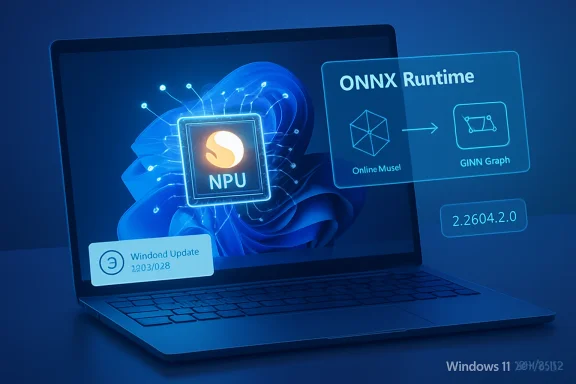
The Qualcomm QNN Execution Provider is used by ONNX Runtime and Windows machine-learning scenarios that rely on ONNX Runtime. Its purpose is to enable hardware-accelerated AI model execution on supported Qualcomm chipsets. In practice, this means ONNX models can be translated into a Qualcomm QNN graph using the Qualcomm AI Engine Direct SDK, then executed through a supported Qualcomm accelerator backend.
For Windows users, this update is part of Microsoft’s continuing work around local AI and NPU-accelerated workloads on newer Windows 11 devices, especially systems using Qualcomm Snapdragon hardware. These components are increasingly important for Copilot+ PC scenarios, Windows ML, and applications that run AI models locally rather than relying entirely on cloud processing.
KB5089617 includes improvements to the Qualcomm QNN Execution Provider AI component for:
The installed update should appear in Windows Update history as:
That means users need to be current on one of the following:
To check whether the update is already installed:
If the entry is present, the update has been installed successfully.
The QNN Execution Provider can be used by ONNX Runtime to target Qualcomm hardware acceleration, including supported NPU or accelerator backends. This can improve performance and power efficiency for compatible AI models compared with running the same workloads entirely on the CPU.
For developers, the update helps keep the Windows-delivered Qualcomm AI execution layer aligned with Microsoft’s Windows ML and ONNX Runtime ecosystem. For end users, it supports the underlying AI platform used by Windows and apps that rely on local machine-learning acceleration.
If troubleshooting AI acceleration, Windows ML, or ONNX Runtime behavior on supported Qualcomm hardware, checking for KB5089617 in Update history is a useful first step. If the update is not present, install all available Windows updates and then check again.
Source: Microsoft Support KB5089617: Qualcomm QNN Execution Provider update (2.2604.2.0) - Microsoft Support
The Qualcomm QNN Execution Provider is used by ONNX Runtime and Windows machine-learning scenarios that rely on ONNX Runtime. Its purpose is to enable hardware-accelerated AI model execution on supported Qualcomm chipsets. In practice, this means ONNX models can be translated into a Qualcomm QNN graph using the Qualcomm AI Engine Direct SDK, then executed through a supported Qualcomm accelerator backend.
For Windows users, this update is part of Microsoft’s continuing work around local AI and NPU-accelerated workloads on newer Windows 11 devices, especially systems using Qualcomm Snapdragon hardware. These components are increasingly important for Copilot+ PC scenarios, Windows ML, and applications that run AI models locally rather than relying entirely on cloud processing.
 What KB5089617 changes
KB5089617 includes improvements to the Qualcomm QNN Execution Provider AI component for:- Windows 11, version 24H2
- Windows 11, version 25H2
The installed update should appear in Windows Update history as:
Windows ML Runtime Qualcomm QNN Execution Provider Update (KB5089617)Requirements
Before KB5089617 can be installed, the device must already have the latest cumulative update installed for its Windows version.That means users need to be current on one of the following:
- Windows 11 version 24H2
- Windows 11 version 25H2
How to get the update
No manual download is required for most users. Microsoft says KB5089617 will be downloaded and installed automatically from Windows Update.To check whether the update is already installed:
- Open Settings.
- Go to Windows Update.
- Select Update history.
- Look for:
Windows ML Runtime Qualcomm QNN Execution Provider Update (KB5089617)If the entry is present, the update has been installed successfully.
Replacement information
KB5089617 replaces the earlier KB5077526 Qualcomm QNN Execution Provider update. Systems that receive KB5089617 should therefore be on the newer Qualcomm QNN Execution Provider component package.Why this matters
For most users, KB5089617 will install quietly and require no action. However, it is more relevant for developers, advanced users, and organizations testing local AI workloads on Qualcomm-based Windows devices.The QNN Execution Provider can be used by ONNX Runtime to target Qualcomm hardware acceleration, including supported NPU or accelerator backends. This can improve performance and power efficiency for compatible AI models compared with running the same workloads entirely on the CPU.
For developers, the update helps keep the Windows-delivered Qualcomm AI execution layer aligned with Microsoft’s Windows ML and ONNX Runtime ecosystem. For end users, it supports the underlying AI platform used by Windows and apps that rely on local machine-learning acceleration.
Notes for administrators
Administrators managing Windows 11 24H2 or 25H2 devices should treat KB5089617 as an AI component update rather than a broad OS feature update. It is delivered through Windows Update and depends on the device having the latest cumulative update installed.If troubleshooting AI acceleration, Windows ML, or ONNX Runtime behavior on supported Qualcomm hardware, checking for KB5089617 in Update history is a useful first step. If the update is not present, install all available Windows updates and then check again.
Source: Microsoft Support KB5089617: Qualcomm QNN Execution Provider update (2.2604.2.0) - Microsoft Support
