Microsoft has published KB5096137, an automatic Windows Update package that updates the Qualcomm QNN Execution Provider to version 2.2605.2.0 for Windows 11, version 26H1 devices with the latest cumulative update installed. It is a small-sounding component refresh with an outsized strategic meaning: Microsoft is treating on-device AI plumbing as a serviced part of Windows, not as an app feature or optional developer download. For Snapdragon-based PCs, that means the AI stack is becoming more like graphics drivers, storage firmware, or Defender intelligence updates — invisible until it breaks, essential when it works. For IT, it is another reminder that the “AI PC” is not one product but a chain of runtime, silicon, model, driver, and servicing decisions.
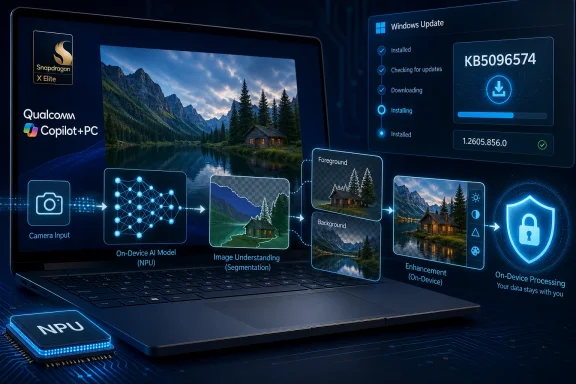
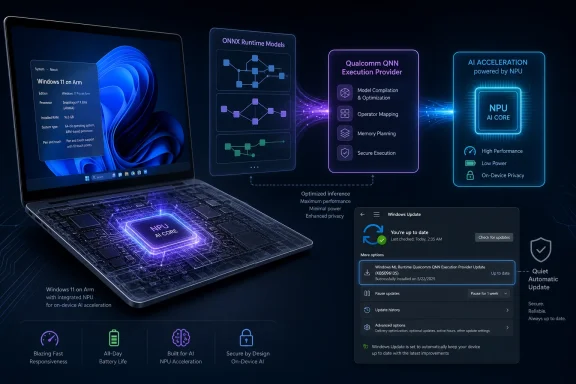
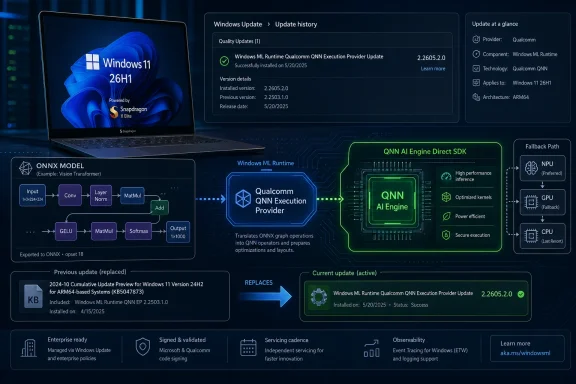
KB5096137 is not a flashy Windows feature drop. There is no new Copilot panel, no desktop redesign, and no consumer-facing toggle that will dominate screenshots. The update targets the Qualcomm QNN Execution Provider, the ONNX Runtime execution provider that lets supported Windows machine-learning workloads route inference onto Qualcomm acceleration hardware through Qualcomm’s AI Engine Direct, now commonly discussed through the QNN stack.
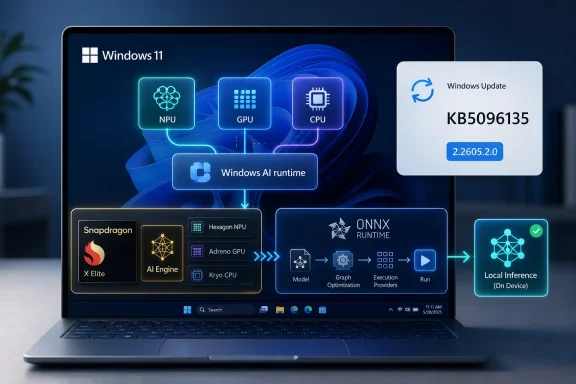
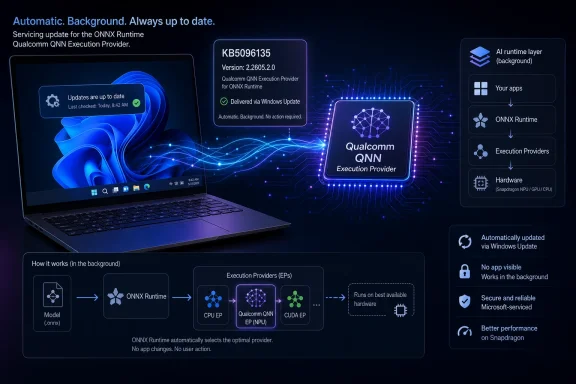
That distinction matters because Windows’ AI future is being built in layers most users never see. An application may call ONNX Runtime. ONNX Runtime may choose an execution provider. That provider may translate the model graph into something Qualcomm’s backend libraries can run efficiently on the device’s CPU, GPU, or NPU-class accelerator. If any of those pieces are stale, mismatched, or under-optimized, the advertised “AI PC” experience becomes either slower, hotter, less reliable, or quietly punted back to the CPU.
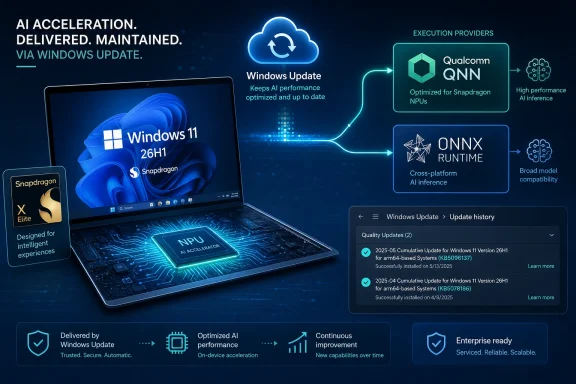
Microsoft’s wording is restrained: the update includes improvements to the Qualcomm QNN Execution Provider AI component for Windows 11, version 26H1. That is the language of a servicing note, not a product launch. But the underlying story is bigger than the changelog. Windows is now in the business of updating hardware-specific AI execution paths through Windows Update, automatically, as part of the operating system’s normal maintenance rhythm.
This is exactly where Microsoft wants AI infrastructure to live. If every developer had to ship and maintain their own Qualcomm runtime binding, the Windows AI ecosystem would fragment before it had a chance to mature. By pushing these components through Windows Update, Microsoft is trying to make silicon-specific acceleration feel boring. In platform terms, boring is victory.
That makes KB5096137 part of a narrower story than its support-page title might suggest. This is not an update most Windows 11 users should expect to see on a desktop tower, an Intel ultrabook, or even necessarily an older Arm laptop. It belongs to the 26H1 branch, which Microsoft has separated from the mainstream 25H2-to-26H2 path used by most existing PCs.
That split is unusual enough to deserve attention. Microsoft spent years trying to make Windows servicing more predictable: annual feature updates, enablement packages where possible, cumulative updates on a known cadence, and increasingly uniform release channels for business planning. 26H1 complicates that neat story because it exists to support specific new silicon rather than to deliver a broadly shared user-facing feature set.
For enthusiasts, that can look like fragmentation. For OEMs and silicon partners, it looks like pragmatism. New Arm platforms often need operating-system bring-up work that cannot wait for the traditional fall feature-update train. The question is whether Microsoft can keep that targeted release model from becoming a maze of special-case Windows builds, where each hardware generation has its own hidden dependencies and update assumptions.
KB5096137 is one of those assumptions made visible. The Qualcomm AI stack on 26H1 is not frozen at factory image time. It will move. It will be revised. And it will be delivered through the same update infrastructure administrators already have to govern.
The execution provider model is the key. A model does not simply “run on AI hardware” because a sticker on the laptop says it has an NPU. The runtime needs a path to translate operations into something that the accelerator backend understands. Qualcomm’s QNN Execution Provider is one such path for Snapdragon platforms.
This approach is elegant in theory and messy in practice. Models vary. Operators vary. Quantization formats vary. Some operations are supported on an accelerator, while others fall back to CPU execution. A workload that benchmarks well in a lab may behave differently inside a real application that mixes pre-processing, model invocation, UI work, memory transfers, and background Windows activity.
That is why execution-provider updates are not incidental. Improvements can mean broader model compatibility, better graph partitioning, reduced overhead, more stable backend behavior, or simply tighter integration with the rest of the Windows ML stack. Microsoft’s support note does not spell out which of those apply to version 2.2605.2.0, and we should not pretend it does. But the target is clear: the component that decides how ONNX workloads reach Qualcomm acceleration hardware is being refreshed.
For developers, that is both promising and unsettling. The promise is that Windows can improve the runtime substrate under existing apps. The unease is that performance and behavior may depend on a moving combination of Windows build, cumulative update, execution provider version, Qualcomm backend, and device firmware. The AI PC is becoming a platform, but it is not yet a simple one.
For managed environments, automatic delivery is more complicated. IT teams already distinguish between security updates, drivers, firmware, feature updates, Microsoft Store app updates, and optional previews. AI execution-provider updates add another category: not quite a driver in the traditional sense, not quite an app, not quite a framework, but capable of changing how workloads execute on hardware.
That matters because local AI is no longer a demo-only curiosity. Enterprises are testing on-device transcription, summarization, classification, image processing, endpoint-assistive workflows, developer tools, and privacy-sensitive inference scenarios. If those workloads depend on hardware acceleration, then runtime changes can affect performance, battery life, reliability, and supportability.
The most conservative IT response would be to delay everything. But that approach collides with the way AI components are evolving. Early acceleration stacks improve quickly, and staying too far behind can leave devices with worse compatibility or unexplained application behavior. The better response is to treat these updates as part of a testable hardware enablement pipeline: ring them, inventory them, validate representative workloads, and keep a record of which AI component versions are in production.
Microsoft provides a simple end-user verification path: Settings, Windows Update, Update history. That is fine for a single machine. It is not enough for fleets. If 26H1 devices become common in businesses, administrators will need reliable reporting through their endpoint-management tools that distinguishes OS build, cumulative update level, firmware state, and AI component versions. Otherwise, “works on my Snapdragon laptop” will become the new “works on my GPU driver.”
For years, Windows on Arm had to prove basic things: that apps would launch, that emulation would be tolerable, that battery life would impress, that drivers would exist, and that buyers would not feel punished for leaving x86. The Copilot+ PC cycle moved the conversation toward NPUs and local AI, but that shift introduced a new burden. Qualcomm now has to prove not just that Windows runs well on Snapdragon, but that Windows AI workloads run better because Snapdragon is there.
The QNN Execution Provider is part of that proof. It allows ONNX Runtime workloads to reach Qualcomm acceleration without every application needing to know the silicon intimately. That is the abstraction Microsoft wants, and it is the abstraction Qualcomm needs if Snapdragon PCs are to compete as AI-first Windows machines rather than simply efficient Arm laptops.
But abstractions do not erase competition. Intel, AMD, Qualcomm, and eventually other silicon vendors all want their acceleration paths to look like the natural place for Windows AI workloads to land. Microsoft, meanwhile, wants developers to target Windows APIs and runtimes instead of one vendor’s bespoke stack. The execution-provider model is a negotiated peace: vendors get optimized backends, Microsoft keeps the platform center of gravity.
KB5096137 is therefore not just a maintenance update. It is evidence of Microsoft and Qualcomm continuing to tighten the Windows-on-Snapdragon AI path after devices ship. That post-sale cadence may matter as much as launch-day benchmark charts.
That conditional reality is why a component update like KB5096137 deserves more attention than its dry support-page language invites. A faster accelerator is irrelevant if common models fall back to CPU execution. A capable runtime is diminished if the backend cannot handle the model shape an app developer actually uses. A polished application can still feel sluggish if it pays too much cost moving tensors between memory domains.
The AI PC era will be won less by peak TOPS numbers than by software discipline. Microsoft knows this, which is why ONNX Runtime, Windows ML plumbing, driver models, and vendor execution providers are becoming part of the competitive battlefield. Qualcomm knows it too, which is why the QNN stack is being positioned not just for phones and embedded systems, but for Windows devices running mainstream developer workloads.
The challenge is transparency. Users and administrators rarely know whether a given feature used the NPU, GPU, CPU, or a mixture. Developers can inspect and profile, but ordinary Windows diagnostics remain limited for AI execution. Task Manager has improved over the years for GPU visibility, but AI acceleration still lacks the everyday observability that would make troubleshooting intuitive.
Until that changes, updates like KB5096137 will be trusted largely on faith. They arrive, they install, and the system is presumed better. That may be acceptable for consumers. It is less satisfying for professionals trying to validate whether an AI workload is actually using the silicon they paid for.
AI inference is now entering the same phase. The model may be the visible artifact, but the runtime is where performance, compatibility, and power behavior are negotiated. If Microsoft can make ONNX Runtime and its execution-provider ecosystem the default layer for Windows AI, it gains a strategic position similar to what a browser engine provides on the web: a chokepoint, a compatibility promise, and a venue for optimization.
That has benefits. Developers get a more portable target. Users get hardware acceleration without manually assembling SDKs. OEMs can ship devices whose AI capabilities improve after launch. Security-conscious organizations can prefer local inference paths that do not require every interaction to leave the device.
It also creates platform risk. When a serviced component sits between applications and hardware, regressions can be broad and hard to diagnose. A model that ran correctly on Monday may behave differently after an update on Tuesday. A vendor optimization may help one workload and expose assumptions in another. The more Windows abstracts the AI stack, the more responsibility Microsoft assumes for making that abstraction predictable.
KB5096137 is modest, but it belongs to this larger shift. The Windows AI runtime layer is not a static dependency. It is becoming an evergreen substrate.
The lack of detail should temper any claim about immediate user-visible gains. We should not assume KB5096137 makes every ONNX model faster, expands support for a specific neural network operator, or fixes a named application unless Microsoft or Qualcomm says so. The update may contain narrowly targeted changes that matter only in certain device and workload combinations.
Yet the version number itself tells a story. Moving the Qualcomm QNN Execution Provider to 2.2605.2.0 suggests a May 2026 servicing cadence aligned with the broader 26H1 hardware window. Earlier support entries and forum tracking have already shown Microsoft publishing related Qualcomm QNN provider updates for 26H1, including previous component versions. This is not a one-off packaging accident; it is a recurring channel.
That cadence is important for WindowsForum readers because it changes what “fully updated” means on new Arm PCs. It no longer means merely that Windows Update reports the latest cumulative update. It may also mean that the machine has the current AI execution provider, the current firmware, the current vendor acceleration libraries, and an application stack that knows how to use them.
In other words, the AI PC is making the definition of a Windows baseline more vertical. The OS version is only the top line.
But developers should resist the fantasy that ONNX plus an execution provider equals automatic optimization. Real applications need profiling, fallback planning, model conversion discipline, and careful testing across hardware. If a workload is latency-sensitive, developers must measure cold-start behavior and graph compilation costs. If it is battery-sensitive, they must measure system-level power, not just inference time.
The update model also creates a moving target. A developer may test against one provider version and see different behavior after Windows Update delivers another. In mature ecosystems, that is normal; GPU developers live with driver updates, and web developers live with browser engine changes. But AI application developers on Windows are still learning what the compatibility contract looks like.
The right lesson is not to avoid the QNN path. It is to build applications with explicit capability detection and graceful fallback. If the Qualcomm provider is present and supports the workload well, use it. If not, the app should fall back to another execution provider or a CPU path without turning the support desk into a forensic lab.
That is where Microsoft’s abstraction has to prove itself. The platform should make the fast path easy, the fallback path reliable, and the diagnostic path visible. Today, the fast path is improving faster than the diagnostic story.
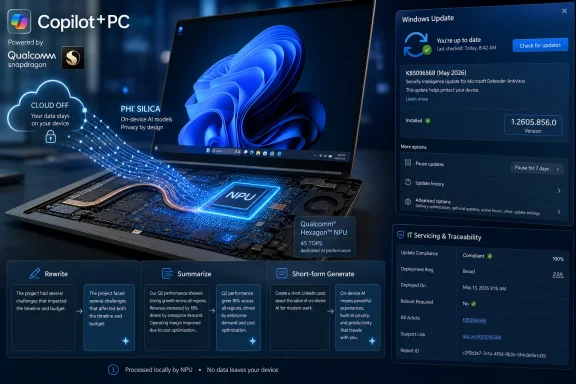
If inference can run locally, some workloads do not need to send raw content to a cloud service. That matters for regulated industries, legal work, healthcare, finance, government, and any organization with strict data-boundary rules. It also matters for ordinary users who simply do not want every personal document or meeting snippet processed remotely.
The Qualcomm QNN Execution Provider does not create that privacy story by itself. It is one enabling component in a broader local-inference architecture. But hardware acceleration makes local inference more practical. A model that is technically local but too slow, too hot, or too battery-hungry will be bypassed by users and developers alike.
That is why runtime updates are part of the trust equation. If Microsoft and Qualcomm can steadily improve local performance and reliability, they reduce pressure to send workloads to the cloud just to make them usable. If they cannot, the AI PC becomes a marketing label attached to a machine that still depends on remote services for anything meaningful.
There is also a supply-chain angle. Enterprises will want to know where these components come from, how they are signed, how they are updated, and whether they can be governed through existing update policies. Automatic Windows Update delivery is convenient, but convenience is not the same as auditability. The more important local AI becomes, the more scrutiny these runtime components will receive.
The best-case outcome is uneventful: AI-enabled applications run a little better, compatibility improves, and the user never has to learn what a QNN Execution Provider is. That is how modern operating systems earn trust. Nobody wants to become an expert in neural-network graph execution just to use a laptop.
The worst-case outcome is also familiar. An update changes behavior, an app’s local AI feature stops working correctly, battery life shifts, or a support forum fills with vague complaints about “the NPU” without clear diagnostics. Because the component sits below the app layer, users may not know whether to blame Windows, Qualcomm, the OEM, the app developer, or the model.
That ambiguity is not unique to AI, but AI makes it more likely. The stack is young, the tooling is uneven, and vendor marketing has raced ahead of everyday explainability. Microsoft can reduce that friction by making AI component versions more visible, by improving logs and performance counters, and by giving administrators inventory hooks that do not require spelunking through update history.
Until then, KB5096137 is a reminder that the clean consumer story hides a lot of moving parts. The magic is serviced.
ONNX Runtime and execution providers are one candidate for that layer. They are not the whole answer, but they offer a plausible abstraction: developers target a runtime, vendors optimize providers, and Windows Update keeps the machinery current. KB5096137 is a small artifact of that strategy.
The difficulty is that AI workloads are more diverse than many traditional client workloads. A game engine may push graphics hardware hard, but the shape of the problem is well understood. AI inference spans language, vision, audio, embeddings, classification, generation, retrieval, and hybrid pipelines that mix local and cloud resources. No single provider update can make that entire space simple.
That is why the success metric for Qualcomm’s QNN provider on Windows should not be a single benchmark. It should be consistency across common workloads, predictable fallbacks, low-friction developer adoption, and clear visibility for administrators. The glamorous number on the spec sheet is TOPS. The practical number is how often real applications can use the accelerator without special pleading.
KB5096137 suggests Microsoft is doing the unglamorous work. That is encouraging. It also means Windows users are entering an era in which some of the most important updates will be the least photogenic ones.
This is the point where buyers should become more skeptical of launch-day promises. A Snapdragon laptop’s AI performance in April may not be its AI performance in June. A model that failed on one provider version may work later. A vendor demo may depend on a newer stack than the one in a corporate image. The hardware matters, but the update channel increasingly determines what the hardware can actually do.
Microsoft’s choice to deliver the Qualcomm QNN Execution Provider automatically is sensible. It prevents fragmentation among consumers and gives OEMs a path to improve devices without asking users to understand SDK installation. But automatic servicing also raises the bar for documentation and enterprise controls. If the AI runtime is important enough to update automatically, it is important enough to describe clearly.
That is the gap Microsoft still needs to close. Support notes should not become novels, but AI execution-provider updates deserve enough detail for developers and administrators to assess risk. Even a concise list of compatibility fixes, backend changes, or known affected scenarios would help. The current language confirms the update exists, but not what operational difference it makes.
For Windows enthusiasts, the update is another reason to watch 26H1 as more than a curiosity. For admins, it is a prompt to extend inventory and validation practices to AI components. For developers, it is a reminder that ONNX Runtime portability is real but still requires measurement. For Qualcomm, it is one more step in turning Snapdragon’s AI hardware into something Windows applications can depend on.
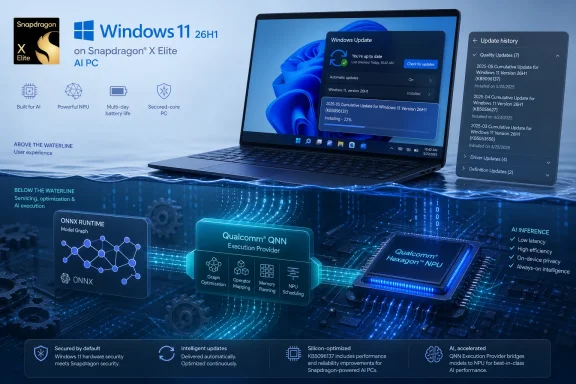 Microsoft Is Servicing the AI PC Below the Waterline
KB5096137 is not a flashy Windows feature drop. There is no new Copilot panel, no desktop redesign, and no consumer-facing toggle that will dominate screenshots. The update targets the Qualcomm QNN Execution Provider, the ONNX Runtime execution provider that lets supported Windows machine-learning workloads route inference onto Qualcomm acceleration hardware through Qualcomm’s AI Engine Direct, now commonly discussed through the QNN stack.That distinction matters because Windows’ AI future is being built in layers most users never see. An application may call ONNX Runtime. ONNX Runtime may choose an execution provider. That provider may translate the model graph into something Qualcomm’s backend libraries can run efficiently on the device’s CPU, GPU, or NPU-class accelerator. If any of those pieces are stale, mismatched, or under-optimized, the advertised “AI PC” experience becomes either slower, hotter, less reliable, or quietly punted back to the CPU.
Microsoft’s wording is restrained: the update includes improvements to the Qualcomm QNN Execution Provider AI component for Windows 11, version 26H1. That is the language of a servicing note, not a product launch. But the underlying story is bigger than the changelog. Windows is now in the business of updating hardware-specific AI execution paths through Windows Update, automatically, as part of the operating system’s normal maintenance rhythm.
This is exactly where Microsoft wants AI infrastructure to live. If every developer had to ship and maintain their own Qualcomm runtime binding, the Windows AI ecosystem would fragment before it had a chance to mature. By pushing these components through Windows Update, Microsoft is trying to make silicon-specific acceleration feel boring. In platform terms, boring is victory.
26H1 Is a Silicon Release Wearing a Windows Version Number
The most important line in KB5096137 may be the requirement that the device must be running Windows 11, version 26H1 with the latest cumulative update installed. Windows 11 26H1 is not a normal broad feature release for the installed base. Microsoft has described it as a targeted release for new device innovations in 2026, with the first devices tied to Qualcomm Snapdragon X2 Series processors.That makes KB5096137 part of a narrower story than its support-page title might suggest. This is not an update most Windows 11 users should expect to see on a desktop tower, an Intel ultrabook, or even necessarily an older Arm laptop. It belongs to the 26H1 branch, which Microsoft has separated from the mainstream 25H2-to-26H2 path used by most existing PCs.
That split is unusual enough to deserve attention. Microsoft spent years trying to make Windows servicing more predictable: annual feature updates, enablement packages where possible, cumulative updates on a known cadence, and increasingly uniform release channels for business planning. 26H1 complicates that neat story because it exists to support specific new silicon rather than to deliver a broadly shared user-facing feature set.
For enthusiasts, that can look like fragmentation. For OEMs and silicon partners, it looks like pragmatism. New Arm platforms often need operating-system bring-up work that cannot wait for the traditional fall feature-update train. The question is whether Microsoft can keep that targeted release model from becoming a maze of special-case Windows builds, where each hardware generation has its own hidden dependencies and update assumptions.
KB5096137 is one of those assumptions made visible. The Qualcomm AI stack on 26H1 is not frozen at factory image time. It will move. It will be revised. And it will be delivered through the same update infrastructure administrators already have to govern.
ONNX Runtime Is the Quiet Middle Layer in Microsoft’s AI Bet
ONNX Runtime has become one of Microsoft’s most important technologies that most Windows users have never heard of. It is the inference engine that allows machine-learning models in the Open Neural Network Exchange format to run across different hardware targets. Instead of every app developer writing separate acceleration code for every CPU, GPU, and NPU, ONNX Runtime can dispatch work through execution providers optimized for the device.The execution provider model is the key. A model does not simply “run on AI hardware” because a sticker on the laptop says it has an NPU. The runtime needs a path to translate operations into something that the accelerator backend understands. Qualcomm’s QNN Execution Provider is one such path for Snapdragon platforms.
This approach is elegant in theory and messy in practice. Models vary. Operators vary. Quantization formats vary. Some operations are supported on an accelerator, while others fall back to CPU execution. A workload that benchmarks well in a lab may behave differently inside a real application that mixes pre-processing, model invocation, UI work, memory transfers, and background Windows activity.
That is why execution-provider updates are not incidental. Improvements can mean broader model compatibility, better graph partitioning, reduced overhead, more stable backend behavior, or simply tighter integration with the rest of the Windows ML stack. Microsoft’s support note does not spell out which of those apply to version 2.2605.2.0, and we should not pretend it does. But the target is clear: the component that decides how ONNX workloads reach Qualcomm acceleration hardware is being refreshed.
For developers, that is both promising and unsettling. The promise is that Windows can improve the runtime substrate under existing apps. The unease is that performance and behavior may depend on a moving combination of Windows build, cumulative update, execution provider version, Qualcomm backend, and device firmware. The AI PC is becoming a platform, but it is not yet a simple one.
Automatic Delivery Is a Feature and a Governance Problem
Microsoft says KB5096137 will be downloaded and installed automatically from Windows Update. That is the right default for consumers and the likely preference for OEMs that want new PCs to age gracefully. If Qualcomm and Microsoft discover a compatibility issue or an optimization opportunity, the fix should not require users to hunt for a runtime package.For managed environments, automatic delivery is more complicated. IT teams already distinguish between security updates, drivers, firmware, feature updates, Microsoft Store app updates, and optional previews. AI execution-provider updates add another category: not quite a driver in the traditional sense, not quite an app, not quite a framework, but capable of changing how workloads execute on hardware.
That matters because local AI is no longer a demo-only curiosity. Enterprises are testing on-device transcription, summarization, classification, image processing, endpoint-assistive workflows, developer tools, and privacy-sensitive inference scenarios. If those workloads depend on hardware acceleration, then runtime changes can affect performance, battery life, reliability, and supportability.
The most conservative IT response would be to delay everything. But that approach collides with the way AI components are evolving. Early acceleration stacks improve quickly, and staying too far behind can leave devices with worse compatibility or unexplained application behavior. The better response is to treat these updates as part of a testable hardware enablement pipeline: ring them, inventory them, validate representative workloads, and keep a record of which AI component versions are in production.
Microsoft provides a simple end-user verification path: Settings, Windows Update, Update history. That is fine for a single machine. It is not enough for fleets. If 26H1 devices become common in businesses, administrators will need reliable reporting through their endpoint-management tools that distinguishes OS build, cumulative update level, firmware state, and AI component versions. Otherwise, “works on my Snapdragon laptop” will become the new “works on my GPU driver.”
Qualcomm Gets a First-Class Seat in the Windows Runtime Stack
Qualcomm’s role here is not merely that of a chip vendor shipping drivers. The QNN Execution Provider sits at a more strategic point: it is the bridge between a widely used AI inference runtime and the hardware-specific acceleration libraries behind Snapdragon platforms. That gives Qualcomm influence over whether Windows AI workloads feel native on its silicon or merely compatible.For years, Windows on Arm had to prove basic things: that apps would launch, that emulation would be tolerable, that battery life would impress, that drivers would exist, and that buyers would not feel punished for leaving x86. The Copilot+ PC cycle moved the conversation toward NPUs and local AI, but that shift introduced a new burden. Qualcomm now has to prove not just that Windows runs well on Snapdragon, but that Windows AI workloads run better because Snapdragon is there.
The QNN Execution Provider is part of that proof. It allows ONNX Runtime workloads to reach Qualcomm acceleration without every application needing to know the silicon intimately. That is the abstraction Microsoft wants, and it is the abstraction Qualcomm needs if Snapdragon PCs are to compete as AI-first Windows machines rather than simply efficient Arm laptops.
But abstractions do not erase competition. Intel, AMD, Qualcomm, and eventually other silicon vendors all want their acceleration paths to look like the natural place for Windows AI workloads to land. Microsoft, meanwhile, wants developers to target Windows APIs and runtimes instead of one vendor’s bespoke stack. The execution-provider model is a negotiated peace: vendors get optimized backends, Microsoft keeps the platform center of gravity.
KB5096137 is therefore not just a maintenance update. It is evidence of Microsoft and Qualcomm continuing to tighten the Windows-on-Snapdragon AI path after devices ship. That post-sale cadence may matter as much as launch-day benchmark charts.
The NPU Story Still Depends on Software Discipline
The industry has marketed NPUs with a simplicity the software stack has not yet earned. A laptop has an NPU, therefore AI will be fast and efficient. The reality is conditional: the model must be compatible, the runtime must route it appropriately, the execution provider must support the graph, the backend must be stable, and the application must be designed so acceleration is worth the overhead.That conditional reality is why a component update like KB5096137 deserves more attention than its dry support-page language invites. A faster accelerator is irrelevant if common models fall back to CPU execution. A capable runtime is diminished if the backend cannot handle the model shape an app developer actually uses. A polished application can still feel sluggish if it pays too much cost moving tensors between memory domains.
The AI PC era will be won less by peak TOPS numbers than by software discipline. Microsoft knows this, which is why ONNX Runtime, Windows ML plumbing, driver models, and vendor execution providers are becoming part of the competitive battlefield. Qualcomm knows it too, which is why the QNN stack is being positioned not just for phones and embedded systems, but for Windows devices running mainstream developer workloads.
The challenge is transparency. Users and administrators rarely know whether a given feature used the NPU, GPU, CPU, or a mixture. Developers can inspect and profile, but ordinary Windows diagnostics remain limited for AI execution. Task Manager has improved over the years for GPU visibility, but AI acceleration still lacks the everyday observability that would make troubleshooting intuitive.
Until that changes, updates like KB5096137 will be trusted largely on faith. They arrive, they install, and the system is presumed better. That may be acceptable for consumers. It is less satisfying for professionals trying to validate whether an AI workload is actually using the silicon they paid for.
Microsoft’s Componentized AI Stack Is Starting to Resemble the Browser Wars
There is a familiar pattern here. A platform vendor takes something that used to be an application-level concern and turns it into a serviced platform component. Browsers did it with rendering engines and JavaScript runtimes. Graphics stacks did it with driver models, shader compilers, and runtime libraries. Security products did it with cloud-delivered intelligence and engine updates.AI inference is now entering the same phase. The model may be the visible artifact, but the runtime is where performance, compatibility, and power behavior are negotiated. If Microsoft can make ONNX Runtime and its execution-provider ecosystem the default layer for Windows AI, it gains a strategic position similar to what a browser engine provides on the web: a chokepoint, a compatibility promise, and a venue for optimization.
That has benefits. Developers get a more portable target. Users get hardware acceleration without manually assembling SDKs. OEMs can ship devices whose AI capabilities improve after launch. Security-conscious organizations can prefer local inference paths that do not require every interaction to leave the device.
It also creates platform risk. When a serviced component sits between applications and hardware, regressions can be broad and hard to diagnose. A model that ran correctly on Monday may behave differently after an update on Tuesday. A vendor optimization may help one workload and expose assumptions in another. The more Windows abstracts the AI stack, the more responsibility Microsoft assumes for making that abstraction predictable.
KB5096137 is modest, but it belongs to this larger shift. The Windows AI runtime layer is not a static dependency. It is becoming an evergreen substrate.
The Support Note Says Little Because the Strategy Says Plenty
The sparse nature of Microsoft’s support text is not unusual. Many Windows component updates arrive with language that says “improvements” without enumerating every fix or optimization. In the security-update world, that can be frustrating but familiar. In the AI-runtime world, it is still new enough to feel opaque.The lack of detail should temper any claim about immediate user-visible gains. We should not assume KB5096137 makes every ONNX model faster, expands support for a specific neural network operator, or fixes a named application unless Microsoft or Qualcomm says so. The update may contain narrowly targeted changes that matter only in certain device and workload combinations.
Yet the version number itself tells a story. Moving the Qualcomm QNN Execution Provider to 2.2605.2.0 suggests a May 2026 servicing cadence aligned with the broader 26H1 hardware window. Earlier support entries and forum tracking have already shown Microsoft publishing related Qualcomm QNN provider updates for 26H1, including previous component versions. This is not a one-off packaging accident; it is a recurring channel.
That cadence is important for WindowsForum readers because it changes what “fully updated” means on new Arm PCs. It no longer means merely that Windows Update reports the latest cumulative update. It may also mean that the machine has the current AI execution provider, the current firmware, the current vendor acceleration libraries, and an application stack that knows how to use them.
In other words, the AI PC is making the definition of a Windows baseline more vertical. The OS version is only the top line.
Developers Get Portability, but Not a Free Lunch
For Windows developers, ONNX Runtime remains the pragmatic route into hardware-accelerated inference. It offers a common model format, a mature runtime, and execution providers that can target different backends. On Snapdragon Windows systems, the Qualcomm QNN Execution Provider is the mechanism that can turn that portability into actual hardware acceleration.But developers should resist the fantasy that ONNX plus an execution provider equals automatic optimization. Real applications need profiling, fallback planning, model conversion discipline, and careful testing across hardware. If a workload is latency-sensitive, developers must measure cold-start behavior and graph compilation costs. If it is battery-sensitive, they must measure system-level power, not just inference time.
The update model also creates a moving target. A developer may test against one provider version and see different behavior after Windows Update delivers another. In mature ecosystems, that is normal; GPU developers live with driver updates, and web developers live with browser engine changes. But AI application developers on Windows are still learning what the compatibility contract looks like.
The right lesson is not to avoid the QNN path. It is to build applications with explicit capability detection and graceful fallback. If the Qualcomm provider is present and supports the workload well, use it. If not, the app should fall back to another execution provider or a CPU path without turning the support desk into a forensic lab.
That is where Microsoft’s abstraction has to prove itself. The platform should make the fast path easy, the fallback path reliable, and the diagnostic path visible. Today, the fast path is improving faster than the diagnostic story.
Security and Privacy Are the Quiet Winners of Local Inference
Much of the AI PC pitch has focused on convenience and performance. Local summarization, local image generation, local search, local assistance — these are the demos that sell machines. But the more durable enterprise argument may be security and privacy.If inference can run locally, some workloads do not need to send raw content to a cloud service. That matters for regulated industries, legal work, healthcare, finance, government, and any organization with strict data-boundary rules. It also matters for ordinary users who simply do not want every personal document or meeting snippet processed remotely.
The Qualcomm QNN Execution Provider does not create that privacy story by itself. It is one enabling component in a broader local-inference architecture. But hardware acceleration makes local inference more practical. A model that is technically local but too slow, too hot, or too battery-hungry will be bypassed by users and developers alike.
That is why runtime updates are part of the trust equation. If Microsoft and Qualcomm can steadily improve local performance and reliability, they reduce pressure to send workloads to the cloud just to make them usable. If they cannot, the AI PC becomes a marketing label attached to a machine that still depends on remote services for anything meaningful.
There is also a supply-chain angle. Enterprises will want to know where these components come from, how they are signed, how they are updated, and whether they can be governed through existing update policies. Automatic Windows Update delivery is convenient, but convenience is not the same as auditability. The more important local AI becomes, the more scrutiny these runtime components will receive.
The Consumer Experience Will Be Invisible Until It Is Not
Most users who receive KB5096137 will not know it installed. They may only see it if they check Windows Update history and recognize the name. That is by design. Platform components should not require consumer ceremony.The best-case outcome is uneventful: AI-enabled applications run a little better, compatibility improves, and the user never has to learn what a QNN Execution Provider is. That is how modern operating systems earn trust. Nobody wants to become an expert in neural-network graph execution just to use a laptop.
The worst-case outcome is also familiar. An update changes behavior, an app’s local AI feature stops working correctly, battery life shifts, or a support forum fills with vague complaints about “the NPU” without clear diagnostics. Because the component sits below the app layer, users may not know whether to blame Windows, Qualcomm, the OEM, the app developer, or the model.
That ambiguity is not unique to AI, but AI makes it more likely. The stack is young, the tooling is uneven, and vendor marketing has raced ahead of everyday explainability. Microsoft can reduce that friction by making AI component versions more visible, by improving logs and performance counters, and by giving administrators inventory hooks that do not require spelunking through update history.
Until then, KB5096137 is a reminder that the clean consumer story hides a lot of moving parts. The magic is serviced.
The Real Test Is Whether Windows Can Make AI Hardware Ordinary
Windows succeeds when hardware differences are made useful without becoming the user’s problem. Plug in a display, and the graphics stack handles it. Connect a printer, and the driver model is supposed to absorb the pain. Install a game, and DirectX negotiates much of the hardware complexity. The AI PC needs an equivalent layer of ordinariness.ONNX Runtime and execution providers are one candidate for that layer. They are not the whole answer, but they offer a plausible abstraction: developers target a runtime, vendors optimize providers, and Windows Update keeps the machinery current. KB5096137 is a small artifact of that strategy.
The difficulty is that AI workloads are more diverse than many traditional client workloads. A game engine may push graphics hardware hard, but the shape of the problem is well understood. AI inference spans language, vision, audio, embeddings, classification, generation, retrieval, and hybrid pipelines that mix local and cloud resources. No single provider update can make that entire space simple.
That is why the success metric for Qualcomm’s QNN provider on Windows should not be a single benchmark. It should be consistency across common workloads, predictable fallbacks, low-friction developer adoption, and clear visibility for administrators. The glamorous number on the spec sheet is TOPS. The practical number is how often real applications can use the accelerator without special pleading.
KB5096137 suggests Microsoft is doing the unglamorous work. That is encouraging. It also means Windows users are entering an era in which some of the most important updates will be the least photogenic ones.
The 2.2605.2.0 Update Draws the New Baseline
For anyone managing or evaluating Windows 11 26H1 Snapdragon hardware, the immediate action is simple: verify that the device has the latest cumulative update and confirm KB5096137 appears in Windows Update history. But the broader lesson is that AI capability is now a serviced baseline, not a static hardware claim.This is the point where buyers should become more skeptical of launch-day promises. A Snapdragon laptop’s AI performance in April may not be its AI performance in June. A model that failed on one provider version may work later. A vendor demo may depend on a newer stack than the one in a corporate image. The hardware matters, but the update channel increasingly determines what the hardware can actually do.
Microsoft’s choice to deliver the Qualcomm QNN Execution Provider automatically is sensible. It prevents fragmentation among consumers and gives OEMs a path to improve devices without asking users to understand SDK installation. But automatic servicing also raises the bar for documentation and enterprise controls. If the AI runtime is important enough to update automatically, it is important enough to describe clearly.
That is the gap Microsoft still needs to close. Support notes should not become novels, but AI execution-provider updates deserve enough detail for developers and administrators to assess risk. Even a concise list of compatibility fixes, backend changes, or known affected scenarios would help. The current language confirms the update exists, but not what operational difference it makes.
The Practical Reading for WindowsForum’s 26H1 Crowd
KB5096137 is narrow, but it offers a useful snapshot of where Windows is headed. The operating system is no longer just adding AI features; it is servicing the runtime substrate that lets those features work on specific silicon. That distinction will matter more with every new class of NPU-equipped hardware.For Windows enthusiasts, the update is another reason to watch 26H1 as more than a curiosity. For admins, it is a prompt to extend inventory and validation practices to AI components. For developers, it is a reminder that ONNX Runtime portability is real but still requires measurement. For Qualcomm, it is one more step in turning Snapdragon’s AI hardware into something Windows applications can depend on.
- KB5096137 updates the Qualcomm QNN Execution Provider to version 2.2605.2.0 on eligible Windows 11 version 26H1 devices.
- The update is delivered automatically through Windows Update and can be checked through Windows Update history.
- The component matters because it helps ONNX Runtime workloads use Qualcomm acceleration hardware through the QNN stack.
- Windows 11 26H1 remains a targeted silicon-support release rather than a broad feature update for most existing PCs.
- Administrators should treat AI execution-provider versions as part of the managed device baseline, especially on Snapdragon systems.
- Developers should still profile and validate workloads instead of assuming every ONNX model will benefit equally from acceleration.
References
- Primary source: Microsoft Support
Published: Tue, 26 May 2026 21:02:44 Z
KB5096137: Qualcomm QNN Execution Provider update (2.2605.2.0) - Microsoft Support
 support.microsoft.com
- Related coverage: qualcomm.com
Accelerating AI inference on Qualcomm and Snapdragon platforms with QNN EP for ONNX runtime
The Qualcomm Plugin Execution Provider (EP) for ONNX Runtime lets ONNX developers access system optimizations without waiting for ONNX Releases and boost your AI deployment workloads across Qualcomm platforms.www.qualcomm.com - Related coverage: onnxruntime.ai
- Related coverage: windowscentral.com
Windows 11 version 26H1: Everything you need to know about Microsoft's special OS release now shipping on new hardware | Windows Central
Microsoft has confirmed that Windows 11 version 26H1 is now shipping exclusively on new PCs that ship with Qualcomm's new Snapdragon X2 SoC. Here's what you need to know.www.windowscentral.com - Related coverage: fs-eire.github.io
- Related coverage: windowsforum.com
KB5089618 Update for Windows 11 26H1 Qualcomm QNN Execution Provider | Windows Forum
Microsoft has published KB5089618, a Windows Update package for the Qualcomm QNN Execution Provider, bringing the Windows ML Runtime Qualcomm QNN Execution...windowsforum.com
- Related coverage: runtime.onnx.org.cn
Qualcomm - QNN | onnxruntime - ONNX 运行时
runtime.onnx.org.cn
- Related coverage: onnx.ubitools.com

- Official source: github.com
onnxruntime-qnn/docs/execution_providers/QNN-ExecutionProvider.md at main · onnxruntime/onnxruntime-qnn · GitHub
onnxruntime-qnn is the Qualcomm AI Runtime (QAIRT) execution provider for onnxruntime. It provides onnxruntime hardware acceleration and advanced functionalities on Qualcomm devices. - onnxruntime-qnn/docs/execution_providers/QNN-ExecutionProvider.md at main · onnxruntime/onnxruntime-qnn github.com
- Official source: learn.microsoft.com
Windows 11, version 26H1 for IT pros | Microsoft Learn
Learn more about Windows 11 version 26H1.learn.microsoft.com - Related coverage: windowslatest.com
Microsoft details Windows 11 26H1 support cycle, CPU requirements (just Snapdragon X2 for now), and more
Microsoft says Windows 11 26H1 is supported until March 2028 for consumers and is now rolling out on PCs with eligible CPUs. www.windowslatest.com
- Related coverage: tomshardware.com
Microsoft confirms Windows 11 26H1 will be for Arm devices only at launch — Snapdragon X2-powered devices officially shipping with 26H1 | Tom's Hardware
It's 24H2 all over again, but with the caveat that 26H1 will only support specific hardware for its entire lifecycle. Devices running 26H1 will not be able to upgrade to 26H2.www.tomshardware.com - Official source: techcommunity.microsoft.com
What to know about Windows 11, version 26H1 - Windows IT Pro Blog
Explore this specialized Windows release designed to support the next generation of hardware innovation. techcommunity.microsoft.com
- Related coverage: techradar.com
Microsoft confirms Windows 11 26H1 update won't be coming to your current PC — here's why that's actually great news | TechRadar
It's all about avoiding another 24H2 disaster for existing PCs, which will stay on 25H2 and not get 26H1www.techradar.com - Official source: microsoft.com
Surface Pro for Business Fact Sheet May 2024
</rdf:Alt> </dc:description> <dc:creator><rdf:Seq><rdf:li>Joseph Galbraith (MBO Partners, Inc.)www.microsoft.com
- Official source: download.microsoft.com