

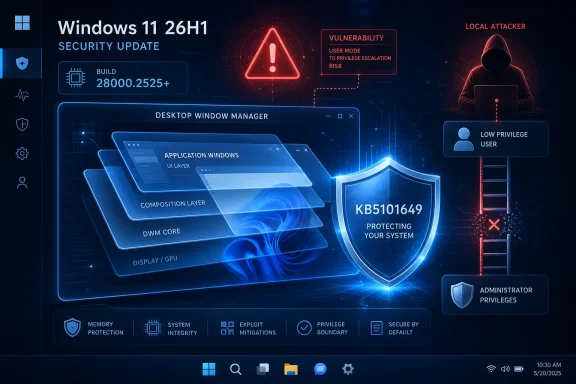
Microsoft’s Security Update Guide published the advisory on July 14, and the National Vulnerability Database records it as a use-after-free defect, CWE-416. The CVSS 3.1 score is 7.8 High, with a local attack vector, low complexity, low privileges required, and no user interaction. In practical terms, this is not a drive-by or network-reachable bug; it is the kind of weakness attackers can use after persuading a user to run malware, abusing a low-privilege account, or obtaining access through a separate vulnerability.
The immediate remediation for the affected release is the July cumulative update, KB5101649, which advances Windows 11 26H1 to Build 28000.2525. Microsoft’s release notes say the package includes the July 2026 security fixes and is available through Windows Update, Windows Update for Business, WSUS, and the Microsoft Update Catalog.
A local bug with a high-value payoff
Desktop Window Manager is not an optional visual feature in the ordinary sense. DWM is central to how Windows composes and displays the desktop, application windows, visual effects, and other graphical output. Its prominent role in the user session makes a privilege-escalation flaw there operationally important even though the published attack vector is local.
Microsoft’s advisory language is deliberately narrow: an “authorized attacker” can exploit a use-after-free condition in DWM to elevate privileges locally. A use-after-free vulnerability occurs when software continues using memory after the associated object has been released. Exploitation typically requires carefully controlling the stale memory reference and replacement memory contents, which is why the underlying bug class is technically serious without automatically making every affected device remotely exploitable.
The CVSS vector matters here. CVE-2026-58633 requires local access and some existing privileges, but it does not require a user to click through a prompt once the attacker has that access. The impact ratings are high for confidentiality, integrity, and availability. Successful exploitation could therefore allow an attacker to break out of the lower-privilege context that initially constrained them and gain substantially broader control over the affected Windows installation.
That is the familiar second stage of a Windows intrusion: a phishing attachment, malicious installer, browser exploit, stolen standard-user credential, or abused remote-access path establishes code execution; a local elevation-of-privilege flaw then seeks administrative or system-level control. DWM bugs do not need to be remote to be useful in that chain.
The published scope is unusually specific
As of July 15, Microsoft’s published vulnerability data identifies Windows 11 version 26H1 on x64 and ARM64 systems as affected, specifically builds from 10.0.28000.0 up to, but not including, 10.0.28000.2525. That cutoff maps directly to KB5101649, released July 14.
Windows 11 26H1 is not a conventional feature update offered broadly to every existing Windows 11 PC. Microsoft describes it as a release for new devices with select 2026-era silicon, and says machines on earlier Windows 11 versions are not offered an in-place move to 26H1 through Windows Update. That sharply limits the immediately identified population, but it also creates a discovery challenge: organizations need accurate hardware and build inventories rather than assumptions based only on “Windows 11” labels.
The present record does not name Windows 11 24H2, Windows 11 25H2, Windows 10, or Windows Server as affected by this specific CVE. That should be read as the current published scope, not as a reason to make broad assumptions about DWM exposure across Windows releases. Microsoft commonly assigns security fixes through separate cumulative updates by supported branch, and its advisories can be revised as product applicability information is refined.
For organizations with 26H1 deployments, the essential verification point is simple: the device needs to be on Build 28000.2525 or later. The quickest endpoint-level check remains winver, while fleet management platforms should query the OS build number and confirm successful installation of KB5101649.
CISA’s assessment lowers the emergency signal, not the patch priority
CISA has added an SSVC assessment to the public record stating that exploitation is “none,” the issue is not automatable, and the technical impact is “total.” Those values are useful for prioritization, but they should not be flattened into “safe to defer.”
“Exploitation: none” means there is no confirmed evidence in the public assessment that CVE-2026-58633 is being exploited in the wild. It is not an assertion that exploitation is impossible, that exploit development is unlikely, or that attackers have no interest in the flaw. Microsoft has disclosed no public proof of concept, exploitation details, mitigations, or workaround for this CVE beyond installing the security update.
“Automatable: no” fits the local, authenticated attack path. This is not a vulnerability that independently scans a network and compromises endpoints at scale. Its likely role is more targeted: a privilege-escalation component in malware or an operator-led intrusion. That distinction should influence how teams sequence patching, but it should not push a high-impact EoP flaw out of the monthly Windows servicing window.
The “technical impact: total” field is the warning not to ignore. If an attacker meets the preconditions and exploits the bug successfully, the security boundary separating their existing privileges from a more powerful context may no longer hold.
KB5101649 deserves normal expedited deployment
Microsoft’s KB5101649 is a cumulative update, so installing it brings Windows 11 26H1 forward from earlier patched builds and includes more than the DWM fix. Its release notes also carry changes that deserve compatibility review: additional Secure Boot certificate-targeting data, a fix for third-party applications using OLE Automation with Microsoft Office, altered hotkey cleanup behavior, and new restrictions around legacy AT scheduling administration.
The package also hardens TDI transport registration behavior. Microsoft warns that applications using sockets over unregistered third-party TDI transports may stop working after the July 14 security update. That is an edge case for most desktop estates, but it is precisely the kind of dependency that can surface in specialized hardware, industrial, legacy network, or security-tool environments.
For IT teams, the appropriate response is routine but time-sensitive:
- Deploy KB5101649 to Windows 11 26H1 pilot rings immediately, with attention to devices that use legacy network transports or specialized management software.
- Confirm the resulting OS build is 28000.2525 or newer on both x64 and ARM64 hardware.
- Investigate devices that remain below the fixed build because of update-policy blocks, servicing failures, disconnected status, or deferred restart requirements.
- Treat unpatched 26H1 endpoints with existing malware alerts or suspicious low-privilege activity as higher-risk systems, because local privilege escalation is most valuable after initial access.
BleepingComputer’s July Patch Tuesday roundup lists CVE-2026-58633 among several DWM elevation-of-privilege vulnerabilities addressed this month. That clustering is a reminder not to treat a single CVE identifier as the whole DWM risk story: a fully current cumulative update matters more than attempting to isolate one patch in a monthly Windows release.
The key operational milestone is Build 28000.2525. Until Windows 11 26H1 endpoints reach it, a local attacker who already has a foothold may have a route to turn limited access into substantially broader control.