

The Kindle for PC shutdown is more than another routine app retirement. It highlights a familiar modern-tech pattern: companies increasingly prefer to force users onto a new platform instead of preserving compatibility with the old one. Amazon’s approach also creates a sharper break than many users expect, because the replacement is not just a renamed download — it is reportedly a Windows 11-only app distributed through the Microsoft Store, which means Windows 10 holdouts may be left behind even before their PCs are otherwise unusable.
Amazon has been tightening its Kindle ecosystem for some time, and the latest PC-app move fits that broader strategy. Earlier in April 2026, the company also announced support changes for older Kindle hardware, but those devices were framed as surviving after the cutoff as long as users do not deregister or factory reset them. That distinction matters because it shows Amazon is willing to let older hardware continue in a limited way, while being far less generous with software transitions.
The Kindle for PC app has long served a very practical purpose. It gave readers a way to access their libraries on a desktop, review books on a larger screen, and keep reading sessions tied to the Windows environment many people still use for work, school, and productivity. For years, that made it one of those quiet utility apps that did not attract much attention until it suddenly mattered.
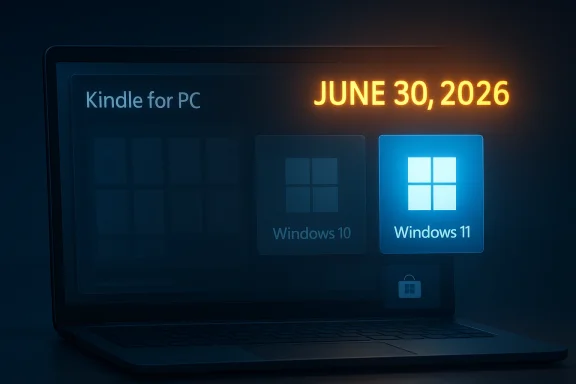
What changed in April 2026 is not just the notice itself, but the policy behind it. According to reporting cited in the user’s prompt, Amazon is planning a full sunset for Kindle for PC on June 30, 2026, after which the app will stop working entirely. That is a very different model from “download it before the deadline and keep using it,” which is how many software users understand decommissioning.
That difference is why this story resonates beyond Kindle fans. It is really about digital ownership, platform dependence, and the shrinking window in which old software remains useful. The company may be replacing one app with another, but it is also imposing a hard migration deadline on the people who built their reading routines around the old one.
That puts Kindle for PC in the same conversation as many other “service-backed” apps that are not really owned by users in the traditional sense. If the vendor flips a switch, the software can become inert even if it remains on the machine. That is the opposite of the old desktop model, where installed software generally stayed usable for as long as the operating system could run it.
That makes the announcement feel less like a simple app refresh and more like a controlled migration. Amazon is not just modernizing the Kindle PC experience; it is narrowing the pool of devices and users that can participate in it. That may be good for engineering efficiency, but it is not neutral for customers.
But from the user side, simplicity for the vendor often means friction for everyone else. That is the hidden cost of platform rationalization. The more aggressively a company standardizes, the more it risks turning older-but-functional devices into second-class citizens.
That is a bigger deal than it might sound like at first glance. Windows 11 is now the company-approved present tense, but Windows 10 is still widely present in the real world, especially in older business systems and home PCs that have not yet been refreshed. For those users, this creates a forced choice: upgrade the operating system, or lose access to the new Kindle desktop app.
That may not seem serious for a reading app, but it is serious in practice whenever software is used for work, research, or education. If a company or school relies on Kindle PC for reference material, the retirement becomes a managed migration project, not a casual app update.
This is often framed as “modernization,” and sometimes that is fair. Legacy software can be fragile, inconsistent, and expensive to maintain. But modernization can also mean removing flexibility that customers quietly depended on for years.
Software is less forgiving. If the app is part of a service architecture, Amazon can end support much more decisively. In effect, the company is saying that old hardware may limp along, but old desktop software will not be allowed to do the same.
Yet the app retirement shows that even reading is now shaped by platform rules. The route to the book matters as much as the book itself, and that can be a frustrating realization for anyone who built a library around one app on one operating system.
This is a reminder that “download from the Store” is not merely a distribution preference. It is a governance model. It can simplify updates, but it also narrows user choice and can complicate troubleshooting.
There is also a practical issue for users who manage multiple PCs. Store apps can be easier to keep current, but they are not always easier to deploy in the way old-school installers were. That may be acceptable in a consumer-first product, but it can be annoying for anyone with more than one machine.
That creates three dependencies at once: Amazon’s service, Microsoft’s platform, and the user’s hardware eligibility. Each dependency is individually manageable. Together, they are a significant barrier for anyone still trying to keep an older PC useful without buying something new.
The most important question is not whether the app still launches after that date. It is whether it can still authenticate, sync, or render your library in a way that makes it useful. Based on the reported sunset, the answer is likely to be no.
That is why app retirements matter more than vendors sometimes admit. Replacing software is not the same as replacing the experience. If you are a student, writer, or heavy reader, the loss of a familiar desktop client can be genuinely inconvenient even if your books remain technically available elsewhere.
The problem is not that Amazon is updating its software stack. The problem is that the transition may be mismatched to the user base that actually adopted Kindle PC in the first place. Desktop reading users are often not the same people who are happy to live entirely on mobile devices.
Trust in an ecosystem is built on continuity. The more often a company breaks that continuity, the more skeptical users become about investing time and money into its platforms. That is especially true for digital reading, where users may accumulate large libraries over years.
Organizations that use Kindle content for reference, accessibility, or staff training may now need to audit their desktops, confirm OS compatibility, and decide whether to support the replacement app at all. That adds procurement, IT, and user-support overhead that did not exist when the old app was simply a free download.
A successful migration usually depends on a few basics:
In theory, the new app could improve things. In practice, the benefits only matter if the school or institution can deploy it cleanly and if the students can actually run it. That is why platform restrictions matter so much in policy terms: they are not just technical details, they are access controls.
But every narrowing move has strategic consequences. The more Amazon trims legacy paths, the more it risks making Kindle feel less like a universal reading platform and more like an ecosystem with guardrails.
Amazon likely gains:
That risk is especially pronounced because books are not a disposable subscription feature. Readers may own hundreds or thousands of titles. The more they feel locked into shifting software rules, the more they may start considering alternative reading ecosystems or formats.
The most important question is whether Amazon will provide enough clarity before June 30, 2026, for users to prepare properly. The company can blunt some of the backlash by being explicit about system requirements, migration timing, and what happens to existing libraries and annotations. The less ambiguity there is, the less chaotic the cutover will be.
What to watch next:
Source: bgr.com The Kindle For PC App Is Being Discontinued — And Its Replacement Might Not Work For You - BGR
 Background
Amazon has been tightening its Kindle ecosystem for some time, and the latest PC-app move fits that broader strategy. Earlier in April 2026, the company also announced support changes for older Kindle hardware, but those devices were framed as surviving after the cutoff as long as users do not deregister or factory reset them. That distinction matters because it shows Amazon is willing to let older hardware continue in a limited way, while being far less generous with software transitions.The Kindle for PC app has long served a very practical purpose. It gave readers a way to access their libraries on a desktop, review books on a larger screen, and keep reading sessions tied to the Windows environment many people still use for work, school, and productivity. For years, that made it one of those quiet utility apps that did not attract much attention until it suddenly mattered.
What changed in April 2026 is not just the notice itself, but the policy behind it. According to reporting cited in the user’s prompt, Amazon is planning a full sunset for Kindle for PC on June 30, 2026, after which the app will stop working entirely. That is a very different model from “download it before the deadline and keep using it,” which is how many software users understand decommissioning.
That difference is why this story resonates beyond Kindle fans. It is really about digital ownership, platform dependence, and the shrinking window in which old software remains useful. The company may be replacing one app with another, but it is also imposing a hard migration deadline on the people who built their reading routines around the old one.
Why this matters now
The immediate concern is not simply whether the app disappears from the Microsoft Store. It is whether readers who already have it installed will still be able to use it after June 30, 2026. The answer appears to be no, which makes this retirement harsher than a typical delisting.That puts Kindle for PC in the same conversation as many other “service-backed” apps that are not really owned by users in the traditional sense. If the vendor flips a switch, the software can become inert even if it remains on the machine. That is the opposite of the old desktop model, where installed software generally stayed usable for as long as the operating system could run it.
What Amazon Appears to Be Changing
Amazon’s move looks like a classic consolidation strategy: end support for the older PC app, launch a successor, and narrow the supported environment. The catch is that the successor is not a universal desktop replacement in the way many users would want. Instead, it is reportedly tied to Windows 11 and to the Microsoft Store, which immediately raises compatibility and access questions.That makes the announcement feel less like a simple app refresh and more like a controlled migration. Amazon is not just modernizing the Kindle PC experience; it is narrowing the pool of devices and users that can participate in it. That may be good for engineering efficiency, but it is not neutral for customers.
The hard cutoff problem
The biggest difference between Kindle for PC and many other retired apps is that the old software will apparently stop functioning on July 1, 2026, even if it was installed beforehand. That is a true end-of-life event, not a passive retirement.- Users cannot assume local installation guarantees continued access.
- The app’s utility depends on Amazon keeping the back-end support alive.
- The transition resembles an account-service shutdown more than a simple software uninstall.
- Readers who delay migration may find themselves locked out overnight.
Why companies do this
There are good business reasons to do it, and they are not hard to see. A single supported platform is simpler to test, easier to secure, and cheaper to document. A Windows 11 Store app can also be built around newer APIs and deployment assumptions without dragging along legacy support overhead.But from the user side, simplicity for the vendor often means friction for everyone else. That is the hidden cost of platform rationalization. The more aggressively a company standardizes, the more it risks turning older-but-functional devices into second-class citizens.
Windows 11 as a Gatekeeper
The most consequential part of the reported replacement is not the app itself, but the platform restriction. By making the new Kindle experience Windows 11-only and Store-only, Amazon is effectively using Microsoft’s current desktop baseline as a filter for access.That is a bigger deal than it might sound like at first glance. Windows 11 is now the company-approved present tense, but Windows 10 is still widely present in the real world, especially in older business systems and home PCs that have not yet been refreshed. For those users, this creates a forced choice: upgrade the operating system, or lose access to the new Kindle desktop app.
Why Windows 10 users are exposed
Many users never plan their software around OS lifecycle boundaries. They assume that if a PC still works, core apps will remain available. Kindle for PC’s retirement breaks that assumption.- Windows 10 users may be excluded from the replacement app.
- Older PCs that cannot or will not upgrade may lose desktop Kindle access.
- Store-based distribution adds another layer of dependency.
- Sideloading or legacy installers will not solve a service-side shutdown.
Enterprise and consumer impact differ
For consumers, this is mostly a convenience issue, albeit an irritating one. For enterprises, libraries, and classroom environments, it is more complicated. A Windows 11-only rollout means IT teams must account for OS standardization before they can guarantee continuity.That may not seem serious for a reading app, but it is serious in practice whenever software is used for work, research, or education. If a company or school relies on Kindle PC for reference material, the retirement becomes a managed migration project, not a casual app update.
The Broader Kindle Ecosystem Shift
The Kindle for PC news does not exist in isolation. Amazon is clearly reshaping how Kindle access works across devices, and the pattern suggests fewer legacy paths and more controlled experiences. That is consistent with what happens when a platform matures: the vendor stops trying to accommodate every historical edge case and starts privileging its preferred route.This is often framed as “modernization,” and sometimes that is fair. Legacy software can be fragile, inconsistent, and expensive to maintain. But modernization can also mean removing flexibility that customers quietly depended on for years.
The hardware lesson
The earlier April 2026 changes to older Kindle hardware are instructive because they show Amazon’s asymmetrical approach. Physical devices may continue functioning if left alone, but the company is warning users not to deregister or factory reset them. That implies the ecosystem is survivable only if the current state is preserved.Software is less forgiving. If the app is part of a service architecture, Amazon can end support much more decisively. In effect, the company is saying that old hardware may limp along, but old desktop software will not be allowed to do the same.
A familiar tech-industry pattern
This is not unique to Amazon. The whole industry has been moving toward app stores, cloud accounts, and service-validated access. The old desktop ideal — “I installed it, so I own the experience” — has been fading for years.- Software increasingly depends on server-side validation.
- Store distribution gives vendors more control over lifecycle management.
- OS version checks can be used to prune support quickly.
- Services can be turned off even when binaries remain present.
- User convenience is increasingly tied to platform conformity.
Why readers should care
Readers tend to think of books as stable objects. That makes Kindle’s evolving software rules feel especially jarring. A book should be the least controversial kind of digital content: something you buy, keep, and read on the device you prefer.Yet the app retirement shows that even reading is now shaped by platform rules. The route to the book matters as much as the book itself, and that can be a frustrating realization for anyone who built a library around one app on one operating system.
The Microsoft Store Dependency
Requiring the new app to come through the Microsoft Store introduces another layer of control and another potential source of user friction. Even when users are on Windows 11, Store-based delivery is not always the most flexible path. It depends on Microsoft account behavior, Store health, device policy settings, and regional availability.This is a reminder that “download from the Store” is not merely a distribution preference. It is a governance model. It can simplify updates, but it also narrows user choice and can complicate troubleshooting.
Why this matters for accessibility
Users who are locked out of the Microsoft Store for policy reasons, regional restrictions, or device configuration may find the replacement harder to obtain than the old desktop installer. That is particularly awkward for a reading app, where one of the main advantages should be simple, predictable access.There is also a practical issue for users who manage multiple PCs. Store apps can be easier to keep current, but they are not always easier to deploy in the way old-school installers were. That may be acceptable in a consumer-first product, but it can be annoying for anyone with more than one machine.
The hidden lock-in effect
A Store-only replacement also increases platform lock-in. The user is not merely choosing Kindle; they are also choosing Microsoft’s app ecosystem as the delivery mechanism.That creates three dependencies at once: Amazon’s service, Microsoft’s platform, and the user’s hardware eligibility. Each dependency is individually manageable. Together, they are a significant barrier for anyone still trying to keep an older PC useful without buying something new.
What This Means for Current Kindle for PC Users
If you currently rely on Kindle for PC, the practical advice is straightforward: plan as if the old app will stop working on July 1, 2026. That means exporting your expectations now rather than waiting for the deadline to surprise you.The most important question is not whether the app still launches after that date. It is whether it can still authenticate, sync, or render your library in a way that makes it useful. Based on the reported sunset, the answer is likely to be no.
Immediate precautions
Users should think in terms of continuity rather than sentimentality. If Kindle on PC is part of your routine, you should treat the current app as temporary and make a migration plan before the cutoff.- Check whether your Windows version can support the replacement app.
- Confirm that you can access the Microsoft Store on your device.
- Verify that your Kindle library is accessible through other supported devices.
- Avoid assumptions about old installations continuing to function.
- Keep account credentials and recovery methods in order before the deadline.
Why “just use the website” is not always enough
In some cases, people will be told to switch to the browser or to another device. That can work, but it is not always equivalent. Desktop apps can offer better reading comfort, easier multitasking, and more stable workflows for long sessions.That is why app retirements matter more than vendors sometimes admit. Replacing software is not the same as replacing the experience. If you are a student, writer, or heavy reader, the loss of a familiar desktop client can be genuinely inconvenient even if your books remain technically available elsewhere.
The Consumer Experience Problem
From the average consumer’s point of view, Amazon’s decision will likely feel abrupt and somewhat punishing. Kindle for PC is a free app, so some users will shrug and move on. But “free” is not the same as “interchangeable,” and free software still carries real user dependence.The problem is not that Amazon is updating its software stack. The problem is that the transition may be mismatched to the user base that actually adopted Kindle PC in the first place. Desktop reading users are often not the same people who are happy to live entirely on mobile devices.
Who is most likely to be annoyed
The groups most affected are easy to identify:- Windows 10 users with no immediate upgrade plan
- Owners of older PCs that cannot comfortably run Windows 11
- Readers who prefer large-screen reading sessions
- Users who rely on desktop workflows for notes and research
- Accessibility-minded users who benefit from a dedicated PC interface
- People who simply dislike Store-only apps on principle
Why this is a trust issue
App retirements can erode trust when they feel too aggressive or too opaque. Users are more forgiving when they can keep using a product in some form. They are less forgiving when a company removes the path they already use and offers a narrower one with less compatibility.Trust in an ecosystem is built on continuity. The more often a company breaks that continuity, the more skeptical users become about investing time and money into its platforms. That is especially true for digital reading, where users may accumulate large libraries over years.
The Enterprise and Education Angle
It is easy to think of Kindle for PC as a consumer convenience app, but it also has relevance in schools, libraries, offices, and training environments. When that happens, app retirement is no longer just about convenience. It becomes a workflow issue.Organizations that use Kindle content for reference, accessibility, or staff training may now need to audit their desktops, confirm OS compatibility, and decide whether to support the replacement app at all. That adds procurement, IT, and user-support overhead that did not exist when the old app was simply a free download.
Why IT teams may care more than expected
IT departments tend to dislike surprise app retirements because they create small problems across many endpoints. Even a modest app can generate a lot of support tickets if it is suddenly replaced or removed.A successful migration usually depends on a few basics:
- Supported OS versions
- Valid Microsoft Store access
- Clear communication to users
- Testing on managed devices
- Alternate access paths for legacy systems
Education and accessibility concerns
Educational users may be hit especially hard if they are working on older laptops or school-managed Windows 10 systems. The same goes for users who depend on Kindle as an accessible reading environment with settings they have already customized.In theory, the new app could improve things. In practice, the benefits only matter if the school or institution can deploy it cleanly and if the students can actually run it. That is why platform restrictions matter so much in policy terms: they are not just technical details, they are access controls.
Strategic Implications for Amazon
This move is likely about more than housekeeping. Amazon appears to be optimizing for a narrower set of supported experiences, likely to reduce maintenance overhead and align the PC experience with newer Windows architecture. That can be a rational business decision even if it frustrates some users.But every narrowing move has strategic consequences. The more Amazon trims legacy paths, the more it risks making Kindle feel less like a universal reading platform and more like an ecosystem with guardrails.
What Amazon gains
The upside is obvious from a product-management perspective. A Windows 11 Store app should be easier to maintain than a legacy desktop client with broad compatibility expectations.Amazon likely gains:
- Lower support complexity
- Fewer legacy code paths
- Cleaner distribution through Microsoft’s ecosystem
- A more modern app framework
- Better alignment with current Windows security and packaging norms
What Amazon risks
The risk is user alienation. A reading platform depends heavily on long-term goodwill. If customers feel that access is conditional on the latest operating system, they may become less willing to buy into the ecosystem.That risk is especially pronounced because books are not a disposable subscription feature. Readers may own hundreds or thousands of titles. The more they feel locked into shifting software rules, the more they may start considering alternative reading ecosystems or formats.
Strengths and Opportunities
Even with all the frustration, Amazon’s move does have some genuine strengths. A cleaner app strategy can reduce complexity, and a modern replacement may improve performance, stability, or security for the majority of users who are already on current hardware. If the new app is well executed, many readers will ultimately see a better experience.- Simplified support for Amazon and fewer legacy bugs to chase.
- Modern Windows integration that may improve stability for supported users.
- Cleaner update delivery through the Microsoft Store.
- Potentially better security if the new app uses current platform standards.
- More consistent user experience across current Windows 11 PCs.
- Reduced fragmentation between old and new Kindle desktop code.
- An opportunity to refresh accessibility and reading tools for modern systems.
Risks and Concerns
The downside is just as clear. Amazon is not only retiring an app; it is removing a familiar access path that some users depend on daily. Because the new replacement is narrower in platform support, the transition risks leaving behind exactly the people most likely to feel the pain of forced change.- Windows 10 users may be excluded from the new app entirely.
- Older PCs may not qualify for the replacement experience.
- Existing Kindle for PC installs may become unusable after the cutoff.
- Store-only distribution reduces flexibility for users and IT admins.
- Users could lose a trusted workflow for reading, notes, and research.
- App retirement may erode trust in Amazon’s long-term support promises.
- Accessibility users may face disruption if the replacement behaves differently.
Looking Ahead
The next few weeks will likely determine how painful this transition feels in practice. If Amazon releases the replacement app smoothly and it behaves well on Windows 11, many users will simply move on. If, however, the Store version proves buggy, incomplete, or unavailable in some regions, the retirement will become a much larger story.The most important question is whether Amazon will provide enough clarity before June 30, 2026, for users to prepare properly. The company can blunt some of the backlash by being explicit about system requirements, migration timing, and what happens to existing libraries and annotations. The less ambiguity there is, the less chaotic the cutover will be.
What to watch next:
- Whether Amazon publishes formal system requirements for the replacement app.
- Whether the new Kindle app appears in the Microsoft Store before the cutoff.
- Whether Amazon confirms functionality limits for Windows 10 users.
- Whether the old app stops working exactly on July 1, 2026, or earlier.
- Whether alternative desktop reading options become more attractive by comparison.
Source: bgr.com The Kindle For PC App Is Being Discontinued — And Its Replacement Might Not Work For You - BGR
