

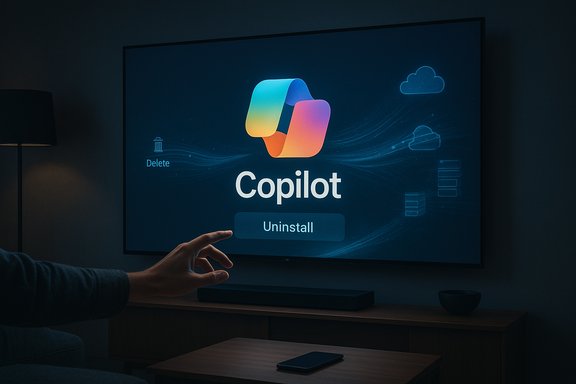
LG’s sudden placement of Microsoft’s Copilot on many webOS televisions — and the company’s swift pledge to let owners remove the shortcut after an online outcry — is a textbook moment in how not to roll out ambient AI to devices people already own.
When major TV makers mapped out 2025 product roadmaps, “AI TV” quickly became shorthand for adding conversational assistants to the living-room experience. LG and Samsung both flagged Copilot and similar assistants as central to discovery, recaps and voice navigation at trade shows earlier in the year; Microsoft positioned Copilot as a cross-device assistant to live on phones, PCs and big screens. What changed this winter was not the idea of Copilot on TVs, but the way it landed on existing devices. In mid-December a silent webOS over‑the‑air (FOTA) update added a Copilot tile to many LG TVs’ home launchers. Owners reported the tile could be hidden but — crucially — lacked the standard uninstall or delete affordance that users expect for non-system apps. That discovery ignited a viral Reddit thread and broad press coverage, and within days LG said it would add a delete option in a future update.
The right way forward for LG and its peers is threefold: implement durable, persistent uninstall and opt-out mechanisms; default to privacy‑minimal settings for cloud assistants; and publish clear telemetry disclosures before mass rollouts. Those steps would convert forced features into trusted conveniences and align product practice with consumer expectations.
For owners, the practical reality is this: hide the feature, tighten privacy settings, and watch for LG’s promised webOS update. For vendors, the Copilot-on-TV episode should be a cautionary case — innovation without consent undermines the very adoption manufacturers hope to drive.
The living-room will get smarter; whether owners feel that intelligence was added with their consent will determine whether these assistants become beloved helpers or persistent irritants.
Source: Silicon UK LG To Allow Users To Remove Copilot From TVs After Complaints
 Background
When major TV makers mapped out 2025 product roadmaps, “AI TV” quickly became shorthand for adding conversational assistants to the living-room experience. LG and Samsung both flagged Copilot and similar assistants as central to discovery, recaps and voice navigation at trade shows earlier in the year; Microsoft positioned Copilot as a cross-device assistant to live on phones, PCs and big screens. What changed this winter was not the idea of Copilot on TVs, but the way it landed on existing devices. In mid-December a silent webOS over‑the‑air (FOTA) update added a Copilot tile to many LG TVs’ home launchers. Owners reported the tile could be hidden but — crucially — lacked the standard uninstall or delete affordance that users expect for non-system apps. That discovery ignited a viral Reddit thread and broad press coverage, and within days LG said it would add a delete option in a future update. What happened — a concise timeline
- A routine webOS firmware update rolled out to selected LG models and rebooted affected sets.
- A Microsoft Copilot tile appeared on the TV home screen and app ribbon, looking like any other app tile such as Netflix or YouTube.
- Users discovered standard app-management flows offered only hide or disable for the tile; the usual uninstall/delete option was missing. In some reports a factory reset restored the tile, a sign the component may be provisioned as a privileged system asset or included in the firmware image.
- The story gained traction after a Reddit post on r/mildlyinfuriating gathered tens of thousands of upvotes (reports vary between ~35k–36k at time of coverage).
- Faced with widespread complaints about control and privacy, LG told reporters it would implement measures to let users delete the shortcut icon in a forthcoming webOS update and clarified that the tile is a shortcut to a web-based Copilot instance, not a native always‑on app. The company also said microphone activation would require explicit user consent.
Overview: why the reaction escalated so quickly
There are three overlapping reasons the Copilot tile triggered such a swift backlash.- Control and ownership expectations. Consumers expect the ability to remove or uninstall software placed on hardware they own. A tile that behaves like an app but refuses to show an uninstall option feels like post‑sale meddling.
- Privacy and telemetry fears. A visible assistant raises immediate questions: is the microphone listening? Is the TV sending Automatic Content Recognition (ACR) or other contextual signals to advertisers or partners? Even when vendors deny always‑on behavior, the lack of transparency fuels suspicion.
- Precedent and pattern recognition. Consumers have increasingly encountered preinstalled bloat, home-screen ads or features that serve partners rather than owners. The Copilot episode fit into a larger narrative that vendors are pushing AI into devices as defaults.
Technical anatomy: web shortcut vs native app — why the distinction matters
LG’s public explanation focused on a technical nuance: the Copilot tile is a browser-based shortcut that opens Microsoft’s Copilot web UI inside the TV’s built‑in browser, not a native application embedded in webOS. That architecture places model inference and data handling on Microsoft’s servers rather than local TV hardware, and — in principle — reduces the risk of a hidden always‑listening local agent. Yet the difference matters less for user experience than it appears. There are three common ways an element can appear on smart TV platforms:- User-installed store app — removable through the app manager.
- System/privileged package — often only hideable or disableable.
- Firmware-baked component — included in the FOTA image and restored by factory reset.
Practical implications of a web shortcut
A web shortcut design reduces local processing and keeps sensitive LLM inference in the cloud. Practically, that means:- Local CPU/GPU and model weights are not present on the TV.
- Audio/text queries routed to Copilot are processed on Microsoft servers.
- Microphone activation should (and in LG’s claim does) occur only after an explicit trigger or consent step.
LG’s response: welcome, but partial and timeline‑free
LG’s backtrack — promising that the Copilot shortcut will be deletable — is the immediate fix most owners asked for. The company reiterated two important points: the tile is a web shortcut and microphone use requires explicit user permission. That pledge, however, leaves substantial open questions:- When exactly will the delete option arrive, and which models/regions will be covered? LG did not publish a firm timeline.
- Will deletion persist across future firmware updates and factory resets, or will the tile be re-provisioned by new images unless LG changes the image? Observers note that a durable fix requires changing how the FOTA image or system package is authored.
- What telemetry flows occur when Copilot is used from the TV — which endpoints are involved, what categories of signals (ACR, device IDs, remote-mic audio) are sent, and how long is data retained? Those details remain to be published.
Privacy, telemetry and the broader trust question
Smart TVs already collect significant telemetry: which apps are used, tuning and playback metadata, and in some implementations ACR signals that detect the content on screen. That telemetry underpins personalization, ad targeting and product analytics. When an assistant like Copilot is placed at the system level, it can become a visible entry point to richer contextual signals — fueling legitimate consumer concern. Regulatory and legal scrutiny is intensifying. States and advocacy groups have already targeted TV makers over ACR and opaque practices; adding AI assistants that rely on microphone and contextual data adds complexity to the privacy calculus. Vendors who default to maximal personalization or use privileged packaging for partner features risk both reputational and regulatory costs. Important caveat: while community testing supports the claim that the tile was hard‑to‑remove for many models, deep technical verification of how the Copilot asset was packaged across all regional firmware builds would require vendor disclosure or forensic firmware inspection. Treat specific telemetry and packaging claims that haven’t been confirmed with vendor documentation as provisional.Industry context: everyone’s racing to put AI on the big screen
LG’s Copilot episode is not an isolated push. Google’s Gemini has been rolled into Google TV devices from TCL (QM9K series first), with expansion plans to more manufacturers and streamers; the strategy is to make the TV a conversational hub in the home. Samsung has also been publicly experimenting with Copilot and other assistants for its 2025 models. The pattern is clear: vendors see conversational AI as a product differentiator and platform play. That competition makes one thing likely: more assistants will arrive on TVs, and the UX decisions — defaults, opt-ins, packaging and uninstallability — will define how consumers perceive those features. If OEMs place partner services as privileged system components without clear opt-out pathways, expect ongoing friction.What LG could — and should — do next
LG’s pledge to enable deletion is necessary but not sufficient. A durable restoration of trust requires several concrete steps:- Publish a clear, dated timeline for the webOS update that adds delete functionality and list affected models and regions.
- Change default privacy settings to be privacy‑minimal for new cloud assistants and require opt-in for richer personalization or ACR linkage.
- Publish a machine‑readable telemetry FAQ detailing what is collected when Copilot is launched (audio, query text, session metadata), where it is sent, who has access and retention policies.
- Ensure deletion persists across future FOTA images and factory resets by changing how the tile is packaged in the system image or by implementing an uninstall mechanism that removes both runtime and image-level provisioning.
- Provide an easy UI path for opting out of any cross-device linkages (for example, account sign-ins that tie TV activity to cloud services).
Practical guidance for owners today
Until LG ships a delete option and clarifies telemetry, owners who want to reduce exposure can take immediate steps:- Hide the Copilot tile to remove it from the visible home ribbon. This is cosmetic but removes daily friction.
- Review and disable ACR/“Live Plus” and ad personalization in the TV privacy menu. Many owners reported these features being enabled in conjunction with the Copilot rollout.
- Avoid signing into accounts on the TV if cross-device linking is a concern. Unauthenticated use limits some data linkages.
- Place the TV on a guest VLAN or separate Wi‑Fi SSID and apply firewall rules to limit outbound connections if comfortable managing your home network. This prevents unwanted background calls but also disables updates and smart features.
- Use an external streaming stick or set‑top box you control (Roku, Fire TV, Chromecast with DSP) if you want a clear separation of features and stronger uninstallability guarantees.
Regulatory and business risks for OEMs
The episode illustrates concrete commercial risks:- Reputation: consumers who perceive forced features are more likely to avoid future upgrades or recommend competitors.
- Legal/regulatory exposure: states and regulators are already scrutinizing ACR and opaque data collection; adding an assistant without clear consent tracks adds legal risk. Recent filings and enforcement actions against TV makers for privacy practices show regulators are watching.
- Product friction: forced features undermine the perceived value of hardware, pushing privacy-conscious buyers to external streaming devices or non‑smart hardware.
Strengths and potential benefits of on‑TV assistants
It’s important to be balanced: Copilot-like assistants can offer real, measurable benefits when implemented with consent and integration:- Improved discovery: conversational search and contextual recommendations can help users find content faster and surface deeper catalog content.
- Accessibility: voice-based recaps and conversational navigation help users with mobility or vision limitations.
- Unified control: when tied to good privacy controls, assistants can centralize information (family calendar, smart home status) on the big screen in helpful ways.
Final analysis and conclusion
LG’s decision to allow deletion of the Copilot shortcut is the correct first move, but the episode leaves a larger lesson: how AI features are delivered after purchase matters as much as what they do. A web shortcut launched from a privileged tile triggers many of the same reactions as a preinstalled native app when users lack the basic expectation of removal and clear information about data flows.The right way forward for LG and its peers is threefold: implement durable, persistent uninstall and opt-out mechanisms; default to privacy‑minimal settings for cloud assistants; and publish clear telemetry disclosures before mass rollouts. Those steps would convert forced features into trusted conveniences and align product practice with consumer expectations.
For owners, the practical reality is this: hide the feature, tighten privacy settings, and watch for LG’s promised webOS update. For vendors, the Copilot-on-TV episode should be a cautionary case — innovation without consent undermines the very adoption manufacturers hope to drive.
The living-room will get smarter; whether owners feel that intelligence was added with their consent will determine whether these assistants become beloved helpers or persistent irritants.
Source: Silicon UK LG To Allow Users To Remove Copilot From TVs After Complaints
