

Logitech’s MX Master 4 now supports native Windows 11 haptic feedback through recent firmware and Windows updates, letting the mouse vibrate during supported desktop actions such as snapping windows, resizing panes, aligning objects in PowerPoint, and moving through supported system surfaces. The interesting part is not that a premium mouse can buzz. It is that Windows is beginning to treat touch feedback as an operating-system signal rather than a vendor gimmick buried inside a peripheral app. For a platform that has spent decades assuming the mouse is a silent pointer, this is a small feature with unusually large implications.
The PC has always been a visual machine first. Windows tells us where a window can land by drawing outlines, tells us when an object is aligned by showing guides, and tells us when a button is dangerous by changing its color or shape. The MX Master 4 integration adds another channel: the operating system can now touch back.
That matters because haptics are most useful when they are boring. A vibration when a game controller explodes is spectacle; a subtle bump when a PowerPoint object snaps into alignment is workflow. Logitech and Microsoft are pitching the MX Master 4 as the first productivity mouse with native Windows 11 haptics, and the phrase “productivity mouse” is doing more work than it first appears.
This is not a gaming mouse trying to rumble its way through Windows. It is a desk tool aimed at people who spend the day arranging windows, editing documents, building slides, moving files, and switching between applications. In that world, small confirmations can save attention, and attention is the scarce resource Microsoft, Logitech, and every app developer are trying to claim.
The feature is also a reminder that Windows 11 is still being rebuilt in layers. Microsoft can ship a setting, define a device class, expose haptic signals to compatible hardware, and still depend on peripheral makers to make the experience real. The OS may own the architecture, but the user feels only what the hardware can deliver.
That earlier haptic system was useful but bounded. It belonged to Logitech’s software layer, not to Windows itself. The mouse could vibrate when interacting with Logitech-defined shortcuts, but Windows did not broadly understand the device as a destination for system-level tactile signals.
The new Windows 11 support changes the relationship. Instead of the haptic motor being a peripheral trick controlled only by Logitech’s software, the MX Master 4 can receive feedback tied to Windows actions. The distinction sounds technical, but it is the difference between a keyboard lighting up because its own app says so and a keyboard responding directly to system-level state.
That is why the “no proprietary utility required for basic functionality” angle is more than marketing. In a home setup, installing another vendor utility is a nuisance. In a corporate environment, it can be a blocker. If basic haptic support works through Windows with current firmware, IT departments have one fewer agent to approve, deploy, troubleshoot, and justify.
Peripheral utilities are a perennial sore spot in managed Windows fleets. They often want background services, update mechanisms, telemetry permissions, accessibility hooks, or per-user configuration files. Even reputable vendors can become friction in environments with strict software approval rules, virtual desktop constraints, or hardened endpoint policies.
That is where native Windows 11 haptic support becomes strategically important. If the MX Master 4 can perform baseline haptic actions through Windows itself, the feature becomes easier to evaluate as part of the platform rather than as a vendor add-on. Logi Options+ still matters for granular customization, including intensity and more specific behavior, but it is no longer the only conceptual home for the feature.
This is the same pattern Microsoft has followed elsewhere in Windows: absorb a capability that used to require vendor software, standardize the common layer, and leave advanced tuning to OEM tools. Precision Touchpad did this for laptop trackpads. Windows Hello did this for biometric sign-in. Advanced haptics could become a similar abstraction for tactile input devices if Microsoft and its partners keep the implementation disciplined.
The risk, of course, is that “native” becomes a branding word stretched over a still-fragile stack. Users need the right Windows 11 update, the right mouse firmware, and in some cases the right receiver firmware. If any one piece lags behind, the feature may disappear from settings or behave inconsistently. That is not unusual for new Windows hardware capabilities, but it is exactly the sort of version choreography that makes admins skeptical.
Microsoft’s documentation and recent Windows reporting point to haptic-enabled input device classes, including haptic mice and haptic touchpads. That matters because device classes are how an experiment becomes a platform. A single supported mouse is a novelty; a documented class is an invitation.
The current set of examples is deliberately mundane. Windows can generate tactile feedback around snapping, resizing, alignment, and supported interface interactions. Those are not flashy demos, but they are exactly the places where haptics can be useful without becoming annoying. The right haptic cue is a whisper, not an alarm.
The comparison to Apple’s trackpads is unavoidable. MacBooks trained users to accept that a “click” can be simulated and that haptic feedback can make a flat surface feel mechanically alive. Windows OEMs have been slower and less consistent in that area, though premium laptops increasingly ship with better touchpads. Bringing mice into the same haptic vocabulary gives Microsoft a chance to make tactile feedback a desktop feature, not just a laptop feature.
That is an important distinction for Windows. The Windows ecosystem is not a single hardware family. It is desktops, docks, KVMs, workstations, gaming towers, mini PCs, Surface devices, rugged tablets, thin clients, and every strange office setup imaginable. If haptics only live in expensive laptop touchpads, they remain a hardware luxury. If they can travel through a popular productivity mouse, they reach the desk.
That is the right instinct. Haptics should confirm decisions at the boundary of an action. They should not celebrate every click, buzz through every hover, or turn Windows into a carnival of micro-vibrations. A mouse is physically held for hours at a time; anything irritating will be disabled quickly.
The MX Master 4’s battery behavior is also telling. Haptics can be automatically disabled when the battery falls below a low threshold, reportedly around 10 percent. That is a practical compromise, but it also exposes a core tension: every new sensory feature consumes power, firmware complexity, and testing time. The feature has to earn its keep.
For many users, the answer will depend on the subtlety of the implementation. A designer aligning objects in PowerPoint may appreciate a physical cue. A spreadsheet-heavy worker may find future app-level haptics useful if they mark grid boundaries or drag targets. A writer may barely notice the feature at all, except when snapping windows around a multi-monitor setup.
That is not a failure. A platform feature does not need to matter equally to every user. It needs to be reliable enough that developers and hardware makers can build around it without training users to fear the setting.
Used well, haptics can reduce visual dependence. A design tool could confirm when an object reaches a smart guide. A video editor could mark timeline snapping. A CAD application could signal constraint points. An accessibility-minded app could supplement visual focus changes with tactile confirmation. A virtual desktop utility could make workspace boundaries feel more concrete.
Used badly, haptics will become another notification channel for apps that already overreach. Nobody needs a mouse vibration because a chat app wants attention, a browser tab finished loading, or a subscription prompt appeared. The fastest way to kill OS-level haptics would be to let every app treat the user’s hand as an advertising surface.
This is where Microsoft’s role becomes critical. The platform needs permissions, sensible defaults, clear settings, and predictable behavior. Users should be able to control intensity, disable categories, and understand why a device is vibrating. Enterprise admins should eventually be able to manage the feature through policy if it becomes common enough in professional fleets.
The early Windows 11 examples suggest Microsoft is starting with system actions rather than app chaos. That is the safer path. First make the OS cues useful. Then let developers in gradually, with constraints strong enough that the feature retains trust.
For current owners, the practical requirement is not simply “buy an MX Master 4.” It is “have an MX Master 4 with the right firmware, run a Windows 11 build with haptic support, and make sure the connection path supports it.” Reports mention support over Bluetooth and Logi Bolt, with Logi Bolt firmware also part of the update story.
This is classic Windows ecosystem plumbing. The headline says the mouse supports native haptics. The real-world checklist includes OS servicing, firmware rollout, accessory software, receiver compatibility, and settings visibility. None of that makes the feature fake, but it does make it more fragile than a clean marketing sentence suggests.
It also means early adopters should expect some unevenness. Some users will see the setting and feel the effect immediately. Others will have the latest mouse firmware but an older Windows build. Others may be on a managed PC where firmware tools or Options+ are restricted. Still others may be using Bluetooth stacks, docks, or receiver placements that introduce their own quirks.
That unevenness is not a reason to dismiss the feature. It is a reason to treat it as a platform capability in its first practical phase. The first wave of native Windows haptic hardware will teach Microsoft and Logitech where the support model breaks.
That makes the corporate desk the natural test lab. The same people most likely to buy an MX Master 4 are also the people most likely to live inside window management, presentation tools, code editors, browser profiles, virtual desktops, and multi-monitor layouts. If haptics can reduce friction there, the feature has a plausible route into the broader Windows hardware ecosystem.
But the corporate desk is also unforgiving. A feature that depends on a consumer-style companion app will hit deployment resistance. A feature that drains battery will be disabled. A feature that vibrates unpredictably during presentations or remote sessions will become a help desk ticket. A feature that cannot be controlled centrally will be viewed as a personalization toy.
This is why native integration is the strongest part of the story. It suggests Microsoft and Logitech understand that professional peripherals have to work in locked-down environments. The baseline experience must be understandable to Windows, not just to Logitech’s cloud-connected customization layer.
There is also an accessibility angle worth watching. Haptics are not a universal solution, and they can be distracting or uncomfortable for some users. But tactile feedback can help users who benefit from non-visual confirmation, especially in precision workflows. If Microsoft exposes the right controls, haptics could become part of a broader accessibility and ergonomics story rather than merely a premium flourish.
Advanced haptics gives Microsoft a chance to pull some of that innovation back into the platform. If Windows can define standard haptic events and device requirements, hardware makers can compete on motor quality, latency, battery efficiency, and ergonomics rather than inventing incompatible software islands.
That would be good for users. A haptic signal for snapping a window should not require each mouse vendor to write its own interpretation of Windows behavior. A supported app should not need a separate plugin for every device brand. A user should not have to keep three peripheral utilities running just to get basic tactile cues.
The challenge is scale. One Logitech mouse does not create an ecosystem. Microsoft needs more supported devices, more OEM touchpads, clearer settings, and developer guidance that turns haptics into a consistent Windows behavior. Logitech, meanwhile, needs to prove that the MX Master 4’s implementation is reliable enough that users leave it enabled after the novelty fades.
The reward is significant. Input devices have become oddly stagnant at the OS level. We have better sensors, better switches, quieter buttons, and more elaborate software, but the pointer itself still mostly behaves as it did decades ago. Haptics offer a rare chance to make the desktop feel different without asking users to learn a new interface.
For existing MX Master 4 owners, the feature is worth trying once the right updates are in place. The most useful test is not whether the vibration feels impressive in a demo. It is whether you still want it enabled after a full workday of snapping windows, arranging documents, and moving through the OS.
For IT teams, the more interesting question is whether this becomes manageable. If haptic settings remain user-level niceties with no fleet controls, adoption will be limited. If Microsoft treats haptics like a real input capability with policy, documentation, and stable device behavior, it could become another standard line item in premium workstation setups.
For developers, restraint will be everything. The apps that use haptics sparingly will make Windows feel more precise. The apps that use haptics as a novelty will teach users to disable the entire system.
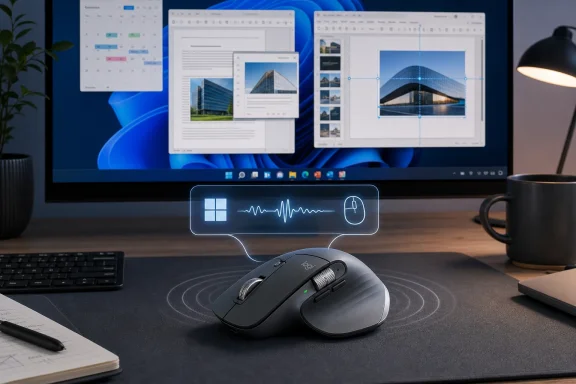 Windows Finally Reaches Back Through the Mouse
The PC has always been a visual machine first. Windows tells us where a window can land by drawing outlines, tells us when an object is aligned by showing guides, and tells us when a button is dangerous by changing its color or shape. The MX Master 4 integration adds another channel: the operating system can now touch back.That matters because haptics are most useful when they are boring. A vibration when a game controller explodes is spectacle; a subtle bump when a PowerPoint object snaps into alignment is workflow. Logitech and Microsoft are pitching the MX Master 4 as the first productivity mouse with native Windows 11 haptics, and the phrase “productivity mouse” is doing more work than it first appears.
This is not a gaming mouse trying to rumble its way through Windows. It is a desk tool aimed at people who spend the day arranging windows, editing documents, building slides, moving files, and switching between applications. In that world, small confirmations can save attention, and attention is the scarce resource Microsoft, Logitech, and every app developer are trying to claim.
The feature is also a reminder that Windows 11 is still being rebuilt in layers. Microsoft can ship a setting, define a device class, expose haptic signals to compatible hardware, and still depend on peripheral makers to make the experience real. The OS may own the architecture, but the user feels only what the hardware can deliver.
The MX Master 4 Was Already a Haptic Mouse, But Not a Windows Mouse
The MX Master line has long been Logitech’s answer to the idea that a mouse can be a professional instrument rather than a disposable pointing device. The MX Master 4 continued that tradition with the usual premium ingredients: ergonomic sculpting, multi-device pairing, high-resolution scrolling, quiet clicks, and deep customization through Logi Options+. It also added haptic feedback around Logitech’s own interaction model, including the Action Ring shortcut interface.That earlier haptic system was useful but bounded. It belonged to Logitech’s software layer, not to Windows itself. The mouse could vibrate when interacting with Logitech-defined shortcuts, but Windows did not broadly understand the device as a destination for system-level tactile signals.
The new Windows 11 support changes the relationship. Instead of the haptic motor being a peripheral trick controlled only by Logitech’s software, the MX Master 4 can receive feedback tied to Windows actions. The distinction sounds technical, but it is the difference between a keyboard lighting up because its own app says so and a keyboard responding directly to system-level state.
That is why the “no proprietary utility required for basic functionality” angle is more than marketing. In a home setup, installing another vendor utility is a nuisance. In a corporate environment, it can be a blocker. If basic haptic support works through Windows with current firmware, IT departments have one fewer agent to approve, deploy, troubleshoot, and justify.
Native Support Is the Feature Enterprise IT Actually Cares About
Consumer coverage will understandably focus on the sensation: the buzz when a window snaps, the tick when an object aligns, the subtle cue when a supported UI boundary is reached. Enterprise admins will focus on something less glamorous: what has to be installed, updated, permitted, and secured.Peripheral utilities are a perennial sore spot in managed Windows fleets. They often want background services, update mechanisms, telemetry permissions, accessibility hooks, or per-user configuration files. Even reputable vendors can become friction in environments with strict software approval rules, virtual desktop constraints, or hardened endpoint policies.
That is where native Windows 11 haptic support becomes strategically important. If the MX Master 4 can perform baseline haptic actions through Windows itself, the feature becomes easier to evaluate as part of the platform rather than as a vendor add-on. Logi Options+ still matters for granular customization, including intensity and more specific behavior, but it is no longer the only conceptual home for the feature.
This is the same pattern Microsoft has followed elsewhere in Windows: absorb a capability that used to require vendor software, standardize the common layer, and leave advanced tuning to OEM tools. Precision Touchpad did this for laptop trackpads. Windows Hello did this for biometric sign-in. Advanced haptics could become a similar abstraction for tactile input devices if Microsoft and its partners keep the implementation disciplined.
The risk, of course, is that “native” becomes a branding word stretched over a still-fragile stack. Users need the right Windows 11 update, the right mouse firmware, and in some cases the right receiver firmware. If any one piece lags behind, the feature may disappear from settings or behave inconsistently. That is not unusual for new Windows hardware capabilities, but it is exactly the sort of version choreography that makes admins skeptical.
Microsoft Is Building a New Feedback Layer, Not Just a Mouse Trick
The most important party in this story may not be Logitech. It is Microsoft, because Windows 11’s haptic work implies a broader input model where mice, touchpads, pens, and perhaps other accessories can receive standardized tactile signals from the OS.Microsoft’s documentation and recent Windows reporting point to haptic-enabled input device classes, including haptic mice and haptic touchpads. That matters because device classes are how an experiment becomes a platform. A single supported mouse is a novelty; a documented class is an invitation.
The current set of examples is deliberately mundane. Windows can generate tactile feedback around snapping, resizing, alignment, and supported interface interactions. Those are not flashy demos, but they are exactly the places where haptics can be useful without becoming annoying. The right haptic cue is a whisper, not an alarm.
The comparison to Apple’s trackpads is unavoidable. MacBooks trained users to accept that a “click” can be simulated and that haptic feedback can make a flat surface feel mechanically alive. Windows OEMs have been slower and less consistent in that area, though premium laptops increasingly ship with better touchpads. Bringing mice into the same haptic vocabulary gives Microsoft a chance to make tactile feedback a desktop feature, not just a laptop feature.
That is an important distinction for Windows. The Windows ecosystem is not a single hardware family. It is desktops, docks, KVMs, workstations, gaming towers, mini PCs, Surface devices, rugged tablets, thin clients, and every strange office setup imaginable. If haptics only live in expensive laptop touchpads, they remain a hardware luxury. If they can travel through a popular productivity mouse, they reach the desk.
The Best Haptics Will Be the Ones Users Forget Are There
There is a thin line between useful tactile feedback and a desk accessory that feels like a phone notification trapped under your palm. Logitech and Microsoft seem aware of that line, at least in the initial examples. The feedback is tied to precision moments: alignment, snapping, resizing, movement between spaces.That is the right instinct. Haptics should confirm decisions at the boundary of an action. They should not celebrate every click, buzz through every hover, or turn Windows into a carnival of micro-vibrations. A mouse is physically held for hours at a time; anything irritating will be disabled quickly.
The MX Master 4’s battery behavior is also telling. Haptics can be automatically disabled when the battery falls below a low threshold, reportedly around 10 percent. That is a practical compromise, but it also exposes a core tension: every new sensory feature consumes power, firmware complexity, and testing time. The feature has to earn its keep.
For many users, the answer will depend on the subtlety of the implementation. A designer aligning objects in PowerPoint may appreciate a physical cue. A spreadsheet-heavy worker may find future app-level haptics useful if they mark grid boundaries or drag targets. A writer may barely notice the feature at all, except when snapping windows around a multi-monitor setup.
That is not a failure. A platform feature does not need to matter equally to every user. It needs to be reliable enough that developers and hardware makers can build around it without training users to fear the setting.
Developers Get a New Signal, If They Can Resist Abusing It
Logitech’s pitch includes a developer angle: native Windows haptics could allow independent software makers to add vibration effects to their own applications. That is where the feature becomes either genuinely interesting or profoundly irritating.Used well, haptics can reduce visual dependence. A design tool could confirm when an object reaches a smart guide. A video editor could mark timeline snapping. A CAD application could signal constraint points. An accessibility-minded app could supplement visual focus changes with tactile confirmation. A virtual desktop utility could make workspace boundaries feel more concrete.
Used badly, haptics will become another notification channel for apps that already overreach. Nobody needs a mouse vibration because a chat app wants attention, a browser tab finished loading, or a subscription prompt appeared. The fastest way to kill OS-level haptics would be to let every app treat the user’s hand as an advertising surface.
This is where Microsoft’s role becomes critical. The platform needs permissions, sensible defaults, clear settings, and predictable behavior. Users should be able to control intensity, disable categories, and understand why a device is vibrating. Enterprise admins should eventually be able to manage the feature through policy if it becomes common enough in professional fleets.
The early Windows 11 examples suggest Microsoft is starting with system actions rather than app chaos. That is the safer path. First make the OS cues useful. Then let developers in gradually, with constraints strong enough that the feature retains trust.
The Version Story Is Already Messier Than the Marketing
The Root-Nation report frames the MX Master 4 as going on sale in the fall of 2026 with required firmware from the factory, but other available reporting and Logitech material indicate the MX Master 4 itself was introduced earlier, with native Windows 11 haptic support arriving later through updates and future units expected to ship ready for the feature. That distinction matters because buyers will read “available in fall 2026” differently from “existing units can be updated.”For current owners, the practical requirement is not simply “buy an MX Master 4.” It is “have an MX Master 4 with the right firmware, run a Windows 11 build with haptic support, and make sure the connection path supports it.” Reports mention support over Bluetooth and Logi Bolt, with Logi Bolt firmware also part of the update story.
This is classic Windows ecosystem plumbing. The headline says the mouse supports native haptics. The real-world checklist includes OS servicing, firmware rollout, accessory software, receiver compatibility, and settings visibility. None of that makes the feature fake, but it does make it more fragile than a clean marketing sentence suggests.
It also means early adopters should expect some unevenness. Some users will see the setting and feel the effect immediately. Others will have the latest mouse firmware but an older Windows build. Others may be on a managed PC where firmware tools or Options+ are restricted. Still others may be using Bluetooth stacks, docks, or receiver placements that introduce their own quirks.
That unevenness is not a reason to dismiss the feature. It is a reason to treat it as a platform capability in its first practical phase. The first wave of native Windows haptic hardware will teach Microsoft and Logitech where the support model breaks.
The Corporate Desk Is the Real Test Lab
The MX Master 4 is not a cheap mouse, and that changes the likely audience. This is not a mass-market feature arriving first in a $15 office peripheral. It is arriving in a premium productivity device bought by enthusiasts, developers, creative professionals, executives, and organizations willing to spend more on input hardware.That makes the corporate desk the natural test lab. The same people most likely to buy an MX Master 4 are also the people most likely to live inside window management, presentation tools, code editors, browser profiles, virtual desktops, and multi-monitor layouts. If haptics can reduce friction there, the feature has a plausible route into the broader Windows hardware ecosystem.
But the corporate desk is also unforgiving. A feature that depends on a consumer-style companion app will hit deployment resistance. A feature that drains battery will be disabled. A feature that vibrates unpredictably during presentations or remote sessions will become a help desk ticket. A feature that cannot be controlled centrally will be viewed as a personalization toy.
This is why native integration is the strongest part of the story. It suggests Microsoft and Logitech understand that professional peripherals have to work in locked-down environments. The baseline experience must be understandable to Windows, not just to Logitech’s cloud-connected customization layer.
There is also an accessibility angle worth watching. Haptics are not a universal solution, and they can be distracting or uncomfortable for some users. But tactile feedback can help users who benefit from non-visual confirmation, especially in precision workflows. If Microsoft exposes the right controls, haptics could become part of a broader accessibility and ergonomics story rather than merely a premium flourish.
Peripheral Makers Now Have a Reason to Care About Windows Haptics
For years, Windows peripheral innovation has largely happened above or beside the OS. Mouse vendors built their own DPI software, macro layers, lighting engines, gesture panels, and profile managers. Windows provided the baseline input model, while differentiation happened in vendor utilities.Advanced haptics gives Microsoft a chance to pull some of that innovation back into the platform. If Windows can define standard haptic events and device requirements, hardware makers can compete on motor quality, latency, battery efficiency, and ergonomics rather than inventing incompatible software islands.
That would be good for users. A haptic signal for snapping a window should not require each mouse vendor to write its own interpretation of Windows behavior. A supported app should not need a separate plugin for every device brand. A user should not have to keep three peripheral utilities running just to get basic tactile cues.
The challenge is scale. One Logitech mouse does not create an ecosystem. Microsoft needs more supported devices, more OEM touchpads, clearer settings, and developer guidance that turns haptics into a consistent Windows behavior. Logitech, meanwhile, needs to prove that the MX Master 4’s implementation is reliable enough that users leave it enabled after the novelty fades.
The reward is significant. Input devices have become oddly stagnant at the OS level. We have better sensors, better switches, quieter buttons, and more elaborate software, but the pointer itself still mostly behaves as it did decades ago. Haptics offer a rare chance to make the desktop feel different without asking users to learn a new interface.
The Mouse Buzz Is Small, but the Windows Bet Is Not
The immediate advice for Windows users is simple: this is promising, but do not buy solely for the buzz unless the rest of the MX Master 4 already appeals to you. Haptics are an enhancement layered onto a premium mouse, not a replacement for ergonomics, tracking quality, battery life, or software reliability.For existing MX Master 4 owners, the feature is worth trying once the right updates are in place. The most useful test is not whether the vibration feels impressive in a demo. It is whether you still want it enabled after a full workday of snapping windows, arranging documents, and moving through the OS.
For IT teams, the more interesting question is whether this becomes manageable. If haptic settings remain user-level niceties with no fleet controls, adoption will be limited. If Microsoft treats haptics like a real input capability with policy, documentation, and stable device behavior, it could become another standard line item in premium workstation setups.
For developers, restraint will be everything. The apps that use haptics sparingly will make Windows feel more precise. The apps that use haptics as a novelty will teach users to disable the entire system.
The First Haptic Mouse for Windows 11 Sets the Ground Rules
The MX Master 4’s Windows 11 haptics are not revolutionary in isolation, but they are concrete enough to show where the platform is headed. The useful facts are narrower and more practical than the marketing glow suggests.- The MX Master 4 can now participate in native Windows 11 haptic feedback when the mouse, firmware, connection path, and Windows build all support the feature.
- The first supported scenarios are precision desktop actions such as snapping, resizing, aligning objects, and navigating supported Windows surfaces.
- Basic haptic behavior is intended to work without requiring Logitech’s proprietary utility, while Logi Options+ remains relevant for deeper customization.
- Existing owners may need firmware and Windows updates, while future units are expected to ship with the necessary support already in place.
- The feature’s long-term value depends less on vibration strength than on consistency, restraint, manageability, and developer discipline.
References
- Primary source: root-nation.com
Published: Mon, 01 Jun 2026 10:06:14 GMT
Logitech's MX Master 4 has a unique Windows 11 feature - Root-Nation.com
Logitech has added support for Windows 11 haptic feedback to the MX Master 4 mouse. Vibration works without additional software in PowerPoint. root-nation.com
- Related coverage: windowscentral.com
You can feel Windows 11 with the Surface Slim Pen 2 — no need for an overpriced Surface Pro 12 or Surface Laptop 8 | Windows Central
Microsoft’s Slim Pen 2 just gained system‑level haptic support, unlocking Windows 11’s new tactile feedback on older and cheaper Surface hardware.www.windowscentral.com - Related coverage: macrumors.com
Logitech's New MX Master 4 Mouse Features Haptic Feedback
Logitech today announced an updated version of its MX Master series mouse, the MX Master 4, which features haptic feedback and introduces a few other changes while remaining largely faithful to the original design. Apart from cleaner-looking frosted buttons and a more minimalist bottom, the MX...www.macrumors.com - Related coverage: rtings.com
Logitech MX Master 4 Review - RTINGS.com
The Logitech MX Master 4 is a wireless productivity mouse that continues Logitech's MX Master series. This model introduces small shape refinements and new hard ... www.rtings.com
- Related coverage: tomshardware.com
Logitech launches MX Master 4 flagship productivity mouse – the best mouse we've tested adds haptic feedback, circular Action Ring shortcuts | Tom's Hardware
A rumble pack for productivity?www.tomshardware.com - Related coverage: support.logi.com
My MX Master 4 is on the latest firmware (27.3.19), yet I don't see the haptic settings in Windows – Logitech Support + Download
Even though you have the latest firmware for your MX Master 4, you still need to be on the latest version of the Windows operating...support.logi.com
- Related coverage: logitech.com
Haptics for Tactile Feedback with MX Master 4 | Logitech
Discover Haptics in Logi Options+ for MX Master 4, featuring custom vibrations that enhance everyday productivity and app interactions.www.logitech.com
- Related coverage: ir.logitech.com
Logitech International - Remastering an Icon: Introducing Logitech MX Master 4
The First MX Mouse with Haptics that Transforms Productivity Through Tactile Feedback Logitech’s only mouse with customizable haptics for professionals seeking ultimate control and efficiency. Streamlined workflows with Actions Ring enabled by Logi Options+, a digital overlay, reducing...ir.logitech.com - Related coverage: windowsforum.com
MX Master 4 Gets Native Windows 11 Haptic Feedback—Snaps, Resizes, Alignment | Windows Forum
Logitech’s MX Master 4 gained native Windows 11 haptic feedback through a firmware update released in May 2026, letting the mouse vibrate during supported...windowsforum.com - Related coverage: hub.sync.logitech.com
MX Master 4 + Windows 11: The First Productivity Mouse with Native Haptic Feedback
Native integration with advanced haptics on Windows 11 has arrived, and the Logitech MX Master 4 for Business is ready. As the first productivity mouse featuring native haptic support for Microsoft's ...hub.sync.logitech.com - Related coverage: notebookcheck.net
Logitech MX Master 4 review - Premium mouse with haptic feedback - Notebookcheck Review
The Logitech MX Master 4 promises improved ergonomics and innovative features such as haptic feedback and the Action Ring. But how well does it actually work, and is the comparatively high price worth it for professional users? www.notebookcheck.net
- Related coverage: ginjfo.com
Windows 11 fait vibrer la souris MX Master 4 de Logitech - GinjFo
La MX Master 4 gagne une intégration native avec les retours haptiques de Windows 11. Certaines actions la font vibrer.www.ginjfo.com - Related coverage: techradar.com
Want to feel more hands-on with your files and spreadsheets? You're in luck - Microsoft and Logitech bring extra haptics to your daily work, via your mouse | TechRadar
Windows 11 Advanced Haptics are coming to the Logitech MX Master 4 mousewww.techradar.com - Related coverage: pcgamer.com
Logitech MX Master 4 mouse review | PC Gamer
The latest Review,,,reviews, breaking news, comment, reviews and features from the experts at PC Gamerwww.pcgamer.com - Official source: learn.microsoft.com
Input Device Haptics Implementation Guide | Microsoft Learn
This topic provides implementation details for haptic-enabled input devices such as touchpads and mice.learn.microsoft.com - Official source: support.microsoft.com
Using hearing devices with your Windows 11 PC | Microsoft Support
Bluetooth LE Audio hearing devices, adjusting hearing device, adjusting audio presets and ambient sound volume.support.microsoft.com - Related coverage: ebisuda.net
Windows 11 5月更新でLogitech MX Master 4など対応マウスにハプティクスフィードバック機能が追加 | ebisuda.net
Windows 11の2025年5月累積更新でLogitech MX Master 4等の対応マウス・スタイラスに触覚フィードバック機能が追加され、ウィンドウ操作時の操作感が向上した。www.ebisuda.net
- Official source: microsoft.com
Windows 11 Specs and System Requirements | Microsoft Windows
View Windows 11 specs, system requirements, and features from Microsoft. Learn about the device specifications, versions, and languages available for Windows 11.www.microsoft.com - Related coverage: itavisen.no
Logitech MX Master 4 får haptisk feedback i Windows 11 - ITavisen
Logitech MX Master 4 er først ute med støtte for avansert haptisk feedback i Windows 11 – uten ekstra programvare.itavisen.no - Related coverage: borncity.com
Logitech MX Master 4: Haptisches Feedback für Windows 11
Der MX Master 4 von Logitech erhält haptisches Feedback via Windows-11-Update. Microsoft treibt parallel Stabilität und Sicherheit voran.borncity.com
