

Microsoft has launched Microsoft 365 Archive for SharePoint in the GCC-L environment, extending its cold-storage option to government tenants that need to retain inactive sites without keeping them in the active SharePoint storage tier.
The Microsoft 365 Roadmap entry, ID 545013, lists the feature as generally available in June 2026. Microsoft’s description is straightforward: admins can move inactive SharePoint sites into an archive tier intended to lower storage costs while preserving the data’s existing searchability, security controls, and compliance posture.
Microsoft 365 Archive is not an export tool, a backup product, or a way to delete stale SharePoint sites cheaply. Archived content remains in SharePoint, under Microsoft 365 management, rather than being copied to a third-party repository or an administrator-managed Azure storage account.
Per Microsoft Learn, archived SharePoint data retains the same search, security, and compliance standards as active content. That matters for organizations that must keep project sites, case material, records, or historical collaboration spaces for years but have little day-to-day use for them.
An archived site can be reactivated when users need it again. The practical trade-off is that the site is no longer treated as ordinary active SharePoint content while archived, so this is best suited to genuinely dormant sites rather than departments that merely access a site infrequently.
Microsoft markets the archive tier as lower-cost cold storage. Its public product page describes pay-as-you-go archive storage, but organizations should verify their own government-cloud billing availability, pricing, and purchasing arrangements before treating archive as a simple storage-cost fix.
The Roadmap entry uses “GCC-L” in its title while its cloud-instance field says “GCC.” Microsoft’s supporting documentation states that SharePoint site archiving is available for Government Community Cloud organizations. Administrators should therefore confirm eligibility in their specific tenant rather than assume the wording covers every US government cloud variant.
Before enabling it broadly, admins should identify candidate sites and review:
The Microsoft 365 Roadmap entry, ID 545013, lists the feature as generally available in June 2026. Microsoft’s description is straightforward: admins can move inactive SharePoint sites into an archive tier intended to lower storage costs while preserving the data’s existing searchability, security controls, and compliance posture.
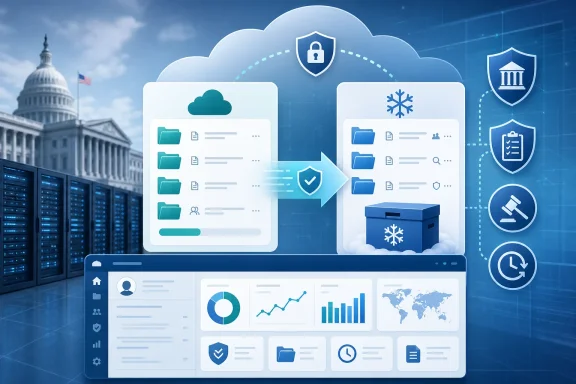 What Microsoft 365 Archive does
Microsoft 365 Archive is not an export tool, a backup product, or a way to delete stale SharePoint sites cheaply. Archived content remains in SharePoint, under Microsoft 365 management, rather than being copied to a third-party repository or an administrator-managed Azure storage account.Per Microsoft Learn, archived SharePoint data retains the same search, security, and compliance standards as active content. That matters for organizations that must keep project sites, case material, records, or historical collaboration spaces for years but have little day-to-day use for them.
An archived site can be reactivated when users need it again. The practical trade-off is that the site is no longer treated as ordinary active SharePoint content while archived, so this is best suited to genuinely dormant sites rather than departments that merely access a site infrequently.
Why GCC-L admins should care
Storage management is often more constrained in government Microsoft 365 deployments than in commercial tenants, particularly where policy requires long retention periods. Archive gives SharePoint administrators another lifecycle option between leaving a site active and deleting it.Microsoft markets the archive tier as lower-cost cold storage. Its public product page describes pay-as-you-go archive storage, but organizations should verify their own government-cloud billing availability, pricing, and purchasing arrangements before treating archive as a simple storage-cost fix.
The Roadmap entry uses “GCC-L” in its title while its cloud-instance field says “GCC.” Microsoft’s supporting documentation states that SharePoint site archiving is available for Government Community Cloud organizations. Administrators should therefore confirm eligibility in their specific tenant rather than assume the wording covers every US government cloud variant.
What to do now
For eligible tenants, there is no client update or Windows deployment work attached to this rollout. It is an admin-side SharePoint capability. Microsoft’s setup guidance calls for a pay-as-you-go billing policy to be connected first, followed by enabling SharePoint Site Archive from the Microsoft 365 admin center.Before enabling it broadly, admins should identify candidate sites and review:
- retention labels, legal holds, eDiscovery requirements, and sensitivity labels;
- site ownership and a clear reactivation process;
- whether users or connected applications still rely on the site; and
- the archive and reactivation costs under the tenant’s billing agreement.
References
- Primary source: Microsoft 365 Roadmap
Published: 2026-07-13T23:07:14.8221961Z
Microsoft 365 Roadmap | Microsoft 365
The Microsoft 365 Roadmap lists updates that are currently planned for applicable subscribers. Check here for more information on the status of new features and updates.www.microsoft.com
- Official source: learn.microsoft.com
Overview of Microsoft 365 Archive - Microsoft 365 Archive | Microsoft Learn
Learn about how Microsoft 365 Archive can provide your organization with cost-effective storage solutions.learn.microsoft.com