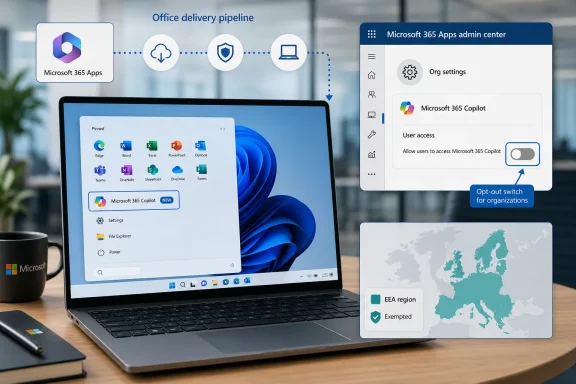
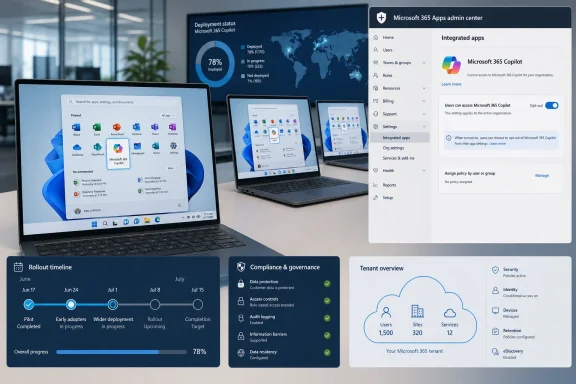
Microsoft is resuming automatic installation of the Microsoft 365 Copilot app on eligible Windows devices with commercial Microsoft 365 desktop apps between mid-June and mid-July 2026, unless administrators opt out through the Microsoft 365 Apps admin center. The move is not a Windows Update in the traditional sense, and it is not aimed at every PC with Office installed. But it is another example of Microsoft treating Copilot not as an optional assistant, but as a default layer of the Microsoft 365 experience. For IT departments, the question is no longer whether Copilot will arrive, but how many consoles, policies, and exception paths are required to keep it from arriving on Microsoft’s schedule.
The important detail is not that Microsoft 365 Copilot exists as an app. It is that Microsoft now regards the app as part of the expected Microsoft 365 desktop environment for commercial customers outside the European Economic Area, provided the device is on the right update channel and version.
That distinction matters because “automatic installation” sounds like a consumer-app land grab, while Microsoft frames it as deployment hygiene. The company’s documentation describes the Microsoft 365 Copilot app as a central place for chat, search, agents, and other productivity features. In Redmond’s preferred narrative, this is not a new imposition; it is a way to make paid or included AI capabilities easier to discover.
Administrators hear something else. They hear another default-on component appearing in managed fleets, another Start menu entry to explain, another app inventory delta to reconcile, and another case where the safest posture is not “deploy when ready” but “find the opt-out before the rollout window closes.”
Microsoft has been here before. The company previously planned broader automatic installation, then temporarily disabled it because of what it described as a technical issue. Now the machinery is turning again, with the notable concession that admins can prevent the install through the Microsoft 365 Apps admin center.
That concession is real, but it is also revealing. Microsoft is not asking organizations to opt in to a new AI endpoint. It is asking them to opt out of one.
Those caveats should cool some of the panic. A home user with a one-off perpetual Office license is not the center of this specific deployment story. A tightly managed enterprise on conservative update channels may not see the same behavior as a small business on Current Channel or Monthly Enterprise Channel.
But the caveats do not erase the larger pattern. Microsoft is using the Microsoft 365 Apps servicing pipeline to distribute a Copilot-branded app in the background, with no user interaction required. The app can also be updated through the Microsoft Store or its own built-in updater, and Microsoft says Store access is not required for certain deployment and update paths.
That is precisely why admins are sensitive to the change. Store blocking, once a crude but effective way to reduce app sprawl, is not a complete control surface here. The Microsoft 365 ecosystem has its own delivery rails, and Copilot is increasingly riding those rails.
The result is a deployment that is technically manageable but politically clumsy. Microsoft can accurately say it gave administrators a control. Administrators can accurately say Microsoft created more work by making that control necessary.
That is not an accident of engineering. It is a sign of the regulatory environment Microsoft now operates in, where bundling, defaults, and user choice receive sharper scrutiny than they do in many other markets. The company has spent years learning that European regulators care deeply about whether users and organizations have meaningful control over preinstalled or tightly integrated software.
For customers outside the EEA, the practical lesson is uncomfortable: Microsoft can design a more restrained default when it has to. The EEA carve-out suggests that automatic installation is not technically inevitable. It is a policy choice shaped by market, law, and risk.
That does not mean Microsoft is doing anything unlawful elsewhere. It does mean the company’s rhetoric about seamless productivity should be read alongside its region-specific restraint. When a feature is default-on in one place and unavailable by default in another, the difference is not user need; it is governance pressure.
Windows users have seen this movie with browsers, accounts, Teams, widgets, ads, cloud backup prompts, and Start menu recommendations. Microsoft often treats friction as a deployment problem until a regulator, enterprise customer, or public backlash turns it into a trust problem.
Copilot entry points have spread across Word, Excel, PowerPoint, Outlook, Teams, OneNote, and Microsoft 365 on the web. Some users have seen ribbon buttons, sidebar affordances, floating prompts, shortcut-menu entries, and context-sensitive suggestions appear or reappear after updates. Microsoft has also moved pieces around as it reacts to feedback, which only adds to the sense that the interface is being rearranged in service of AI discoverability.
There is a difference between disabling a desktop app and suppressing every Copilot touchpoint. Microsoft’s own support guidance reflects that difference. Users can turn off Copilot in certain Office apps with an app-specific checkbox, but that setting must be handled per app and per device. Removing the Copilot icon from the ribbon is cosmetic; it does not necessarily remove every path to Copilot.
Privacy settings can suppress some Copilot functionality by turning off connected experiences that analyze content, but that is a broad switch. It may also disable useful non-Copilot features such as suggested replies, text predictions, Designer capabilities, and automatic alt text. In other words, Microsoft has built a control that works partly because it cuts power to a larger circuit.
Outlook complicates the story further. New Outlook, web, Mac, iOS, and Android have their own Copilot toggle behavior, while classic Outlook for Windows still lacks the same parity. That matters because Outlook remains a deeply entrenched enterprise client, not a legacy curiosity.
This is the administrative frustration in miniature. Microsoft’s AI story is unified in marketing and fragmented in control.
The location matters. Microsoft explicitly distinguishes the Microsoft 365 Apps admin center from the broader Microsoft 365 admin center, which is the kind of distinction that makes sense to product teams and wastes time for smaller IT shops. The more Microsoft disperses Copilot controls across admin surfaces, the more likely it is that organizations will miss one.
For large enterprises, this becomes a change-management task. Someone has to read the Message Center posts, confirm applicability, check update channels, adjust policy, document the decision, communicate to help desk staff, and test what actually appears on endpoints. For small businesses with one overworked admin or an outside managed service provider, it becomes another surprise hiding inside a subscription they already pay for.
The one-time installation behavior is also worth parsing carefully. Microsoft’s FAQ says that if the app is automatically installed through Microsoft 365 Apps and a user later uninstalls it, the automatic installation does not happen again through that same mechanism. That is better than a recurring reinstall loop.
But “better than worst case” is not the same as good governance. If an app appears first and asks for forgiveness later, the support burden has already arrived. Users have already seen the icon. Tickets have already been opened. Security teams have already asked why a new AI-branded app appeared on machines that did not request it.
That is why the Microsoft 365 Copilot app is framed as a single entry point rather than an optional add-on. It sits at the intersection of chat, search, documents, agents, and Microsoft Graph-connected work data. If users are going to ask questions about files, summarize meetings, draft emails, and retrieve business context through natural language, Microsoft wants them doing it inside Microsoft 365, not a rival AI workspace.
The commercial pressure is equally clear. Copilot is a major growth narrative for Microsoft 365. Every icon, ribbon button, and default entry point is a chance to convert curiosity into usage, and usage into licensing justification. For organizations already paying for Microsoft 365, the upsell path is smoother if the interface constantly reminds users that Copilot is nearby.
But the strategy has a cost. Microsoft is spending the trust it earned as the default productivity vendor to accelerate adoption of a product category many organizations are still evaluating cautiously. AI assistants raise questions about data access, retention, compliance, hallucination, prompt leakage, user training, and shadow workflows. Even when Microsoft has answers, administrators do not want those answers delivered after the app appears.
The risk is not that every Copilot feature is dangerous. The risk is that Microsoft keeps collapsing the distance between availability and deployment. Enterprise IT is built around that distance. It is where testing, approval, communication, and accountability live.
That argument should not be dismissed. In many organizations, the choice is not between AI and no AI. It is between governed AI and unmanaged AI. Microsoft’s advantage is that it already owns the identity layer, document store, email platform, collaboration hub, endpoint management stack, and compliance story for millions of businesses.
But the security argument becomes weaker when deployment defaults outrun organizational readiness. Governance is not merely the existence of a tenant setting. Governance is the ability to decide who gets a tool, when they get it, what data it can touch, what logs are reviewed, what training accompanies it, and who is accountable when it behaves badly.
The Copilot app also blurs lines for users. People may not distinguish between Microsoft Copilot, Microsoft 365 Copilot, Copilot Chat, Copilot in Office apps, Copilot in Windows, and Copilot features licensed at different tiers. To an admin, those are product boundaries. To a user, they are all “the AI button Microsoft put on my PC.”
That confusion has practical consequences. Help desks will be asked whether the app is approved. Security teams will be asked whether data is being sent to AI. Managers will ask whether employees need licenses. Users will ask why they can open an app but cannot use certain features. The icon may be free to install, but explaining it is not free.
For them, opt-out is a weak form of consent. It assumes awareness, time, and confidence. It assumes someone knows which portal matters, which setting applies, and whether changing it will affect other services. It assumes the business has a policy position on AI in productivity apps before Microsoft’s rollout window closes.
This is where Microsoft’s enterprise muscle can become small-business friction. The company builds controls for admins, but not every paying customer has a dedicated admin. A local accounting firm, medical office, contractor, or nonprofit may use Microsoft 365 because it is the default business suite, not because it wants to become fluent in modern app deployment policy.
The irony is that small businesses may be exactly the customers Microsoft thinks Copilot can help most. They have limited staff, repetitive paperwork, too much email, and little time to learn complex software. But those same constraints mean they are less prepared for silent changes to the software estate.
If Microsoft wants AI to be trusted by smaller organizations, it should not rely on admin scavenger hunts. It should make the consent model legible in the product and in the tenant, with plain-language choices that survive updates.
That approach has made Windows feel less like a neutral operating system and more like a living sales channel. Some of that is inevitable in a services era. Security updates, cloud sync, identity, app stores, and endpoint management all require ongoing change. The problem is that Microsoft often bundles genuinely useful infrastructure with promotional surface area.
Copilot sits at the center of that tension. It may become a major productivity interface. It may save time for users who learn its strengths and limits. It may also become another thing to disable, hide, explain, or audit, depending on the organization.
The company’s most loyal customers are not asking Microsoft to stop building AI. They are asking Microsoft to stop treating visibility as entitlement. There is a difference between making a capability available and making its presence unavoidable.
When Microsoft crosses that line, it feeds the suspicion that Copilot adoption metrics matter more than user agency. That suspicion may be unfair in individual cases, but it is rational given the company’s recent history of prompts, pins, rebrands, and defaults.
Users who merely dislike Copilot in Word, Excel, PowerPoint, or OneNote have lighter but more tedious options. They can clear the Enable Copilot checkbox in supported desktop apps, remove ribbon icons, or change connected-experience privacy settings with the understanding that broader features may be affected. Outlook remains its own special case, particularly for organizations still tied to classic Outlook for Windows.
The cleanest approach for businesses is not registry tinkering or firewall improvisation. Blocking Microsoft 365 endpoints to suppress Copilot is likely to break more than it fixes, because Office is now deeply dependent on cloud services, content delivery networks, identity flows, and connected experiences. The cure can easily become the outage.
For managed environments, policy discipline beats whack-a-mole customization. Decide whether Copilot is approved, partially approved, or not approved. Then enforce that decision through supported Microsoft 365 admin controls, app deployment policy, privacy settings, licensing, and user communication.
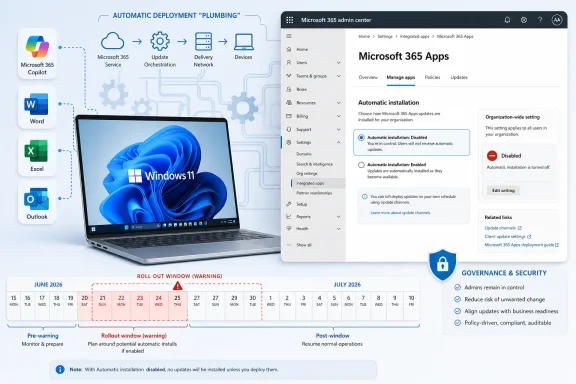 Microsoft Turns Copilot From Product Into Plumbing
The important detail is not that Microsoft 365 Copilot exists as an app. It is that Microsoft now regards the app as part of the expected Microsoft 365 desktop environment for commercial customers outside the European Economic Area, provided the device is on the right update channel and version.That distinction matters because “automatic installation” sounds like a consumer-app land grab, while Microsoft frames it as deployment hygiene. The company’s documentation describes the Microsoft 365 Copilot app as a central place for chat, search, agents, and other productivity features. In Redmond’s preferred narrative, this is not a new imposition; it is a way to make paid or included AI capabilities easier to discover.
Administrators hear something else. They hear another default-on component appearing in managed fleets, another Start menu entry to explain, another app inventory delta to reconcile, and another case where the safest posture is not “deploy when ready” but “find the opt-out before the rollout window closes.”
Microsoft has been here before. The company previously planned broader automatic installation, then temporarily disabled it because of what it described as a technical issue. Now the machinery is turning again, with the notable concession that admins can prevent the install through the Microsoft 365 Apps admin center.
That concession is real, but it is also revealing. Microsoft is not asking organizations to opt in to a new AI endpoint. It is asking them to opt out of one.
The Rollout Is Narrower Than the Outrage, but Broader Than Comfort
This is not literally every Windows 11 PC. Microsoft’s automatic installation path applies to eligible Windows devices with commercial Microsoft 365 desktop apps, and the automatic route depends on Microsoft 365 Apps Version 2511 or later. Devices on the Semi-Annual Enterprise Channel are not targeted for this automatic installation, and EEA customers are excluded from this particular default-on mechanism.Those caveats should cool some of the panic. A home user with a one-off perpetual Office license is not the center of this specific deployment story. A tightly managed enterprise on conservative update channels may not see the same behavior as a small business on Current Channel or Monthly Enterprise Channel.
But the caveats do not erase the larger pattern. Microsoft is using the Microsoft 365 Apps servicing pipeline to distribute a Copilot-branded app in the background, with no user interaction required. The app can also be updated through the Microsoft Store or its own built-in updater, and Microsoft says Store access is not required for certain deployment and update paths.
That is precisely why admins are sensitive to the change. Store blocking, once a crude but effective way to reduce app sprawl, is not a complete control surface here. The Microsoft 365 ecosystem has its own delivery rails, and Copilot is increasingly riding those rails.
The result is a deployment that is technically manageable but politically clumsy. Microsoft can accurately say it gave administrators a control. Administrators can accurately say Microsoft created more work by making that control necessary.
Europe Gets the Quiet Version of the Product Strategy
The EEA exemption is one of the clearest tells in this story. Microsoft’s documentation says customers in the European Economic Area cannot enable installation of the Microsoft 365 Copilot app to devices with Microsoft 365 Apps through this automatic suite-based route. Manual deployment remains possible, but the default-on mechanism is not enabled for those customers.That is not an accident of engineering. It is a sign of the regulatory environment Microsoft now operates in, where bundling, defaults, and user choice receive sharper scrutiny than they do in many other markets. The company has spent years learning that European regulators care deeply about whether users and organizations have meaningful control over preinstalled or tightly integrated software.
For customers outside the EEA, the practical lesson is uncomfortable: Microsoft can design a more restrained default when it has to. The EEA carve-out suggests that automatic installation is not technically inevitable. It is a policy choice shaped by market, law, and risk.
That does not mean Microsoft is doing anything unlawful elsewhere. It does mean the company’s rhetoric about seamless productivity should be read alongside its region-specific restraint. When a feature is default-on in one place and unavailable by default in another, the difference is not user need; it is governance pressure.
Windows users have seen this movie with browsers, accounts, Teams, widgets, ads, cloud backup prompts, and Start menu recommendations. Microsoft often treats friction as a deployment problem until a regulator, enterprise customer, or public backlash turns it into a trust problem.
The App Is Only the Visible Edge of the Copilot Push
The Microsoft 365 Copilot app is easy to argue about because it has an icon. It appears in inventories, menus, deployment tools, and user screenshots. But the bigger shift is happening inside the productivity apps people already use.Copilot entry points have spread across Word, Excel, PowerPoint, Outlook, Teams, OneNote, and Microsoft 365 on the web. Some users have seen ribbon buttons, sidebar affordances, floating prompts, shortcut-menu entries, and context-sensitive suggestions appear or reappear after updates. Microsoft has also moved pieces around as it reacts to feedback, which only adds to the sense that the interface is being rearranged in service of AI discoverability.
There is a difference between disabling a desktop app and suppressing every Copilot touchpoint. Microsoft’s own support guidance reflects that difference. Users can turn off Copilot in certain Office apps with an app-specific checkbox, but that setting must be handled per app and per device. Removing the Copilot icon from the ribbon is cosmetic; it does not necessarily remove every path to Copilot.
Privacy settings can suppress some Copilot functionality by turning off connected experiences that analyze content, but that is a broad switch. It may also disable useful non-Copilot features such as suggested replies, text predictions, Designer capabilities, and automatic alt text. In other words, Microsoft has built a control that works partly because it cuts power to a larger circuit.
Outlook complicates the story further. New Outlook, web, Mac, iOS, and Android have their own Copilot toggle behavior, while classic Outlook for Windows still lacks the same parity. That matters because Outlook remains a deeply entrenched enterprise client, not a legacy curiosity.
This is the administrative frustration in miniature. Microsoft’s AI story is unified in marketing and fragmented in control.
Opt-Out Administration Is Still Administration
Microsoft’s answer for the automatic app install is straightforward enough: go to the Microsoft 365 Apps admin center, open Customization, find Device Configuration, move to Modern Apps settings, select the Microsoft 365 Copilot app, and clear the automatic installation checkbox. The path is not impossible. It is also not the same as a simple Windows setting, an Intune baseline toggle, or a user-visible uninstall preference.The location matters. Microsoft explicitly distinguishes the Microsoft 365 Apps admin center from the broader Microsoft 365 admin center, which is the kind of distinction that makes sense to product teams and wastes time for smaller IT shops. The more Microsoft disperses Copilot controls across admin surfaces, the more likely it is that organizations will miss one.
For large enterprises, this becomes a change-management task. Someone has to read the Message Center posts, confirm applicability, check update channels, adjust policy, document the decision, communicate to help desk staff, and test what actually appears on endpoints. For small businesses with one overworked admin or an outside managed service provider, it becomes another surprise hiding inside a subscription they already pay for.
The one-time installation behavior is also worth parsing carefully. Microsoft’s FAQ says that if the app is automatically installed through Microsoft 365 Apps and a user later uninstalls it, the automatic installation does not happen again through that same mechanism. That is better than a recurring reinstall loop.
But “better than worst case” is not the same as good governance. If an app appears first and asks for forgiveness later, the support burden has already arrived. Users have already seen the icon. Tickets have already been opened. Security teams have already asked why a new AI-branded app appeared on machines that did not request it.
Microsoft Is Spending Trust to Buy AI Habit
The strategic logic is obvious. Microsoft has invested heavily in Copilot as the new organizing layer for work, and AI products do not become habit-forming if they remain buried behind download pages and licensing explanations. The company wants Copilot to feel ambient, familiar, and inevitable.That is why the Microsoft 365 Copilot app is framed as a single entry point rather than an optional add-on. It sits at the intersection of chat, search, documents, agents, and Microsoft Graph-connected work data. If users are going to ask questions about files, summarize meetings, draft emails, and retrieve business context through natural language, Microsoft wants them doing it inside Microsoft 365, not a rival AI workspace.
The commercial pressure is equally clear. Copilot is a major growth narrative for Microsoft 365. Every icon, ribbon button, and default entry point is a chance to convert curiosity into usage, and usage into licensing justification. For organizations already paying for Microsoft 365, the upsell path is smoother if the interface constantly reminds users that Copilot is nearby.
But the strategy has a cost. Microsoft is spending the trust it earned as the default productivity vendor to accelerate adoption of a product category many organizations are still evaluating cautiously. AI assistants raise questions about data access, retention, compliance, hallucination, prompt leakage, user training, and shadow workflows. Even when Microsoft has answers, administrators do not want those answers delivered after the app appears.
The risk is not that every Copilot feature is dangerous. The risk is that Microsoft keeps collapsing the distance between availability and deployment. Enterprise IT is built around that distance. It is where testing, approval, communication, and accountability live.
The Security Argument Cuts Both Ways
Microsoft can make a reasonable security argument for centralizing Copilot through managed Microsoft 365 channels. A sanctioned app tied to organizational identity, tenant controls, and enterprise data protection is easier to govern than employees pasting company information into random consumer AI tools. If Copilot is going to be used anyway, IT would rather have it under the Microsoft 365 umbrella.That argument should not be dismissed. In many organizations, the choice is not between AI and no AI. It is between governed AI and unmanaged AI. Microsoft’s advantage is that it already owns the identity layer, document store, email platform, collaboration hub, endpoint management stack, and compliance story for millions of businesses.
But the security argument becomes weaker when deployment defaults outrun organizational readiness. Governance is not merely the existence of a tenant setting. Governance is the ability to decide who gets a tool, when they get it, what data it can touch, what logs are reviewed, what training accompanies it, and who is accountable when it behaves badly.
The Copilot app also blurs lines for users. People may not distinguish between Microsoft Copilot, Microsoft 365 Copilot, Copilot Chat, Copilot in Office apps, Copilot in Windows, and Copilot features licensed at different tiers. To an admin, those are product boundaries. To a user, they are all “the AI button Microsoft put on my PC.”
That confusion has practical consequences. Help desks will be asked whether the app is approved. Security teams will be asked whether data is being sent to AI. Managers will ask whether employees need licenses. Users will ask why they can open an app but cannot use certain features. The icon may be free to install, but explaining it is not free.
Small Businesses Are the Least Equipped for Default-On AI
The phrase “Microsoft 365 Business” covers a wide range of organizations, from companies with mature IT operations to firms where the “admin” is the person who once set up email. Those smaller tenants are often the most exposed to default changes because they lack the staffing to monitor every admin-center update.For them, opt-out is a weak form of consent. It assumes awareness, time, and confidence. It assumes someone knows which portal matters, which setting applies, and whether changing it will affect other services. It assumes the business has a policy position on AI in productivity apps before Microsoft’s rollout window closes.
This is where Microsoft’s enterprise muscle can become small-business friction. The company builds controls for admins, but not every paying customer has a dedicated admin. A local accounting firm, medical office, contractor, or nonprofit may use Microsoft 365 because it is the default business suite, not because it wants to become fluent in modern app deployment policy.
The irony is that small businesses may be exactly the customers Microsoft thinks Copilot can help most. They have limited staff, repetitive paperwork, too much email, and little time to learn complex software. But those same constraints mean they are less prepared for silent changes to the software estate.
If Microsoft wants AI to be trusted by smaller organizations, it should not rely on admin scavenger hunts. It should make the consent model legible in the product and in the tenant, with plain-language choices that survive updates.
Personal Choice Keeps Losing to Platform Ambition
There is a broader Windows pattern here that extends beyond Microsoft 365. Microsoft increasingly behaves as if the PC is a canvas for cloud services whose placement it can adjust over time. The user may own the machine, the company may manage the device, but Microsoft controls enough of the update and application substrate to keep reintroducing experiences it considers strategic.That approach has made Windows feel less like a neutral operating system and more like a living sales channel. Some of that is inevitable in a services era. Security updates, cloud sync, identity, app stores, and endpoint management all require ongoing change. The problem is that Microsoft often bundles genuinely useful infrastructure with promotional surface area.
Copilot sits at the center of that tension. It may become a major productivity interface. It may save time for users who learn its strengths and limits. It may also become another thing to disable, hide, explain, or audit, depending on the organization.
The company’s most loyal customers are not asking Microsoft to stop building AI. They are asking Microsoft to stop treating visibility as entitlement. There is a difference between making a capability available and making its presence unavoidable.
When Microsoft crosses that line, it feeds the suspicion that Copilot adoption metrics matter more than user agency. That suspicion may be unfair in individual cases, but it is rational given the company’s recent history of prompts, pins, rebrands, and defaults.
The Controls Exist, but the Burden Has Shifted
Administrators who do not want the Microsoft 365 Copilot app to appear automatically should act before the rollout reaches their devices. That means checking Microsoft 365 Apps update channels, confirming whether devices are on Version 2511 or later, reviewing tenant geography, and using the Microsoft 365 Apps admin center to disable automatic installation where appropriate.Users who merely dislike Copilot in Word, Excel, PowerPoint, or OneNote have lighter but more tedious options. They can clear the Enable Copilot checkbox in supported desktop apps, remove ribbon icons, or change connected-experience privacy settings with the understanding that broader features may be affected. Outlook remains its own special case, particularly for organizations still tied to classic Outlook for Windows.
The cleanest approach for businesses is not registry tinkering or firewall improvisation. Blocking Microsoft 365 endpoints to suppress Copilot is likely to break more than it fixes, because Office is now deeply dependent on cloud services, content delivery networks, identity flows, and connected experiences. The cure can easily become the outage.
For managed environments, policy discipline beats whack-a-mole customization. Decide whether Copilot is approved, partially approved, or not approved. Then enforce that decision through supported Microsoft 365 admin controls, app deployment policy, privacy settings, licensing, and user communication.
The Next Thirty Days Are Really a Governance Test
The immediate story is a background app install, but the durable lesson is about control. Microsoft is moving Copilot into the ordinary plumbing of Microsoft 365, and organizations that do not want default AI experiences must now be more explicit than Microsoft is aggressive.- Microsoft is resuming automatic installation of the Microsoft 365 Copilot app for eligible commercial Microsoft 365 desktop app devices outside the EEA during the June-to-July 2026 rollout window.
- The automatic installation uses the Microsoft 365 Apps ecosystem rather than depending solely on the Microsoft Store, so Store restrictions alone should not be treated as a complete defense.
- Administrators can opt out in the Microsoft 365 Apps admin center, but the setting must be found and changed before the deployment reaches affected devices.
- Devices on the Semi-Annual Enterprise Channel are not targeted by this automatic installation path, which gives conservative update-channel customers a natural buffer.
- Turning off Copilot inside Office apps is separate from preventing the Microsoft 365 Copilot app from being installed, and hiding ribbon icons is not the same as disabling the feature.
- Firewall blocks and registry hacks are poor substitutes for supported policy, because Microsoft 365 depends on shared cloud plumbing that is easy to damage accidentally.
References
- Primary source: Windows Latest
Published: Sun, 21 Jun 2026 22:55:11 GMT
Microsoft says it'll force install Microsoft 365 Copilot on Windows 11 with MS 365 Business in the next 30 days
Microsoft quietly confirmed that the Microsoft 365 Copilot app will auto-install on eligible Windows PCs with Microsoft 365 desktop apps. www.windowslatest.com
- Official source: learn.microsoft.com
Deploy the Microsoft 365 Copilot App | Microsoft Learn
Enterprise and company IT Admins can use this guide to manage the deployment of the Microsoft 365 Copilot app to devices in their organization.learn.microsoft.com - Official source: support.microsoft.com
What's the difference between Microsoft Copilot (free) and Copilot in Microsoft 365 | Microsoft Support
Compare Microsoft Copilot options to find the best AI-powered tools for your productivity and collaboration needs.support.microsoft.com - Related coverage: windowscentral.com
Microsoft scraps Copilot 365 app auto‑install on Windows 11 | Windows Central
Microsoft won't force the Microsoft 365 Copilot app on Windows 11 for now.www.windowscentral.com - Related coverage: techtimes.com
Microsoft Will Not Auto-Install M365 Copilot App on Windows 11 PCs
Microsoft is no longer automatically installing the Microsoft 365 Copilot app on Windows 11 PCs despite previous plans to make it default.www.techtimes.com - Related coverage: windowsforum.com
Microsoft 365 Copilot Auto-Install Returns in June 2026: Admin Controls Tested | Windows Forum
Microsoft has resumed the automatic installation of the Microsoft 365 Copilot app on eligible commercial Windows PCs in June 2026, targeting devices with...windowsforum.com
- Related coverage: gadgets360.com
- Related coverage: techradar.com
Microsoft 365 Copilot will be automatically installed on 365 Clients in October | TechRadar
Microsoft is pushing the Copilot app on more userswww.techradar.com - Related coverage: tomshardware.com
Microsoft will force install the Copilot AI app for users with desktop versions of 365 apps like Word and Excel — coming October, with no way to opt out for personal users | Tom's Hardware
More bloatware added to Windows, courtesy of Microsoft 365.www.tomshardware.com - Related coverage: pcgamer.com
Microsoft announces it will automatically install the Copilot AI app alongside desktop versions of 365 products like Word, Excel and PowerPoint this October—and it seems like there's no way for personal users to opt out | PC Gamer
Don't want it? Time to switch office suite providers, then.www.pcgamer.com - Official source: microsoft.com
</rdf:Alt> </dc:title> <dc:description> <rdf:Alt> <rdf:li xml:lang="x-default"/> </rdf:Alt> </dc:description> <dc:creator> <rdf:Seq> <rdf:li>Lukas V
</rdf:Alt> </dc:description> <dc:creator> <rdf:Seq> <rdf:li>Lukas Velushwww.microsoft.com
- Related coverage: vendorcompliance.surf.nl
Manual advice on disabling Copilot applications in Microsoft products
PDF documentvendorcompliance.surf.nl
- Related coverage: techriver.com
- Official source: news.microsoft.com