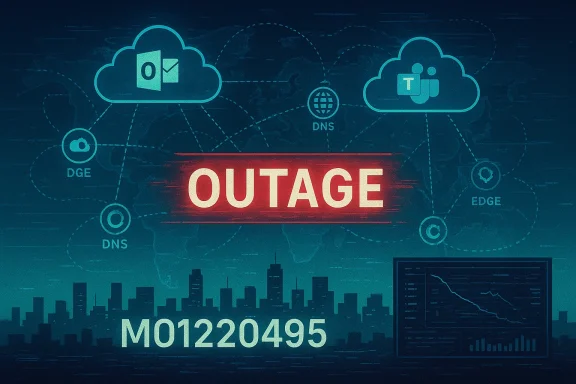
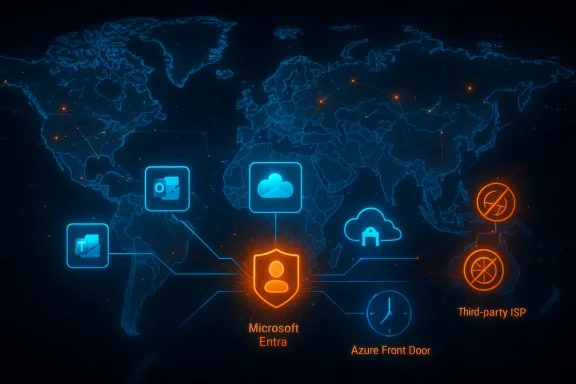
Microsoft's cloud productivity stack experienced a disruption on January 21, 2026, with Microsoft 365 and Microsoft Teams reporting widespread problems early in the U.S. workday and recovery messages appearing within a few hours as Microsoft traced the impact to a third‑party networking incident.
Microsoft 365 (the subscription service that bundles Word, Excel, Outlook, Teams and other cloud services) is foundational to modern office workflows. When it falters, the interruption cascades through email, scheduling, file access and real‑time collaboration tools used by millions of businesses and individual users.
Cloud outages affecting Microsoft services are not new; the company has weathered several high‑visibility incidents in recent years. Archived incident analyses show recurring patterns where a single misconfiguration, code change, or an edge control‑plane problem produced looked like backend outages to end users.
These past events are important context: they demonstrate how complex dependencies — from edge routing fabrics to third‑party network providers — can convert small changes into mass outages. That reality sets expectations for how an outage is detected, communicated and resolved today.
Source: Tom's Guide https://www.tomsguide.com/news/live/microsoft-365-down-live-updates-outage-jan-21-26/
 Background
Microsoft 365 (the subscription service that bundles Word, Excel, Outlook, Teams and other cloud services) is foundational to modern office workflows. When it falters, the interruption cascades through email, scheduling, file access and real‑time collaboration tools used by millions of businesses and individual users.Cloud outages affecting Microsoft services are not new; the company has weathered several high‑visibility incidents in recent years. Archived incident analyses show recurring patterns where a single misconfiguration, code change, or an edge control‑plane problem produced looked like backend outages to end users.
These past events are important context: they demonstrate how complex dependencies — from edge routing fabrics to third‑party network providers — can convert small changes into mass outages. That reality sets expectations for how an outage is detected, communicated and resolved today.
What happened on January 21, 2026 — timeline and symptoms
Early reports and detection
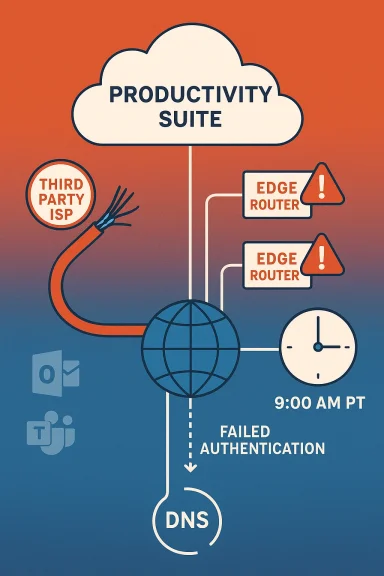
- User reports began spiking on outage aggregation sites near 9:00 a.m. Pacific Time, with Microsoft 365 reports rising quickly above 1,000 and Microsoft Teams reports jumping to several hundred at the same time.
- DownDetector and similar trackers showed peaks in login and connectivity complaints: many users said they were locked out, could not load apps in the browser, or experienced failures with authentication and calendar functionality.
Microsoft acknowledgement and public communications
- Microsoft posted an incident notification to its Microsoft 365 status channels and via its official X account, confirming investigation into problems affecting Microsoft 365 services including Teams and Outlook. The company referenced incident code MO1220495 in early posts.
- Updates over the next hour reported telemetry review and mitigation steps; by mid‑afternoon Microsoft stated services were recovering and later attributed the issue to a third‑party Internet Service Provider incident that affected a subset of customers’ ability to reach Microsoft services. That condition was reported as “fully resolved” once the third‑party provider addressed the root cause.
Recovery pattern
- Reports on public trackers fell over the next hour to low levels as login and app access returned for most users. News outlets and Microsoft’s status page indicated progressive recovery and that the incident had been mitigated. Downdetector counts dropped from the initial burst into the hundreds and then to background levels.
Verification and cross‑checks
Key claims and technical points from the incident were cross‑checked against multiple independent sources:- Tom’s Guide provided minute‑by‑minute coverage of outage spikes, Microsoft’s status messages and the DownDetector telemetry during the event.
- National news/financial outlets reported Microsoft’s post‑incident message that the disruption stemmed from a third‑party network provider and that service was restored after the provider resolved the fault. Those reports echoed Microsoft’s official status updates.
- Real‑time outage trackers (Downdetector, IsDown and similar services) confirmed the volume and timing of user reports and showed the decline in reports as the recovery progressed.
Technical analysis — how a third‑party networking incident breaks Microsoft 365
Edge, routing and authentication dependencies
Modern SaaS operations rely not only on backend compute and storage but heavily on multi‑layer networking components:- Edge delivery fabrics and content routers accept TLS and HTTP(S) to identity and token services, and enforce WAF policies.
- Authentication flows (token issuance for Entra ID / Azure AD) often pass through the same edge fabric or are proxied by DNS/routing systems that sit outside the application itself.
Why the impact ripples quickly
- Authentication and session token flows are high‑volume and globally distributed. If token endpoints are unreachable for a portion of the user base, sign‑in failures spike quickly and user experience degrades across many surface apps at once.
- Many Microsoft 365 clients (web and mobile) try to reach centralized identity endpoints or API gateways that may be fronted by the same CDN/edge infrastructure. A localized ISP/peering fault that affects regional paths can create a globally visible spike in complaints if traffic is routed through the impacted paths.
- The stack includes multiple dependencies (Entra ID, Azure Front Door, CDN, ISP transit). A single link in that chain failing causes cascading visible problems.
How Microsoft identifies and isolates such faults
- Microsoft’s operational teams review telemetry (failed auth rates, HTTP/TLS errors, region‑by‑region ingress failures).
- They compare control‑plane versus data‑plane symptoms: if backends are healthy but ingress fails, the evidence points to routing/edge problems.
- When a third‑party provider is implicated, mitigation options involve re‑routing traffic, bypassing the affected transit, reverting configuration changes or coordinating with the third party to restore normal routing.
Immediate user impact — who was affected and how badly
- End users: People attempting to sign into Microsoft 365 web apps (Outlook on the web, Teams web, SharePoint) saw login failures, blank pages, or loading errors. Mobile and desktop clients saw fewer issues where cached tokens or existing sessions remained valid.
- IT admins: Administrators briefly lost visibility or had limited admin console access to investigate, complicating troubleshooting and response for enterprise customers. Historical incidents show admin portals can be affected when the management plane shares fronting routes with consumer services.
- Businesses in active meeting windows: Organizations relying on scheduled Teams meetings at outage time reported missed connections and disrupted workflows. For companies without alternate communication channels, the operational impact extended until services normalized.
Short‑term mitigation and workarounds for users and IT teams
When Microsoft 365 shows service degradation, standard resiliency playbooks apply:- Use local/desktop Office apps for critical document editing and offline work; save copies locally when possible to avoid data loss.
- Switch to alternative communication channels (email via alternative providers, Slack, Zoom) for time‑sensitive meetings until Teams access is restored.
- For authentication problems: attempt logout/login cycles, but recognize that mass authentication faults are often backend‑side and unaffected by local retries.
- IT administrators should check the Microsoft 365 admin center for incident updates (incident IDs such as MO1220495) and follow Microsoft’s recommended mitigation steps.
Long‑term lessons and recommendations for enterprises
- Build alternative collaboration paths
- Maintain contracts or licenses with at least one alternate conferencing and messaging provider (e.g., Zoom, Google Workspace) to use as a fallback during major cloud vendor outages.
- Reduce single‑point reliance on a single identity provider
- Where possible, design critical workflows that can tolerate short‑term SSO outages (e.g., temporary access tokens, local app caching strategies, documented emergency sign‑in procedures).
- Multi‑region and multi‑path networking
- Ensure enterprise edge networking is multi‑homed to different transit providers and that DNS TTLs and routing policies allow fast failover from the enterprise side when cloud vendors experience ISP issues.
- Active monitoring and synthetic transactions
- Run synthetic sign‑in, mail send/receive and Teams join tests from multiple global vantage points (including different ISPs) so that localized network problems are discovered early and correlated against vendor status pages.
- Communication plans and incident drills
- Maintain an incident communications template and practice outage drills that include vendor outages to reduce confusion and speed recovery.
- SLA and contractual clauses
- Review Microsoft and third‑party provider SLAs for remedies and credits. Consider contractual language that covers multi‑tenantN/peering) in critical contracts.
Accountability, transparency and vendor trust
Outages like this force an important conversation about responsibility across complex vendor ecosystems:- When Microsoft attributes an incident to a third‑party ISP, customers have a right to expect transparent post‑incident reports that explain why the dependency caused a service interruption and what steps will prevent recurrence.
- Enterprises should press vendors for root‑cause analyses (RCAs) and remediation timelines. Public, detailed RCAs—without revealing sensitive operational details—are industry best practice and help restore trust.
- Regulators and large customers increasingly demand measurable resilience commitments from cloud vendors; repeated incidents raise questions about controls, testing, and release practices across control planes and edge systems. Historical incident threads show multiple such events prompting calls for improved change control and rollback procedures.
Risk assessment — what to watch for next
- Increased frequency risk: A pattern of frequent, short outages can be as damaging as a single long outage because it erodes trust and forces organizations to invest repeatedly in short‑term workarounds.
- Attack surface confusion: While this incident was attributed to networking problems, repeated outages sometimes prompt unfounded security speculation; organizations must balance vigilance with measured incident analysis.
- Supply‑chain and dependency risk: Reliance on third‑party transit, peering and CDN providers creates systemic risk that requires multi‑party mitigation and coordination.
What Microsoft and third‑party providers should do next
- Publish clear RCAs with actionable remediation steps showing what changed, why it failed, and which controls will prevent similar incidents.
- Improve multi‑pathing on the provider side: diversify transit and peering for identity endpoints and control planes, and ensure failover behavior is well tested.
- Enhance monitoring transparency: give enterprise customers earlier, more granular telemetry (for example, per‑region token failure rates) to speed diagnosis.
- Expand communication cadence during incidents: timely, frequent updates on status pages and admin centers reduce confusion and speed customer response.
SEO note — key terms readers will search for
- Microsoft 365 outage
- Teams outage
- Downdetector reports
- Microsoft status page
- Microsoft third‑party ISP incident
These phrases map closely to the language used by official updates and outage aggregators and will help IT teams and end users find incident guidance and mitigation steps quickly.
Conclusion
The January 21, 2026 incident was a reminder that today’s productivity platforms are only as resilient as the network and control‑plane layers that support them. Microsoft’s quick status updates, the falloff in user reports within hours, and the post‑incident attribution to a third‑party ISP are consistent with a networking path failure rather than a widespread application collapse. The event underlines three enduring truths for IT leaders and end users alike:- Prepare for interruptions even from major cloud vendors by maintaining alternate communication channels and offline work strategies.
- Demand transparency and actionable RCAs from vendors when outages affect mission‑critical services.
- Invest in resilience: multi‑path networking, synthetic monitoring and practiced incident playbooks materially reduce the business cost of future outages.
Source: Tom's Guide https://www.tomsguide.com/news/live/microsoft-365-down-live-updates-outage-jan-21-26/