• Thread Author
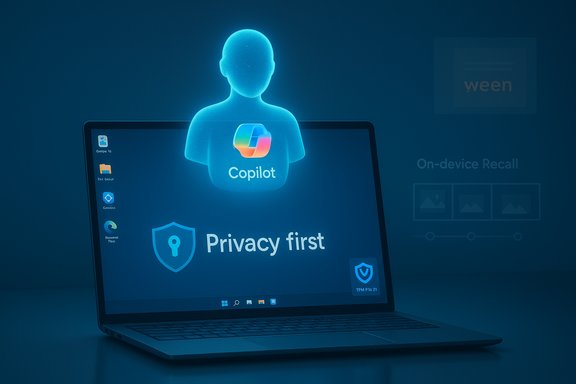
A holographic Copilot figure hovers above a laptop displaying Privacy first.
Microsoft’s AI chief publicly blasted what he called a tide of “cynics” after a wave of user backlash over Microsoft’s AI direction for Windows 11, arguing that seeing advanced conversational and generative AI as “underwhelming” is astonishing — even as the company faces mounting questions about reliability, privacy and whether AI has been prioritized over core OS quality.

Background​

In mid-November, Microsoft’s head of its consumer AI organization pushed back on social-media criticism by pointing to how far the technology has come — contrasting today’s multimodal, conversational systems with the simple mobile games many users grew up with. The comments landed against a noisy background: the Windows leadership’s declaration that Windows is “evolving into an agentic OS,” a high-visibility promotional clip showing Copilot misstep on a basic accessibility task, and renewed scrutiny of the controversial Recall feature that captures frequent snapshots of on-screen activity.
That convergence of events crystallized a broader story: Microsoft is charging ahead with a bold, platform-scale AI strategy while many everyday users, security researchers and enterprise customers are asking a simple question — can the company be trusted to ship AI that is useful, accurate, secure and respectful of privacy?

Why the reaction matters: the context of Microsoft’s AI push​

Microsoft has restructured significant resources around large-scale consumer AI: a centralized AI leadership, deep partnerships with model providers, and product integrations that put AI into core surfaces such as search, Office and Windows. The aim is clear — make AI a fabric of the operating system so tasks can be automated, complex workflows simplified, and new multimodal experiences enabled.
This vision includes:
  • Copilot (conversational assistant) embedded across Windows and Microsoft 365.
  • Copilot Vision and Copilot Actions, which provide screen-aware assistance and automated action execution.
  • The company’s work on secure, hardware-enabled experiences branded for “Copilot+ PCs.”
  • Ambitious features such as Recall, a local timeline that indexes on-screen activity to let users “search across time.”
On paper, the portfolio is impressive: conversational agents that can parse instructions, synthesize information, and generate images or video; system-level hooks that let an assistant act on behalf of users; and hardware-software co-design intended to make AI fast and private. For enterprise scenarios — help desk automation, content generation at scale, intelligent system management — the potential upside is real.
But potential isn’t product. The recent backlash shows that enthusiasm inside Microsoft does not automatically translate to user trust or adoption.

The flashpoints: marketing stumbles and real-world failures​

Two discrete incidents crystallized public frustration this month.

1. The “agentic OS” message and user pushback​

Windows leadership’s statement that Windows is “evolving into an agentic OS” was intended for developer and enterprise audiences but quickly became a flashpoint. Many users read the phrase as shorthand for a Windows that will act autonomously — making decisions, changing settings, and pushing cloud-tethered services. The reaction was rapid and overwhelmingly negative on public channels: users voiced fears about loss of control, forced integrations, and creeping telemetry.
The backlash wasn’t just about semantics. It reflected a deeper fatigue: users see a steady stream of intrusive prompts, defaulted services, and repeated regressions in basic Windows behavior. When messaging leans heavily on agentic promises without clear guardrails, opt-out paths, or concrete reliability improvements, it inflames those pre-existing grievances.

2. A promotional Copilot video that undermined the product narrative​

Microsoft’s marketing clip showing Copilot guiding a user to change on-screen text size backfired when the assistant recommended the wrong control path and even suggested an already-selected value. The feed went viral precisely because it was a marketing piece — not a developer demo — and therefore read as an official claim about reliability.
A few things made that misstep damaging:
  • The scenario was trivial and widely understood, so errors were obvious.
  • The clip was distributed by official Windows channels and amplified by an influencer, giving it high visibility.
  • The video was taken down, which fed a narrative of embarrassment rather than corrective clarity.
In short, poorly executed demos make product claims feel hollow and sharpen the perception that AI is flashy but flaky.

Recall: innovation or a privacy time bomb?​

If Copilot’s headline problems are about reliability and user experience, Recall is where trust and threat models collide with visceral force.
Recall’s premise is simple: capture frequent screenshots of the user’s screen and index them with OCR so the user can search what they saw — a photographic memory for the PC. To make that work at scale Microsoft built a local pipeline and described numerous hardening measures: snapshots stored locally, encryption of data, keys protected by hardware roots of trust (TPM/Pluton and Windows Hello Enhanced Sign-in Security), and runtime isolation using virtualization-based-security enclaves (VBS).
Even with those mitigations, security researchers and privacy advocates have repeatedly flagged structural problems:
  • The dataset Recall creates contains everything visible on the screen: passwords, personal messages, sensitive documents, and other ephemeral content.
  • Local encryption and enclaves protect data from casual access, but if an attacker reaches the device and elevates privileges, an accessible database or extracted image store can become a goldmine.
  • Tools and proofs-of-concept show how a compromised system could scrape Recall’s data much faster than older attack patterns; that speed drastically reduces the window for automated remediation.
  • The feature’s original iterations were difficult for users or administrators to fully remove, increasing concerns about mandatory telemetry.
Microsoft reacted to the outcry by instituting opt-in enrollment, stricter defaults, and several technical safeguards, and the company has repeatedly emphasized that Recall is designed for Copilot+ PCs with robust hardware protections. Those changes reduce risk for many users, but they do not erase the fundamental concern: Recall’s value proposition — searchable memory — is tightly coupled with a high-stakes privacy surface.

Strengths in Microsoft’s approach​

Despite legitimate criticisms, several strengths underpin Microsoft’s AI direction.
  • Scale and integration. Microsoft can embed AI across OS, cloud, productivity apps, and developer tools. That integration allows scenarios not possible with point solutions: cross-application automation, enterprise policy controls, and managed AI experiences for organizations.
  • Hardware-enabled security posture. Copilot+ initiatives tie features to specific hardware and platform protections (TPM/Pluton, VBS, Windows Hello ESS). When implemented correctly, that provides a stronger baseline than purely software-only approaches.
  • Product and research leadership investment. The company’s AI leadership is focused on long-term productization: hiring research talent, partnering on models, and building engineering teams. That sustained investment is what’s required to make AI dependable and scalable.
  • Enterprise control surfaces. Microsoft’s history with enterprise management — Group Policy, Intune, Windows Update for Business — gives it the tools to ship large-scale changes while offering admins centralized controls and deployment options.
These are real advantages. The question is whether they are being marshalled with enough humility, QA discipline and clarity to convince skeptical users and cautious IT teams.

Where Microsoft is vulnerable: three overlapping trust gaps​

  1. Reliability gap — feature correctness versus flashy demos
    • Users expect basic tasks to "just work" before they trust an assistant to act on their behalf. Demonstrations that show failures on elementary tasks widen the credibility gap. Engineers and QA teams must prioritize stateful, deterministic behavior for everyday scenarios.
  2. Privacy and threat model gap — local indexing creates systemic risk
    • Recall and similar features increase the value of a single compromised device massively. Even with strong encryption and secure enclaves, the attack surface is broader. Risk-averse enterprises and cautious consumers will be slow to opt into such features without provable controls and simple removal paths.
  3. Communications gap — messaging misfires and a tone-deaf narrative
    • Announcing a shift to an “agentic OS” without clearly articulating opt-outs, enterprise controls, and rollback pathways gives critics easy targets. When product leaders belittle critics on public channels — however understandably frustrated they might be — it deepens polarization rather than building consensus.

Practical recommendations for Microsoft​

To move from defensive posture to regained confidence, Microsoft needs a three-pronged strategy: ship reliably, defend clearly, and communicate humbly.

Ship reliably​

  1. Re-prioritize fixes for core OS stability and UX regressions that users cite most often (search, File Explorer, context menus) before shipping new agentic behaviors.
  2. Institute a “mundane scenarios first” QA rule: if Copilot can’t handle routine accessibility and settings tasks flawlessly, delay broader agentic rollouts.
  3. Expand real-world beta testing with diverse user segments and transparent bug-tracking reporting.

Defend clearly​

  1. Publish a detailed, accessible threat model for features like Recall — what it protects against, where residual risks remain, and concrete hardening timelines.
  2. Provide simple uninstall/do-not-enroll flows and enterprise policy toggles; for privacy-sensitive features, default to “off” and make opt-in frictioned by design for higher assurance.
  3. Offer a third-party security assessment and publish an executive summary that non-technical admins can understand.

Communicate humbly​

  1. Avoid gladiatorial language on social platforms when users are genuinely worried. Public engagement from senior product leaders should be calming and explanatory, not dismissive.
  2. Run a visible “trust and safety” roadmap that ties public commitments to release milestones and independent validation.
  3. When a marketing piece or demo misfires, respond quickly with a candid explanation and, if necessary, a follow-up that shows the corrected path.

Guidance for users and IT professionals​

  • Consumers concerned about privacy should treat Recall and similar features cautiously: wait for stable releases and clear admin controls or run those features only on dedicated, secured Copilot+ hardware.
  • Enterprise administrators should:
    1. Audit Copilot and Recall enrollment settings in preview channels.
    2. Use centralized policy controls to block or restrict sensitive features until vetted.
    3. Train employees on risk scenarios — what to do if a machine is suspected of compromise — and ensure endpoint protection is tuned to detect opportunistic exfiltration attempts.
  • Power users and privacy-conscious customers should demand clear, granular opt-outs and the ability to fully delete all local indexing artifacts from the UI with minimal steps.

The long view: innovation requires trust-building engineering​

Microsoft is right to explore agentic workflows and multimodal assistants; the potential productivity wins are real. A trustworthy, helpful assistant would be transformative for many users — and Microsoft has the distribution and ecosystem to make widespread benefits possible. But the company’s strategy must be grounded in engineering discipline and social responsibility.
AI at the OS level is not just a feature toggle — it changes the fundamental relationship between software and user intent. Agents that act on behalf of users must be demonstrably conservative, auditable, and reversible. They must fail gracefully, surface uncertainty clearly, and never assume consent for actions with security or privacy implications.
That means slowing down where necessary to get the foundations right:
  • solid UX and device stability,
  • airtight threat modeling and hardware-backed protections,
  • marketing and messaging that align with the product’s actual capabilities.
If Microsoft can combine its scale and engineering muscle with humility and rigorous safety-first approaches, the agentic OS dream can still deliver value without provoking the cynicism it currently faces.

Conclusion​

The public spat over whether AI is “underwhelming” is less about the raw capability of today’s models and more about trust. Microsoft’s leadership celebrates generative and conversational milestones — and rightfully so — but user trust will be earned through demonstrable reliability, airtight privacy protections, and modest, clear communication.
Techniques such as on-device encryption, TPM-protected keys, and virtualization-based enclaves are positive technical steps. Yet architecture alone cannot substitute for polished UX, robust QA, and governance frameworks that make bold features safe for everyday use.
The path forward is straightforward in principle: prioritize the basics, fix the flubs in public demos, harden privacy-sensitive features like Recall, and meet critics with evidence and remedies rather than derision. Only by closing the reliability, privacy and communications gaps will Microsoft convert AI’s technical promise into the broad-based user confidence the company needs to make Windows the dependable, smart OS it aims to be.

Source: TechRadar https://www.techradar.com/computing...ows-11s-new-direction-are-mind-blowing-to-me/
 

Microsoft’s AI lead Mustafa Suleyman responded to a surge of user criticism this week with a short, nostalgic retort — and a blunt reminder of the gulf between executive optimism and everyday frustration as Microsoft pushes generative AI deeper into Windows. The exchange followed a now-infamous post by Windows chief Pavan Davuluri promise‑setting Windows as an “agentic OS,” and it landed amid the company’s Ignite 2025 announcements and a renewed wave of complaints about Copilot, telemetry, and what many perceive as AI forced into places where people simply want stability and speed.

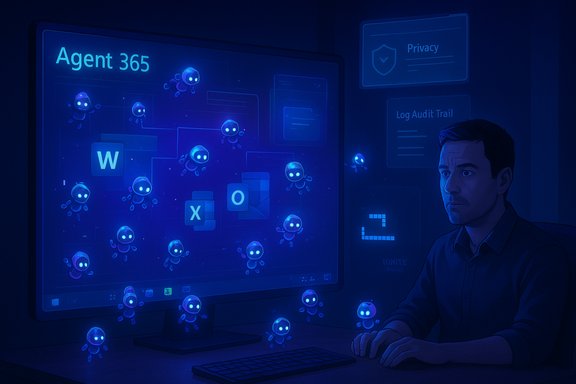
A man sits at a computer as glowing blue agents swarm a screen labeled Agent 365.Background​

How we got here: Microsoft’s agentic OS and Ignite 2025​

Microsoft’s messaging over the past year has repeatedly framed the next generation of Windows as an environment where cloud, devices, and AI combine to deliver proactive, automated assistance — shorthand now summarized by executives as an “agentic OS.” The language surfaced publicly when Pavan Davuluri, President of Windows & Devices, said Windows is “evolving into an agentic OS” as part of pre‑Ignite positioning. Those remarks were meant to set expectations for new agent-driven capabilities announced during Microsoft Ignite 2025, including expanded Copilot functionality and a new enterprise‑focused Agent 365 platform for managing AI agents at scale. Ignite 2025 emphasized the idea that agents — small, task‑focused AI processes — will become first‑class building blocks across productivity apps and the OS itself. Microsoft positioned these agents as a way to automate repetitive tasks, connect data across services, and let “apps” be composed from intelligent, networked agents rather than only traditional software components. For enterprises, Microsoft showcased tools such as Copilot Studio, Copilot Actions, and Agent 365 that aim to make deployment and governance of agents manageable at scale.

The flap: executive optimism meets user fatigue​

Within days of those messages, the reaction from everyday Windows users was swift and overwhelmingly skeptical. Davuluri’s “agentic OS” tweet drew hundreds of negative replies complaining that Windows is already too bloated, too tied to the cloud, and too eager to bake AI into core workflows at the cost of reliability. Public pushback was amplified on social platforms and tech forums, and Microsoft executives were forced into defensive clarifications acknowledging concerns about performance, privacy, and control. In that context, Mustafa Suleyman’s November 19 post — which mixed humor about growing up on Nokia’s Snake with disbelief that people find modern AI “underwhelming” — landed as both a defense of progress and a dismissive shrug at the critics. The Twitter/X exchange took on extra notice when Elon Musk replied simply, “Good point,” a short endorsement that turned the conversation into a broader industry talking point.

What “agentic OS” actually means (and what it doesn’t)​

Agentic versus assistive: a technical distinction with user implications​

“Agentic” implies systems that take autonomous or semi‑autonomous actions on behalf of users — not just providing suggestions, but acting: scheduling, modifying files, configuring settings, or orchestrating services. Technically, this requires a combination of:
  • persistent context and user intent modeling,
  • secure permissioning to allow agents to act on accounts and data,
  • runtime isolation and governance for safety,
  • connectors into cloud services and local system APIs.
Microsoft’s vision bundles these pieces with Copilot capabilities to create agents that can perform tasks across Word, Excel, Outlook, Teams, and the OS itself. The tradeoff is clear: greater automation and productivity potential, but also increased surface area for mistakes, surprises, and privacy concerns when agents act instead of merely advising.

Productization: Agent 365 and Copilot modes​

At Ignite, Microsoft described Agent 365 as a platform to manage agent lifecycle, security, and enterprise governance. Agents are intended to be the “apps” of the AI era: composable, reusable, and governed centrally. For consumers, Copilot’s new Agent Modes and Copilot Vision/Voice features are the visible tip of the iceberg. These features attempt to make Copilot more proactive — e.g., summarizing your inbox, drafting responses, or generating images from prompts — but they also require the system to access and model a user’s data and context to be effective.

The evidence: performance, accuracy, and the 30% figure​

Conflicting signals in the data​

Public discussion has repeatedly invoked the idea that Copilot’s accuracy is “around 30%.” That figure appears in specific, peer‑reviewed contexts: for example, a study in a medical journal that evaluated Microsoft Copilot’s differential diagnostic accuracy on a limited set of chronic wound cases found that Copilot’s top diagnosis matched clinician diagnosis in 30% of cases, with broader inclusion of correct diagnosis within the top three differentials at 70%. That is a domain‑specific result — highly relevant for clinical safety conversations, but not proof that Copilot is universally “30% accurate” across all productivity tasks. Presenting that single number as a blanket measure of Copilot across Windows and Office misrepresents the nuance. Caveats matter. At the same time, Microsoft’s internal and commissioned studies paint a different picture in workplace productivity contexts. Microsoft’s WorkLab reporting shows measurable time savings for specific tasks — for example, a study where users completed a set of tasks roughly 29% faster with Copilot in controlled trials. Those results suggest meaningful productivity gains in certain workflows, particularly for summarization and drafting tasks, while revealing mixed effects in data‑intensive tasks such as complex Excel analyses. The net message: task, domain, data quality, prompt framing, and integration design all shape outcomes.

What the research and developer reports actually tell us​

  • Domain‑specific clinical testing shows real limitations and the potential for harmful errors when models are deployed without clinical validation. These findings underline the need for domain validation and human oversight where risk is high.
  • Controlled productivity trials by Microsoft indicate time savings and perceived effort reduction on defined tasks, but they do not prove universal improvements across all uses or user groups.
  • Community forums, beta testers, and independent reviewers report inconsistent behavior in consumer scenarios — from hallucinations to poor action execution inside productivity apps — which fuels user distrust when systems are promoted as desktop assistants rather than experimental features.
Bottom line: citing a single “30%” statistic as representative of Copilot overall is inaccurate. The real picture is fragmented: strong wins in limited scenarios, clear failures in others, and wide variance by task and domain.

Privacy, control, and user trust: why people push back​

Opt‑in, opt‑out, and the illusion of control​

A major thread in user complaints is that AI features feel obligatory or hard to disable. Users who want a “fast, simple, stable” OS — gamers, enterprise administrators, and privacy‑conscious professionals — are frustrated when Copilot UI elements appear ubiquitously or when new behaviors require cloud access or additional permissions. The lack of granular, discoverable controls to opt out of agentic behaviors creates the perception that Microsoft is pushing AI rather than offering optional productivity tools. Coverage of the backlash also found that executives turned off public replies and emphasized they were listening to concerns about reliability, performance, and ease of use — essentially admitting the message‑execution gap.

Data flows, telemetry, and regulatory friction​

Agentic features require access to user context: files, messages, calendar data, system state, and sometimes audio/video streams for voice and vision features. That raises two problem sets: first, how telemetry, logs, and prompt/context data are collected and retained; second, how seamlessly local, on‑device processing can replace cloud calls when jurisdictional or privacy constraints apply. Other tech vendors have already experienced brakes from regulators and publishers when AI outputs misrepresent facts or pull from copyrighted content without explicit permissions — Apple paused certain news‑summary features after publisher complaints and regulatory attention showed up. The Windows agentic push will inevitably draw similar scrutiny unless Microsoft makes privacy boundaries explicit and default‑respectful.

Security and attack surface​

Agents running with delegated permissions create new attack vectors: privilege escalation through compromised agent identities, unintended automation that modifies system settings, and supply‑chain risks from third‑party agent components. Microsoft’s enterprise messaging highlights governance features, but real‑world security will require transparent auditing, fine‑grained permission models, and clear operator controls for administrators and end users.

The divide: Tech leadership vs. everyday users (and why it matters)​

Executive framing and nostalgia vs. lived experience​

Suleyman’s throwback to Snake evokes a familiar industry refrain: technology skeptics are out of touch with the magnitude of change. That rhetorical move is effective for high‑level evangelism, but it can feel dismissive to users who experience the day‑to‑day consequences of rushed integration: slower boot times, intrusive UI changes, or misfiring automation. The contrast — we built the future versus my workflow is broken — is not merely rhetorical; it drives adoption friction and fuels negative word‑of‑mouth.

Enterprise pragmatism versus consumer experimentation​

Enterprises are often willing to adopt agentic automation if it comes with SLAs, governance, and integration with identity and access controls. Consumers, by contrast, value simplicity and predictability. Microsoft’s product strategy must reconcile these audiences: provide enterprise control and opt‑in, while keeping the default consumer experience lean and transparent. Failure to do so risks not only consumer resentment but also fragmentation — power users and enterprises migrating to alternative OSes or rolling back updates to preserve stability.

Competitors and the wider market context​

Microsoft isn’t alone in promoting system‑level AI. Apple’s “Apple Intelligence” and Google’s Gemini integrations both signal that OS vendors see model‑driven features as the next major battleground for user attention and CPU cycles. Apple in particular has tried to emphasize on‑device processing and opt‑in models for privacy reasons, and has faced its own accuracy and publisher complaints with certain summarization features. These parallel moves mean Microsoft’s strategic pivot is part of a platform‑wide trend — but it does not insulate Microsoft from the consequences of missteps. Customers will compare implementations, privacy postures, and control mechanisms across ecosystems.

Risks Microsoft must manage now​

  • Reliability risk: Integrating agents into critical workflows without mature error‑handling will harm user trust and could create business damages for enterprise customers.
  • Safety and harm risk: Domain‑specific failures (e.g., medical, legal, financial) can cause real harm if models are allowed to act without human review.
  • Privacy and compliance risk: Cross‑border data flows and insufficient opt‑out controls will attract regulatory scrutiny and potentially litigation.
  • Security risk: Delegated agent permissions widen attack surfaces; robust identity, attestation, and audit trails are essential.
  • Reputational risk: Perceived heavy‑handedness or dismissive executive language can deepen consumer backlash and erode brand trust.

What Microsoft should do next: a practical checklist​

  • Provide a clear, one‑stop privacy and AI settings hub where users can:
  • See what agents exist and what data they access.
  • Disable agentic behaviors globally and per‑app.
  • View and delete interaction logs and model prompts.
  • Establish graduated rollouts and stable channels that separate experimental agent features from the mainstream OS release — make the default stable for performance‑sensitive users.
  • Invest in rigorous, third‑party audits and domain‑specific validations for high‑risk uses (healthcare, law, finance), and document limitations clearly in UIs.
  • Publish model and telemetry transparency reports tailored for enterprise admins: what’s collected, retained, and how it’s used — with options to retain processing on‑device where feasible.
  • Harden agent identity and permissions: use isolated agent accounts, strong attestation, and auditable action logs so admins can revoke agent privileges easily.
  • Prioritize performance: ensure Copilot and agent features don’t degrade boot times, battery life, or app responsiveness; add explicit “low‑resource” or gaming modes that suspend agent activity.
These steps aren’t rhetorical; they are practical engineering and policy levers that address the three core user demands voiced repeatedly: reliability, clarity, and control.

Practical guidance for users and IT administrators​

  • Consumers who want a quieter Windows:
  • Use the system AI/assistant settings hub to turn off Copilot and agent features.
  • Prefer the Windows update channel labeled for stability or long‑term servicing if available.
  • Limit app permissions for camera, microphone, and file access when not in use.
  • IT administrators:
  • Test agentic features in controlled pilots and update security policies to cover agent accounts and permissions.
  • Use conditional access and MDM policies to restrict agent network access and logging.
  • Require vendor attestation and SLA terms for any third‑party agent integrations.

A balanced verdict​

Microsoft’s strategic shift toward an agentic OS is a credible and defensible technical bet: small, composable agents could, in principle, replace repetitive human labor and orchestrate complexity across apps and cloud services. The company has a plausible platform play, and Microsoft’s enterprise customers may extract significant value from properly governed agents. At the same time, the current rollout pattern has exposed real weaknesses in communication, user controls, and domain validation.
Suleyman’s nostalgia‑tinged rebuke of skeptics captures why executives are bullish: the contrast between Snake on a feature phone and today’s multimodal models is dramatic. But nostalgia doesn’t solve the practical problems of UI clutter, inconsistent model outputs, and opaque data flows that drive user resentment. Microsoft’s leadership must move from evangelism to rigorous operational discipline: transparent defaults, robust performance engineering, clearer opt‑outs, and stronger domain validation. Without those fixes, the risk is that enthusiasm for agentic features will erode rather than accelerate adoption.

Conclusion​

The Suleyman episode is more than a viral tweet; it’s a mirror held up to a fundamental tension in modern platform design: how to introduce powerful, autonomous features without undermining the trust and expectations that made an OS successful. Microsoft has the technical resources and enterprise reach to make agentic computing valuable — but not simply by asserting progress. The company will need to prove it can deliver predictable performance, privacy assurances, and crisp controls at scale. Until then, a sizable portion of the Windows user base will remain skeptical, and those doubts will shape adoption far more than executive nostalgia or industry endorsements ever could.
Source: The Hans India Microsoft’s AI Chief Fires Back at Critics, Says Complaints Miss the Bigger Picture
 

Microsoft’s AI chief Mustafa Suleyman pushed back at a swelling wave of user anger over Windows 11’s deep AI integration, arguing that critics are failing to appreciate a generational leap in computing even as Microsoft presses ahead with “agentic” features that let AI perform tasks autonomously on users’ machines.

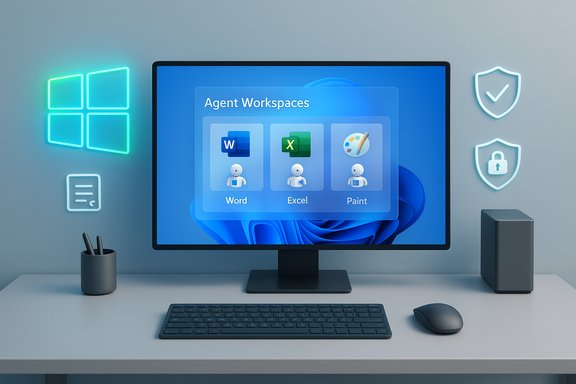
Modern desk setup with a monitor showing Agent Workspaces apps (Word, Excel, Paint) and neon wall icons.Overview​

Microsoft’s public pivot to embedding generative AI across Windows — from Copilot features in Office and Paint to experimental “agent workspaces” that let AI act on files and apps — has become a focal point for both enthusiastic industry messaging and vocal user resistance. The immediate spark for the latest backlash was a post by Pavan Davuluri, President of Windows + Devices, who described Windows as “evolving into an agentic OS,” a phrase that crystallized many users’ fears about automation running at the operating‑system level. Suleyman’s response was notable for its tone: rather than acknowledge the technical gaps or privacy anxieties directly, he leaned on nostalgia and incredulity — reminding critics that computing advanced quickly from simple mobile games like Snake to systems that can hold fluent, multimodal conversations and generate images and video on demand. His post found reinforcement from unexpected quarters — Elon Musk replied “Good point” — underscoring that enthusiasm for AI’s promise remains strong in parts of the tech establishment. But the public reaction is more complicated than a simple “pro‑AI vs anti‑AI” split. For many Windows users, the anger is less about the existence of AI than about how it’s being introduced: pervasive UI placements of Copilot, new background agents that require broad access to files, and the perception that innovation is being prioritized over stability, performance, and transparent opt‑outs. Those operational grievances — and real-world reports of inconsistent Copilot behavior — are what make Suleyman’s optimistic framing feel disconnected for a large swath of the user base.

Background: What Microsoft announced and why it matters​

Windows, Copilot, and the agentic OS vision​

Microsoft’s public roadmap for Windows has increasingly centered AI as a platform primitive. The company has been rolling Copilot features deeper into Windows — voice activation (“Hey Copilot”), on‑screen vision, and Copilot Actions — that let AI interact with apps and automate tasks. Those capabilities were showcased and expanded at Ignite and in October product updates that emphasized integration across devices, cloud services, and productivity apps. At the platform level, Microsoft has started to expose the plumbing for what it calls an “agentic” Windows. Recent Insider builds introduced a user‑controlled “Experimental agentic features” toggle and the concept of agent workspaces, lightweight isolated sessions where agents run under separate agent accounts and request scoped permissions to access known folders and apps. Microsoft frames this as a security‑first architecture designed to keep users in control while enabling agents to carry out multi‑step workflows.

Why Microsoft argues this is the next big shift​

Executives at Microsoft — and many in Silicon Valley — view generative AI as a fundamental shift in the software stack. The argument is straightforward: once conversational, multimodal intelligence can reliably interpret context, manipulate content, and perform tasks across apps, the result is a new computing modality that changes what an OS does for users. Suleyman’s public remarks reflect that conviction: he framed modern multimodal AI as a milestone that dwarfs earlier leaps like the move from monochrome phones to smartphones.

What Suleyman actually said — tone, substance, and implications​

Mustafa Suleyman’s post struck a distinctive balance of mockery and wonder. He called out what he sees as “cynics” who find current AI “underwhelming,” contrasted that reaction with nostalgic reference to playing Snake on a Nokia, and emphasized the technical marvel of fluent, multimodal AI interactions. That framing serves two purposes: it defends Microsoft’s strategy and invites the public to view AI progress as self‑evident and inevitable. From a communications perspective, the tactic is risky. Celebrating the capability without acknowledging the legitimate usability, reliability, and privacy concerns can be read as tone‑deaf. For workers, gamers, and IT administrators who juggle legacy apps, patching cycles, and security requirements, the rhetoric risks signaling that AI initiatives will outrun investments in quality and stability. Suleyman’s intent — rallying support for a major platform transition — bumps up against a user base that still measures Windows by does it run my apps and games reliably? rather than by headlines about what the OS might one day automate.

The user backlash: substance over snark​

Where the anger comes from​

User outrage has three recurring themes:
  • Perceived coercion: Users feel AI features are being inserted into every corner of Windows without a clear, frictionless opt‑out or a respect for those who simply want a lightweight, stable OS. Pavan Davuluri’s “agentic OS” phrasing crystallized that fear for many.
  • Performance and stability concerns: Some community reports and journalistic hands‑on testing show Copilot and related features behaving inconsistently — misidentifying images, failing at simple tasks, or producing slow, verbose responses. Those experiences feed a narrative that Microsoft is prioritizing headline features over polish.
  • Privacy and telemetry anxiety: New features that can “see” the screen, record context, or operate across apps naturally trigger questions about what data is sent to the cloud, how long it’s retained, and whether those signals can be used to improve models without clear consent. Previous controversies — including delays around the Recall feature due to privacy and security concerns — have hardened skepticism.

Social reaction and the meme economy​

The reaction on social platforms was swift and often unfiltered: memes, mockery, and advice to consider other operating systems dominated replies to Microsoft’s announcements. The volume and vehemence of responses persuaded some Microsoft executives to tighten comment settings and pause certain public dialogues — a visible sign that the company underestimated user friction.

The technical reality: Agent workspaces, Copilot Actions, and the containment model​

Microsoft’s engineering answer to legitimate risk is explicit containment and opt‑in controls. The agent workspace model runs agents in separate, low‑privilege Windows accounts inside a contained desktop session. Agents must request scoped access to “known folders” (Documents, Downloads, Desktop, Pictures) and cannot act unless permissions are granted. Microsoft’s documentation and blog posts emphasize auditing, signing and revocation of agent binaries, and administrative policy surfaces to control agent behavior at scale. Those design choices are meaningful: separate accounts and visible workspaces make it technically feasible to audit agent activity and to create enterprise governance policies that prevent runaway or unsupervised automation. The tradeoff is complexity — the model adds configuration and policy surfaces that enterprises must vet and that consumers may find confusing if defaults aren’t carefully chosen. Early Insider builds show Microsoft taking a conservative path (the toggle is off by default and requires admin enablement), but staged rollouts and documentation will determine whether reality matches the security pitch.

How well does Copilot actually work? Reality versus marketing​

Many headlines have referenced an approximate “30% accuracy” figure for Copilot; that statistic needs immediate qualification. There is no single, platform‑wide “Copilot accuracy” metric because Copilot encompasses multiple models and features across domains — text summarization, spreadsheet reasoning, image recognition, code assistance, medical differential diagnosis, and more. Accuracy varies dramatically by task, dataset, and model configuration. Some domain‑specific evaluations have produced low single‑digit or low‑double‑digit accuracy figures; other benchmarks and Microsoft’s own published tests show far higher effectiveness on narrowly defined tasks. For example, independent hands‑on journalism highlighted that Copilot Vision and desktop Copilot can be brittle in everyday tasks, misreading context or failing to act reliably in UI automation scenarios. Those real‑world reports are important — they reflect the experience of users trying to adopt the features today. At the same time, controlled benchmarks such as Microsoft’s internal SpreadsheetBench for certain Agent Mode features report considerably higher task‑level accuracy (for example, a mid‑range figure reported for a specific spreadsheet benchmark). The practical takeaway is that Copilot’s reliability depends heavily on the task and the environment, so quoting a single percentage without clear context is misleading. Notably, medical or health‑related evaluations have repeatedly shown limits: small clinical case studies or targeted health‑domain queries returned correct primary diagnoses in roughly 30% of cases in some published evaluations, underscoring that Copilot‑style assistants are not ready to replace domain experts in high‑stakes fields. Those narrow studies are often cited in popular coverage to argue for general unreliability, but their scope is limited and should not be extrapolated to all Copilot functionality. When the public sees “30%” reported without context, it fuels mistrust — a valid social effect regardless of the statistic’s narrow provenance.

Privacy, telemetry, and the governance gap​

Privacy remains the single greatest structural risk to broad acceptance of Windows’ AI direction. Features that analyze screen content or interact with apps inevitably raise questions about what is transmitted to cloud models, who can access logs, and whether data might be stored or used for model improvements. Microsoft has documented design choices intended to mitigate risk — such as local wake‑word detection, session‑bound vision processing, and enterprise DLP integrations — but implementation details, retention policies, and third‑party connectors are the real test. Independent vendors and some browsers have already acted defensively (for example, blocking the Recall feature in certain contexts) while Microsoft iterates. Key, unresolved governance questions include:
  • How will Microsoft prove what data is retained, and for how long, when Copilot features use cloud models?
  • What contractual or technical guarantees will enterprise customers receive around model‑training exclusion, especially for regulated data?
  • How transparent and discoverable are agent actions, logs, and revocation mechanisms for administrators and end users?
Unless Microsoft makes these governance elements simple, auditable, and default‑protective, many organizations will either block agentic features or accept unnecessary risk.

Strengths and opportunities​

Despite the backlash, there are clear, measurable upsides if Microsoft executes the agentic vision responsibly:
  • Productivity gains: Automating repetitive multi‑step workflows — for example, synthesizing data, drafting reports, or reorganizing files across apps — can free time for higher‑value work. Early Agent Mode experiments in Office show potential productivity improvements on constrained tasks.
  • Accessibility benefits: Voice, vision, and multimodal assistants can materially help users with disabilities by offering new interaction modalities and by reducing UI friction. When reliable, those advances are meaningful and not merely cosmetic.
  • Enterprise controls and auditability: The agent workspace model has the architectural trappings needed for enterprise adoption: separate accounts, scoped permissions, and audit logs. If implemented and documented thoroughly, those features could make controlled, compliant automation possible.
  • Competitive differentiation: Embedding generative AI at the OS level is a long‑term strategic play that could differentiate Windows in productivity and developer ecosystems if Microsoft balances innovation with trust.

Risks and unresolved technical liabilities​

The short list of practical risks is long and consequential:
  • Brittleness of automation: Automating GUI interactions across third‑party apps is inherently fragile. Agents can fail silently, misclick, or misinterpret complex documents, producing subtle errors that are costly to detect.
  • Privacy and data exfiltration risk: Poorly scoped permissions or compromised connectors could create pathways for sensitive data to be exported or misused. The ability of agents to act across apps increases the attack surface.
  • Performance and resource cost: Running local models (Copilot+ devices) or proxying to cloud models creates different performance profiles and can push users toward hardware upgrades, raising costs and e‑waste concerns.
  • User consent fatigue and complexity: Exposing many granular toggles and policies may be secure but also overwhelming; users and administrators may default to unsafe settings or disable critical protections out of confusion.

Recommendations: How Microsoft (and users) should proceed​

  • Prioritize a clear, discoverable global opt‑out that removes AI overlays and background agent capabilities for users who prefer a classic, performant Windows experience.
  • Ship strict privacy defaults: local wake‑word only by default, session‑bound Vision with no persistent storage unless explicitly enabled, and explicit model‑training exclusion options for personal and enterprise data.
  • Provide open, third‑party audits and reproducible benchmarks across representative tasks (productivity, image recognition, automation) so the public can assess reliability beyond carefully selected marketing demos.
  • Strengthen enterprise governance: mandatory audit logs, SIEM integration, revocation APIs for agent signing certificates, and easily applied group policies to manage agent features at scale.
  • Invest engineering resources in reliability and stability as equal priorities to new features — reduce friction first, introduce agents second.
These steps are sequentially practical and will preserve the potential for large productivity gains while addressing the legitimacy of user concerns. The product payoff of an agentic OS will be zero if users never trust it enough to enable it.

The communications problem​

Suleyman’s rhetorical move — celebrating AI as an inevitable arc of progress — hasn’t soothed the tension. For many users, the issue is less ideology than the immediate product experience. Microsoft needs a two‑track communications strategy: continue to evangelize the promise of AI for future capabilities while being rigorously specific, demonstrable, and accountable about what’s changing today (what data is collected, how to opt out, what failures look like, and how to remediate them).
A successful narrative will pair ambitious vision statements with granular, verifiable operational promises. Without that balance, executive enthusiasm will continue to clash with the lived experience of users and IT admins who are focused on reliability, predictability, and security.

Conclusion​

Microsoft is making an audacious bet: that the next major evolution of personal computing is an OS where AI agents are first‑class citizens. The architecture — agent workspaces, scoped permissions, Copilot Actions — is a defensible technical approach to that future. But rhetoric and release cadence matter as much as code quality. Suleyman’s exasperated defense of AI’s wonders reflects a deep belief inside Microsoft that this shift is unavoidable; the market’s and the public’s verdict will hinge on whether the company can deliver promised gains without sacrificing Windows stability, user privacy, and clear user control.
For now, the debate is healthy: it forces Microsoft to move carefully or risk alienating the users who have been the platform’s backbone. The company’s next steps — clearer privacy defaults, rigorous third‑party testing, measurable reliability improvements, and straightforward opt‑outs — will determine whether agentic Windows becomes an empowering evolution or a cautionary tale in how not to introduce pervasive automation.
Source: Niharika Times Microsoft AI Leader Responds to Criticism, Highlights Technology Growth - Niharika Times
 

Microsoft’s AI chief Mustafa Suleyman publicly pushed back against a mounting user backlash over Windows’ deep AI integration this week, dismissing critics as “cynics” and arguing that the scale of modern generative systems is itself a milestone — even as hands‑on reporting, user threads, and Microsoft’s own product previews expose real gaps in reliability, privacy controls, and rollout discipline.

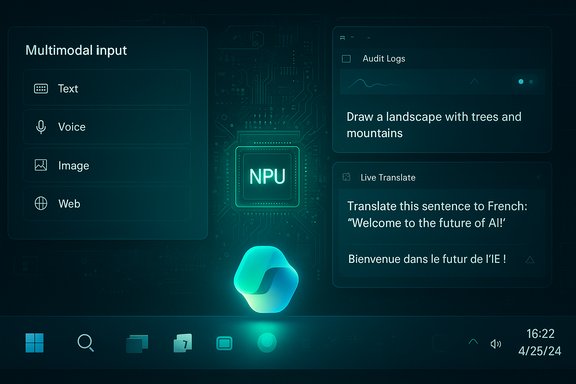
A futuristic AI dashboard showing multimodal inputs (Text, Voice, Image, Web) beside a glowing NPU chip.Background / Overview​

Microsoft’s messaging over the past year has pivoted hard: make AI a platform primitive of Windows rather than just a feature set. Executives have described an “agentic OS” where permissioned agents can retain context, call tools, and act across apps and cloud services — a concept that surfaced publicly when Pavan Davuluri, President of Windows & Devices, wrote that “Windows is evolving into an agentic OS.” The line triggered a wave of negative replies and sparked a wider conversation about whether Microsoft is prioritizing AI innovation at the expense of stability and user control. At the center of the dispute is a classic tension: Microsoft’s platform‑scale ambition versus millions of users who measure Windows by whether it runs their apps, games, and workflows reliably every day. Microsoft has responded by shipping platform primitives — native support for the Model Context Protocol (MCP), the Windows AI Foundry / Microsoft Foundry tooling, and a branded hardware class called Copilot+ PCs with high‑performance NPUs — but those moves have both technical promise and practical consequences.

What happened on social media — Suleyman’s reaction and the fallout​

Mustafa Suleyman, head of Microsoft AI, posted a short, exasperated message on X (formerly Twitter) that underscored the divide between executive optimism and user experience: “Jeez there so many cynics! … I grew up playing Snake on a Nokia phone! The fact that people are unimpressed that we can have a fluent conversation with a super smart AI that can generate any image/video is mindblowing to me.” That post circulated widely and drew both praise and derision — including a brief endorsement from Elon Musk. The tone of Suleyman’s reply matters. It signals conviction at the leadership level: Microsoft’s AI group believes the technical arc is the key story, and that the rest is adaptation. But tone can also be read as dismissive of operational complaints about bugs, telemetry, and intrusive UI placements. Analysts and community voices quickly framed the reaction as emblematic of a larger trust problem: technological wonder isn’t an automatic substitute for usability, governance, and respect for defaults.

The agentic OS: definition, plumbing, and promise​

What Microsoft means by “agentic OS”​

  • An agentic OS hosts permissioned agents that can keep state and context across sessions, accepting multimodal inputs (voice, vision, text) to infer intent and act.
  • Agents are intended to call structured tools and services using a protocol layer (MCP) and to run in agent workspaces — contained, auditable sessions that request explicit permissions to access files or system settings.

Platform pieces Microsoft has introduced​

  • Model Context Protocol (MCP) support on Windows: a way for agents to discover and call tools and connectors in a standardized way.
  • Windows/Microsoft Foundry tooling: a combination of on‑device and cloud runtimes to host models, manage tool registries, and enable retrieval‑augmented generation (RAG) for agents.
  • Copilot+ PCs: a hardware class with NPUs capable of 40+ TOPS, intended to deliver low‑latency local inference for richer experiences such as Live Translate, Windows Studio Effects, and Cocreator in Paint.
These primitives are technically coherent: standardized tool protocols, an on‑device registry, and an auditable workspace model are the right kinds of building blocks for agentic behavior. The real question is whether Microsoft can deliver them with clear defaults, transparent telemetry, and safeguards that assuage user and enterprise concerns.

Why users are angry — the practical objections​

The backlash is not a blanket rejection of AI. It’s focused, consistent, and practical:
  • Perceived coercion / forced integration: Copilot UI elements appear broadly across the taskbar, Start, File Explorer, and apps, often without a frictionless, discoverable opt‑out for users who prefer minimal surfaces. Many interpret that ubiquity as marketing‑led bloat rather than helpful choice.
  • Reliability and hallucinations: Hands‑on reporting and community reproductions show Copilot Vision and related features producing incorrect answers, misidentifying objects in video, and failing to reproduce marketing demos. Those failures fuel distrust in an assistant the OS appears to encourage people to rely upon.
  • Performance and battery impact: Embedding AI changes resource profiles. Users on older devices report sluggishness and higher battery use where on‑device inference or background indexing is active. Microsoft’s solution is a Copilot+ tier with NPUs (40+ TOPS), but not every user has — or wants — such hardware.
  • Privacy & telemetry anxiety: Features that “see” the screen, index activity (Recall), or persist memory raise immediate questions about what is stored locally, what is sent to the cloud, and how retention and deletion are handled. Even when Microsoft emphasizes containment, users and regulators demand clarity and auditable guarantees.
  • Marketing vs product reality: When demos are polished and ads show smooth, agentic flows, but users encounter brittle behavior, the resulting credibility gap is damaging. The ad that misidentified the correct Windows accessibility setting crystallized that tension in a visible way.

Evidence: hands‑on testing, trials, and independent studies​

Several independent hands‑on reviews and trials underline the gap between promise and delivery:
  • The Verge’s extended hands‑on found that Copilot Vision often failed to replicate marketing scenarios — misidentifying objects, fumbling OCR on slides, and producing incorrect procedural guidance. The verdict: impressive concept, uneven execution.
  • Microsoft’s own promotional clip — intended to show Copilot fixing text-size accessibility settings — backfired when the assistant guided to the wrong UI path; that clip became a focal point for complaints about credibility and accuracy.
  • Government and enterprise pilots show mixed outcomes. A UK government trial of M365 Copilot reported limited or uneven productivity gains in real use, reinforcing the point that enterprise telemetry doesn’t always translate to universally positive results.
  • Broader studies of AI assistants highlight error‑rates in news and factual tasks: independent research found substantial error rates across multiple assistants, demonstrating that inaccuracies are a systemic problem across vendors, not only Microsoft. That context undercuts the narrative that the problem is only user ingratitude.
These independent signals corroborate the lived experience many users report: Copilot can be useful in constrained workflows, but it is not yet a reliably general‑purpose system for the messy, ambiguous tasks of daily computing.

The sticky statistic: “Copilot accuracy sits around 30%” — caution needed​

Some coverage — and several social posts — have framed Copilot accuracy as roughly “30%,” and that figure is now widely repeated in comment threads and news pieces. That specific number, however, is not a single, verifiable industry metric published by Microsoft; instead it appears to be a shorthand drawn from mixed pilot data, selective hands‑on tests, and anecdotal reproductions. Independent studies show varying error rates depending on domain and task (news summarization, image recognition, code suggestion), and different deployments (M365 Copilot, Windows Copilot Vision, GitHub Copilot) produce different performance profiles. Treat the “30%” figure as a signal of serious reliability concerns rather than a settled, product‑wide accuracy metric. Where there are credible measurements — e.g., the EBU/BBC assessment of assistants answering news questions, or local pilot studies — error rates and mixed outcomes are real and meaningful. But accuracy varies dramatically by task, dataset, and evaluation method, so a single percentage risks oversimplifying a nuanced reality.

The enterprise vs. consumer divide​

Microsoft’s internal telemetry and enterprise pilots often paint a different picture from consumer fora. In controlled corporate contexts, with governance, domain constraints, and training, agentic automation can yield measurable gains: helpdesk automation, knowledge retrieval, and structured content generation are areas where the company reports positive outcomes. For enterprises with policy controls, agentic features can be both valuable and manageable.
But that does not erase consumer friction. Consumers and small businesses lack the same management tooling, and their tolerance for UI change, performance variance, and telemetry ambiguity is lower. The result is a bifurcation: enterprise success doesn’t automatically translate to consumer trust, and Microsoft must manage both lanes simultaneously.

Strengths in Microsoft’s position — why the bet is defensible​

Despite the criticism, Microsoft’s strategy has several defensible strengths:
  • Platform breadth: Microsoft controls Windows, Office, Azure, GitHub and a large enterprise customer base. Integrating AI across that stack creates end‑to‑end potential competitors can’t easily replicate.
  • Hardware+software co‑design: Copilot+ PCs and the 40+ TOPS NPU requirement are a pragmatic path to delivering low‑latency local features and better privacy tradeoffs than cloud‑only approaches. Microsoft’s Copilot+ specs and developer guidance make this explicit.
  • Standards and protocols: Embracing MCP and building Foundry tooling to manage agent connectors are sensible moves to create a controlled agent ecosystem that, if governed properly, can be auditable and secure.
  • Ability to invest at scale: Microsoft’s cloud, partner network, and engineering resources mean it can address many of the operational challenges (e.g., observability, model updates, enterprise controls) if leadership prioritizes them.

Risks and fault lines Microsoft must address​

  • Defaults and consent — The single biggest near‑term error Microsoft can make is shipping agentic features enabled by default without clear, discoverable opt‑outs and conservative onboarding. Users interpret ambiguous defaults as coercion.
  • Fragmentation and hardware inequality — A two‑class experience (Copilot+ vs. non‑Copilot devices) can fragment the ecosystem and pressure upgrades. Marketing must avoid implying parity where it does not exist.
  • Auditability and governance — Agent actions must produce machine‑readable logs, retention controls, and easy revocation for both consumers and enterprise admins. Promises alone will not regain trust.
  • Monetization optics — Without codified separation between assistance and commercial placements, users will suspect that agent nudges are revenue‑driven. That perception is poisonous for trust.
  • Reliability & reproducible demos — Demonstrations should be reproducible under typical user conditions. Marketing that oversells capability will continue to backfire. The Copilot ad misstep is a cautionary example.
  • Regulatory and compliance exposure — Agentic features that capture or route data to the cloud are visible to regulators. Data residency, model lineage, and lawful processing rules matter for regulated industries.

Practical playbook: what Microsoft should do now​

Short term (immediate, achievable)
  • Make agentic features opt‑in by default for consumer builds; provide a single, discoverable “Agent Controls” hub in Settings.
  • Publish a machine‑readable spec for agent actions and retention policies so privacy auditors and enterprises can verify behavior.
  • Pause or retract high‑visibility marketing that implies parity with demonstrable outcomes until features pass reproducible tests.
Medium term (30–120 days)
  • Ship standardized audit logs and SIEM/SOAR integration for agent actions; provide easy revocation APIs for admins and users.
  • Fund independent third‑party evaluations of Copilot accuracy across representative tasks and publish the results.
  • Create a “conservative mode” for Copilot that minimizes persistence and background actions for regulated or privacy‑sensitive users.
Longer term (6–12 months)
  • Harden engineering pipelines for AI‑generated code and outputs: provenance tags, mandatory review gates, and integrated static analysis for any AI‑authored production code.
  • Expand Copilot+ hardware availability while ensuring graceful UX fallbacks on non‑NPU devices so users don’t feel penalized.
  • Establish transparent anti‑monetization guarantees that separate assistance surfaces from promoted or paid placements unless explicitly consented.

What users and IT admins should demand​

  • Clear, fast toggles that disable agentic features and prevent background indexing.
  • Exportable, machine‑readable logs for agent actions and clear retention windows.
  • Explicit documentation of where models run (on‑device vs. cloud), what data leaves the device, and which third parties (if any) process that data.
  • Trialing agentic features in narrow, measurable domains before enabling platform‑wide deployments in managed fleets.

Final analysis — why Suleyman’s nostalgia won’t quell the debate​

Suleyman’s Nokia Snake anecdote captures a technologist’s perspective: the magnitude of progress in generative AI is astonishing when seen from a 20‑ or 30‑year vantage point. That sense of wonder is real and explains why Microsoft continues to invest aggressively. But the adoption story for platform software like Windows is not written by wonder alone; it’s written in bug reports, telemetry dashboards, regulatory filings, and the day‑to‑day experience of millions of users.
If Microsoft pairs its technical capability (Copilot+ hardware, MCP/Foundry plumbing, Azure scale) with a rigorous operational and governance playbook — conservative defaults, independent validation, transparent telemetry, and enterprise‑grade controls — agentic Windows could deliver meaningful productivity and accessibility gains. If not, the company risks a prolonged trust deficit that could erode goodwill among developers, IT admins, and everyday users the platform depends on.
Suleyman’s optimism is understandable; the facility of modern multimodal models is extraordinary. But in a mass OS, empathy and operational discipline are the multipliers that turn technical milestones into durable, widely adopted features. The conversation underway is not purely a culture war between pro‑AI and anti‑AI factions — it’s a market test about whether Microsoft will match mouthwatering demos with measurably reliable, controllable, and respectful products. The next chapter for Windows will be decided in code reviews, telemetry dashboards, and policy settings — not in nostalgia.

Conclusion
The incident around Suleyman’s social post is a focal point for a deeper reality: Microsoft is aggressively rewiring Windows to be an AI execution platform, and that ambition brings both unique capabilities and sticky tradeoffs. The technical building blocks — MCP, Windows/Microsoft Foundry, Copilot+ hardware — are in place and represent a defensible, long‑term strategy. Yet the short‑term path to acceptance demands humility: conservative defaults, reproducible evidence, third‑party validation, and clear, user‑centric controls. Until Microsoft demonstrates those operational commitments in a visible, verifiable way, public skepticism will remain a business risk rather than a mere cultural annoyance.

Source: The Hans India Microsoft’s AI Chief Fires Back at Critics, Says Complaints Miss the Bigger Picture
 

Microsoft’s AI leadership has publicly shrugged off a wave of user anger over Windows 11’s deepening AI footprint, insisting the company will press ahead with an “agentic” vision for the OS even as millions of users demand stability, clarity, and control.

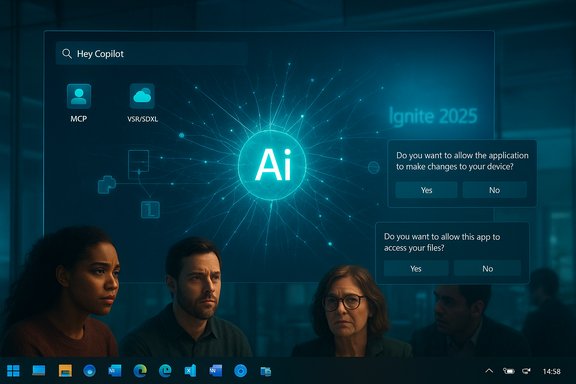
Three professionals watch a large screen displaying a futuristic AI interface with consent prompts.Overview​

In recent weeks Microsoft’s AI strategy for Windows — centered on system-wide Copilot experiences, new on-device AI APIs, and the idea that “Windows is evolving into an agentic OS” — provoked a strong public backlash. The controversy began when Windows president Pavan Davuluri posted a preview of the company’s direction, prompting harsh responses from users who feel AI features are being layered over, rather than integrated into, a stable platform. Microsoft’s AI chief Mustafa Suleyman answered critics with a defiant, nostalgic post that framed current capabilities as a dramatic technological leap, and even drew a brief public nod from Elon Musk. The company’s official Ignite announcements underline the scale of the push: new agent frameworks, local AI APIs, and tighter integration between Windows, cloud, and Microsoft 365.

Background: how we got here​

Microsoft’s public push for an “agentic OS”​

Microsoft has been explicit about the direction it wants Windows to take: a platform that hosts AI agents which can act on behalf of users, access context across local files and cloud services, and provide multimodal, conversational assistance. That messaging crystallized when Pavan Davuluri described Windows as “evolving into an agentic OS, connecting devices, cloud, and AI to unlock intelligent productivity and secure work anywhere.” The post was timed around Microsoft Ignite and meant to highlight enterprise scenarios, but instead became a lightning rod for consumer frustration.

Ignite 2025: the official roadmap​

At Ignite, Microsoft published a detailed Book of News laying out agent-centric features and developer-facing APIs: a unified context layer (Work IQ, Fabric IQ, Foundry IQ), the Model Context Protocol (MCP), an Agent workspace for isolated agent execution, and new Windows AI APIs such as Video Super Resolution (VSR) and a Stable Diffusion XL (SDXL) runtime for on-device generation. The announcements also expanded Copilot functionality across File Explorer, search, and a new “Hey, Copilot” voice activation experience on qualifying devices. Many of the platform pieces are in preview, but they represent a coherent platform-level strategy to make AI a first-class system capability on Windows.

What was said — and how users reacted​

The executive statements​

  • Pavan Davuluri’s “agentic OS” post framed the initiative as an enterprise-friendly move to unify devices, cloud, and AI for intelligent productivity. The language emphasized automation and secure, policy-driven agent workflows.
  • Mustafa Suleyman, Microsoft’s AI leader, replied to the public pushback on social media with a mix of humor and incredulity — referencing playing Snake on a Nokia phone and calling it “mind‑blowing” that people find modern AI unimpressive. His comments framed the current tech as a natural continuation of decades-long progress.

The public outcry​

Reaction from the Windows community was swift and vociferous. Many respondents argued that Windows should be tuned for reliability and performance before it becomes a testbed for pervasive AI. Complaints clustered around a few themes:
  • Perception of forced features: users feel AI is being “pushed into every corner” of Windows rather than offered as opt-in.
  • Performance concerns: reports of sluggishness and responsiveness regressions after AI features appear in the shell.
  • Privacy and telemetry worries: uncertainty about what data agents access and where it is processed.
  • Trust and accuracy: frustration when Copilot or generative features produce incorrect, inconsistent, or misleading outputs.
These complaints were amplified across X (formerly Twitter), Reddit, and enthusiast forums where screenshots, memes, and detailed threads documented the friction. Coverage from multiple outlets captured the intensity of the backlash and its focus on control, stability, and transparency.

What Microsoft actually announced at Ignite (technical specifics)​

Microsoft’s Ignite Book of News and product blogs provide the clearest, verifiable list of features and platform tools that form the company’s agentic vision:
  • A unified context layer combining Microsoft 365 Work IQ, Fabric IQ, and Foundry IQ to let agents understand user activity and business entities.
  • Model Context Protocol (MCP) support — a standard meant to let agents connect with apps and tools to automate workflows.
  • Agent workspace (private preview) — an isolated, auditable execution environment where agents operate with distinct Agent IDs and scoped permissions.
  • Windows AI APIs for local inference and media processing:
  • Video Super Resolution (VSR) for upscaling and enhancing streams and calls.
  • Stable Diffusion XL (SDXL) runtime for high‑quality text-to-image generation on Copilot+ PCs.
  • Phi Silica language model optimized for NPUs on Copilot+ PCs, promising lower-latency on-device summarization and text generation.
  • Expanded Copilot integrations: “Ask Microsoft 365 Copilot” in Click to Do, semantic federation for search across local and cloud content, Writing Assistance in the shell, and a “Hey, Copilot” voice wake word experience on testers/devices.
These are productized platform moves: some are cloud-powered, some are intended to run on-device (Copilot+ PC hardware with NPUs), and many are still in preview or limited rollout.

The divide: why executives see progress and users see problems​

Executive perspective (why Microsoft pushes)​

From Microsoft’s standpoint, embedding AI into Windows is about long-term platform relevance:
  • Productivity gains: agents can automate multi-step workflows, find context across silos, and reduce manual context switching.
  • Competitive positioning: every major OS vendor is integrating AI; Microsoft’s scale across Azure, Microsoft 365, and Windows gives it a unique angle to deliver end-to-end capabilities.
  • Developer enablement: new APIs and protocols aim to spur an ecosystem of agent-enabled apps and enterprise automations.
Microsoft’s public messaging stresses enterprise safety controls, policy-driven agent workspaces, and on-device options for performance and privacy. Those are not marketing buzzwords alone — several of the announced features specifically target auditable, isolated agent execution and local AI inference.

User perspective (why many are skeptical)​

Many Windows users — from home desktop customers to IT admins in enterprises — are resisting for concrete reasons:
  • Perceived tradeoffs: users say the shell is becoming cluttered with AI controls and hints, reducing the “just work” quality.
  • Reliability expectations: core OS functions must be robust; many users will prioritize fixes to search, updates, and compatibility over feature additions.
  • Trust and transparency: without clear, accessible controls for what agents can access, users worry about data being swept into cloud pipelines.
  • Forced discovery and default installs: moves like automatic Microsoft 365 Copilot installations on some clients (with opt‑out options only in admin portals) feed the narrative that AI is being imposed rather than offered.

Examining specific claims and points of friction​

“Copilot accuracy is only ~30%”​

Several articles and social posts have circulated a claim that Copilot’s “accuracy” is around 30%. That figure has been repeated in news summaries, but it lacks a consistent, publicly available methodology — different studies measure different things (acceptance rates, benchmark pass rates, or correctness on narrow test suites). Where the 30% figure appears in media, it often cites secondary reports or user-collected anecdotes rather than an independent, peer-reviewed benchmark. Because the metric is used to argue systemic unreliability, it’s important to treat this number cautiously: there is evidence of inconsistent outputs in certain scenarios, but pinning a single universal accuracy percentage across all use cases is not realistic without a shared testbed. Label this claim as not independently verifiable until a clear methodology and data set are published.

“Windows is becoming an agentic OS” — what that actually means​

Technically, the term “agentic OS” describes a system that:
  • Maintains a semantic understanding of user context (files, apps, cloud data).
  • Provides standardized interfaces (like MCP) so agents can interact with apps and services securely.
  • Offers an execution substrate (Agent workspace) where agents run with controlled permissions.
In practice, this is less about an OS that “takes over” and more about enabling isolated, auditable automation that can reduce mundane work — but the risk is that poor defaults, complex permission UIs, or inconsistent behavior will lead to user distrust. Microsoft’s docs and blogs emphasize isolation and policy controls; critics argue those safeguards are only useful if defaults favor user choice and the controls are understandable.

Security, privacy, and governance implications​

Data access and audit trails​

Agentic behavior implies agents will read and act on user data. Microsoft’s Agent workspace promises auditability and limited permissions, but the real-world effectiveness depends on:
  • Clear permission prompts and easy-to-understand scopes.
  • Accessible audit logs for end users and administrators.
  • Administrative policy tooling that scales (for enterprises) without breaking workflows.
Absent those, auditors and privacy advocates will rightly press for clearer transparency and consent models.

Local vs Cloud tradeoffs​

Microsoft is promoting both cloud and on-device capabilities (Copilot+ PCs, Phi Silica, SDXL runtime). Running inference locally can reduce data leaving the device and cut latency, but it requires hardware parity and software updates to work consistently. Cloud processing centralizes model improvements but intensifies data-governance concerns. The hybrid model offers pragmatic flexibility — but it demands clear UI/UX choices so users and admins can choose their balance of privacy, performance, and capability.

Attack surface and agent impersonation​

Agents that can act across apps will introduce new threat models: malicious or compromised agents could exfiltrate data or enact harmful changes. This makes secure isolation, signed agent identities, and robust permission dialogues essential.

Benefits that are realistically within reach​

While criticisms are valid, several tangible benefits are plausible and verifiable:
  • Faster task completion for repetitive, context-rich workflows (email triage, document summarization, meeting followups).
  • Improved accessibility: voice-first interactions, fluid dictation, and naturalized narrations promise real gains for users with disabilities.
  • Developer opportunities: APIs for VSR, local SDXL, and agent connectors could spawn a new class of productivity utilities and enterprise automations.
Microsoft’s Ignite materials and subsequent engineering posts make these benefits concrete and actionable; pilot customers and early previews already show promising use cases. That said, benefits will depend on well-designed defaults and incremental rollouts.

Practical recommendations for Microsoft (what would reduce friction)​

  • Make opt-out the simple default for consumer systems — ship AI as an opt-in experience for the shell, with clear onboarding and non-intrusive discovery.
  • Publish transparent telemetry and accuracy reporting — provide public benchmarks, success/failure rates by scenario, and reproducible test suites where feasible.
  • Simplify permission UIs — replace technical scoping with plain-language intent descriptions and one-click revocation.
  • Strengthen enterprise controls — expand admin tooling for group policy, mass opt-out, and whitelisting of agent connectors.
  • Extend staged rollouts and feedback loops — use long-lived Insider channels plus canary enterprise deployments to catch regressions before broad rollouts.
These steps would preserve the product vision while respecting user expectations for control and reliability.

What users and IT admins can do today​

  • For IT admins: review the Microsoft 365 Apps Admin Center options and update deployment policies if you want to prevent automatic Copilot installations on managed devices.
  • For power users: use Windows privacy and app settings to limit Copilot telemetry, and monitor Insider builds separately from production systems.
  • For all users: push for clearer opt-out pathways and use feedback channels to report regressions — Microsoft’s own response to the backlash indicates they are listening when issues are specific and replicable.
Public reporting has already documented an automatic Copilot install plan for many Microsoft 365 client machines with admin opt-out paths; administrators should be prepared to apply policy changes if default installs are not acceptable.

The strategic view: where this conflict leads​

Microsoft’s approach is a classic product-vs-experience tension. The company sees systemic value in making AI a platform capability; users demand that a platform preserve predictable behavior. History shows both sides can be right — the internet and smartphones once created similar friction before eventually becoming defaults — but that transition relied on measurable, trustworthy benefits and smooth migrations.
  • Best-case scenario: Microsoft clarifies defaults, tightens privacy and permission UX, and agents become productivity multipliers for individuals and organizations.
  • Worst-case scenario: Perception of intrusive defaults and brittle behavior cause fragmentation — with users switching to alternative OSes or blocking updates, and enterprises delaying major Windows upgrades.
Microsoft’s next months of product decisions — how Copilot is surfaced, how audits are presented, and whether default installs remain aggressive — will determine which path unfolds.

Conclusion​

The public sparring between Microsoft’s AI leadership and the Windows community is less about nostalgia for classic UIs and more about trust. Mustafa Suleyman’s colorful defense — invoking Nokia Snake and the sheer wonder of current generative AI — speaks to a belief that users will adapt once benefits are obvious. The backlash, however, underlines a different, equally important truth: users will only accept sweeping platform shifts when they feel in control, when features are reliable, and when the trade-offs are explicit.
Microsoft’s Ignite announcements prove the company is capable of delivering the technical plumbing for an agentic OS; the challenge now is social and design-oriented: ship ambitious AI innovations, but do so with transparent defaults, accountable governance, and uncompromised performance. The company can win this if it listens, documents outcomes, and gives users and admins the simple tools they need to choose how — and when — AI appears in their workflow.
Source: Niharika Times Microsoft AI Leader Responds to Criticism, Highlights Technology Growth - Niharika Times
 

Back
Top