

Microsoft made Copilot call delegation live in April 2026 for Teams Phone customers in the Frontier early-access program, letting Microsoft 365 Copilot answer incoming calls, screen the caller’s intent, and either attempt a live transfer or route the interaction to voicemail or a Microsoft Bookings follow-up. The feature looks small because it sits inside Teams call settings, but its implications are not small at all. Microsoft is moving Copilot from the polite sidecar that summarizes what already happened into the front-door agent that decides whether a human should be disturbed. For Teams Phone users, that could be genuinely useful; for IT, legal, and compliance teams, it is also the moment when “AI assistant” becomes “AI receptionist,” with all the operational and regulatory baggage that role carries.
For most of its Microsoft 365 life, Copilot has been sold as a productivity layer over human activity. It summarized meetings, drafted emails, explained spreadsheets, and searched across the corporate memory palace of Outlook, Teams, SharePoint, and OneDrive. The human was still the point of decision; Copilot was the instrument.
Call delegation changes the posture. The user is not asking Copilot to summarize a call after joining it. The user is authorizing Copilot to answer first, speak to another person, gather intent, classify urgency, and make a routing decision before the user becomes involved.
That is why this feature matters more than its placement in an April Teams roundup suggests. A call is not just another notification. It is a synchronous demand on attention, a social contract, and often a business-critical channel for customers, patients, suppliers, employees, and executives who do not want to be treated like another ticket in the queue.
Microsoft’s bet is that Teams Phone has accumulated enough AI plumbing for this to feel natural. Teams already supports auto attendants, call queues, voicemail transcription, call summaries, intelligent recap, and Copilot-supported calling experiences. Copilot call delegation binds those pieces into a more assertive pattern: the system no longer merely processes the call; it interposes itself between caller and recipient.
That is the promise and the risk. In a world of constant meetings, overlapping calendars, and Teams pings masquerading as emergencies, a competent AI screener could be a relief. But the phone remains one of the few enterprise channels where delay can still mean escalation, lost revenue, or reputational damage. Microsoft is asking organizations to trust Copilot not just with information, but with interruption.
What Microsoft is doing is democratizing that gatekeeping function for knowledge workers who never had a human assistant. The middle manager in back-to-back meetings, the consultant juggling clients, the lawyer in court, the field operations lead on a site visit, and the IT manager fighting an outage all have the same problem: the phone does not know the calendar, the caller’s intent, or the user’s tolerance for interruption.
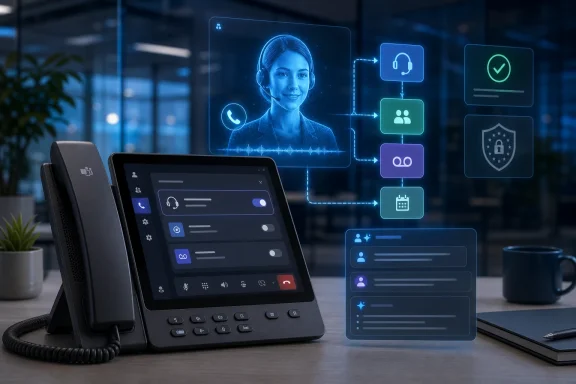
Copilot call delegation is designed to synthesize those signals. When enabled in Teams Call settings, it answers incoming calls as an AI-powered voice agent. The caller is informed that they are speaking with an attendant rather than a person, and Copilot asks enough questions to understand why they called. If the call appears urgent, Copilot attempts to transfer it live. If not, it can offer voicemail or a follow-up appointment through Microsoft Bookings.
That may sound mundane until you compare it with the ordinary failure modes of office calling. A ringing phone during a meeting is either ignored, silenced, or answered with irritation. Voicemail often arrives without enough context. Follow-up scheduling becomes an email chain. The practical advantage of Copilot is not merely that it answers the call; it converts a real-time interruption into a structured record and an action path.
The post-call summary is the other half of the feature. Copilot generates a written digest covering the reason for the call, key topics, and suggested next steps. In theory, that lets the user re-enter the interaction asynchronously, with enough context to act without replaying a recording or deciphering a voicemail.
If it works well, Teams Phone becomes less like a dumb endpoint and more like a personal intake system. If it works poorly, it becomes another layer of synthetic friction between an organization and the people trying to reach it.
Frontier gives Microsoft a way to test behavior, gather telemetry, and refine the user experience with organizations already inclined to absorb early-agent volatility. It also gives customers a warning label. This is not just a new button in Teams; it is a live conversational agent operating at the boundary between the organization and the outside world.
The licensing caveat matters too. Microsoft’s Copilot packaging has been a moving target since the company began threading AI through Microsoft 365, Windows, Security, Dynamics, and Power Platform. A feature that today requires Microsoft 365 Copilot and Frontier access may later be bundled, tiered, restricted, or attached to a different agent SKU. Any organization building workflows around it should assume licensing details and service limits can change before general availability.
That uncertainty is not unique to Microsoft. The whole enterprise AI market is still trying to decide what counts as a product, a feature, an add-on, or an entitlement. But call delegation touches a production communication channel, so a licensing change is not merely a procurement inconvenience. If a workflow depends on Copilot answering calls, the commercial terms become part of the operational risk model.
The more interesting strategic point is that Microsoft is using Teams Phone as a test bed for delegated agents. Phone calls are bounded, understandable units of work. They have clear beginnings and endings. They generate transcripts and summaries. They have obvious outcomes: transfer, schedule, voicemail, or dismiss. That makes them a convenient proving ground for the larger Copilot thesis.
Delegation is different from assistance because the user is absent from part of the workflow. A summarizer waits for content. A drafter waits for a prompt. A delegated agent takes the next step under an authorization boundary. It may still be constrained, but it acts while the user is doing something else.
That is why the Teams Phone context is so revealing. The classic Copilot pitch was cognitive acceleration: get through documents faster, catch up on meetings faster, draft faster. Copilot call delegation is attention allocation: decide whether this person deserves me now, later, or not at all.
That is a much more sensitive class of automation. Humans are forgiving when AI produces a mediocre meeting summary because they can reread the transcript. They are less forgiving when AI blocks a customer, mishandles an urgent family call, misroutes a legal matter, or tells a VIP to book a slot next week.
Microsoft’s challenge is that the same behavior that makes an agent useful also makes it accountable. If Copilot only suggests, the user owns the decision. If Copilot answers and triages, the organization owns the experience. The distinction will matter to customers, regulators, and lawyers long before it matters to product marketing.
That makes urgency classification the heart of the product. A caller saying “I need to speak with Alex” is not enough. Copilot has to ask why, interpret the answer, and map it to the recipient’s context. “The server is down,” “the contract needs approval,” “your child’s school is calling,” and “we have a problem with tomorrow’s court filing” all carry different meanings depending on the user, the organization, the caller, and the moment.
False positives are annoying. If Copilot interrupts too often, users will turn it off because it becomes a more verbose ringtone. False negatives are dangerous. If Copilot suppresses a call that the user would have taken, the feature has failed at the one job that justifies its existence.
The hard part is that urgency is not purely semantic. It is contextual. A sales lead from a small prospect may be non-urgent for one company and existential for another. A call from a supplier may be routine until the caller says the delivery truck is at the locked loading dock. A call from an unknown number may be spam, a journalist, a hospital, a regulator, or a customer whose account data is not in the tenant.
Microsoft can reduce these risks with configuration and transparency, but it cannot eliminate them. Users will need controls for who Copilot may screen, when it may screen, and what kinds of callers should always break through. Admins will need policy options. Compliance teams will need records. Help desks will need to understand failure modes that begin with the sentence, “Copilot didn’t put the call through.”
The most mature organizations will not treat call delegation as magic. They will treat it as a triage system requiring tuning, exception handling, auditability, and user training. The least mature will enable it because it sounds futuristic, then discover that callers judge the company by the bot that answered the phone.
This is where enterprise AI collides with service design. There are contexts where an AI screener will feel acceptable, even welcome. A vendor checking availability, a colleague asking for a routine follow-up, or a customer trying to schedule time may be perfectly happy to talk to a competent automated attendant.
There are other contexts where the same interaction will feel insulting. Legal clients, high-net-worth customers, patients, executives, public officials, journalists, and employees reporting sensitive issues may expect a human pathway. Some callers will test the system. Some will refuse to speak. Some will say “urgent” because that is the fastest way through.
Organizations will have to decide whether Copilot is a universal receptionist, a personal filter, or a narrow tool for specific users and scenarios. Those are very different deployments. The safest early use may be for internal calls, known contacts, or roles where missed focus time has a high cost and inbound calls are usually low stakes.
There is also a brand question. The announcement that callers hear they are speaking with an attendant rather than a person is necessary, but it is not the same as designing a humane interaction. The difference between “I can help route your call” and “Explain why this is urgent” is the difference between service and suspicion.
Microsoft can provide the machinery, but organizations own the tone. That includes greetings, fallback routes, escalation phrases, and the decision to let a caller reach a human operator when the AI cannot understand them. An enterprise phone system is not merely a productivity tool. It is part of the company’s front porch.
This is not a reason to avoid the feature. It is a reason to govern it like the communications channel it is. Teams chat, email, voicemail, meeting transcripts, and call recordings already sit inside Microsoft 365 compliance boundaries for many organizations. Copilot summaries should be mapped into the same retention, eDiscovery, audit, and access-control framework.
The tricky part is that summaries are not neutral copies. They are machine-generated interpretations of a conversation. A transcript says what was said, subject to speech recognition errors. A summary says what mattered, subject to model judgment. In litigation or an audit, that distinction can become uncomfortable.
A summary that omits a warning, misstates urgency, or converts uncertainty into a confident next step may create a misleading record. Conversely, a summary that captures sensitive information too eagerly may create retention and access problems that the organization did not anticipate. The administrative convenience of AI-generated notes has a shadow: notes persist.
GDPR sharpens the issue for European users and callers. Voice recordings and call metadata can be personal data, and transparency obligations require individuals to understand that their data is being processed and why. If the system records, transcribes, summarizes, or otherwise processes the caller’s speech, organizations need to know the lawful basis, retention period, access model, and deletion path.
Microsoft’s disclosure that callers hear they are speaking with an attendant, not a person, addresses the most basic AI-transparency concern. It does not, by itself, answer every GDPR question. A caller being told “this is an attendant” is not necessarily being told who controls the data, how long it will be retained, whether a summary will be generated, or how to exercise rights over that data.
That is where tenant configuration, privacy notices, and organizational policy must catch up with product capability. The danger is not that Copilot call delegation is uniquely non-compliant. The danger is that it feels like a personal productivity feature while behaving like a regulated intake channel.
For Copilot call delegation, the key unresolved question is how urgency detection works. If the system classifies urgency based on the semantic content of the caller’s words, the risk profile is one thing. If it analyzes acoustic features such as tone, pitch, stress, speech rate, or other voice characteristics to infer emotional state, the risk profile changes materially.
That distinction is not academic. A caller saying “the production database is offline” is semantic content. A system deciding the caller sounds panicked is closer to emotion inference. A system using vocal stress to decide whether to interrupt an employee in a work context could invite scrutiny under rules designed specifically to prevent intrusive biometric emotion analysis at work.
Microsoft has not, at least in the public materials surrounding this rollout, provided the level of technical documentation that would let customers make that assessment with confidence. The company may well be using semantic analysis only. It may also be using audio features for speech recognition quality, intent classification, or turn-taking without inferring emotions. Those details matter.
Enterprise customers should ask directly. They should ask whether urgency classification uses only transcribed text, whether acoustic features are processed, whether any voice-characteristic analysis is performed, whether biometric templates are created, and whether any emotion, sentiment, stress, or affective-state inference is part of the pipeline. The answer determines where the feature can be safely deployed, especially for employees and callers in the EU.
This is the broader lesson of AI regulation in 2026. Buyers can no longer accept “AI-powered” as a sufficient technical description. The legal category often depends on what signals the model uses and what inferences it draws. Two products with identical user interfaces can fall into very different compliance buckets if one reads text and the other infers emotional state from voice.
The first administrative requirement is scope. Who is allowed to enable it? Is it user-controlled, admin-controlled, or policy-scoped? Can VIPs be excluded? Can executives require approval before enabling it? Can regulated departments disable it while other departments experiment?
The second requirement is observability. If a user complains that they missed an urgent call, the organization needs to reconstruct what happened. Did Copilot answer? What did the caller say? Was the call classified as urgent? Was a transfer attempted? Did the user receive the notification? Was there a Teams client, network, device, or licensing issue? AI features cannot be operational black boxes when they sit in the call path.
The third requirement is fallback. Every call-screening system needs a safe failure mode. If Copilot cannot understand the caller, loses service availability, hits a policy boundary, or cannot complete a Bookings handoff, what happens next? Does the call ring through, go to voicemail, route to a human delegate, or drop into an auto attendant?
The fourth requirement is user training. Users need to know when Copilot is answering, what callers hear, where summaries live, how to review missed interactions, and when not to use the feature. The worst deployment pattern would be a stealth rollout where users discover from clients that “your AI answered the phone.”
Finally, admins need to separate Copilot call delegation from traditional Teams call delegation. Microsoft’s existing call delegation, sometimes described in shared-line terms, lets human delegates receive and place calls on behalf of another user. Copilot call delegation is a different animal. It is not merely sharing a line; it is assigning a conversational decision point to software.
The best early deployments will be narrow and measured. Internal IT leaders might test it with users who receive frequent low-stakes calls and already rely heavily on calendar scheduling. Sales teams might test it for known contacts outside active deal windows. Professional services firms might test it with consultants whose time is billable and whose inbound calls are usually schedulable.
High-stakes, emotionally sensitive, or heavily regulated workflows should come later, if at all. Healthcare, legal intake, financial advice, HR complaints, incident reporting, public-sector services, and crisis communications require more than a clever summary and a transfer attempt. They require clear escalation paths, specific notices, retention controls, and human accountability.
There is also a cultural boundary. In some organizations, a call screener will be seen as efficiency. In others, it will be seen as arrogance. A senior leader letting AI screen internal calls may send an unintended message about accessibility. A support organization using AI screening for paying customers may look like it is hiding behind automation.
The most useful framing is not “Should we enable Copilot call delegation?” but “Which incoming calls are currently wasting human attention without adding relationship value?” That question leads to better deployments. It identifies scenarios where callers benefit from faster routing and users benefit from fewer interruptions.
The feature should earn trust in progressively harder contexts. Start with non-critical calls. Measure missed escalations. Review summaries. Solicit caller feedback. Tune policies. Then decide whether the AI receptionist deserves a larger role.
A good assistant does not merely answer calls. They understand relationships, status, urgency, personality, politics, and timing. They know when “Do you have a minute?” means “The board chair is furious.” They know when a client is too important to send to voicemail. They know when the boss said “no interruptions” but did not mean this interruption.
Copilot is nowhere near that level of social intelligence, and Microsoft should not pretend otherwise. But most users do not have a good assistant. They have voicemail, notification fatigue, and a calendar that looks like a game of Tetris. A mediocre AI screener may still be better than the status quo for certain users.
The question is whether Microsoft can make Copilot appropriately humble. The system needs to be explicit when it is uncertain. It needs to route to humans gracefully. It needs to avoid overconfident judgments about urgency. It needs to let organizations define categories rather than assuming a universal model of importance.
If Microsoft gets that right, call delegation becomes a practical example of agentic AI that does not require science fiction. It is not a robot employee. It is a bounded task agent operating in a familiar workflow. That is exactly where enterprise AI is likely to find durable adoption: not in replacing whole jobs, but in taking over annoying, structured fragments of work that humans already delegate when they can afford to.
If Microsoft gets it wrong, the backlash will be swift because phone calls are socially exposed. Nobody outside the company knows if Copilot made a bad spreadsheet suggestion. Callers immediately know if the organization has put an awkward bot between them and the person they need.
That architecture is powerful because Microsoft already owns the work graph. It knows the calendar, directory, meetings, documents, chats, and permissions. A third-party AI receptionist can answer a phone. Microsoft can, in theory, answer the phone while understanding whether the recipient is in a board meeting, whether the caller is in the CRM, whether there is a related email thread, and whether a Bookings slot is available tomorrow afternoon.
That is the advantage regulators and competitors will watch closely. The more Copilot agents can act across Microsoft 365, the more Microsoft’s suite becomes not just a bundle of apps but an operating environment for office automation. The switching cost is no longer only where your documents live. It becomes where your agents have permission to act.
For WindowsForum readers, the endpoint angle is also worth noting. Teams Phone devices, desktop clients, mobile clients, headsets, and meeting-room systems all become participants in this agentic layer. The old distinction between “software feature” and “communications infrastructure” blurs when an AI service changes how calls arrive, whether devices ring, and what records are created.
That makes reliability a first-class issue. If Copilot call delegation becomes part of daily call flow, outages or degraded AI performance will not feel like a failed novelty. They will feel like phones not working. Microsoft’s cloud cadence, Teams client update discipline, and admin messaging will all matter more as AI moves from optional panel to operational path.
The future office Microsoft is building is not one where Copilot sits politely in a sidebar. It is one where Copilot has assigned duties. Answer the call. Summarize the meeting. Find the document. Schedule the follow-up. Draft the response. Run the workflow. Each duty is small. Together they reshape the boundary between user intention and system action.
Microsoft Copilot call delegation could absolutely change how Teams Phone users handle incoming calls, but the lasting shift will not be the novelty of an AI voice answering instead of a ringtone. It will be the normalization of delegated judgment inside everyday Microsoft 365 workflows. If Microsoft and its customers treat that judgment as a governed business process rather than a convenience trick, the AI receptionist may become one of the first agentic features that ordinary workers actually keep using. If they do not, it will become another reminder that the hardest part of enterprise AI is not making software talk, but teaching organizations when to let it speak for them.
Source: UC Today Could Microsoft Copilot Call Delegation Change How Teams Phone Users Handle Incoming Calls? - UC Today
 Microsoft Moves Copilot From Note-Taker to Gatekeeper
For most of its Microsoft 365 life, Copilot has been sold as a productivity layer over human activity. It summarized meetings, drafted emails, explained spreadsheets, and searched across the corporate memory palace of Outlook, Teams, SharePoint, and OneDrive. The human was still the point of decision; Copilot was the instrument.Call delegation changes the posture. The user is not asking Copilot to summarize a call after joining it. The user is authorizing Copilot to answer first, speak to another person, gather intent, classify urgency, and make a routing decision before the user becomes involved.
That is why this feature matters more than its placement in an April Teams roundup suggests. A call is not just another notification. It is a synchronous demand on attention, a social contract, and often a business-critical channel for customers, patients, suppliers, employees, and executives who do not want to be treated like another ticket in the queue.
Microsoft’s bet is that Teams Phone has accumulated enough AI plumbing for this to feel natural. Teams already supports auto attendants, call queues, voicemail transcription, call summaries, intelligent recap, and Copilot-supported calling experiences. Copilot call delegation binds those pieces into a more assertive pattern: the system no longer merely processes the call; it interposes itself between caller and recipient.
That is the promise and the risk. In a world of constant meetings, overlapping calendars, and Teams pings masquerading as emergencies, a competent AI screener could be a relief. But the phone remains one of the few enterprise channels where delay can still mean escalation, lost revenue, or reputational damage. Microsoft is asking organizations to trust Copilot not just with information, but with interruption.
The Office Phone Finally Gets the Executive Assistant Treatment
Call screening is not new. Executives have long had assistants who answer calls, ask what the caller needs, decide whether the interruption is warranted, and schedule a follow-up if it is not. Contact centers have used IVRs and auto attendants for decades. Small businesses have used answering services for the same reason: attention is expensive, and not every inbound call deserves the same path.What Microsoft is doing is democratizing that gatekeeping function for knowledge workers who never had a human assistant. The middle manager in back-to-back meetings, the consultant juggling clients, the lawyer in court, the field operations lead on a site visit, and the IT manager fighting an outage all have the same problem: the phone does not know the calendar, the caller’s intent, or the user’s tolerance for interruption.
Copilot call delegation is designed to synthesize those signals. When enabled in Teams Call settings, it answers incoming calls as an AI-powered voice agent. The caller is informed that they are speaking with an attendant rather than a person, and Copilot asks enough questions to understand why they called. If the call appears urgent, Copilot attempts to transfer it live. If not, it can offer voicemail or a follow-up appointment through Microsoft Bookings.
That may sound mundane until you compare it with the ordinary failure modes of office calling. A ringing phone during a meeting is either ignored, silenced, or answered with irritation. Voicemail often arrives without enough context. Follow-up scheduling becomes an email chain. The practical advantage of Copilot is not merely that it answers the call; it converts a real-time interruption into a structured record and an action path.
The post-call summary is the other half of the feature. Copilot generates a written digest covering the reason for the call, key topics, and suggested next steps. In theory, that lets the user re-enter the interaction asynchronously, with enough context to act without replaying a recording or deciphering a voicemail.
If it works well, Teams Phone becomes less like a dumb endpoint and more like a personal intake system. If it works poorly, it becomes another layer of synthetic friction between an organization and the people trying to reach it.
Frontier Is the Right Place for a Feature This Exposed
Microsoft has made the feature available through Frontier, its early-access program for Microsoft 365 Copilot capabilities, with a Microsoft 365 Copilot license required. That is the correct deployment posture. Copilot call delegation is not the kind of feature that should quietly appear for every Teams Phone tenant behind a default-on toggle.Frontier gives Microsoft a way to test behavior, gather telemetry, and refine the user experience with organizations already inclined to absorb early-agent volatility. It also gives customers a warning label. This is not just a new button in Teams; it is a live conversational agent operating at the boundary between the organization and the outside world.
The licensing caveat matters too. Microsoft’s Copilot packaging has been a moving target since the company began threading AI through Microsoft 365, Windows, Security, Dynamics, and Power Platform. A feature that today requires Microsoft 365 Copilot and Frontier access may later be bundled, tiered, restricted, or attached to a different agent SKU. Any organization building workflows around it should assume licensing details and service limits can change before general availability.
That uncertainty is not unique to Microsoft. The whole enterprise AI market is still trying to decide what counts as a product, a feature, an add-on, or an entitlement. But call delegation touches a production communication channel, so a licensing change is not merely a procurement inconvenience. If a workflow depends on Copilot answering calls, the commercial terms become part of the operational risk model.
The more interesting strategic point is that Microsoft is using Teams Phone as a test bed for delegated agents. Phone calls are bounded, understandable units of work. They have clear beginnings and endings. They generate transcripts and summaries. They have obvious outcomes: transfer, schedule, voicemail, or dismiss. That makes them a convenient proving ground for the larger Copilot thesis.
The Agent Strategy Is No Longer Abstract
Microsoft executives have spent the past year framing Copilot as the central interface for AI-mediated work. The language has shifted from “ask Copilot” to “delegate to Copilot,” and from “assistant” to “agent” and “coworker.” The phone feature is one of the cleaner examples of what that shift means in practice.Delegation is different from assistance because the user is absent from part of the workflow. A summarizer waits for content. A drafter waits for a prompt. A delegated agent takes the next step under an authorization boundary. It may still be constrained, but it acts while the user is doing something else.
That is why the Teams Phone context is so revealing. The classic Copilot pitch was cognitive acceleration: get through documents faster, catch up on meetings faster, draft faster. Copilot call delegation is attention allocation: decide whether this person deserves me now, later, or not at all.
That is a much more sensitive class of automation. Humans are forgiving when AI produces a mediocre meeting summary because they can reread the transcript. They are less forgiving when AI blocks a customer, mishandles an urgent family call, misroutes a legal matter, or tells a VIP to book a slot next week.
Microsoft’s challenge is that the same behavior that makes an agent useful also makes it accountable. If Copilot only suggests, the user owns the decision. If Copilot answers and triages, the organization owns the experience. The distinction will matter to customers, regulators, and lawyers long before it matters to product marketing.
The “Urgent Enough” Decision Is the Product
The essential technical question is not whether Copilot can answer a call. Auto attendants have answered calls for years. Speech systems have collected intent for years. Booking systems have scheduled appointments for years. The new claim is that Copilot can evaluate urgency in a way that is useful enough to trust.That makes urgency classification the heart of the product. A caller saying “I need to speak with Alex” is not enough. Copilot has to ask why, interpret the answer, and map it to the recipient’s context. “The server is down,” “the contract needs approval,” “your child’s school is calling,” and “we have a problem with tomorrow’s court filing” all carry different meanings depending on the user, the organization, the caller, and the moment.
False positives are annoying. If Copilot interrupts too often, users will turn it off because it becomes a more verbose ringtone. False negatives are dangerous. If Copilot suppresses a call that the user would have taken, the feature has failed at the one job that justifies its existence.
The hard part is that urgency is not purely semantic. It is contextual. A sales lead from a small prospect may be non-urgent for one company and existential for another. A call from a supplier may be routine until the caller says the delivery truck is at the locked loading dock. A call from an unknown number may be spam, a journalist, a hospital, a regulator, or a customer whose account data is not in the tenant.
Microsoft can reduce these risks with configuration and transparency, but it cannot eliminate them. Users will need controls for who Copilot may screen, when it may screen, and what kinds of callers should always break through. Admins will need policy options. Compliance teams will need records. Help desks will need to understand failure modes that begin with the sentence, “Copilot didn’t put the call through.”
The most mature organizations will not treat call delegation as magic. They will treat it as a triage system requiring tuning, exception handling, auditability, and user training. The least mature will enable it because it sounds futuristic, then discover that callers judge the company by the bot that answered the phone.
Caller Experience Is the Enterprise AI Test Nobody Can Fake
A great internal demo does not prove a great caller experience. The caller is not part of the Microsoft tenant. They may not know what Copilot is, may not trust AI, may be in a noisy environment, may have an accent the system handles poorly, may be distressed, or may simply resent having to justify themselves to software.This is where enterprise AI collides with service design. There are contexts where an AI screener will feel acceptable, even welcome. A vendor checking availability, a colleague asking for a routine follow-up, or a customer trying to schedule time may be perfectly happy to talk to a competent automated attendant.
There are other contexts where the same interaction will feel insulting. Legal clients, high-net-worth customers, patients, executives, public officials, journalists, and employees reporting sensitive issues may expect a human pathway. Some callers will test the system. Some will refuse to speak. Some will say “urgent” because that is the fastest way through.
Organizations will have to decide whether Copilot is a universal receptionist, a personal filter, or a narrow tool for specific users and scenarios. Those are very different deployments. The safest early use may be for internal calls, known contacts, or roles where missed focus time has a high cost and inbound calls are usually low stakes.
There is also a brand question. The announcement that callers hear they are speaking with an attendant rather than a person is necessary, but it is not the same as designing a humane interaction. The difference between “I can help route your call” and “Explain why this is urgent” is the difference between service and suspicion.
Microsoft can provide the machinery, but organizations own the tone. That includes greetings, fallback routes, escalation phrases, and the decision to let a caller reach a human operator when the AI cannot understand them. An enterprise phone system is not merely a productivity tool. It is part of the company’s front porch.
Compliance Turns a Convenience Feature Into a Records System
The moment Copilot answers a call and produces a written summary, the organization has created a new class of communications record. That record may contain personal data, business confidential information, health information, financial information, privileged material, or regulated customer communications. It may also be discoverable.This is not a reason to avoid the feature. It is a reason to govern it like the communications channel it is. Teams chat, email, voicemail, meeting transcripts, and call recordings already sit inside Microsoft 365 compliance boundaries for many organizations. Copilot summaries should be mapped into the same retention, eDiscovery, audit, and access-control framework.
The tricky part is that summaries are not neutral copies. They are machine-generated interpretations of a conversation. A transcript says what was said, subject to speech recognition errors. A summary says what mattered, subject to model judgment. In litigation or an audit, that distinction can become uncomfortable.
A summary that omits a warning, misstates urgency, or converts uncertainty into a confident next step may create a misleading record. Conversely, a summary that captures sensitive information too eagerly may create retention and access problems that the organization did not anticipate. The administrative convenience of AI-generated notes has a shadow: notes persist.
GDPR sharpens the issue for European users and callers. Voice recordings and call metadata can be personal data, and transparency obligations require individuals to understand that their data is being processed and why. If the system records, transcribes, summarizes, or otherwise processes the caller’s speech, organizations need to know the lawful basis, retention period, access model, and deletion path.
Microsoft’s disclosure that callers hear they are speaking with an attendant, not a person, addresses the most basic AI-transparency concern. It does not, by itself, answer every GDPR question. A caller being told “this is an attendant” is not necessarily being told who controls the data, how long it will be retained, whether a summary will be generated, or how to exercise rights over that data.
That is where tenant configuration, privacy notices, and organizational policy must catch up with product capability. The danger is not that Copilot call delegation is uniquely non-compliant. The danger is that it feels like a personal productivity feature while behaving like a regulated intake channel.
Europe’s AI Rules Make the Voice Layer Especially Sensitive
The EU AI Act adds another layer of analysis, particularly around emotion recognition in workplace contexts. Since February 2025, the Act’s prohibited-practices provisions have been in force, including restrictions on AI systems used to infer emotions in workplaces and educational institutions except for narrow medical or safety purposes. The potential fines sit at the top end of the Act’s enforcement structure.For Copilot call delegation, the key unresolved question is how urgency detection works. If the system classifies urgency based on the semantic content of the caller’s words, the risk profile is one thing. If it analyzes acoustic features such as tone, pitch, stress, speech rate, or other voice characteristics to infer emotional state, the risk profile changes materially.
That distinction is not academic. A caller saying “the production database is offline” is semantic content. A system deciding the caller sounds panicked is closer to emotion inference. A system using vocal stress to decide whether to interrupt an employee in a work context could invite scrutiny under rules designed specifically to prevent intrusive biometric emotion analysis at work.
Microsoft has not, at least in the public materials surrounding this rollout, provided the level of technical documentation that would let customers make that assessment with confidence. The company may well be using semantic analysis only. It may also be using audio features for speech recognition quality, intent classification, or turn-taking without inferring emotions. Those details matter.
Enterprise customers should ask directly. They should ask whether urgency classification uses only transcribed text, whether acoustic features are processed, whether any voice-characteristic analysis is performed, whether biometric templates are created, and whether any emotion, sentiment, stress, or affective-state inference is part of the pipeline. The answer determines where the feature can be safely deployed, especially for employees and callers in the EU.
This is the broader lesson of AI regulation in 2026. Buyers can no longer accept “AI-powered” as a sufficient technical description. The legal category often depends on what signals the model uses and what inferences it draws. Two products with identical user interfaces can fall into very different compliance buckets if one reads text and the other infers emotional state from voice.
Admins Will Need More Than an Enable Button
Teams administrators already understand that calling features are deceptively complex. Auto attendants, call queues, resource accounts, calling policies, voicemail, emergency calling, PSTN routing, and device support all create edge cases. Copilot call delegation adds AI behavior to a stack that was already full of routing logic.The first administrative requirement is scope. Who is allowed to enable it? Is it user-controlled, admin-controlled, or policy-scoped? Can VIPs be excluded? Can executives require approval before enabling it? Can regulated departments disable it while other departments experiment?
The second requirement is observability. If a user complains that they missed an urgent call, the organization needs to reconstruct what happened. Did Copilot answer? What did the caller say? Was the call classified as urgent? Was a transfer attempted? Did the user receive the notification? Was there a Teams client, network, device, or licensing issue? AI features cannot be operational black boxes when they sit in the call path.
The third requirement is fallback. Every call-screening system needs a safe failure mode. If Copilot cannot understand the caller, loses service availability, hits a policy boundary, or cannot complete a Bookings handoff, what happens next? Does the call ring through, go to voicemail, route to a human delegate, or drop into an auto attendant?
The fourth requirement is user training. Users need to know when Copilot is answering, what callers hear, where summaries live, how to review missed interactions, and when not to use the feature. The worst deployment pattern would be a stealth rollout where users discover from clients that “your AI answered the phone.”
Finally, admins need to separate Copilot call delegation from traditional Teams call delegation. Microsoft’s existing call delegation, sometimes described in shared-line terms, lets human delegates receive and place calls on behalf of another user. Copilot call delegation is a different animal. It is not merely sharing a line; it is assigning a conversational decision point to software.
The Best Early Use Cases Are Narrow, Not Universal
The temptation with a feature like this is to imagine a universal productivity upgrade. Everyone hates interruptions, so everyone gets an AI call screener. That is the wrong starting point.The best early deployments will be narrow and measured. Internal IT leaders might test it with users who receive frequent low-stakes calls and already rely heavily on calendar scheduling. Sales teams might test it for known contacts outside active deal windows. Professional services firms might test it with consultants whose time is billable and whose inbound calls are usually schedulable.
High-stakes, emotionally sensitive, or heavily regulated workflows should come later, if at all. Healthcare, legal intake, financial advice, HR complaints, incident reporting, public-sector services, and crisis communications require more than a clever summary and a transfer attempt. They require clear escalation paths, specific notices, retention controls, and human accountability.
There is also a cultural boundary. In some organizations, a call screener will be seen as efficiency. In others, it will be seen as arrogance. A senior leader letting AI screen internal calls may send an unintended message about accessibility. A support organization using AI screening for paying customers may look like it is hiding behind automation.
The most useful framing is not “Should we enable Copilot call delegation?” but “Which incoming calls are currently wasting human attention without adding relationship value?” That question leads to better deployments. It identifies scenarios where callers benefit from faster routing and users benefit from fewer interruptions.
The feature should earn trust in progressively harder contexts. Start with non-critical calls. Measure missed escalations. Review summaries. Solicit caller feedback. Tune policies. Then decide whether the AI receptionist deserves a larger role.
The Real Competition Is Not Zoom or Google, But the Human Assistant
Copilot call delegation will inevitably be compared with AI features from other communications vendors. Zoom, Google, Cisco, RingCentral, and contact-center platforms are all racing to add AI summaries, agents, routing, and automation. But Microsoft’s most important comparison point is older and more human: the executive assistant.A good assistant does not merely answer calls. They understand relationships, status, urgency, personality, politics, and timing. They know when “Do you have a minute?” means “The board chair is furious.” They know when a client is too important to send to voicemail. They know when the boss said “no interruptions” but did not mean this interruption.
Copilot is nowhere near that level of social intelligence, and Microsoft should not pretend otherwise. But most users do not have a good assistant. They have voicemail, notification fatigue, and a calendar that looks like a game of Tetris. A mediocre AI screener may still be better than the status quo for certain users.
The question is whether Microsoft can make Copilot appropriately humble. The system needs to be explicit when it is uncertain. It needs to route to humans gracefully. It needs to avoid overconfident judgments about urgency. It needs to let organizations define categories rather than assuming a universal model of importance.
If Microsoft gets that right, call delegation becomes a practical example of agentic AI that does not require science fiction. It is not a robot employee. It is a bounded task agent operating in a familiar workflow. That is exactly where enterprise AI is likely to find durable adoption: not in replacing whole jobs, but in taking over annoying, structured fragments of work that humans already delegate when they can afford to.
If Microsoft gets it wrong, the backlash will be swift because phone calls are socially exposed. Nobody outside the company knows if Copilot made a bad spreadsheet suggestion. Callers immediately know if the organization has put an awkward bot between them and the person they need.
The April Rollout Is a Preview of the Agentic Office
The broader significance of Copilot call delegation is that Microsoft is turning communication surfaces into action surfaces. Teams is no longer just where messages, meetings, and calls happen. It is where agents can observe work, interpret intent, and take bounded action. Outlook, Bookings, Teams Phone, and Copilot together form the skeleton of a delegated office.That architecture is powerful because Microsoft already owns the work graph. It knows the calendar, directory, meetings, documents, chats, and permissions. A third-party AI receptionist can answer a phone. Microsoft can, in theory, answer the phone while understanding whether the recipient is in a board meeting, whether the caller is in the CRM, whether there is a related email thread, and whether a Bookings slot is available tomorrow afternoon.
That is the advantage regulators and competitors will watch closely. The more Copilot agents can act across Microsoft 365, the more Microsoft’s suite becomes not just a bundle of apps but an operating environment for office automation. The switching cost is no longer only where your documents live. It becomes where your agents have permission to act.
For WindowsForum readers, the endpoint angle is also worth noting. Teams Phone devices, desktop clients, mobile clients, headsets, and meeting-room systems all become participants in this agentic layer. The old distinction between “software feature” and “communications infrastructure” blurs when an AI service changes how calls arrive, whether devices ring, and what records are created.
That makes reliability a first-class issue. If Copilot call delegation becomes part of daily call flow, outages or degraded AI performance will not feel like a failed novelty. They will feel like phones not working. Microsoft’s cloud cadence, Teams client update discipline, and admin messaging will all matter more as AI moves from optional panel to operational path.
The future office Microsoft is building is not one where Copilot sits politely in a sidebar. It is one where Copilot has assigned duties. Answer the call. Summarize the meeting. Find the document. Schedule the follow-up. Draft the response. Run the workflow. Each duty is small. Together they reshape the boundary between user intention and system action.
The Receptionist in the Machine Has to Earn Its Desk
Copilot call delegation is worth testing, but not casually. The feature is promising precisely because it touches a real pain point: the inability of modern work tools to distinguish interruption from importance. Its risks come from the same place.- Organizations should pilot Copilot call delegation with limited user groups before making it broadly available.
- Admins should document what callers hear, where summaries are stored, and how long related records are retained.
- Legal and compliance teams should review GDPR, sector-specific retention duties, and EU AI Act exposure before enabling the feature for European users or callers.
- Buyers should ask Microsoft whether urgency detection relies only on semantic content or also uses acoustic voice features.
- User training should make clear that Copilot call delegation is a call-path feature, not just a personal productivity setting.
- Early deployments should preserve easy human fallback for callers who cannot or will not interact with an AI attendant.
Microsoft Copilot call delegation could absolutely change how Teams Phone users handle incoming calls, but the lasting shift will not be the novelty of an AI voice answering instead of a ringtone. It will be the normalization of delegated judgment inside everyday Microsoft 365 workflows. If Microsoft and its customers treat that judgment as a governed business process rather than a convenience trick, the AI receptionist may become one of the first agentic features that ordinary workers actually keep using. If they do not, it will become another reminder that the hardest part of enterprise AI is not making software talk, but teaching organizations when to let it speak for them.
Source: UC Today Could Microsoft Copilot Call Delegation Change How Teams Phone Users Handle Incoming Calls? - UC Today
