Microsoft Copilot File Actions Outage in Microsoft 365 (CP1188020)

  • Thread Author
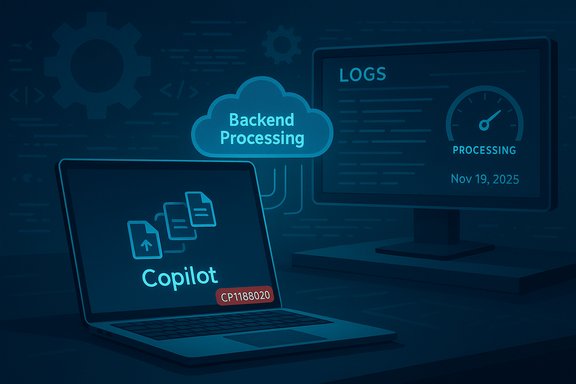
Blue-toned illustration of backend processing in the cloud with Copilot and logs.
Microsoft acknowledged a service incident on November 19, 2025, after users reported they could not perform file actions through Microsoft Copilot for Microsoft 365 — a problem tracked internally under incident ID CP1188020 while Microsoft engineers investigated backend processing errors and began collecting diagnostic logs.

Background​

Microsoft Copilot has rapidly become a central productivity layer across Microsoft 365 and Windows: it indexes files, extracts context from documents, and can act on files through features such as Copilot Actions and document processing in SharePoint/OneDrive. Those capabilities let Copilot generate summaries, convert content, and — in newer workflows — perform multi‑step “actions” that interact with local or cloud files. Microsoft has publicly documented these features and the required processing flows in product blogs and support documentation. Because Copilot’s file capabilities depend on coordinated cloud pipelines — indexing, processing, and agent workspaces — a backend fault in any of those systems can break end‑user file actions even when the UI appears nominally available. Recent Microsoft public advisories and third‑party reporting show exactly that pattern: a backend processing problem can manifest as “files won’t open / actions fail” even though the broader Microsoft 365 status page may not immediately reflect the incident.

What happened (short summary of the incident)​

  • Date and time: Microsoft posted updates on November 19, 2025, confirming reproduction of the problem and the collection of additional diagnostic logs; later updates said engineers identified errors in backend processing infrastructure and were investigating further.
  • Scope: Affected users reported they were unable to perform actions on files via Microsoft Copilot — for example, asking Copilot to summarize, convert, or otherwise process files resulted in failures or blocked operations.
  • Tracking: Microsoft opened internal tracking for the incident under ID CP1188020; the company advised tenants to monitor the Microsoft 365 Admin Center for updates while engineers worked on mitigation.
These are the core, verifiable facts that Microsoft and multiple reports confirmed at the time of writing. Where Microsoft released specific messages (short X/Twitter posts quoted in coverage), those messages noted reproduction and backend errors; Microsoft has not yet published a detailed root‑cause post‑mortem at the time of the initial advisory.

Why this matters: Copilot’s file actions are high impact​

Copilot’s file processing capabilities are no longer a novelty; they are deeply embedded into everyday workflows:
  • Copilot Actions: Microsoft’s Copilot Actions can perform tasks directly on local and cloud files in an Agent Workspace, an isolated execution environment intended to keep automation policy‑controlled and auditable. That lets Copilot run multi‑step tasks such as reorganizing folders, extracting data from PDFs, or converting file types without the user manually performing each step. These actions amplify productivity but also create a tight dependency on cloud processing pipelines.
  • SharePoint/OneDrive processing: Copilot’s knowledge and file features rely on parsing and indexing pipelines in SharePoint/OneDrive; Microsoft provides admin controls to view processing status and action results. When those pipelines fail or are delayed, Copilot may show files as “ready” but be unable to complete operations — a mismatch between UI state and backend reality that amplifies confusion.
Because these features are often used for critical tasks — legal document review, finance reconciliations, compliance audits, and repetitive mass conversions — failures to act on files can halt workstreams and push customers toward manual, error‑prone processes.

Timeline and Microsoft’s public communications​

  1. Initial reports surfaced from users encountering failures when attempting to perform file actions in Copilot.
  2. Microsoft acknowledged the incident publicly via the Microsoft 365 Status/X channel, opened internal tracking under CP1188020, and informed administrators to monitor the Microsoft 365 Admin Center for updates.
  3. Follow‑up messages from Microsoft stated the issue could be reproduced internally and that additional diagnostic logs were being gathered. A later update said errors in backend processing infrastructure had been identified and were under investigation.
  4. At the time initial reporting appeared, Microsoft’s service health dashboard did not yet reflect an outage for all tenants, creating a window where public status and user experience diverged. Independent reporting and localized feeds noted the same discrepancy.
This sequence — rapid acknowledgment, reproduction, diagnostic collection, and narrowing to backend processing errors — is a standard, responsible engineering response. However, the lag between user impact and public dashboard updates can create operational friction for administrators trying to triage user tickets.

Technical analysis: probable failure modes​

Microsoft has not yet published a formal post‑mortem for CP1188020, so the following is an evidence‑based analysis of likely technical causes, with caution where facts are not yet confirmed.
Key components in Copilot file processing:
  • Indexing & ingestion: Files in SharePoint/OneDrive (and local files presented to Copilot Actions) must be parsed, indexed, and made discoverable for AI reasoning.
  • File processing and transformation services: Converters, OCR, and extraction microservices perform the heavy lifting (PDF extraction, table parsing, multimedia processing).
  • Agent Workspaces / Copilot Actions runtime: For actions that touch local or complex application surfaces, Copilot spins up isolated agent environments that interact with file systems and apps in a controlled manner.
  • Orchestration and queuing: A control plane routes requests, enqueues work, and scales compute for peak demand.
Possible failure modes consistent with Microsoft’s “backend processing infrastructure” comment:
  • An upstream processing microservice regression: A recent code push or configuration change could have introduced errors in a shared service used by multiple Copilot flows, causing a high‑volume failure surface. Similar incidents in the past (Microsoft rollbacks and fixes for Copilot‑related regressions) track this pattern.
  • Queue or orchestration saturation: Even healthy services can fail to start processing if orchestration layers misroute jobs or back pressure builds, producing timeouts and observable “action failed” symptoms in the UI.
  • Dependency outages or degraded storage access: If the downstream stores or connectors (SharePoint indexing, OneDrive file reads, third‑party connectors) experienced transient errors, Copilot’s actions would be unable to complete file operations despite the frontend appearing responsive.
  • Feature gating or permission mismatches: Changes to service policies or tenant‑level permissioning could make previously available actions fail if backend enforcement logic erroneously blocks processing.
Because Microsoft stated the issue could be reproduced internally and then cited backend processing errors, the most plausible scenario is a code/configuration regression in a shared processing pipeline rather than an entirely external outage or localized client bug. That said, a definitive root cause requires Microsoft’s telemetry and post‑mortem disclosure; until then, any specific attribution remains tentative.

Customer impact — who felt it and how badly​

Impact likely ranged across several classes of users:
  • End users: People trying to summarize, convert, or actuate files through Copilot would experience failed actions or error messages. This breaks small tasks but can cascade into missed deadlines if work depends on automation.
  • Teams and collaborators: Shared document workflows where Copilot automations update or tag files may stall, producing collaboration friction and inconsistent document states.
  • Administrators and help desks: Visible mismatch between user reports and the public service health dashboard complicates escalation and communication; admins must rely on the Microsoft 365 Admin Center incident page (CP1188020) and community reports to confirm impact.
  • Compliance/regulated workflows: Organizations that routed sensitive file processing through Copilot for triage or classification may have to revert to manual handling, increasing human review workload and audit overhead.
Public examples of similar earlier incidents (e.g., Copilot create failures, agent creation failures) show that Microsoft’s fixes sometimes require rolling back a change and then developing a long‑term remediation to avoid regressions. Administrators should expect a phased recovery, during which some tenants may see partial service return before full functionality is restored.

Microsoft’s operational response: what they did and what they didn’t yet disclose​

What Microsoft did:
  • Acknowledged the incident publicly and opened an internal incident entry (CP1188020).
  • Reproduced the issue internally and began gathering diagnostic logs.
  • Identified errors within backend processing infrastructure and escalated investigation from there.
What Microsoft has not (yet) disclosed publicly:
  • A precise root cause or whether the incident stems from a code deployment, configuration change, or third‑party dependency.
  • A detailed mitigation timeline or the expected window for full restoration.
  • Whether any tenant‑specific factors materially influenced impact (region, tenant configuration, or plan level).
This pattern — rapid acknowledgement with limited initial detail — matches Microsoft’s incident playbooks: confirm reproduction, stabilize systems, collect logs, and then issue incremental updates or rollbacks. However, the absence of a clear mitigation ETA and the delay between user reports and the public service status page are the two criticism points that arise frequently from admins handling support churn.

Practical guidance for administrators and users (immediate steps)​

If you are encountering failed Copilot file actions, apply this triage checklist in order:
  1. Confirm service incident: Check the Microsoft 365 Admin Center incident entry (look up CP1188020) for official updates from Microsoft. If you’re a tenant admin, watch for diagnostic attachments or recommended mitigations.
  2. Try web vs. desktop app: If you were using the Copilot app, test the same action in Office.com or in the Copilot web experience; sometimes UI‑specific clients surface different failure modes. (Past incidents showed web/desktop differences during rollbacks.
  3. Test with a small file or alternate format: If large file processing fails, try a small test file (txt or small docx). This helps isolate whether the problem is size/format related.
  4. Collect logs and repro steps: Capture error messages, timestamps, tenant ID, user ID (redact PII), and any request IDs returned by the UI or Admin Center. This accelerates Microsoft support triage.
  5. Use alternate workflows: If Copilot automation is blocked, fallback to manual or scripted processes (PowerShell, other automation tools) for critical operations until services recover.
  6. Communicate with users: Proactively inform impacted teams that Microsoft is investigating CP1188020 and provide an internal interim workflow to reduce ticket escalation.
For enterprise governance:
  • Limit critical compliance or regulated processes that depend exclusively on Copilot until you can verify reliability and review audit trails.
  • Apply monitoring around Copilot‑driven pipelines (e.g., tracking job success rates, queue depths) so you detect regressions faster than end users report them.

Short‑term mitigations Microsoft can and has used before​

  • Rollback a recent deployment: If telemetry points to a code change, reverting to a last‑known‑good version is the fastest way to restore normal operation — a technique Microsoft has used to remediate prior Copilot/agent regressions.
  • Throttle or circuit‑break problematic pipelines: Temporarily divert or reduce load to affected microservices to prevent cascading failures.
  • Surface clearer status indicators: Update the service health dashboard and incident message with granular affected areas (e.g., “Copilot file processing service degraded”) to reduce confusion and ticket noise.

Security and privacy considerations during incidents​

When Copilot’s file processing is interrupted:
  • Avoid repeated re‑submissions of sensitive files: Repeatedly sending the same file to a failing pipeline increases unnecessary logging of sensitive content and complicates forensic trails.
  • Maintain audit logs: Keep local records of what actions were requested and by whom, in case you need to reconcile changes after recovery.
  • Confirm data handling post‑recovery: When Microsoft restores processing, validate that previously failed jobs were not partially executed or duplicated.
Enterprises must weigh the convenience of Copilot automations against the operational risk of relying on cloud processing pipelines for sensitive, time‑critical workflows.

Broader implications for reliability of cloud‑native AI assistants​

This incident reinforces systemic realities:
  • Tight coupling: Cloud AI assistants depend on many moving parts — indexing, parsers, OCR, conversion services, orchestration, and storage — so a single regression can have an outsized impact.
  • Observability matters: Robust telemetry and observable job‑level status (for example, SharePoint’s file processing status) are essential for detecting when the UI misreports a file as “ready.”
  • Governance and testing: Organizations must pilot Copilot automations in controlled environments and build fallback procedures for mission‑critical paths.
  • Communication: Vendors must keep status pages and admin centers synchronized with real‑time incident data to avoid admin confusion during outages.
Microsoft’s past practice of rolling back changes that cause regressions is encouraging, but customers must continue to plan for intermittent service degradation as complex AI capabilities scale.

Strengths, risks, and recommendations (executive summary)​

Strengths:
  • Copilot’s integrated file actions are powerful productivity multipliers when they work, reducing manual tasks and speeding workflows.
  • Microsoft provides admin controls and monitoring surfaces (e.g., file processing status) that, when used, can reduce surprise failures.
Risks:
  • Backend regressions create high‑impact interruptions, particularly when incident dashboards lag.
  • Sensitive or regulated workflows that rely entirely on Copilot automations have a single point of failure risk.
  • Partial UI recoveries or misleading “ready” states can cause users to assume work completed when it hasn’t.
Recommendations for customers:
  • Treat Copilot automations as productivity enhancers, not as sole systems of record for compliance‑critical tasks.
  • Maintain clear fallbacks and runbooks for manual processing during outages.
  • Instrument your Copilot‑dependent workflows with independent monitoring and logging.
  • Maintain an open channel with Microsoft support and monitor the Microsoft 365 Admin Center incident entry (CP1188020) for authoritative updates.

What to watch next​

  • Microsoft post‑mortem: Look for a detailed incident report from Microsoft that explains the root cause, affected components, mitigation steps, and follow‑up hardening measures.
  • Dashboard synchronization: Whether Microsoft updates the public service health page to reflect CP1188020 and how quickly the Admin Center incident receives root‑cause details.
  • Mitigation rollout: Whether Microsoft performs a rollback, deploys a hotfix, or implements configuration changes and how rapidly those measures restore file actions.

Conclusion​

The November 19, 2025 incident (CP1188020) that blocked file actions in Microsoft Copilot is a reminder of the operational fragility that can accompany powerful cloud AI features. Microsoft acknowledged reproduction of the issue, collected diagnostics, and singled out errors in backend processing infrastructure as the investigative focus — all standard steps in enterprise incident response. For customers and administrators, the incident underscores two enduring imperatives: plan for resilience (have fallbacks and monitoring) and demand clear, timely communication from cloud vendors when user‑facing capabilities fail. Copilot’s capabilities remain a genuine productivity advance, but safe and reliable adoption depends on robust engineering hygiene, better observability, and governance that treats AI‑driven automation as part of an auditable, recoverable operational stack.

Source: Windows Report [UPDATE] Microsoft Investigating Issue Blocking File Actions in Copilot for 365 Users
 

Rubrik’s move to fold its Agent Cloud into Microsoft’s Copilot Studio marks a practical — and overdue — evolution in enterprise AI operations: as organisations push AI agents from experiments into business workflows, the management, visibility, and recovery tools that IT and security teams need are finally arriving alongside the builders’ toolchains. The new integration promises automated discovery, real‑time governance, and targeted rollback for agent‑driven actions inside Microsoft 365 apps such as OneDrive and SharePoint, but it is a marketing‑weighted first step that leaves important technical, operational and risk questions to be answered during early access and pilots.

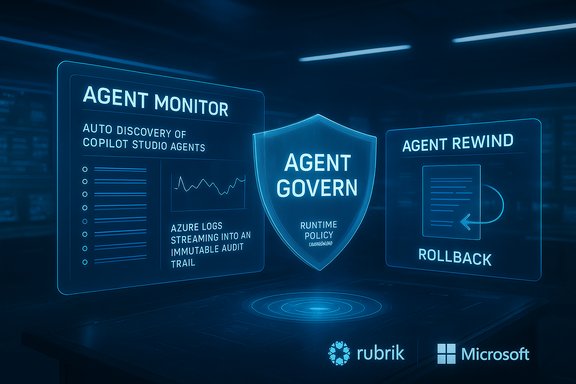
Futuristic holographic dashboards show agent monitor, rewind, and governance.Background​

Enterprises have rapidly moved from using chat assistants to authorising multi‑step, tool‑enabled AI agents that can read, write, and act across corporate systems. Microsoft’s ecosystem — anchored by Copilot Studio for agent authoring, Azure AI Foundry for runtime orchestration, and the emerging Agent 365 control plane for governance — has become a central staging area for agent deployments. Microsoft’s strategy treats agents as first‑class identities, adding Entra (Azure AD)‑backed agent identities, telemetry, and admin kill‑switches to reduce "shadow agent" risk. Independent coverage and Microsoft’s product pages lay this out as a governance‑first platform available initially through early access programs. Rubrik positions its Agent Cloud as an “AgentOps” layer that sits across the agent lifecycle: discovery and observability (Agent Monitor), policy and runtime enforcement (Agent Govern), and remediation (Agent Remediate) — the latter anchored by Agent Rewind, a selective rollback capability Rubrik first introduced earlier in 2025. The company says the integration will automatically discover agents authored in Copilot Studio, stream agent activity and Azure logs into an immutable audit trail, apply real‑time policies, and, when necessary, reverse unwanted changes with surgical precision. Rubrik’s public announcement highlights limited early access for select customers and includes standard safe‑harbor caveats that features may change prior to broad availability.

What Rubrik announced — feature map and claims​

Rubrik’s announcement groups the integration into three core capabilities. The core claims are verifiable from Rubrik’s press material and appear across multiple news outlets summarising the same release. Key product promises include:
  • Agent Monitor (Discovery & Observability) — auto‑discovery of agents created in Microsoft Copilot Studio and across Azure, continuous monitoring of agent actions and data access, and creation of immutable audit trails using Azure‑native logs and other telemetry.
  • Agent Govern (Policy & Enforcement) — the ability to define and enforce runtime guardrails for agent behaviour: access controls, action policies, and real‑time blocking of destructive or unauthorised actions; integration with enterprise identity systems for lifecycle and least‑privilege controls.
  • Agent Remediate (Rollback & Recovery) — selective, time‑bounded rollback of agent‑driven changes using Agent Rewind, which Rubrik says integrates with Rubrik Security Cloud to restore affected files, records, or configurations without full downtime or a full restore. Rubrik notes Agent Rewind was announced earlier in 2025 and positions it as a core differentiator for agent recovery.
Rubrik’s General Manager of AI, Devvret Rishi, is quoted directly, framing the problem as one of scale and operational risk: “AI agents are proliferating across organisations at unprecedented speed… By seamlessly integrating with Microsoft Copilot Studio, we equip our joint customers with the clarity and control they crave…” — a line the company uses to position the Agent Cloud as a management layer rather than a point product.

Verification status​

  • The integration announcement and feature list appear in Rubrik’s official press release and business news wires; independent trade outlets (ITWire, Investing.com, MarketScreener) reprinted the announcement and quote. These multiple independent contemporaneous reports corroborate Rubrik’s product claims and availability window.
  • Microsoft’s parallel work on agent governance (Agent 365, Entra Agent ID, Agent Store, Copilot Studio features) is documented in Microsoft blogs and documentation; they establish the control plane and identity plumbing Rubrik needs to integrate with. That Microsoft framework is also independently reported in mainstream outlets. Together, these sources validate the architectural assumptions Rubrik is building on.
  • The claim that Agent Rewind is “the industry’s only solution” for precise rollback is a vendor positioning statement and should be treated with caution. Rubrik’s materials assert uniqueness; independent verification across the market shows competing approaches (snapshots, backups, application‑level rollback, and some vendor recovery tooling) but not many vendors offering targeted, time‑bounded rollbacks specifically marketed for agent‑induced changes. This is therefore a plausible differentiator, but it is a marketing claim rather than an independently validated technical standard. Treat it as “vendor‑claimed differentiation.”

How the integration works in practice​

The integration relies on three practical ingredients: identity and registration, telemetry and audit, and recovery control.

1) Identity and registration (how agents get discovered)​

Copilot Studio agents can be published into Microsoft 365 channels and are assignable Entra Agent IDs, making them discoverable by directory and management tooling. Rubrik’s Agent Cloud uses this identity signal plus Azure and platform telemetry to auto‑discover agents and surface them into a central inventory. That registry approach is crucial for preventing “shadow agents” and tracking ownership, lifetime and cost centres.

2) Telemetry and immutable audit trails​

Rubrik says Agent Cloud maintains an immutable timeline by ingesting Azure‑native logs and other telemetry sources to capture the “who, what, when, where” for agent actions. That telemetry includes identity context, data assets touched, and application connectors invoked — metadata IT and compliance teams need to reconstruct incidents or run audits. This ties directly into Microsoft’s Agent 365 observability goals (traces, dashboards, alerts). In short: the integration is built on the same logs and telemetry surfaces Microsoft is exposing to tenants.

3) Policy enforcement and runtime controls​

Runtime guardrails in Rubrik’s model let security and IT teams define allowed action sets and block or throttle misbehaving agents. These policies integrate with enterprise identity systems so agent permissions can be scoped with least‑privilege rules and lifecycle governance like access reviews or conditional access. This is central to preventing “confused deputy” scenarios where an agent uses broad permissions to access or exfiltrate data.

4) Targeted rollback (Agent Rewind)​

Agent Rewind attempts to move the conversation beyond detection to fast recovery. Instead of restoring from a point‑in‑time snapshot and accepting reprovisioning downtime, Rubrik claims Agent Rewind can selectively rewind the “blast radius” of an agent action — restoring affected files, records or system state with fine temporal scope. That is marketed as a way to keep systems online while remediating agent errors. The feature was first announced earlier in 2025 and Rubrik reiterates it as part of the Copilot Studio integration. Independent reporting on Rubrik’s strategic acquisitions (such as Predibase) supports why the company is investing in agentic AI tooling and recovery capabilities.

Strengths: What makes this compelling for enterprises​

  • Extends existing identity and security plumbing — By integrating with Entra, Defender, Purview and Microsoft’s admin surfaces, Rubrik avoids reinventing the identity or telemetry stack. Enterprises get agent governance that leverages tools they already trust. This alignment is a practical win for operations and compliance.
  • From observability to action — Combining discovery, policy enforcement, and rollback closes a gap many organisations currently face: you can detect agent misbehaviour, but can you quickly and surgically undo it? Rubrik’s Agent Remediate promise aims to reduce recovery time and business impact.
  • Reads cross‑platform signals — Enterprises rarely run on a single vendor stack. Rubrik positions Agent Cloud to ingest telemetry across Azure and other clouds, and to work with agents built in Copilot Studio, Foundry, open‑source frameworks or third‑party runtimes — a practical posture for heterogeneous estates.
  • Operational guardrails for adoption at scale — The integration is tailored to reduce friction between business teams who want to experiment with agents and security/IT teams that must govern them. Features like telemetry dashboards, action policies and owner mapping help manage cost, compliance and accountability.

Risks, limitations and open questions​

  • Early access and product maturity — Rubrik’s release is initially limited to early access; not all features are available. Early demos and press releases describe the intended capabilities, but real‑world behaviour, scale limits, and edge‑case reliability will only be visible after broader deployment. Treat current claims as preview‑stage assertions.
  • Marketing vs. independent validation — Rubrik’s claim that Agent Rewind is the “industry’s only” precise rollback solution is a vendor marketing position. There are many established backup and disaster‑recovery techniques; while selective rollback for agent actions is a genuine operational need, independent comparisons and third‑party testing should validate performance, RPO/RTO expectations, and data integrity guarantees. Exercise caution before treating the claim as fact.
  • Telemetry volume and cost — Agents will generate enormous telemetry (decision logs, tool calls, retrievals, prompts). At scale, log ingestion, storage, and analytics cost can become substantial. Organisations must plan retention policies, sampling strategies, and cost allocation for AgentOps pipelines. Microsoft’s scale forecasts (used as planning signals) are vendor‑sponsored and directional; tenants should model their own expected agent volumes rather than adopt headline numbers uncritically.
  • Model correctness and compounding automation risk — Agents that orchestrate multiple tools and models can compound hallucinations or incorrect actions into high‑impact changes. Governance and human‑in‑the‑loop gating remain essential for sensitive workflows (finance, identity changes, payroll, procurement). Recovery is necessary but not sufficient; prevention and verification thresholds are equally critical.
  • Supply‑chain and third‑party connector risk — Agents often call third‑party APIs, connectors and plugins. A compromised connector or weakly secured downstream app can become a vector for data exfiltration or escalation. Policies must explicitly include connector security checks, provenance and access scopes.
  • Regulatory and compliance nuances — Audit trails and Entra identities help, but regulatory compliance is context specific. Data residency, retention, and access review processes must be adapted for agents — especially if agents are given access to personal or regulated information. Copilot Studio SSO and tenant indexing reduce friction, but they do not remove the need for legal and privacy review.

Practical checklist for IT and security teams (a working playbook)​

  • Inventory existing automation and map likely agent candidates: scripts, bots, macros, and low‑code flows that could be turned into agents.
  • Enforce identity-first lifecycle: require Entra Agent ID enrollment and bind each agent to an owner, cost centre and runbook.
  • Start in monitor‑only mode: ingest agent telemetry and validate detection, lineage, and alerting before enabling enforcement policies.
  • Gate high‑impact actions: require multi‑actor approvals for destructive operations (user provisioning, payments, mass deletes).
  • Define retention and sampling for agent logs to balance forensic needs and cost.
  • Run red‑team and prompt‑injection exercises against agents to test DLP, Purview policies and connector isolation.
  • Validate Agent Rewind behaviour in staged tests: measure recovery time, data integrity, and peripheral impact on downstream services.
  • Integrate agent inventory into procurement, legal and HR processes: treat agents as billable, auditable “digital workers.”
  • Document an incident playbook specifically for agent incidents — include quarantine, rollback, owner notification, and communication templates.
  • Plan for lifecycle: deprovision orphaned agents and automate access reviews.
These are practical steps that match Microsoft’s recommended pilot path for Agent 365 and industry best practice for productionising automation.

Market and partner context​

Rubrik’s Agent Cloud integration rides on two concurrent market dynamics: Microsoft’s push to industrialise agents with Copilot Studio + Agent 365, and the vendor consolidation of agent‑centric tooling (from observability to recovery). Microsoft’s Agent 365 vision — a registry, access controls, telemetry, interoperability and security — is designed to be the control plane that partners like Rubrik can plug into. That partnership approach is visible across the ecosystem: ISVs, systems integrators and security vendors are all lining up to provide complementary agent lifecycle tooling. Rubrik’s earlier strategic moves — including acquisitions aimed at strengthening its AI and observability stack — provide context for why the company is now emphasizing agent recovery and AgentOps. The market will judge these investments on operational metrics: time‑to‑detect, mean‑time‑to‑remediate (including rollback effectiveness), and the friction added to agent development workflows.

Availability, licensing and procurement notes​

Rubrik’s press release and follow‑up coverage emphasise limited early access at launch; not all features are generally available. Rubrik also includes a standard safe‑harbor that unreleased services may not ship as outlined. That means procurement and pilot planning should be conservative: engage with account teams for feature timelines, ask for demonstration of Agent Rewind in staged scenarios, and insist on SLAs and measurable recovery objectives for any paid offering. Microsoft’s Agent 365 is similarly being surfaced via the Frontier early‑access program with staged rollouts. Expect both vendors to expand availability gradually; enterprises should budget for pilot phases and staged adoption rather than enterprise‑wide rollout on day one.

Final analysis: an incremental but important step​

Rubrik’s Copilot Studio integration is a pragmatic and well‑timed play: it recognises that agents are moving from pilots to production, and it brings much‑needed controls into the same operational plane where IT and security teams already work. The combination of automatic discovery, identity integration, runtime policy enforcement and targeted rollback addresses three of the most painful gaps in agent deployments: visibility, control and recoverability. Early reporting and the vendor press materials align on features and intent, and Microsoft’s Agent 365 and Copilot Studio provide the technical plumbing to make these integrations practical. That said, caution remains warranted. The integration is preview‑stage; some claims (especially marketing phrases about uniqueness) require independent validation. Organisations should prioritise controlled pilots, monitor telemetry and cost closely, and codify human‑in‑the‑loop gates for high‑risk workflows. If Rubrik’s Agent Rewind behaves as promised in production settings, it will materially reduce the operational cost of agent errors — but backup and recovery is only one pillar. Prevention, verification, identity hygiene and connector security must be treated as first‑class operational controls too.

Bottom line​

The Rubrik–Microsoft tie‑up signals that AgentOps is moving from conceptual frameworks into commercial products. Rubrik Agent Cloud’s Copilot Studio integration is poised to give enterprises practical tools to discover, govern and (critically) recover from agent‑driven changes inside Microsoft 365. For security and IT teams, the choice is not binary: adopt the tooling on a pilot basis, insist on verification, and treat agent governance as a cross‑functional program spanning security, identity, compliance, legal and the lines of business. Done well, these integrations will make agentic AI safer and more auditable; done poorly, they risk giving automation too much power without proportional controls. The next 6–12 months of pilots and partner integrations will determine whether AgentOps becomes a routine capability — or just another operational headache.
Source: SecurityBrief Australia Rubrik & Microsoft integrate to manage AI agents in 365 apps
 

Back
Top