Microsoft Copilot Researcher Gets Computer Use: Ephemeral Windows 365 VM for UI Automation

  • Thread Author
Microsoft has taken a decisive step beyond “research assistant” with Researcher by adding Computer Use — a capability that lets the agent spin up an ephemeral, sandboxed cloud PC to act on a user’s behalf: open browsers, sign in with secure handover, click and type in interactive UIs, run short terminal commands, and return an auditable visual record of what it did. This change converts Researcher from a sophisticated synthesizer into a governed, observable operator for tasks that previously required human hands or brittle RPA scripts.

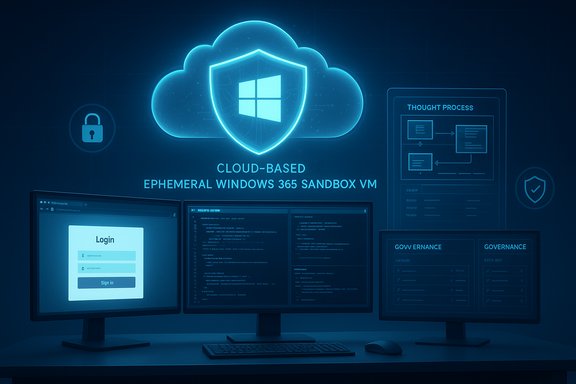
Cloud-based ephemeral Windows 365 Sandbox VM with a login screen across multiple monitors.Background / Overview​

Researcher is one of Microsoft 365 Copilot’s “deep‑reasoning” agents, designed to synthesize tenant content, connectors, and web sources into structured outputs such as reports and presentations. Historically, Researcher (and similar agents) were limited when the needed information sat behind interactive web UIs or paywalls without APIs. Microsoft’s Computer Use capability closes that gap by giving Researcher an isolated execution environment — a temporary, Windows 365‑backed virtual machine — that serves as the agent’s computer within the Microsoft Cloud. The agent can then perform multi‑step UI work and short code execution while streaming progress back to the user as a visual chain of thought. Microsoft has introduced Computer Use both inside Copilot Studio (for authoring and testing agent flows) and directly in the Researcher agent inside Microsoft 365 Copilot. The feature is currently rolling out via Microsoft’s preview/Frontier channels and — where available — requires tenant administrators to opt in and configure policy controls.

How Computer Use operates​

The ephemeral sandbox and its components​

  • When the Researcher model decides an action is required (for example: fill a form, navigate to an authenticated site, or run a script), it triggers Computer Use, which provisions a temporary virtual machine running on Windows 365. That VM functions as the agent’s cloud PC for the conversation and is network‑isolated from the corporate intranet and the user device by default.
  • The sandbox exposes a set of controlled tools to the model:
  • A visual browser for pixel‑level interaction (clicks, typing, scrolling).
  • A text browser for faster, structured extraction when pixel precision isn't needed.
  • A terminal/command‑line shell to execute short scripts, run data transforms (Python/R), or test generated code safely.
  • A virtual input layer that simulates mouse movements and keystrokes under a textual control channel, producing a recorded trace of actions.

Observability: the visual chain of thought​

A key design decision is transparency. Researcher streams periodic screenshots, terminal outputs, and search visuals back to the user so they can watch the agent’s decisions and actions in near‑real time. Microsoft calls this the visual chain of thought — an auditable, human‑inspectable trace that supports pausing, taking control, or aborting the session. This is intended to replace opaque “background automation” with a human‑in‑the‑loop model.

Authentication, credentials, and secure handover​

The sandbox never receives plaintext user credentials. When the agent reaches a sign‑in step, the system prompts the user to enter credentials directly into the sandbox via a secure screen‑sharing or secure entry flow; the model cannot read or persist the password. Administrators can also permit credential vaulting for pre‑approved service accounts where appropriate. The default tenant policy disables access to enterprise data during Computer Use runs; tenant admins can explicitly enable chosen work sources.

Network safety and content validation​

Every outbound navigation or terminal network call is inspected by a safety classifier that checks domain safety, validates relevance to the task, and analyzes content type (image, binary, or text). Administrators can also supply allow/deny domain lists. These protections aim to reduce attack vectors such as XPIA (cross‑page injection attacks) and jailbreaks that might be attempted via dynamic web content.

Ephemerality and auditability​

The VM is ephemeral by design: state and intermediate files are discarded at the end of the session unless the organization’s retention policy explicitly permits artifact preservation for audit or debugging. Final outputs produced at the end of a chat turn are auditable in the same way as other Microsoft 365 Copilot artifacts. Administrators can govern who in the tenant may use Computer Use and whether it may combine enterprise and web data.

Practical use cases enabled today​

Microsoft and reviewers point to several immediate, concrete scenarios where Computer Use moves the needle:
  • Market and competitor research that requires crawling paywalled analyst reports or dashboards with no API access — Researcher can log in (with user consent), scrape, and synthesize results into a briefing.
  • Preparing customer or prospect intelligence by combining social, gated, and internal CRM data into an authoritative meeting packet.
  • Turning research findings into deliverables — e.g., having the agent assemble a PowerPoint from gathered sources and internal documents, reducing the manual handoff between researcher and presenter.
  • Legacy system automation where there is no API: automating multi‑page forms or legacy portals to speed processes like invoice reconciliation or AP workflows.
  • Safe code testing: when Researcher generates short scripts, it can run them inside the contained terminal to validate outputs without risking the host environment.
These are not hypothetical; product notes and early previews position Computer Use as an enterprise‑grade evolution of robotic process automation (RPA) designed for observability and governance.

Verification of key product claims​

  • The sandboxed environment is hosted on Windows 365 and is provisioned per session; Researcher’s Computer Use uses a virtual browser, text browser, and a terminal, and streams screenshots as it works. This is explicitly documented in Microsoft’s community and Copilot blog posts and in Microsoft Learn’s FAQ.
  • Computer Use rolled out via Microsoft’s Frontier/preview channels and is available to Microsoft 365 Copilot licensed customers who opt into the preview program. Microsoft’s support and blog posts note staged availability and admin opt‑in controls.
  • The feature emphasizes admin governance (allow/deny domain lists, enable/disable for security groups), credential vaulting/secure handover, and full auditing of browser actions and final files. These admin controls are enumerated in Microsoft’s product documentation.
  • Independent press coverage confirms the user‑visible features and the general approach — framing Computer Use as a platform for agents to operate UIs when APIs aren’t available — with hands‑on previews describing the visual chain of thought and ephemeral VM approach.
Where product marketing makes performance or reliability claims (for example, percentages of improvement in benchmarked browsing or automation tasks), those numbers remain provisional until independent benchmark reproduction is available; public press has sometimes reported vendor figures that have not yet been fully reproduced. Treat early benchmark percentages as indicative, not definitive.

Strengths and upside​

  • Practical closure of the “UI gap”
  • Computer Use directly addresses the central blocker for many agent workflows: data behind GUIs and legacy portals without APIs. That reduces manual steps in high‑value workflows and accelerates time to insight.
  • Observable automation
  • The visual chain of thought and live screenshots make the agent’s reasoning and actions inspectable by humans — a significant improvement over invisible background automation and a better fit for regulated environments.
  • Safer in‑situ code testing
  • The ephemeral VM/terminal lets Researcher validate small scripts or data transformations without exposing the corporate endpoint to potential malware or breakage. This supports faster iteration for data workflows and analysis.
  • Governance alignment
  • Built‑in admin controls, allow/deny lists, tenant‑level enablement, and audit trails are all designed to make the capability deployable in enterprise contexts where compliance and traceability matter.
  • Low barrier for RPA‑style tasks
  • Organizations can create agentic flows for UI automation without heavy upfront RPA infrastructure investment; Copilot Studio exposes Computer Use as a first‑class tool to treat GUIs as programmable surfaces.

Risks, tradeoffs, and what administrators must plan for​

The innovation is powerful but raises new operational responsibilities. Key risks and mitigations:
  • Expanded attack surface
  • Risk: Any agent that can click, type, and navigate authenticated sessions increases potential vectors for abuse or exploitation (sandbox escape, malicious agent definitions).
  • Mitigation: Treat the sandbox and its browser engine as production attack surface — apply timely patching, vulnerability scanning, and restrict Computer Use only to vetted groups during pilots. Keep incident response plans updated to include sandbox runtime incidents.
  • Credential and session risk
  • Risk: Even with secure handover, sessions driven by automation create privileged remote sessions that could be misused via social engineering.
  • Mitigation: Enforce MFA for all sign‑ins, limit credential vault usage to service accounts with least‑privilege scopes, and ensure secure handover UX prominently signals when the user is entering credentials for an agent session. Log every sign‑in event and map it to user approval.
  • Fragility of UI automation
  • Risk: UIs change; automated flows that rely on element locations or labels can silently fail or perform incorrect actions.
  • Mitigation: Use Copilot Studio testing workflows, add defensive checks inside agent flows (confirmations, checksum validations), maintain automated test suites for critical forms, and require human sign‑off for high‑impact actions. Monitor failure rates and roll back or disable brittle agents.
  • Data leakage and compliance
  • Risk: If connectors, memory, or retention policies are misconfigured, outputs extracted in the sandbox could be stored in locations that violate retention or DLP rules.
  • Mitigation: Ensure DLP policies and Purview controls are extended to Copilot outputs, restrict which work sources can be combined with web sources in Computer Use, and configure retention/retention exemptions carefully. Exportable, immutable logs should be hooked into SIEM for audit and eDiscovery.
  • Cost and operational overhead
  • Risk: Provisioning many ephemeral VMs for long sessions can generate significant cloud spend.
  • Mitigation: Model expected usage, apply quotas, tag runs for chargeback, and limit runtime durations. Prefer text browser and extraction modes for heavy‑volume tasks where possible.
  • Cross‑cloud data routing and vendor governance (if multi‑model)
  • Risk: Models or services used by Copilot (e.g., Anthropic models or third‑party connectors) may be hosted outside an organization’s preferred cloud region, affecting compliance and billing.
  • Mitigation: Map inference and data paths in the tenant, require admin approvals for third‑party models, and review contractual data processing terms for any model hosts.

Recommended rollout and governance playbook​

  • Start small with controlled pilots
  • Enable Computer Use only for a limited pilot group and a short list of approved domains and tasks. Use these pilots to validate reliability, security, and cost assumptions.
  • Define allow‑lists and deny‑lists
  • Restrict agents to approved websites and legacy apps. Block access to sensitive internal workflows until control and auditability are proven.
  • Integrate logs into security telemetry
  • Forward browser screenshots, terminal outputs, and action traces (audit logs) into security logging and eDiscovery tools for ongoing monitoring and compliance.
  • Enforce credential hygiene
  • Require MFA and centralized vaulting for service accounts; disable user credential transfer and use secure handover for interactive logins.
  • Require human‑in‑the‑loop for high‑impact actions
  • Configure agent flows so that any action with financial, legal, or production impact requires explicit human confirmation.
  • Monitor reliability metrics
  • Track success/failure rates for UI automations, timeouts, and re‑tries. Use those metrics to tune agent flows and identify brittle automations.
  • Model and control costs
  • Apply quotas, runtime caps, and chargeback tagging to ephemeral VM use. Prefer lighter extraction tools for volume work.
  • Regularly reassess risk posture
  • Treat the sandbox runtime as a first‑class part of the attack surface and include it in periodic security reviews and penetration testing.

Where this places Microsoft and the market​

By fusing deep reasoning with controlled action, Microsoft moves Copilot into the domain of digital labor — agents that not only inform but execute. This plays well to Microsoft’s strengths: a ubiquitous productivity stack (Office, Teams), tenant‑level governance (Entra, Purview), and cloud infrastructure (Windows 365). The approach is also consistent with broader industry trends where major vendors embed “computer use” or operator capabilities into agent platforms to close the “UI gap.” Early independent reporting and Microsoft’s own documentation both confirm the design choices: ephemeral Windows 365 VMs, visible chains of thought, admin controls, and staged preview rollouts. For enterprises the proposition is compelling — and practical — but adoption will hinge on operational discipline. Success stories will come from organizations that pair ambitious automation goals with conservative governance and robust telemetry. Conversely, poor governance could turn a productivity multiplier into a security and compliance headache.

Final assessment​

Researcher with Computer Use is a major, pragmatic step toward agentic automation in the enterprise. It solves a concrete problem — accessing and acting on information behind GUIs and paywalls — while embedding observable controls that make automation auditable and governable. The feature’s design acknowledges the tradeoffs: ephemerality, secure credential handover, allow/deny lists, and safety classifiers are all explicit concessions to safety and compliance. That said, organizations must approach adoption like any new runtime: pilot deliberately, enforce least privilege, integrate outputs with existing compliance tooling, and measure reliability and costs. When managed prudently, Computer Use turns Researcher from a capable research engine into an accountable digital worker — a change that promises substantial productivity gains for enterprises willing to do the governance work required to deploy it safely.

Acknowledgement of sources and verification: the technical details and operational claims in this analysis are grounded in Microsoft’s official Copilot blog posts and support docs describing Computer Use and Researcher, supplemented by independent press coverage and technical previews; product availability is rolling via preview/Frontier channels and admin opt‑in is required.
Source: Cloud Wars With Addition of Computer Use, Microsoft Empowers Researcher Agent To Take Actions
 

GTS Dynamics’ director Dean Cowell’s assessment that “growth has been strong” captures a concise truth about a small but increasingly visible player in the Microsoft partner ecosystem, yet the remark also opens a wider conversation about what “growth” actually means for a modern managed service provider that mixes ERP, eCommerce and MSP services. This feature examines the company behind the quote, maps the business model and market forces that power its momentum, verifies statements against public records and event coverage, and offers a measured assessment of the strengths, risks and implications for customers, partners and the wider channel.

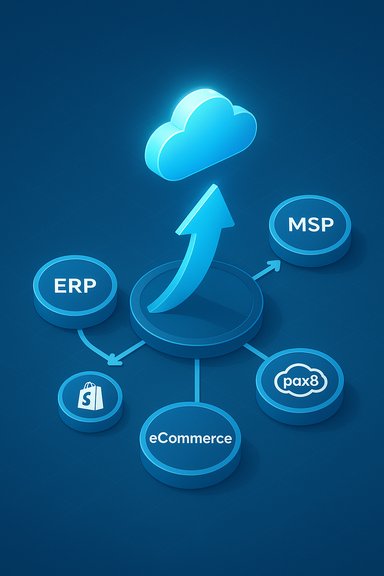
Cloud-based integration hub linking ERP, MSP, eCommerce, Shopify and Pax8.Background: who are GTS Dynamics and Dean Cowell?​

GTS Dynamics presents itself as a focused provider of Microsoft Dynamics 365 Business Central implementations, eCommerce integrations (notably Shopify), and managed services that aim to keep customers “moving forward” after go‑live. The company is structured around a simple value proposition: Analise → Design → Deploy — and then remain part of the client’s business as ongoing partners for optimisation and growth. That positioning is explicit on the firm’s website and in company profile listings. Dean Cowell is listed as the company’s director and founder on GTS Dynamics’ public pages and corporate profiles. Business registry and brand-profile aggregators corroborate his role at Golden Thread Solutions Ltd, the operating company behind GTS Dynamics, and public business directories show the firm’s Newbury, UK presence. These records confirm the leadership identity central to the “growth has been strong” claim.

Where the quote comes from — event coverage and Channel commentary​

The quote in the user-supplied headline appears tied to event interviews and partner conference coverage where Cowell and other MSP leaders discussed partner models, Pax8 engagement and the evolving managed‑service/operator landscape. Channel event reporting that quotes Cowell highlights his commentary on evolving MSP models, Pax8 relationships and agent-led delivery strategies — core themes for a company blending ERP and MSP offerings. While the specific Channelweb article URL provided may not load (some pages are removed or relocated over time), Channelweb’s coverage of partner events and quoted remarks from Cowell exist in nearby reporting and event write-ups, which together corroborate the substance of the quote. Readers should note that when single web pages vanish, corroboration across multiple related articles and the company’s own disclosures is the best way to verify quoted perspectives.

Overview: business model, services and partner ecosystem​

GTS Dynamics operates at the intersection of three adjacent channel vectors:
  • ERP implementations — focused on Microsoft Dynamics 365 Business Central as the core ERP/finance backbone for SMBs and mid‑market customers;
  • eCommerce integrations — Shopify integration and storefront-to‑ERP connectivity to create “order to cash” automation; and
  • Managed services / MSP functions — operational support, ongoing managed service engagements, and partner‑led provisioning via distribution marketplaces such as Pax8.
This triad allows the business to pitch both one‑off projects (migrations, ERP deployments) and recurring revenue (managed services, subscriptions, support). That hybrid is a common—and sensible—strategy for small specialist partners who want predictable revenue while retaining project‑led cash injections. GTS’s website emphasizes this combined capability, and event interviews reinforce their market emphasis on partner‑led distribution and agent strategies.

Why Microsoft Dynamics 365 Business Central matters here​

Business Central remains a primary ERP choice for SMBs seeking cloud‑native finance, inventory and operations tooling deeply integrated with the Microsoft stack. For implementation partners, expertise in Business Central provides:
  • a defensible niche and repeatable implementation playbook;
  • upsell pathways into support, customisation and integration projects; and
  • strong co‑sell and marketplace opportunities within the Microsoft ecosystem.
GTS Dynamics explicitly markets Business Central expertise as a core pillar of its service catalogue, which is an important signal: Dynamics Business Central continues to be actively adopted by small and mid‑sized companies as they modernise legacy NAV or on‑premise ERP deployments. That demand helps explain the “growth” narrative Cowell referenced on the channel event circuit.

Verifying the claim: “Growth has been strong”​

When assessing a CEO or director’s claim that growth has been strong, a journalist must differentiate between reputational growth (more visibility, event invites, partner recognition) and quantifiable financial or customer‑count growth. For GTS Dynamics:
  • Company materials and event quotes reflect increased activity, partnership engagement and a broader service footprint, which are visible indicators of momentum.
  • Public financials (turnover, profit) for the micro‑business are not widely published. Endole and company‑registry snapshots show a small, recently incorporated operation; publicly reported turnover figures are unreported or limited, which makes independent verification of revenue growth difficult without company disclosure. This gap is common for small private firms but important context when interrogating “growth” claims.
  • Event coverage (Pax8 and partner reports) confirms rising profile, active participation in MSP and marketplace conversations, and direct quotes indicating expansion of service models — which supports a qualitative reading of growth.
Conclusion on verification: Cowell’s statement is supported by public-facing indicators of momentum (partnership activity, event presence, product positioning) but lacks readily accessible, granular financial disclosure in public registries that would allow independent, quantitative confirmation of revenue or ARR growth. This is a normal verification boundary for small private channel businesses; it warrants cautious acceptance of qualitative growth while flagging the absence of transparent financial numbers. Treat the “growth has been strong” claim as credible on qualitative grounds (market traction and partner validation), but unverified in absolute financial terms due to limited public reporting.

Strengths: what makes GTS Dynamics’ position credible​

  • Microsoft alignment and product focus
    Focusing on Business Central and the Microsoft ecosystem means access to established go‑to‑market pathways, technical partner resources, and a large installed base looking to modernise. That alignment is a strategic advantage for a small partner able to deliver end‑to‑end ERP + eCommerce integrations.
  • Hybrid revenue model
    Combining project work (migrations and integrations) with recurring managed services and marketplace offerings (Pax8) reduces the single‑source risk of pure project dependency and enables predictable revenue streams as customer portfolios mature. Event commentary shows GTS is leaning into agent-based and marketplace delivery channels — a modern route to scale.
  • Founder‑led domain expertise
    Founder/director leadership is visible and vocal at partner events; this founder visibility often helps small firms win trust with customers and partners who prefer clear accountability and continuity during complex ERP and eCommerce projects. Public pages and registries confirm the founder’s active role.
  • Practical, productised services
    The company’s stated methodology (Analyse → Design → Deploy) and emphasis on keeping customers post‑go‑live indicate a productised, repeatable service model — a necessary ingredient for scaling professional services beyond single customised engagements.

Risks and exposure: what keeps a buyer or partner cautious​

  • Limited public financial transparency
    For small private partners, lack of published turnover or audited accounts makes it difficult for customers or channel partners to measure long‑term viability or to benchmark growth claims. Procurement teams that require vendor stability evidence should request financial or contract references during procurement.
  • Concentration on Microsoft ecosystem
    Alignment with Microsoft brings many advantages, but it also concentrates dependency. Platform shifts (feature parity added by Microsoft out‑of‑the‑box), licensing changes, or shifts in partner economics (for example, Microsoft placing more functionality into standard licensing) can compress margins and reduce the scope for differentiated services. Partners must therefore continually demonstrate unique added value, particularly around integrations, automation and vertical specialisation.
  • Channel competition and marketplace dynamics
    Marketplaces like Pax8 and other distributors democratise access to cloud services but also increase competition and pricing transparency. A small partner must excel in delivery, referenceability and niche specialisms to defend pricing and client tenure. Event coverage indicates GTS Dynamics is actively engaging with Pax8 and the agent model — a smart strategy — but that path requires scale or strong differentiation to remain profitable at higher volumes.
  • Operational scale risk
    Implementation partners encounter scaling challenges when moving from single‑digit teams to mid‑size operations: recruitment, consistent delivery quality, and project governance become material constraints. GTS’s outward messaging stresses repeatable methods, but buyers should validate delivery maturity (SLAs, references, case studies) before committing to large transformation programmes.

Market context: MSPs, MIP, and why the agent movement matters​

Channel and event discussions in recent months have focused on a structural shift: MSPs evolving either into Managed Independent Providers (MIPs) or creating sister companies to handle new marketplace‑driven roles. This agent movement — where partners develop agent networks that can execute discrete tasks within the client estate — is aimed at unlocking revenue, improving margin leverage and accelerating service delivery without proportional headcount increases. Dean Cowell’s remarks at Pax8 events underscore this trend and indicate GTS Dynamics is exploring agent-based delivery as a strategic lever. Why this matters for buyers and partners:
  • Agent models can improve delivery velocity and unit economics, but they increase vendor management complexity (training, compliance, quality control).
  • Marketplaces (Pax8, vendor app stores) reduce friction for procurement, but they often shift price sensitivity to the buyer.
  • For ERP and eCommerce projects, agent approaches must be tightly integrated with robust project governance to avoid fragmentation.
GTS’s public commentary shows awareness of these trade‑offs and a pragmatic posture toward adopting marketplace-led and agent-enabled techniques while preserving service quality.

Practical guidance for customers, partners and potential investors​

  • For procurement teams considering GTS Dynamics:
  • Request recent client case studies and references for Dynamics 365 Business Central migrations and Shopify integrations.
  • Ask for formal SLAs and post‑go‑live support packages; verify the team sizes and escalation procedures used on comparable projects.
  • Where financial stability is a concern, consider staged delivery and holdback-based payment terms tied to milestone acceptance.
  • For prospective channel partners or distributors:
  • Evaluate productised service offers and partner enablement infrastructure (training material, automation tools, onboarding playbooks).
  • Look for proof that the partner can orchestrate multi‑vendor stacks and agent networks without loss of accountability.
  • For investors or M&A scouts:
  • Demand transparent financials (revenue run‑rate, margin profile, backlog) before ascribing enterprise value to any “growth” claim.
  • Validate recurring revenue as a percentage of total revenue (higher recurring proportions lower valuation risk).
These practical checks align with the observed public signals: event presence and product positioning indicate traction, but independent, verifiable financial and operational metrics are the difference between marketing claims and durable business performance.

Opportunities: where GTS Dynamics can accelerate sustainably​

  • Deep verticalisation — target a handful of industry verticals (manufacturing distribution, wholesale, retail) where Business Central plus Shopify integrations solve repeatable, high‑value problems.
  • Productised integration packs — develop pre‑built connectors, mappings and test harnesses for common eCommerce → Business Central flows to reduce implementation time and cost.
  • Managed Business Central — move beyond break/fix to outcome‑based managed offerings (revenue per order processed, inventory accuracy SLAs) to capture more of the business value created.
  • Marketplace and co‑sell expansion — use Pax8 and Microsoft marketplaces for distribution while creating unique value bundles (ERP + eCommerce + managed security) that are hard to replicate by pure marketplace competitors.
Each of these moves would compound the momentum suggested by the “growth has been strong” statement and create clearer, verifiable revenue streams that attract longer-term customers and partners.

What to watch next — a checklist for verifying ongoing claims of growth​

  • Recurring revenue ratio — what percentage of revenue comes from managed services vs. project work?
  • Customer count and logo churn — is the company adding net new customers each quarter and retaining them?
  • Average deal size and implementation velocity — are deals becoming larger and faster due to productised offerings?
  • Partner pipeline and marketplace traction — number and quality of marketplace listings, co‑sell wins, and Pax8/marketplace referral volume.
  • Public financial indicators — turnover, cash position or audited figures if the company chooses to disclose them.
Ask the vendor for these metrics when evaluating claims of momentum; absent them, treat growth as qualitatively plausible but quantitatively unspecified.

Critical analysis — strengths balanced against real-world risk​

GTS Dynamics appears to be doing many of the right tactical things: focusing on a high‑demand platform (Business Central), integrating eCommerce flows (Shopify), and engaging with modern distribution channels (marketplaces and the agent model). The company’s founder‑led profile and visible participation in events lend credibility and a narrative of upward momentum that matches Cowell’s assertion that “growth has been strong.” Event coverage and the company’s online presence corroborate the qualitative components of the claim. However, small private partners must always be judged by both their market traction and their ability to scale operationally and financially. The absence of public financial disclosure, the high dependency on platform ecosystems and the structural changes marketplace dynamics bring to pricing and competition all temper the enthusiasm that the word “strong” invites. Translating reputational growth and rising event presence into predictable, margin‑accretive recurring revenue is the critical next step — and the most informative signal for customers, channel partners and buyers.

Final verdict​

Dean Cowell’s short appraisal — “growth has been strong” — is a defensible summary of GTS Dynamics’ current trajectory when read as a reflection of market traction, expanded partnerships and visible activity in partner forums. Those are meaningful indicators for a young, founder‑led partner that is actively modernising its delivery model. That said, prudence requires recognizing the limits of public verification: financial transparency and objective performance metrics are scarce in public registries for the firm, so stakeholders should treat the claim as qualitatively credible and quantitatively under‑documented until the company supplies verifiable financial or operational KPIs.
For customers and partners, the practical approach is straightforward: validate references, ask for concrete SLAs and delivery metrics, and structure engagements that protect both parties while allowing GTS Dynamics to demonstrate that qualitative momentum converts into reliable, recurring business results. For GTS Dynamics, converting event-driven profile into documented, recurring revenue will be the key to making “growth has been strong” an indisputable fact rather than a promising signal.

Quick reference — SEO-friendly keywords used in this feature​

  • GTS Dynamics
  • Dean Cowell
  • Microsoft Dynamics 365 Business Central
  • Shopify integration
  • managed service provider (MSP)
  • Pax8 marketplace
  • ERP migration
  • agent model / MIP
(Use these terms when searching for more detail on provider capabilities, case studies, or partner announcements.

Source: Channelweb https://www.channelweb.co.uk/news/2025/gts-dynamics-dean-cowell-interview/
 

Back
Top