

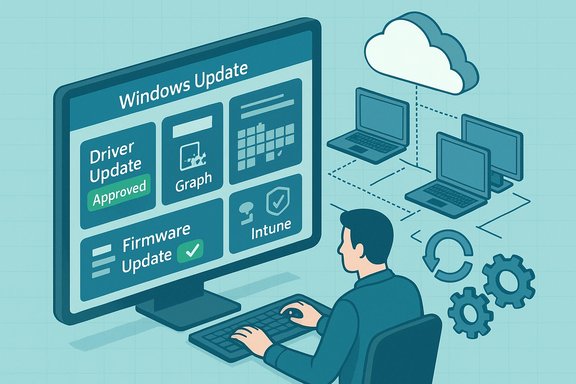
Microsoft’s announcement of a commercial deployment service for driver and firmware updates — first teased in 2021 and now baked into Intune’s driver update policies and Microsoft Graph workflows — fundamentally changes how enterprises control, approve, and monitor device-level updates from Windows Update. The move replaces opaque, opportunistic driver pushes with a managed, auditable pipeline that surfaces applicable driver/firmware candidates, lets administrators approve or pause them, schedules targeted rollouts, and produces install outcome reporting — a feature set that will reduce surprise regressions, simplify compliance, and let modern patch orchestration include device firmware as a first‑class managed artifact.
Background
Microsoft published the initial technical overview in early March 2021, framing the capability as a new deployment service to let IT administrators “browse all drivers on Windows Update” and decide which updates to deploy, to which devices, and when. At the time, Microsoft promised a private preview followed by broader availability in Intune and the Microsoft Graph. Industry outlets picked up the announcement immediately, describing it as a long‑needed bridge between OEM driver publishing practices and enterprise control planes. Over the past years Microsoft has worked to operationalize that vision. The concepts sketched in the 2021 post — per‑driver approvals, scheduling, reporting, and co‑management compatibility for Configuration Manager customers — now appear in production documentation for Intune’s Windows Driver updates policies and in Microsoft’s management APIs. The productization means administrators can now manage drivers via the Intune admin center, use bulk approvals, and automate approvals and reporting through Graph APIs.What the deployment service delivers
Core capabilities (what admins get)
- Driver visibility and matching: The service shows driver and firmware update candidates published to Windows Update that are applicable to devices in scope, based on Microsoft’s matching logic. This includes manufacturer‑published drivers and firmware artifacts that target specific hardware IDs.
- Per‑driver approval workflow: Administrators can set policies that require either manual approval for each new driver version or automatic approvals for recommended updates, with the ability to pause or decline specific updates. Approved updates are the only ones offered to managed devices.
- Scheduling and deferral: Approvals can be scheduled (for example, to align with monthly Patch Tuesday), enabling centralized timing control to reduce unexpected reboots or conflicts with other updates.
- Bulk operations: Bulk approve, pause, or decline actions simplify policy administration across many updates at once (with practical selection limits to guard against mistakes).
- Reporting and telemetry: Reporting shows which devices are applicable for an update, how many installed it, and installation outcomes — a crucial tool for risk assessment and rollback planning. Note that certain reporting features require Windows diagnostic data to be enabled in the tenant.
- Co‑management and legacy preservation: Configuration Manager customers can adopt a co‑management path that limits cloud scanning to drivers only, preserving existing WSUS/ConfigMgr deployments for other update classes while benefiting from driver management features.
How it differs from previous workflows
Historically, enterprises handled drivers through a mixture of vendor updater tools, the Update Catalog, WSUS (with limited driver sync abilities), and manual imaging. Those processes were either all‑or‑nothing (allowing any driver offered by Windows Update) or entirely manual and brittle. The deployment service provides structured review, scheduling, and telemetry inside the management plane — effectively applying standard change‑control practices to driver servicing.Why sysadmins should care: benefits and real operational wins
- Reduced surprise regressions. By surfacing candidate updates and requiring approval, the service stops unexpected OEM driver pushes from rolling out without IT review — a frequent source of mass regressions and helpdesk storms.
- Better alignment to release windows. Scheduling allows teams to align driver installs to maintenance windows (or to avoid them), lowering the operational complexity of coordinating driver and quality updates.
- Single pane for driver lifecycle. The Intune driver policies provide a single inventory of “available” driver versions for a device group; IT no longer needs to assemble ad hoc lists from disparate OEM sites or rely on end users to report driver versions.
- API automation and reproducible policies. With Microsoft Graph surface area, change control can be automated: detect new recommended driver, run automated tests in a lab ring, then approve via script if checks pass. This supports canary/pilot deployments at scale.
- Security and firmware coverage. Because Microsoft includes firmware as part of the driver/firmware term set, firmware fixes that address critical vulnerabilities become manageable through the same approval and scheduling workflows instead of being left to fragmented OEM tooling.
Notable technical details administrators must verify
- Windows Update will install a driver only when the update’s version is newer than the version currently on the device — the service prevents accidental downgrades. Administrators should still verify version semantics in the vendor-provided metadata because names can be duplicated across versions.
- Policies maintain two driver lists: Recommended drivers and Other drivers. Recommended updates can be auto‑approved (if the policy is set that way) and will respect the policy’s deferral settings; non‑recommended updates arrive with a Needs review status.
- Some driver/firmware updates require pre‑conditions (for example, secure firmware update channels, or BIOS/UEFI prerequisites). Updates published to Windows Update that change firmware are required to use Microsoft’s secure update mechanisms to avoid requiring manual BIOS unlocking on a per‑device basis. Administrators should confirm vendor notes for firmware prerequisites.
- Tenant‑level diagnostic settings must allow Windows diagnostic data collection for reporting to function fully; this has privacy and compliance implications for regulated environments.
Risks, sharp edges, and operational caveats
1. Metadata quality and OEM discipline
The deployment service depends on vendor-supplied metadata (class names, hardware IDs, publisher semantics). When metadata is incomplete or inconsistent, driver classification and friendly names can be ambiguous — which increases the burden on admins to validate packages before approval. In practice, inconsistent OEM metadata has been the single largest source of classification and matching confusion.2. Automation fragility and reporting drift
Organizations that previously parsed update display names in scripts or SIEM connectors may see those scripts break as Microsoft and OEMs normalize titles. The recommended mitigation is to switch automation to consume canonical identifiers (KB/package GUID, manifest hashes, or Graph metadata) rather than free‑form titles.3. Visibility lag and driver “aging out”
Driver versions can be added, superseded, or removed from a policy list as devices report in and as OEMs publish new versions. Because policies show a live view of available driver versions, a previously‑visible update can disappear once superseded or if it’s no longer applicable — administrators must track approval state and device applicability carefully.4. Firmware and BIOS special cases
Firmware updates that require BIOS/UEFI interactions may still suffer from vendor‑specific constraints (password‑locked firmware, vendor-specific secure update paths). Microsoft’s docs state that updates published to Windows Update include mechanisms to perform secure firmware updates without requiring BIOS unlock, but teams should validate vendor behavior in lab pilots before broad rollout. Treat firmware more cautiously than ordinary drivers.5. Telemetry, privacy, and regulated environments
Driver reporting depends on Windows diagnostic data and tenant settings. For organizations constrained by privacy or regulatory rules, enabling the necessary telemetry for reporting may require legal review and adjusted data retention policies.6. Coexistence with existing management systems
Configuration Manager customers are supported via co‑management scenarios, but co‑management introduces complexity: devices could receive multiple policies, and approval semantics across policies need careful governance (approved status wins if a device is targetted by multiple policies). Keep device-policy membership simple to avoid unintended installs.Practical rollout playbook for driver and firmware deployment (180‑day plan)
- Inventory and classification (Day 0–14)
- Catalog hardware models, critical peripherals, and driver dependencies. Export existing driver packages for high‑value machines (pnputil /export-driver) to preserve rollback options.
- Policy design and RBAC (Day 7–30)
- Create a small number of driver update policies in Intune: one for pilot devices (manual approval), one for pre‑production, and one for broad deployment (consider automatic approval for vetted “recommended” OEM updates). Restrict management to a small set of administrators with RBAC roles that include driver policy permissions.
- Pilot (Day 30–60)
- Enroll a small, hardware‑diverse pilot group. Validate driver matching, confirm reporting works, test firmware update paths, and verify rollback procedures. Treat firmware updates as separate pilots.
- Expand by hardware family (Day 60–120)
- Use bulk approve actions to stage updates for complete families once pilot telemetry is acceptable. Schedule approvals to align with maintenance windows. Monitor intently for user tickets and telemetry signals.
- Operationalize automation (Day 90–150)
- Integrate Microsoft Graph calls into test automation: detect new recommended updates, run lab validation, and then trigger approvals. Maintain human oversight gates for firmware.
- Continuous review and documentation (Ongoing)
- Keep runbooks updated, archive golden images for rollbacks, and codify decision gates that determine which updates are auto‑approved vs manual. Maintain a tight feedback loop with OEMs for metadata fixes.
Integration and automation: Microsoft Graph and orchestration
The management surface exposes driver‑policy controls for scripting and automation. Use cases include:- Detecting new recommended driver updates and queuing them for an automated validation pipeline.
- Triggering a bulk approval with a scheduled availability date after a successful validation run.
- Building dashboards that correlate driver install success/failure with helpdesk tickets and application telemetry.
What changed since the initial announcement (a reality check)
The original 2021 announcement promised a private preview and a second‑half‑of‑year expansion to Intune and Graph. That timeline was the public roadmap then; in the years since, Microsoft has progressively surfaced the driver management capabilities in Intune, added richer policy controls and reporting, and extended documentation that explains policy mechanics and limitations. The public documentation and product UI now present working policy controls, bulk actions, and reporting that align with the original vision — but the path from preview to enterprise readiness required iterative improvements in metadata handling, reporting, and firmware security practices. Treat the 2021 timeline as historical context; the modern operational guidance and feature set are found in Microsoft’s Intune documentation and the Windows driver update policy pages.Vendor and OEM responsibilities (what partners must do)
This system only succeeds if OEMs and driver publishers adopt consistent metadata practices:- Publish consistent hardware IDs and driver class metadata so Windows Update matches drivers to the correct devices reliably.
- Clearly mark recommended driver updates that are safe for broad deployment and provide release notes that highlight firmware prerequisites.
- Supply firmware update logic compatible with Microsoft’s secure firmware update mechanisms to avoid requiring BIOS unlocks or manual intervention.
Final assessment — strengths and remaining gaps
Strengths- The deployment service aligns driver and firmware servicing with modern change control: approvals, scheduling, pilot rings, and reporting. Administrators gain a single control plane for artifacts that historically lived in fragmented channels.
- Integration with Intune and Graph enables automation and transparent policy management, reducing the manual toil around driver rollouts.
- Firmware included as a managed asset improves security posture by making critical firmware fixes subject to the same governance as OS and application patches.
- Metadata quality remains a practical constraint; inconsistent vendor data reduces the usefulness of UI labels and can drive extra manual verification.
- Reporting requires tenant telemetry to be enabled, which may clash with regulatory or privacy requirements in some organizations.
- Edge cases remain for air‑gapped or highly regulated devices that require offline driver distribution and stricter change control than cloud‑based policies allow. For those, Device Driver Packages and traditional WSUS/ConfigMgr processes remain necessary.
Bottom line and recommended next steps for IT teams
Microsoft’s driver and firmware deployment service is not merely a convenience — it’s an operational leap that applies enterprise‑grade control and observability to a class of updates that historically caused many of the biggest post‑update headaches. The service delivers clear benefits, but it also raises governance and metadata requirements that IT teams must address.To adopt safely:
- Start with a hardware‑diverse pilot and keep firmware updates separate from general driver tests.
- Switch tooling and scripts to use package IDs, manifest hashes, and Graph metadata rather than parsing display titles.
- Require RBAC and approval gates for firmware updates and maintain rollback images that include pre‑update driver/firmware states.
- Engage OEMs for better metadata and clearer firmware guidance — vendor cooperation makes the difference between a painless rollout and a costly regression.
Acknowledgement: The Microsoft Tech Community announcement introduced the feature set and roadmap; Microsoft’s Intune documentation now details the production behavior of Windows Driver updates policies and operational requirements. Independent reporting and community playbooks provide practical rollout guidance and flag metadata and privacy considerations that administrators should plan around.
Source: BetaNews Microsoft's new driver and firmware update deployment service is a sysadmin's dream
