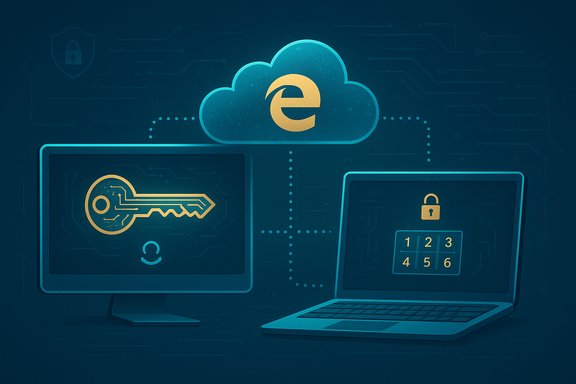
Microsoft has added built‑in passkey saving and cross‑device synchronization to Microsoft Edge’s Autofill (Microsoft Password Manager), enabling Windows desktop users to create, store and sync FIDO2/WebAuthn passkeys across Windows PCs signed into the same Microsoft Account — a change rolling out with Microsoft Edge 142 that folds cloud‑backed passkeys into Edge’s password‑management surface while preserving Windows Hello for local user verification.
Background
Passkeys are the standardized, phishing‑resistant replacement for traditional passwords: they use public‑key cryptography (the FIDO2/WebAuthn family of standards) so sites store only public keys while private keys remain with the user’s authenticator. That model eliminates shared secrets that can be leaked or phished, and it shifts the authentication moment to a device—often protected by biometrics or a PIN—rather than a typed password. Microsoft’s Edge addition addresses the biggest practical friction in the passkey story: portability between devices. The new capability is part of a broader Microsoft strategy that has been consolidating consumer credential storage into the Edge / Microsoft Account ecosystem. Microsoft previously moved password autofill out of the Authenticator app toward Edge and the Microsoft Account, and Edge’s passkey sync is a logical next step in that consolidation. Independent tech coverage and Microsoft’s own documentation confirm that the planned consolidation aims to make passwordless sign‑in the default consumer experience while offering a cloud backup for passkeys.What changed in Edge 142: feature snapshot
- Edge version required: Edge 142 (or newer).
- Platform at initial rollout: Windows desktop (Windows 10 and later).
- Account requirement: Signed‑in Microsoft Account (MSA) for cloud sync of passkeys.
- Local authentication: Windows Hello (biometrics or device PIN) is used to unlock and use local credentials.
- Cloud protection: saved passkeys are encrypted for storage in Microsoft Password Manager and protected by a separate Microsoft Password Manager PIN; new devices have up to ten PIN attempts for initial unlock.
- Logging & integrity: Microsoft records unlock and PIN reset attempts with integrity protections. Microsoft describes immutable logging using Azure Confidential Ledger for those events.
How it works: the mechanics in plain terms
Creating and saving a passkey in Edge
- Visit a site that supports passkeys and choose the site’s “Create passkey” or equivalent option.
- Edge offers to create a passkey and to save it in Microsoft Password Manager (the browser’s Autofill surface). If you accept, Edge will generate the key pair on the device.
Local use vs. cloud sync
- Local use: When a passkey is created and stored locally, Windows Hello handles the user verification step (fingerprint, face, or PIN). The private key remains protected by the platform (TPM where available) and never leaves the authenticator for that device.
- Cloud sync: If you opt to save the passkey to your Microsoft Account, Edge encrypts a copy and uploads it to Microsoft Password Manager. That uploaded copy is protected by a Microsoft Password Manager PIN; to use that synced passkey on another Windows device you sign into Edge with the same Microsoft Account, enter the Password Manager PIN to unlock the vault, and then complete Windows Hello verification to use the credential locally.
Recovery and PIN handling
- PIN setup happens the first time you save a passkey to the cloud. If you forget the PIN, Microsoft allows a reset from a device that already has passkey access. Microsoft also applies a finite number of PIN attempts (the documented maximum is ten during the initial unlock on a new device), and unlock/reset events are logged with elevated integrity protections. These safeguards are intended to balance anti‑brute‑force protections with practical recovery options.
Why this matters: benefits for users and administrators
- Phishing resistance: Passkeys bind authentication to the website origin and rely on private keys that cannot be phished or replayed. That property significantly reduces account takeover vectors compared with passwords.
- Faster sign‑in: Biometric or PIN verification eliminates typed passwords, shortening login flows and reducing user friction.
- Cross‑device convenience: Cloud sync removes the primary practical hurdle that kept many users and sites from adopting passkeys broadly: the difficulty of using a passkey created on one device on another device. Edge’s vault solves that by tying synced passkeys to the user’s Microsoft Account.
- Consolidation and migration: For users already using Microsoft Authenticator or Edge, the transition is simplified: credentials will be available inside Edge’s Autofill, reducing mental overhead and friction when switching devices. News outlets covering the Authenticator change have urged users to migrate passwords to Edge or other password managers as Microsoft phases out Authenticator’s password autofill features.
Security analysis — strengths and mitigations
Microsoft’s hybrid model combines device‑level protections with cloud convenience; this has clear merits but also introduces trade‑offs that deserve scrutiny.Strengths
- Hardware‑backed protection where available: Locally stored passkeys use Windows Hello and TPM protections where present, keeping private keys hardware‑protected on the device. This is the strongest posture for a local passkey.
- Separation of unlock steps: The cloud copy is guarded by the Microsoft Password Manager PIN, while use on the device still requires Windows Hello. That separation creates a dual‑control model: an attacker would theoretically need to compromise both the Microsoft Account vault unlock and the local device verification to abuse a synced passkey.
- Audit and logging: Microsoft’s logging of unlock and reset attempts (with claimed integrity protection) is an important operational control for detecting abuse or suspicious activity. Immutable logging is useful evidence in incident response.
Risks and tradeoffs
- Centralization and attack surface: Cloud‑backed passkeys reduce device lockout pain but move trust to the account and cloud provider. If an attacker gains control of a Microsoft Account (through social engineering, compromised recovery options, or account takeover), they may be positioned to attempt vault unlocks. The PIN and device attestations mitigate—but do not eliminate—this risk. Organizations and users should harden account recovery channels and enable strong account protections.
- Enterprise assurance and compliance: Syncable passkeys generally do not meet non‑exportability/hardware‑bound attestation requirements demanded by the highest assurance standards (for example, NIST AAL3 equivalents). Organizations that require hardware‑backed, non‑exportable authenticators should continue to provision physical FIDO2 security keys for high‑value roles. Microsoft’s initial rollout is consumer‑focused (MSA), and Entra/Azure AD integration details for managed tenants remain an operational question.
- Cross‑platform and cross‑browser interoperability: At launch, passkeys saved in Edge are usable in Edge on Windows. Microsoft has announced a Windows plugin to allow Edge‑stored passkeys to be used by other apps and browsers on Windows, but concrete timelines and cross‑platform behavior are not yet published; until that plugin ships, users who switch browsers or use multiple OS ecosystems may face fragmentation. This is an important practical limitation and remains an open, time‑sensitive detail. Treat timeline claims as Microsoft’s stated intent until confirmed by release notes and product updates.
Enterprise considerations: what IT teams should validate
- Policy fit and attestation: Confirm whether syncable passkeys meet organizational attestation and compliance requirements. If hardware non‑exportability or attested hardware is mandatory, continue to provision FIDO2 security keys for those accounts.
- Entra/Azure AD behavior: Pilot how passkey sync interacts with Entra policies, conditional access, device compliance, and audit logging. Microsoft’s initial messaging centers on consumer Microsoft Accounts; managed tenant behavior can differ.
- Recovery and helpdesk flows: Document PIN reset processes, recovery from lost devices, and escalation paths. The arrival of a vault PIN and account‑centric recovery increases support complexity—helpdesk scripts should be prepared to handle PIN resets, lost‑device scenarios, and orphaned credentials.
- Logging and forensic capabilities: Validate that vault unlock and reset logs meet audit requirements and determine retention and access policies for those logs. Microsoft’s immutable logging claims are helpful, but administrators should check whether exported logs meet internal compliance needs.
Practical guidance: enable and use Edge passkey sync (high‑level steps)
- Update Edge to version 142 or newer on Windows 10/11 desktops.
- Sign into Edge with your personal Microsoft Account (MSA) and enable Edge Sync and Microsoft Password Manager in settings.
- Ensure Windows Hello is set up on the device (biometric or PIN). This is required for local passkey consumption.
- When a website offers passkey creation, accept Edge’s prompt to save the passkey to Microsoft Password Manager. You will be asked to set a Microsoft Password Manager PIN the first time.
- On a second Windows device, sign in with the same Microsoft Account, unlock the vault with the Microsoft Password Manager PIN (up to ten attempts permitted during initial unlock), and then use Windows Hello to authenticate to sites.
Interoperability and the plugin promise — what’s left unconfirmed
Microsoft has publicly stated plans to deliver a Windows plugin that will let Edge‑stored passkeys be used by other browsers and Win32/UWP apps on Windows. That plugin will be a critical step for cross‑application usability on Windows. However, Microsoft has not published a firm release schedule or the plugin’s technical details yet; timelines and implementation specifics remain subject to change. Until the plugin ships and independent testing confirms behavior, cross‑browser interoperability is limited to Edge on Windows. This is an important limitation for users who switch browsers frequently or run multi‑OS workflows. Treat the plugin schedule as an intent rather than a finalized delivery until Microsoft publishes release notes or a changelog with exact dates.Comparing Microsoft’s approach with other vendors
- Apple’s iCloud Keychain has long provided cross‑device passkey sync for Apple devices via iCloud, tightly integrated with the platform and available across macOS, iOS and iPadOS. Google has implemented passkey sync tied to Google Accounts across Chrome and Android. Microsoft’s addition places it on parity in concept, but the initial Windows‑only scope and the need for a Windows plugin for cross‑app/browser usage make Microsoft’s rollout more conservative and Windows‑centric at first.
- Third‑party password managers such as 1Password and Bitwarden have been shipping passkey support and cross‑platform flows aimed specifically at multi‑ecosystem users. Those solutions can be preferable for people who mix Windows, macOS, iOS and Android on a daily basis. Enterprises with strict attestation needs may also continue to prefer hardware FIDO2 tokens irrespective of cloud sync capabilities.
Risk mitigation checklist for administrators and security teams
- Strengthen Microsoft Account recovery channels: enforce MFA, remove weak recovery email/phone vectors where possible, and monitor recovery‑related alerts.
- Keep hardware FIDO2 keys available for high‑assurance accounts and admins. Syncable passkeys are convenient but do not replace hardware non‑exportability guarantees.
- Pilot with small user groups to discover support‑load patterns (PIN resets, device migrations, orphaned credentials) and prepare helpdesk runbooks.
- Validate log collection and retention for vault events; confirm that the immutable logging Microsoft references satisfies internal and regulatory requirements.
What’s verifiable today — and what to watch for
Verifiable on Microsoft documentation and the Edge engineering blog:- Edge 142 supports saving and syncing passkeys to Microsoft Password Manager on Windows, protected by a Microsoft Password Manager PIN and Windows Hello for local verification.
- The feature requires Edge 142, Windows 10 or later, and a signed‑in Microsoft Account at launch.
- The exact schedule and implementation details for the promised Windows plugin and cross‑platform expansion (macOS, iOS, Android) remain unspecified in Microsoft’s public post; treat those as planned items rather than completed features.
- Enterprise behavior for Entra/Azure AD managed tenants—especially around attestation levels, conditional access, and programmatic credential management—needs direct testing and confirmation in the administrator portal and product docs.
Bottom line: practical verdict for Windows users and admins
For Windows desktop users who primarily live inside Microsoft’s ecosystem, Edge 142’s passkey saving and sync is a substantial, practical improvement: it eliminates a major convenience blocker for passkey adoption and folds passwordless credentials into the familiar Edge Autofill experience. The combination of Windows Hello for local verification and a Microsoft Password Manager vault for cross‑device portability delivers both usability and improved security over passwords for the majority of consumer scenarios. However, this convenience brings centralization tradeoffs. Users and administrators must harden Microsoft Account protections, plan recovery and support flows, and preserve hardware FIDO2 keys for the highest‑assurance accounts and regulatory contexts. Cross‑platform users should evaluate third‑party passkey managers until Microsoft’s plugin and broader platform coverage arrive and are proven in the field.Microsoft’s move closes an important usability gap for passkeys on Windows and signals that passwordless authentication is moving from lab experiments to mainstream user flows — but the full enterprise and cross‑platform story will be written in the coming months, when Microsoft publishes more detailed enterprise guidance, releases the promised plugin, and expands platform support beyond Windows desktops.
Source: heise online Microsoft Introduces Passkey Synchronization in Edge