

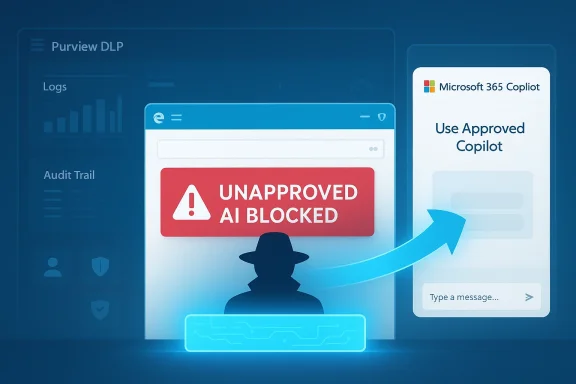
Microsoft is moving Edge deeper into the center of its enterprise AI strategy, and the implications go well beyond a simple browser update. The company is preparing a control that would let IT administrators block access to unapproved AI tools and funnel users toward Microsoft 365 Copilot instead, a move aimed squarely at the rise of shadow AI inside the workplace. That fits a broader Microsoft pattern that is now unmistakable: keep AI inside managed, auditable, tenant-controlled surfaces, even as the company quietly trims some consumer-facing Copilot exposure elsewhere. The result is a strategy that is equal parts security policy, product design, and platform lock-in.
The new Edge behavior lands in the middle of a much larger corporate recalibration around AI governance. Microsoft has spent the last two years turning Copilot from a single assistant into a distributed layer across Windows, Edge, Microsoft 365, and Purview, with the goal of making AI feel native to work rather than bolted on as a separate chatbot. In practice, that has meant more entry points, more context awareness, and more chances for Microsoft to influence where users begin their AI tasks.
At the same time, Microsoft has also faced the consequences of overexposure. Users have increasingly pushed back when Copilot appears in places that used to be deliberately quiet, simple, and low-friction. Windows utility apps such as Notepad and related inbox tools have become symbols of a wider complaint: AI is useful when invited, but tiresome when it keeps showing up unbidden. That tension has forced Microsoft to distinguish between useful integration and visible promotion.
The enterprise story is different, but related. In corporate settings, the issue is not merely clutter. It is data leakage, regulatory exposure, and uncontrolled experimentation with external AI services. Microsoft’s own Purview documentation now treats consumer generative AI apps as something that can be discovered, monitored, and blocked, and it explicitly frames Edge for Business as a control point for restricting prompt submissions and other data-sharing behaviors. That is not an accident; it is the foundation of Microsoft’s “secure AI” pitch.
Microsoft has also been making Edge more strategically important in its own right. The browser is no longer just a place to display websites; it is becoming a governed access layer for Microsoft 365 content, AI prompts, and identity-aware workflows. Copilot in Edge, Copilot Mode, and Edge for Business all point in the same direction: Microsoft wants the browser to be the policy-enforced front door to work.
The important part is not merely the block. It is the redirect. Microsoft is not just saying “no”; it is offering a sanctioned alternate path that preserves productivity while pulling the interaction back into Microsoft’s managed ecosystem. That is classic platform strategy: remove friction from the approved route while adding friction to the risky one. In enterprise software, the path of least resistance usually wins.
That matters because employees rarely think in terms of policy architecture. They think in terms of speed, convenience, and whether the tool they want is still reachable. If Microsoft can make Copilot feel like the obvious fallback, the company reduces the temptation to find another browser, another device, or another account.
Key implications:
This is also why Microsoft has invested so heavily in Edge for Business and Purview’s browser data loss prevention. The browser is where prompt submission happens, and prompt submission is where much of the risk begins. By controlling that moment, Microsoft can enforce policy without asking users to become security experts.
The reason this has become such a priority is straightforward. AI prompts are unusually information-dense. A user may paste a customer record, a roadmap excerpt, a legal draft, or a spreadsheet fragment into a single prompt, often without fully appreciating how much context has been exposed. In the old software world, a copy-and-paste mistake might leak a sentence; in the AI era, it can leak a workflow’s worth of meaning.
That makes the browser a natural enforcement point, because the browser is where much of this leakage begins. Microsoft’s own materials emphasize that Edge for Business can inspect typed or pasted prompts in real time and either audit or block the activity before it leaves the browser. This is a more mature answer to shadow AI than just warning users not to do it. It treats the problem as a systems issue, not a morality play.
There is also a practical governance issue. If one team uses a consumer AI tool for drafting, another for summarization, and a third for code help, IT loses visibility into how organizational knowledge is moving. That is exactly the kind of fragmentation Microsoft wants to prevent by steering users into a single managed Copilot environment.
That matters because Microsoft is not merely selling a browser or an assistant. It is selling a governed AI system that sits inside the identity, compliance, and permissions fabric of the organization. That is a stronger story for CIOs than “our chatbot is smarter.” It is also a stronger story for procurement teams that need clear boundaries around where data goes and who can see it.
The company’s privacy and compliance language is doing a lot of work here. Microsoft says enterprise Copilot content is not used to train foundation models and that the product respects existing access controls, compliance settings, and audit logging. Those claims are central to the trust equation, especially when users are being nudged away from open web AI services and into Microsoft’s own stack.
There is also a psychological dimension. Users are more likely to accept a blocked request if they are immediately offered an alternative that looks equivalent or better. The redirect softens the hard edge of governance. It says, in effect, you still get AI, just not that AI.
That distinction explains a lot of Microsoft’s current AI posture. In consumer-facing apps, the company has been willing to de-emphasize or remove some visible Copilot elements when they create clutter. In enterprise tools, it is doing the opposite: tightening integration, increasing policy hooks, and making AI feel more administratively manageable.
That stack matters because the browser is only one layer in a larger governance framework. The policy can be defined in Purview, enforced through Edge, and coordinated with managed device settings via Intune. In other words, Microsoft is not adding a single toggle; it is extending a security architecture. That makes the feature more durable, but also more dependent on the broader Microsoft 365 security footprint.
The practical effect is that organizations already invested in Purview are much more likely to adopt the new Edge capability. That is by design. Microsoft tends to package its most valuable controls in ways that reward customers who are already deep in the ecosystem. The security benefit and the platform benefit are inseparable.
It also makes the policy easier to operationalize. Security teams do not need to chase every endpoint or hope that a third-party app exposes useful controls. The browser becomes the common denominator. Since so much AI usage now begins in a browser anyway, that is a logical place to centralize enforcement.
Mozilla has already criticized the trend toward baked-in AI in browsers, and that critique resonates because browser AI is now moving from novelty into infrastructure. Microsoft’s approach is more aggressive than simply offering a sidebar chatbot. It is trying to shape the user’s destination, not just assist the journey. That is a much more ambitious claim on browser real estate.
The competitive tension is clear. Chrome can offer access to web AI tools, and other browsers can add assistants, but Microsoft has a built-in advantage in enterprises because it owns the identity, productivity, and security layers around the browser. That makes Edge less of a standalone browser decision and more of a broader Microsoft stack decision.
Competitors have a harder time matching that because they lack the same native control surface across operating system, identity, and productivity tools. A browser can have good AI features, but without the surrounding policy layer it is just another app. Microsoft is trying to turn the browser into an enterprise operating system layer.
That is why this update matters even if the final rollout is modest. It helps normalize the idea that enterprise AI should be mediated by browser policy, not just user preference. That is a significant philosophical shift.
That tension is not accidental. Microsoft is trying to reconcile two user groups with different expectations. Power users want control and a quiet interface. Enterprises want compliance and security. Microsoft’s answer is to dial down visible AI branding in some places while hardening AI governance in others. Whether that produces a cleaner product experience or just a more complicated one remains to be seen.
For users, the danger is that “choice” starts to mean “use Microsoft’s AI or run into obstacles.” That is not inherently bad in a managed enterprise, but it can feel heavy-handed if the line between security policy and product steering becomes too blurry. The company will need to be careful about how much it looks like it is competing with user autonomy rather than protecting corporate data.
There is also a usability risk. If the block is too aggressive, employees may hit friction in legitimate workflows and either waste time or search for workarounds. In that case, the policy could encourage exactly the kind of shadow behavior it was meant to stop.
It also gives IT teams a more coherent AI story. Instead of juggling multiple browser policies, third-party AI services, and ad hoc exceptions, they can anchor governance in the Microsoft 365 stack. That is especially attractive for organizations already using Purview, Intune, and Edge for Business.
The opportunity is broader than security. Microsoft can use this control to deepen Copilot adoption, improve license value perception, and make the browser a more central part of enterprise productivity. Done well, it turns AI governance into an adoption engine rather than a defensive tax.
There is also the risk of overblocking. AI use cases vary widely, and not every external service poses the same degree of risk. If policy controls are too coarse, legitimate work can be interrupted. If they are too fine-grained, they become expensive to manage and easy to misconfigure. That is a classic enterprise trade-off, and it will determine whether the feature feels empowering or annoying.
Another concern is fragmentation across Microsoft’s own AI surfaces. If Copilot is being pushed harder in Edge while some Windows app surfaces are being toned down, customers may struggle to understand where AI belongs and which experiences are intended for which audience. That confusion can slow adoption and weaken confidence in the strategy.
The rollout timing also matters. Microsoft says the feature is expected next month, which means early adopters will likely be the first to discover whether the redirect is smooth, whether it respects nuanced policies, and whether admins can tune it without creating friction. For enterprise customers, the key question is not whether Microsoft can block shadow AI. It is whether it can do so without making the approved path feel like a bureaucratic detour.
Watch for these developments:
Source: Windows Report https://windowsreport.com/microsoft-edge-to-block-shadow-ai-and-redirect-users-to-copilot/
 Background
The new Edge behavior lands in the middle of a much larger corporate recalibration around AI governance. Microsoft has spent the last two years turning Copilot from a single assistant into a distributed layer across Windows, Edge, Microsoft 365, and Purview, with the goal of making AI feel native to work rather than bolted on as a separate chatbot. In practice, that has meant more entry points, more context awareness, and more chances for Microsoft to influence where users begin their AI tasks.At the same time, Microsoft has also faced the consequences of overexposure. Users have increasingly pushed back when Copilot appears in places that used to be deliberately quiet, simple, and low-friction. Windows utility apps such as Notepad and related inbox tools have become symbols of a wider complaint: AI is useful when invited, but tiresome when it keeps showing up unbidden. That tension has forced Microsoft to distinguish between useful integration and visible promotion.
The enterprise story is different, but related. In corporate settings, the issue is not merely clutter. It is data leakage, regulatory exposure, and uncontrolled experimentation with external AI services. Microsoft’s own Purview documentation now treats consumer generative AI apps as something that can be discovered, monitored, and blocked, and it explicitly frames Edge for Business as a control point for restricting prompt submissions and other data-sharing behaviors. That is not an accident; it is the foundation of Microsoft’s “secure AI” pitch.
Microsoft has also been making Edge more strategically important in its own right. The browser is no longer just a place to display websites; it is becoming a governed access layer for Microsoft 365 content, AI prompts, and identity-aware workflows. Copilot in Edge, Copilot Mode, and Edge for Business all point in the same direction: Microsoft wants the browser to be the policy-enforced front door to work.
What Microsoft Is Actually Changing
The headline feature is simple enough on paper: administrators will be able to restrict access to unapproved AI tools in Edge, and when a user tries to visit one of those blocked services, the browser will redirect them to a Microsoft 365 Copilot tab instead. That makes the browser itself part of the policy enforcement chain rather than a passive conduit for whatever site the user chooses. It also turns Edge into a kind of guided traffic controller for enterprise AI.The important part is not merely the block. It is the redirect. Microsoft is not just saying “no”; it is offering a sanctioned alternate path that preserves productivity while pulling the interaction back into Microsoft’s managed ecosystem. That is classic platform strategy: remove friction from the approved route while adding friction to the risky one. In enterprise software, the path of least resistance usually wins.
Redirect as a control pattern
This is a subtle but significant shift in policy design. Traditional DLP controls often try to stop data from leaving the device or reaching an external service, but they do not always shape the user journey that follows. Edge’s redirect mechanism does both. It blocks the unsafe destination and immediately offers a compliant one, which makes the policy easier to adopt and harder to work around.That matters because employees rarely think in terms of policy architecture. They think in terms of speed, convenience, and whether the tool they want is still reachable. If Microsoft can make Copilot feel like the obvious fallback, the company reduces the temptation to find another browser, another device, or another account.
Key implications:
- Users are guided, not just denied.
- IT gets a real-time enforcement point.
- Copilot becomes the default safe harbor.
- The policy is easier to explain than a flat ban.
- The browser becomes part of the compliance stack.
Why browser-level matters
Browser-level control is more effective than app-level reminders because it intercepts the behavior at the point of action. If a user is already in Edge and attempts to open a forbidden AI tool, the company can intervene before any text is submitted. That is a stronger posture than relying on training, warning banners, or after-the-fact investigation.This is also why Microsoft has invested so heavily in Edge for Business and Purview’s browser data loss prevention. The browser is where prompt submission happens, and prompt submission is where much of the risk begins. By controlling that moment, Microsoft can enforce policy without asking users to become security experts.
Why Shadow AI Became the Target
The term shadow AI is basically the AI-era version of shadow IT: employees using unsanctioned tools, often with real work data, outside formal governance. Microsoft and its documentation now treat that as an operational risk rather than a hypothetical concern. The company’s Purview guidance explicitly discusses blocking sensitive information in text prompts sent to consumer AI applications, including ChatGPT, DeepSeek, and Gemini, and it frames Edge for Business as a browser control point for unmanaged AI use.The reason this has become such a priority is straightforward. AI prompts are unusually information-dense. A user may paste a customer record, a roadmap excerpt, a legal draft, or a spreadsheet fragment into a single prompt, often without fully appreciating how much context has been exposed. In the old software world, a copy-and-paste mistake might leak a sentence; in the AI era, it can leak a workflow’s worth of meaning.
That makes the browser a natural enforcement point, because the browser is where much of this leakage begins. Microsoft’s own materials emphasize that Edge for Business can inspect typed or pasted prompts in real time and either audit or block the activity before it leaves the browser. This is a more mature answer to shadow AI than just warning users not to do it. It treats the problem as a systems issue, not a morality play.
The business case for restriction
Organizations do not block external AI tools because they hate innovation. They block them because the risk profile is too unpredictable. A public AI service may be useful, but it may also retain prompts, subject content to different terms, or route data through opaque processing chains. For regulated industries, that is enough to create legal and compliance headaches.There is also a practical governance issue. If one team uses a consumer AI tool for drafting, another for summarization, and a third for code help, IT loses visibility into how organizational knowledge is moving. That is exactly the kind of fragmentation Microsoft wants to prevent by steering users into a single managed Copilot environment.
What Microsoft is trying to solve
- Prompt leakage of sensitive information.
- Unapproved use of consumer AI models.
- Lack of centralized logging and audit trails.
- Policy drift across departments.
- Confusion over which AI tools are sanctioned.
- Compliance risks in regulated workflows.
Copilot as the Default Enterprise AI Surface
Microsoft’s broader strategy depends on making Microsoft 365 Copilot feel like the secure, natural endpoint for workplace AI. Copilot in Edge already lets users ask questions without leaving the page, and Microsoft positions it as an enterprise-grade experience connected to documents, emails, company data, and tenant-level controls. In that framing, the redirect feature is not just a security measure; it is a product acquisition funnel.That matters because Microsoft is not merely selling a browser or an assistant. It is selling a governed AI system that sits inside the identity, compliance, and permissions fabric of the organization. That is a stronger story for CIOs than “our chatbot is smarter.” It is also a stronger story for procurement teams that need clear boundaries around where data goes and who can see it.
The company’s privacy and compliance language is doing a lot of work here. Microsoft says enterprise Copilot content is not used to train foundation models and that the product respects existing access controls, compliance settings, and audit logging. Those claims are central to the trust equation, especially when users are being nudged away from open web AI services and into Microsoft’s own stack.
Why Copilot is the fallback Microsoft wants
When Microsoft blocks a third-party AI tool and sends the user to Copilot instead, it is making a deliberate argument: the enterprise-approved assistant is not a compromise, it is the destination. That is why the company keeps embedding Copilot into Edge, Microsoft 365, and other everyday surfaces. Distribution is part of the product.There is also a psychological dimension. Users are more likely to accept a blocked request if they are immediately offered an alternative that looks equivalent or better. The redirect softens the hard edge of governance. It says, in effect, you still get AI, just not that AI.
Enterprise versus consumer logic
For consumers, the value of AI is often convenience, novelty, and fun. For enterprises, the value is governance, reproducibility, and supportability. Microsoft’s move is built for the second audience. It may make some consumer users feel boxed in, but in corporate settings it looks like a reasonable compromise between freedom and control.That distinction explains a lot of Microsoft’s current AI posture. In consumer-facing apps, the company has been willing to de-emphasize or remove some visible Copilot elements when they create clutter. In enterprise tools, it is doing the opposite: tightening integration, increasing policy hooks, and making AI feel more administratively manageable.
Purview, DLP, and the Policy Stack Behind the Feature
The new Edge control does not appear out of nowhere. It sits on top of Microsoft Purview Data Loss Prevention, which already supports browser-level protections for AI prompts and unmanaged apps. Microsoft’s current Learn documentation describes Edge for Business as a place where DLP can inspect text entered into AI apps, prevent sharing to unmanaged services, and synchronize with Intune-scoped policies to reduce circumvention.That stack matters because the browser is only one layer in a larger governance framework. The policy can be defined in Purview, enforced through Edge, and coordinated with managed device settings via Intune. In other words, Microsoft is not adding a single toggle; it is extending a security architecture. That makes the feature more durable, but also more dependent on the broader Microsoft 365 security footprint.
The practical effect is that organizations already invested in Purview are much more likely to adopt the new Edge capability. That is by design. Microsoft tends to package its most valuable controls in ways that reward customers who are already deep in the ecosystem. The security benefit and the platform benefit are inseparable.
How the enforcement chain works
The browser can be set to inspect prompt content, identify sensitive information types, and either block or log the action. If the admin has configured the right policy set, Edge for Business becomes the gatekeeper for AI prompt sharing. That is a powerful model because it brings policy enforcement closer to the user interaction itself.It also makes the policy easier to operationalize. Security teams do not need to chase every endpoint or hope that a third-party app exposes useful controls. The browser becomes the common denominator. Since so much AI usage now begins in a browser anyway, that is a logical place to centralize enforcement.
Why this is attractive to IT teams
- It reduces reliance on user judgment.
- It uses existing Microsoft security infrastructure.
- It creates consistent enforcement across managed devices.
- It strengthens auditability.
- It can block risky behavior before data leaves the browser.
- It aligns AI policy with device management.
The Competitive Meaning for Browsers and AI
Microsoft’s move is also a competitive signal to the broader browser market. Browsers are becoming AI distribution vehicles, not just rendering engines. If Edge can block or redirect AI use in an enterprise context, then Microsoft is using the browser as both a security product and a strategic moat. That puts pressure on competitors to answer a harder question: how do you offer AI convenience without giving up governance?Mozilla has already criticized the trend toward baked-in AI in browsers, and that critique resonates because browser AI is now moving from novelty into infrastructure. Microsoft’s approach is more aggressive than simply offering a sidebar chatbot. It is trying to shape the user’s destination, not just assist the journey. That is a much more ambitious claim on browser real estate.
The competitive tension is clear. Chrome can offer access to web AI tools, and other browsers can add assistants, but Microsoft has a built-in advantage in enterprises because it owns the identity, productivity, and security layers around the browser. That makes Edge less of a standalone browser decision and more of a broader Microsoft stack decision.
Why rivals should care
This feature is not just about blocking AI sites. It is about controlling where enterprise users experience AI at all. If Microsoft can make Edge the compliant gateway to workplace AI, then it can quietly define the default route through which workers access generative assistance. That is powerful platform behavior.Competitors have a harder time matching that because they lack the same native control surface across operating system, identity, and productivity tools. A browser can have good AI features, but without the surrounding policy layer it is just another app. Microsoft is trying to turn the browser into an enterprise operating system layer.
The market message
The message is that AI adoption is no longer just about capability. It is about control. Enterprises are increasingly asking which AI tool they can trust, which one they can audit, and which one they can govern. Microsoft wants Edge and Copilot to be the answer to all three.That is why this update matters even if the final rollout is modest. It helps normalize the idea that enterprise AI should be mediated by browser policy, not just user preference. That is a significant philosophical shift.
Consumer Friction and the Risk of Overreach
There is a reason this story will feel different to consumers than to enterprises. On the consumer side, the same company that is pushing Copilot more deeply into Edge is also pulling back on some AI surfaces in Windows apps where users have complained about clutter. That creates the impression of a company that wants AI everywhere, but not always visibly and not always in the same way. The result can look less like clarity and more like contradiction.That tension is not accidental. Microsoft is trying to reconcile two user groups with different expectations. Power users want control and a quiet interface. Enterprises want compliance and security. Microsoft’s answer is to dial down visible AI branding in some places while hardening AI governance in others. Whether that produces a cleaner product experience or just a more complicated one remains to be seen.
For users, the danger is that “choice” starts to mean “use Microsoft’s AI or run into obstacles.” That is not inherently bad in a managed enterprise, but it can feel heavy-handed if the line between security policy and product steering becomes too blurry. The company will need to be careful about how much it looks like it is competing with user autonomy rather than protecting corporate data.
Where the backlash could come from
The most likely criticism is that Microsoft is using security language to reinforce platform preference. That concern is not baseless. Redirecting blocked AI traffic to Copilot is good governance, but it is also a direct push toward Microsoft’s own AI ecosystem. The same mechanism that protects the organization also strengthens Microsoft’s market position.There is also a usability risk. If the block is too aggressive, employees may hit friction in legitimate workflows and either waste time or search for workarounds. In that case, the policy could encourage exactly the kind of shadow behavior it was meant to stop.
What makes this a delicate balance
- Too little control invites data leakage.
- Too much control invites resentment.
- Too many prompts train users to ignore policies.
- Too many exceptions weaken enforcement.
- Too much steering makes the browser feel intrusive.
- Too little guidance leaves AI adoption fragmented.
Strengths and Opportunities
Microsoft’s approach has real strengths, and the biggest one is that it acknowledges how employees actually behave. People do not always avoid risky tools because of policy memos; they avoid them when the safe alternative is easier, faster, and already in their workflow. By redirecting users toward Copilot, Microsoft is trying to make the compliant path the path of least resistance. That is a smart governance pattern, and it may prove more effective than blunt blocking alone.It also gives IT teams a more coherent AI story. Instead of juggling multiple browser policies, third-party AI services, and ad hoc exceptions, they can anchor governance in the Microsoft 365 stack. That is especially attractive for organizations already using Purview, Intune, and Edge for Business.
The opportunity is broader than security. Microsoft can use this control to deepen Copilot adoption, improve license value perception, and make the browser a more central part of enterprise productivity. Done well, it turns AI governance into an adoption engine rather than a defensive tax.
- Stronger protection against data leakage.
- Clearer policy enforcement at the browser layer.
- Better alignment between AI use and enterprise governance.
- Improved adoption path for Microsoft 365 Copilot.
- Reduced reliance on user judgment.
- More consistent controls across managed devices.
- Potentially lower compliance overhead for security teams.
Risks and Concerns
The biggest concern is that this could be perceived as platform steering disguised as protection. That is not a trivial perception problem. When Microsoft blocks a rival AI tool and redirects users to Copilot, some customers will see a sensible security policy, while others will see vendor self-interest wearing a compliance badge. Both interpretations will exist at the same time.There is also the risk of overblocking. AI use cases vary widely, and not every external service poses the same degree of risk. If policy controls are too coarse, legitimate work can be interrupted. If they are too fine-grained, they become expensive to manage and easy to misconfigure. That is a classic enterprise trade-off, and it will determine whether the feature feels empowering or annoying.
Another concern is fragmentation across Microsoft’s own AI surfaces. If Copilot is being pushed harder in Edge while some Windows app surfaces are being toned down, customers may struggle to understand where AI belongs and which experiences are intended for which audience. That confusion can slow adoption and weaken confidence in the strategy.
- Risk of vendor lock-in perception.
- Possible overblocking of legitimate work.
- Administrative complexity for fine-tuned policies.
- User frustration if the redirect feels intrusive.
- Confusion across consumer and enterprise Copilot experiences.
- Dependence on Microsoft’s broader security stack.
- Potential for workarounds if policies are too rigid.
Looking Ahead
The next phase will be about execution, not announcement. Microsoft has already shown that it can wire Copilot into Edge, Windows, and Microsoft 365, but the real test is whether organizations trust the browser to act as a meaningful AI policy control point. If the feature ships cleanly and integrates well with Purview and Intune, it could become one of Microsoft’s most consequential enterprise AI governance tools. If it is confusing or brittle, it may end up as another well-intentioned but underused admin setting.The rollout timing also matters. Microsoft says the feature is expected next month, which means early adopters will likely be the first to discover whether the redirect is smooth, whether it respects nuanced policies, and whether admins can tune it without creating friction. For enterprise customers, the key question is not whether Microsoft can block shadow AI. It is whether it can do so without making the approved path feel like a bureaucratic detour.
Watch for these developments:
- The exact scope of supported blocked AI services.
- Whether redirect behavior is configurable or fixed.
- How Purview licensing affects adoption.
- Whether the feature expands beyond Edge for Business.
- How Microsoft markets Copilot as the safe fallback.
- Whether competitors respond with stronger enterprise browser controls.
- Whether user backlash emerges around forced redirection.
Source: Windows Report https://windowsreport.com/microsoft-edge-to-block-shadow-ai-and-redirect-users-to-copilot/
Last edited:
