

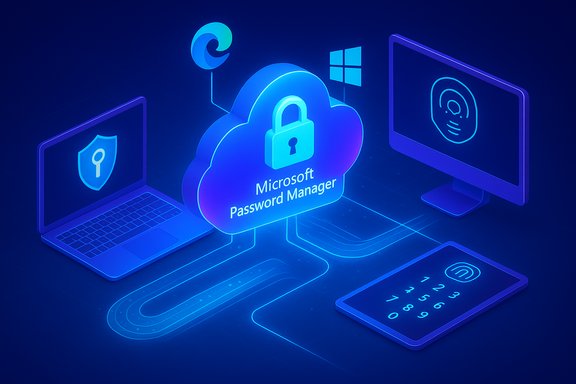
Microsoft's long-promised, cross-device passkey sync is finally arriving for Windows users — and it's doing more than simply copying keys between machines. The company has begun rolling out a cloud-backed passkey provider inside Microsoft Edge that saves passkeys to Microsoft Password Manager, unlocks them with Windows Hello, protects them with a vault PIN, and logs sensitive vault actions for auditability — closing the usability gap that kept many people tethered to passwords or fiddly hardware tokens.
Passkeys are the FIDO2/WebAuthn standard's answer to passwords: cryptographic key pairs where the private key never leaves a user-controlled authenticator, and the public key is stored by the site or app. That design makes passkeys phishing-resistant and far less likely to be exfiltrated in typical credential-breach scenarios. Major platform vendors have been building support for passkeys for several years, but practical adoption lagged because passkeys were often device-bound — created on a single device and locked to that device's hardware root of trust (TPM, Secure Enclave, or an external hardware token). That model is secure but brittle: lose the device and you can lose access. Apple and Google addressed portability by offering cloud-backed sync inside their ecosystems (iCloud Keychain, Google Password Manager). Microsoft’s latest move brings a similar capability into the Edge/Microsoft Account ecosystem and takes additional steps to integrate passkeys with Windows as a platform service rather than a browser-only convenience.
Source: ZDNET How Microsoft finally makes good on its syncable passkey promise - and what's coming next
 Background / Overview
Passkeys are the FIDO2/WebAuthn standard's answer to passwords: cryptographic key pairs where the private key never leaves a user-controlled authenticator, and the public key is stored by the site or app. That design makes passkeys phishing-resistant and far less likely to be exfiltrated in typical credential-breach scenarios. Major platform vendors have been building support for passkeys for several years, but practical adoption lagged because passkeys were often device-bound — created on a single device and locked to that device's hardware root of trust (TPM, Secure Enclave, or an external hardware token). That model is secure but brittle: lose the device and you can lose access. Apple and Google addressed portability by offering cloud-backed sync inside their ecosystems (iCloud Keychain, Google Password Manager). Microsoft’s latest move brings a similar capability into the Edge/Microsoft Account ecosystem and takes additional steps to integrate passkeys with Windows as a platform service rather than a browser-only convenience. What Microsoft announced — the essentials
The core facts
- Edge version 142 (or later) on Windows 10 and above can now offer to save newly created passkeys into Microsoft Password Manager and sync them across Windows devices tied to the same Microsoft Account (MSA).
- Synced passkeys are encrypted, protected by a Microsoft Password Manager PIN that you create when first saving a passkey, and unlocked locally with Windows Hello (PIN, fingerprint, or face). Microsoft documents a ten-attempt limit for entering that PIN when unlocking on a fresh device.
- Unlock/reset attempts and related operations are logged and integrity‑protected using Azure Confidential Ledger to provide tamper‑evident audit trails.
- The initial rollout targets consumer Microsoft Accounts on Windows desktops; mobile platforms (iOS/Android), macOS, Linux, and work/school (Microsoft Entra/Azure AD) tenants are not in the first wave. Microsoft plans to expand platform coverage and publish a Windows plugin that will let other apps and browsers use passkeys stored in the Microsoft Password Manager.
Why this matters: closing the biggest usability blocker
Passkeys are cryptographically strong and phishing-resistant, but their biggest adoption blocker has been portability. Users who relied on device-bound keys had to:- Register a separate passkey on every device they used; or
- Carry a roaming hardware authenticator (USB/NFC/FIDO2 key) that they plug into each device.
- Fewer duplicate credentials — one passkey per relying party instead of one per device.
- Faster, safer sign-ins — passkey logins are typically faster and more reliable than passwords. Microsoft reports strong usability metrics favoring passkeys.
- Integrated experience — passkeys saved in Edge will be surfaced by Windows platform components, enabling native apps and other browsers to eventually use the same credentials.
The technical mechanics (how it actually works)
Public-key cryptography + local unlock
Passkeys rely on an asymmetric key pair. During registration, the client (your device) generates a private key and gives the public key to the service. At authentication time, the service sends a challenge that the client signs with the private key after you unlock it locally (Windows Hello biometric or PIN). Because the private key never leaves the authenticator, passkeys prevent credential phishing and server-side exfiltration of secrets.Cloud-backed sync with layered protections
Microsoft’s implementation layers protections to balance portability with security:- Client-side encryption: Passkeys are encrypted before they leave the device for cloud storage in Microsoft Password Manager.
- Microsoft Password Manager PIN: When you first save a passkey to the cloud, Edge prompts you to set a separate PIN that protects the vault. On a new device you'll need that PIN (limited attempts) and a Windows Hello unlock to retrieve and use the passkeys.
- Cloud HSM / secure enclave backing: Microsoft says passkeys stored in its cloud are protected within secure cloud enclaves and by HSM-backed keys; Azure offers Managed HSM and cloud HSM services to host cryptographic keys with FIPS‑compliant protection, and Microsoft manages ledger/audit services to provide tamper evidence. While Microsoft’s announcement references “hardware-backed” protections in the cloud, the exact internal architecture of the passkey vault (which HSM product or enclave variant is used where) is a vendor implementation detail; Microsoft’s public docs describe the use of Azure Key Vault and Azure Confidential Ledger for integrity and auditability. Treat specific implementation claims with appropriate caution until Microsoft publishes deeper architecture whitepapers.
Logging and tamper evidence
Microsoft logs unlock and vault reset actions in Azure Confidential Ledger. That immutable log is designed to provide a tamper-evident record for sensitive events, which helps deter abuse and gives administrators a forensic trail in the event of suspicious activity. This is a notable addition for enterprises and technically minded consumers who care about detection and accountability.Microsoft’s holistic vision: passkeys as an OS service
What sets Microsoft’s approach apart is the platform orientation: passkey creation and authentication are being elevated from a browser-only feature to OS-provided capabilities that other apps and browsers can call into. That means:- A passkey created in Edge should be available to a native Windows application that supports WebAuthn or the Windows passkey APIs.
- Third-party browsers and apps on Windows will be able to use the passkeys stored in Microsoft Password Manager via a planned Windows plugin.
- Windows Hello remains the local authenticator for both device-bound and synced passkeys, preserving biometric UX consistency across sign-ins.
Limitations, risks, and operational trade-offs
No single approach is perfect. Microsoft’s sync model improves usability for most users, but it introduces centralization trade-offs and operational complexities that deserve careful attention.Trade-offs between convenience and assurance
- Syncable passkeys vs. hardware FIDO2 keys: Syncable passkeys provide convenience but do not carry the same hardware attestation guarantees as a dedicated FIDO2 hardware token (YubiKey, Titan Key). Organizations that require the highest assurance (AAL3-level authentication, strict regulatory controls) will still rely on hardware tokens. Microsoft’s synced passkeys are appropriate for most consumer scenarios but are not a drop-in replacement where hardware-attested credentials are mandated.
- Single-account centralization: Tying passkeys to an MSA makes them easy for consumers who use Microsoft accounts, but it increases the blast radius if an account is compromised. Harden the Microsoft Account: enable multi-factor recovery, protect email and recovery options, and treat the vault PIN as a critical secret.
Enterprise and Entra/Azure AD questions
- Microsoft’s Edge rollout initially excludes Microsoft Entra (Azure AD) managed tenants. Enterprise adoption requires clear guidance on admin controls, attestation, attestation policies, and how syncable passkeys fit with conditional access and identity governance. IT teams should not assume immediate parity between consumer MSA behavior and managed Entra environments; Microsoft has signaled enterprise support is forthcoming but has not yet published full admin tooling and controls. Treat enterprise support timelines as provisional until published documentation appears.
Recovery and support complexity
- Vault PIN resets and device transfers require at least one existing, accessible device or recovery flow. Helpdesks will need new procedures for helping users who lose access to their vault PIN or their enrolled Windows Hello device.
- Microsoft documents a 10-attempt limit for the Password Manager PIN on new devices; that becomes an operational parameter to include in support playbooks.
Operational caveats from the field
- Past migrations and password-sync changes have shown that browser-managed credential migrations can misbehave — users have reported lost or overwritten password data in Edge sync scenarios in earlier rollouts. Administrators and power users should test migrations and educate end users about backup/export options before large-scale transitions. These are practical lessons from history, not theoretical worries.
What’s next — Microsoft’s roadmap signals and the industry context
Microsoft’s public roadmap items and signals point to several near- and mid-term deliverables:- Platform expansion: iOS, Android, macOS, and Linux support for Edge-stored passkeys is planned but staged after the Windows desktop rollout. Microsoft has publicly targeted mobile and Mac expansion and stated plans for a Windows plugin to allow other apps/browsers to call the passkey vault.
- Password manager consolidation: Microsoft has been consolidating password storage into Edge and moving password autofill out of Microsoft Authenticator. Authenticator’s password/autofill deprecation and an Edge-centric password manager strategy accelerate the need to ensure that Edge’s password/passkey flows are robust and reliable. That shift is already in motion and affects user migration choices.
- Third-party integrations and standards: Microsoft’s Windows plugin and passkey provider API model aim to let 1Password, Bitwarden, and other managers integrate directly into the Windows platform, reducing vendor lock-in and enabling cross-ecosystem passkey portability. Meanwhile, industry-level standards work (FIDO Alliance, passkey import/export specs) continues to evolve and will matter for multi-vendor interoperability.
- Enterprise controls and attestations: For wide enterprise adoption, Microsoft needs to publish admin controls, policy options, and attestation-level guarantees for Entra-managed tenants. Expect incremental releases and administrative documentation before enterprises can treat syncable passkeys as a fully supported enterprise authentication method.
Practical guidance — what users and admins should do now
- For everyday Windows users:
- Update Edge to the latest version (Edge 142+ when available) and sign in with your Microsoft Account to try passkey creation flows. When Edge prompts, set a Microsoft Password Manager PIN and enable Windows Hello on your devices to ensure seamless vault unlocks.
- Keep at least one device enrolled with direct passkey access as a recovery pathway; record recovery options and understand the PIN-reset flow.
- Consider continuing to use a third-party password manager if you rely on multi-platform parity today (for example, switching between Apple, Google, and Windows ecosystems). Microsoft’s plugin and cross-platform parity will improve over time, but third-party managers currently offer broader immediate coverage.
- For IT teams and security leads:
- Inventory critical accounts and map assurance requirements; do not replace hardware FIDO2 keys for high-value accounts without policy review.
- Pilot passkey sync flows with consumer accounts to validate UX and support processes before broad deployment.
- Watch Microsoft’s Entra guidance and Edge/Windows policy documents for enterprise-focused controls and logging details.
- For developers and relying parties:
- Implement FIDO2/WebAuthn correctly and support passkey registration and authentication flows. Offer passkey creation prompts in UX where possible; users will want to upgrade existing accounts.
- Prepare for cross-platform sync behavior and test your login UX with both device-bound and cloud-synced passkeys.
Strengths and notable innovations
- Usability-first approach: Microsoft removes the primary practicality blocker for consumers: portability. This should materially increase passkey adoption among Windows-centric users.
- Platform-level integration: Exposing passkey features as Windows platform services (usable by multiple browsers and native apps) is a strategic move that reduces fragmentation and improves developer ergonomics.
- Audit and logging emphasis: Immutable logging of vault events via Azure Confidential Ledger is a strong step for detection and accountability, helpful for both consumers and organizations that require traceability.
- Balanced model: Microsoft preserves both options — device-bound passkeys (strong hardware bindings) and syncable passkeys — acknowledging that different accounts and contexts need different assurance models.
Remaining unknowns and claims to treat with caution
- Microsoft’s public messaging references “hardware-backed cloud enclaves” and HSM protections. While Azure offers Managed HSM/Cloud HSM and integrated HSM technologies that plausibly back those claims, the exact implementation details of the passkey vault — which HSM products are used, how key material is handled in transit and at rest inside the cloud enclave, and which protections are applied end-to-end — are not fully enumerated in consumer-facing posts. Those lower-level architecture details matter for the highest-security use cases and should be validated by Microsoft’s technical whitepapers or enterprise documentation before relying on specific guarantees.
- Enterprise timelines and controls remain unspecified. Organizations should assume that consumer MSA behavior and managed Entra/Azure AD support will not be identical at launch and plan accordingly.
The practical verdict
Microsoft’s Edge 142 passkey sync is a major, practical step for the passwordless future. For most Windows consumers, it removes the friction that kept passkeys from being a first-class alternative to passwords. For Windows-centric households and professionals who already use Microsoft Accounts and Windows Hello, passkey sync will feel like the missing piece that finally makes passwordless sign-in convenient and mainstream. However, this convenience brings trade-offs. Organizations and high-assurance users should continue to rely on hardware-attested FIDO2 security keys where policy demands, validate Microsoft’s enterprise documentation before broad deployment, and design support flows for vault-PIN recovery and device transfers. Microsoft’s cross-platform and Entra support are on the roadmap, but the timeline and administrative controls need to be watched closely.Conclusion
Microsoft’s passkey sync through Microsoft Password Manager in Edge addresses the core usability problem that hamstrung earlier passkey efforts: portability. By combining cloud-backed sync, a PIN-protected vault, Windows Hello local unlock, and platform integration, Microsoft is making passkeys both safer and easier for the broad Windows audience. The rollout is intentionally staged — Windows desktop and consumer accounts first — and the company plans to expand platform and app support over time. Organizations and advanced users should weigh the convenience gains against assurance requirements and prepare policies and support processes accordingly. For most users, however, this marks a meaningful step toward leaving passwords behind for good.Source: ZDNET How Microsoft finally makes good on its syncable passkey promise - and what's coming next
