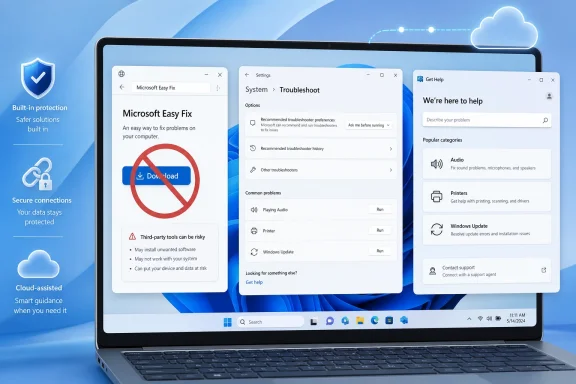
Microsoft has discontinued Microsoft Easy Fix, formerly Microsoft Fix it, and now directs Windows 10 and Windows 11 users to built-in troubleshooters, the Windows 11 Settings app, the Get Help app, and regular Windows updates for diagnosis and repair of common PC problems. The change is easy to mistake for a small support-page cleanup, but it marks the end of a very specific era in Windows maintenance. Microsoft is retiring the downloadable “click this and let Redmond fix it” model in favor of troubleshooting that is integrated, cloud-connected, and more tightly governed by the operating system itself. That is more modern, more supportable, and potentially more secure — but it also makes Windows help feel less like a toolbox and more like a service.
For years, Microsoft Easy Fix occupied a strangely comforting place in the Windows ecosystem. It was not glamorous, and it was rarely the first thing enthusiasts reached for, but it gave millions of ordinary users something concrete: a downloadable package that promised to undo a broken setting, reset a component, or automate a registry-level repair that Microsoft support staff might otherwise have had to explain line by line.
That mattered because Windows support has always lived in the gap between the operating system as Microsoft designs it and the operating system as users actually experience it. Drivers misbehave. Update components stall. Printers disappear. Audio stacks forget what they are supposed to be doing. Easy Fix turned some of those recurring failures into small executable rituals: download, run, approve, reboot, hope.
Microsoft’s latest support language is blunt. Easy Fix solutions are no longer available. In their place, the company points users toward Windows troubleshooters, the Get Help app, and updates that deliver repairs as part of the platform rather than as one-off downloads.
That is the crucial shift. The old model treated many Windows problems as discrete, downloadable fixes. The new model treats them as part of a continuously serviced operating system, where diagnosis is routed through Settings, Get Help, telemetry-informed troubleshooting, and Microsoft’s cloud support infrastructure.
The name “Easy Fix” softened the promise but kept the same bargain. Microsoft would publish small repair utilities alongside support articles, and users could apply them without learning the underlying administrative steps. It was support as a capsule: prescribed by an article, swallowed by the user, effective if the diagnosis was right.
That model fit the Windows 7 and Windows 8 era particularly well. Windows was sprawling, Control Panel still dominated large parts of the user experience, and Microsoft’s support site often functioned as a public library of precise but intimidating instructions. Easy Fix made those instructions executable.
But the model aged badly. Downloadable repair tools create their own maintenance burden. They must be hosted, signed, updated, localized, documented, and eventually withdrawn when the thing they repair changes or disappears. Worse, they train users to trust small executables obtained after searching the web for a problem — a habit that looks increasingly dangerous in an era of malvertising, fake support pages, and search-result poisoning.
That makes troubleshooting feel less like downloading a patch and more like opening a support channel. The user describes a symptom; the app decides which flow to run. Microsoft can update those flows without asking the user to find a new executable. The operating system becomes the front door, and the cloud becomes the changing back end.
For consumers, that is probably the right default. A broken audio device or Windows Update error should not require spelunking through decades of forum posts, stale KB articles, and archived fix utilities. If the machine can guide the user through a bounded repair path and update those instructions as Microsoft learns more, the experience should improve.
For power users, the change is more ambiguous. A downloadable fix could be archived, inspected, invoked, and sometimes repurposed. A cloud-connected guided support flow is harder to reason about. It may be more current, but it is also more opaque.
That history matters because MSDT was not merely obscure plumbing. In 2022, the “Follina” vulnerability made MSDT a household name among defenders and incident responders. The flaw allowed remote code execution through the diagnostic tool in a way that could be triggered from Office documents and other attack paths. Microsoft patched the issue, but the episode highlighted a broader problem: diagnostic mechanisms are powerful because they are supposed to inspect and change systems, and that power becomes attractive to attackers.
Seen through that lens, the retirement of Easy Fix and the migration away from legacy troubleshooters looks less like a cosmetic support decision and more like part of a broader security and servicing strategy. Microsoft wants fewer old handlers, fewer downloadable mini-fixers, fewer obscure diagnostic entry points, and more support activity routed through controlled, updateable, monitored surfaces.
That does not mean every retired tool was dangerous. It means the old support architecture carried assumptions from an era when running a Microsoft-provided utility from a support page felt self-evidently safe. The modern web has made that assumption harder to defend.
The Get Help app also gives Microsoft a more flexible support surface. It can combine user-facing instructions, automated checks, links to support, and, where appropriate, cloud-assisted diagnosis. That is more adaptable than a static executable attached to a static support document.
But the same architecture can make support feel less deterministic. A Fix it package either existed or it did not. It had a filename, a hash, a set of behaviors, and a specific repair purpose. A Get Help workflow is more like a conversation with a moving system. It may change over time, depend on connectivity, or offer different flows depending on account, region, device state, or Microsoft’s current support backend.
That matters for WindowsForum readers because repeatability is the currency of troubleshooting. Enthusiasts and administrators build trust by testing fixes, documenting outcomes, and sharing exact steps. When the fix becomes a cloud-guided experience, the community can still describe the path, but the path is less static.
That distinction reflects the broader state of the platform. Windows 10 is now the long tail: widely deployed, familiar, and approaching the end of its free security update lifecycle for most users. Windows 11 is where Microsoft is consolidating new support assumptions, from redesigned Settings pages to integrated help flows and more aggressive cloud tie-ins.
For home users, the immediate practical advice is simple: if an old article, forum post, or video tells you to download a Microsoft Fix it or Easy Fix package, treat that instruction as obsolete. The legitimate replacement is not another random download with a similar name. It is the built-in troubleshooter path or the Get Help app.
For administrators, the message is sharper. Any internal documentation that still references Easy Fix packages should be reviewed. The package may no longer be available, the underlying repair may have been replaced by a Windows Update fix, or the correct support path may now be a Get Help workflow rather than a standalone utility.
The Get Help era is harder to compress into a forum reply. “Open Get Help and describe your problem” is sensible, but it is less precise. It moves the user from a known repair into a guided environment where the next screens may not match what the helper sees.
That weakens one of the unofficial support networks that has kept Windows usable for decades. Microsoft can serve more users at scale through app-based and cloud-assisted flows, but forums, help desks, MSPs, and family tech-support volunteers often work best with exact artifacts: commands, scripts, registry keys, event IDs, package names, and reproducible steps.
This is not an argument for keeping obsolete fixers alive forever. It is an argument for recognizing what they provided. They gave Windows support a kind of portable certainty. The replacement needs to earn that same trust, not merely inherit it by being built in.
By removing Easy Fix and telling users to stay inside Windows, Microsoft narrows the expected behavior. The safest repair tool is the one already on the device, updated through the same servicing channels as the operating system, and launched from Settings rather than a search result.
That is especially important because troubleshooting often happens when users are frustrated. A person with a broken network adapter, failed update, or missing printer is more likely to click quickly and evaluate slowly. Attackers understand this. Support-related search terms are valuable because the user is already looking for something to run.
Microsoft’s move therefore aligns with a larger defensive principle: reduce the number of moments when ordinary users are asked to download and execute small administrative tools. The fewer those moments, the easier it becomes to teach a simple rule: if Windows needs troubleshooting, start in Windows.
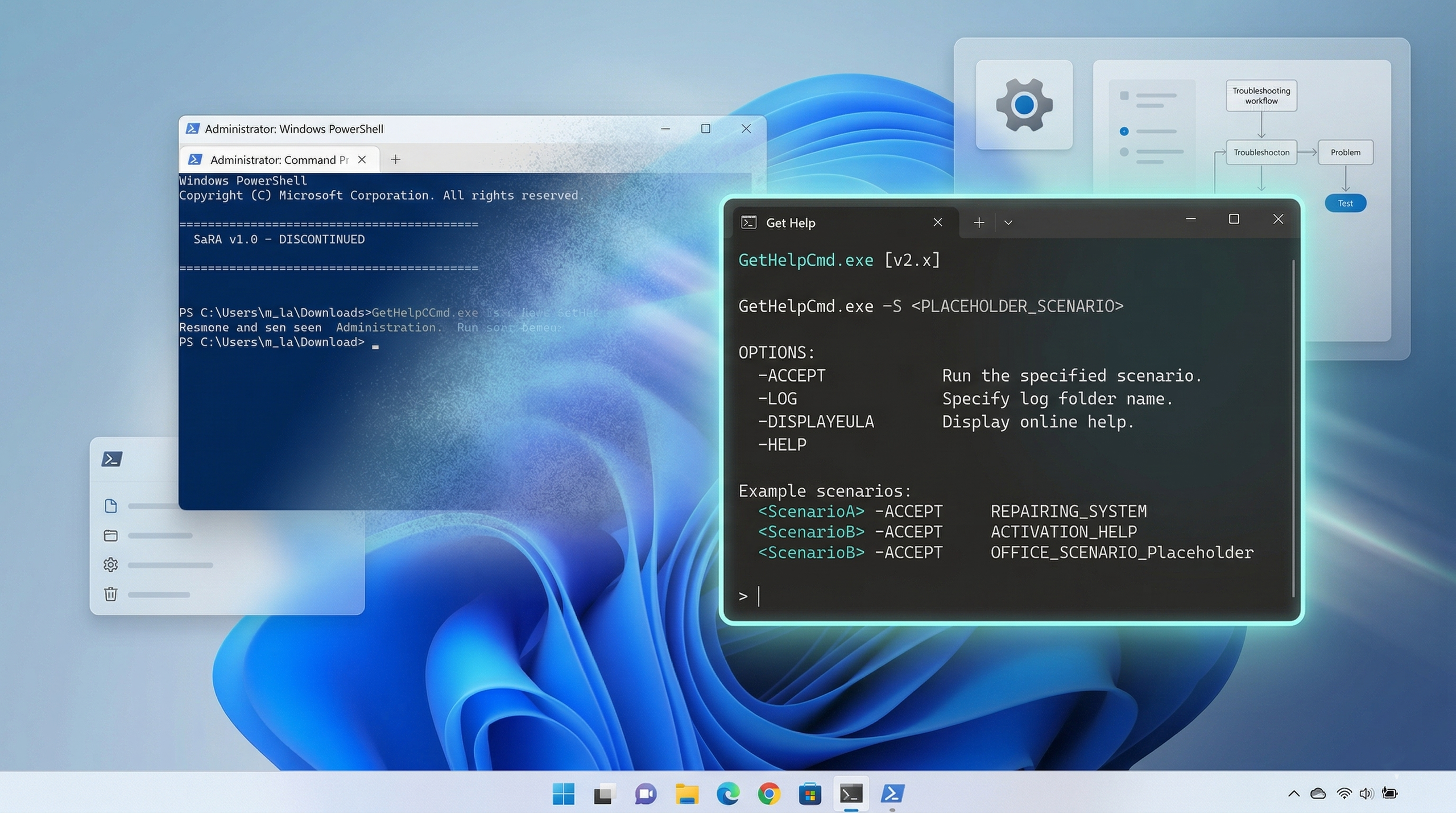
Microsoft appears to understand that, at least in part. The company has been developing command-line and administrator-oriented support paths around Get Help for Microsoft 365 scenarios, particularly where older support utilities such as the Support and Recovery Assistant have been deprecated. That is the right direction, because enterprise support cannot depend entirely on a GUI conversation.
Still, IT departments will be cautious. A cloud-connected diagnostic model raises reasonable questions: what data is collected, where it goes, how flows are updated, whether the same fix can be run across hundreds of devices, and what happens in restricted networks where Store apps, consumer support surfaces, or outbound connectivity are controlled.
There is also the matter of change management. A standalone diagnostic utility could be validated and then used until a team retired it. A modern support flow can change without the same local approval process. That is good when Microsoft needs to respond quickly; it is awkward when regulated environments need stable procedures.
The better future is not a prettier Easy Fix. It is a Windows that needs fewer of these interventions because servicing is more resilient, drivers are better isolated, rollback is more reliable, and Settings can repair common states without pretending the user is an apprentice registry editor.
Regular Windows updates are part of Microsoft’s stated replacement strategy, and that is telling. The company wants fixes delivered as improvements to the platform, not as separate downloads applied after the fact. In theory, that moves Windows from reactive support toward preventive maintenance.
In practice, Windows updates are also one of the things users most often need help repairing. That circularity is the Windows support dilemma in miniature. The update system is both the medicine and, sometimes, the patient.
The real test is what happens when the guided flow fails. Does it provide useful logs? Does it tell the user what it tried? Does it expose enough detail for a forum helper or technician to continue the investigation? Does it avoid the maddening support-app habit of ending with a vague “contact support” after consuming 20 minutes of user patience?
Microsoft’s support tools have often suffered from a trust gap. Users run troubleshooters, the troubleshooter says it found nothing, and the problem remains. The result is not merely an unresolved issue; it is a diminished belief that Windows’ built-in repair paths are worth trying.
For Get Help to replace Easy Fix in spirit, it needs to be transparent enough to become part of serious troubleshooting. A black-box assistant may be acceptable for consumers with simple problems. It will not satisfy administrators, enthusiasts, or anyone dealing with intermittent failures that only show up after a driver update, domain policy change, or cumulative patch.
Which Easy Fix packages were retired without replacement? Which repairs are now covered by specific Windows troubleshooters? Which require Get Help? Which are fixed only through cumulative updates? Which old support articles have been updated, and which still exist in search indexes with stale instructions?
These are not academic questions. Windows troubleshooting is cumulative knowledge. An administrator searching for a fix may land on a 2016 forum post, a 2019 Microsoft Answer, a 2021 blog, and a current support article in the same session. If Microsoft removes the old executable but does not clearly map the replacement, the support burden shifts outward to the community.
That is where Microsoft’s modern documentation discipline needs to improve. Deprecation is not just the act of declaring something dead. It is the responsibility to explain what replaces it, what does not, and what users should stop doing.
But it is a cleanup story with consequences. Old advice should be treated carefully. Search results are less trustworthy when they promise downloads for discontinued Microsoft tools. Administrators should update runbooks. Enthusiasts should stop pointing users at archived fixers unless they have a very specific, verified reason and understand the risk.
The bigger discomfort is cultural. Microsoft is making Windows support more centralized, more dynamic, and more dependent on current platform components. That is probably inevitable. It is also another step away from the old Windows world, where a knowledgeable user could collect tools, archive installers, and keep a personal repair kit that worked largely independent of Microsoft’s live services.
 Microsoft Buries the One-Click Repair Culture
For years, Microsoft Easy Fix occupied a strangely comforting place in the Windows ecosystem. It was not glamorous, and it was rarely the first thing enthusiasts reached for, but it gave millions of ordinary users something concrete: a downloadable package that promised to undo a broken setting, reset a component, or automate a registry-level repair that Microsoft support staff might otherwise have had to explain line by line.That mattered because Windows support has always lived in the gap between the operating system as Microsoft designs it and the operating system as users actually experience it. Drivers misbehave. Update components stall. Printers disappear. Audio stacks forget what they are supposed to be doing. Easy Fix turned some of those recurring failures into small executable rituals: download, run, approve, reboot, hope.
Microsoft’s latest support language is blunt. Easy Fix solutions are no longer available. In their place, the company points users toward Windows troubleshooters, the Get Help app, and updates that deliver repairs as part of the platform rather than as one-off downloads.
That is the crucial shift. The old model treated many Windows problems as discrete, downloadable fixes. The new model treats them as part of a continuously serviced operating system, where diagnosis is routed through Settings, Get Help, telemetry-informed troubleshooting, and Microsoft’s cloud support infrastructure.
The Name Changed Before the Philosophy Did
Easy Fix was itself a rebrand. Before that, Microsoft called the same general class of tools “Fix it,” a name so literal it almost belonged to a different software age. Fix it tools were designed for users who did not want to know whether the problem lived in the registry, a service configuration, a permissions mismatch, or a stale cache. They wanted Microsoft to package the knowledge and let them run it.The name “Easy Fix” softened the promise but kept the same bargain. Microsoft would publish small repair utilities alongside support articles, and users could apply them without learning the underlying administrative steps. It was support as a capsule: prescribed by an article, swallowed by the user, effective if the diagnosis was right.
That model fit the Windows 7 and Windows 8 era particularly well. Windows was sprawling, Control Panel still dominated large parts of the user experience, and Microsoft’s support site often functioned as a public library of precise but intimidating instructions. Easy Fix made those instructions executable.
But the model aged badly. Downloadable repair tools create their own maintenance burden. They must be hosted, signed, updated, localized, documented, and eventually withdrawn when the thing they repair changes or disappears. Worse, they train users to trust small executables obtained after searching the web for a problem — a habit that looks increasingly dangerous in an era of malvertising, fake support pages, and search-result poisoning.
Windows Troubleshooting Moves Inside the Walls
Microsoft’s replacement story is not simply “use another app.” In Windows 11, troubleshooting is now explicitly framed as something that happens inside Settings and the Get Help app. Settings exposes the familiar path through System, Troubleshoot, and Other troubleshooters. Get Help asks users to describe the problem and then offers guided steps, automated fixes, or support escalation.That makes troubleshooting feel less like downloading a patch and more like opening a support channel. The user describes a symptom; the app decides which flow to run. Microsoft can update those flows without asking the user to find a new executable. The operating system becomes the front door, and the cloud becomes the changing back end.
For consumers, that is probably the right default. A broken audio device or Windows Update error should not require spelunking through decades of forum posts, stale KB articles, and archived fix utilities. If the machine can guide the user through a bounded repair path and update those instructions as Microsoft learns more, the experience should improve.
For power users, the change is more ambiguous. A downloadable fix could be archived, inspected, invoked, and sometimes repurposed. A cloud-connected guided support flow is harder to reason about. It may be more current, but it is also more opaque.
The MSDT Shadow Explains More Than Microsoft Says
The Easy Fix retirement also sits beside a larger cleanup of Windows diagnostic plumbing. Microsoft has deprecated the Microsoft Support Diagnostic Tool, better known as MSDT, and has been moving old troubleshooters away from that legacy engine. Some MSDT troubleshooters are redirected to Get Help; others are being retired.That history matters because MSDT was not merely obscure plumbing. In 2022, the “Follina” vulnerability made MSDT a household name among defenders and incident responders. The flaw allowed remote code execution through the diagnostic tool in a way that could be triggered from Office documents and other attack paths. Microsoft patched the issue, but the episode highlighted a broader problem: diagnostic mechanisms are powerful because they are supposed to inspect and change systems, and that power becomes attractive to attackers.
Seen through that lens, the retirement of Easy Fix and the migration away from legacy troubleshooters looks less like a cosmetic support decision and more like part of a broader security and servicing strategy. Microsoft wants fewer old handlers, fewer downloadable mini-fixers, fewer obscure diagnostic entry points, and more support activity routed through controlled, updateable, monitored surfaces.
That does not mean every retired tool was dangerous. It means the old support architecture carried assumptions from an era when running a Microsoft-provided utility from a support page felt self-evidently safe. The modern web has made that assumption harder to defend.
The New Model Is Cleaner, But Not Always Kinder
There is a real upside to Microsoft’s approach. Built-in troubleshooting reduces friction. Users do not have to decide whether a download is legitimate. IT departments do not have to explain why an old support article references a tool that no longer behaves correctly on a current build. Microsoft can alter guidance centrally when a Windows update changes the correct repair sequence.The Get Help app also gives Microsoft a more flexible support surface. It can combine user-facing instructions, automated checks, links to support, and, where appropriate, cloud-assisted diagnosis. That is more adaptable than a static executable attached to a static support document.
But the same architecture can make support feel less deterministic. A Fix it package either existed or it did not. It had a filename, a hash, a set of behaviors, and a specific repair purpose. A Get Help workflow is more like a conversation with a moving system. It may change over time, depend on connectivity, or offer different flows depending on account, region, device state, or Microsoft’s current support backend.
That matters for WindowsForum readers because repeatability is the currency of troubleshooting. Enthusiasts and administrators build trust by testing fixes, documenting outcomes, and sharing exact steps. When the fix becomes a cloud-guided experience, the community can still describe the path, but the path is less static.
Windows 10 Gets the Bridge, Windows 11 Gets the Doctrine
Microsoft’s support article still mentions Windows 10, but the center of gravity is clearly Windows 11. Windows 10 users are directed through Settings, Update & Security, and Troubleshoot. Windows 11 users are pushed into the more modern Settings layout and Get Help experience.That distinction reflects the broader state of the platform. Windows 10 is now the long tail: widely deployed, familiar, and approaching the end of its free security update lifecycle for most users. Windows 11 is where Microsoft is consolidating new support assumptions, from redesigned Settings pages to integrated help flows and more aggressive cloud tie-ins.
For home users, the immediate practical advice is simple: if an old article, forum post, or video tells you to download a Microsoft Fix it or Easy Fix package, treat that instruction as obsolete. The legitimate replacement is not another random download with a similar name. It is the built-in troubleshooter path or the Get Help app.
For administrators, the message is sharper. Any internal documentation that still references Easy Fix packages should be reviewed. The package may no longer be available, the underlying repair may have been replaced by a Windows Update fix, or the correct support path may now be a Get Help workflow rather than a standalone utility.
The Community Loses a Shared Artifact
There is an underappreciated social cost here. Tools like Fix it and Easy Fix were not just Microsoft support assets; they were shared artifacts in the Windows community. A forum helper could say, “Run this Microsoft Fix it,” and the user understood that the next step was bounded and official. That kind of shared shorthand is useful.The Get Help era is harder to compress into a forum reply. “Open Get Help and describe your problem” is sensible, but it is less precise. It moves the user from a known repair into a guided environment where the next screens may not match what the helper sees.
That weakens one of the unofficial support networks that has kept Windows usable for decades. Microsoft can serve more users at scale through app-based and cloud-assisted flows, but forums, help desks, MSPs, and family tech-support volunteers often work best with exact artifacts: commands, scripts, registry keys, event IDs, package names, and reproducible steps.
This is not an argument for keeping obsolete fixers alive forever. It is an argument for recognizing what they provided. They gave Windows support a kind of portable certainty. The replacement needs to earn that same trust, not merely inherit it by being built in.
Security Wins When Downloads Disappear
The strongest case for Microsoft’s decision is security. A world where users are trained to search for “Microsoft fix printer download” is a world where criminals can impersonate Microsoft with depressing ease. Fake driver tools, fake support utilities, fake update assistants, and fake repair downloads have been part of the Windows threat landscape for years.By removing Easy Fix and telling users to stay inside Windows, Microsoft narrows the expected behavior. The safest repair tool is the one already on the device, updated through the same servicing channels as the operating system, and launched from Settings rather than a search result.
That is especially important because troubleshooting often happens when users are frustrated. A person with a broken network adapter, failed update, or missing printer is more likely to click quickly and evaluate slowly. Attackers understand this. Support-related search terms are valuable because the user is already looking for something to run.
Microsoft’s move therefore aligns with a larger defensive principle: reduce the number of moments when ordinary users are asked to download and execute small administrative tools. The fewer those moments, the easier it becomes to teach a simple rule: if Windows needs troubleshooting, start in Windows.
Enterprise IT Needs More Than a Friendly App
The consumer story is tidy. The enterprise story is not. Corporate administrators do not merely troubleshoot one device at a time; they troubleshoot patterns across fleets. They need logs, exit codes, remote execution, predictable behavior, offline options, and documentation that survives longer than a single app revision.Microsoft appears to understand that, at least in part. The company has been developing command-line and administrator-oriented support paths around Get Help for Microsoft 365 scenarios, particularly where older support utilities such as the Support and Recovery Assistant have been deprecated. That is the right direction, because enterprise support cannot depend entirely on a GUI conversation.
Still, IT departments will be cautious. A cloud-connected diagnostic model raises reasonable questions: what data is collected, where it goes, how flows are updated, whether the same fix can be run across hundreds of devices, and what happens in restricted networks where Store apps, consumer support surfaces, or outbound connectivity are controlled.
There is also the matter of change management. A standalone diagnostic utility could be validated and then used until a team retired it. A modern support flow can change without the same local approval process. That is good when Microsoft needs to respond quickly; it is awkward when regulated environments need stable procedures.
The Old Fix Was Often a Symptom of a Deeper Windows Problem
It is worth being honest about the nostalgia. Many Fix it and Easy Fix tools existed because Windows exposed too many fragile seams to users. If an update component required a reset utility, if a printer stack needed a guided repair, if networking had to be poked back into shape by a Microsoft package, that was not evidence of an elegant support model. It was evidence of accumulated complexity.The better future is not a prettier Easy Fix. It is a Windows that needs fewer of these interventions because servicing is more resilient, drivers are better isolated, rollback is more reliable, and Settings can repair common states without pretending the user is an apprentice registry editor.
Regular Windows updates are part of Microsoft’s stated replacement strategy, and that is telling. The company wants fixes delivered as improvements to the platform, not as separate downloads applied after the fact. In theory, that moves Windows from reactive support toward preventive maintenance.
In practice, Windows updates are also one of the things users most often need help repairing. That circularity is the Windows support dilemma in miniature. The update system is both the medicine and, sometimes, the patient.
The Get Help Era Will Be Judged by Failure Cases
The success of this transition will not be measured by the easy wins. If Get Help can reset an audio service, walk a user through Bluetooth pairing, or launch a Windows Update repair, fine. Those scenarios are table stakes.The real test is what happens when the guided flow fails. Does it provide useful logs? Does it tell the user what it tried? Does it expose enough detail for a forum helper or technician to continue the investigation? Does it avoid the maddening support-app habit of ending with a vague “contact support” after consuming 20 minutes of user patience?
Microsoft’s support tools have often suffered from a trust gap. Users run troubleshooters, the troubleshooter says it found nothing, and the problem remains. The result is not merely an unresolved issue; it is a diminished belief that Windows’ built-in repair paths are worth trying.
For Get Help to replace Easy Fix in spirit, it needs to be transparent enough to become part of serious troubleshooting. A black-box assistant may be acceptable for consumers with simple problems. It will not satisfy administrators, enthusiasts, or anyone dealing with intermittent failures that only show up after a driver update, domain policy change, or cumulative patch.
Documentation Must Not Become a Moving Target
Microsoft’s support article is concise, perhaps too concise. It tells users that Easy Fix is gone and points them toward Settings and Get Help. That is enough for a basic consumer support page, but it leaves gaps for the people who maintain the long memory of Windows.Which Easy Fix packages were retired without replacement? Which repairs are now covered by specific Windows troubleshooters? Which require Get Help? Which are fixed only through cumulative updates? Which old support articles have been updated, and which still exist in search indexes with stale instructions?
These are not academic questions. Windows troubleshooting is cumulative knowledge. An administrator searching for a fix may land on a 2016 forum post, a 2019 Microsoft Answer, a 2021 blog, and a current support article in the same session. If Microsoft removes the old executable but does not clearly map the replacement, the support burden shifts outward to the community.
That is where Microsoft’s modern documentation discipline needs to improve. Deprecation is not just the act of declaring something dead. It is the responsibility to explain what replaces it, what does not, and what users should stop doing.
The Practical WindowsForum Read Is Simple but Uncomfortable
For WindowsForum readers, this is not a panic story. Existing Windows installations do not suddenly lose the ability to troubleshoot because Easy Fix is gone. Windows 10 and Windows 11 still include troubleshooting paths, and Windows 11’s Get Help integration is now the intended route for many common issues.But it is a cleanup story with consequences. Old advice should be treated carefully. Search results are less trustworthy when they promise downloads for discontinued Microsoft tools. Administrators should update runbooks. Enthusiasts should stop pointing users at archived fixers unless they have a very specific, verified reason and understand the risk.
The bigger discomfort is cultural. Microsoft is making Windows support more centralized, more dynamic, and more dependent on current platform components. That is probably inevitable. It is also another step away from the old Windows world, where a knowledgeable user could collect tools, archive installers, and keep a personal repair kit that worked largely independent of Microsoft’s live services.
The Fix-It Button Gives Way to the Support Graph
The concrete takeaways are less dramatic than the symbolism, but they are useful. Microsoft has not merely changed a label; it has pushed Windows troubleshooting toward a controlled, integrated support model that users and administrators need to account for.- Microsoft Easy Fix and the older Microsoft Fix it solutions should now be treated as discontinued, not merely hard to find.
- Windows 11 users should begin troubleshooting from Settings or the Get Help app rather than downloading standalone repair packages from old articles or search results.
- Windows 10 users still have built-in troubleshooters, but the long-term support direction is clearly centered on Windows 11’s integrated and cloud-assisted model.
- Administrators should review help desk scripts, knowledge-base articles, and user-facing documentation for references to Easy Fix, Fix it, MSDT troubleshooters, or retired standalone repair tools.
- Security-minded users should be especially wary of third-party pages offering replacement downloads for discontinued Microsoft fix utilities.
- The value of the new model will depend on whether Get Help produces repeatable, transparent troubleshooting results rather than merely friendlier support screens.
References
- Primary source: Microsoft Support
Published: Tue, 26 May 2026 06:30:07 Z
Microsoft Easy Fix solutions have been discontinued - Microsoft Support
Describes Microsoft easy fix solutions and how to use them. "Microsoft easy fix" was formerly known as "Microsoft Fix it." support.microsoft.com
- Official source: microsoft.com
Loading…
www.microsoft.com - Security advisory: cisa.gov
- Related coverage: bitdefender.com
Loading…
www.bitdefender.com - Related coverage: windowscentral.com
Microsoft retires Windows 11 Recovery Assistant and introduces a new troubleshooting tool
If you previously used SaRA for automated troubleshooting, here’s how to transition to Microsoft's modern command-line replacement. www.windowscentral.com
- Related coverage: trellix.com
Loading…
www.trellix.com