

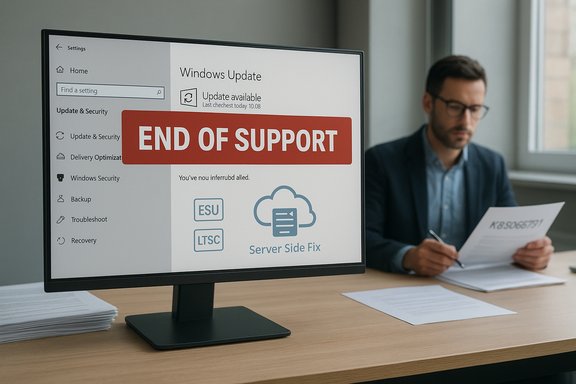
Microsoft quietly acknowledged and fixed a confusing Windows 10 bug that caused some PCs — including systems enrolled in Extended Security Updates (ESU) and several Long‑Term Servicing Channel (LTSC) SKUs — to display a prominent “Your version of Windows has reached the end of support” banner in Settings even though those machines were still entitled to receive security updates.
In mid‑October 2025 Microsoft shipped the October cumulative updates for Windows 10 (the rollout tracked under the KB family associated with October Patch Tuesday, commonly referenced as KB5066791). That release coincided with the formal end of mainstream servicing for Windows 10 on October 14, 2025, a lifecycle milestone Microsoft had announced months earlier. For many devices that marked the end of free, routine monthly cumulative updates — but Microsoft published extension paths, notably the consumer and commercial Extended Security Updates (ESU) program and separate long‑term timelines for Windows 10 Enterprise LTSC and Windows 10 IoT Enterprise LTSC editions. Microsoft confirmed that a display/diagnostic bug introduced after the October update caused an incorrect end‑of‑support banner to appear for certain SKUs, and it has pushed a server‑side correction plus an enterprise Known Issue Rollback (KIR) to remove the message. The core timeline and facts you need to know:
The structural lessons:
This was not a catastrophic security failure — patch delivery continued for properly configured systems — but it was a significant communications and operational failure. The episode underscores the fragility of lifecycle messaging at global scale and the need for both vendors and customers to build more robust verification and response processes for end‑of‑support scenarios.
Source: TechRadar https://www.techradar.com/computing...they-were-out-of-support-its-just-been-fixed/
 Background / Overview
In mid‑October 2025 Microsoft shipped the October cumulative updates for Windows 10 (the rollout tracked under the KB family associated with October Patch Tuesday, commonly referenced as KB5066791). That release coincided with the formal end of mainstream servicing for Windows 10 on October 14, 2025, a lifecycle milestone Microsoft had announced months earlier. For many devices that marked the end of free, routine monthly cumulative updates — but Microsoft published extension paths, notably the consumer and commercial Extended Security Updates (ESU) program and separate long‑term timelines for Windows 10 Enterprise LTSC and Windows 10 IoT Enterprise LTSC editions. Microsoft confirmed that a display/diagnostic bug introduced after the October update caused an incorrect end‑of‑support banner to appear for certain SKUs, and it has pushed a server‑side correction plus an enterprise Known Issue Rollback (KIR) to remove the message. The core timeline and facts you need to know:- Microsoft marked October 14, 2025 as the formal end of mainstream servicing for most Windows 10 consumer and standard commercial SKUs.
- Devices legitimately enrolled in ESU, and supported LTSC/IOT Enterprise SKUs, remained entitled to receive security updates on their separate published schedules despite the mainstream cutoff.
- The false “end of support” banner was a presentation issue — a UI/diagnostic message — and not, in Microsoft’s description, a revocation of update entitlement or a break in patch delivery for correctly configured systems.
What exactly happened
The symptom in the wild
Soon after the October cumulative reached devices, a subset of Windows 10 installations started showing this alarming banner in Settings → Windows Update: “Your version of Windows has reached the end of support.” In multiple reports the message also made the Settings page less helpful — in some cases hiding or disabling the “Check for updates” button — which amplified confusion and concern among both individual users and IT teams. Affected configurations that were reported include:- Windows 10, version 22H2 — Pro, Education, Enterprise editions that were correctly enrolled in ESU and configured with an ESU product key.
- Windows 10 Enterprise LTSC 2021 and Windows 10 IoT Enterprise LTSC 2021 builds, which have independent lifecycle calendars that extend beyond the mainstream October cutoff.
- Cloud and Azure‑hosted VMs that, by policy, are supposed to receive ESU entitlement automatically; these too were reported showing the banner on some hosts.
Why this looked so bad
The Windows Update UI is the first, and often authoritative, place admins and users look for lifecycle status. A blunt red banner saying a device is no longer receiving security updates triggers immediate operational responses — help‑desk tickets, compliance scans, procurement discussions, and even emergency upgrade plans. The UI message created a false positive that in many organizations translated to real cost and activity. Community and enterprise threads show help‑desk and admin churn spiked immediately after sightings began.Microsoft’s diagnosis and remediation
Microsoft publicly described the behavior as an incorrect display of the end‑of‑support message in Windows Update Settings and confirmed that the issue was introduced after updates released on or after October 14, 2025 (the October cumulative tracked as KB5066791). The vendor emphasized the banner is a diagnostic/UI indicator and that devices with an activated ESU license (or covered LTSC SKUs) will continue to receive security updates. Microsoft provided two primary remediation tracks:- A server‑side (cloud) configuration correction that removes the incorrect banner for internet‑connected devices which accept dynamic configuration updates from Microsoft. Devices must be online and allow OneSettings/Configuration Service Provider (CSP) traffic for the cloud fix to apply. A reboot is recommended after the cloud correction reaches the client.
- A Known Issue Rollback (KIR) package targeted at managed, locked‑down, or air‑gapped environments that block dynamic updates. The KIR can be deployed via Group Policy, SCCM/Endpoint Manager or manually as an MSI and will suppress the erroneous UI flag until a permanent code‑level fix is released.
How to verify whether your device is truly supported
If the banner appeared on your device, don’t act on it alone. Use authoritative checks to verify entitlement and patch delivery. The following steps are the recommended order of operations for both admins and advanced users:- Confirm ESU activation and product key status by checking licensing with slmgr:
- Run: slmgr /dlv
This will show whether an ESU MAK (Multiple Activation Key) is installed and its status. If ESU is activated, the device is entitled to receive security updates. - Inspect Windows Update history:
- Settings → Windows Update → View update history. If cumulative security updates are being downloaded and installed, your update plumbing is functioning despite the banner.
- Check your OS build and KB install list:
- Confirm KB5066791 (or later October cumulative KB family) is present and check recent install dates.
- For managed fleets, consult your management platform (Intune, Configuration Manager, WSUS):
- Verify device compliance and that dynamic update paths aren’t blocked by policy. If OneSettings downloads are disabled, the cloud fix won’t arrive.
- If the cloud fix hasn’t cleared the banner and you are in a managed or disconnected environment, deploy the Microsoft KIR package as instructed by Microsoft, then reboot devices.
Why this matters: operational, compliance, and trust implications
Operational cost and runaway escalation
A UI that incorrectly reports end‑of‑support status is not harmless. In enterprise environments the message can:- Trigger automated compliance failures in endpoint management dashboards.
- Cause incident response workflows that waste engineering hours and divert security resources.
- Prompt procurement or legal teams to request emergency licensing decisions or rushed migrations.
- Increase help‑desk ticket volumes and user anxiety.
Compliance and regulatory risk
For regulated environments where lifecycle status feeds into audits (healthcare, finance, government), a false “end of support” signal can cause:- Unnecessary audit exceptions and associated documentation burdens.
- Potential misreports to auditors or regulators unless the organization has clear verification artifacts (logs, KIR deployments, signed enrollment records).
Communications and vendor trust
This incident exposed a friction point in vendor → customer communications. When a platform sends a strong negative lifecycle signal (end‑of‑support) incorrectly, customers interpret it as a contractual breach. Rapid clarification and transparent remediation are essential to restore confidence. Microsoft’s two‑track fix (cloud + KIR) was the pragmatic response, but the initial absence of clear public messaging for some hours intensified confusion on community channels. Multiple outlets and community forums captured a wave of speculation ranging from benign “display glitch” theories to accusations of a scare tactic to push Windows 11 upgrades; those latter claims remain anecdotal and are not supported by documented evidence. Treat such claims with caution.What administrators and IT teams should change in their playbooks
This episode is a practical lesson in operational hygiene and defensive playbook design. Recommended actions and policy changes:- Don’t treat in‑OS banners as the single source of truth. Always verify lifecycle and entitlement via authoritative tooling and records (slmgr /dlv, management platform logs, update history).
- Instrument monitoring to use multiple telemetry signals. Combine Windows Update UI signals with telemetry from WSUS/Intune, update agent logs, and license activation records so a single false positive does not trigger automated remediation.
- Create an emergency communications template to quickly explain cosmetic UI issues to non‑technical stakeholders and prevent knee‑jerk procurement or deployment changes.
- Allow limited dynamic update channels or carve exceptions for devices that need vendor‑side configuration flags to operate correctly, or establish a tested KIR deployment path for locked environments.
- Document and preserve evidence for auditors if an erroneous banner impacts compliance reporting: license activation output, update history, KIR deployment logs, and vendor correspondence.
Strengths in Microsoft’s response — and where they fell short
What Microsoft did well
- Rapid identification and a two‑track remediation approach: Microsoft issued a server‑side fix for connected devices and a Known Issue Rollback (KIR) for disconnected or managed networks, which is the right operational duality for a global platform.
- Clear diagnostic positioning: The vendor described the bug as a display/diagnostic error rather than an entitlement revocation, which reduced confusion for organizations that performed basic entitlement checks.
Where Microsoft could improve
- Faster, clearer early communication: Community threads show administrators were looking for authoritative, public confirmation quickly; more immediate, prominent guidance on the Windows Release Health page or an RSS update would have shortened that window of panic.
- Better telemetry for blocked environments: Many locked‑down environments didn’t receive the cloud fix because OneSettings or dynamic updates were blocked; preemptively publishing KIR guidance alongside the KB would have reduced the burden on IT teams.
Practical guidance for end users and small businesses
- If you saw the banner and you’re a home or small business user who purchased or enrolled in ESU, verify the ESU activation state via Settings → System → About and by checking Windows Update history. If you use a Microsoft account and enabled settings sync to enroll, confirm your account enrollment status. If updates are still appearing in update history, there’s likely no interruption in patch delivery.
- Ensure your device is online and reboot after the October cumulative if the banner persists — the cloud configuration fix requires connectivity and a restart to complete in many cases.
- For immediate remediation on an offline or tightly controlled system, ask your IT admin to apply Microsoft’s KIR package and reboot.
Broader takeaways about lifecycle messaging in modern OSes
This incident is a reminder that lifecycle metadata and the UI that communicates it are composed of multiple moving parts: local metadata embedded in updates, server‑side configuration flags, telemetry, and management channel policies. When any of those inputs diverge or are misapplied, the end result can be a visible, and alarming, miscommunication.The structural lessons:
- Rely on concrete, auditable evidence for lifecycle status in enterprises.
- Vendors should treat lifecycle banners as signals, not contracts — because signals can be wrong; published lifecycle pages and program enrollment records are the contract.
- Management tooling and threat/compliance automation must be resilient to false positives and include human‑in‑the‑loop verification steps for lifecycle escalations.
Conclusion
The October 2025 update wave introduced a confusing but fixable UX regression: devices that remained entitled to updates — notably ESU‑enrolled 22H2 systems and several LTSC SKUs — were incorrectly told they were out of support. Microsoft confirmed the issue as a display/diagnostic error, deployed a server‑side fix that will clear the banner for connected devices, and published a Known Issue Rollback (KIR) for locked‑down environments that need immediate remediation. Administrators and users should verify entitlement with authoritative tools rather than relying on the Settings banner alone, and organizations should update their operational playbooks to treat lifecycle UI flags as starting points for triage, not triggers for immediate procurement or replacement.This was not a catastrophic security failure — patch delivery continued for properly configured systems — but it was a significant communications and operational failure. The episode underscores the fragility of lifecycle messaging at global scale and the need for both vendors and customers to build more robust verification and response processes for end‑of‑support scenarios.
Source: TechRadar https://www.techradar.com/computing...they-were-out-of-support-its-just-been-fixed/
