

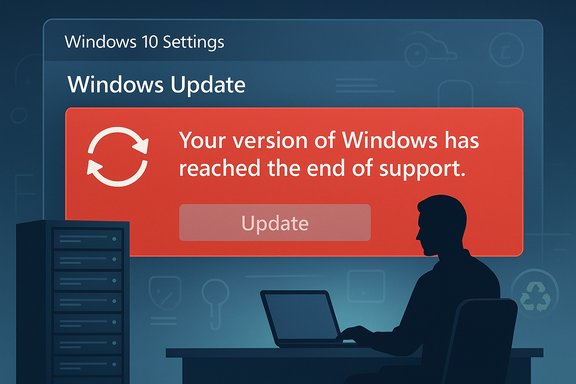
Microsoft accidentally triggered a panic this autumn when a routine October update caused some Windows 10 PCs — including machines that should still be receiving security-only updates — to display a blunt “Your version of Windows has reached the end of support” banner inside Settings → Windows Update, a message Microsoft now says was shown in error and has moved quickly to correct.
Windows 10 launched in 2015 and followed a long, well‑documented lifecycle that culminated in a formal end of mainstream servicing on October 14, 2025. On that date Microsoft stopped issuing routine, free monthly cumulative security and feature updates for most consumer and mainstream commercial Windows 10 SKUs — a milestone the company and industry watchers flagged well in advance. Microsoft built into that plan several carved‑out paths for continued, limited security servicing: the consumer and commercial Extended Security Updates (ESU) program and separate, longer lifecycles for Long‑Term Servicing Channel (LTSC) and IoT Enterprise LTSC releases. Those exceptions mean that, even after the mainstream cutoff, many Windows 10 installations remain entitled to security updates through specific programs and dates — but only if the devices are correctly enrolled or on the correct SKUs. What made the October incident newsworthy was not that support ended — that was scheduled and widely reported — but that Microsoft’s own in‑OS messaging mistakenly told some customers their machines had already lost entitlement, even when they had paid for or were otherwise enrolled in continued protection. The result was confusion, a spike in helpdesk tickets, and social media outcry; some users feared they were being forced to upgrade hardware or discard working machines.
Source: Inbox.lv Windows Users Unexpectedly Stripped of Support
 Background / Overview
Windows 10 launched in 2015 and followed a long, well‑documented lifecycle that culminated in a formal end of mainstream servicing on October 14, 2025. On that date Microsoft stopped issuing routine, free monthly cumulative security and feature updates for most consumer and mainstream commercial Windows 10 SKUs — a milestone the company and industry watchers flagged well in advance. Microsoft built into that plan several carved‑out paths for continued, limited security servicing: the consumer and commercial Extended Security Updates (ESU) program and separate, longer lifecycles for Long‑Term Servicing Channel (LTSC) and IoT Enterprise LTSC releases. Those exceptions mean that, even after the mainstream cutoff, many Windows 10 installations remain entitled to security updates through specific programs and dates — but only if the devices are correctly enrolled or on the correct SKUs. What made the October incident newsworthy was not that support ended — that was scheduled and widely reported — but that Microsoft’s own in‑OS messaging mistakenly told some customers their machines had already lost entitlement, even when they had paid for or were otherwise enrolled in continued protection. The result was confusion, a spike in helpdesk tickets, and social media outcry; some users feared they were being forced to upgrade hardware or discard working machines. What happened: the UI regression and its scope
The visible symptom
After installing the October servicing wave (tracked in community reporting under the KB family associated with the October rollup, commonly referenced as KB5066791), a subset of Windows 10 devices began showing a red banner in Settings → Windows Update that read “Your version of Windows has reached the end of support.” In many reported cases the banner also hid or disabled the Check for updates button, which amplified the alarm.Who was affected
Microsoft’s release‑health bulletin and independent reporting make the scope clear: affected machines included- Windows 10, version 22H2 Pro, Education, and Enterprise editions that were correctly enrolled in the ESU program and configured with an ESU product key;
- Windows 10 Enterprise LTSC 2021; and
- Windows 10 IoT Enterprise LTSC 2021.
Why the banner was more than cosmetic for some organizations
For individuals the banner was alarming; for enterprises it could trigger automated compliance escalations, procurement cycles, and emergency migration plans. Many corporate monitoring tools and compliance scanners read the Windows Update UI or lifecycle flags as part of inventory and risk assessments. A false “end‑of‑support” flag can therefore cascade into real costs: emergency upgrades, contract negotiations, or expensive third‑party support engagements that were unnecessary if entitlements were actually intact.Microsoft’s response: fixes, mitigations and communications
Microsoft publicly acknowledged the problem and characterized it as a diagnostic/UI display error — not a revocation of ESU or LTSC entitlements — and explained that devices with valid ESU activation or LTSC/IOT entitlements would continue to receive security updates. To remediate the issue the company deployed a two‑track fix:- A server‑side cloud configuration update that rolls out automatically to internet‑connected devices and removes the incorrect banner; and
- A Known Issue Rollback (KIR) package (Group Policy / MSI) for enterprise environments that are air‑gapped, WSUS‑only, or otherwise block dynamic cloud updates, allowing admins to suppress the faulty UI flag until a permanent update ships.
The messaging mismatch: why it happened (technical hypothesis)
The Windows Update UI derives lifecycle messaging from a blend of local metadata (installed OS build and update packages) and cloud‑delivered configuration flags and diagnostic signals (OneSettings CSP and dynamic configuration). Post‑deployment telemetry and community investigation suggests that the October cumulative or a companion update misapplied a presentation flag or logic rule, causing the UI to treat eligible systems as unsupported. The bug therefore sat at the intersection of local update plumbing and cloud control signals — a modern failure mode for cloud‑assisted OS lifecycle messaging.What this means for consumers and businesses
For consumers
- Windows 10 mainstream support ended on October 14, 2025; ordinary Home and Pro machines that are not enrolled in ESU stopped receiving routine monthly OS patches on that date. That does not immediately break your PC — it only removes the vendor‑provided patching safety net for future kernel and platform vulnerabilities.
- Microsoft offers a consumer ESU program that extends security‑only updates through October 13, 2026, with multiple enrollment options (sync settings to a Microsoft account at no cost, redeem 1,000 Microsoft Rewards points, or pay a one‑time ~$30 fee per device). Enrollment requirements and regional differences apply.
For enterprises and regulated environments
- Don’t treat a single in‑OS banner as a compliance trigger. Confirm entitlements via licensing portals, management tooling, and the update history — then apply the KIR or allow the cloud fix to propagate as appropriate.
- The incident is a reminder to harden operational playbooks: require multiple independent signals (licensing checks, WSUS/patch history, vendor lifecycle pages) before declaring devices unsupported and initiating procurement or migration projects.
The environmental angle: are users being forced to toss working PCs?
Many commentators and social posts framed the mis‑notification as evidence that Microsoft was forcing users to replace functional hardware, a narrative that resonated with sustainability‑minded users upset at planned obsolescence. The facts are more nuanced:- Microsoft’s October 14, 2025 lifecycle decision did remove free mainstream updates for most Windows 10 SKUs — that change does increase the long‑term security risk on older hardware that cannot meet Windows 11 requirements. For some users and organizations, the practical result is accelerated replacement cycles.
- However, Microsoft did not implement a technical "kill switch" that disables hardware after that date; the mistaken banner was a separate UI bug that misreported status. Devices that remain operational but unsupported face escalating security risk over time, but they are not forcibly prevented from running Windows 10.
How to respond if you saw the banner
- Verify your OS build and edition via Settings → System → About or winver.
- Confirm ESU or LTSC entitlement through licensing tools (for ESU, check the Enrollment status in Settings → Update & Security or the enterprise license portal).
- Check Windows Update history to see whether cumulative security updates continue to install; if updates are still being applied and your ESU/LTSC status is valid, the banner is likely cosmetic.
- If the banner persists on machines that block cloud configuration, download and deploy the Microsoft Known Issue Rollback (KIR) per Microsoft’s guidance, or allow the cloud fix time to propagate after ensuring the device is online.
- For fleets: update operational playbooks to require multiple verification steps before triggering compliance or procurement actions — use audit logs, licensing checks, and update telemetry as the primary signals.
Strengths and weaknesses of Microsoft’s approach
Notable strengths
- Microsoft acknowledged the issue publicly, documented affected SKUs, and issued both an automated cloud fix and an enterprise KIR in short order — a pragmatic two‑track remediation that reflects a modern, cloud‑assisted engineering response model.
- The company also preserved the ESU pathways and LTSC lifecycles as designed, so the technical entitlement commitments were not rescinded even if the UI got the message wrong. That separation between entitlement and display is important for trust and contractual certainty.
Risks and weaknesses
- The incident exposed how brittle user perception can be when lifecycle messaging is tightly coupled to a single UI flag. A single misfired presentation flag can trigger outsized operational responses and reputational damage. The risk is especially acute in regulated and compliance‑sensitive environments.
- Cloud‑driven configuration and messaging are efficient — but they introduce a new failure class: when cloud flags misalign with local metadata or licensing status, false positives can ripple through monitoring and automation systems. Organizations must account for that in their design of compliance rules and remediation playbooks.
Policy and consumer‑rights implications
Two policy threads deserve mention:- Regional consumer protections matter. Microsoft’s ESU terms differ by region and have been adjusted in response to regulatory and advocacy pressure; for example, Microsoft modified ESU handling in the European Economic Area to remove some prerequisites and make coverage more accessible to EEA consumers. That kind of geographic differentiation complicates the messaging story and can heighten mistrust when a global UI shows a single, blunt message without context.
- Transparency around lifecycle decisions and easy, low‑friction enrollment in transitional support programs (ESU, affordable refurbishment incentives, or vendor take‑back programs) is essential to prevent environmentally harmful hardware churn. The episode underlines the need for vendor responsibility not just in software security but in device end‑of‑life stewardship and public communications.
Practical takeaways for Windows users today
- If your device displayed the erroneous banner, don’t panic — verify entitlement and update history before taking irreversible steps. Check enrollment for ESU (if needed) and follow Microsoft’s remediation steps.
- If your PC can run Windows 11 and you value long‑term vendor updates without ESU enrollment, plan an upgrade path; if it cannot, evaluate ESU enrollment as a time‑boxed bridge (through October 13, 2026 for consumer ESU) or evaluate alternative OS choices and responsible reuse/refurbishment programs.
- For organizations, update compliance playbooks to require corroboration from licensing and update telemetry before triggering procurement or migration projects in response to lifecycle messages. That change prevents costly and environmentally damaging knee‑jerk reactions.
Conclusion
The October UI glitch that told some Windows 10 users their machines were unsupported was an avoidable communications failure with outsized operational consequences. Microsoft fixed the symptom quickly with cloud configuration and a Known Issue Rollback while reaffirming that ESU and LTSC entitlements remain valid for eligible devices. But the episode should serve as a practical lesson: lifecycle transitions are not only technical events — they are communications and sustainability events too. Vendors must be precise and multi‑signal in how they inform customers about end‑of‑support milestones, and organizations must treat any single UI warning as the beginning of triage, not the final word. Doing otherwise risks unnecessary cost, wasted time, and increased e‑waste at a moment when global electronics recycling rates are already far below what the planet needs.Source: Inbox.lv Windows Users Unexpectedly Stripped of Support
