

Microsoft says MAIRE connected Microsoft Foundry and Microsoft Copilot Studio with Autodesk Forma and Autodesk Revit so engineers can ask natural-language questions about complex project data inside Microsoft Teams. That is the core change: Microsoft’s AI and agent-building tools are being joined to Autodesk engineering systems, with Teams as the user-facing entry point. For IT and administrators, the important part is not a broad “AI transformation” slogan; it is the operational shift from stand-alone chat to governed agents that can touch project context, design information, permissions, and daily engineering workflows.
The practical takeaway is straightforward. MAIRE’s pattern matters because it shows AI moving closer to where engineering work already happens: Teams conversations, cloud documentation, project data, Autodesk design environments, and Microsoft 365 identity controls. That makes the opportunity bigger, but it also raises the administrative stakes. A Teams-based engineering agent is not just another app in the sidebar. It is a new access layer over project knowledge, and it needs the same discipline administrators already apply to identity, conditional access, data loss prevention, app governance, endpoint policy, and lifecycle management.
A sensible pilot should be narrow: one engineering domain, one bounded project or knowledge set, one Teams-based agent, named business and technical owners, explicit source grounding, and a review process for wrong or incomplete answers. A hypothetical example would be a Teams channel for a project engineering group where an approved agent answers questions such as, “Which current model assumptions and approved project documents affect this equipment layout?” The agent would retrieve only from scoped Autodesk and Microsoft 365 sources, show the underlying references or source context, and route uncertain or high-impact answers to a human engineer for review. That is not presented as a reported MAIRE workflow; it is the kind of controlled implementation pattern administrators should consider if they try to adapt the model.
MAIRE’s example is useful precisely because it is not only a generic chatbot story. It is a reminder that the real work starts before the agent appears in Teams: data ownership, app approval, identity scoping, source authority, endpoint trust, support readiness, and human accountability.
Microsoft’s account of MAIRE describes a large engineering, procurement, and construction organization connecting Microsoft and Autodesk technologies so project information can be accessed through natural language in familiar collaboration tools. The safer reading is not that Microsoft is reporting every operational detail of MAIRE’s internal transformation, but that MAIRE is using the Microsoft and Autodesk stack as part of a broader attempt to industrialize AI in engineering work.
That distinction matters. In engineering and construction, the expensive failure is rarely that someone cannot generate a polished paragraph. The expensive failure is that someone misses a dependency, works from stale documentation, repeats a manual check, loses time navigating disconnected systems, or introduces rework into a project where margins and schedules are already unforgiving. AI that cannot see governed engineering context is a limited assistant; AI that can safely surface the right context at the right time starts to look more like operational infrastructure.
Michele Mariella, CIO of MAIRE, frames the project in those terms. “Staying competitive means more than adding new tools, so we set out to design a digital landscape that could evolve with the business,” Mariella says in Microsoft’s account. “One that would help our engineers navigate complexity, collaborate across disciplines, and prepare the company for the next decade of innovation.”
That quote is the center of the story. MAIRE is not describing AI as a novelty layer pasted onto existing work. It is describing a technology landscape that has to evolve with the business and help engineers work across complex, high-stakes projects. For Microsoft customers, that makes the example more useful than a simple productivity anecdote. It shows how quickly an AI project becomes a data architecture, collaboration, security, governance, and change-management project.
The first lesson for IT leaders is therefore simple: do not start with the agent. Start with the work. Which engineering questions waste time today? Which project decisions depend on scattered documentation, design models, or historical issue data? Which answers are safe to automate, and which should only be summarized for human review? Which sources are authoritative, and which are merely useful background? Those questions should shape the pilot long before anyone argues over branding, licensing, or whether a chatbot belongs in every Team.
A Teams-based agent can look deceptively simple to the user. An engineer types a question, receives an answer, and keeps working. Underneath that moment, however, the organization has to decide what the agent can see, what it can summarize, what it must refuse, and when it must point the user back to a controlled engineering process. That is why the MAIRE pattern should be treated as infrastructure design, not just user experience design.
Enterprise AI often exposes the unfinished business of earlier cloud and collaboration programs. Organizations that never cleaned up identity, document governance, retention, data ownership, project metadata, or collaboration sprawl may discover that a generative AI rollout does not magically solve those problems. It can reveal them faster. If a tenant is full of orphaned Teams sites, poorly permissioned SharePoint libraries, duplicated project files, inconsistent naming schemes, and undocumented exceptions, an AI agent may become a very efficient way to surface that disorder.
MAIRE appears to have had a more prepared starting point. Standardized cloud documentation and processes gave the company a base from which Microsoft AI tools could operate. That does not mean the work was simple; it means the preconditions were not entirely absent. For IT leaders, that is the useful lesson: the first AI project may be announced in the present, but the real enabling work may have happened years earlier in identity, cloud storage, document management, endpoint management, and collaboration standardization.
In Microsoft’s account, Foundry and Copilot Studio sit alongside Autodesk tools in the MAIRE pattern. At a practical level, that means the project is not one purchase or one feature switch. It combines an AI development and management layer, an agent-building and Microsoft 365 delivery layer, and engineering-specific systems where important project context lives.
That is also why Autodesk matters here. Engineering data does not live only in Office documents. It lives in models, drawings, design systems, issues, specifications, and project artifacts. By tying Microsoft technologies to Autodesk Forma and Autodesk Revit, MAIRE is trying to make AI useful in the domain layer, not only the productivity layer.
For WindowsForum readers, this is the part to watch. A Teams-based agent that can answer questions over project context is only as trustworthy as the identity, permissions, data hygiene, endpoint posture, and source systems behind it. The visible experience may be a natural-language prompt. The control model underneath still depends on tenant governance, project ownership, trusted devices, and disciplined integration.
The pre-AI foundation also affects supportability. If project content is well organized, access groups are meaningful, and Teams spaces are intentionally managed, administrators have a better chance of understanding why an agent answered a question the way it did. If the environment is chaotic, every AI incident becomes harder to triage: was the answer wrong because the model failed, because the user lacked access, because the data source was stale, because the wrong repository was indexed, or because the project team never agreed on the authoritative source?
That is the unglamorous truth behind many enterprise AI deployments. The agent may be new, but the success criteria are familiar: clean identity, clear ownership, controlled access, documented sources, consistent policy, and support teams that know where the boundaries are.
This table is the part of the MAIRE story that should slow down procurement teams. A useful engineering AI rollout is not one SKU. It is an architecture. Someone has to decide what data gets indexed or queried, what systems remain authoritative, how agents handle conflicting information, what happens when a model or document changes, and who is accountable when the AI gives a confident answer from incomplete context.
The Teams angle is both powerful and risky. Teams is familiar, which lowers friction. Engineers do not need to jump into a specialized AI portal to ask a project question if the agent is available in the collaboration tool they already use. That is useful only if the agent is scoped, governed, and clear about its limits.
Familiarity can disguise risk. A chat interface tends to make complex systems feel casual. When an engineer asks a question inside Teams and receives an immediate answer, the experience can feel more authoritative than it deserves. In high-stakes engineering work, the interface must not imply that every AI response is final, complete, or safe to act on without review.
That is where IT and engineering governance must meet. The agent should not only answer; it should show enough grounding, source context, and workflow boundaries for the engineer to understand what kind of answer it is. Is it summarizing approved documentation? Searching historical project issues? Querying a live model? Drafting a recommendation? Repeating a design rule? These are not the same action, and the controls around them should not be the same either.
A practical Teams implementation would need to define the agent’s scope in terms that both administrators and engineers understand. For example, a project-specific agent could be approved only for one Teams workspace, restricted to a defined set of project repositories, blocked from use in external chats, and configured to remind users when answers are advisory. That kind of deployment may sound less exciting than an enterprise-wide assistant, but it is much closer to how critical engineering workflows should be introduced.
Natural language is a forgiving input method. It lets workers ask messy questions without knowing the exact database schema, document path, project folder, or application menu. That is valuable in a large engineering organization where project knowledge is spread across disciplines and systems. It can reduce the “where do I even look?” tax that consumes time in complex work.
But natural language is not a permission model, a validation model, or a quality model. A user may ask a broad question that crosses project boundaries. A phrase may map ambiguously to several systems. A document may be available to the user but not approved for the task at hand. A Revit model may contain design information that is current in one workflow but superseded in another. A Teams chat may contain project context that is useful but not formally controlled.
The engineering AI problem is therefore not only “Can the model understand the question?” It is also “Can the system safely decide what the question is allowed to touch, which sources are authoritative, and how much uncertainty to expose back to the user?” That is less glamorous than a demo, but it is the difference between productivity and liability.
MAIRE’s scenario is especially interesting because the work involves complex engineering projects. That raises the bar. In a lightly regulated back-office process, a wrong AI summary may waste time. In an engineering project with safety, compliance, environmental, procurement, and contractual implications, a wrong or stale answer can propagate into expensive decisions.
The practical takeaway is that natural-language AI in engineering should be treated like a new access layer over critical systems, not like a search upgrade. If the agent can reach project models, documents, issue logs, or design knowledge, it deserves the same scrutiny as any other application that touches sensitive project data.
That also means answers should be designed for verification. A useful agent should make it clear when it is summarizing approved material, when it is retrieving from a live system, when it is using older project knowledge, and when it does not have enough information. Administrators cannot solve every model-quality problem through policy, but they can require that production agents expose enough source context for users to challenge the result.
That makes sense. Teams already hosts meetings, chats, files, project discussions, channels, and daily coordination rituals. If an engineer must leave that context to retrieve information, the retrieval itself becomes a source of friction. If the agent can be invoked within the same environment, the path from question to answer is shorter.
The danger is that Teams can become a dumping ground for every workflow that wants adoption. Many organizations have already learned this with apps, tabs, connectors, channels, and notifications. Adding agents can either reduce fragmentation or create a new layer of noise. The difference will depend on curation.
For MAIRE, the promise is that engineers can interact with complex project data without navigating multiple systems. That is a real productivity target. Engineering teams often lose time not because information is absent, but because it is distributed across tools with different interfaces, permissions, formats, and histories. A natural-language agent can act as a cross-system interpreter if the underlying data access is designed carefully.
Teams deployment also drags admins into policy questions that are easy to postpone during pilots. Who can publish an agent? Who approves it for organization-wide use? Can users add it to group chats or channels? Does the agent have access to conversation history? Is it scoped to a project, a region, a discipline, or an enterprise knowledge base? What happens when a contractor or external partner is present?
Those questions are not blockers; they are design requirements. A good Teams-based engineering agent should arrive with a clear access model, a named owner, an update process, a review cadence, and a retirement path. Otherwise, the organization risks creating AI-powered shadow applications that persist long after their knowledge sources or assumptions have changed.
A hypothetical engineering workflow illustrates the point. Imagine a project engineer in a Teams channel asking an approved agent: “Summarize the current design constraints affecting the pump-room layout and flag any related open issues.” A controlled version of that workflow would limit retrieval to the project’s approved Microsoft 365 document set and relevant Autodesk project data, return a summary with source context, identify open issues without resolving them automatically, and include a prompt to escalate unresolved conflicts to the discipline lead. The value is not that the agent makes the decision. The value is that it reduces the time required to find the current context before a qualified engineer decides what to do.
That kind of example also shows why Teams governance matters. If the same agent can be dropped into any chat, used by the wrong audience, or connected to unreviewed sources, the convenience becomes a liability. If it is scoped, approved, monitored, and tied to existing project roles, Teams can become a practical front door to industrial knowledge rather than another uncontrolled collaboration layer.
Engineering organizations do not run on text alone. They run on models, discipline-specific artifacts, change histories, design constraints, issue records, specifications, and project dependencies. Much of that information is visual, structured, semi-structured, or embedded in specialized software. A generic AI assistant may be able to summarize a PDF, but that does not mean it understands a design model or the operational meaning of a project issue.
Autodesk Forma and Revit represent different but connected parts of that world. Forma is associated with architecture, engineering, and construction workflows around project planning and design context, while Revit is tied to building information modeling and detailed design work. Connecting those systems to Microsoft’s AI layer suggests a more ambitious goal: let engineers ask questions across project artifacts without forcing them to manually traverse every application boundary.
That is where the productivity potential becomes substantial. Consider the difference between searching for a document and asking a project-aware agent to surface relevant constraints, model context, and related issues. The former is retrieval. The latter begins to look like workflow support.
But this also increases the burden on accuracy and traceability. A design model is not merely content; it is a representation of decisions, assumptions, revisions, and responsibilities. If AI summarizes or queries it, the system needs to preserve enough context that engineers can verify what they are seeing. Without that, AI risks flattening expert knowledge into plausible prose.
The point is not that AI should replace domain tools. The point is that AI can reduce the cognitive and navigational load around them. Engineers should still work in the systems where engineering work is done. The agent should help them find, compare, summarize, and interrogate information faster, not pretend the underlying systems no longer matter.
This is why MAIRE’s case is more instructive than many generic AI deployments. It shows that some of the most valuable enterprise AI scenarios sit inside vertical workflows. Engineering wants AI that understands project data, models, revisions, and change. Microsoft and Autodesk can provide important pieces of that pattern, but the value emerges only when those pieces are wired into the actual work.
Administrators should be especially cautious about treating engineering systems as just another data connector. The fact that data can be queried does not mean it should be queried by every user, in every context, or without human review. Design data often carries assumptions that are obvious to domain experts but invisible to a general-purpose interface. An agent that summarizes those assumptions must be deployed with guardrails that respect engineering responsibility.
That portfolio approach can be sensible. AI rarely changes a complex organization through one monolithic deployment. It spreads through repeated, bounded interventions: search assistance here, onboarding there, quality checks somewhere else, model interrogation in another workflow, repetitive documentation support in yet another. Each use case may be modest alone, but the accumulated effect can change how work moves if the organization governs the portfolio carefully.
The danger is that use-case portfolios can become vanity metrics. A company can collect 100 ideas faster than it can govern 10 production agents. The hard work is prioritization. Which use cases touch the most expensive delays? Which reduce rework? Which are safe enough for early deployment? Which require deep integration? Which should never move beyond advisory support? Which are actually automation problems, not AI problems?
MAIRE’s framing suggests that the company is looking at use cases as part of an operating model, not merely as a single demonstration. The goal is not to prove that AI can answer questions. The goal is to change where engineers spend time: less on routine, repetitive, data-heavy tasks, and more on high-value engineering judgment.
For Windows and Microsoft 365 administrators, this implies a more demanding intake process. The old software request might have asked for an application, a license, and a security review. The AI request needs more: data sources, grounding requirements, human review points, audit needs, expected usage, cost profile, Teams deployment scope, endpoint assumptions, and lifecycle ownership.
A portfolio of agents also needs a catalog. Employees should know which agents are approved, what each one is for, what data it can access, and what its limitations are. Otherwise, the organization will drift toward the same sprawl it spent years trying to tame in Teams, SharePoint, Power Platform, and SaaS.
Windows remains the working surface for many engineers, project managers, and administrators. It is where Teams runs, where desktop engineering tools coexist with cloud services, where identity sessions persist, where files are synced or opened, and where users move between browsers, Office apps, design software, and collaboration spaces. If AI becomes embedded in daily engineering workflows, endpoint trust becomes part of the AI control plane.
That means device compliance, identity protection, conditional access, browser policies, Teams app controls, data loss prevention, and endpoint security all matter more, not less. An AI agent exposed through Teams may feel cloud-native, but the user invoking it is sitting at a device with its own posture, local data, cached credentials, plugins, and possible compromise paths.
The Windows and Microsoft 365 angle becomes concrete in five administrative areas.
First, Teams app governance has to control which agents can be published, who can install them, where they can be used, and whether they are allowed in chats, channels, or meetings that include guests. An engineering agent should not spread through the tenant merely because users find it helpful.
Second, identity must carry the real access model. Agents should respect project roles, group membership, guest boundaries, and least-privilege principles. If the underlying groups are messy, the agent’s answers may inherit that mess.
Third, conditional access should reflect the sensitivity of the data. If an agent can retrieve controlled project information, administrators should consider whether access depends on compliant devices, managed sessions, location, user risk, or other controls already used for sensitive resources.
Fourth, data loss prevention needs to account for the way AI changes information flow. A user may not download a sensitive file, but an agent might summarize sensitive content into a Teams conversation. DLP strategy has to consider generated summaries, copied responses, and cross-context sharing.
Fifth, endpoint policy remains part of the trust boundary. Device compliance, update posture, malware protection, browser controls, local file handling, and copy/paste behavior all shape whether a cloud-delivered AI workflow is actually safe in daily use.
There is also a user-experience dimension. If the AI workflow is slow, blocked by repeated authentication prompts, unavailable in the right Teams context, or inconsistent between desktop and web, adoption suffers. If it is too permissive or too easily added to the wrong chat, risk rises. Admins will have to balance usability and control in the same place they always do: policy.
The arrival of agent-based workflows also changes support. Help desks will need to distinguish between Teams issues, Copilot Studio publishing issues, permission problems, data-source problems, model behavior problems, endpoint access problems, and user misunderstanding. “The agent gave me the wrong answer” is not a single ticket category. It could be a stale source, missing access, ambiguous prompt, retrieval failure, grounding gap, model limitation, policy block, or a genuine bug.
That support burden is another reason MAIRE’s foundational cloud standardization matters. The cleaner the underlying collaboration and data architecture, the easier it is to diagnose AI behavior. The messier the tenant, the more AI incidents will look mysterious.
Windows administrators should not assume they are peripheral to these projects. They are the people who understand how policy becomes lived experience. If AI agents are going to appear inside Teams and Microsoft 365, endpoint and tenant administrators need to be involved before the pilot becomes a production dependency.
Mariella’s quote points to that. The stated ambition is not simply tool adoption; it is a digital landscape that evolves with the business. That implies a shift in who gets to shape technology. Engineering teams are not merely recipients of centrally procured software. They become participants in designing the workflows that AI will support.
That is where many deployments will succeed or fail. If AI agents are imposed from above without deep involvement from the people who understand the work, they will either be ignored or used in risky ways. If they are designed with engineers, project managers, security teams, and administrators in the same conversation, they have a better chance of solving real problems.
The change-management burden is practical. Engineers need to know what the agent can do, what it cannot do, what sources it uses, and when they remain responsible for verification. Managers need to know whether the workflow is saving time or simply moving effort into a different interface. Administrators need enough telemetry and feedback to improve the agent without turning the pilot into an uncontrolled experiment.
Training should not be reduced to prompt tips. Prompting matters, but the deeper training is about judgment: how to interpret AI answers, how to check source context, how to report a bad answer, how to avoid oversharing, and how to distinguish an advisory summary from an approved engineering decision.
The same applies to leadership. Executives may want broad adoption, but engineering AI should not be measured only by usage. High usage of a poorly scoped agent can increase risk. A smaller deployment that reliably reduces rework, speeds information retrieval, or improves review preparation may be more valuable than a flashy enterprise-wide assistant with unclear accountability.
Model choice still matters, but it is only one part of the system. The operational design around the model determines whether the result is trusted. In engineering environments, trust comes from source quality, access control, explainability, domain fit, human review, and consistent policy. The model is the engine; the workflow is the vehicle; governance is the road system.
That is the right direction for organizations with mature enough foundations. AI becomes more useful when it sits near the systems where decisions are made. For an engineering organization, that means project documentation, design data, collaboration spaces, models, issues, and knowledge from prior work. For another industry, the domain systems will be different, but the principle is the same: AI should be grounded in the work, not floating above it.
What should not be copied blindly is the scale. A “100+ use cases” portfolio may make sense for a large organization with executive sponsorship, cloud standardization, and technical capacity. It may be the wrong starting point for a smaller IT team already struggling with Teams sprawl, inconsistent identity groups, weak data classification, or limited support coverage.
A better approach is to begin with a narrow use case that has clear value and manageable risk. The first agent should be boring enough to govern well. It should answer a known set of questions against a known set of sources for a known group of users. It should have owners, monitoring, and a rollback path. It should be evaluated not just on user enthusiasm but on answer quality, time saved, and whether it avoided creating new operational problems.
Customers should also resist the urge to make Teams the home for every agent. Teams is powerful because it is where work happens, but that is also why it must be protected from clutter. An agent belongs in Teams when the workflow is collaborative, time-sensitive, and naturally part of a channel or chat. If the workflow is specialized, sensitive, or better handled in a domain application, Teams may be only the notification or coordination layer.
Finally, organizations should not assume that connecting systems automatically produces trusted answers. Integration creates the possibility of better answers. It does not remove the need for data quality, source authority, permission design, or human review. The more valuable the workflow, the more deliberate the controls need to be.
That phase will be harder. It will require Microsoft 365 admins, Teams admins, Power Platform owners, security architects, endpoint managers, data owners, and business teams to work together. It will also force organizations to confront long-standing problems in information architecture. AI will not quietly sit on top of broken governance. It will test it.
For engineering companies, the opportunity is real. If AI can help skilled people find the right context faster, reduce repetitive information retrieval, and prepare better for decisions, the payoff can be meaningful. But the boundary must stay clear: AI can support engineering judgment; it should not obscure who is responsible for engineering decisions.
For Microsoft and Windows ecosystems, MAIRE is a sign of where the platform story is headed. Teams becomes more than chat. Copilot Studio becomes more than a low-code assistant builder. Foundry becomes part of the enterprise AI foundation. Autodesk integration shows that the highest-value scenarios may depend on domain-specific systems rather than generic office content alone. Windows endpoints, identity, conditional access, DLP, and Teams governance remain part of the control plane even when the experience feels cloud-native.
The forward-looking question for IT leaders is not whether every engineer needs an AI agent tomorrow. It is whether the organization is ready to expose valuable project knowledge through conversational interfaces without losing control of access, context, quality, and accountability.
MAIRE’s example does not answer that question for everyone. It does, however, make the direction clear. Enterprise AI is moving from chat as a destination to chat as an interface over governed work. The winners will not be the organizations that create the most agents fastest. They will be the ones that connect agents to real workflows, keep humans accountable for critical decisions, and make administration part of the design from day one.
The practical takeaway is straightforward. MAIRE’s pattern matters because it shows AI moving closer to where engineering work already happens: Teams conversations, cloud documentation, project data, Autodesk design environments, and Microsoft 365 identity controls. That makes the opportunity bigger, but it also raises the administrative stakes. A Teams-based engineering agent is not just another app in the sidebar. It is a new access layer over project knowledge, and it needs the same discipline administrators already apply to identity, conditional access, data loss prevention, app governance, endpoint policy, and lifecycle management.
A sensible pilot should be narrow: one engineering domain, one bounded project or knowledge set, one Teams-based agent, named business and technical owners, explicit source grounding, and a review process for wrong or incomplete answers. A hypothetical example would be a Teams channel for a project engineering group where an approved agent answers questions such as, “Which current model assumptions and approved project documents affect this equipment layout?” The agent would retrieve only from scoped Autodesk and Microsoft 365 sources, show the underlying references or source context, and route uncertain or high-impact answers to a human engineer for review. That is not presented as a reported MAIRE workflow; it is the kind of controlled implementation pattern administrators should consider if they try to adapt the model.
MAIRE’s example is useful precisely because it is not only a generic chatbot story. It is a reminder that the real work starts before the agent appears in Teams: data ownership, app approval, identity scoping, source authority, endpoint trust, support readiness, and human accountability.
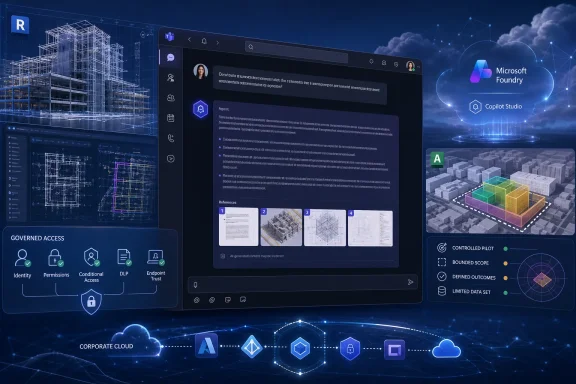 MAIRE Turns AI From Demo Theater Into Engineering Infrastructure
Microsoft’s account of MAIRE describes a large engineering, procurement, and construction organization connecting Microsoft and Autodesk technologies so project information can be accessed through natural language in familiar collaboration tools. The safer reading is not that Microsoft is reporting every operational detail of MAIRE’s internal transformation, but that MAIRE is using the Microsoft and Autodesk stack as part of a broader attempt to industrialize AI in engineering work.That distinction matters. In engineering and construction, the expensive failure is rarely that someone cannot generate a polished paragraph. The expensive failure is that someone misses a dependency, works from stale documentation, repeats a manual check, loses time navigating disconnected systems, or introduces rework into a project where margins and schedules are already unforgiving. AI that cannot see governed engineering context is a limited assistant; AI that can safely surface the right context at the right time starts to look more like operational infrastructure.
Michele Mariella, CIO of MAIRE, frames the project in those terms. “Staying competitive means more than adding new tools, so we set out to design a digital landscape that could evolve with the business,” Mariella says in Microsoft’s account. “One that would help our engineers navigate complexity, collaborate across disciplines, and prepare the company for the next decade of innovation.”
That quote is the center of the story. MAIRE is not describing AI as a novelty layer pasted onto existing work. It is describing a technology landscape that has to evolve with the business and help engineers work across complex, high-stakes projects. For Microsoft customers, that makes the example more useful than a simple productivity anecdote. It shows how quickly an AI project becomes a data architecture, collaboration, security, governance, and change-management project.
The first lesson for IT leaders is therefore simple: do not start with the agent. Start with the work. Which engineering questions waste time today? Which project decisions depend on scattered documentation, design models, or historical issue data? Which answers are safe to automate, and which should only be summarized for human review? Which sources are authoritative, and which are merely useful background? Those questions should shape the pilot long before anyone argues over branding, licensing, or whether a chatbot belongs in every Team.
A Teams-based agent can look deceptively simple to the user. An engineer types a question, receives an answer, and keeps working. Underneath that moment, however, the organization has to decide what the agent can see, what it can summarize, what it must refuse, and when it must point the user back to a controlled engineering process. That is why the MAIRE pattern should be treated as infrastructure design, not just user experience design.
The Old Cloud Migration Becomes the New AI Prerequisite
One of the quieter but important details in Microsoft’s MAIRE account is that the company was already a longtime Microsoft cloud user, with documentation and processes standardized in the cloud. That is not decorative background. It helps explain why a Microsoft-and-Autodesk AI pattern is plausible in the first place.Enterprise AI often exposes the unfinished business of earlier cloud and collaboration programs. Organizations that never cleaned up identity, document governance, retention, data ownership, project metadata, or collaboration sprawl may discover that a generative AI rollout does not magically solve those problems. It can reveal them faster. If a tenant is full of orphaned Teams sites, poorly permissioned SharePoint libraries, duplicated project files, inconsistent naming schemes, and undocumented exceptions, an AI agent may become a very efficient way to surface that disorder.
MAIRE appears to have had a more prepared starting point. Standardized cloud documentation and processes gave the company a base from which Microsoft AI tools could operate. That does not mean the work was simple; it means the preconditions were not entirely absent. For IT leaders, that is the useful lesson: the first AI project may be announced in the present, but the real enabling work may have happened years earlier in identity, cloud storage, document management, endpoint management, and collaboration standardization.
In Microsoft’s account, Foundry and Copilot Studio sit alongside Autodesk tools in the MAIRE pattern. At a practical level, that means the project is not one purchase or one feature switch. It combines an AI development and management layer, an agent-building and Microsoft 365 delivery layer, and engineering-specific systems where important project context lives.
That is also why Autodesk matters here. Engineering data does not live only in Office documents. It lives in models, drawings, design systems, issues, specifications, and project artifacts. By tying Microsoft technologies to Autodesk Forma and Autodesk Revit, MAIRE is trying to make AI useful in the domain layer, not only the productivity layer.
For WindowsForum readers, this is the part to watch. A Teams-based agent that can answer questions over project context is only as trustworthy as the identity, permissions, data hygiene, endpoint posture, and source systems behind it. The visible experience may be a natural-language prompt. The control model underneath still depends on tenant governance, project ownership, trusted devices, and disciplined integration.
The pre-AI foundation also affects supportability. If project content is well organized, access groups are meaningful, and Teams spaces are intentionally managed, administrators have a better chance of understanding why an agent answered a question the way it did. If the environment is chaotic, every AI incident becomes harder to triage: was the answer wrong because the model failed, because the user lacked access, because the data source was stale, because the wrong repository was indexed, or because the project team never agreed on the authoritative source?
That is the unglamorous truth behind many enterprise AI deployments. The agent may be new, but the success criteria are familiar: clean identity, clear ownership, controlled access, documented sources, consistent policy, and support teams that know where the boundaries are.
The Stack Is Really Four Decisions, Not One Purchase
MAIRE’s named stack includes Microsoft Foundry, Microsoft Copilot Studio, Autodesk Forma, and Autodesk Revit. Each product occupies a different layer of the problem, and collapsing them into “AI tools” misses the operational design.| Layer in the MAIRE pattern | Product named in the story | Practical role in the workflow | Why it matters to IT |
|---|---|---|---|
| AI platform and agent foundation | Microsoft Foundry | Supports the creation and management of AI applications and agents in the Microsoft ecosystem | Requires governance, monitoring, model choices, cost control, and integration discipline |
| Agent creation and Microsoft 365 delivery | Microsoft Copilot Studio | Helps create agents and expose them through Microsoft 365 experiences such as Teams | Ties deployment to tenant policies, app approval, permissions, user adoption, and support |
| Early design and project data environment | Autodesk Forma | Supports architecture, engineering, and construction workflows around project data and design context | Brings domain-specific data into the AI conversation rather than leaving it in isolated tools |
| Building information modeling and detailed design | Autodesk Revit | Houses detailed design and engineering model information | Makes AI useful only if access, versioning, and interpretation are handled carefully |
The Teams angle is both powerful and risky. Teams is familiar, which lowers friction. Engineers do not need to jump into a specialized AI portal to ask a project question if the agent is available in the collaboration tool they already use. That is useful only if the agent is scoped, governed, and clear about its limits.
Familiarity can disguise risk. A chat interface tends to make complex systems feel casual. When an engineer asks a question inside Teams and receives an immediate answer, the experience can feel more authoritative than it deserves. In high-stakes engineering work, the interface must not imply that every AI response is final, complete, or safe to act on without review.
That is where IT and engineering governance must meet. The agent should not only answer; it should show enough grounding, source context, and workflow boundaries for the engineer to understand what kind of answer it is. Is it summarizing approved documentation? Searching historical project issues? Querying a live model? Drafting a recommendation? Repeating a design rule? These are not the same action, and the controls around them should not be the same either.
A practical Teams implementation would need to define the agent’s scope in terms that both administrators and engineers understand. For example, a project-specific agent could be approved only for one Teams workspace, restricted to a defined set of project repositories, blocked from use in external chats, and configured to remind users when answers are advisory. That kind of deployment may sound less exciting than an enterprise-wide assistant, but it is much closer to how critical engineering workflows should be introduced.
Natural Language Is the Interface, Not the Control Model
The phrase “natural language” does a lot of work in Microsoft’s MAIRE story. Engineers can interact with complex project data using natural language, directly inside familiar tools like Microsoft Teams. For users, that is the breakthrough. For administrators, it is where the hard problems begin.Natural language is a forgiving input method. It lets workers ask messy questions without knowing the exact database schema, document path, project folder, or application menu. That is valuable in a large engineering organization where project knowledge is spread across disciplines and systems. It can reduce the “where do I even look?” tax that consumes time in complex work.
But natural language is not a permission model, a validation model, or a quality model. A user may ask a broad question that crosses project boundaries. A phrase may map ambiguously to several systems. A document may be available to the user but not approved for the task at hand. A Revit model may contain design information that is current in one workflow but superseded in another. A Teams chat may contain project context that is useful but not formally controlled.
The engineering AI problem is therefore not only “Can the model understand the question?” It is also “Can the system safely decide what the question is allowed to touch, which sources are authoritative, and how much uncertainty to expose back to the user?” That is less glamorous than a demo, but it is the difference between productivity and liability.
MAIRE’s scenario is especially interesting because the work involves complex engineering projects. That raises the bar. In a lightly regulated back-office process, a wrong AI summary may waste time. In an engineering project with safety, compliance, environmental, procurement, and contractual implications, a wrong or stale answer can propagate into expensive decisions.
The practical takeaway is that natural-language AI in engineering should be treated like a new access layer over critical systems, not like a search upgrade. If the agent can reach project models, documents, issue logs, or design knowledge, it deserves the same scrutiny as any other application that touches sensitive project data.
That also means answers should be designed for verification. A useful agent should make it clear when it is summarizing approved material, when it is retrieving from a live system, when it is using older project knowledge, and when it does not have enough information. Administrators cannot solve every model-quality problem through policy, but they can require that production agents expose enough source context for users to challenge the result.
Teams Becomes the Front Door to Industrial Knowledge
Microsoft Teams is not the most technically exotic part of the MAIRE stack, but it may be the most visible to users. By placing AI access inside Teams, MAIRE is putting the agent in the collaboration surface where engineers already communicate.That makes sense. Teams already hosts meetings, chats, files, project discussions, channels, and daily coordination rituals. If an engineer must leave that context to retrieve information, the retrieval itself becomes a source of friction. If the agent can be invoked within the same environment, the path from question to answer is shorter.
The danger is that Teams can become a dumping ground for every workflow that wants adoption. Many organizations have already learned this with apps, tabs, connectors, channels, and notifications. Adding agents can either reduce fragmentation or create a new layer of noise. The difference will depend on curation.
For MAIRE, the promise is that engineers can interact with complex project data without navigating multiple systems. That is a real productivity target. Engineering teams often lose time not because information is absent, but because it is distributed across tools with different interfaces, permissions, formats, and histories. A natural-language agent can act as a cross-system interpreter if the underlying data access is designed carefully.
Teams deployment also drags admins into policy questions that are easy to postpone during pilots. Who can publish an agent? Who approves it for organization-wide use? Can users add it to group chats or channels? Does the agent have access to conversation history? Is it scoped to a project, a region, a discipline, or an enterprise knowledge base? What happens when a contractor or external partner is present?
Those questions are not blockers; they are design requirements. A good Teams-based engineering agent should arrive with a clear access model, a named owner, an update process, a review cadence, and a retirement path. Otherwise, the organization risks creating AI-powered shadow applications that persist long after their knowledge sources or assumptions have changed.
A hypothetical engineering workflow illustrates the point. Imagine a project engineer in a Teams channel asking an approved agent: “Summarize the current design constraints affecting the pump-room layout and flag any related open issues.” A controlled version of that workflow would limit retrieval to the project’s approved Microsoft 365 document set and relevant Autodesk project data, return a summary with source context, identify open issues without resolving them automatically, and include a prompt to escalate unresolved conflicts to the discipline lead. The value is not that the agent makes the decision. The value is that it reduces the time required to find the current context before a qualified engineer decides what to do.
That kind of example also shows why Teams governance matters. If the same agent can be dropped into any chat, used by the wrong audience, or connected to unreviewed sources, the convenience becomes a liability. If it is scoped, approved, monitored, and tied to existing project roles, Teams can become a practical front door to industrial knowledge rather than another uncontrolled collaboration layer.
Autodesk Integration Is the Difference Between Office AI and Engineering AI
The Autodesk piece is not just a partner logo. If the MAIRE story stopped at Microsoft 365 documents, it would be a conventional enterprise knowledge-management case. The inclusion of Autodesk Forma and Autodesk Revit moves it into a more demanding category: AI over engineering context.Engineering organizations do not run on text alone. They run on models, discipline-specific artifacts, change histories, design constraints, issue records, specifications, and project dependencies. Much of that information is visual, structured, semi-structured, or embedded in specialized software. A generic AI assistant may be able to summarize a PDF, but that does not mean it understands a design model or the operational meaning of a project issue.
Autodesk Forma and Revit represent different but connected parts of that world. Forma is associated with architecture, engineering, and construction workflows around project planning and design context, while Revit is tied to building information modeling and detailed design work. Connecting those systems to Microsoft’s AI layer suggests a more ambitious goal: let engineers ask questions across project artifacts without forcing them to manually traverse every application boundary.
That is where the productivity potential becomes substantial. Consider the difference between searching for a document and asking a project-aware agent to surface relevant constraints, model context, and related issues. The former is retrieval. The latter begins to look like workflow support.
But this also increases the burden on accuracy and traceability. A design model is not merely content; it is a representation of decisions, assumptions, revisions, and responsibilities. If AI summarizes or queries it, the system needs to preserve enough context that engineers can verify what they are seeing. Without that, AI risks flattening expert knowledge into plausible prose.
The point is not that AI should replace domain tools. The point is that AI can reduce the cognitive and navigational load around them. Engineers should still work in the systems where engineering work is done. The agent should help them find, compare, summarize, and interrogate information faster, not pretend the underlying systems no longer matter.
This is why MAIRE’s case is more instructive than many generic AI deployments. It shows that some of the most valuable enterprise AI scenarios sit inside vertical workflows. Engineering wants AI that understands project data, models, revisions, and change. Microsoft and Autodesk can provide important pieces of that pattern, but the value emerges only when those pieces are wired into the actual work.
Administrators should be especially cautious about treating engineering systems as just another data connector. The fact that data can be queried does not mean it should be queried by every user, in every context, or without human review. Design data often carries assumptions that are obvious to domain experts but invisible to a general-purpose interface. An agent that summarizes those assumptions must be deployed with guardrails that respect engineering responsibility.
The “100+ Use Cases” Claim Is a Signal, Not a Scoreboard
The headline number in Microsoft’s story is that MAIRE has more than 100 use cases in Microsoft AI and Autodesk. That sounds impressive, but the number should be read carefully. In enterprise AI, a use-case count can mean everything from a serious production workflow to a promising idea in a backlog. The useful signal is not the raw count; it is that MAIRE is treating AI as a portfolio rather than a single isolated experiment.That portfolio approach can be sensible. AI rarely changes a complex organization through one monolithic deployment. It spreads through repeated, bounded interventions: search assistance here, onboarding there, quality checks somewhere else, model interrogation in another workflow, repetitive documentation support in yet another. Each use case may be modest alone, but the accumulated effect can change how work moves if the organization governs the portfolio carefully.
The danger is that use-case portfolios can become vanity metrics. A company can collect 100 ideas faster than it can govern 10 production agents. The hard work is prioritization. Which use cases touch the most expensive delays? Which reduce rework? Which are safe enough for early deployment? Which require deep integration? Which should never move beyond advisory support? Which are actually automation problems, not AI problems?
MAIRE’s framing suggests that the company is looking at use cases as part of an operating model, not merely as a single demonstration. The goal is not to prove that AI can answer questions. The goal is to change where engineers spend time: less on routine, repetitive, data-heavy tasks, and more on high-value engineering judgment.
For Windows and Microsoft 365 administrators, this implies a more demanding intake process. The old software request might have asked for an application, a license, and a security review. The AI request needs more: data sources, grounding requirements, human review points, audit needs, expected usage, cost profile, Teams deployment scope, endpoint assumptions, and lifecycle ownership.
A portfolio of agents also needs a catalog. Employees should know which agents are approved, what each one is for, what data it can access, and what its limitations are. Otherwise, the organization will drift toward the same sprawl it spent years trying to tame in Teams, SharePoint, Power Platform, and SaaS.
The Windows Angle Is Endpoint Trust, Identity, and Daily Workflow
At first glance, MAIRE’s story is not a traditional Windows story. It is a Microsoft cloud, AI, Teams, and Autodesk story. But for the audience that manages Windows fleets, the implications are direct.Windows remains the working surface for many engineers, project managers, and administrators. It is where Teams runs, where desktop engineering tools coexist with cloud services, where identity sessions persist, where files are synced or opened, and where users move between browsers, Office apps, design software, and collaboration spaces. If AI becomes embedded in daily engineering workflows, endpoint trust becomes part of the AI control plane.
That means device compliance, identity protection, conditional access, browser policies, Teams app controls, data loss prevention, and endpoint security all matter more, not less. An AI agent exposed through Teams may feel cloud-native, but the user invoking it is sitting at a device with its own posture, local data, cached credentials, plugins, and possible compromise paths.
The Windows and Microsoft 365 angle becomes concrete in five administrative areas.
First, Teams app governance has to control which agents can be published, who can install them, where they can be used, and whether they are allowed in chats, channels, or meetings that include guests. An engineering agent should not spread through the tenant merely because users find it helpful.
Second, identity must carry the real access model. Agents should respect project roles, group membership, guest boundaries, and least-privilege principles. If the underlying groups are messy, the agent’s answers may inherit that mess.
Third, conditional access should reflect the sensitivity of the data. If an agent can retrieve controlled project information, administrators should consider whether access depends on compliant devices, managed sessions, location, user risk, or other controls already used for sensitive resources.
Fourth, data loss prevention needs to account for the way AI changes information flow. A user may not download a sensitive file, but an agent might summarize sensitive content into a Teams conversation. DLP strategy has to consider generated summaries, copied responses, and cross-context sharing.
Fifth, endpoint policy remains part of the trust boundary. Device compliance, update posture, malware protection, browser controls, local file handling, and copy/paste behavior all shape whether a cloud-delivered AI workflow is actually safe in daily use.
There is also a user-experience dimension. If the AI workflow is slow, blocked by repeated authentication prompts, unavailable in the right Teams context, or inconsistent between desktop and web, adoption suffers. If it is too permissive or too easily added to the wrong chat, risk rises. Admins will have to balance usability and control in the same place they always do: policy.
The arrival of agent-based workflows also changes support. Help desks will need to distinguish between Teams issues, Copilot Studio publishing issues, permission problems, data-source problems, model behavior problems, endpoint access problems, and user misunderstanding. “The agent gave me the wrong answer” is not a single ticket category. It could be a stale source, missing access, ambiguous prompt, retrieval failure, grounding gap, model limitation, policy block, or a genuine bug.
That support burden is another reason MAIRE’s foundational cloud standardization matters. The cleaner the underlying collaboration and data architecture, the easier it is to diagnose AI behavior. The messier the tenant, the more AI incidents will look mysterious.
Windows administrators should not assume they are peripheral to these projects. They are the people who understand how policy becomes lived experience. If AI agents are going to appear inside Teams and Microsoft 365, endpoint and tenant administrators need to be involved before the pilot becomes a production dependency.
Admin Checklist: What to Decide Before a Teams-Based Engineering Agent Goes Live
The governance point should not be scattered across every meeting and memo. It should be consolidated into a concrete launch checklist that administrators, security teams, engineering owners, and support teams can use before a pilot becomes production.- Define the business problem in engineering terms, not AI terms. Identify the specific questions, project delays, or documentation burdens the agent is meant to address.
- Inventory the authoritative engineering and project repositories before exposing them to any agent.
- Map agent access to existing identity groups, project roles, guest policies, and data classifications rather than creating one-off permissions.
- Decide whether the agent can be used in Teams chats, channels, meetings, private groups, or only specific project workspaces.
- Use Teams app governance to control publication, installation, availability, and retirement.
- Apply conditional access requirements appropriate to the sensitivity of the project data, including compliant-device or managed-session requirements where needed.
- Confirm that DLP policies account for generated summaries and not just original files.
- Review endpoint policy for the users who will invoke the agent, including device compliance, security baseline, browser behavior, and local data handling.
- Require a named business owner and technical owner for every production agent published into Teams or Microsoft 365.
- Pilot with a bounded group of engineers and a bounded data scope before expanding across disciplines or regions.
- Require source grounding for answers that summarize project documents, model context, or issue records.
- Define when an AI answer is advisory, when it must cite or display source context, and when a human engineering review remains mandatory.
- Validate answers against approved documentation and current model data, especially where safety, compliance, cost, procurement, or schedule decisions are involved.
- Monitor usage, failure modes, user feedback, and cost signals after deployment; do not treat publication as the end of governance.
- Create a support runbook that separates app publishing issues, Teams issues, permission issues, data-source issues, endpoint issues, and model-quality issues.
- Establish a retirement or recertification process so old agents do not keep answering from outdated assumptions.
The Hard Part Is Organizational Change, Not Model Choice
Enterprise AI coverage often focuses on models, but MAIRE’s story is more about organizational change. The company is trying to get engineers working on complex projects to interact differently with knowledge. That is a social and operational challenge as much as a technical one.Mariella’s quote points to that. The stated ambition is not simply tool adoption; it is a digital landscape that evolves with the business. That implies a shift in who gets to shape technology. Engineering teams are not merely recipients of centrally procured software. They become participants in designing the workflows that AI will support.
That is where many deployments will succeed or fail. If AI agents are imposed from above without deep involvement from the people who understand the work, they will either be ignored or used in risky ways. If they are designed with engineers, project managers, security teams, and administrators in the same conversation, they have a better chance of solving real problems.
The change-management burden is practical. Engineers need to know what the agent can do, what it cannot do, what sources it uses, and when they remain responsible for verification. Managers need to know whether the workflow is saving time or simply moving effort into a different interface. Administrators need enough telemetry and feedback to improve the agent without turning the pilot into an uncontrolled experiment.
Training should not be reduced to prompt tips. Prompting matters, but the deeper training is about judgment: how to interpret AI answers, how to check source context, how to report a bad answer, how to avoid oversharing, and how to distinguish an advisory summary from an approved engineering decision.
The same applies to leadership. Executives may want broad adoption, but engineering AI should not be measured only by usage. High usage of a poorly scoped agent can increase risk. A smaller deployment that reliably reduces rework, speeds information retrieval, or improves review preparation may be more valuable than a flashy enterprise-wide assistant with unclear accountability.
Model choice still matters, but it is only one part of the system. The operational design around the model determines whether the result is trusted. In engineering environments, trust comes from source quality, access control, explainability, domain fit, human review, and consistent policy. The model is the engine; the workflow is the vehicle; governance is the road system.
What Other Microsoft Customers Should Copy — And What They Should Not
The part worth copying from MAIRE is the integration mindset. The company is not treating AI as a detached novelty. It is connecting Microsoft Foundry, Copilot Studio, Teams, and Autodesk engineering systems so the agent experience is closer to real work.That is the right direction for organizations with mature enough foundations. AI becomes more useful when it sits near the systems where decisions are made. For an engineering organization, that means project documentation, design data, collaboration spaces, models, issues, and knowledge from prior work. For another industry, the domain systems will be different, but the principle is the same: AI should be grounded in the work, not floating above it.
What should not be copied blindly is the scale. A “100+ use cases” portfolio may make sense for a large organization with executive sponsorship, cloud standardization, and technical capacity. It may be the wrong starting point for a smaller IT team already struggling with Teams sprawl, inconsistent identity groups, weak data classification, or limited support coverage.
A better approach is to begin with a narrow use case that has clear value and manageable risk. The first agent should be boring enough to govern well. It should answer a known set of questions against a known set of sources for a known group of users. It should have owners, monitoring, and a rollback path. It should be evaluated not just on user enthusiasm but on answer quality, time saved, and whether it avoided creating new operational problems.
Customers should also resist the urge to make Teams the home for every agent. Teams is powerful because it is where work happens, but that is also why it must be protected from clutter. An agent belongs in Teams when the workflow is collaborative, time-sensitive, and naturally part of a channel or chat. If the workflow is specialized, sensitive, or better handled in a domain application, Teams may be only the notification or coordination layer.
Finally, organizations should not assume that connecting systems automatically produces trusted answers. Integration creates the possibility of better answers. It does not remove the need for data quality, source authority, permission design, or human review. The more valuable the workflow, the more deliberate the controls need to be.
Why This Matters Now
MAIRE’s project points toward the next phase of enterprise AI adoption. The first phase was fascination with general-purpose assistants. The next phase is more specific: agents tied to business processes, exposed through collaboration tools, grounded in domain systems, and governed by the same controls that already shape enterprise IT.That phase will be harder. It will require Microsoft 365 admins, Teams admins, Power Platform owners, security architects, endpoint managers, data owners, and business teams to work together. It will also force organizations to confront long-standing problems in information architecture. AI will not quietly sit on top of broken governance. It will test it.
For engineering companies, the opportunity is real. If AI can help skilled people find the right context faster, reduce repetitive information retrieval, and prepare better for decisions, the payoff can be meaningful. But the boundary must stay clear: AI can support engineering judgment; it should not obscure who is responsible for engineering decisions.
For Microsoft and Windows ecosystems, MAIRE is a sign of where the platform story is headed. Teams becomes more than chat. Copilot Studio becomes more than a low-code assistant builder. Foundry becomes part of the enterprise AI foundation. Autodesk integration shows that the highest-value scenarios may depend on domain-specific systems rather than generic office content alone. Windows endpoints, identity, conditional access, DLP, and Teams governance remain part of the control plane even when the experience feels cloud-native.
The forward-looking question for IT leaders is not whether every engineer needs an AI agent tomorrow. It is whether the organization is ready to expose valuable project knowledge through conversational interfaces without losing control of access, context, quality, and accountability.
MAIRE’s example does not answer that question for everyone. It does, however, make the direction clear. Enterprise AI is moving from chat as a destination to chat as an interface over governed work. The winners will not be the organizations that create the most agents fastest. They will be the ones that connect agents to real workflows, keep humans accountable for critical decisions, and make administration part of the design from day one.
References
- Primary source: Microsoft
Published: 2026-07-09T17:10:08.693037
MAIRE redefines global engineering with 100+ use cases in Microsoft AI and Autodesk | Microsoft Customer Stories
Connecting Microsoft technologies with Autodesk solutions, MAIRE helps its engineers navigate complexity and accelerate global engineering innovation.www.microsoft.com
- Official source: techcommunity.microsoft.com
- Official source: adoption.microsoft.com
Microsoft Foundry – Microsoft Adoption
AI agents are changing the way we work. From simple prompt-and-response agents to fully autonomous agents able to execute entire workflows from start to finish, there’s an agent for every need. Create, deploy, and scale agents across your organization. Design and build agents with Copilot Studio...www.adoption.microsoft.com - Official source: blogs.microsoft.com
Microsoft at NVIDIA GTC: New solutions for Microsoft Foundry, Azure AI infrastructure and Physical AI - The Official Microsoft Blog
Microsoft combines accelerated computing with cloud scale engineering to bring advanced AI capabilities to our customers. For years, we’ve worked with NVIDIA to integrate hardware, software and infrastructure to power many of today’s most important AI breakthroughs. What’s new at NVIDIA GTC...blogs.microsoft.com - Official source: devblogs.microsoft.com
Foundry Local is now Generally Available | Microsoft Foundry Blog
Ship local AI to millions of devices - fast, private on-device inference with no per-token costs.devblogs.microsoft.com - Official source: learn.microsoft.com
Get started using Foundry MCP Server with Visual Studio Code - Microsoft Foundry | Microsoft Learn
Connect to Foundry MCP Server from Visual Studio Code, authenticate with Entra ID, and run your first prompts against Foundry services.learn.microsoft.com
- Official source: microsoft.github.io
Feature Comparison | Microsoft AI Decision Framework
Comprehensive side-by-side technology comparisonsmicrosoft.github.io
- Official source: news.microsoft.com
- Official source: cdn-dynmedia-1.microsoft.com
- Related coverage: smce.nasa.gov
- Related coverage: help.autodesk.com

Help
help.autodesk.com
- Official source: learn.microsoft.com.mcas.ms

Continue
learn.microsoft.com.mcas.ms
- Official source: support.microsoft.com
Find and add Copilot agents to group chats in Microsoft Teams | Microsoft Support
Learn how to add Copilot agents to your group chats in Microsoft Teams to boost productivity, summarize information, and answer questions.support.microsoft.com - Related coverage: autodesk.com
- Related coverage: damassets.autodesk.net
- Official source: marketingassets.microsoft.com
MS-Azure_logo_horiz_c-white_rgb
A football player gets ready to hiking a football.marketingassets.microsoft.com
- Related coverage: windowscentral.com
"Agents are only as good as the context we give them": Microsoft IQ connects AI agents to your workspace data and the web | Windows Central
The newly unveiled Microsoft IQ data stack and Scout assistant turn generic AI into a personalized workplace tool.www.windowscentral.com - Related coverage: tomsguide.com
Biggest Microsoft Build 2026 announcements — agentic AI, RTX Spark Dev Box, GitHub Copilot app, new MAI models, and more | Tom's Guide
All the big news from Microsoft's AI-focused eventwww.tomsguide.com - Related coverage: itpro.com
Microsoft unveils Foundry overhaul for managing, optimizing AI agents | IT Pro
The hyperscaler is aiming to simplify AI agent oversight, as organizations grapple with the increasingly complicated business of processing and paying for outputswww.itpro.com - Related coverage: techradar.com
50 Microsoft tools you can use for free just in time for Build 2026 | TechRadar
Free tools from across the Microsoft ecosystemwww.techradar.com

