

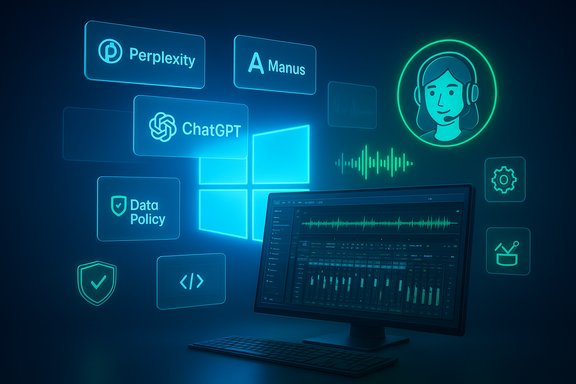
The Microsoft Store Awards 2025 winners list reads like a snapshot of the Windows ecosystem today: heavyweight AI assistants, studio-grade creative tools, and next‑generation automation platforms all recognized for shipping experiences that push Windows forward — from desktop-first models to privacy-aware, enterprise‑ready workflows. The official winners announcement lays out a clear theme: apps that tightly integrate with Windows, leverage platform capabilities, and deliver measurable utility for both consumers and organizations.
Background / Overview
Since the Store relaunched as a modern app storefront, Microsoft has used its Awards program to spotlight apps that align with Windows design, security, and performance expectations. The 2025 edition amplifies that mission by honoring developers whose apps show deep desktop integration, cross‑device workflows, and — especially — AI that is both useful and controllable on Windows. Historically the Store Awards have served as a curator’s shortlist and a marketing accelerant for winners; previous cycles helped raise visibility for many indie and commercial titles in the Store.This year’s winners — including Perplexity, ChatGPT, Manus, Moises Live, ngrok, Notion, and category standouts such as Moon Invoice and n‑Track Studio — illustrate three converging trends on Windows:
- Platform-centric AI that respects enterprise controls and local privacy options.
- Automation and “computer‑using agents” that perform multi‑step tasks on behalf of users.
- Desktop apps that bring professional, low‑latency audio and multimedia tooling to everyday PCs.
AI Assistants — Perplexity and ChatGPT (tie)
What Microsoft announced
The AI Assistants category ended in a tie. Microsoft praised Perplexity for its native voice dictation, multimodal AI search, Pro Search and guided research modes, and enterprise-ready IT policy controls. ChatGPT was recognized for its Windows companion window (Alt+Space), file and image upload support, and privacy/IT policy features that mirror the web experience while offering Windows‑specific productivity enhancements.Verified feature checks
- ChatGPT for Windows: OpenAI’s documentation confirms the Alt+Space companion window and desktop features (file and image uploads, advanced voice mode, custom shortcuts) are part of the Windows app experience, and the company publishes release notes documenting these capabilities. This matches Microsoft’s description of a near‑parity desktop experience with web functionality plus Windows shortcuts.
- Perplexity for Windows: Perplexity’s own platform communications and independent reporting show the company has pushed a desktop app with voice capabilities, multimodal inputs, and Pro features focused on research workflows (Sonar/Sonar Pro, Deep Research modes, and enterprise Pro tiers). Perplexity’s product channels explicitly mention a Windows app and voice dictation among desktop additions.
Strengths
- Instant access and integration: A companion window (ChatGPT) and keyboard launch (Perplexity) cut friction for quick lookups and drafting, which aligns with how many users now expect AI to be embedded in the OS experience.
- Enterprise controls: Microsoft and the vendors emphasize IT policy controls and privacy-first provisioning, which matter for corporate deployment and regulatory compliance. OpenAI’s help pages note enterprise and education availability tied to paid plans and administrative controls.
- Multimodal, research‑oriented tooling: Perplexity’s positioning as research‑centric (citations, Pro Search, multi‑modal uploads) complements ChatGPT’s broader conversational and creativity strengths, giving users a choice: exploration vs. synthesis.
Risks and caveats
- Model provenance & accuracy: Perplexity’s strength is search‑oriented answers with citations, but independent testing of model quality and timeliness varies; users should verify critical facts. Vendor benchmark claims and internal evaluations often lack independent replication. Where model outputs inform decisions, add a verification step.
- Policy complexity at scale: IT policy controls are necessary but nontrivial to implement across large estates — tenant configuration, allowed models, and data residency still require thorough admin review prior to enterprise rollout.
Computer‑Using Agents (CUA) — Manus
What Microsoft announced
Microsoft recognized Manus as the CUA winner. The Windows entry describes Manus as a secure, sandboxed agent capable of running code (Python, JavaScript, Bash), controlling headless browsers for web automation, managing files, and deploying applications. Manus’s UI reportedly includes a “Manus’s Computer” interface to watch, pause or guide actions and supports multi‑agent orchestration and background resumption of interrupted workflows.Independent corroboration and scrutiny
- Multiple independent reports and industry writeups describe Manus as an early, high‑profile entrant in the autonomous/agentic AI race out of China. Journalistic coverage documents the platform’s multi‑agent design, a sandboxed computer interface, and claims of running workflows asynchronously in the cloud — including the ability to take DOM‑level actions and run code. However, reporters flagged performance variability, vendor hype, and reliance on third‑party models (Anthropic’s Claude, Alibaba’s Qwen) in some deployments. Those analyses caution that real‑world reliability and security claims require close inspection.
Strengths
- Actionable automation: If Manus truly delivers secure, observable, multi‑step automation that users can pause and guide, it represents a leap for productivity where agents complete tasks rather than simply generating instructions.
- Developer productivity: Running code and browser automation inside an agent removes integration friction for scripted tasks like report generation, data scraping, and automated testing flows.
Risks and verifiability issues
- Transparency and supply chain: Several independent writeups note Manus has relied on multiple LLM providers; claims about proprietary model superiority and benchmark dominance are not universally verified. Where Manus claims GAIA or similar benchmark wins, independent replication is limited; treat benchmark claims cautiously.
- Data governance concerns: Any agent that can access files, web sessions, and execute code raises immediate concerns for data residency, least privilege, and auditability. Organizations should require clear evidence of sandboxing, provable network egress controls, detailed logs/audits, and an enterprise contract that covers data handling, retention, and breach obligations.
- Operational risk: Autonomous agents that act on behalf of users must have human‑in‑the‑loop controls for high‑risk actions (payments, configuration changes, privileged operations). The Manus interface reportedly allows intervention — but buyers should test fail‑safes and rollback behavior thoroughly.
Creativity — n‑Track Studio; Music — Moises Live
n‑Track Studio: prosumer DAW on Windows
Microsoft highlighted n‑Track Studio for transforming Windows PCs into recording studios with unlimited audio and MIDI tracks, VST support, AI tools and cross‑platform collaboration. n‑Track’s product history and documentation show it supports multi‑track recording, VST plugins, export options, and VST‑compatible workflows — making it a long‑standing, capable DAW for creators. Users who need a Windows‑native music production environment get matched workflow parity with common plugin and export formats. (Vendor pages and product documentation confirm the app’s DAW feature set.Moises Live: real‑time, system‑level audio separation
Microsoft spotlighted Moises Live as a breakthrough music app that offers real‑time, system‑level audio separation (vocals/instruments/dialogue), a Karaoke mode, and allegedly leverages NPUs on Copilot+ PCs for local, low‑latency processing. Moises’ own support documentation describes Moises Live as a real‑time tool that processes system audio, offers presets and live sliders, and works across apps and streaming services. That documentation supports Microsoft’s description of system‑level, low‑latency audio control. However, Microsoft’s claim that Moises Live “leverages the NPU on Copilot+ PCs” appears in the winners announcement; at the time of writing, Moises’ public help articles describe local, low‑latency processing but do not explicitly reference leveraging Copilot+ PC NPUs in a vendor technical note. Because this hardware‑accelerated claim is plausible (many audio/ML workloads get NPU speedups), it should be treated as partially verifiable: the app’s real‑time separation capabilities are documented, but specific NPU offload behavior and performance numbers on Copilot+ hardware require vendor or device manufacturer confirmation. Flagged as unverifiable in public docs at present.Practical implications
- Musicians and educators gain a powerful, low‑latency remix/practice tool with Moises Live; the ability to isolate stems across system audio can transform practice workflows, remote rehearsals, and lecture demonstrations.
- IT and classroom managers should verify CPU/GPU/NPU requirements and test the app on target hardware prior to wide deployment — especially if relying on claimed NPU acceleration for acceptable latency.
Developer Tools, Business, Education and Games
ngrok — developer tunneling with Windows integration
Microsoft calls out ngrok for background service use, automatic updates, and compatibility with Windows Defender. ngrok’s own documentation and changelog confirm active development of the ngrok agent for Windows (agent v3.x series, Windows builds and updates), robust security features, and an evolving feature set for enterprise use. For developers, an official Windows agent and documented release cadence reduce friction for debugging and exposing local dev services to the internet.Moon Invoice, Scratch 3, Castle Craft and Notion
- Moon Invoice: The app’s core feature set (templates, invoice/estimate creation, multi‑gateway support, analytics, quick sharing via messaging) is consistent with what Moon Technolabs advertises in product materials — making it a sensible pick for small businesses and freelancers who need on‑device invoice management.
- Scratch 3: Scratch’s offline editor, hardware extensions (micro:bit, LEGO), and block‑based learning have long been established; Microsoft’s recognition matches Scratch Foundation’s educational positioning.
- Castle Craft: Microsoft’s summary emphasizes scalable performance and family‑friendly design; technical verification of “time‑travel mechanics” is a game‑design detail best validated by the developer’s release notes and reviews, but the Store listing and gameplay coverage confirm the title’s family focus.
- Notion: Notion’s desktop apps support templates, offline access, and integrations; Microsoft emphasized Windows integration like quick launch and taskbar pinning which are native OS behaviors and reflected in Notion documentation for its desktop clients. Notion remains a mainstream choice for teams seeking integrated notes and lightweight workflow automation.
Critical analysis — What the winners tell us about Windows’ direction
1) Desktop‑first AI is a platform play
Microsoft’s awards favor apps that embed AI into the Windows UX model instead of treating the OS as a thin client. Companion windows, system‑level audio processing, and agentic automation all require OS‑level integration to unlock low‑latency, secure, and discoverable experiences. For ISVs, this is a clear message: invest in native integration and enterprise controls if you want to be highlighted by Microsoft and broadly adopted in business contexts.2) Trust and governance remain the gating factors
Several winners tout enterprise‑grade privacy and IT policy features. For organizations, this isn’t marketing — it’s mandatory. The Manus and Perplexity cases show that novel agent or research functionality expands attack surface and compliance risk; buyers should demand logs, sandbox attestations, SOC2/ISO artifacts, and contractual commitments. Where vendors make benchmark or capability claims (Manus, Perplexity), independent replication and controlled pilots are essential before trusting agents with high‑value tasks.3) Hardware acceleration is an appealing but complicated claim
Moises Live’s alleged NPU acceleration on Copilot+ PCs reflects a broader trend: vendors want to ship local, private AI that runs on device silicon. That’s attractive for latency and privacy, but customers must verify support across varied OEM configurations, driver stacks (DCH drivers), and OS power profiles. Until hardware acceleration claims are accompanied by published performance metrics, treat them as “capable” but not definitive.Recommendations for IT, developers, and advanced Windows users
For IT leaders and security teams
- Require proof: ask vendors for security artifacts (sandbox attestations for agents, penetration test summaries, data processing addenda).
- Run narrow, auditable pilots: measure cost (model inference consumption), latency (for real‑time apps), and reliability (agent resumption and error handling).
- Set policy guardrails: enforce allowed models, outbound network controls, and human approval thresholds for agentic operations.
For developers and indie ISVs
- Prioritize native integration: explore Windows app models that enable keyboard shortcuts, companion windows, and secure background services.
- Build for observability: expose operational telemetry and logs that IT teams can map into Sentinel/App Insights.
- Document hardware requirements: if you signal NPU support or hardware offload, publish exact SKU, driver, and OS build compatibility.
For Windows power users and creative professionals
- Test on target hardware: audio and NPU acceleration claims require practical verification — try demos on your hardware before committing to workflows.
- Use hybrid workflows: combine Perplexity’s research strengths with ChatGPT’s synthesis capabilities to get the best of both tools.
- Embrace agentic automation conservatively: use Manus‑style tools for low‑risk automation first (data collection, report generation) and expand trust over time.
Conclusion
The Microsoft Store Awards 2025 winners highlight a Windows ecosystem moving quickly toward integrated, on‑device AI, pragmatic automation, and studio‑grade media tools — all while emphasizing enterprise readiness and discoverability through the Microsoft Store. The recognized apps show measurable progress in desktop ergonomics, low‑latency processing, and trust features; at the same time, several claims (agent benchmarks, hardware offload specifics) need independent verification and careful rollout planning.For IT teams and power users, the path forward is clear: experiment with these award‑winning apps in controlled pilots, insist on security and governance evidence, and treat hardware‑accelerated promises as conditional until vendors publish clear interoperability and performance data. For developers, the awards send a strong signal: deep Windows integration, transparent security, and demonstrable productivity wins are the tradecraft that gets noticed — and what the Windows ecosystem needs next.
Source: Windows Blog Announcing the Microsoft Store Awards 2025 winners
