

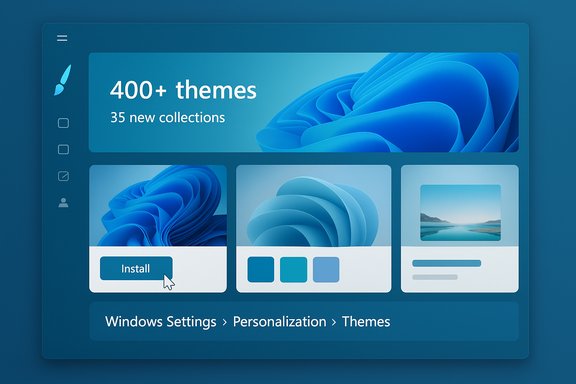
Microsoft is rolling out a dedicated Themes department inside the Microsoft Store for Windows, adding more than 35 new theme collections and bringing the Store’s catalog to over 400 curated looks that users can apply with a single click, a change Microsoft says is designed to make personalization faster and safer for everyone.
Microsoft has quietly shifted how it distributes desktop themes for Windows, moving from a legacy web page and scattered Store listings into a central, curated Themes department inside the Microsoft Store app. The Windows Experience Blog describes the new department as a place to find “curated and trending themes” that package wallpapers and accent colors into single-click installs, and Microsoft says the department hosts over 400 themes, with more than 35 new collections added as part of the initial rollout. Mainstream press picked up the announcement and republished Microsoft’s highlights, listing examples such as an official Sea of Thieves theme, photography collections like World National Parks, and designer packs such as Ethereal Escapes by Picsart. Those writeups reinforce Microsoft’s message about discovery, ease of use, and the company’s invitation for third‑party creators to publish themes through a storefront submission process. This is the latest step in a longer consolidation: Microsoft has already signaled the retirement of the older Windows Themes web pages and recommended Store distribution as the canonical way to get themes, and its support documentation now points people to the Store for the best experience. The timing of the consolidation also overlaps with Windows 10’s end-of-support posture, which further nudges users toward Store-managed distribution on modern Windows releases.
Conclusion
Microsoft’s centralized Themes department in the Microsoft Store streamlines personalization for Windows by packaging wallpaper collections and accent colors into curated, one‑click themes. The company launched more than 35 new collections as part of this effort and now lists over 400 themes in the Store, offering improved discoverability and safety for users while opening a new channel for creators. However, the shift also raises practical questions around licensing, privacy, enterprise deployment, and creator economics that deserve attention before organizations and creators fully embrace the Store-only model. Users should explore the new department with an eye on item-level usage notes and administrators should plan how Store-hosted themes fit into managed-device strategies.
Source: PCWorld 35 gorgeous new Windows PC themes appear in the Microsoft Store
 Background
Microsoft has quietly shifted how it distributes desktop themes for Windows, moving from a legacy web page and scattered Store listings into a central, curated Themes department inside the Microsoft Store app. The Windows Experience Blog describes the new department as a place to find “curated and trending themes” that package wallpapers and accent colors into single-click installs, and Microsoft says the department hosts over 400 themes, with more than 35 new collections added as part of the initial rollout. Mainstream press picked up the announcement and republished Microsoft’s highlights, listing examples such as an official Sea of Thieves theme, photography collections like World National Parks, and designer packs such as Ethereal Escapes by Picsart. Those writeups reinforce Microsoft’s message about discovery, ease of use, and the company’s invitation for third‑party creators to publish themes through a storefront submission process. This is the latest step in a longer consolidation: Microsoft has already signaled the retirement of the older Windows Themes web pages and recommended Store distribution as the canonical way to get themes, and its support documentation now points people to the Store for the best experience. The timing of the consolidation also overlaps with Windows 10’s end-of-support posture, which further nudges users toward Store-managed distribution on modern Windows releases. What changed — the essentials
A new Themes department in the Microsoft Store
The Microsoft Store now includes a visible Themes department, accessible from a new paintbrush icon in the Store UI. This department is organized around editorial categories, trending lists and curated collections, allowing users to browse by mood, art style, photography, and official franchise packs. Microsoft highlights both official partner themes (for games and brands) and design‑oriented packs from photography and creative communities.One‑click application, tight Windows Settings integration
Themes downloaded from the Store install in a way that integrates with Windows Settings: once installed they appear under Personalization > Themes for quick switching and management. Microsoft positions this as a friction‑reduction measure — instead of hunting down a .themepack, extracting it and manually assigning color accents, users can apply a complete look off the Store shelf. Support documentation for Windows continues to show Settings > Personalization > Themes as the management surface for saved and downloaded themes.Scale and selection
Microsoft says the new department is home to more than 400 themes and added over 35 fresh collections at rollout, a number echoed by independent outlets that inspected the Store roll‑out and sampled the new packs. These collections include official branded packs (Sea of Thieves, World of Warships, Razer Axon), photographic sets (World National Parks, Dreamscapes), plus work from design partners such as Picsart.Why this matters to Windows users
Personalization is a surprisingly high‑impact UX touchpoint: a clean set of coordinated wallpapers, accent colors and visual treatments can make everyday computing feel more pleasant and less fatiguing. Microsoft’s new approach reduces the friction of finding and applying those looks.- Speed and discoverability: Editorial curation and trending lists cut browsing time and expose users to styles they might not otherwise find.
- Consistency and safety: Store-based distribution brings whistle-to-whistle packaging, vetting and updates under Store policies, reducing the chance of downloading poorly packaged or malicious theme archives from random websites.
- Cross-device management: Themes installed via the Store behave like other Store content and integrate into Settings, preserving a predictable path for applying and saving looks.
What’s included in a Store theme
Each Store theme is a package — not just a single wallpaper. Microsoft describes a theme as a collection of wallpapers and accent colors that can rotate or change over time, enabling static packs and slideshow-style themes that update according to the theme’s configuration. Practically this means:- Multiple high-resolution wallpapers (some packs list 4–18 images; branded packs often include 5–7).
- Preconfigured accent color choices and color palettes that adjust window accents, Start/Taskbar highlights, and other visual chrome.
- Metadata for the Store listing (title, author, description, preview images) and an install path that places the theme into Settings for immediate application.
Strengths: what Microsoft got right
1. Lowering the barrier to expression
Consolidating themes into a clearly labeled Store department addresses a long-standing discoverability problem. Many casual users want a nicer background but don’t know where to start; editorial curation and grouped categories provide a guided path. That’s good UX.2. Safer distribution model
By moving theme distribution behind the Store’s packaging and review processes, Microsoft reduces the surface for accidental malware delivery or poorly formed theme files that break Settings. The Store’s lifecycle management also allows Microsoft to withdraw or update offending content without users having to hunt for fixes.3. Better creator reach (with caveats)
Inviting creators and partners into a Store-based distribution model gives artists the potential to reach a far wider audience than standalone downloads. Microsoft explicitly links to a Theme Publisher Interest Form and invites submissions from third-party designers, signaling a willingness to grow the catalog beyond official Microsoft and partner packs.4. Modernization and consolidation
This move fits Microsoft’s broader strategy of consolidating packaged content into the Store where it can be curated, monetized, and maintained alongside apps, utilities and games. As the company retires legacy web pages for theme downloads, the Store becomes the single place to look.Risks, open questions and practical caveats
The feature is simple on the surface, but the consolidation brings several practical and strategic trade-offs — some immediate, some that will surface only after broader adoption.Discoverability for indie creators vs. platform-fed promotions
- The Store improves visibility for some creators, but editorial picks and algorithmic surfacing typically favor bigger partners and promoted packs. Small artists may find discoverability harder without paid promotion.
- The Store submission and review process can be more burdensome than simply publishing a .themepack to a website; creators must account for metadata, licensing declarations, and Store compliance.
Licensing and permitted use
Some outlets republished a caution: “Important: The images may only be used as desktop backgrounds.” That notice appears in a PCWorld write‑up of Microsoft’s rollout and may reflect a Store listing or a publisher’s usage restriction. However, Microsoft’s primary announcement does not prominently surface blanket licensing rules for all images, so end users and creators should read item-level license language on the Store listing before repurposing images for other uses (printing, web redistribution, etc.. This is an area where buyer and creator caution is warranted.Privacy and dynamic content
Microsoft’s blog language indicates themes can be collections that “change over time,” which opens the door to dynamic or cloud-driven content (rotating image sources, timed updates, or location-aware themes). Dynamic themes potentially introduce privacy trade-offs if they pull content remotely or access device settings. At the time of the announcement, Microsoft emphasized discoverability and curation, but the company has not published detailed privacy guidance for dynamic theme behavior. Administrators and cautious users should prefer static, packaged themes unless the developer clearly documents what remote calls or telemetry the theme uses.Enterprise and managed-device implications
For IT administrators, the shift to Store-hosted themes matters:- Managed devices in locked-down environments often restrict Microsoft Store access. If a deployment relies on Store-only themes, administrators must validate that their MDM (Intune) or Group Policy allows store content or provides an alternative distribution path.
- For uniform branding, organizations that used to roll out theme packs centrally may need to package and distribute theme images inside existing deployment workflows rather than relying on the public Store.
- There’s no public detail yet on the availability of a private or enterprise channel for in-house themes in the Store model — admins should confirm their options before assuming Store-hosted themes are suitable for corporate branding.
Rollout and availability
Microsoft is rolling the Themes department out gradually. That means not every Windows device will see the new Themes icon immediately; the Store update is staged and regionally phased. Several outlets caution that users may not see the new department until their Store app updates or the server-side enablement reaches their account.How to use the new Themes department (practical guide)
Applying and managing themes via the Store is intentionally simple; the following steps summarize the flow users will encounter.- Open the Microsoft Store app on Windows and look for the Themes (paintbrush) icon in the sidebar or under Personalization categories.
- Browse by collection, trending lists, or search for a theme keyword (for example, “Sea of Thieves” or “National Parks”).
- Select a theme to view preview images, a description, and the install button. Confirm any usage notes on the Store page.
- Click Install or Get. The theme installs and appears in Windows Settings > Personalization > Themes for one‑click application or further customization (background slideshow timing, color tweaks, sound schemes).
For creators: what to prepare and expect
Microsoft’s invitation to creators is genuine but requires preparation. Practical considerations include:- Artwork licensing and rights: ensure every image included has clear licensing for distribution via the Store; rights clearances are especially important for photography and third‑party artwork.
- Metadata and preview assets: prepare preview tiles and Store copy that sell the theme quickly in an editorial environment.
- Packaging choices: decide whether to publish static packs or experiment with rotating slideshows and cloud-sourced content — and be ready to disclose any runtime network calls or personalization logic required.
- Monetization questions: the initial announcement focuses on free themes and editorial curation; Microsoft’s public post does not enumerate monetization mechanics for theme packages, so creators should verify whether paid themes, in-app purchases or promotional programs are supported before planning revenue models.
Accessibility and design considerations
Themes are more than visual flourishes; they affect legibility, contrast and cognitive load. Good theme design for Windows should respect accessibility norms:- Contrast: desktop wallpapers and color accents should preserve sufficient contrast for icons, taskbar text and app chrome.
- Clarity around text overlays: wallpapers used on the lock screen and sign-in surfaces should not obscure system text or controls.
- Respect system colors: themes should play well with Windows’ high-contrast modes and not break assistive UI patterns.
- Microsoft’s approach to packaging color accents alongside wallpapers makes it easier to bundle accessible color palettes with art-driven backgrounds — but designers must still test their themes with built-in accessibility features. Users dependent on high-contrast modes or assistive technologies should verify theme suitability before committing to a new look.
Developer and IT admin checklist
- Confirm whether your managed devices are allowed to access the Microsoft Store; if not, test alternative distribution for corporate themes.
- For creators: collect clear licensing documentation and prepare preview tiles and metadata.
- For power users: verify whether theme images carry usage restrictions and inspect Store listing notes for permitted uses.
- For security teams: review whether dynamic or network-dependent theme elements make outbound calls; if so, evaluate privacy and telemetry implications.
- For accessibility leads: test theme color schemes against high-contrast and screen‑reader workflows.
How this fits into Microsoft’s broader personalization strategy
The move is consistent with Microsoft’s wider product design priorities: centralize content in the Store, encourage third‑party contribution through curated channels, and reduce ad‑hoc distribution. Microsoft has already experimented with dynamic themes in other products and with personalized visuals (for example, AI-driven themes in other apps), and the Store-based Themes department provides a consistent distribution model for both static and potentially dynamic packs in the future. At the same time, Microsoft’s decision to retire older theme pages and recommend the Store for “the best experience” signals a permanent shift: if you care about themes long-term, learn the Store path now. That advice is especially timely considering Windows 10’s support lifecycle and Microsoft’s encouragement to adopt newer Windows management flows.Verdict: practical recommendation
Microsoft’s new Themes department is a pragmatic win for mainstream users: faster discovery, safer distribution and richer curated content all improve the out‑of‑box personalization experience. For creators and enterprise administrators, the Store model opens both opportunities and operational questions that must be evaluated.- Casual users should explore the new department and take advantage of the one‑click application model while checking Store listings for any usage or licensing notes.
- Creators should consider the Store as a primary distribution channel but budget time for compliance, packaging, and discoverability strategies.
- IT administrators should evaluate managed-device policies and confirm whether their environments will permit Store-sourced themes or require alternative deployment models.
Looking ahead
Expect the Themes department to evolve. Microsoft is soliciting feedback through the Feedback Hub and inviting creators to submit theme publishing interest, which suggests the company plans ongoing curation cycles and possibly deeper platform features for personalization. Over time, the Store may add paid promotions, editorial spotlights for small creators, or expanded enterprise controls — but these are speculative at present and will require further Microsoft documentation. For now, users can enjoy the convenience of a better-curated theme catalog and a simpler way to make Windows feel more personal.Conclusion
Microsoft’s centralized Themes department in the Microsoft Store streamlines personalization for Windows by packaging wallpaper collections and accent colors into curated, one‑click themes. The company launched more than 35 new collections as part of this effort and now lists over 400 themes in the Store, offering improved discoverability and safety for users while opening a new channel for creators. However, the shift also raises practical questions around licensing, privacy, enterprise deployment, and creator economics that deserve attention before organizations and creators fully embrace the Store-only model. Users should explore the new department with an eye on item-level usage notes and administrators should plan how Store-hosted themes fit into managed-device strategies.
Source: PCWorld 35 gorgeous new Windows PC themes appear in the Microsoft Store
