

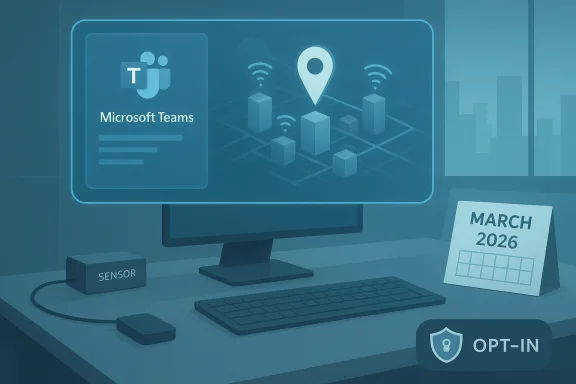
Microsoft has pushed back the rollout of a contentious Microsoft Teams feature that would automatically set employees’ reported work location when their device connects to a corporate Wi‑Fi network or mapped desk peripherals, moving the general availability window to early March 2026 with completion expected by mid‑March 2026.
Microsoft’s Message Center entry for the change (Message ID MC1081568) describes a tenant‑controlled, opt‑in capability that maps Wi‑Fi SSIDs/BSSIDs and configured peripherals (for example, monitors at assigned desks) to buildings in Microsoft Places and uses those signals to update a user’s Teams work location while they are within configured working hours. The same entry and Microsoft’s admin documentation explicitly state that the feature will be off by default and that administrators must enable and configure automatic detection before users are prompted to consent. The schedule for the feature has shifted multiple times since Microsoft first announced it. Public timeline updates tracked in the Message Center and third‑party change trackers show earlier target windows in late 2025 and January 2026; the most recent update sets the rollout to begin in early March 2026 and to finish by mid‑March 2026. Microsoft’s official posts do not explain the reason for the delay.
Conclusion
The Teams work‑location detection feature is a reminder that modern collaboration tools blur technical convenience and privacy risk. The delay to March 2026 is a pause, not a cancellation — and it hands enterprises one last chance to decide whether the productivity gains are worth the governance work required to deploy safely and legally. The responsible path is deliberate: pilot, limit, secure, and explain. Only that approach will turn an optional admin toggle into a trustworthy organizational capability rather than a source of surveillance anxiety.
Source: Neowin https://www.neowin.net/news/microsoft-delays-controversial-location-tracking-feature-in-teams/
 Background
Microsoft’s Message Center entry for the change (Message ID MC1081568) describes a tenant‑controlled, opt‑in capability that maps Wi‑Fi SSIDs/BSSIDs and configured peripherals (for example, monitors at assigned desks) to buildings in Microsoft Places and uses those signals to update a user’s Teams work location while they are within configured working hours. The same entry and Microsoft’s admin documentation explicitly state that the feature will be off by default and that administrators must enable and configure automatic detection before users are prompted to consent. The schedule for the feature has shifted multiple times since Microsoft first announced it. Public timeline updates tracked in the Message Center and third‑party change trackers show earlier target windows in late 2025 and January 2026; the most recent update sets the rollout to begin in early March 2026 and to finish by mid‑March 2026. Microsoft’s official posts do not explain the reason for the delay. How the feature works — the technical mechanics
Signals and mapping
- When enabled, Teams can update a user’s work location by detecting one or both of two signals:
- Wireless network connections — Teams checks whether a user’s device is connected to an SSID/BSSID listed in the tenant’s Places configuration and, if so, updates the work location to the corresponding building.
- Peripherals — plugging into a desk peripheral (for example, a monitor) that is associated with a specific desk or desk pool can set the user’s location to “In the office” or to a named building.
- Administrators prepare the mapping by populating Buildings & Floors in Microsoft Places and by providing lists of approved SSIDs and optional BSSIDs for each building. The administrator enables the Teams work‑location detection policy (for example,
New‑CsTeamsWorkLocationDetectionPolicy -Identity wld‑enabled -EnableWorkLocationDetection $true) and assigns it to users or groups. Users remain opted out until they consent in the Teams desktop app on Windows or macOS.
Operational constraints
- Teams will not set a work location if the user connects after their configured working hours, and work location is cleared at the end of those hours. The policy is explicitly described as opt‑in for users and admin‑enabled at the tenant level. Virtual desktop infrastructure (VDI) clients are not supported for this capability at present.
Why Microsoft built this capability
Microsoft pitches the capability as a practical hybrid‑work coordination tool: accurate, automatically updated work locations reduce confusion about who is physically present and ease impromptu collaboration or in‑person bookings. Microsoft has also tied Teams’ location permissions to emergency calling and call‑quality scenarios, where more precise device‑level location signals can improve routing to the correct public safety answering point (PSAP) and help troubleshoot network issues. These legitimate and sometimes required functions (emergency dispatch and network diagnostics) are core rationales Microsoft cites for adding more granular location controls in Teams.The controversy: privacy, consent, and perception
Public and organizational pushback
Within hours of the roadmap details leaking into the press and social platforms late in 2025, the proposal drew significant criticism from privacy advocates, journalists, and worker‑rights commentators who framed it as a potential surveillance tool that could be repurposed for monitoring return‑to‑office (RTO) compliance or informal micromanagement. Large outlets covering the story flagged the same set of concerns: even if the technology is opt‑in and admin‑controlled, power asymmetries in the workplace mean consent may not be freely given, and function creep is a real risk.The consent problem
Microsoft’s design requires tenant admins to enable the policy and then prompts users to opt in via the Teams client; the administrative gate plus per‑user consent are presented by Microsoft as guardrails. However, critics argue consent in an employer context is rarely the same as consumer consent — employees can feel pressured to opt in, or managers could condition privileges on participation, thereby undermining voluntariness. Regulators and legal commentators emphasize that meaningful consent in employment settings is hard to achieve and that employers should rely on a robust legal basis (such as legitimate interest with documented balance tests) rather than treating user opt‑in as a cure‑all.Security and technical reliability considerations
SSID/BSSID and the fragility of Wi‑Fi signals
Relying on SSIDs and BSSIDs as a proxy for location is pragmatic but not foolproof. Industry security research has long documented the feasibility of evil‑twin and rogue access‑point attacks in which an attacker or benign misconfiguration reproduces an SSID (and, in some attacks, a BSSID) to trick clients into associating with a falsified AP. Attackers can amplify signals, use deauthentication frames to force re‑association, or spoof MAC addresses; even well‑configured enterprise Wi‑Fi can be vulnerable to targeted manipulation. The consequence for work‑location detection is the risk of false positives (devices reported as "in the office" when they are not) or false negatives.Device and platform limitations
- Device OS‑level location permissions are a prerequisite: users must enable location sharing in the OS and in the Teams app for detection to work.
- VDI sessions and some managed device scenarios may not be supported; Microsoft docs explicitly call out unsupported clients. That means organizations using thin clients, managed kiosk devices, or certain mobile setups will not see uniform behavior across their fleets.
Legal and regulatory risks — not theoretical
Location tracking is one of the most sensitive forms of personal data in privacy law. European and UK data‑protection authorities and law firms have repeatedly warned that workplace location monitoring raises heightened scrutiny under GDPR principles — particularly fairness, necessity, data minimization, and transparency. Employers who implement employee tracking without a documented legal basis, a Data Protection Impact Assessment (DPIA), and meaningful safeguards risk enforcement action, litigation, and reputational harm. Practical requirements include clear internal policies, limited access to location records, documented retention schedules, and consultation with employee representativesntatives where required. In other jurisdictions, like California under privacy laws and case law around protected employee rights, surveillance practices that are intrusive or applied discriminatorily can create liability beyond data‑protection fines. International organizations must also account for cross‑border data transfer rules when telemetry or logs are retained in regions with different protections. These are not academic concerns: supervisors using location feeds for discipline or pay decisions can create legal exposures in multiple jurisdictions.What this means for IT admins and HR teams
The delayed rollout buys organizations critical time — a narrow window to build governance, pilot controls, and prepare communications. Responsible deployment requires coordination across IT, Security, HR, Legal, and works councils (where present). The following checklist distills immediate, practical actions organizations should take before enabling the capability:- Inventory and governance
- Map stakeholders (IT, HR, Legal, Facilities, employee representatives).
- Decide allowed use cases (coordination, emergency routing, facilities analytics) and explicitly ban disciplinary use absent escalation and due process.
- Conduct a DPIA
- Document purpose, necessity, proportionality, retention, and access rules.
- Publish summaries to affected employees and regulators where required.
- Prepare Places and network metadata
- Populate buildings, floors, SSID and optional BSSID lists in Microsoft Places.
- Verify SSID/BSSID consistency and document exceptions or guest networks.
- Pilot with a small, representative group
- Test peripheral‑based detection first (desk peripherals tend to be higher‑confidence signals).
- Validate wireless mapping accuracy and observe false positives/negatives.
- Strengthen network security
- Harden enterprise Wi‑Fi against rogue APs (WIDS/WIPS, 802.1X, monitoring).
- Monitor for duplicate SSIDs and anomalous BSSID behavior.
- Update contracts and policies
- Amend employee privacy notices and acceptable‑use policies with clear language on location data use, retention, and redress options.
- Train managers
- Restrict reporting and dashboards; train managers on ethical, legal, and HR‑approved uses only.
- Audit and logging
- Ensure all accesses to location data are logged, and review those logs periodically for misuse.
- Offer clear opt‑out and objections channels
- Make it simple and stigma‑free for employees to refuse participation without career penalty; log objections.
- Time‑bound review
- Reassess after a predetermined pilot window (for example, 90 days) and publish findings to staff.
Use cases that justify careful adoption
There are defensible, limited use cases where automatic work‑location detection can improve safety or operations without degrading privacy:- Emergency response and 911/112 routing when callers are on corporate devices in large multi‑building campuses.
- Facilities coordination for teams that must co‑locate in real time for short windows (for example, healthcare, manufacturing cross‑functional teams, or scheduling last‑minute in‑person labs).
- Accurate analytics for desk/space utilization when aggregated and anonymized for capacity planning.
The politics of RTO and perception risks
Media coverage has repeatedly tied Teams’ location capabilities to broader organizational return‑to‑office policies and the political optics of managerial surveillance. Even if technical intentions are benign, the timing of the feature relative to companies’ RTO mandates can create suspicion and erode trust. Transparency, early employee consultation, and narrow, targeted pilots are the only realistic ways to prevent legitimate coordination tools from being perceived as instruments of coercion. Third‑party reporting and analyst commentary have already drawn the link between timing and perception, which likely contributed to the public backlash that preceded Microsoft’s most recent timeline change.Unverifiable claims and open questions
Microsoft’s public timeline updates do not specify why the rollout was delayed to March 2026. Various outlets and community threads speculated the reasons — from additional privacy controls and documentation to coordination with regulatory and enterprise feedback — but there is no official, attributed explanation in the Message Center post. That lack of explicit rationale is notable and should be a red flag for admins and privacy teams who prefer to plan against clearly defined change management reasons. Until Microsoft provides an explicit statement, organizations should treat the delay as an opportunity for preparation rather than rely on a specific root cause.Practical mitigations and technical hardening
- Use stronger wireless authentication (802.1X/EAP‑TLS) and enterprise PKI for supplicant and server certificates to make evil‑twin impersonation harder.
- Deploy a Wireless Intrusion Detection/Prevention System (WIDS/WIPS) to detect duplicate SSIDs and signal anomalies.
- Prefer peripheral‑based detection where possible: plugging into a known desk peripheral is often a higher‑confidence signal than SSID alone.
- Limit retention of raw location signals; store only what is necessary for the stated purpose and purge logs on a defined schedule.
- Require multi‑party approval for access to individual location records and ensure that every access is audited and aggregated for reporting to privacy officers. Evidence of misuse should trigger remedial and disciplinary processes.
These steps reduce the technical and organizational surface for misuse while preserving legitimate, narrowly scoped benefits.
What IT leaders should tell employees — a communications blueprint
- Explain why the feature exists, the exact business purpose, and who will have access to location information.
- Describe the opt‑in flow, how to opt out, and confirm that opting out has no negative employment consequences.
- Publish a short, plain‑language DPIA summary and retention schedule.
- Offer a pilot group and a published timeline for review, along with the metrics that will be used to decide permanent adoption.
- Provide a transparent appeals mechanism (for example, HR and DPO contact details) if employees believe their location data has been misused.
Final assessment
Microsoft’s Teams location‑autodetection capability is technically sensible for a small set of coordination and safety use cases and includes important guardrails: admin enablement, per‑user opt‑in, not updating locations outside of configured working hours, and the ability to map both wireless networks and peripherals. Those controls make responsible deployment feasible. At the same time, the capability lands at the intersection of workplace surveillance risk, technical fragility of Wi‑Fi‑based signals, and complex cross‑jurisdictional privacy rules. The social and legal costs of getting this wrong are high: erosion of employee trust, regulatory enforcement, and legal exposure. The rollout delay to March 2026 presents a narrow but critical opportunity for organizations to get governance right before any global deployment. For IT and HR leaders the checklist is straightforward: limit scope, do a DPIA, pilot, harden networks, update policies, and communicate transparently. Failure to follow these steps risks turning a convenience into a liability. The coming weeks will show whether Microsoft adds more explicit privacy safeguards or documentation to address enterprise and public concerns — and how quickly organizations translate those controls into defensible governance and meaningful employee protections.Conclusion
The Teams work‑location detection feature is a reminder that modern collaboration tools blur technical convenience and privacy risk. The delay to March 2026 is a pause, not a cancellation — and it hands enterprises one last chance to decide whether the productivity gains are worth the governance work required to deploy safely and legally. The responsible path is deliberate: pilot, limit, secure, and explain. Only that approach will turn an optional admin toggle into a trustworthy organizational capability rather than a source of surveillance anxiety.
Source: Neowin https://www.neowin.net/news/microsoft-delays-controversial-location-tracking-feature-in-teams/
