

Microsoft is rolling out a targeted fix for one of the most persistent pain points in the Windows Teams experience: sluggish startup, high memory use, and call-time instability — by shipping a new background process, ms-teams_modulehost.exe, that will isolate call and media handling from the main Teams process starting in January 2026.
Microsoft’s official admin update (Message Center ID MC1189656) announced on November 25, 2025 that the Teams desktop client for Windows will introduce a dedicated child process named ms-teams_modulehost.exe. The stated goal is straightforward: move the calling stack out of the main process (ms-teams.exe) and run it as a separate host to improve startup time, reduce crash impact, and lower resource contention during meetings. Rollout is scheduled to begin in early January 2026 and finish by late January 2026 across commercial, GCC, GCC High, and DoD tenants.
This change is a pragmatic, incremental engineering choice rather than a wholesale rewrite. Teams on Windows currently leverages WebView2 (Edge’s embedded web platform) to run a rich web-based client as a desktop application. Over the years, Teams has added more features — calling, video, AI-assisted meeting capabilities, and deeper Microsoft 365 integrations — which cumulatively increased the client’s complexity and resource demands. Microsoft’s modular approach mirrors recent Windows moves to separate volatile components into their own processes to improve overall system responsiveness.
Benefits of this architecture include:
However, it is not a cure-all. The modular process improves fault tolerance, startup behavior, and administrative control, but it does not replace the potential performance advantages of a fully native Windows client. For organizations chasing the lowest possible resource footprint, a native rewrite would still be the ideal technical end state — but with trade-offs in engineering time, cross-platform parity, and feature rollout speed.
Source: Ubergizmo Microsoft Teams Update Will Soon Fix Its Biggest Windows Problem
 Background
Microsoft’s official admin update (Message Center ID MC1189656) announced on November 25, 2025 that the Teams desktop client for Windows will introduce a dedicated child process named ms-teams_modulehost.exe. The stated goal is straightforward: move the calling stack out of the main process (ms-teams.exe) and run it as a separate host to improve startup time, reduce crash impact, and lower resource contention during meetings. Rollout is scheduled to begin in early January 2026 and finish by late January 2026 across commercial, GCC, GCC High, and DoD tenants.This change is a pragmatic, incremental engineering choice rather than a wholesale rewrite. Teams on Windows currently leverages WebView2 (Edge’s embedded web platform) to run a rich web-based client as a desktop application. Over the years, Teams has added more features — calling, video, AI-assisted meeting capabilities, and deeper Microsoft 365 integrations — which cumulatively increased the client’s complexity and resource demands. Microsoft’s modular approach mirrors recent Windows moves to separate volatile components into their own processes to improve overall system responsiveness.
What exactly is being added: ms-teams_modulehost.exe explained
A focused process for calling and media
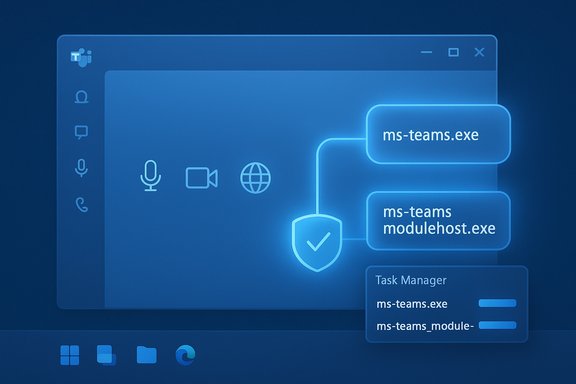
The new executable, ms-teams_modulehost.exe, will appear as a child process under ms-teams.exe in Task Manager. Its role is to host the calling stack and related media modules (audio, video, device handling, network negotiation), meaning those functions will run out-of-process rather than inside the main UI/logic process.Benefits of this architecture include:
- Fault isolation: if the media module crashes or becomes unresponsive, it is less likely to terminate the main Teams UI.
- Parallel initialization: the call stack can initialize independently, which can reduce the visible startup time when joining calls.
- Resource isolation: CPU and memory consumption for encoding/decoding, device I/O, and network handling can be scoped to a single process that’s easier for OS schedulers and admin policies to manage.
Why this is different from a native rewrite
This modularization stops short of rebuilding Teams as a native WinUI or UWP application. Instead, it reduces the impact of heavy media tasks inside the existing WebView2-hosted client. That means many core characteristics of the current Teams design — the browser-style runtime, JavaScript/HTML UI layers, and cross-platform codebase — remain intact.Technical context: WebView2, process models, and Windows trends
WebView2 and process models
WebView2 uses a multi-process browser-like model where renderers and subsystems may already live in separate processes. Teams runs on top of WebView2 to provide a consistent, cross-platform UI and feature set. Historically, offloading media handling into a separate process is a common architectural pattern in browsers and large apps because media workloads are both CPU- and I/O-intensive and can destabilize a monolithic process.Windows component modularization is precedent
Windows 11 has shown Microsoft is comfortable modularizing user-facing components — for example, separating Explorer extensions and certain shell components to improve responsiveness. The Teams change follows that playbook: keep the familiar UI and upgrade the internal architecture to reduce user-visible friction.Verified rollout details and what administrators must do
- The change was announced on November 25, 2025, with an update posted afterwards in late November. The rollout window is early to late January 2026.
- Admins are explicitly advised to allowlist ms-teams_modulehost.exe in endpoint and security products, and to apply the same QoS policies that were used for ms-teams.exe to the new process.
- The admin guidance emphasizes no change to user workflows or UI — the experience should be identical, aside from improved startup and greater resilience for calls.
Expected benefits: realistic gains and limits
What Teams aims to improve
- Shorter perceived startup time for calls: by letting call components initialize separately, users should experience faster transitions into meetings.
- Lower crash rates during calls: isolating media reduces the chance a media glitch brings down the entire app.
- Better resource management: by assigning audio/video intensive tasks to one process, operating systems can schedule and prioritize more predictably.
What this will not magically solve
- The Teams client will still run on WebView2. That means the baseline memory and CPU characteristics of WebView2-hosted apps remain. The new child process reduces but does not necessarily eliminate high memory footprints or high CPU load during heavy usage.
- Some performance issues are due to network conditions, driver quality (audio/video drivers), or external integrations — those won't be fixed simply by process isolation.
- Administrators and users may still see high aggregate RAM usage because there will now be multiple processes contributing to Teams’ total footprint (ms-teams.exe + ms-teams_modulehost.exe + other helper processes).
Security and management implications (what IT teams need to do now)
Immediate checklist for IT admins
- Add ms-teams_modulehost.exe to allowlists and whitelists in endpoint security, AV, and EDR configurations before the January 2026 rollout completes.
- Ensure existing QoS (DSCP) policies applied to ms-teams.exe are duplicated for the new module host to preserve call quality on managed networks.
- Update internal runbooks and helpdesk documentation to include the new process name and common troubleshooting steps.
- Pilot the update in a controlled environment (department or ringed deployment) to detect interactions with security agents or legacy imaging solutions.
- Monitor telemetry around both processes to understand resource profiles post-rollout and adjust imaging or resource planning accordingly.
Potential pitfalls for unmanaged endpoints
- Home users or unmanaged endpoints running consumer AV might see transient call failures if the new executable is blocked or sandboxed. Clear communication to end users and helpdesk scripts will be important during the rollout window.
Performance trade-offs: modular child process vs native client
The native app argument
Critics argue the only real long-term remedy is a native Teams client (WinUI/UWP) built specifically for Windows. A native client can:- Reduce overhead from browser runtime layers.
- Integrate more tightly with Windows audio/video stacks and power management.
- Potentially reduce memory usage and improve raw CPU efficiency.
Why modularization is a pragmatic compromise
- Faster to implement and ship.
- Lower risk of breaking features or disrupting the feature parity between macOS, Linux, and web.
- Allows Microsoft to target specific pain points (calls) with minimal user-visible change.
Real-world impact: what users are likely to notice
- Faster time-to-call: users should see the call window populate sooner, and the app may be more responsive when dialing or receiving calls.
- Fewer full-app crashes during calls: media crashes should be confined to the module host, which can restart independently.
- Slightly different Task Manager view: users and admins will now see a dedicated ms-teams_modulehost.exe under ms-teams.exe.
- Potentially unchanged aggregate RAM: total memory usage could remain similar or even increase slightly in the short term because separating components often creates per-process overhead. The user-perceived responsiveness, however, is expected to improve.
Compatibility and third-party interactions
Endpoint security and compliance
Because many enterprise protection solutions make process-level decisions, the most likely interoperability issue is blocking the new process. Admins should proactively coordinate with security teams and update internal security baselines.Virtual desktops and thin-client environments
VDI and RDS deployments often have stricter policies on executable allowlists and process control. Administrators managing virtualized Windows environments should test the new process early in ringed deployments to avoid large-scale call failures for remote workers.Hardware acceleration and drivers
The module host will rely on codecs, GPU acceleration, and audio/video drivers. Environments with outdated drivers or OEM-specific audio stacks may still experience performance or compatibility issues that process isolation alone cannot resolve.How this compares to other vendors’ choices
Some competitors and other big apps have made similar trade-offs:- Several cross-platform desktop apps use embedded browser engines and face similar resource challenges when feature sets grow.
- Some vendors chose native clients for Windows to optimize performance; others chose to standardize on WebView-like runtimes to maintain cross-platform parity and faster feature velocity.
Practical troubleshooting tips for support teams
- If users report that calls fail while chat works:
- Check whether ms-teams_modulehost.exe is present and running in Task Manager.
- Verify AV/EDR logs for blocked executions or quarantined files named ms-teams_modulehost.exe.
- Confirm that QoS rules are applied to both ms-teams.exe and ms-teams_modulehost.exe.
- If calls are choppy despite the new process:
- Rule out network issues (packet loss, jitter) and verify DSCP markings.
- Update GPU and camera drivers; hardware acceleration can be a critical factor.
- Check for other high-CPU processes or background tasks that may contend for resources.
- For VDI environments:
- Ensure the virtual host images include the latest Teams client and are configured to allow the new process.
- Test with representative user loads to observe memory and CPU behavior under realistic conditions.
What to measure post-rollout: KPIs IT should track
- Call success rate: percentage of calls that connect without failure vs pre-rollout baseline.
- Crash frequency: number of full-client crashes per 1,000 users per week.
- Time to join: median time from click-to-join to media/meeting readiness.
- Aggregate resource usage: combined memory and CPU usage for Teams processes on representative devices.
- Helpdesk tickets: volume and themes of Teams-related tickets, especially during the January rollout.
Risks, unknowns, and cautionary notes
- The improvement for any given organization will vary. Device fleet heterogeneity, third-party protection stacks, driver quality, and tenant-enabled features will all influence outcomes.
- Some claims circulating in user communities — for example, that the change will cut Teams memory usage by half — are speculative. The announced improvement targets startup time and call stability, not a guaranteed reduction to a specific MB threshold.
- Timing is susceptible to change. The announced January 2026 rollout could shift if Microsoft applies stricter deployment phasing or feature-flag freezes around year-end.
- The new process adds another binary to manage; that increases the administrative surface area slightly and may complicate forensic or endpoint monitoring setups if not accounted for.
Recommended rollout plan for IT teams
- Inventory & baseline: gather current metrics (call success, startup time, Teams-related tickets) to compare against post-rollout.
- Update policies now: add ms-teams_modulehost.exe to allowlists and duplicate QoS rules, in staging and prod security tool configs.
- Pilot group: deploy to a small set of users (helpdesk, IT, power users) to observe interactions with security agents and VDI images.
- Monitor & iterate: collect KPIs and user feedback for 2–4 weeks, adjust imaging or policies as needed.
- Full deployment: scale to the broader user base once pilot outcomes are satisfactory, maintaining helpdesk readiness for process-related tickets.
The big picture: incremental wins vs long-term strategy
Microsoft’s decision to add ms-teams_modulehost.exe is a pragmatic engineering step aligned with the company’s need to maintain feature momentum while improving stability for the mission-critical calling experience. It is an important move for enterprises that depend on Teams for daily communications and meetings.However, it is not a cure-all. The modular process improves fault tolerance, startup behavior, and administrative control, but it does not replace the potential performance advantages of a fully native Windows client. For organizations chasing the lowest possible resource footprint, a native rewrite would still be the ideal technical end state — but with trade-offs in engineering time, cross-platform parity, and feature rollout speed.
Conclusion
The arrival of ms-teams_modulehost.exe marks a meaningful, actionable improvement for Windows users and IT administrators: better isolation for call and media processing should reduce meeting-time crashes and improve perceived startup times without changing the user experience. Administrators must act now to update security allowlists and QoS rules ahead of the early January 2026 rollout window to avoid avoidable disruptions. Organizations should treat this as a pragmatic win — an important stability and manageability upgrade — while recognizing that deeper, native optimizations would still be required to fully eliminate Teams’ resource complaints. In short, this is a sensible engineering compromise that fixes a high-impact symptom today while leaving open the broader architectural questions for tomorrow.Source: Ubergizmo Microsoft Teams Update Will Soon Fix Its Biggest Windows Problem
