

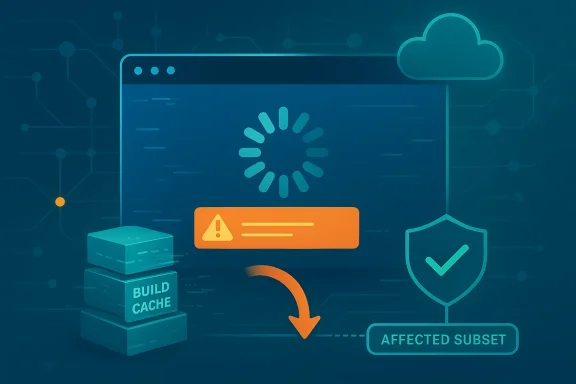
Microsoft’s rollback of a faulty Teams desktop update is another reminder that the modern productivity stack can fail in surprisingly brittle ways. What looked like a routine client-side messaging error appears to have been traced to a regression in Teams build caching, leaving some users stuck in an endless loading loop until they fully quit and relaunched the app. In practical terms, the incident is less about one bad patch and more about how tightly coupled the client, cache, and service infrastructure have become in Microsoft 365.
Microsoft Teams has become one of the company’s most strategically important products, sitting at the center of chat, meetings, calling, and collaboration for both enterprises and consumers. That makes even a narrow desktop regression feel large, because Teams is no longer a niche communications tool; it is often the front door to work itself. When the app fails, the impact is not just inconvenience. It can halt access to conversations, files, and meeting workflows that employees depend on throughout the day.
This latest incident follows a familiar pattern in cloud-era software: a backend or update-path change affects a subset of users, symptoms appear as vague client errors, and the actual root cause turns out to be buried in how the service and client interact. Microsoft’s own guidance and incident handling around Teams repeatedly emphasize cache behavior, telemetry, and recovery mechanisms, which tells you something important about the architecture. The app is not merely displaying data; it is negotiating state with a service pipeline that can become unhealthy in ways users can’t easily diagnose.
The message users saw — “We’re having trouble loading your message. Try refreshing.” — is the kind of generic alert that tends to make troubleshooting harder, not easier. In many ordinary cases, this kind of error can point to network issues, local cache corruption, or tenant-level service trouble. But in this event, the company said the problem was tied to a client build caching regression, which is more subtle and also more disruptive because it can persist even after a service-side fix is applied.
Microsoft has dealt with Teams incidents before, and the broader lesson is consistent: when the client update process goes wrong, the fix is often a full restart, cache refresh, or controlled rollback rather than a simple in-app repair. That reality matters in enterprise environments where software is managed at scale and users expect the platform to “just work.” It also explains why Microsoft watched service telemetry closely after reverting the update, because confidence in remediation has to be measured in actual client recovery, not just in theory.
Microsoft then said it had identified the failing path, allowed its automated recovery system to remediate impact, and ultimately rolled back the update that introduced the problem. That rollback language is important, because it suggests the issue was introduced by a recent change in how Teams handled client build caching rather than by user misconfiguration. In large SaaS products, a rollback is often the fastest way to restore a known-good state when the blast radius is wide and the affected component sits close to the update mechanism.
The fact that users were told to fully quit Teams and restart it is also revealing. A normal tab refresh or app reopen may not be enough if cached artifacts or update metadata remain in memory. In other words, the recovery path was not cosmetic; it required the client to reinitialize state and pick up the reverted code path.
The incident also highlights how much confidence Microsoft places in telemetry-driven recovery. When the company says it is monitoring service telemetry to confirm resolution, that means the fix is only considered complete when enough clients are seen to successfully recover. That is very different from a patch that simply ships and is presumed to work.
This is one reason Teams incidents often generate so much frustration. The app is expected to behave like a real-time service, but it still depends on local device conditions, app lifecycle behavior, and update propagation. If a cache or build reference becomes inconsistent, the user doesn’t see an elegant diagnostic. They see a generic failure loop and are asked to do the digital equivalent of turning it off and on again.
That is why a regression in build caching can produce a denial-of-service style outcome for the end user. The app may technically launch, but it cannot complete the data-loading or message-rendering flow because it is trying to reconcile incompatible state. In that sense, the outage is not about raw uptime; it is about state integrity.
A true restart forces a new session, a fresh state negotiation, and a better chance that the reverted build path is loaded correctly. That is why Microsoft’s remediation language emphasized full exit rather than a simple refresh. The fix had to propagate through the client lifecycle.
The company also reportedly labeled the event as an incident, which is consistent with the seriousness of the user impact. In large cloud services, incident designation is not just a communications label; it reflects how engineering resources are assigned and how quickly operational response gets elevated. A desktop app that cannot load messages may sound modest in isolation, but inside a Microsoft 365 tenant it can affect productivity at scale.
That is the difference between backend recovery and end-user recovery. Enterprises care about both, because the latter is what determines whether employees can resume work. A service can be technically healthy while still being operationally disruptive.
That matters for trust. Users and administrators may forgive an outage more readily than they forgive a slow or evasive response. The speed and clarity of the rollback help shape how the incident is remembered.
The larger risk is that users begin treating Teams as unreliable even when the outage is temporary. That perception matters because collaboration platforms thrive on habit and trust. Once employees start checking alternate tools first, the platform’s value proposition weakens, even if only sporadically.
It also feeds incident fatigue. Teams has become a place where users expect chat, meetings, and file access to be instantaneous. When an outage interrupts that expectation, the workaround burden lands on IT first and users second. The result is more tickets, more confusion, and more pressure to explain why a supposedly stable platform still needs manual intervention.
That is why organizations should treat Teams incidents as continuity events, not just app bugs. The point is not alarmism. It is recognition that collaboration platforms now sit inside the critical path of daily operations.
For these users, the main issue is not service architecture. It is whether they can get back into their conversations fast enough to keep working. That is why the recommendation to fully quit and restart the client is useful but also somewhat unsatisfying: it solves the problem only if the person knows to do it and only if the fix has already propagated.
That makes clear communication essential. Users need to know whether they should wait, restart, switch to web, or contact support. Ambiguous errors do the opposite: they add anxiety without adding information.
For small teams, this can be a reminder to keep at least one alternate access method ready. Even if the main app is stable 99.9% of the time, the rare exception is exactly when a backup matters most.
Teams is especially exposed because it sits at the intersection of identity, messaging, compliance, files, meetings, and devices. That makes the client a high-value target for convenience and a high-friction point for bugs. When Microsoft ships a change, it is not just shipping a feature. It is also updating a fragile dependency graph.
Microsoft knows this, which is why the company emphasizes telemetry, incident labels, and controlled rollbacks. The challenge is that reliability expectations rise as the product becomes more central. The more Teams becomes indispensable, the less tolerance there is for even temporary regressions.
Still, reputation matters. If Microsoft wants Teams to remain the default workplace layer, it has to keep proving that the platform can recover quickly, communicate clearly, and minimize disruption. That is the real competition now: not just features, but trust.
This is why software rollouts in large environments are often staged, observed, and reversible. Modern platforms can’t assume that every client will update cleanly or interpret a new build state the same way. The Teams incident shows what happens when one of those assumptions breaks down.
That is why “it works on the web” can be such an important diagnostic clue. The browser path and the desktop path often diverge in how they cache, render, and initialize state. If the web client works but the desktop app fails, the issue is often local or client-specific rather than a fundamental service outage.
That would reduce support load and shorten user frustration. It would also make the product feel more trustworthy, because a good error message is part of good design. Silence is not stability; clarity is.
Longer term, this incident will likely feed into Microsoft’s ongoing work on Teams reliability, client packaging, and update choreography. The company has every incentive to make the desktop client more resilient, because the platform’s value depends on invisibility when it works and simplicity when it doesn’t. The best collaboration software disappears into the workflow; the worst reminds you it is software.
Source: TechRadar Microsoft rollback resolves Teams build caching regression error
 Background
Microsoft Teams has become one of the company’s most strategically important products, sitting at the center of chat, meetings, calling, and collaboration for both enterprises and consumers. That makes even a narrow desktop regression feel large, because Teams is no longer a niche communications tool; it is often the front door to work itself. When the app fails, the impact is not just inconvenience. It can halt access to conversations, files, and meeting workflows that employees depend on throughout the day.This latest incident follows a familiar pattern in cloud-era software: a backend or update-path change affects a subset of users, symptoms appear as vague client errors, and the actual root cause turns out to be buried in how the service and client interact. Microsoft’s own guidance and incident handling around Teams repeatedly emphasize cache behavior, telemetry, and recovery mechanisms, which tells you something important about the architecture. The app is not merely displaying data; it is negotiating state with a service pipeline that can become unhealthy in ways users can’t easily diagnose.
The message users saw — “We’re having trouble loading your message. Try refreshing.” — is the kind of generic alert that tends to make troubleshooting harder, not easier. In many ordinary cases, this kind of error can point to network issues, local cache corruption, or tenant-level service trouble. But in this event, the company said the problem was tied to a client build caching regression, which is more subtle and also more disruptive because it can persist even after a service-side fix is applied.
Microsoft has dealt with Teams incidents before, and the broader lesson is consistent: when the client update process goes wrong, the fix is often a full restart, cache refresh, or controlled rollback rather than a simple in-app repair. That reality matters in enterprise environments where software is managed at scale and users expect the platform to “just work.” It also explains why Microsoft watched service telemetry closely after reverting the update, because confidence in remediation has to be measured in actual client recovery, not just in theory.
What Happened
The incident began with reports that Teams desktop users could not load messages and were trapped in a loading or refresh failure state. According to the reporting around the outage, Microsoft later confirmed an issue under tracker TM1283300 and described it as a service infrastructure problem that caused older Teams desktop builds to enter an unhealthy state. The key distinction is that this was not merely a random local bug on one PC; it was a broader platform issue affecting a subset of clients in the wild.Microsoft then said it had identified the failing path, allowed its automated recovery system to remediate impact, and ultimately rolled back the update that introduced the problem. That rollback language is important, because it suggests the issue was introduced by a recent change in how Teams handled client build caching rather than by user misconfiguration. In large SaaS products, a rollback is often the fastest way to restore a known-good state when the blast radius is wide and the affected component sits close to the update mechanism.
The user-facing symptom
The visible symptom was deceptively simple: messages would not load. For some people, Teams appeared to open but could not progress beyond a loop of failed refresh attempts. That kind of failure is especially frustrating because it can look like a transient network hiccup even when the underlying cause is systemic.The fact that users were told to fully quit Teams and restart it is also revealing. A normal tab refresh or app reopen may not be enough if cached artifacts or update metadata remain in memory. In other words, the recovery path was not cosmetic; it required the client to reinitialize state and pick up the reverted code path.
Why this matters operationally
From an operations perspective, a client build caching issue is a nasty class of problem. The service can look healthy on the backend while a subset of endpoints remain broken due to stale build references or incompatible cached state. That creates the appearance of randomness, which slows down both user troubleshooting and internal root-cause analysis.The incident also highlights how much confidence Microsoft places in telemetry-driven recovery. When the company says it is monitoring service telemetry to confirm resolution, that means the fix is only considered complete when enough clients are seen to successfully recover. That is very different from a patch that simply ships and is presumed to work.
- The failure was tied to a desktop client state problem, not just a temporary server blip.
- Microsoft used a rollback rather than a forward-only fix.
- The company advised users to fully quit and restart Teams.
- Telemetry was used as the confirmation mechanism for recovery.
- The issue affected only a subset of users, but the symptoms were broad enough to feel outage-like.
Why Teams Cache Failures Hit So Hard
Teams relies heavily on local state to speed up startup and preserve user experience across sessions. That is sensible from a performance standpoint, but it also means the client can be influenced by stale metadata, cached build information, and synchronization state that is not immediately visible to the user. When something in that chain goes wrong, the result can feel like the entire app has failed even though only one layer is actually broken.This is one reason Teams incidents often generate so much frustration. The app is expected to behave like a real-time service, but it still depends on local device conditions, app lifecycle behavior, and update propagation. If a cache or build reference becomes inconsistent, the user doesn’t see an elegant diagnostic. They see a generic failure loop and are asked to do the digital equivalent of turning it off and on again.
The cache is a feature and a risk
Caching is not a flaw by itself; it is what makes modern desktop apps responsive. It reduces repeated downloads, accelerates startup, and helps preserve context. But caching also creates the possibility that a client will hold onto something it should have discarded, especially during update transitions.That is why a regression in build caching can produce a denial-of-service style outcome for the end user. The app may technically launch, but it cannot complete the data-loading or message-rendering flow because it is trying to reconcile incompatible state. In that sense, the outage is not about raw uptime; it is about state integrity.
Why restart instructions are not trivial
The recommendation to fully quit and restart Teams is often underestimated. Many users think they already “closed” the app when they actually left background processes running. If the broken state lives in memory or persists in a background helper process, a normal window close won’t clear it.A true restart forces a new session, a fresh state negotiation, and a better chance that the reverted build path is loaded correctly. That is why Microsoft’s remediation language emphasized full exit rather than a simple refresh. The fix had to propagate through the client lifecycle.
- Local cache can preserve good performance.
- Bad cache state can preserve bad behavior.
- A full quit is often required to clear the fault.
- Restarting the app is not the same as reopening a window.
- Client-side regressions can masquerade as service outages.
Microsoft’s Response Pattern
Microsoft’s handling of the incident followed the company’s increasingly standard cloud-ops playbook: acknowledge the issue, confirm remediation, revert the offending change, and verify with telemetry. That sequence is a sign of maturity, but it is also evidence that Teams has become complex enough that “fixing” a problem is often more about restoring a stable configuration than about patching a single line of code.The company also reportedly labeled the event as an incident, which is consistent with the seriousness of the user impact. In large cloud services, incident designation is not just a communications label; it reflects how engineering resources are assigned and how quickly operational response gets elevated. A desktop app that cannot load messages may sound modest in isolation, but inside a Microsoft 365 tenant it can affect productivity at scale.
Automated recovery is not enough
Microsoft said its automated recovery system successfully remediated some impact. That is encouraging, but it also shows why fully automated recovery can only go so far. If the client-side state remains inconsistent, the service may appear fixed while users still experience the bug until they restart the app.That is the difference between backend recovery and end-user recovery. Enterprises care about both, because the latter is what determines whether employees can resume work. A service can be technically healthy while still being operationally disruptive.
Rollbacks are strategic, not embarrassing
Some companies hesitate to roll back updates because it can look like a public admission of failure. In reality, rollback is often the safest and most professional move. It reduces exposure, stabilizes the fleet, and creates a cleaner baseline for diagnosis. Microsoft’s decision suggests the company judged the regression to be narrow enough to revert quickly, but serious enough that leaving it in place would prolong impact.That matters for trust. Users and administrators may forgive an outage more readily than they forgive a slow or evasive response. The speed and clarity of the rollback help shape how the incident is remembered.
The enterprise lens
For IT administrators, this kind of incident is especially important because Teams is often governed by policy, not by individual user choice. If a desktop regression can disrupt a communication backbone, admins need reliable guidance on how to identify, isolate, and confirm recovery. They also need confidence that the issue is not a sign of deeper tenant corruption or authentication failure.- Microsoft used telemetry to validate the fix.
- The company chose a rollback over waiting for a gradual natural recovery.
- The incident fits the cloud service operations model.
- Admins need to distinguish client failure from tenant-wide service failure.
- A good response shortens the time between symptom and stabilization.
What This Means for Enterprises
Enterprises are the true center of gravity for Teams, and that makes this incident more than a simple consumer app glitch. When chat fails, organizations lose not just convenience but coordination. Sales teams miss client context, support teams lose troubleshooting history, and management teams lose the fast backchannel that modern work increasingly depends on.The larger risk is that users begin treating Teams as unreliable even when the outage is temporary. That perception matters because collaboration platforms thrive on habit and trust. Once employees start checking alternate tools first, the platform’s value proposition weakens, even if only sporadically.
Help desk burden and incident fatigue
A bug like this also creates immediate support overhead. Service desks have to separate local problems from tenant-level problems, ask the right restart questions, and decide whether to tell users to wait or to work around the issue. That consumes time even when the underlying bug is already understood.It also feeds incident fatigue. Teams has become a place where users expect chat, meetings, and file access to be instantaneous. When an outage interrupts that expectation, the workaround burden lands on IT first and users second. The result is more tickets, more confusion, and more pressure to explain why a supposedly stable platform still needs manual intervention.
Continuity and business risk
In regulated or high-velocity environments, communication interruptions can have real downstream effects. A stuck chat app may not look like a high-severity business issue until it delays approvals, escalations, or security response. In that sense, a simple loading error can become a process failure.That is why organizations should treat Teams incidents as continuity events, not just app bugs. The point is not alarmism. It is recognition that collaboration platforms now sit inside the critical path of daily operations.
- Help desk volume rises quickly during collaboration outages.
- Users may shift to shadow IT or consumer messaging tools.
- Business approvals can stall when chat history is inaccessible.
- Incident communications become part of the recovery process.
- Repeated glitches erode trust in the platform.
What It Means for Consumers and Small Teams
Consumers and small businesses feel these outages differently, but the frustration can be just as intense. A freelancer, consultant, or small team often has fewer fallback systems, so if Teams becomes unreliable, the interruption is immediate and personal. There is no secondary admin team to absorb the confusion.For these users, the main issue is not service architecture. It is whether they can get back into their conversations fast enough to keep working. That is why the recommendation to fully quit and restart the client is useful but also somewhat unsatisfying: it solves the problem only if the person knows to do it and only if the fix has already propagated.
Simplicity is part of the value proposition
A collaboration app succeeds when it hides complexity from the user. Teams is expected to abstract away device state, build changes, and service rollout mechanics. When that abstraction breaks, people are reminded that the tool is a layered enterprise system, not just a chat window.That makes clear communication essential. Users need to know whether they should wait, restart, switch to web, or contact support. Ambiguous errors do the opposite: they add anxiety without adding information.
Workarounds still matter
The web client often becomes the fallback during desktop incidents, and that remains one of the more practical resilience features in Microsoft’s ecosystem. But that fallback is not perfect for everyone, especially when workflows rely on desktop notifications, local integrations, or device-specific policies. The right workaround depends on how the app is actually used.For small teams, this can be a reminder to keep at least one alternate access method ready. Even if the main app is stable 99.9% of the time, the rare exception is exactly when a backup matters most.
Teams Reliability and the Bigger Microsoft Pattern
This incident also fits a broader pattern in Microsoft’s current product strategy: the company keeps pushing more intelligence, more abstraction, and more service integration into Windows and Microsoft 365, but every added layer increases the chance that a regression will ripple outward. That does not mean the strategy is wrong. It means the margin for error gets smaller as the platform grows more ambitious.Teams is especially exposed because it sits at the intersection of identity, messaging, compliance, files, meetings, and devices. That makes the client a high-value target for convenience and a high-friction point for bugs. When Microsoft ships a change, it is not just shipping a feature. It is also updating a fragile dependency graph.
Reliability is now a product feature
In the old software model, a bug in a desktop app was mostly the user’s problem. In the cloud model, a bug in the client can become a platform issue, and a platform issue can become a corporate operating expense. That means reliability is no longer just engineering hygiene; it is part of the product promise.Microsoft knows this, which is why the company emphasizes telemetry, incident labels, and controlled rollbacks. The challenge is that reliability expectations rise as the product becomes more central. The more Teams becomes indispensable, the less tolerance there is for even temporary regressions.
Competitor implications
From a market perspective, every Teams outage is an opening for rivals to reinforce their own reliability narratives. Slack, Zoom, Google Workspace, and smaller collaboration tools all benefit when users are reminded that no single platform is invulnerable. But the competitive effect is usually incremental rather than catastrophic, because switching collaboration platforms at scale is expensive and culturally difficult.Still, reputation matters. If Microsoft wants Teams to remain the default workplace layer, it has to keep proving that the platform can recover quickly, communicate clearly, and minimize disruption. That is the real competition now: not just features, but trust.
- Reliability is now a core product feature.
- Teams sits at the intersection of multiple services.
- Every regression has a platform-wide perception cost.
- Competitors benefit when Microsoft looks unstable.
- Switching away from Teams remains difficult for most organizations.
The Technical Lesson in Build Caching
The phrase build caching may sound obscure, but it points to a very practical lesson about software delivery. When the client caches build data incorrectly, it can end up believing it is in a state that no longer matches the live service. That mismatch can block message loading, break startup flows, or create looped failures that look unrelated on the surface.This is why software rollouts in large environments are often staged, observed, and reversible. Modern platforms can’t assume that every client will update cleanly or interpret a new build state the same way. The Teams incident shows what happens when one of those assumptions breaks down.
Why state consistency is everything
A client app that talks to cloud services depends on consistent state more than most users realize. Authentication tokens, cached resources, version references, and server responses all have to line up. If one component gets stale or misaligned, the whole experience can degrade.That is why “it works on the web” can be such an important diagnostic clue. The browser path and the desktop path often diverge in how they cache, render, and initialize state. If the web client works but the desktop app fails, the issue is often local or client-specific rather than a fundamental service outage.
Better diagnostics, better trust
Incidents like this argue for more transparent diagnostics inside Teams itself. Users don’t need a full engineering trace, but they do need a more useful explanation than “try refreshing.” Clearer error text could tell them whether the app needs a restart, whether the problem is cached state, or whether Microsoft is already working on a fix.That would reduce support load and shorten user frustration. It would also make the product feel more trustworthy, because a good error message is part of good design. Silence is not stability; clarity is.
Strengths and Opportunities
The response to this incident shows that Microsoft has built some of the right operational muscle for large-scale cloud products. The company can detect broad-impact issues, label them, roll back changes, and use telemetry to confirm recovery. That is an important capability, and it gives Teams a better chance of bouncing back quickly after regressions.- Fast rollback capability reduces the duration of user impact.
- Telemetry-driven validation helps confirm that fixes actually work.
- Automated recovery systems can reduce the blast radius.
- Web client fallbacks provide a practical continuity path.
- Enterprise visibility gives admins a way to track service health.
- Operational maturity is visible in the way Microsoft handles incidents.
- Customer trust can improve when fixes are communicated clearly.
Risks and Concerns
The biggest concern is not that one update failed, but that highly integrated collaboration software can still break in ways that are hard for users to diagnose. When a generic loading error masks a client-state regression, the average user has almost no way to distinguish local trouble from a platform issue. That uncertainty is expensive in time, confidence, and support effort.- Generic error messages increase frustration and misdiagnosis.
- Cache-related regressions can be sticky and hard to clear.
- Restart instructions are easy to misunderstand or skip.
- Enterprise dependency magnifies the cost of even brief outages.
- Repeated incidents can erode confidence in the platform.
- Rollback reliance may expose how fragile update flows remain.
- Perception damage can outlast the technical fix.
Looking Ahead
The immediate question is whether Microsoft has fully flushed the bad state from impacted clients and whether its telemetry confirms that message loading has returned to normal across the affected cohort. That answer matters because a rollback on paper is not the same as recovery in practice. The real test is whether users stop seeing the looped failure and can resume work without additional intervention.Longer term, this incident will likely feed into Microsoft’s ongoing work on Teams reliability, client packaging, and update choreography. The company has every incentive to make the desktop client more resilient, because the platform’s value depends on invisibility when it works and simplicity when it doesn’t. The best collaboration software disappears into the workflow; the worst reminds you it is software.
- Watch for follow-up telemetry confirming full recovery.
- Expect Microsoft to keep refining client update safeguards.
- Monitor whether similar symptoms appear in other Teams builds.
- See if Microsoft improves error messaging for loading failures.
- Track whether admins receive better incident diagnostics.
- Watch competitors use the event in their reliability messaging.
- Note whether Microsoft treats this as an isolated bug or part of a broader client-state hardening effort.
Source: TechRadar Microsoft rollback resolves Teams build caching regression error
