

Microsoft Teams users hit by a frustrating right-click paste bug are dealing with a classic modern-software problem: a feature in one Microsoft product broke another Microsoft product that millions rely on every day. The issue, now tracked by Microsoft as a service degradation, affects Teams desktop chats on Windows and macOS and leaves the paste option greyed out in the context menu even though clipboard content is present. Microsoft says the root cause is a regression introduced by a recent Microsoft Edge update, and the company has begun rolling out a fix in stages.
The timing of this bug matters because Teams paste failures arrive at a moment when Microsoft has been steadily pushing deeper integration across its productivity stack. Teams is no longer just a standalone chat client; it is a web-style application with components that depend on browser technology, permissions logic, and in some cases shared runtime behavior from Edge. That architecture brings consistency and faster feature delivery, but it also creates a larger blast radius when something regresses.
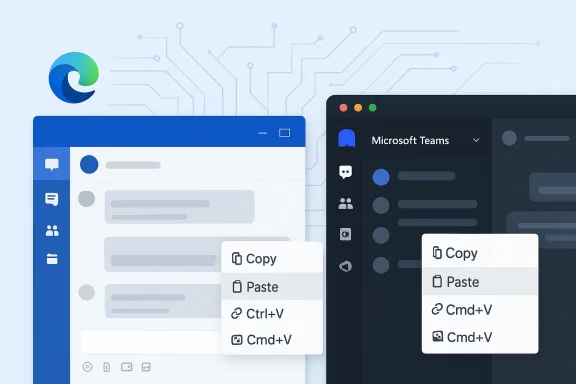
In this case, the symptom is deceptively simple: users can still paste with Ctrl+V on Windows or Cmd+V on macOS, but right-click paste in Teams chat is disabled or unavailable. Microsoft’s own incident notes describe the affected scenario as paste options appearing greyed out in Teams desktop client chats, with URLs, text, and images all potentially impacted. The incident also appears broad enough to hit both individual and enterprise users, which is why support traffic has been heavy.
What makes the problem especially annoying is that routine troubleshooting has not been very helpful. Users report that reinstalling Teams or clearing cache does not necessarily resolve the issue, which points away from a local corruption problem and toward a client-side regression. Microsoft’s current guidance emphasizes workarounds and service monitoring rather than a user-applied repair.
That distinction is important for IT teams. A broken clipboard action looks like a small UX annoyance, but in an enterprise collaboration tool it can interrupt ticket escalation, incident response, HR workflows, and even regulated communications. When a common action like paste becomes unreliable, users quickly lose trust in the platform’s consistency.
But the benefit of shared foundations is also the risk. When an app depends on browser behavior for clipboard actions, context menus, or permission handling, any upstream change in the underlying engine can surface in the app layer. Microsoft itself confirmed that this particular issue traces back to a recent Edge update that introduced a code regression.
The incident also fits a broader pattern that Microsoft customers know too well: productivity features can fail in ways that look local but are actually service-related. In earlier Teams bugs, right-click menus, spell-check behaviors, and chat actions have each broken after app revisions or web-runtime changes. Those incidents are a reminder that the “app” users see is often the visible tip of a much larger platform iceberg.
There is also a support-process angle. Microsoft publishes service health incidents in the Microsoft 365 admin center for admins, while community-facing Q&A threads often become the first place affected users compare notes. That split explains why a bug can be widely discussed before many end users ever see an official bulletin. Administrators, by contrast, can cross-check issues through the Service Health dashboard and then decide whether to wait for Microsoft or push workarounds internally.
The key technical detail is that clipboard access itself is not broken. The fact that keyboard shortcuts still work strongly suggests the data pipeline is intact and the regression sits in the context-menu or UI path. That makes this a user interface regression, not a blanket clipboard outage.
That confirmation matters because it narrows the troubleshooting surface. If the issue were random profile corruption or a bad add-in, the fix would likely involve local resets and device-specific remediation. Instead, Microsoft is treating it as a platform regression and monitoring telemetry while a fix rolls out. That is a very different operational posture.
The incident has been identified by Microsoft as TM1279908, and service health notes indicate the company has been reviewing whether a revert or a targeted fix would restore service faster. That language suggests Microsoft is balancing speed against the risk of introducing another regression. In other words, stability is the goal, even if that means a slower rollback decision.
This architecture is both a strength and a liability. It allows Microsoft to unify rendering, security, and feature delivery across surfaces. But it also means that a regression in the browser engine can affect an adjacent productivity app even when the two products appear separate to end users. That is why a Teams paste bug can be triggered by an Edge update, even on devices where users do not think they are actively “using Edge.”
This is particularly true in enterprise environments where validation cycles are slower than consumer update cycles. Businesses may deploy Edge and Teams at different cadences, but the underlying dependencies can still link their risk profiles. That is why the incident feels bigger than a single app glitch; it exposes the fragility of interconnected productivity stacks.
In enterprise settings, the impact is amplified by scale. A single workflow break can create a wave of duplicate tickets, local workarounds, and escalation noise. IT departments then spend time proving the issue is not caused by device misconfiguration, which diverts attention from real operational work. That is why Microsoft’s incident posture and admin-center visibility matter so much.
For large organizations, the immediate priority is not deep technical diagnosis. It is continuity. If keyboard shortcuts continue working, service desks can redirect user behavior quickly while Microsoft ships a remediation. In practice, that means training, guidance, and internal comms become part of the fix.
For consumers, the good news is that the issue does not appear to be a security vulnerability. Microsoft has not reported data exposure or malicious exploitation, and the symptoms point to a workflow defect rather than a trust or integrity problem. The bad news is simpler: it makes a common daily action feel unreliable. That kind of friction is enough to damage user confidence even when there is no true system outage.
That said, workarounds are not fixes. They reduce pain but do not restore the expected UI behavior. For many users, especially those who paste formatted content or images frequently, even a temporary shortcut change is enough to interrupt flow.
It is also worth separating the paste problem from broader Teams behavior. Some earlier right-click issues in Teams were tied to specific client versions, message fields, or chat contexts, but the April 2026 issue is broader and appears linked to a service-side regression. That makes old “clear the cache and reboot” advice only partly relevant.
A deeper fix may require Microsoft to adjust the browser runtime behavior, modify Teams’ integration with it, or push a staged rollback. Until then, end users are mostly limited to alternatives.
The staged nature of the rollout is also a reminder that enterprise software rarely flips from broken to fixed instantly. Even after Microsoft identifies the cause, remediation can take time because the company has to validate behavior across clients, versions, and policy configurations. That is frustrating for users but normal for a service at this scale.
That said, a staged fix means some users may recover before others. Organizations should expect uneven improvement across tenants and devices during the deployment window. That unevenness is a feature of the rollout, not necessarily a sign that the issue is still being actively introduced.
From a market perspective, the incident also plays into the competition story around collaboration platforms. Teams competes not only on features, but on perceived reliability. When users encounter basic interaction bugs, rivals such as Slack, Zoom Chat, and browser-based alternatives gain a rhetorical advantage, even if their own platforms have different tradeoffs. Reliability, in collaboration software, is a product feature.
The current bug reinforces an old lesson: integration is not the same thing as resilience. The more a platform relies on shared components, the more important it is to coordinate release validation across those components. If not, the ecosystem can feel seamless right up until it is not.
The episode also gives Microsoft a chance to strengthen release discipline around Edge and Teams dependencies. Better cross-product validation, tighter canary rings, and more explicit regression tests around clipboard and context-menu behavior would reduce the chance of repeats. If Microsoft uses this incident to harden its update pipeline, users will benefit long after the current fix lands.
There is also the risk of uneven remediation. If the fix reaches some users but not others, organizations may waste time trying to correlate version numbers, devices, and policies instead of simply waiting for stabilization. And because the issue is not solved by obvious local repairs, support teams may continue to see tickets even after the root cause is understood.
For now, the practical advice is simple: keep using keyboard shortcuts, watch tenant health dashboards, and avoid unnecessary client resets unless your IT team has already confirmed they are needed for a separate issue. In the longer term, organizations should treat this as evidence that Teams and Edge cannot be governed as isolated products anymore.
Source: thewincentral.com Microsoft Teams Right-Click Paste Broken After Edge Update - WinCentral
 Overview
The timing of this bug matters because Teams paste failures arrive at a moment when Microsoft has been steadily pushing deeper integration across its productivity stack. Teams is no longer just a standalone chat client; it is a web-style application with components that depend on browser technology, permissions logic, and in some cases shared runtime behavior from Edge. That architecture brings consistency and faster feature delivery, but it also creates a larger blast radius when something regresses.In this case, the symptom is deceptively simple: users can still paste with Ctrl+V on Windows or Cmd+V on macOS, but right-click paste in Teams chat is disabled or unavailable. Microsoft’s own incident notes describe the affected scenario as paste options appearing greyed out in Teams desktop client chats, with URLs, text, and images all potentially impacted. The incident also appears broad enough to hit both individual and enterprise users, which is why support traffic has been heavy.
What makes the problem especially annoying is that routine troubleshooting has not been very helpful. Users report that reinstalling Teams or clearing cache does not necessarily resolve the issue, which points away from a local corruption problem and toward a client-side regression. Microsoft’s current guidance emphasizes workarounds and service monitoring rather than a user-applied repair.
That distinction is important for IT teams. A broken clipboard action looks like a small UX annoyance, but in an enterprise collaboration tool it can interrupt ticket escalation, incident response, HR workflows, and even regulated communications. When a common action like paste becomes unreliable, users quickly lose trust in the platform’s consistency.
Background
Teams has long been built around Microsoft’s broader web platform strategy. The company’s modern app stack leans heavily on browser engines and embedded web experiences, especially in the post-classic Teams era. That design is not unusual in 2026; in fact, it is increasingly standard across enterprise software because it enables a single codebase across operating systems and feature channels.But the benefit of shared foundations is also the risk. When an app depends on browser behavior for clipboard actions, context menus, or permission handling, any upstream change in the underlying engine can surface in the app layer. Microsoft itself confirmed that this particular issue traces back to a recent Edge update that introduced a code regression.
The incident also fits a broader pattern that Microsoft customers know too well: productivity features can fail in ways that look local but are actually service-related. In earlier Teams bugs, right-click menus, spell-check behaviors, and chat actions have each broken after app revisions or web-runtime changes. Those incidents are a reminder that the “app” users see is often the visible tip of a much larger platform iceberg.
There is also a support-process angle. Microsoft publishes service health incidents in the Microsoft 365 admin center for admins, while community-facing Q&A threads often become the first place affected users compare notes. That split explains why a bug can be widely discussed before many end users ever see an official bulletin. Administrators, by contrast, can cross-check issues through the Service Health dashboard and then decide whether to wait for Microsoft or push workarounds internally.
Why clipboard bugs are disproportionately painful
Clipboard behavior sounds mundane until it fails in the middle of daily work. Teams users paste links from Outlook, code snippets from IDEs, screenshots from Snipping Tool, and formatting-sensitive content from browsers all day long. When right-click paste fails, users don’t just lose convenience; they lose muscle memory.The key technical detail is that clipboard access itself is not broken. The fact that keyboard shortcuts still work strongly suggests the data pipeline is intact and the regression sits in the context-menu or UI path. That makes this a user interface regression, not a blanket clipboard outage.
- Right-click paste is the broken path.
- Keyboard shortcuts still work.
- The issue affects text, URLs, and images.
- Reinstalling Teams has not consistently helped.
- The bug is tied to a recent Edge change, not user error.
What Microsoft Has Confirmed
Microsoft’s incident wording is unusually direct for a day-to-day productivity failure. The company says impacted users may be unable to use copy and paste in Teams desktop client chats, with paste appearing greyed out when using the right-click dropdown menu. The root cause is described as a code regression in a recent Edge update that Teams leverages.That confirmation matters because it narrows the troubleshooting surface. If the issue were random profile corruption or a bad add-in, the fix would likely involve local resets and device-specific remediation. Instead, Microsoft is treating it as a platform regression and monitoring telemetry while a fix rolls out. That is a very different operational posture.
How the incident is being handled
The current advice is straightforward: use keyboard shortcuts, and in some cases the Teams web client may bypass the issue. Microsoft also recommends that administrators track the incident in the Microsoft 365 admin center and, where appropriate, submit support requests to help prioritize tenant impact.The incident has been identified by Microsoft as TM1279908, and service health notes indicate the company has been reviewing whether a revert or a targeted fix would restore service faster. That language suggests Microsoft is balancing speed against the risk of introducing another regression. In other words, stability is the goal, even if that means a slower rollback decision.
- Microsoft has acknowledged the bug.
- The root cause points to Edge, not Teams alone.
- A staged fix is being deployed.
- Admins should monitor Service Health.
- User-side reinstall or cache clearing is not the main solution.
Why Edge Matters Here
At first glance, it may seem odd that a browser update can break a desktop chat app. In Microsoft’s modern stack, though, that is exactly the kind of cross-product dependency that can happen. Teams uses Edge-based web components, and clipboard handling is one of the areas where embedded browser behavior can surface in the app shell.This architecture is both a strength and a liability. It allows Microsoft to unify rendering, security, and feature delivery across surfaces. But it also means that a regression in the browser engine can affect an adjacent productivity app even when the two products appear separate to end users. That is why a Teams paste bug can be triggered by an Edge update, even on devices where users do not think they are actively “using Edge.”
The hidden cost of shared runtimes
Shared runtimes reduce duplication, but they also couple release cycles. That coupling is efficient in theory and disruptive in practice. When one layer changes clipboard or context-menu behavior, another layer may inherit the behavior immediately, whether it is ready or not.This is particularly true in enterprise environments where validation cycles are slower than consumer update cycles. Businesses may deploy Edge and Teams at different cadences, but the underlying dependencies can still link their risk profiles. That is why the incident feels bigger than a single app glitch; it exposes the fragility of interconnected productivity stacks.
- Shared runtimes accelerate feature delivery.
- They also widen the impact of regressions.
- Enterprises inherit complexity from browser updates.
- End users usually experience only the broken surface.
- The underlying cause may be invisible to them.
Enterprise Impact
For organizations, the Teams paste bug is more than a nuisance. Teams is often the front door for collaboration, support handoff, and operational communications. If users cannot paste links, screenshots, or copied content via right-click, they slow down everything from helpdesk cases to incident coordination.In enterprise settings, the impact is amplified by scale. A single workflow break can create a wave of duplicate tickets, local workarounds, and escalation noise. IT departments then spend time proving the issue is not caused by device misconfiguration, which diverts attention from real operational work. That is why Microsoft’s incident posture and admin-center visibility matter so much.
Productivity versus resilience
This is the tradeoff many Microsoft 365 customers live with every day. Integrated platforms deliver convenience and consistent UX, but they also create single points of regression that ripple across multiple services. The Teams paste issue is a textbook example of that dynamic.For large organizations, the immediate priority is not deep technical diagnosis. It is continuity. If keyboard shortcuts continue working, service desks can redirect user behavior quickly while Microsoft ships a remediation. In practice, that means training, guidance, and internal comms become part of the fix.
- Support desks will see repetitive tickets.
- Employees may assume their device is broken.
- Admins need a communication plan.
- Workarounds should be standardized quickly.
- Monitoring Service Health becomes essential.
Consumer Impact
Individual users feel this bug in a more immediate and emotional way. Right-click paste is one of those tiny UI shortcuts that people use without thinking, so its failure can feel like the app is broken even when the clipboard is fine. That disconnect is why the bug spread rapidly across community forums and Q&A threads.For consumers, the good news is that the issue does not appear to be a security vulnerability. Microsoft has not reported data exposure or malicious exploitation, and the symptoms point to a workflow defect rather than a trust or integrity problem. The bad news is simpler: it makes a common daily action feel unreliable. That kind of friction is enough to damage user confidence even when there is no true system outage.
Workarounds that actually help
The most practical workaround is to stop using the broken path. Keyboard shortcuts remain the best option, and on Windows that means Ctrl+V; on macOS, Cmd+V. In some cases, Teams web may also provide a different path around the issue, though that depends on the user’s setup and organizational policies.That said, workarounds are not fixes. They reduce pain but do not restore the expected UI behavior. For many users, especially those who paste formatted content or images frequently, even a temporary shortcut change is enough to interrupt flow.
- Use Ctrl+V on Windows.
- Use Cmd+V on macOS.
- Try Teams web if policy allows it.
- Report the issue through in-app feedback.
- Avoid assuming the clipboard is entirely broken.
Troubleshooting and What Does Not Work
A lot of users have already tried the obvious repairs. Reinstalling Teams, clearing cache, and resetting the app have been mentioned in community threads and Q&A posts, but those steps do not consistently fix the issue. That is a strong clue that the bug lives above the local data layer.It is also worth separating the paste problem from broader Teams behavior. Some earlier right-click issues in Teams were tied to specific client versions, message fields, or chat contexts, but the April 2026 issue is broader and appears linked to a service-side regression. That makes old “clear the cache and reboot” advice only partly relevant.
Why the usual fixes miss the mark
Cache clearing can help when UI state is stale, permissions are malformed, or local session artifacts block rendering. Here, however, the clipboard data exists and keyboard paste still works. That means the defect is likely in how the right-click menu evaluates paste availability, not whether the clipboard contains usable content.A deeper fix may require Microsoft to adjust the browser runtime behavior, modify Teams’ integration with it, or push a staged rollback. Until then, end users are mostly limited to alternatives.
- Confirm the bug reproduces in the desktop client.
- Test Ctrl+V or Cmd+V to verify clipboard access.
- Try Teams web if allowed by your organization.
- Check whether the issue affects only specific users or builds.
- Escalate through Service Health or Teams feedback if needed.
Microsoft’s Fix Status
Microsoft says a fix is being rolled out in stages, and telemetry is being monitored to ensure stability before a wider deployment. That is a cautious but sensible approach, especially when the bug was introduced by a recent browser update. Prematurely forcing a reversal can fix one issue while breaking another.The staged nature of the rollout is also a reminder that enterprise software rarely flips from broken to fixed instantly. Even after Microsoft identifies the cause, remediation can take time because the company has to validate behavior across clients, versions, and policy configurations. That is frustrating for users but normal for a service at this scale.
Reading the rollout tea leaves
The language Microsoft used suggests two possible paths: revert the Edge change or deliver a compensating fix in the affected component. Either option can be safer than the other depending on the exact regression surface. What matters is that Microsoft appears to be prioritizing a low-risk correction over a quick-but-hasty patch.That said, a staged fix means some users may recover before others. Organizations should expect uneven improvement across tenants and devices during the deployment window. That unevenness is a feature of the rollout, not necessarily a sign that the issue is still being actively introduced.
- A fix is in motion.
- Rollout is gradual, not instant.
- Microsoft is monitoring telemetry.
- Different users may recover at different times.
- A rollback is still a possible path if needed.
Historical Pattern and Competitive Context
This is not the first time Microsoft has had to clean up a Teams right-click or clipboard issue. Community discussions from earlier years show similar reports around context menus, spell checking, and paste behavior in Teams chat fields. The repeated theme is less about one specific defect and more about the fragility of browser-backed UI layers in enterprise collaboration apps.From a market perspective, the incident also plays into the competition story around collaboration platforms. Teams competes not only on features, but on perceived reliability. When users encounter basic interaction bugs, rivals such as Slack, Zoom Chat, and browser-based alternatives gain a rhetorical advantage, even if their own platforms have different tradeoffs. Reliability, in collaboration software, is a product feature.
What this means for Microsoft’s platform strategy
Microsoft has spent years building a tightly integrated ecosystem around Windows, Edge, Microsoft 365, and Teams. That strategy is powerful when it works because it reduces fragmentation and enables cross-product features. But it also means that the quality of the whole stack can be judged by the weakest link.The current bug reinforces an old lesson: integration is not the same thing as resilience. The more a platform relies on shared components, the more important it is to coordinate release validation across those components. If not, the ecosystem can feel seamless right up until it is not.
- Competitors benefit from Microsoft’s missteps.
- Reliability shapes brand trust.
- Integrated stacks need integrated testing.
- Browser-engine regressions can become product incidents.
- UX “small bugs” can create strategic perception damage.
Strengths and Opportunities
Despite the annoyance, this incident also shows that Microsoft’s telemetry and incident-response machinery is functioning. The company identified the root cause, acknowledged the problem, and started distributing a fix rather than leaving users guessing indefinitely. That matters because transparency and speed are often the difference between a contained bug and a trust crisis.The episode also gives Microsoft a chance to strengthen release discipline around Edge and Teams dependencies. Better cross-product validation, tighter canary rings, and more explicit regression tests around clipboard and context-menu behavior would reduce the chance of repeats. If Microsoft uses this incident to harden its update pipeline, users will benefit long after the current fix lands.
- Microsoft acknowledged the issue early.
- Admin visibility is available through Service Health.
- The bug is not a security event.
- Keyboard shortcuts still preserve continuity.
- A stronger cross-product test matrix could prevent repeats.
Risks and Concerns
The main concern is not the paste bug itself, but the signal it sends about complexity in Microsoft’s platform stack. When a browser update can break a basic Teams action, customers may reasonably ask what else is one regression away from failing. That worry is especially acute in regulated or operationally critical environments.There is also the risk of uneven remediation. If the fix reaches some users but not others, organizations may waste time trying to correlate version numbers, devices, and policies instead of simply waiting for stabilization. And because the issue is not solved by obvious local repairs, support teams may continue to see tickets even after the root cause is understood.
- Cross-product regressions erode user confidence.
- Users may misdiagnose the problem as local corruption.
- Incomplete rollout can create inconsistent behavior.
- Support teams may face repetitive, low-signal tickets.
- Workarounds may not suit all workflows.
- Long dependency chains increase operational fragility.
Looking Ahead
The next few days should tell the story. If Microsoft’s staged rollout behaves as expected, users will begin seeing right-click paste return without needing any local intervention. If not, Microsoft may need to adjust the remediation strategy, and that could mean a rollback or a broader Edge-side correction. Either way, the company will likely continue posting service health updates for administrators.For now, the practical advice is simple: keep using keyboard shortcuts, watch tenant health dashboards, and avoid unnecessary client resets unless your IT team has already confirmed they are needed for a separate issue. In the longer term, organizations should treat this as evidence that Teams and Edge cannot be governed as isolated products anymore.
What to watch next
- The pace and completeness of Microsoft’s staged fix.
- Whether the issue is resolved by rollback or by patch.
- Any follow-up service health note expanding scope or narrowing impact.
- Signs that Teams web behaves differently from the desktop client.
- Whether Microsoft updates guidance for admins and support teams.
Source: thewincentral.com Microsoft Teams Right-Click Paste Broken After Edge Update - WinCentral
