

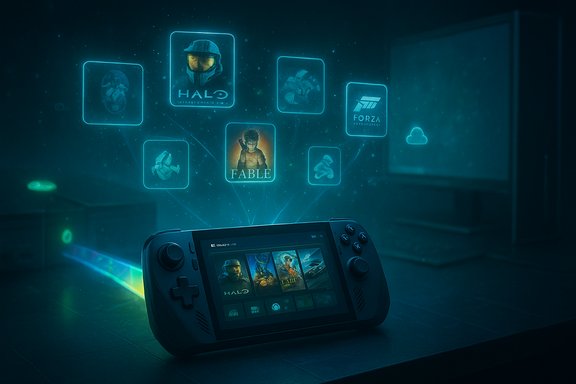
Microsoft appears to be quietly testing a major change in how Xbox legacy titles are delivered: internal chatter and storefront anomalies suggest Microsoft is working to bring original Xbox and Xbox 360 games to Windows — including Windows handhelds such as ASUS’ ROG Xbox Ally — by extending backwards compatibility (BC) beyond consoles into the Windows ecosystem. Early signals point to real technical work (notably Prism emulation improvements and richer Xbox PC app integration), but the program’s scope, launch strategy, and catalogue will be highly selective and constrained by licensing, anti‑cheat, and online services.
For years Microsoft has treated Xbox content as cross‑device intellectual property: Game Pass, Xbox Play Anywhere, and cloud streaming are examples of how the company moves titles across consoles, PCs, and services. The current wave of leaks and forum reports claim Xbox engineering is making an effort to package and validate legacy Xbox (original and Xbox 360) titles for Windows devices so players can buy and play them as native entries in the Xbox PC app and Microsoft Store. That would allow Windows users — including those on handheld hardware like the ROG Xbox Ally — to access classic Xbox catalogues with the same entitlements and front‑end UX that modern Xbox Series consoles provide.
This push is plausible because Microsoft has shipped tangible platform improvements that lower technical barriers. Two building blocks underpin the possibility: Prism, Windows’ x86/x64→ARM64 translation/emulation layer, has expanded its emulation of CPU instruction sets; and the Xbox PC app has evolved into a centralized, aggregated library that can discover and surface titles from multiple storefronts. Those changes do not equate to a finished BC program on Windows, but they materially increase the engineering feasibility of it.
A caution: emulating wide-vector instructions on narrower Arm NEON or SVE hardware is still costly. Emulation adds CPU overhead, increases energy use, and can push thermally constrained handhelds into throttling regimes. In short, compatibility rises but parity with native x86 performance should not be assumed — especially on thin handheld hardware.
On the technical side, Microsoft’s Prism updates and the Xbox PC app’s aggregation features have been shipped in Insider and some retail builds, creating a real engineering foundation that makes BC on Windows practicable. Community emulator maintainers (notably the Xenia team) have publicly denied formal collaboration with Microsoft, which suggests the BC work, if it happens, will be internal to Microsoft rather than outsourced to community projects.
That said, a broad and instant relaunch of every legacy Xbox title on Windows is unrealistic. Licensing, anti‑cheat, online server dependencies, and performance variance guarantee that any official program will be selective, regionally fragmented, and aimed first at high‑value catalog items. Community emulators will continue to fill gaps but cannot provide the integrated entitlements, achievements, and supported multiplayer an official program can deliver.
For Windows users and handheld owners, the practical expectation should be incremental gains: more classic titles will surface on the Xbox PC app over time, some will run locally with modern UX polish, and others will remain cloud‑only or unavailable due to legal and technical constraints. The most important signals to watch are official product pages, publisher confirmations, and Microsoft statements that move the story from rumor to roadmap.
Microsoft’s BC ambition for Windows is an important strategic pivot that aligns with a platform‑centric future for Xbox. If executed carefully and transparently, it could meaningfully expand the value of Game Pass on PC, boost handheld appeal, and preserve classic titles in a supported form. The caveat is large: execution will be slow, selective, and shaped more by legal and middleware realities than by pure technical capability.
Source: OC3D Xbox backwards compatibility for Windows is in the works - OC3D
 Background / Overview
For years Microsoft has treated Xbox content as cross‑device intellectual property: Game Pass, Xbox Play Anywhere, and cloud streaming are examples of how the company moves titles across consoles, PCs, and services. The current wave of leaks and forum reports claim Xbox engineering is making an effort to package and validate legacy Xbox (original and Xbox 360) titles for Windows devices so players can buy and play them as native entries in the Xbox PC app and Microsoft Store. That would allow Windows users — including those on handheld hardware like the ROG Xbox Ally — to access classic Xbox catalogues with the same entitlements and front‑end UX that modern Xbox Series consoles provide.This push is plausible because Microsoft has shipped tangible platform improvements that lower technical barriers. Two building blocks underpin the possibility: Prism, Windows’ x86/x64→ARM64 translation/emulation layer, has expanded its emulation of CPU instruction sets; and the Xbox PC app has evolved into a centralized, aggregated library that can discover and surface titles from multiple storefronts. Those changes do not equate to a finished BC program on Windows, but they materially increase the engineering feasibility of it.
Why this matters: value and strategy
Making legacy Xbox games playable on Windows has three strategic advantages for Microsoft:- Catalog leverage: It increases Game Pass and Microsoft Store value by expanding the library available to PC subscribers and buyers.
- Platform continuity: It reinforces Microsoft’s platform thesis — make Xbox content available across consoles, PC, and handheld Windows devices — which can increase user retention and monetization opportunities.
- Preservation and goodwill: Restoring delisted classics or packaging preservation‑friendly, validated versions is a PR win and helps preserve gaming history in an officially supported way.
Technical foundations: what Microsoft has already changed
Prism: emulation improvements that matter
One of the most consequential enablers cited in reports is Prism, Microsoft’s translation layer used on Windows on Arm. Recent updates have broadened Prism’s emulation to include CPU extensions such as AVX and AVX2 (plus BMI, FMA, F16C and others), dramatically widening the set of x64 binaries that can launch on Arm devices without being recompiled. That matters because many legacy Xbox and some PC binaries rely on these instruction sets; adding them into Prism’s emulation stack removes a primary incompatibility that previously blocked wider Arm support.A caution: emulating wide-vector instructions on narrower Arm NEON or SVE hardware is still costly. Emulation adds CPU overhead, increases energy use, and can push thermally constrained handhelds into throttling regimes. In short, compatibility rises but parity with native x86 performance should not be assumed — especially on thin handheld hardware.
Xbox PC app: aggregation and storefront plumbing
Microsoft has been evolving the Xbox PC app into a discovery and orchestration hub that aggregates titles installed from Steam, Epic, GOG, and the Microsoft Store. This aggregated library means Microsoft can surface relisted legacy SKUs to Windows users without requiring full native re‑ports for every title. The Xbox app’s role is important: it provides the UX layer, entitlement checks, and a controlled delivery channel where Microsoft can present validated, emulated, or reissued classics to players.System‑level features that help BC experiences
Several system‑level improvements Microsoft is rolling out to make gaming on Windows better also indirectly enable a smoother BC experience:- Advanced Shader Delivery (ASD): Precompiled shader bundles reduce first‑run shader stutter and shorten load penalties, which helps older titles feel better on first launch and across many hardware configurations.
- Auto Super Resolution (Auto SR): An OS‑level upscaling feature designed to increase frame rates and image fidelity without developer changes, targeted at devices with on‑chip AI accelerators (e.g., Ally X). This helps handhelds make up for lower raw GPU power.
- Full Screen Experience (FSE): A controller‑first, resource‑trimmed Windows session that reduces background services and surfaces a console‑like launcher; it improves stability and memory availability on handhelds and living‑room PCs.
Delivery models Microsoft could use
There are three pragmatic ways Microsoft or publishers can make legacy Xbox games playable on Windows. Each has tradeoffs in cost, compatibility, and fidelity.- Native re‑ports
- Publishers rebuild or port the original game to run natively on Windows. This yields the best performance and allows modern UX integration, but it is expensive and often impossible when source code, assets, or licensing constraints exist.
- Official emulation packaging (Microsoft‑led)
- Microsoft extends the same emulation/packaging model used for Xbox Series BC, integrates that emulator into the store/OS, and ships validated SKUs with entitlements, achievements, and cloud saves where feasible. This offers a controlled, preservable route that doesn’t require publishers to rebuild code. It’s the likely path for many catalog entries but requires significant QA and legal work.
- Cloud streaming fallback
- Where local execution is blocked (for instance, by anti‑cheat or driver incompatibilities), Microsoft can stream the playable experience from Xbox servers or console hosts. Cloud streaming preserves multiplayer functionality in some cases but suffers from latency and requires a persistent network connection.
What’s been observed so far: signals and evidence
Community sleuths and forum threads have reported storefront anomalies — previously delisted Xbox titles appearing in regional Microsoft Store views with “Coming Soon” placeholders and incomplete metadata. Those snippets are precisely the sort of catalog artefacts that appear during a staged relisting or backend reissue operation, though they are not definitive proof of an imminent public launch. Observers caution that catalog oddities can also be cache or migration artifacts.On the technical side, Microsoft’s Prism updates and the Xbox PC app’s aggregation features have been shipped in Insider and some retail builds, creating a real engineering foundation that makes BC on Windows practicable. Community emulator maintainers (notably the Xenia team) have publicly denied formal collaboration with Microsoft, which suggests the BC work, if it happens, will be internal to Microsoft rather than outsourced to community projects.
Strengths — why Microsoft could pull this off
- Stacked engineering progress: The combination of Prism’s improved binary compatibility and the Xbox app’s distribution plumbing materially reduces the technical bar to enabling many legacy binaries on Windows.
- Platform alignment: Expanding BC to Windows fits Microsoft’s platform strategy and boosts Game Pass and storefront value, reinforcing the Xbox/PC hybrid direction.
- Handheld validation: Partnered hardware (like the ROG Xbox Ally family) provides reference designs and vendor‑validated drivers that reduce fragmentation and allow Microsoft to ship a more predictable experience on at least a subset of devices.
- Preservation impact: Official, entitlement‑backed reissues avoid the legal and technical fragility of community emulation and provide a supported option for legacy players and collectors.
Risks and the hard constraints
Despite the promise, several hard limitations make a sweeping, immediate rollout unlikely:- Licensing and regional rights: Many classic titles include licensed music, voice work, or third‑party IP. Re‑licensing can be prohibitively expensive or impossible, guaranteeing catalog gaps and regional exclusions.
- Anti‑cheat middleware: Multiplayer titles often rely on kernel‑mode drivers or vendor middleware that do not trivially translate across architectures or under emulation. Without updated anti‑cheat drivers, online features or multiplayer may be blocked for many titles. This is arguably the single largest practical blocker.
- Hardware and performance variance: Emulated titles on Arm handhelds will vary widely in performance. Emulation overhead can cause thermal throttling and battery drain that degrade the expected experience. Full parity with native console or x86 PC performance is unlikely across the board.
- Operational complexity: Precompiling shaders, hosting multiple driver-specific bundles, and validating compatibility across hardware increases cloud and CI costs. Smaller publishers might not be able to shoulder this without platform assistance.
- Expectation management: Players expect modern conveniences — higher resolutions, stable frame rates, achievements, cloud saves. Delivering those consistently across thousands of legacy titles is expensive and will drive Microsoft to prioritize high‑value entries.
What this means for Game Pass, the PC ecosystem, and handhelds
If Microsoft successfully packages legacy Xbox titles for Windows, the immediate beneficiaries are Game Pass subscribers and buyers on the Xbox PC app. The move would:- Make Game Pass on PC more compelling by increasing the depth of the catalogue.
- Allow handheld Windows devices (ROG Ally family, other future partners) to present a more cohesive Xbox experience, reducing friction for console players who want portability.
- Potentially drive more purchases of legacy titles on PC if those purchases include achievements and cloud saves.
Signals to watch — how to tell if a real rollout is coming
Watch for the following clear, unambiguous signs that Microsoft is moving from testing to a public program:- Official Xbox or Microsoft announcements describing a formal Windows BC program, a “Classics” initiative, or clear roadmap items.
- Publisher confirmations: blog posts or release notes from publishers stating specific titles are being reissued for Windows with achievements and entitlement notes.
- Storefront purchase pages that go beyond “Coming Soon” placeholders to show pricing, regional availability, and supported features (saves, achievements, multiplayer notes).
Practical steps for gamers and developers
For gamers (short checklist)
- Keep Windows 11 and the Xbox PC app updated — Insider channels may expose early compatibility flags.
- Update GPU and platform drivers from vendors to get the latest runtime support for ASD, Auto SR, and DirectX runtime features.
- If you use a Windows handheld, review vendor guidance for the Full Screen Experience and use manufacturer‑validated firmware.
- For multiplayer titles, verify anti‑cheat support before buying; social and online features may be limited on emulated ports.
For developers and studios
- Evaluate the Agility SDK and shader delivery tooling for integrating ASD into patch pipelines.
- Test both emulation and native Arm builds where possible; validate anti‑cheat and server integration paths early.
- Expect incremental rollout: prioritize high‑value titles for QA and incremental shipping rather than wholesale catalogue changes.
A realistic timeline and likely rollout pattern
A sensible rollout, if Microsoft proceeds, would be phased and conservative:- Phase 0 (internal testing): backend catalog updates and internal validation, visible as “Coming Soon” placeholders in some regions.
- Phase 1 (select reissues): targeted releases of high‑value, single‑player classics that have manageable licensing and do not depend on complex anti‑cheat stacks. These would be released first on the Xbox PC app and as Game Pass add‑ins where appropriate.
- Phase 2 (expanded support): titles requiring more negotiation or anti‑cheat updates would follow, possibly with cloud streaming fallbacks for multiplayer. Expect regional variation.
- Phase 3 (ongoing maintenance): continual additions and technical improvements (shaders, Auto SR, driver refinements) as Microsoft and partners validate more SKUs.
Final analysis — cautious optimism, not a guarantee
The technical trajectory Microsoft has created makes Windows backwards compatibility for Xbox classics plausible. Prism’s expanded emulation capabilities and the Xbox PC app’s aggregation provide the two foundational pieces that make it feasible to package legacy console binaries for modern Windows devices. System innovations like Advanced Shader Delivery, Auto SR, and a Full Screen Experience further smooth the user experience on handhelds and constrained hardware.That said, a broad and instant relaunch of every legacy Xbox title on Windows is unrealistic. Licensing, anti‑cheat, online server dependencies, and performance variance guarantee that any official program will be selective, regionally fragmented, and aimed first at high‑value catalog items. Community emulators will continue to fill gaps but cannot provide the integrated entitlements, achievements, and supported multiplayer an official program can deliver.
For Windows users and handheld owners, the practical expectation should be incremental gains: more classic titles will surface on the Xbox PC app over time, some will run locally with modern UX polish, and others will remain cloud‑only or unavailable due to legal and technical constraints. The most important signals to watch are official product pages, publisher confirmations, and Microsoft statements that move the story from rumor to roadmap.
Microsoft’s BC ambition for Windows is an important strategic pivot that aligns with a platform‑centric future for Xbox. If executed carefully and transparently, it could meaningfully expand the value of Game Pass on PC, boost handheld appeal, and preserve classic titles in a supported form. The caveat is large: execution will be slow, selective, and shaped more by legal and middleware realities than by pure technical capability.
Source: OC3D Xbox backwards compatibility for Windows is in the works - OC3D
