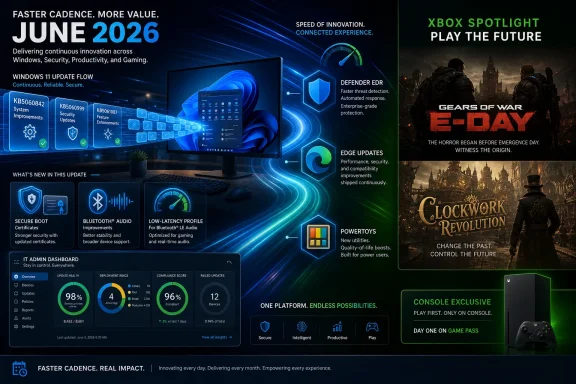
Microsoft’s week of June 9, 2026 centered on a June Patch Tuesday for Windows 11, a full slate of Insider builds and inbox app updates, a faster Edge release cadence, and an Xbox showcase that signaled a return to console exclusives. The thread running through all of it is not nostalgia, even if the translucent green Xbox hardware and Gears of War headlines invite it. Microsoft is trying to tighten the loop between platform, services, and identity. The question is whether users and IT departments experience that as coherence or as churn.
The neatest headline is that Xbox exclusives are “back,” but the more consequential story is broader: Microsoft spent the week redrawing boundaries. Windows Update is becoming a more active delivery mechanism for performance behavior and security plumbing. Edge is moving faster. Defender is getting a channel for endpoint detection and response updates outside the old Patch Tuesday rhythm. Even inbox Windows apps now get their own dedicated release notes, a small documentation change that says a lot about how frequently Microsoft expects these apps to move.
That is the modern Microsoft bargain. The company wants Windows to feel less like a static operating system and more like a managed fleet of living components. That can be good when a security improvement arrives faster or a sluggish UI becomes snappier without waiting for an annual feature update. It can be maddening when the same machinery drops a driver conflict, a firmware surprise, or a half-explained behavioral change into production machines.
The Xbox news follows the same logic from a different angle. After years of treating Game Pass, PC, cloud, and rival consoles as parts of a broad distribution strategy, Microsoft is again making some first-party games markers of Xbox identity. Gears of War: E-Day and Clockwork Revolution are being positioned as Xbox console exclusives, not merely launch-window favors. That does not erase Microsoft’s multiplatform push, but it does make clear that the company thinks total openness has a cost.
The Low-latency Profile is the star because it attacks a Windows complaint that benchmarking often misses. Users do not experience their PCs as averages; they experience them as moments. A Start menu that opens a beat late, a context menu that hesitates, or File Explorer that stutters can make a powerful desktop feel cheap. Microsoft’s new profile is designed around that kind of interactivity, reportedly boosting CPU responsiveness briefly during short actions rather than chasing sustained performance.
That distinction matters. This is not a gaming turbo button, and it is not a promise that an old machine becomes new. It is a scheduler and power-management judgment about how Windows should behave when the user is waiting on the shell. In practice, it is Microsoft admitting that perceived speed is a product feature, not a side effect of silicon progress.
The risk is that performance policy is now another thing that arrives through cumulative servicing. Enthusiasts may welcome the change; administrators may ask how it behaves across laptop fleets with mixed processors, battery policies, docking stations, and thermal constraints. Windows improvements that feel obvious on a review machine can be less obvious when deployed to thousands of endpoints where predictability is the first requirement.
Enterprise IT does not have the luxury of ignoring it. Secure Boot lives at the intersection of firmware, OS servicing, recovery media, imaging practices, and vendor-specific hardware behavior. When that layer changes, the failure mode is not “an app crashes.” The failure mode can be a machine that refuses to start, a recovery workflow that no longer works as expected, or a fleet that requires hands-on remediation.
That is why reports involving HP Secure Boot update issues and boot loops are so uncomfortable. Even when the root cause belongs to an OEM implementation rather than Windows itself, the end user experiences one broken PC. The Microsoft ecosystem is only as smooth as its firmware partners allow it to be, and Secure Boot refresh work exposes the seams.
Dell’s separate SupportAssist black-screen issue lands in the same week with similar symbolism. Windows reliability is not just Windows code. It is the layered reality of OEM utilities, drivers, firmware agents, security tools, and Microsoft’s own servicing stack. The more Microsoft relies on continuous delivery, the more these surrounding layers become part of the monthly trust equation.
For security teams, faster EDR delivery is easy to defend in principle. If Microsoft can ship endpoint improvements independently of the main Windows servicing bundle, organizations may get better protection without waiting for the next cumulative update. That is especially important in a year where endpoint tools are expected to identify behavior, not merely match signatures.
But operationally, every new update path creates governance questions. Who approves the change? How visible is it in reporting? Can it be staged, paused, rolled back, or correlated with an incident? Security teams want speed; desktop engineering teams want control. The healthier organizations will treat this not as a Microsoft footnote, but as a reason to revisit change-management assumptions around Defender for Endpoint.
This is the emerging pattern: Microsoft keeps decomposing Windows into separately serviced pieces, then asking customers to trust the orchestration. That can raise the baseline quickly. It can also make root-cause analysis more difficult when a Monday endpoint update, a Tuesday cumulative update, and a Wednesday OEM utility patch all touch the same machine.
This is what Windows development looks like now: lots of small levers, many of them moving at once. A File Explorer tab shortcut is not a keynote moment, but it is the kind of friction remover that power users remember. Better widgets will not convert widget skeptics overnight, but Microsoft clearly still sees the board as a surface for glanceable services. Point-in-time restore is the sort of feature that becomes important only when something goes wrong, which means it is exactly the sort of feature administrators should track.
The channel complexity still creates noise. Microsoft has spent years revising how Insider rings, channels, enablement packages, and controlled rollouts fit together. Even veteran Windows watchers can struggle to translate “available in Beta” into “likely to hit my production device in this quarter.” That ambiguity is not accidental; it gives Microsoft flexibility. But it also makes Windows feel less knowable than it used to be.
The dedicated release notes for inbox apps are therefore more important than they sound. Paint, Calculator, Camera, Clock, Media Player, Photos, and Sound Recorder are no longer inert accessories. They are Store-delivered, AI-touched, feature-bearing components of the Windows experience. Documentation is Microsoft admitting that the app layer now changes often enough to need its own public paper trail.
Microsoft’s modern inbox-app strategy has always had a split personality. On one side, decoupling apps from OS releases lets Microsoft update faster and compete with mobile-style expectations. On the other, it means the “default” Windows experience is no longer a stable baseline. A clean install image may be current on day one and already stale after the first Store update sweep.
That matters for support. A help desk script written for last month’s Photos app may not match this month’s UI. A classroom lab image may behave differently after Store updates land. A kiosk or regulated environment may need to decide whether inbox apps are part of the approved platform or a stream of consumer-facing change that must be pinned down.
Still, the old model was not better by default. Windows’ built-in apps spent years feeling neglected because they were tied too closely to big OS moments. If Microsoft can provide useful release notes and predictable deployment behavior, faster inbox app updates could become one of the better parts of the modern Windows model. The hard part is making “faster” feel like maintenance rather than meddling.
This is Microsoft aligning Edge even more tightly with the reality of web-platform competition. Browsers are now operating systems inside the operating system, carrying identity, security controls, application compatibility, AI features, password managers, PDF workflows, and enterprise policy hooks. A four-week release cycle can feel slow when competitors, web standards, and threats move continuously.
The enterprise concern is not that Edge updates too often in the abstract. It is that browsers sit in the blast radius of almost every business workflow. A rendering change can affect a line-of-business app. A policy change can alter sign-in behavior. A security hardening move can break a vendor portal last updated during the Obama administration.
Extended Stable is the safety valve, but it is also a confession that not every organization wants to live at consumer speed. Microsoft is trying to have it both ways: faster innovation for the broad market, slower predictability for managed fleets. That is reasonable, but it puts more burden on administrators to know which ring their users are actually in and why.
Microsoft has been more cautious in its public positioning for Edge. That caution is understandable. Edge is Chromium-based, so Microsoft inherits much of the platform direction, but it also sells Edge to enterprises and power users who care about control. Extension policy is not a niche issue when content filtering, privacy tooling, accessibility workflows, and security add-ons depend on it.
Manifest V3 is often presented as a security and performance modernization. Critics argue that it weakens certain classes of powerful blocking extensions and shifts power toward browser vendors. Both claims can be true at once. A safer extension model can still reduce user agency, and a more controlled browser platform can still create real security benefits.
For Windows users, the practical advice is simple but annoying: browser choice is becoming policy choice. The engine matters, but so do vendor decisions about which compatibility switches remain exposed, which extension APIs survive, and how long enterprise exceptions last. Edge’s faster release cadence makes that even more important because extension behavior can change on a tighter clock.
The line is not always obvious. A check-in feature can help coordinate hybrid teams, support safety requirements, or make office planning less chaotic. It can also become a proxy attendance system that encourages performative availability. The same data that helps a manager understand staffing can make employees feel watched.
Microsoft often frames these features as tools whose ethics depend on customer deployment. That is partly true. Admin controls, policy settings, and organizational norms matter. But product design is never neutral. Defaults, dashboards, notifications, and reporting surfaces all influence how a feature is used.
For IT departments, Teams governance is now workplace governance. Rolling out collaboration features without HR, legal, and employee-relations input is asking for trouble. The technology is no longer just chat and meetings; it is a behavioral record of work.
That role is valuable. Windows has always had a tension between simplicity for the mainstream and configurability for enthusiasts. PowerToys lets Microsoft acknowledge that advanced users want more without cluttering the default shell for everyone else. FancyZones, PowerToys Run, Text Extractor, Command Palette, and related tools have filled gaps that Windows itself has been slow to address.
The extension gallery for Command Palette is especially telling. Microsoft is building a launcher and command surface that can grow beyond a fixed set of utilities. That puts PowerToys closer to the territory occupied by developer launchers, Spotlight-style workflows, and automation tools. It is not just tweaking Windows; it is creating an alternate control plane for people who live by keyboard and command.
The catch is discoverability. PowerToys remains beloved by the kind of user who reads WindowsForum.com, but invisible to many people who would benefit from it. Microsoft has to decide whether PowerToys is a laboratory, a pro-user suite, or a staging ground for future Windows features. Version 0.100 suggests it is increasingly all three.
After years of telling players that Xbox was less a box than an ecosystem, Microsoft emphasized that some games will again define the console. Gears of War: E-Day and Clockwork Revolution are being treated as Xbox console exclusives, with Microsoft reportedly making clear that these are not simply timed arrangements. PC remains part of the Xbox world, as does cloud and Game Pass, but PlayStation is not the automatic destination for every first-party release.
This is a partial correction, not a full retreat. Microsoft has already committed some games to multiplatform releases, and it has strong financial reasons to keep selling software wherever players are. The Activision Blizzard acquisition, Game Pass economics, cloud infrastructure, and PC storefronts all push Microsoft toward broad distribution. But a console platform with no exclusive edges becomes difficult to explain.
The old console-war framing is too crude for 2026. Microsoft is not returning to the Xbox 360 era, when exclusive games were the main battlefield and subscription ecosystems were less developed. Instead, it is trying to create a hierarchy: some games sell the identity of Xbox, some games feed the reach of Microsoft Gaming, and some games do both. That hierarchy will be messy, but the alternative was a brand that risked becoming a logo on other companies’ devices.
But familiarity cuts both ways. Gears is powerful nostalgia, and nostalgia can mask strategic uncertainty. Bringing back an iconic franchise as an exclusive reassures existing fans, but it does not automatically solve the harder problem of expanding Xbox’s audience. If the exclusivity push depends too heavily on legacy brands, it risks becoming a defensive maneuver rather than a creative one.
Clockwork Revolution is therefore the more interesting test. A first-party RPG from inXile gives Microsoft a chance to make exclusivity feel additive rather than merely withheld. If the game becomes a distinctive Xbox-and-PC reason to subscribe, buy, or stay, Microsoft’s strategy looks disciplined. If it lands as another good game trapped in platform politics, the argument weakens.
The best version of Xbox exclusivity in 2026 is not “you can’t play this elsewhere.” It is “this is why the Xbox ecosystem has a point of view.” That requires consistent quality, clear messaging, and restraint. Microsoft has often had two of those three at a time.
The promised performance improvements and support for the Vibrant Visuals overhaul make sense. Switch 2 owners should not be treated as a compatibility afterthought, especially when Minecraft’s social value depends on people playing across devices. Microsoft’s stewardship of Minecraft has generally worked because the company resisted the temptation to make it narrowly “Xbox.”
That contrast clarifies the strategy. Microsoft is not choosing between exclusives and multiplatform releases as a matter of ideology. It is segmenting franchises by purpose. Minecraft is reach. Gears is identity. Call of Duty, depending on the agreement and the year, is leverage and revenue. Game Pass is the connective tissue Microsoft hopes can make those choices feel less contradictory.
Players may still experience it as confusion. One game is everywhere, another is Xbox console exclusive, another launches day one in Game Pass, another arrives later on a rival platform, and another has cloud availability that depends on subscription tier. Microsoft’s challenge is not only making smart decisions; it is explaining them in a way normal customers can remember.
That reflects reality. The PC is where Microsoft can have ecosystem control without fighting the console install-base war on Sony’s terms. It owns Windows, sells Game Pass for PC, operates the Xbox app, supports cloud gaming, and increasingly benefits from handheld gaming PCs that blur the line between console and computer. Even when the Xbox console brand wobbles, the Windows gaming market gives Microsoft a huge base.
The Windows side of this week’s news reinforces that. Low-latency work, graphics driver hotfixes, GeForce NOW deals, game showcases, and Xbox Play Anywhere-style messaging all sit inside the same user story: the PC is the most flexible Microsoft gaming device. That does not mean the Xbox console is irrelevant. It means the console has to justify itself as the living-room expression of a broader platform.
This is where Microsoft’s branding can become self-defeating. If everything is Xbox, then Xbox risks meaning nothing. If Xbox means console, PC, cloud, store, subscription, controller, social graph, and publishing label all at once, users need anchors. Exclusives are one anchor. Windows performance is another. Game Pass is a third. The question is whether Microsoft can make the anchors reinforce rather than compete.
Windows succeeds because it supports a vast universe of hardware. Windows suffers because it supports a vast universe of hardware. Every update that improves performance on one configuration may expose fragility on another. Every OEM utility that promises smoother support becomes another privileged component that can fail spectacularly.
For enthusiasts, this is part of the bargain. They know to check firmware, roll back drivers, watch forums, and keep recovery media nearby. For ordinary users, it is indistinguishable from “Windows broke my computer.” Microsoft can fairly object that an OEM support tool or a GPU driver is not Windows itself, but brand perception does not respect architectural boundaries.
That is why the new Windows 11 installation images in the Media Creation Tool matter. Clean installation media with current updates is not glamorous, but it is one of the few ways to reduce the pain of rebuilding a machine. In a week full of fast-moving services and platform strategy, the humble bootable USB remains a symbol of practical control.
The consumer upside is real. A Windows 11 user may get a snappier shell, better Bluetooth audio, improved camera behavior, refreshed apps, a more capable browser, and stronger endpoint protection without thinking about release engineering. That is the dream of Windows as a continuously improved service.
The enterprise reality is more complicated. Every accelerated channel needs policy, telemetry, rollback planning, and communication. IT departments cannot simply say “no” to change, because security and compatibility require movement. But they also cannot accept vendor speed as the only valid speed.
Microsoft seems to understand this in pieces. Edge has Extended Stable. Windows has Release Preview and deployment rings. Defender has enterprise controls. Store apps can be managed. But the burden of assembling those controls into a coherent operating model falls heavily on customers. That is where Microsoft’s platform ambition still outruns its administrative storytelling.
 Microsoft’s Week Was Really About Control
The neatest headline is that Xbox exclusives are “back,” but the more consequential story is broader: Microsoft spent the week redrawing boundaries. Windows Update is becoming a more active delivery mechanism for performance behavior and security plumbing. Edge is moving faster. Defender is getting a channel for endpoint detection and response updates outside the old Patch Tuesday rhythm. Even inbox Windows apps now get their own dedicated release notes, a small documentation change that says a lot about how frequently Microsoft expects these apps to move.That is the modern Microsoft bargain. The company wants Windows to feel less like a static operating system and more like a managed fleet of living components. That can be good when a security improvement arrives faster or a sluggish UI becomes snappier without waiting for an annual feature update. It can be maddening when the same machinery drops a driver conflict, a firmware surprise, or a half-explained behavioral change into production machines.
The Xbox news follows the same logic from a different angle. After years of treating Game Pass, PC, cloud, and rival consoles as parts of a broad distribution strategy, Microsoft is again making some first-party games markers of Xbox identity. Gears of War: E-Day and Clockwork Revolution are being positioned as Xbox console exclusives, not merely launch-window favors. That does not erase Microsoft’s multiplatform push, but it does make clear that the company thinks total openness has a cost.
Patch Tuesday Has Become a Feature Vehicle
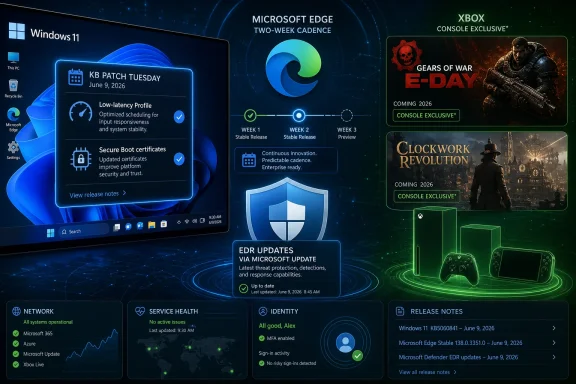
The June 2026 Patch Tuesday release for Windows 11, KB5094126, is not just another monthly security rollup. It brings Windows 11 version 24H2 and 25H2 systems to builds 26100.8655 and 26200.8655, and it bundles the usual security fixes with visible user-facing changes that many people will actually notice. That includes the Low-latency Profile, shared Bluetooth audio support, multiple-app camera work, and Secure Boot certificate-related changes.The Low-latency Profile is the star because it attacks a Windows complaint that benchmarking often misses. Users do not experience their PCs as averages; they experience them as moments. A Start menu that opens a beat late, a context menu that hesitates, or File Explorer that stutters can make a powerful desktop feel cheap. Microsoft’s new profile is designed around that kind of interactivity, reportedly boosting CPU responsiveness briefly during short actions rather than chasing sustained performance.
That distinction matters. This is not a gaming turbo button, and it is not a promise that an old machine becomes new. It is a scheduler and power-management judgment about how Windows should behave when the user is waiting on the shell. In practice, it is Microsoft admitting that perceived speed is a product feature, not a side effect of silicon progress.
The risk is that performance policy is now another thing that arrives through cumulative servicing. Enthusiasts may welcome the change; administrators may ask how it behaves across laptop fleets with mixed processors, battery policies, docking stations, and thermal constraints. Windows improvements that feel obvious on a review machine can be less obvious when deployed to thousands of endpoints where predictability is the first requirement.
Secure Boot Is Moving From Background Trust to Front-Line Maintenance
The Secure Boot certificate story is less flashy than Low-latency Profile, but it is the one that will make seasoned IT pros sit up straighter. Microsoft has been warning that Secure Boot certificates used by most Windows devices begin expiring in June 2026, and the June update continues the work of refreshing that trust chain. For unmanaged consumer devices, the ideal outcome is that nothing dramatic happens: updated certificates arrive, machines keep booting, and users never learn why this mattered.Enterprise IT does not have the luxury of ignoring it. Secure Boot lives at the intersection of firmware, OS servicing, recovery media, imaging practices, and vendor-specific hardware behavior. When that layer changes, the failure mode is not “an app crashes.” The failure mode can be a machine that refuses to start, a recovery workflow that no longer works as expected, or a fleet that requires hands-on remediation.
That is why reports involving HP Secure Boot update issues and boot loops are so uncomfortable. Even when the root cause belongs to an OEM implementation rather than Windows itself, the end user experiences one broken PC. The Microsoft ecosystem is only as smooth as its firmware partners allow it to be, and Secure Boot refresh work exposes the seams.
Dell’s separate SupportAssist black-screen issue lands in the same week with similar symbolism. Windows reliability is not just Windows code. It is the layered reality of OEM utilities, drivers, firmware agents, security tools, and Microsoft’s own servicing stack. The more Microsoft relies on continuous delivery, the more these surrounding layers become part of the monthly trust equation.
Defender Escapes the Patch Tuesday Calendar
Microsoft’s decision to deliver Defender endpoint detection and response updates through Microsoft Update is a practical security move with strategic implications. EDR improvements do not always fit the neat rhythm of monthly cumulative updates. Attackers do not wait for the second Tuesday, and neither should defensive telemetry, detection logic, or response capability.For security teams, faster EDR delivery is easy to defend in principle. If Microsoft can ship endpoint improvements independently of the main Windows servicing bundle, organizations may get better protection without waiting for the next cumulative update. That is especially important in a year where endpoint tools are expected to identify behavior, not merely match signatures.
But operationally, every new update path creates governance questions. Who approves the change? How visible is it in reporting? Can it be staged, paused, rolled back, or correlated with an incident? Security teams want speed; desktop engineering teams want control. The healthier organizations will treat this not as a Microsoft footnote, but as a reason to revisit change-management assumptions around Defender for Endpoint.
This is the emerging pattern: Microsoft keeps decomposing Windows into separately serviced pieces, then asking customers to trust the orchestration. That can raise the baseline quickly. It can also make root-cause analysis more difficult when a Monday endpoint update, a Tuesday cumulative update, and a Wednesday OEM utility patch all touch the same machine.
Insider Builds Show the Next Windows Is Smaller Than Its Version Number
The week’s Windows Insider releases were scattered across Canary, Dev, Beta, and Release Preview channels, and the details were less dramatic than the volume. Canary builds focused on performance improvements and fixes. Dev gained a useful File Explorer change that lets users middle-click folders in the address bar to open them in a new tab. Beta builds added Screen Tint, widget work, and other refinements, while Release Preview builds brought improved widgets, Windows Update controls, point-in-time restore, File Explorer improvements, and more.This is what Windows development looks like now: lots of small levers, many of them moving at once. A File Explorer tab shortcut is not a keynote moment, but it is the kind of friction remover that power users remember. Better widgets will not convert widget skeptics overnight, but Microsoft clearly still sees the board as a surface for glanceable services. Point-in-time restore is the sort of feature that becomes important only when something goes wrong, which means it is exactly the sort of feature administrators should track.
The channel complexity still creates noise. Microsoft has spent years revising how Insider rings, channels, enablement packages, and controlled rollouts fit together. Even veteran Windows watchers can struggle to translate “available in Beta” into “likely to hit my production device in this quarter.” That ambiguity is not accidental; it gives Microsoft flexibility. But it also makes Windows feel less knowable than it used to be.
The dedicated release notes for inbox apps are therefore more important than they sound. Paint, Calculator, Camera, Clock, Media Player, Photos, and Sound Recorder are no longer inert accessories. They are Store-delivered, AI-touched, feature-bearing components of the Windows experience. Documentation is Microsoft admitting that the app layer now changes often enough to need its own public paper trail.
Inbox Apps Are Becoming Windows’ Fastest-Moving Surface
The week’s app updates are a reminder that Windows is not only the kernel, shell, and servicing stack. For many users, Windows is Photos opening an image, Paint removing a background, Camera handling a meeting setup, Media Player dealing with a local file, and Calculator doing the one thing it must never get wrong. When these apps change, Windows changes.Microsoft’s modern inbox-app strategy has always had a split personality. On one side, decoupling apps from OS releases lets Microsoft update faster and compete with mobile-style expectations. On the other, it means the “default” Windows experience is no longer a stable baseline. A clean install image may be current on day one and already stale after the first Store update sweep.
That matters for support. A help desk script written for last month’s Photos app may not match this month’s UI. A classroom lab image may behave differently after Store updates land. A kiosk or regulated environment may need to decide whether inbox apps are part of the approved platform or a stream of consumer-facing change that must be pinned down.
Still, the old model was not better by default. Windows’ built-in apps spent years feeling neglected because they were tied too closely to big OS moments. If Microsoft can provide useful release notes and predictable deployment behavior, faster inbox app updates could become one of the better parts of the modern Windows model. The hard part is making “faster” feel like maintenance rather than meddling.
Edge’s Two-Week Cadence Is Chrome Logic With Enterprise Packaging
Microsoft Edge moving to a two-week stable release cycle is the browser story that most users will barely notice and many administrators will immediately understand. The company says the practical result should be smaller, steadier updates rather than double the monthly disruption. Extended Stable remains available for organizations that need a longer runway.This is Microsoft aligning Edge even more tightly with the reality of web-platform competition. Browsers are now operating systems inside the operating system, carrying identity, security controls, application compatibility, AI features, password managers, PDF workflows, and enterprise policy hooks. A four-week release cycle can feel slow when competitors, web standards, and threats move continuously.
The enterprise concern is not that Edge updates too often in the abstract. It is that browsers sit in the blast radius of almost every business workflow. A rendering change can affect a line-of-business app. A policy change can alter sign-in behavior. A security hardening move can break a vendor portal last updated during the Obama administration.
Extended Stable is the safety valve, but it is also a confession that not every organization wants to live at consumer speed. Microsoft is trying to have it both ways: faster innovation for the broad market, slower predictability for managed fleets. That is reasonable, but it puts more burden on administrators to know which ring their users are actually in and why.
Manifest V2 Is Where Browser Ideology Meets User Trust
The week’s Chromium extension news sits just outside Microsoft’s direct control, but it still presses on Edge. Google is removing flags that allowed Manifest V2-based extensions to keep functioning in Chrome, accelerating the end of a model used by popular content blockers such as uBlock Origin. Opera says it will keep MV2 support alive as long as possible, turning extension compatibility into a browser-differentiation argument.Microsoft has been more cautious in its public positioning for Edge. That caution is understandable. Edge is Chromium-based, so Microsoft inherits much of the platform direction, but it also sells Edge to enterprises and power users who care about control. Extension policy is not a niche issue when content filtering, privacy tooling, accessibility workflows, and security add-ons depend on it.
Manifest V3 is often presented as a security and performance modernization. Critics argue that it weakens certain classes of powerful blocking extensions and shifts power toward browser vendors. Both claims can be true at once. A safer extension model can still reduce user agency, and a more controlled browser platform can still create real security benefits.
For Windows users, the practical advice is simple but annoying: browser choice is becoming policy choice. The engine matters, but so do vendor decisions about which compatibility switches remain exposed, which extension APIs survive, and how long enterprise exceptions last. Edge’s faster release cadence makes that even more important because extension behavior can change on a tighter clock.
Teams Keeps Discovering the Difference Between Productivity and Surveillance
Microsoft Teams also had a mixed week: useful incoming features on one side, renewed concern over check-in functionality on the other. That is the Teams story in miniature. Microsoft keeps adding features meant to make distributed work more measurable and manageable, while users keep asking whether measurement has quietly become monitoring.The line is not always obvious. A check-in feature can help coordinate hybrid teams, support safety requirements, or make office planning less chaotic. It can also become a proxy attendance system that encourages performative availability. The same data that helps a manager understand staffing can make employees feel watched.
Microsoft often frames these features as tools whose ethics depend on customer deployment. That is partly true. Admin controls, policy settings, and organizational norms matter. But product design is never neutral. Defaults, dashboards, notifications, and reporting surfaces all influence how a feature is used.
For IT departments, Teams governance is now workplace governance. Rolling out collaboration features without HR, legal, and employee-relations input is asking for trouble. The technology is no longer just chat and meetings; it is a behavioral record of work.
PowerToys Reaches the Point Where It Is No Longer Just a Toy
PowerToys version 0.100 is a milestone in more than numbering. The release includes a reworked Shortcut Guide, a new extension gallery for Command Palette, new Dock features, and a long list of fixes and improvements. PowerToys has become the place where Microsoft can serve power users without forcing every experiment into Windows proper.That role is valuable. Windows has always had a tension between simplicity for the mainstream and configurability for enthusiasts. PowerToys lets Microsoft acknowledge that advanced users want more without cluttering the default shell for everyone else. FancyZones, PowerToys Run, Text Extractor, Command Palette, and related tools have filled gaps that Windows itself has been slow to address.
The extension gallery for Command Palette is especially telling. Microsoft is building a launcher and command surface that can grow beyond a fixed set of utilities. That puts PowerToys closer to the territory occupied by developer launchers, Spotlight-style workflows, and automation tools. It is not just tweaking Windows; it is creating an alternate control plane for people who live by keyboard and command.
The catch is discoverability. PowerToys remains beloved by the kind of user who reads WindowsForum.com, but invisible to many people who would benefit from it. Microsoft has to decide whether PowerToys is a laboratory, a pro-user suite, or a staging ground for future Windows features. Version 0.100 suggests it is increasingly all three.
Xbox Exclusives Return Because a Platform Needs Edges
The Xbox Games Showcase delivered the week’s biggest emotional swing. Microsoft showed Gears of War: E-Day, a Halo: Combat Evolved remake, a 25th anniversary Xbox Series X with translucent green styling, more on Fable, State of Decay 3, a new Hellblade project, a Doom expansion, Spyro’s return, and even Crazy Taxi. The volume mattered, but the platform message mattered more.After years of telling players that Xbox was less a box than an ecosystem, Microsoft emphasized that some games will again define the console. Gears of War: E-Day and Clockwork Revolution are being treated as Xbox console exclusives, with Microsoft reportedly making clear that these are not simply timed arrangements. PC remains part of the Xbox world, as does cloud and Game Pass, but PlayStation is not the automatic destination for every first-party release.
This is a partial correction, not a full retreat. Microsoft has already committed some games to multiplatform releases, and it has strong financial reasons to keep selling software wherever players are. The Activision Blizzard acquisition, Game Pass economics, cloud infrastructure, and PC storefronts all push Microsoft toward broad distribution. But a console platform with no exclusive edges becomes difficult to explain.
The old console-war framing is too crude for 2026. Microsoft is not returning to the Xbox 360 era, when exclusive games were the main battlefield and subscription ecosystems were less developed. Instead, it is trying to create a hierarchy: some games sell the identity of Xbox, some games feed the reach of Microsoft Gaming, and some games do both. That hierarchy will be messy, but the alternative was a brand that risked becoming a logo on other companies’ devices.
Gears Is the Right Symbol and the Wrong Safety Net
Gears of War is an obvious franchise to carry the exclusivity message. It is visually associated with Xbox, historically tied to the console’s rise, and built around a kind of muscular spectacle that still reads as platform-defining. A Gears of War: E-Day direct after the showcase was not just a marketing block; it was Microsoft putting a flag back in familiar ground.But familiarity cuts both ways. Gears is powerful nostalgia, and nostalgia can mask strategic uncertainty. Bringing back an iconic franchise as an exclusive reassures existing fans, but it does not automatically solve the harder problem of expanding Xbox’s audience. If the exclusivity push depends too heavily on legacy brands, it risks becoming a defensive maneuver rather than a creative one.
Clockwork Revolution is therefore the more interesting test. A first-party RPG from inXile gives Microsoft a chance to make exclusivity feel additive rather than merely withheld. If the game becomes a distinctive Xbox-and-PC reason to subscribe, buy, or stay, Microsoft’s strategy looks disciplined. If it lands as another good game trapped in platform politics, the argument weakens.
The best version of Xbox exclusivity in 2026 is not “you can’t play this elsewhere.” It is “this is why the Xbox ecosystem has a point of view.” That requires consistent quality, clear messaging, and restraint. Microsoft has often had two of those three at a time.
Nintendo Gets Minecraft Because Microsoft Still Knows Where the Money Is
Minecraft coming natively to Switch 2 is the counterweight to the exclusivity story. Microsoft can talk about the return of Xbox, but it is not going to turn Minecraft into a walled-garden trophy. The franchise is too large, too cross-generational, and too culturally embedded to serve one console’s identity.The promised performance improvements and support for the Vibrant Visuals overhaul make sense. Switch 2 owners should not be treated as a compatibility afterthought, especially when Minecraft’s social value depends on people playing across devices. Microsoft’s stewardship of Minecraft has generally worked because the company resisted the temptation to make it narrowly “Xbox.”
That contrast clarifies the strategy. Microsoft is not choosing between exclusives and multiplatform releases as a matter of ideology. It is segmenting franchises by purpose. Minecraft is reach. Gears is identity. Call of Duty, depending on the agreement and the year, is leverage and revenue. Game Pass is the connective tissue Microsoft hopes can make those choices feel less contradictory.
Players may still experience it as confusion. One game is everywhere, another is Xbox console exclusive, another launches day one in Game Pass, another arrives later on a rival platform, and another has cloud availability that depends on subscription tier. Microsoft’s challenge is not only making smart decisions; it is explaining them in a way normal customers can remember.
The PC Is the Quiet Winner of Microsoft’s Contradictions
For all the drama around Xbox console exclusivity, Windows PC players remain in an unusually strong position. Microsoft’s first-party strategy increasingly treats PC as part of Xbox rather than as a separate port market. Gears of War: E-Day, Clockwork Revolution, Fable, and other major releases are expected to keep PC central to the launch plan.That reflects reality. The PC is where Microsoft can have ecosystem control without fighting the console install-base war on Sony’s terms. It owns Windows, sells Game Pass for PC, operates the Xbox app, supports cloud gaming, and increasingly benefits from handheld gaming PCs that blur the line between console and computer. Even when the Xbox console brand wobbles, the Windows gaming market gives Microsoft a huge base.
The Windows side of this week’s news reinforces that. Low-latency work, graphics driver hotfixes, GeForce NOW deals, game showcases, and Xbox Play Anywhere-style messaging all sit inside the same user story: the PC is the most flexible Microsoft gaming device. That does not mean the Xbox console is irrelevant. It means the console has to justify itself as the living-room expression of a broader platform.
This is where Microsoft’s branding can become self-defeating. If everything is Xbox, then Xbox risks meaning nothing. If Xbox means console, PC, cloud, store, subscription, controller, social graph, and publishing label all at once, users need anchors. Exclusives are one anchor. Windows performance is another. Game Pass is a third. The question is whether Microsoft can make the anchors reinforce rather than compete.
The Week’s Hardware and Driver Stories Were a Reminder That Reality Bites
Neowin’s recap also pointed to the kind of hardware and software edges that define the Windows ecosystem in practice. NVIDIA released a 610.52 hotfix addressing issues including black screens, sleep problems, and G-SYNC behavior. Dell and HP had advisories for serious system-level problems. These are not side stories; they are the everyday texture of Windows computing.Windows succeeds because it supports a vast universe of hardware. Windows suffers because it supports a vast universe of hardware. Every update that improves performance on one configuration may expose fragility on another. Every OEM utility that promises smoother support becomes another privileged component that can fail spectacularly.
For enthusiasts, this is part of the bargain. They know to check firmware, roll back drivers, watch forums, and keep recovery media nearby. For ordinary users, it is indistinguishable from “Windows broke my computer.” Microsoft can fairly object that an OEM support tool or a GPU driver is not Windows itself, but brand perception does not respect architectural boundaries.
That is why the new Windows 11 installation images in the Media Creation Tool matter. Clean installation media with current updates is not glamorous, but it is one of the few ways to reduce the pain of rebuilding a machine. In a week full of fast-moving services and platform strategy, the humble bootable USB remains a symbol of practical control.
Microsoft’s Faster Future Still Needs Slower Lanes
The week’s most concrete message for administrators is that Microsoft’s default motion is acceleration. Windows components move through cumulative updates, Store updates, Insider channels, controlled feature rollouts, Microsoft Update, and browser release trains. Some of these channels are well documented. Some are still too opaque. All of them matter.The consumer upside is real. A Windows 11 user may get a snappier shell, better Bluetooth audio, improved camera behavior, refreshed apps, a more capable browser, and stronger endpoint protection without thinking about release engineering. That is the dream of Windows as a continuously improved service.
The enterprise reality is more complicated. Every accelerated channel needs policy, telemetry, rollback planning, and communication. IT departments cannot simply say “no” to change, because security and compatibility require movement. But they also cannot accept vendor speed as the only valid speed.
Microsoft seems to understand this in pieces. Edge has Extended Stable. Windows has Release Preview and deployment rings. Defender has enterprise controls. Store apps can be managed. But the burden of assembling those controls into a coherent operating model falls heavily on customers. That is where Microsoft’s platform ambition still outruns its administrative storytelling.
A Week of Signals From Redmond’s Control Room
This week’s Microsoft news resolves into a few practical lessons for Windows users, Xbox fans, and IT departments. The details vary by product, but the direction is consistent: Microsoft is moving faster, drawing sharper platform lines, and asking customers to trust more update channels at once.- Windows 11’s June 2026 Patch Tuesday is unusually feature-heavy, with Low-latency Profile likely to be the change users notice most in daily interaction.
- Secure Boot certificate work deserves administrator attention because firmware-layer trust changes can create outsized recovery problems when something goes wrong.
- Microsoft Edge’s two-week release cycle should reduce the size of individual updates, but it also raises the importance of browser ring management in enterprises.
- Xbox console exclusives are returning selectively, not universally, as Microsoft tries to restore platform identity without abandoning multiplatform revenue.
- Inbox Windows apps now need to be tracked like living software components, not treated as static accessories bundled with the operating system.
- Defender’s move toward faster EDR delivery is good security policy, but organizations should make sure their change-management process can see it.
References
- Primary source: Neowin
Published: Sat, 13 Jun 2026 13:02:00 GMT
Microsoft Weekly: Xbox exclusives are back, big Windows app updates, and more - Neowin
Catch up with this week's Microsoft news recap about the return of XBOX exclusives, big updates for inbox Windows apps, new builds, and more. www.neowin.net
- Related coverage: windowscentral.com
Major Microsoft Edge versions will now ship every two weeks: Microsoft confirms plans to ship new Edge features and changes twice a month | Windows Central
Microsoft has announced that Edge will be moving to a two-week release cycle for major versions of the browser, matching Chrome.www.windowscentral.com - Related coverage: gamesradar.com
- Related coverage: techradar.com
'It's only fitting' — Sorry PS5 owners, Gears of War: E-Day will be an Xbox console exclusive when it launches in October | TechRadar
Microsoft has officially confirmed a release date for Gears of War: E-Day and confirmed that it will be an Xbox console launch exclusive.www.techradar.com - Related coverage: news.xbox.com
How to Watch the XBOX Games Showcase and Gears of War: E-Day Direct on Sunday - XBOX Wire
This Sunday, June 7, our yearly double feature returns, offering you a look at what's next from XBOX and our incredible partners across the world – here's everything you need to know to tune in.news.xbox.com - Related coverage: allthings.how
KB5094126 for Windows 11 (June 2026): Builds 26200.8655 and 26100.8655
The June Patch Tuesday update brings the Low Latency Profile, Shared Audio, multi-app camera streaming, and the Secure Boot certificate push.allthings.how
- Related coverage: windowslatest.com
Microsoft just dropped Windows 11's biggest update of 2026, and these are the 5 best features
Here are the top 5 features in Windows 11 June 2026 update (KB5094126) including Low Latency Profile, Multi-App camera, Shared Audio and more. www.windowslatest.com
- Official source: learn.microsoft.com
Microsoft Edge release schedule | Microsoft Learn
Microsoft Edge release schedulelearn.microsoft.com - Related coverage: gadgets360.com
Gears of War: E-Day, Clockwork Revolution Not 'One-Off', More Xbox Exclusives on Their Way | Technology News
Xbox is preparing “a reliable pipeline” of games that will validate players’ long-term investment in the platform.www.gadgets360.com - Related coverage: pcworld.com
Windows' June update finally makes your sluggish PC feel snappier | PCWorld
KB5094126 brings Windows 11's Low Latency Profile to all 24H2 and 25H2 PCs. Here's what it does and how to verify it's running on your machine.www.pcworld.com - Official source: blogs.windows.com
Faster updates, enterprise-friendly schedule: the new Microsoft Edge release cycle
Microsoft Edge is moving to a two-week release cycle, bringing new features and improvements to users and organizations faster than ever. This is great news for teams that thrive on innovation: instead of waiting a full month for the next update, youblogs.windows.com - Related coverage: xboxdynasty.de
Xbox Series X: Gears of War: E-Day und Clockwork Revolution sind dauerhafte Xbox-Exklusivtitel
Microsoft bestätigt Gears of War: E-Day und Clockwork Revolution als Xbox-Exklusivtitel.www.xboxdynasty.de - Related coverage: pcgameshardware.de
Windows 11: Juni-Update schaltet den CPU-Boost scharf
Windows 11: Das Juni-Update KB5094126 schaltet den CPU-Boost frei. So lässt sich das Low Latency Profile überprüfen und per Vivetool aktivieren.www.pcgameshardware.de
- Related coverage: windowsforum.com
Windows 11 KB5094126 (June 2026) Guide: Low Latency, Shared Audio, Secure Boot | Windows Forum
Microsoft released Windows 11 KB5094126 on June 9, 2026, as the June Patch Tuesday security update for Windows 11 versions 25H2 and 24H2, raising systems to...windowsforum.com - Related coverage: digitaltrends.com
The return of Xbox exclusives starts with Gears of War and Clockwork Revolution - Digital Trends
Microsoft confirms Gears of War: E-Day and Clockwork Revolution will be Xbox console exclusives, with both also coming to PC and Game Passwww.digitaltrends.com - Related coverage: los40.com
Microsoft el 25 aniversario de XBOX presentando una nueva consola y un aluvión de juegos | Videojuegos | LOS40
El Xbox Games Showcase ha dejado muchos títulos importantes y una máquina que para algunos será muy especial.los40.com - Official source: support.microsoft.com
- Official source: techcommunity.microsoft.com
Released: June 2026 Exchange Server Security Updates | Microsoft Community Hub
We have released Security Updates for Exchange Server SE. Exchange Server 2019 and 2016 ESU updates only.   techcommunity.microsoft.com