

Microsoft’s week was defined by reversals and quiet corrections: Windows 11 is getting a fix for the Copilot key, Insider builds gained new accessibility work, Microsoft acknowledged update trouble, and a new Forza Horizon 6 Xbox controller appears to drop the familiar accessory expansion port. The pattern is hard to miss. Microsoft is still pushing hard on AI, hardware simplification, subscriptions, and Windows servicing, but this week’s news was less about bold new strategy than the cleanup bill that follows one. For users and IT pros, the lesson is that Microsoft’s smallest design choices now carry enterprise-scale consequences.
The Copilot key was supposed to be the cleanest possible symbol of Microsoft’s AI era. It was physical, visible, and impossible to ignore: a new key on new Windows PCs that said, in effect, this is where the platform is going. In marketing terms, it was elegant. In keyboard terms, it was a land grab.
The problem is that keyboards are not billboards. They are muscle memory made plastic. For years, the bottom-right corner of many laptop keyboards has been home to Right Ctrl or the context menu key, both of which matter to users who rely on shortcuts, terminal workflows, screen readers, remote sessions, accessibility tools, and learned input patterns that do not care what Microsoft’s AI roadmap says.
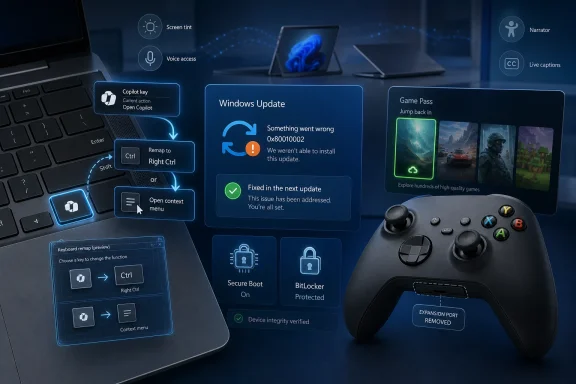
Microsoft has now acknowledged that the dedicated Copilot key created workflow problems for some customers and says a future Windows 11 update will allow the key to be remapped to Right Ctrl or the context menu key. That is a small concession on paper, but it is also a revealing one. The company is not merely adding a customization option; it is admitting that replacing established hardware behavior with an AI affordance was not frictionless.
The Copilot key was introduced as part of a broader attempt to make AI feel native to Windows rather than bolted on. But native does not mean unavoidable. The moment a hardware key interrupts shortcuts, accessibility flows, or administrator habits, it stops being an invitation and starts being an imposition.
There is a reason this backlash has had unusual staying power. Users can ignore an app, uninstall a widget, or hide a taskbar button. A physical key is different. It occupies the same scarce real estate as a function that someone may have used thousands of times before Microsoft decided Copilot deserved the spot.
That distinction matters. Microsoft has spent the past two years pushing Copilot across Windows, Microsoft 365, Edge, Teams, and the broader enterprise stack. Its challenge is no longer whether it can place Copilot in front of users. It plainly can. The harder question is whether it can do so without making Copilot feel like an administrator-level prank.
The keyboard controversy exposes the tension between Microsoft’s product ambitions and Windows’ inherited role as a general-purpose operating system. Windows is not a sealed appliance with a single expected workflow. It is a messy, decades-old platform used by accountants, gamers, developers, call-center workers, government agencies, accessibility users, and people remoting into machines that themselves remote into other machines. A design decision that looks harmless in a launch video can become a deployment headache at scale.
It also explains why third-party remapping utilities quickly became part of the conversation. When users need a small app to restore a key that used to exist, the operating system has failed at a basic principle: new features should not require users to reconstruct old capabilities by hand. Power users tolerate this. Ordinary users should not have to.
The Copilot key may yet become useful. Dedicated hardware shortcuts can be genuinely valuable when they respect user choice. But the path to that future runs through configuration, not coercion. Microsoft’s eventual remapping option is late, but it is the right kind of late: the sort that turns a branding exercise back into a keyboard.
Windows Update failures are not glamorous, but they are among the most consequential problems Microsoft ships. A broken feature can be postponed. A failed security update is different. It turns patching into triage and forces users to decide whether to wait, troubleshoot, manually intervene, or risk falling behind.
This is the paradox of modern Windows servicing. Microsoft has spent years making updates more automatic, more cumulative, and more difficult for ordinary users to avoid. That strategy improves security when the machinery works. When it does not, the same machinery magnifies the frustration because the user has fewer levers and less visibility into what went wrong.
For enterprise IT, an install error is not just an error code. It is a ticket storm, a compliance exception, a patch dashboard that no longer turns green, and a manager asking whether the affected machines are exposed. Error codes like 0x80010002 become shorthand for a deeper operational issue: Windows’ patch pipeline remains both indispensable and opaque.
That opacity is why Microsoft’s separate work on centralized Secure Boot deployment scripts is more important than it may sound. Secure Boot configuration and update deployment have been recurring pain points, particularly where firmware, recovery partitions, BitLocker, and hardware variance collide. Making mandatory update deployment easier is not a flashy user-facing improvement, but it is the sort of plumbing that determines whether security policy survives contact with a fleet of real PCs.
Windows’ security model has improved substantially over the last decade, but its legacy surface area remains enormous. Old compatibility assumptions, driver behavior, system services, and privilege boundaries all create opportunities for attackers. Microsoft can harden the platform incrementally, yet every hardening step creates new deployment complexity for organizations that still run old apps, old peripherals, or old business processes.
This is where Microsoft’s weekly news cycle often looks contradictory. On one page, Windows is adding accessibility features and smoothing consumer settings. On another, Microsoft is asking administrators to deploy Secure Boot changes, monitor update failures, and track active exploitation. Both pictures are true. Windows is a consumer platform and a security boundary, often on the same machine.
The practical takeaway is not that Windows 11 is uniquely broken. It is that the operating system is now maintained through constant motion. Users who want stability are still living inside a system whose security, AI features, cloud hooks, and hardware assumptions are being revised monthly. The safest Windows PC is not the one that never changes. It is the one whose changes can be understood, tested, and rolled back when Microsoft’s assumptions miss the mark.
These are not the sort of features that dominate keynote stages, but they matter. Screen tinting can help users with visual sensitivity, reading difficulty, or specific perception needs. Voice Access improvements can reduce dependence on a mouse and keyboard. Notification and audio fixes address the daily annoyances that make an operating system feel either polished or hostile.
There is also a strategic reason these changes deserve attention. Microsoft often frames Windows accessibility as a moral and inclusive design commitment, and that framing is valid. But accessibility is also a product-quality signal. Features that make Windows more adaptable for users with specific needs frequently make it better for everyone else.
Voice control, better focus states, improved narrator behavior, clearer error presentation, and more flexible visual settings all benefit from the same principle: the operating system should adapt to the user, not the other way around. That is precisely the principle Microsoft violated with the Copilot key. The contrast is instructive. Windows is at its strongest when it expands control, not when it reallocates it.
The new ISO files for recent preview builds are part of that same practical story. Clean installs and in-place upgrades are not glamorous, but they matter to testers, administrators, and enthusiasts who want to evaluate changes without waiting through layers of incremental servicing. The Insider Program works best when it treats its audience as collaborators rather than passive telemetry endpoints.
Now, preview work is bringing back more taskbar control, including the ability to change its position and use a more compact mode. For some users, that will sound like a minor visual preference. For others, it is a workflow restoration years in the making.
Taskbar placement has always been one of those Windows features whose importance is invisible until it disappears. Vertical taskbars can be useful on widescreen displays. Compact modes can help on smaller screens or dense work setups. Multi-monitor users often develop precise taskbar habits that are difficult to replace with Microsoft’s preferred default.
The lesson is the same as with the Copilot key, only less embarrassing because it is happening in preview rather than after a hardware campaign. Windows users do not merely customize for decoration. They customize because the operating system sits between them and their work for eight or ten hours a day. Removing flexibility is not simplification if it forces users into less efficient patterns.
Microsoft may never restore every Windows 10-era taskbar behavior, and some old options probably deserve to remain gone. But the broader retreat from rigidity is welcome. Windows 11 has spent much of its life trying to prove that modern design and user control do not have to be enemies. The taskbar is one of the places where Microsoft still has ground to make up.
A built-in privacy display is exactly the sort of business feature Surface should be chasing. It is practical, visible, and easy to explain to procurement teams that worry about shoulder surfing in airports, trains, client sites, and shared offices. In a world where hybrid work has made every coffee shop a potential branch office, privacy is not a niche concern.
But the reported pricing raises the usual Surface question: who is this for, really? Microsoft has often positioned Surface as a category-defining premium line rather than a volume play. That strategy can work when Surface pushes OEMs toward better designs. It becomes harder to defend when the devices feel aspirational for departments that are under pressure to stretch refresh budgets.
Business buyers are not allergic to expensive laptops. They will pay for manageability, reliability, security, warranties, and user satisfaction. But they also compare Surface against excellent hardware from Lenovo, HP, Dell, Framework, and others. A premium price needs to buy more than a logo and a pleasant hinge.
The Surface business line therefore reflects Microsoft’s larger Windows hardware dilemma. The company wants to showcase the future of Windows PCs, especially now that AI PCs and neural processing units are part of the sales pitch. But if the showcase devices become too expensive for broad deployment, they risk becoming executive jewelry rather than fleet standards.
For Windows users, this matters because the browser has become the second operating system. Many of the choices once made in Windows shell design now happen in tabs, sidebars, profiles, workspaces, and extension surfaces. A browser redesign can change a user’s workday as much as an OS update, especially in organizations where most line-of-business apps are web apps.
Firefox’s “Shake to Summarize” arriving on Android after its earlier iOS debut also shows how AI features are spreading through browsers in ways that feel less centralized than Microsoft’s Copilot push. Mozilla has to be careful here because its brand is tied to user agency and privacy. Vivaldi, meanwhile, has long appealed to users who want knobs, panels, and customization that mainstream browsers abandoned.
That contrast should not be lost on Microsoft. Edge has become a capable browser, but it is also one of the most aggressive examples of Microsoft’s service-promotion instincts. Every competitor redesign is a reminder that users still respond to software that feels like it is giving them control rather than harvesting their attention.
The Intel-related browser crash clarification from Mozilla, meanwhile, is a useful reminder that modern software reliability is often a three-way negotiation among app vendors, operating systems, and hardware platforms. When something crashes, users blame the app in front of them. The cause may be a driver, a CPU-specific behavior, a mitigation, or an interaction no single vendor fully owns.
Ports are promises. They tell buyers that an ecosystem exists, that accessories will attach, and that past investments may continue to matter. Removing a port is therefore never just a manufacturing decision. It is a statement about which parts of the ecosystem the platform holder still wants to carry forward.
The Xbox controller’s expansion port has not been the center of the gaming universe for years. Wireless headsets, USB-C, Bluetooth, and software-based chat features have reduced the need for proprietary bottom-edge accessories. Many modern buyers may never notice the missing connector. That does not make the change irrelevant.
For users who bought accessories built around that port, it is another small reminder that compatibility is conditional. Microsoft has generally been better than many competitors at supporting Xbox controller continuity across console and PC generations. That reputation is valuable. Quietly removing a connector without a clear transition message chips away at it.
The controller story also fits a broader hardware trend: fewer ports, cleaner shells, simpler manufacturing, and more reliance on wireless accessories. The industry often sells this as elegance. Sometimes it is. Sometimes it is just a way to make devices cheaper, thinner, more sealed, or more dependent on newer peripherals.
The Game Pass model remains one of Microsoft’s strongest strategic plays in gaming. It turns the company’s weakness in traditional console exclusives into a broader distribution argument. Xbox does not have to win every hardware comparison if it can convince players that the best value in gaming is a library that follows them across console, PC, cloud, and occasionally competing devices.
But the market around Game Pass is changing. Sony’s reported return to a more console-focused first-party strategy, coupled with PlayStation Plus price increases, suggests the industry is still searching for the right balance between subscription growth and premium software economics. Nobody has solved this cleanly. Subscriptions are attractive to users until prices rise, catalogs churn, or the games they care about leave.
Microsoft’s challenge is to maintain the perception that Game Pass is additive rather than extractive. The service works when players feel they are discovering more than they are losing. It becomes vulnerable when users start doing the monthly arithmetic and asking whether they are renting a backlog they no longer have time to play.
The reported GeForce NOW promotions and cross-service availability show another side of the same strategy. Microsoft is increasingly comfortable treating Xbox as an ecosystem rather than a box. That is sensible. It also means Xbox hardware decisions, such as removing a controller port, should be communicated with extra care because the controller is one of the few physical symbols of the brand that still travels everywhere.
The Forza Horizon series has always done double duty. It sells fantasy car culture, but it also sells Microsoft’s ecosystem. It is a PC benchmark, a console showpiece, a Game Pass anchor, a cloud demo, and now another example of Xbox games moving beyond Xbox hardware. The PS5 release is not a footnote. It is part of Microsoft’s new reality.
That reality is still uncomfortable for some Xbox loyalists. For years, console platforms were defined by what they kept away from rivals. Microsoft is now betting that reach matters more than exclusivity, at least for some franchises. The upside is obvious: larger audiences, more software revenue, and less dependence on console unit sales. The downside is equally obvious: Xbox hardware can feel less essential.
The reported fixes for Drivatar behavior and AMD GPU stutter are more immediate concerns for players. Racing games are unusually sensitive to performance consistency because stutter breaks the sense of speed and control. AI driving behavior can also make the difference between thrilling chaos and infuriating nonsense. These are not minor polish issues for a game built around flow.
Forza Horizon 6 therefore embodies Microsoft’s gaming strategy in miniature. It is beautiful, broadly distributed, subscription-friendly, PC-relevant, and increasingly platform-agnostic. It is also attached to hardware decisions and performance expectations that Microsoft cannot afford to treat as secondary.
Mehdi’s career maps onto several Microsoft eras: Windows dominance, the browser wars’ aftermath, the Surface gamble, the subscription turn, and now the AI push. His departure does not mean those businesses are adrift. Microsoft is too large and too process-driven for a single executive exit to define its course. But it does mark the fading of a generation that understood Windows not merely as a product, but as Microsoft’s public face.
That distinction matters because Windows is no longer the unquestioned center of Microsoft’s business. Azure, Microsoft 365, security, AI infrastructure, and enterprise services carry much of the company’s strategic weight. Windows remains enormous, but it is increasingly a client surface for cloud, identity, productivity, and AI systems that matter more to Microsoft’s revenue story.
Xbox is undergoing a similar transition. The old console-war frame no longer explains Microsoft’s behavior. The company is publishing across platforms, emphasizing subscriptions, experimenting with cloud distribution, and still selling hardware that may no longer be the main event. New strategy and technology leadership will have to explain that shift without making existing Xbox customers feel like legacy users.
Leadership changes do not cause strategy by themselves. They reveal where the stress is. This week, the stress is visible across Microsoft’s portfolio: AI needs consent, Windows needs reliability, Surface needs price discipline, and Xbox needs to redefine loyalty in a world where its games travel.
The new Xbox feedback hub is a good example. Giving players a place to submit and upvote suggestions is useful, particularly if Microsoft responds substantively rather than treating it as a containment zone. But feedback systems only build trust when users can see a connection between complaint and change. The Copilot key reversal shows that Microsoft can listen. It also shows that listening after the fact is more expensive than designing with user agency from the start.
Office’s Copilot button changes, made after user backlash, reinforce the point. Microsoft has the right to integrate AI into its productivity suite, and many customers will eventually use those features heavily. But Office is also the place where millions of people perform high-stakes, deadline-driven work. A button that feels promotional rather than helpful will be judged harshly because users are not opening Word or Excel to admire Microsoft’s strategy.
The accessibility improvements in Word with Narrator are a better model. They target a real workflow, reduce friction, and make an existing tool more usable. There is no grand gesture required. The software simply becomes better for someone trying to get work done.
That is the standard Microsoft should apply more broadly. AI integration, hardware changes, and UI redesigns should earn their place by reducing friction, not by occupying space. The company has enough distribution power to force features into view. The harder and more valuable task is making users glad they are there.
Microsoft’s week of fixes and quiet retreats should be read less as embarrassment than as instruction. The company is trying to move Windows, Xbox, Surface, and Microsoft 365 into an AI-shaped, subscription-heavy, hardware-simplified future, and much of that future may be useful. But the path there cannot be paved with assumptions that users will adapt to whatever Redmond removes, remaps, or promotes next. The next phase of Microsoft’s platform strategy will succeed only if the company treats control not as a legacy feature, but as the feature that makes everything else acceptable.
 Microsoft Discovers That a Key Is Not Just a Key
The Copilot key was supposed to be the cleanest possible symbol of Microsoft’s AI era. It was physical, visible, and impossible to ignore: a new key on new Windows PCs that said, in effect, this is where the platform is going. In marketing terms, it was elegant. In keyboard terms, it was a land grab.The problem is that keyboards are not billboards. They are muscle memory made plastic. For years, the bottom-right corner of many laptop keyboards has been home to Right Ctrl or the context menu key, both of which matter to users who rely on shortcuts, terminal workflows, screen readers, remote sessions, accessibility tools, and learned input patterns that do not care what Microsoft’s AI roadmap says.
Microsoft has now acknowledged that the dedicated Copilot key created workflow problems for some customers and says a future Windows 11 update will allow the key to be remapped to Right Ctrl or the context menu key. That is a small concession on paper, but it is also a revealing one. The company is not merely adding a customization option; it is admitting that replacing established hardware behavior with an AI affordance was not frictionless.
The Copilot key was introduced as part of a broader attempt to make AI feel native to Windows rather than bolted on. But native does not mean unavoidable. The moment a hardware key interrupts shortcuts, accessibility flows, or administrator habits, it stops being an invitation and starts being an imposition.
There is a reason this backlash has had unusual staying power. Users can ignore an app, uninstall a widget, or hide a taskbar button. A physical key is different. It occupies the same scarce real estate as a function that someone may have used thousands of times before Microsoft decided Copilot deserved the spot.
The AI Shortcut Became a Case Study in Platform Overreach
Microsoft’s partial retreat on the Copilot key should not be read as the company backing away from Copilot. If anything, it shows how serious Microsoft is about normalizing AI in Windows. The company is not abandoning the key; it is making the key survivable.That distinction matters. Microsoft has spent the past two years pushing Copilot across Windows, Microsoft 365, Edge, Teams, and the broader enterprise stack. Its challenge is no longer whether it can place Copilot in front of users. It plainly can. The harder question is whether it can do so without making Copilot feel like an administrator-level prank.
The keyboard controversy exposes the tension between Microsoft’s product ambitions and Windows’ inherited role as a general-purpose operating system. Windows is not a sealed appliance with a single expected workflow. It is a messy, decades-old platform used by accountants, gamers, developers, call-center workers, government agencies, accessibility users, and people remoting into machines that themselves remote into other machines. A design decision that looks harmless in a launch video can become a deployment headache at scale.
It also explains why third-party remapping utilities quickly became part of the conversation. When users need a small app to restore a key that used to exist, the operating system has failed at a basic principle: new features should not require users to reconstruct old capabilities by hand. Power users tolerate this. Ordinary users should not have to.
The Copilot key may yet become useful. Dedicated hardware shortcuts can be genuinely valuable when they respect user choice. But the path to that future runs through configuration, not coercion. Microsoft’s eventual remapping option is late, but it is the right kind of late: the sort that turns a branding exercise back into a keyboard.
Windows Update Is Still the Operating System’s Trust Problem
While the Copilot key drew the most human irritation, Windows Update supplied the more familiar kind of anxiety. Microsoft acknowledged a Windows 11 issue affecting some users who cannot download and install important updates, with Windows Update throwing error code 0x80010002. As usual with servicing bugs, the scope matters: it does not appear to hit every Windows 11 machine, but the machines it does hit are exactly the ones administrators cannot ignore.Windows Update failures are not glamorous, but they are among the most consequential problems Microsoft ships. A broken feature can be postponed. A failed security update is different. It turns patching into triage and forces users to decide whether to wait, troubleshoot, manually intervene, or risk falling behind.
This is the paradox of modern Windows servicing. Microsoft has spent years making updates more automatic, more cumulative, and more difficult for ordinary users to avoid. That strategy improves security when the machinery works. When it does not, the same machinery magnifies the frustration because the user has fewer levers and less visibility into what went wrong.
For enterprise IT, an install error is not just an error code. It is a ticket storm, a compliance exception, a patch dashboard that no longer turns green, and a manager asking whether the affected machines are exposed. Error codes like 0x80010002 become shorthand for a deeper operational issue: Windows’ patch pipeline remains both indispensable and opaque.
That opacity is why Microsoft’s separate work on centralized Secure Boot deployment scripts is more important than it may sound. Secure Boot configuration and update deployment have been recurring pain points, particularly where firmware, recovery partitions, BitLocker, and hardware variance collide. Making mandatory update deployment easier is not a flashy user-facing improvement, but it is the sort of plumbing that determines whether security policy survives contact with a fleet of real PCs.
The Security Baseline Keeps Moving Under Everyone’s Feet
The update story also lands in the shadow of a long-running Windows local privilege escalation vulnerability reportedly receiving renewed exploit attention. That phrase, local privilege escalation, can sound less alarming than a remote-code execution bug, but administrators know better. LPE flaws are often the second step in an attack chain: the thing that turns a foothold into control.Windows’ security model has improved substantially over the last decade, but its legacy surface area remains enormous. Old compatibility assumptions, driver behavior, system services, and privilege boundaries all create opportunities for attackers. Microsoft can harden the platform incrementally, yet every hardening step creates new deployment complexity for organizations that still run old apps, old peripherals, or old business processes.
This is where Microsoft’s weekly news cycle often looks contradictory. On one page, Windows is adding accessibility features and smoothing consumer settings. On another, Microsoft is asking administrators to deploy Secure Boot changes, monitor update failures, and track active exploitation. Both pictures are true. Windows is a consumer platform and a security boundary, often on the same machine.
The practical takeaway is not that Windows 11 is uniquely broken. It is that the operating system is now maintained through constant motion. Users who want stability are still living inside a system whose security, AI features, cloud hooks, and hardware assumptions are being revised monthly. The safest Windows PC is not the one that never changes. It is the one whose changes can be understood, tested, and rolled back when Microsoft’s assumptions miss the mark.
The Insider Builds Show the Windows Team at Its Best
Against the messier servicing and hardware stories, this week’s Windows Insider releases offered a reminder that Microsoft can still do careful platform work. The Dev Channel build brought a notably accessibility-heavy set of changes, including Screen Tint and Voice Access improvements. Beta and Release Preview builds delivered smaller fixes, including work on audio volume and notification behavior.These are not the sort of features that dominate keynote stages, but they matter. Screen tinting can help users with visual sensitivity, reading difficulty, or specific perception needs. Voice Access improvements can reduce dependence on a mouse and keyboard. Notification and audio fixes address the daily annoyances that make an operating system feel either polished or hostile.
There is also a strategic reason these changes deserve attention. Microsoft often frames Windows accessibility as a moral and inclusive design commitment, and that framing is valid. But accessibility is also a product-quality signal. Features that make Windows more adaptable for users with specific needs frequently make it better for everyone else.
Voice control, better focus states, improved narrator behavior, clearer error presentation, and more flexible visual settings all benefit from the same principle: the operating system should adapt to the user, not the other way around. That is precisely the principle Microsoft violated with the Copilot key. The contrast is instructive. Windows is at its strongest when it expands control, not when it reallocates it.
The new ISO files for recent preview builds are part of that same practical story. Clean installs and in-place upgrades are not glamorous, but they matter to testers, administrators, and enthusiasts who want to evaluate changes without waiting through layers of incremental servicing. The Insider Program works best when it treats its audience as collaborators rather than passive telemetry endpoints.
The Taskbar Reversal Is Another Win for Stubborn Users
Microsoft’s taskbar changes are another example of feedback eventually winning. Windows 11 launched with a taskbar that looked cleaner but behaved worse for a subset of longtime users. Its reduced flexibility became a symbol of Microsoft’s willingness to simplify Windows by removing options rather than rethinking them.Now, preview work is bringing back more taskbar control, including the ability to change its position and use a more compact mode. For some users, that will sound like a minor visual preference. For others, it is a workflow restoration years in the making.
Taskbar placement has always been one of those Windows features whose importance is invisible until it disappears. Vertical taskbars can be useful on widescreen displays. Compact modes can help on smaller screens or dense work setups. Multi-monitor users often develop precise taskbar habits that are difficult to replace with Microsoft’s preferred default.
The lesson is the same as with the Copilot key, only less embarrassing because it is happening in preview rather than after a hardware campaign. Windows users do not merely customize for decoration. They customize because the operating system sits between them and their work for eight or ten hours a day. Removing flexibility is not simplification if it forces users into less efficient patterns.
Microsoft may never restore every Windows 10-era taskbar behavior, and some old options probably deserve to remain gone. But the broader retreat from rigidity is welcome. Windows 11 has spent much of its life trying to prove that modern design and user control do not have to be enemies. The taskbar is one of the places where Microsoft still has ground to make up.
Surface for Business Moves Upmarket and Risks Leaving the Room
The Surface lineup also had a notable week, with Microsoft announcing new business-focused PCs powered by Intel’s Core Ultra 300 processors. The pitch is familiar: modern silicon, enterprise features, polished industrial design, and premium collaboration hardware for organizations that want Windows devices with Microsoft’s own seal of approval. The more interesting detail is the reported built-in privacy screen, a feature aimed squarely at mobile professionals and regulated workplaces.A built-in privacy display is exactly the sort of business feature Surface should be chasing. It is practical, visible, and easy to explain to procurement teams that worry about shoulder surfing in airports, trains, client sites, and shared offices. In a world where hybrid work has made every coffee shop a potential branch office, privacy is not a niche concern.
But the reported pricing raises the usual Surface question: who is this for, really? Microsoft has often positioned Surface as a category-defining premium line rather than a volume play. That strategy can work when Surface pushes OEMs toward better designs. It becomes harder to defend when the devices feel aspirational for departments that are under pressure to stretch refresh budgets.
Business buyers are not allergic to expensive laptops. They will pay for manageability, reliability, security, warranties, and user satisfaction. But they also compare Surface against excellent hardware from Lenovo, HP, Dell, Framework, and others. A premium price needs to buy more than a logo and a pleasant hinge.
The Surface business line therefore reflects Microsoft’s larger Windows hardware dilemma. The company wants to showcase the future of Windows PCs, especially now that AI PCs and neural processing units are part of the sales pitch. But if the showcase devices become too expensive for broad deployment, they risk becoming executive jewelry rather than fleet standards.
Browser Makers Are Still Fighting the Interface War Microsoft Started
Mozilla and Vivaldi also had a busy week, with both browsers pushing major interface updates. Firefox’s upcoming “Nova” design and Vivaldi 8.0’s substantial redesign point to a wider truth: the browser interface is once again contested territory. After years in which every browser seemed to converge on the same minimalist chrome, vendors are trying to differentiate through customization, AI-adjacent features, and workflow design.For Windows users, this matters because the browser has become the second operating system. Many of the choices once made in Windows shell design now happen in tabs, sidebars, profiles, workspaces, and extension surfaces. A browser redesign can change a user’s workday as much as an OS update, especially in organizations where most line-of-business apps are web apps.
Firefox’s “Shake to Summarize” arriving on Android after its earlier iOS debut also shows how AI features are spreading through browsers in ways that feel less centralized than Microsoft’s Copilot push. Mozilla has to be careful here because its brand is tied to user agency and privacy. Vivaldi, meanwhile, has long appealed to users who want knobs, panels, and customization that mainstream browsers abandoned.
That contrast should not be lost on Microsoft. Edge has become a capable browser, but it is also one of the most aggressive examples of Microsoft’s service-promotion instincts. Every competitor redesign is a reminder that users still respond to software that feels like it is giving them control rather than harvesting their attention.
The Intel-related browser crash clarification from Mozilla, meanwhile, is a useful reminder that modern software reliability is often a three-way negotiation among app vendors, operating systems, and hardware platforms. When something crashes, users blame the app in front of them. The cause may be a driver, a CPU-specific behavior, a mitigation, or an interaction no single vendor fully owns.
Xbox Hardware Quietly Loses a Port, and That Silence Is the Story
The most revealing Xbox news of the week may not be a game announcement but a missing piece of plastic and metal. The new Forza Horizon 6 Limited Edition Xbox Wireless Controller appears to ship without the proprietary expansion slot used by accessories such as the Chatpad. Microsoft has not framed this as a major product shift, but the absence is loud enough.Ports are promises. They tell buyers that an ecosystem exists, that accessories will attach, and that past investments may continue to matter. Removing a port is therefore never just a manufacturing decision. It is a statement about which parts of the ecosystem the platform holder still wants to carry forward.
The Xbox controller’s expansion port has not been the center of the gaming universe for years. Wireless headsets, USB-C, Bluetooth, and software-based chat features have reduced the need for proprietary bottom-edge accessories. Many modern buyers may never notice the missing connector. That does not make the change irrelevant.
For users who bought accessories built around that port, it is another small reminder that compatibility is conditional. Microsoft has generally been better than many competitors at supporting Xbox controller continuity across console and PC generations. That reputation is valuable. Quietly removing a connector without a clear transition message chips away at it.
The controller story also fits a broader hardware trend: fewer ports, cleaner shells, simpler manufacturing, and more reliance on wireless accessories. The industry often sells this as elegance. Sometimes it is. Sometimes it is just a way to make devices cheaper, thinner, more sealed, or more dependent on newer peripherals.
Game Pass Still Has Momentum, but the Subscription Math Is Getting Harsher
Microsoft’s gaming week was not all hardware ambiguity. Game Pass is getting another batch of titles, including Forza Horizon 6, Dead Static Drive, Remnant II, Winter Burrow, Luna Abyss, Escape Simulator, Kabuto Park, Jurassic World Evolution 3, and more. For players already inside the subscription, this is the familiar dopamine hit: more games, more genres, more reasons not to cancel.The Game Pass model remains one of Microsoft’s strongest strategic plays in gaming. It turns the company’s weakness in traditional console exclusives into a broader distribution argument. Xbox does not have to win every hardware comparison if it can convince players that the best value in gaming is a library that follows them across console, PC, cloud, and occasionally competing devices.
But the market around Game Pass is changing. Sony’s reported return to a more console-focused first-party strategy, coupled with PlayStation Plus price increases, suggests the industry is still searching for the right balance between subscription growth and premium software economics. Nobody has solved this cleanly. Subscriptions are attractive to users until prices rise, catalogs churn, or the games they care about leave.
Microsoft’s challenge is to maintain the perception that Game Pass is additive rather than extractive. The service works when players feel they are discovering more than they are losing. It becomes vulnerable when users start doing the monthly arithmetic and asking whether they are renting a backlog they no longer have time to play.
The reported GeForce NOW promotions and cross-service availability show another side of the same strategy. Microsoft is increasingly comfortable treating Xbox as an ecosystem rather than a box. That is sensible. It also means Xbox hardware decisions, such as removing a controller port, should be communicated with extra care because the controller is one of the few physical symbols of the brand that still travels everywhere.
Forza Horizon 6 Carries Both the Showcase and the Baggage
Forza Horizon 6 sits at the center of several of this week’s gaming threads: the limited-edition controller, Game Pass visibility, PC performance fixes, Drivatar behavior updates, and a PlayStation 5 release later this year. That is a lot of weight for one racing game to carry, even one from a franchise that has long been one of Microsoft’s most reliable showcases.The Forza Horizon series has always done double duty. It sells fantasy car culture, but it also sells Microsoft’s ecosystem. It is a PC benchmark, a console showpiece, a Game Pass anchor, a cloud demo, and now another example of Xbox games moving beyond Xbox hardware. The PS5 release is not a footnote. It is part of Microsoft’s new reality.
That reality is still uncomfortable for some Xbox loyalists. For years, console platforms were defined by what they kept away from rivals. Microsoft is now betting that reach matters more than exclusivity, at least for some franchises. The upside is obvious: larger audiences, more software revenue, and less dependence on console unit sales. The downside is equally obvious: Xbox hardware can feel less essential.
The reported fixes for Drivatar behavior and AMD GPU stutter are more immediate concerns for players. Racing games are unusually sensitive to performance consistency because stutter breaks the sense of speed and control. AI driving behavior can also make the difference between thrilling chaos and infuriating nonsense. These are not minor polish issues for a game built around flow.
Forza Horizon 6 therefore embodies Microsoft’s gaming strategy in miniature. It is beautiful, broadly distributed, subscription-friendly, PC-relevant, and increasingly platform-agnostic. It is also attached to hardware decisions and performance expectations that Microsoft cannot afford to treat as secondary.
Leadership Changes Put a Human Face on Microsoft’s Transition
The reported leadership changes at Microsoft add a corporate layer to the week’s product news. Xbox is bringing in new strategy and technology leadership, while Yusuf Mehdi, long associated with Windows, Surface, Microsoft 365, Copilot, and Microsoft’s consumer-facing story, is leaving after 35 years. Personnel changes are easy to overread, but they matter because Microsoft is in the middle of a genuine identity shift.Mehdi’s career maps onto several Microsoft eras: Windows dominance, the browser wars’ aftermath, the Surface gamble, the subscription turn, and now the AI push. His departure does not mean those businesses are adrift. Microsoft is too large and too process-driven for a single executive exit to define its course. But it does mark the fading of a generation that understood Windows not merely as a product, but as Microsoft’s public face.
That distinction matters because Windows is no longer the unquestioned center of Microsoft’s business. Azure, Microsoft 365, security, AI infrastructure, and enterprise services carry much of the company’s strategic weight. Windows remains enormous, but it is increasingly a client surface for cloud, identity, productivity, and AI systems that matter more to Microsoft’s revenue story.
Xbox is undergoing a similar transition. The old console-war frame no longer explains Microsoft’s behavior. The company is publishing across platforms, emphasizing subscriptions, experimenting with cloud distribution, and still selling hardware that may no longer be the main event. New strategy and technology leadership will have to explain that shift without making existing Xbox customers feel like legacy users.
Leadership changes do not cause strategy by themselves. They reveal where the stress is. This week, the stress is visible across Microsoft’s portfolio: AI needs consent, Windows needs reliability, Surface needs price discipline, and Xbox needs to redefine loyalty in a world where its games travel.
The Week’s Small Fixes Point to Microsoft’s Larger Constraint
The most concrete news this week looks scattered at first: a remappable Copilot key, Windows Update errors, Secure Boot deployment scripts, accessibility improvements, taskbar flexibility, new Surface hardware, browser redesigns, Xbox feedback tools, Game Pass additions, and a controller missing an expansion port. But the through-line is control. Microsoft is deciding where users get it, where administrators need it, and where the company would rather abstract it away.The new Xbox feedback hub is a good example. Giving players a place to submit and upvote suggestions is useful, particularly if Microsoft responds substantively rather than treating it as a containment zone. But feedback systems only build trust when users can see a connection between complaint and change. The Copilot key reversal shows that Microsoft can listen. It also shows that listening after the fact is more expensive than designing with user agency from the start.
Office’s Copilot button changes, made after user backlash, reinforce the point. Microsoft has the right to integrate AI into its productivity suite, and many customers will eventually use those features heavily. But Office is also the place where millions of people perform high-stakes, deadline-driven work. A button that feels promotional rather than helpful will be judged harshly because users are not opening Word or Excel to admire Microsoft’s strategy.
The accessibility improvements in Word with Narrator are a better model. They target a real workflow, reduce friction, and make an existing tool more usable. There is no grand gesture required. The software simply becomes better for someone trying to get work done.
That is the standard Microsoft should apply more broadly. AI integration, hardware changes, and UI redesigns should earn their place by reducing friction, not by occupying space. The company has enough distribution power to force features into view. The harder and more valuable task is making users glad they are there.
The Real Weekly Recap Is About Who Gets the Final Say
This was not a week of one giant Microsoft announcement. It was a week of pressure points, each revealing where the company’s product instincts are being challenged by users, administrators, and the realities of hardware ecosystems. The practical lessons are sharper than the headlines suggest.- Microsoft’s planned Copilot key remapping is a necessary correction because physical input changes affect accessibility, shortcuts, and muscle memory in ways software teams often underestimate.
- Windows Update reliability remains a core trust issue because failed mandatory updates create security and compliance problems even when only a subset of machines is affected.
- The latest Windows Insider accessibility work shows Microsoft at its best when it expands user control instead of replacing established behavior.
- The apparent removal of the Xbox controller expansion port may be rational from a hardware-design perspective, but Microsoft owes users clearer communication when compatibility expectations change.
- Game Pass continues to strengthen Microsoft’s platform reach, but subscription value must be continuously re-earned as catalogs, prices, and cross-platform strategies evolve.
- Surface’s business ambitions look more compelling when tied to practical features such as privacy displays, but premium pricing risks narrowing the audience for Microsoft’s own Windows vision.
Microsoft’s week of fixes and quiet retreats should be read less as embarrassment than as instruction. The company is trying to move Windows, Xbox, Surface, and Microsoft 365 into an AI-shaped, subscription-heavy, hardware-simplified future, and much of that future may be useful. But the path there cannot be paved with assumptions that users will adapt to whatever Redmond removes, remaps, or promotes next. The next phase of Microsoft’s platform strategy will succeed only if the company treats control not as a legacy feature, but as the feature that makes everything else acceptable.
References
- Primary source: Neowin
Published: 2026-05-23T11:20:08.062337
Microsoft Weekly: Removing ports from Xbox controllers and fixing the Copilot key | Neowin
Catch up with this week's Microsoft stories in our weekly recap where Microsoft fixes the Copilot key on your laptop, adds new games to Game Pass, releases new Windows 11 preview builds, and more. www.neowin.net
- Related coverage: windowscentral.com
Microsoft admits Windows 11's dedicated Copilot key breaks certain workflows: Confirms plans to let users restore "Right Ctrl" or "Context menu" key later this year | Windows Central
Windows 11's special Copilot Key has not been the popular hit that Microsoft was hoping it would be, and has now confirmed plans to let users remap the button back to its old functionality.www.windowscentral.com - Related coverage: techradar.com
Microsoft's finally letting you change the Copilot key back to what it was before Windows 11's AI assistant existed | TechRadar
Taking back Right Controlwww.techradar.com - Related coverage: tomsguide.com
Microsoft admits Windows users 'experienced some challenges' with the forced CoPilot key — now it's finally doing something about it | Tom's Guide
Microsoft has acknowledged the dedicated Copilot key on Windows hasn't been universally loved, and a future Windows 11 update will allow users to remap it.www.tomsguide.com - Official source: support.microsoft.com
Understand updates to the Copilot key on Windows devices | Microsoft Support
Understand updates to the Copilot key on Windows devicessupport.microsoft.com - Related coverage: gamespot.com
New Xbox Controller Is Missing One Key Feature, Suggesting A Permanent Change - GameSpot
The expansion port has featured on Xbox controllers since 2013, supporting more than just headsets.www.gamespot.com
- Related coverage: xbox.com
Forza Horizon 6 Limited Edition Xbox Controller & Headset | Xbox
Explore breathtaking Japan with the Xbox Wireless Controller and Headset – Forza Horizon 6 Limited Edition.www.xbox.com - Related coverage: business-standard.com
Soon, Microsoft will let users reconfigure control of Copilot key: Know why | Tech News - Business Standard
Windows 11 Copilot key and Updates: Microsoft has confirmed a future Windows 11 update that will allow users to convert the Copilot key back into a Right Ctrl or Context Menu keywww.business-standard.com
- Related coverage: windowsarea.de
Microsoft bestätigt Windows 11-Bug: Update-Download seit März 2026 blockiert
Microsoft hat offiziell einen Bug in Windows Update eingeräumt, der...windowsarea.de - Related coverage: notebookcheck.com
Microsoft nimmt offenbar stillschweigend Änderung am Xbox-Controller vor - Notebookcheck News
Microsoft entfernt bei neuen Xbox-Controllern offenbar still und heimlich den Expansion-Port. Für viele Spieler dürfte das kaum auffallen. Nutzer von Chatpads, Headset-Adaptern und älterem Zubehör haben jedoch das Nachsehen. www.notebookcheck.com
- Related coverage: techmymoney.com
Xbox Controller Expansion Port Is Being Phased Out | TMM
Xbox controller expansion port is gone from the Forza Horizon 6 and Elite Series 3. Microsoft has not made a formal announcement. techmymoney.com
- Related coverage: notebookcheck.net
Microsoft is apparently making silent changes to the Xbox controller - Notebookcheck News
Microsoft appears to be removing the expansion port from new Xbox controllers without making an official announcement. For many players, the change will likely go unnoticed. Users of chatpads, headset adapters or older accessories, however, may be left behind. www.notebookcheck.net
- Related coverage: windowsreport.com
Microsoft Seemingly Removing the Expansion Port from New Xbox Controllers
Microsoft may be removing the Xbox controller expansion port, as a new Forza Horizon 6 edition reportedly ships without the feature. windowsreport.com
- Related coverage: windowsnews.ai
Windows 11 2026 Update Finally Adds Native Copilot Key Remapping to Settings - Windows News
The Windows 11 2026 Update finally allows remapping the dedicated Copilot key to Right Ctrl or Context Menu. Here's how it works and why users have been...windowsnews.ai - Official source: learn.microsoft.com
Updated Windows and Microsoft 365 Copilot Chat experience | Microsoft Learn
Learn about changes to the Copilot in Windows experience for commercial environments and how to configure it for your organization.learn.microsoft.com - Related coverage: tomshardware.com
Microsoft issues emergency update for Windows 11 — fixes broken March preview update rollout from last week | Tom's Hardware
Out-of-band patch addresses installation failures.www.tomshardware.com
